


39,59 €
Mehr erfahren.
- Herausgeber: Packt Publishing
- Sprache: Englisch
Over 100 recipes to help you solve the most common problems faced by Android Developers today
About This Book
- Find the answers to your common Android programming problems, from set up to security, to help you deliver better applications, faster
- Uncover the latest features of Android Marshmallow to make your applications stand out
- Get up to speed with Android Studio 1.4 - the first Android Studio based on the IntelliJ IDE from JetBrains
Who This Book Is For
If you are new to Android development and want to take a hands-on approach to learning the framework, or if you are an experienced developer in need of clear working code to solve the many challenges in Android development, you can benefit from this book. Either way, this is a resource you'll want to keep at your desk for a quick reference to solve new problems as you tackle more challenging projects.
What You Will Learn
- Along with Marshmallow, get hands-on working with Google's new Android Studio IDE
- Develop applications using the latest Android framework while maintaining backward-compatibility with the support library
- Master Android programming best practices from the recipes
- Create exciting and engaging applications using knowledge gained from recipes on graphics, animations, and multimedia
- Work through succinct steps on specifics that will help you complete your project faster
- Keep your app responsive (and prevent ANRs) with examples on the AsynchTask class
- Utilize Google Speech Recognition APIs for your app.
- Make use of Google Cloud Messaging (GCM) to create Push Notifications for your users
- Get a better understanding of the Android framework through detailed explanations
In Detail
The Android OS has the largest installation base of any operating system in the world; there has never been a better time to learn Android development to write your own applications, or to make your own contributions to the open source community!
This “cookbook” will make it easy for you to jump to a topic of interest and get what you need to implement the feature in your own application. If you are new to Android and learn best by “doing,” then this book will provide many topics of interest.
Starting with the basics of Android development, we move on to more advanced concepts, and we'll guide you through common tasks developers struggle to solve. The first few chapters cover the basics including Activities, Layouts, Widgets, and the Menu. From there, we cover fragments and data storage (including SQLite), device sensors, the camera, and GPS. Then we move on more advanced topics such as graphics and animation (including OpenGL), multi-threading with AsyncTask, and Internet functionality with Volley. We'll also demonstrate Google Maps and Google Cloud Messaging (also known as Push Notifications) using the Google API Library.
Finally, we'll take a look at several online services designed especially for Android development. Take your application big-time with full Internet web services without having to become a server admin by leveraging the power of Backend as a Service (BaaS) providers.
Style and approach
This book progresses from the fundamentals of Android Development to more advanced concepts, with recipes to solve the most common problems faced by developers. This cookbook makes it easy to jump to specific topics of interest, where you'll find simple steps to implement the solution and get a clear explanation of how it works.
Sie lesen das E-Book in den Legimi-Apps auf:
Seitenzahl: 418
Veröffentlichungsjahr: 2016
Ähnliche



















Table of Contents
Android Application Development Cookbook Second Edition
Android Application Development Cookbook Second Edition
Copyright © 2016 Packt Publishing
All rights reserved. No part of this book may be reproduced, stored in a retrieval system, or transmitted in any form or by any means, without the prior written permission of the publisher, except in the case of brief quotations embedded in critical articles or reviews.
Every effort has been made in the preparation of this book to ensure the accuracy of the information presented. However, the information contained in this book is sold without warranty, either express or implied. Neither the authors, nor Packt Publishing, and its dealers and distributors will be held liable for any damages caused or alleged to be caused directly or indirectly by this book.
Packt Publishing has endeavored to provide trademark information about all of the companies and products mentioned in this book by the appropriate use of capitals. However, Packt Publishing cannot guarantee the accuracy of this information.
First published: March 2016
Production reference: 1220316
Published by Packt Publishing Ltd.
Livery Place
35 Livery Street
Birmingham B3 2PB, UK.
ISBN 978-1-78588-619-5
www.packtpub.com
Cover image by Karen Ann P. Boyer (<[email protected]>)
Credits
Authors
Rick Boyer
Kyle Mew
Reviewer
Emil Atanasov
Commissioning Editor
Edward Gordon
Content Development Editor
Parshva Sheth
Technical Editor
Menza Mathew
Copy Editors
Joanna McMahon
Merilyn Pereira
Project Coordinator
Nikhil Nair
Proofreader
Safis Editing
Indexer
Tejal Daruwale Soni
Production Coordinator
Aparna Bhagat
Cover Work
Aparna Bhagat
Disclaimer
The author is committed to updating the book, feel free to check out his site for updates to Android N.
About the Authors
Rick Boyer is a senior software engineer with over 20 years of experience, including desktop, web, and mobile development. His first PDA ignited a passion for mobile development, which has extended to Windows CE, Windows Phone, and now Android. In 2011, he left the corporate world to start his own consulting business, NightSky Development. He now focuses exclusively on Android and provides consulting and development for start-ups and small businesses. Feel free to contact him through his page, www.eBoyer.Net.
I'd like to start by thanking Nadeem, the acquisition editor, for bringing me in to this project! I also want to thank Parshva, the content editor, for his kind words and support while writing these 15 chapters!
Thanks to the friendly staff at my local Starbucks in Starmall, just outside Manila. If I wasn't writing code samples in my office, I was working on chapters at Starbucks. I was always greeted with a smile and questions on how the book was progressing.
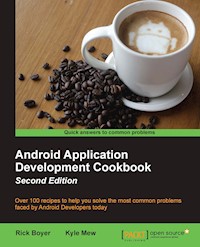
A special thanks to Niron for stepping up to the challenge of making the Android coffee design, used in the cover photo, and Leigh, the manager, for indulging us while we took pictures of our coffee.
Kyle Mew has been programming since the early eighties and has written for several technology websites. He has also written three radio plays and two other books on Android development.
About the Reviewer
Emil Atanasov is an IT consultant with broad experience in mobile technologies. He has been exploring the field of mobile development since 2006.
Emil has an MSc degree in media informatics from RWTH Aachen University, Germany, and an MSc in computer science from Sofia University, St. Kliment Ohridski, Bulgaria. He has worked for several huge USA-based companies and has been a freelancer for several years. Emil has experience in software design and development. He was involved in the process of redesigning, improving, and creating a number of mobile apps. Currently, he is focused on the rapidly growing mobile sector and manages a great team of developers that provide software solutions to clients around the world.
As an Android team leader and project manager, Emil led a team that developed a part of the Nook Color firmware, an e-magazine/e-book, which supports the proprietary Barnes & Nobel and some other e-book formats.
He is one of the people behind reviewing Getting Started with Flurry Analytics, Packt Publishing. He also contributed largely to Objective C Memory Management, Packt Publishing.
I want to thank my family and friends for being so cool. Thank you for supporting me even though I'm such a bizarre geeky person, who spends most of his time in the digital world. Thank you, guys!
www.PacktPub.com
eBooks, discount offers, and more
Did you know that Packt offers eBook versions of every book published, with PDF and ePub files available? You can upgrade to the eBook version at www.PacktPub.com and as a print book customer, you are entitled to a discount on the eBook copy. Get in touch with us at <[email protected]> for more details.
At www.PacktPub.com, you can also read a collection of free technical articles, sign up for a range of free newsletters and receive exclusive discounts and offers on Packt books and eBooks.
https://www2.packtpub.com/books/subscription/packtlib
Do you need instant solutions to your IT questions? PacktLib is Packt's online digital book library. Here, you can search, access, and read Packt's entire library of books.
Why Subscribe?
Preface
Android was first released in 2007 after being acquired by Google, Inc. Initially, Android was primarily used on a handset. Android 3.0 added features to take advantage of the growing tablet market.
In 2014, Google announced that Android had over 1 billion active users! With over 1 million applications available on Google Play, there's never been a more exciting time to join the Android community!
As we begin 2016, we have the recently released Android 6.0 with exciting new features for both users and developers.
What this book covers
Chapter 1, Activities, discusses Activities, which represent the fundamental building blocks for most applications. See examples of the most common tasks, such as creating an activity and passing control from one activity to another.
Chapter 2, Layouts, talks about Layout options; while Activities are fundamental to the UI, the layout actually defines what the user sees on the screen. Learn the main layout options available and best practices.
Chapter 3, Views, Widgets, and Styles, explores the basic UI object, from which all layouts are built. Widgets include everything from buttons and textboxes to more complicated NumberPicker and Calendar dialogs.
Chapter 4, Menus, teaches you how to use menus in Android. Learn how to create menus and how to control their behavior at runtime.
Chapter 5, Exploring Fragments, AppWidgets, and the System UI, shows how to create more flexible user interfaces by reusing UI components with Fragments. Take advantage of new OS features with translucent system bars or even make the System UI go away completely with Immersive Mode.
Chapter 6, Working with Data, helps you discover multiple methods that Android offers for persisting data, and know when it is the best to use each option. The Loader class example shows an efficient solution to present the data without tying up the UI Thread.
Chapter 7, Alerts and Notifications, shows multiple options for displaying notifications to your users. Options range from alerts in your application, using the system notification, and the Heads Up notification.
Chapter 8, Using the Touchscreen and Sensors, helps you learn the events for handling the standard user interactions, such as button clicks, long presses, and gestures. Access the device hardware sensors to determine orientation changes, device movement, and compass bearing.
Chapter 9, Graphics and Animation, helps you bring your app to life with animations! Take advantage of the many options Android offers for creating animations—from simple bitmaps to custom property animations.
Chapter 10, A First Look at OpenGL ES, discusses the OpenGL; when you need high-performance 2D and 3D graphics, turn to the Open Graphics library. Android supports OpenGL, a cross-platform Graphics API.
Chapter 11, Multimedia, takes advantage of the hardware features for playing audio. Use Android intents to call the default camera application or delve into the camera APIs to control the camera directly.
Chapter 12, Telephony, Networks, and the Web, uses the Telephony functions to initiate a phone call and to listen for incoming phone events. See how to send and receive SMS (text) messages. Use the WebView in your application to display web pages and learn how to use Volley to communicate directly with web services.
Chapter 13, Getting Location and Using Geofencing, shows you how to determine the user's location and the best practices so your app doesn't drain the battery. Use the new Location APIs to receive location updates and create Geofences.
Chapter 14, Getting Your App Ready for the Play Store, helps you polish your app for the Play Store and learn how to implement more advanced features, such as alarms and AsyncTask for background processing. See how to add Google Cloud Messaging (push notification) to your app and take advantage of Google Sign-in.
Chapter 15, The Backend as a Service Options, explores what a Backend as a Service provider can offer your app. Compare several top providers offering native Android support and free subscription options.
What you need for this book
Developing Android applications requires the Android SDK, available on multiple platforms, including Windows, Mac, and Linux.
Though not required, this book uses Android Studio, the official Android IDE. If you are new to Android development, visit the following link to review the current system requirements and download Android Studio with the SDK bundle for your platform:
http://developer.android.com/sdk/index.html
The Android SDK and Android Studio are both free of charge.
Who this book is for
This book assumes basic familiarity with programming concepts and Android fundamentals. Otherwise, if you are new to Android and learn best by jumping into the code, this book provides a wide range of the most common tasks.
As a "cookbook", it's easy to jump to your topic of interest and get the code working in your own application as quickly as possible.
Sections
In this book, you will find several headings that appear frequently (Getting ready, How to do it, How it works, There's more, and See also).
To give clear instructions on how to complete a recipe, we use these sections as follows:
Getting ready
This section tells you what to expect in the recipe, and describes how to set up any software or any preliminary settings required for the recipe.
How to do it…
This section contains the steps required to follow the recipe.
How it works…
This section usually consists of a detailed explanation of what happened in the previous section.
There's more…
This section consists of additional information about the recipe in order to make the reader more knowledgeable about the recipe.
See also
This section provides helpful links to other useful information for the recipe.
Conventions
In this book, you will find a number of text styles that distinguish between different kinds of information. Here are some examples of these styles and an explanation of their meaning.
Code words in text, database table names, folder names, filenames, file extensions, pathnames, dummy URLs, and user input are shown as follows: "Requesting a JSON response using JsonObjectRequest() basically works the same as StringRequest()."
A block of code is set as follows:
New terms and important words are shown in bold. Words that you see on the screen, for example, in menus or dialog boxes, appear in the text like this: "Use the default Phone & Tablet option and select Empty Activity when prompted for Activity Type."
Note
Warnings or important notes appear in a box like this.
Tip
Tips and tricks appear like this.
Reader feedback
Feedback from our readers is always welcome. Let us know what you think about this book—what you liked or disliked. Reader feedback is important for us as it helps us develop titles that you will really get the most out of.
To send us general feedback, simply e-mail <[email protected]>, and mention the book's title in the subject of your message.
If there is a topic that you have expertise in and you are interested in either writing or contributing to a book, see our author guide at www.packtpub.com/authors.
Customer support
Now that you are the proud owner of a Packt book, we have a number of things to help you to get the most from your purchase.
Downloading the example code
You can download the example code files for this book from your account at http://www.packtpub.com. If you purchased this book elsewhere, you can visit http://www.packtpub.com/support and register to have the files e-mailed directly to you.
You can download the code files by following these steps:
Once the file is downloaded, please make sure that you unzip or extract the folder using the latest version of:
Errata
Although we have taken every care to ensure the accuracy of our content, mistakes do happen. If you find a mistake in one of our books—maybe a mistake in the text or the code—we would be grateful if you could report this to us. By doing so, you can save other readers from frustration and help us improve subsequent versions of this book. If you find any errata, please report them by visiting http://www.packtpub.com/submit-errata, selecting your book, clicking on the Errata Submission Form link, and entering the details of your errata. Once your errata are verified, your submission will be accepted and the errata will be uploaded to our website or added to any list of existing errata under the Errata section of that title.
To view the previously submitted errata, go to https://www.packtpub.com/books/content/support and enter the name of the book in the search field. The required information will appear under the Errata section.
Piracy
Piracy of copyrighted material on the Internet is an ongoing problem across all media. At Packt, we take the protection of our copyright and licenses very seriously. If you come across any illegal copies of our works in any form on the Internet, please provide us with the location address or website name immediately so that we can pursue a remedy.
Please contact us at <[email protected]> with a link to the suspected pirated material.
We appreciate your help in protecting our authors and our ability to bring you valuable content.
Questions
If you have a problem with any aspect of this book, you can contact us at <[email protected]>, and we will do our best to address the problem.
Chapter 1. Activities
This chapter covers the following recipes:
Introduction
The Android SDK provides a powerful tool to program mobile devices, and the best way to master such a tool is to jump right in. Though you can read this book from beginning to end, as it is a cookbook, it is specifically designed to allow you to jump to specific tasks and get the results immediately.
Activitiesare the fundamental building block of most Android applications as the activity class provides the interface between the application and screen. Most Android applications will have at least one activity, if not several (but they are not required). A background service application will not necessarily require an activity if there is no user interface.
This chapter explains how to declare and launch activities within an application and how to manage several activities at once by sharing data between them, requesting results from them, and calling one activity from within another.
This chapter also briefly explores theintent object, which is often used in conjunction with activities. Intents can be used to transfer data between activities in your own application, as well as in external applications, such as those included with the Android operating system (a common example would be to use an intent to launch the default web browser).
Note
To begin developing Android applications, head over to the Android Studio page to download the new Android Studio IDE and the Android SDK bundle:
http://developer.android.com/sdk/index.html
Declaring an activity
Activities and other application components, such as services, are declared in the AndroidManifest XML file. Declaring an activity is how we tell the system about our activity and how it can be requested. For example, an application will usually indicate that at least one activity should be visible as a desktop icon and serve as the main entry point to the application.
Getting ready
Android Studio is the new tool used to develop Android applications, replacing the now-deprecated Eclipse ADT solution. Android Studio will be used for all the recipes shown in this book, so if you have not already installed it, visit the Android Studio website (the link has been provided earlier) to install the IDE and the SDK bundle.
How to do it...
For this first example, we'll guide you through creating a new project. Android Studio provides a Quick Start wizard, which makes the process extremely easy. Follow these steps to get started:
After finishing the wizard, Android Studio will create the project files. For this recipe, the two files that we will examine are MainActivity.java (which corresponds to the activity name mentioned in Step 6) and AndroidManifest.xml.
If you take a look at the MainActivity.java file, you will realize that it's pretty basic. This is because we chose the Blank Activity option (in Step 4). Now look at the AndroidManifest.xml file. This is where we actually declare the activity. Within the <application> element is the <activity> element:
Note
When viewing this xml within Android Studio, you may notice that the label element shows the actual text as defined in the strings.xml resource file. This is just a small example of enhancements in the new IDE.
How it works...
Declaring an activity is a simple matter of declaring the <activity> element and specifying the name of the activity class with the android:name attribute. By adding the <activity> element to the Android Manifest, we are specifying our intention to include this component within our application. Any activities (or any other component for that matter) that are not declared in the manifest will not be included in the application. Attempting to access or utilize an undeclared component will result in an exception being thrown at runtime.
In the preceding code, there is another attribute—android:label. This attribute indicates the title shown on the screen as well as the icon label if this is the Launcher activity.
Note
For a complete list of available application attributes, take a look at this resource:
http://developer.android.com/guide/topics/manifest/activity-element.html




