


21,99 €
Mehr erfahren.
- Herausgeber: John Wiley & Sons
- Kategorie: Für Kinder und Jugendliche
- Sprache: Englisch
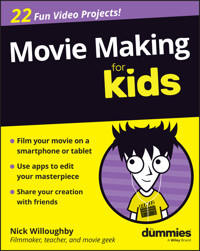
Discover what it takes to be a movie maker!
Do you have a smartphone and a bit of spare time? Feel like making a movie? Movie Making For Kids For Dummies, by experienced director and filmmaking teacher Nick Willoughby, walks you through the basics of creating a movie. Explore the process from start to finish, from pulling together the necessary equipment (which is cheaper and more available than ever!) to shooting and editing.
Willoughby shows you how to film with just your smartphone or your tablet and how to use app-based tools for both filming and editing. You'll learn how to capture sound, light your scenes, and stabilize your shots with widely available accessories. You'll also discover:
- How to share your movie with family and friends
- Step-by-step guides at the end of each chapter to create your own content
- Complimentary access to interactive content and downloadable resources
Great for kids at filmmaking camps, classes, and courses, Movie Making For Kids For Dummies is also a fantastic book for parents and teachers of kids who want to get into filmmaking.
Sie lesen das E-Book in den Legimi-Apps auf:
Seitenzahl: 345
Veröffentlichungsjahr: 2026
Ähnliche














![Tintenherz [Tintenwelt-Reihe, Band 1 (Ungekürzt)] - Cornelia Funke - Hörbuch](https://legimifiles.blob.core.windows.net/images/2830629ec0fd3fd8c1f122134ba4a884/w200_u90.jpg)



Movie Making For Kids For Dummies®
To view this book's Cheat Sheet, simply go to www.dummies.com and search for “Movie Making For Kids For Dummies Cheat Sheet” in the Search box.
Table of Contents
Cover
Table of Contents
Title Page
Copyright
Introduction
About This Book
Foolish Assumptions
Icons Used in This Book
Beyond the Book
Where to Go from Here
Mission 1: Understanding the Basic Movie Making Process
Project 0: Getting Started Making Movies
The Movie Making Process
Lights, Camera, What?
What Every Movie Maker Needs
Life as a Filmmaker
Project 1: Getting to Know Your Camera
How Does Your Camera Work?
Deciding on a Camera to Use
Choosing a Video Camera App
Recording and Importing Footage
Try It Out Yourself
Project 2: Framing a Great Shot
Learning the Rule of Thirds
Choosing the Right Shot
Choosing between a Fixed-Camera Position and a Moving Camera
Try It Out Yourself
Project 3: Making Your Movie Sound Good
Using the Built-In Microphone
Recording with External Microphones
Recording Sound Separately
Try It Out Yourself
Project 4: Getting the Best Lighting
Using Natural Light
Using Extra Lights
Lighting Your Movie
Try It Out Yourself
Project 5: Adding Magic by Editing
Choosing an Editing Tool
Creating a New Project
Importing Your Footage
Creating a New Timeline
Adding Selected Footage to a Timeline
Adding Transitions
Exporting Your Video
Mission 2: Making a 60-Second Movie Trailer
Project 6: Planning Your Movie Trailer
Coming Up with an Idea
Structuring Your Trailer
Listing the Shots You Want to Shoot
Try It Yourself
Project 7: Shooting Your Trailer
Essentials before Shooting
Directing Your Movie
Shooting Tips
Checking Your Shots
Try It Out Yourself
Project 8: Setting the Pace and Mood with Editing
Arranging Your Footage on the Timeline
Adding Music
Adjusting Brightness and Contrast
Adding Titles
Mission 3: Making a Documentary
Project 9: What Makes a Good Documentary?
What Is a Documentary?
Considering Documentary Film Styles
Picking a Topic for Your Documentary
Structuring Your Documentary
Try It Out Yourself
Project 10: Shooting Your Documentary
Creating a Short Summary to Introduce Your Topic
Trying Some Interviewing Techniques
Recording Clean Sound
Filming Cutaways
Creating the Perfect Ending
Try It Out Yourself
Project 11: Overlaying and Underlaying in Editing
Preparing Your Documentary in the Timeline
Recording a Voiceover
Adding a Voiceover Under Your Footage
Adding Footage Over Your Interviews
Adding Credits
Mission 4: Creating Your First Short Narrative Movie
Project 12: Assembling Your Movie Crew
Who Can Help?
Roles in a Team
Understanding Your Role
Building a Team
Try It Out Yourself
Project 13: Telling Your Story
What Makes a Good Story?
Creating Your Characters
Writing Your Story on One Page
Creating a Scene Selection
Writing the Script
Writing Dialogue
Project 14: Location Hunting and Props
Finding the Right Locations for Your Movie
Do You Have Permission?
Choosing Props and Costumes
Try It Out Yourself
Project 15: Choosing Actors for Your Movie
Running Auditions
Rehearsing Your Scenes
Getting the Best from Your Actors
Try It Out Yourself
Project 16: Planning Your Shots with a Storyboard
Creating a Storyboard
What to Include in Your Storyboard
Try It Out Yourself
Project 17: Enhancing Your Shots
Viewing the Same Scene from Different Angles
Adding Levels to Your Movie
Crossing the Line
Try It Out Yourself
Project 18: Making It Sound Even Better
Adopting Microphone Techniques for Dialogue
Dealing with Wind
Checking Sound Levels as You Record
Try It Out Yourself
Project 19: Adding Mood with Lighting
Using Shadows and Lighting Effects
Using Colored Gels and Filters
Getting the Best from Daylight
Try It Out Yourself
Project 20: Time to Film
Directing Your Movie
Logging Your Shots
Checking Your Shots
Try It Out Yourself
Mission 5: Making Magic After Filming
Project 21: Getting the Movie Look with Editing
Editing Angles and Shots Together
Editing Dialogue and Inserting Reaction Shots
Creating the Movie Look with Color and Effects
Enhancing the Sound
Try It Out Yourself
Project 22: Getting a Movie Review
Reviewing Your Work
Getting Feedback from Others
Try It Out Yourself
Index
About the Author
Dedication
Author’s Acknowledgments
Connect with Dummies
End User License Agreement
List of Tables
Chapter 5
Table 5-1 Playback Controls
Table 5-2 Keyboard Shortcuts
List of Illustrations
Chapter 1
Figure 1-1
Figure 1-2
Figure 1-3
Figure 1-4
Figure 1-5
Figure 1-6
Figure 1-7
Figure 1-8
Figure 1-9
Figure 1-10
Figure 1-11
Figure 1-12
Figure 1-13
Figure 1-14
Figure 1-15
Figure 1-16
Figure 1-17
Figure 1-18
Figure 1-19
Figure 1-20
Figure 1-21
Figure 1-22
Figure 1-23
Figure 1-24
Chapter 2
Figure 2-1
Figure 2-2
Figure 2-3
Figure 2-4
Figure 2-5
Figure 2-6
Figure 2-7
Figure 2-8
Figure 2-9
Figure 2-10
Figure 2-11
Figure 2-12
Figure 2-13
Figure 2-14
Figure 2-15
Figure 2-16
Figure 2-17
Chapter 3
Figure 3-1
Figure 3-2
Figure 3-3
Figure 3-4
Figure 3-5
Figure 3-6
Figure 3-7
Figure 3-8
Chapter 4
Figure 4-1
Figure 4-2
Figure 4-3
Figure 4-4
Figure 4-5
Figure 4-6
Figure 4-7
Figure 4-8
Figure 4-9
Figure 4-10
Figure 4-11
Figure 4-12
Figure 4-13
Chapter 5
Figure 5-1
Figure 5-2
Figure 5-3
Figure 5-4
Figure 5-5
Figure 5-6
Figure 5-7
Figure 5-8
Figure 5-9
Figure 5-10
Figure 5-11
Figure 5-12
Figure 5-13
Figure 5-14
Figure 5-15
Chapter 6
Figure 6-1
Figure 6-2
Chapter 7
Figure 7-1
Figure 7-2
Figure 7-3
Figure 7-4
Chapter 8
Figure 8-1
Figure 8-2
Figure 8-3
Figure 8-4
Figure 8-5
Figure 8-6
Figure 8-7
Figure 8-8
Figure 8-9
Figure 8-10
Figure 8-11
Figure 8-12
Figure 8-13
Figure 8-14
Figure 8-15
Figure 8-16
Figure 8-17
Figure 8-18
Figure 8-19
Figure 8-20
Figure 8-21
Figure 8-22
Figure 8-23
Chapter 9
Figure 9-1
Chapter 10
Figure 10-1
Figure 10-2
Figure 10-3
Chapter 11
Figure 11-1
Figure 11-2
Figure 11-3
Figure 11-4
Figure 11-5
Figure 11-6
Figure 11-7
Figure 11-8
Figure 11-9
Figure 11-10
Figure 11-11
Figure 11-12
Figure 11-13
Figure 11-14
Figure 11-15
Figure 11-16
Figure 11-17
Figure 11-18
Figure 11-19
Figure 11-20
Figure 11-21
Figure 11-22
Chapter 13
Figure 13-1
Figure 13-2
Figure 13-3
Chapter 14
Figure 14-1
Chapter 15
Figure 15-1
Chapter 16
Figure 16-1
Figure 16-2
Figure 16-3
Chapter 17
Figure 17-1
Figure 17-2
Figure 17-3
Figure 17-4
Figure 17-5
Figure 17-6
Figure 17-7
Figure 17-8
Figure 17-9
Figure 17-10
Figure 17-11
Chapter 18
Figure 18-1
Figure 18-2
Figure 18-3
Figure 18-4
Figure 18-5
Figure 18-6
Chapter 19
Figure 19-1
Figure 19-2
Figure 19-3
Figure 19-4
Figure 19-5
Figure 19-6
Figure 19-7
Chapter 20
Figure 20-1
Chapter 21
Figure 21-1
Figure 21-2
Figure 21-3
Figure 21-4
Figure 21-5
Figure 21-6
Figure 21-7
Figure 21-8
Figure 21-9
Figure 21-10
Figure 21-11
Figure 21-12
Figure 21-13
Figure 21-14
Figure 21-15
Figure 21-16
Figure 21-17
Figure 21-18
Figure 21-19
Figure 21-20
Figure 21-21
Figure 21-22
Figure 21-23
Figure 21-24
Figure 21-25
Figure 21-26
Figure 21-27
Chapter 22
Figure 22-1
Guide
Cover
Table of Contents
Title Page
Copyright
Begin Reading
Index
About the Author
Dedication
Author’s Acknowledgments
Pages
i
ii
1
2
3
4
5
6
7
8
9
10
11
12
13
14
15
16
17
18
19
21
22
23
24
25
26
27
28
29
30
31
32
33
34
35
36
37
38
39
40
41
42
43
44
45
46
47
48
49
50
51
53
54
55
56
57
58
59
60
61
62
63
64
65
66
67
68
69
71
72
73
74
75
76
77
78
79
80
81
82
83
84
85
86
87
88
89
90
91
92
93
94
95
97
98
99
100
101
102
103
104
105
106
107
108
109
110
111
112
113
114
115
116
117
119
120
121
122
123
124
125
126
127
128
129
130
131
132
133
134
135
136
137
138
139
140
141
142
143
144
145
146
147
148
149
150
151
152
153
154
155
156
157
158
159
160
161
162
163
164
165
166
167
168
169
170
171
173
174
175
176
177
178
179
180
181
182
183
184
185
186
187
188
189
190
191
192
193
194
195
196
197
198
199
200
201
203
204
205
206
207
208
209
210
211
213
214
215
216
217
218
219
220
221
222
223
224
225
226
227
228
229
231
232
233
234
235
236
237
239
240
241
242
243
244
245
246
247
248
249
250
251
252
253
254
255
256
257
258
259
260
261
262
263
264
265
266
267
268
269
270
271
272
273
275
276
277
278
279
280
281
282
283
284
285
286
287
288
289
290
291
292
293
294
295
296
297
298
299
300
301
302
303
304
305
306
307
308
309
310
311
312
313
314
315
316
317
318
319
320
321
322
323
324
325
326
327
328
329
Movie Making For Kids For Dummies®
Published by: John Wiley & Sons, Inc., 111 River Street, Hoboken, NJ 07030-5774, www.wiley.com
Copyright © 2026 by John Wiley & Sons, Inc. All rights reserved, including rights for text and data mining and training of artificial technologies or similar technologies.
Media and software compilation copyright © 2026 by John Wiley & Sons, Inc. All rights reserved, including rights for text and data mining and training of artificial technologies or similar technologies.
No part of this publication may be reproduced, stored in a retrieval system or transmitted in any form or by any means, electronic, mechanical, photocopying, recording, scanning or otherwise, except as permitted under Sections 107 or 108 of the 1976 United States Copyright Act, without the prior written permission of the Publisher or authorization through payment of the appropriate per-copy fee to the Copyright Clearance Center, Inc., 222 Rosewood Drive, Danvers, MA 01923, (978) 750-8400, fax (978) 750-4470, or on the web at www.copyright.com. Requests to the Publisher for permission should be addressed to the Permissions Department, John Wiley & Sons, Inc., 111 River Street, Hoboken, NJ 07030, (201) 748-6011, fax (201) 748-6008, or online at http://www.wiley.com/go/permissions.
The manufacturer’s authorized representative according to the EU General Product Safety Regulation is Wiley-VCH GmbH, Boschstr. 12, 69469 Weinheim, Germany, e-mail: [email protected].
Trademarks: Wiley, For Dummies, the Dummies Man logo, Dummies.com, Making Everything Easier, and related trade dress are trademarks or registered trademarks of John Wiley & Sons, Inc. and may not be used without written permission. All other trademarks are the property of their respective owners. John Wiley & Sons, Inc. is not associated with any product or vendor mentioned in this book.
LIMIT OF LIABILITY/DISCLAIMER OF WARRANTY: THE PUBLISHER AND THE AUTHOR MAKE NO REPRESENTATIONS OR WARRANTIES WITH RESPECT TO THE ACCURACY OR COMPLETENESS OF THE CONTENTS OF THIS WORK AND SPECIFICALLY DISCLAIM ALL WARRANTIES, INCLUDING WITHOUT LIMITATION WARRANTIES OF FITNESS FOR A PARTICULAR PURPOSE. CERTAIN AI SYSTEMS HAVE BEEN USED IN THE CREATION OF THIS WORK. NO WARRANTY MAY BE CREATED OR EXTENDED BY SALES OR PROMOTIONAL MATERIALS. THE ADVICE AND STRATEGIES CONTAINED HEREIN MAY NOT BE SUITABLE FOR EVERY SITUATION. THIS WORK IS SOLD WITH THE UNDERSTANDING THAT THE PUBLISHER IS NOT ENGAGED IN RENDERING LEGAL, ACCOUNTING, OR OTHER PROFESSIONAL SERVICES. IF PROFESSIONAL ASSISTANCE IS REQUIRED, THE SERVICES OF A COMPETENT PROFESSIONAL PERSON SHOULD BE SOUGHT. NEITHER THE PUBLISHER NOR THE AUTHOR SHALL BE LIABLE FOR DAMAGES ARISING HEREFROM. THE FACT THAT AN ORGANIZATION OR WEBSITE IS REFERRED TO IN THIS WORK AS A CITATION AND/OR A POTENTIAL SOURCE OF FURTHER INFORMATION DOES NOT MEAN THAT THE AUTHOR OR THE PUBLISHER ENDORSES THE INFORMATION THE ORGANIZATION OR WEBSITE MAY PROVIDE OR RECOMMENDATIONS IT MAY MAKE. FURTHER, READERS SHOULD BE AWARE THAT INTERNET WEBSITES LISTED IN THIS WORK MAY HAVE CHANGED OR DISAPPEARED BETWEEN WHEN THIS WORK WAS WRITTEN AND WHEN IT IS READ.
For general information on our other products and services, please contact our Customer Care Department within the U.S. at 877-762-2974, outside the U.S. at 317-572-3993, or fax 317-572-4002. For technical support, please visit https://hub.wiley.com/community/support/dummies.
Wiley publishes in a variety of print and electronic formats and by print-on-demand. Some material included with standard print versions of this book may not be included in e-books or in print-on-demand. If this book refers to media that is not included in the version you purchased, you may download this material at http://booksupport.wiley.com. For more information about Wiley products, visit www.wiley.com.
Library of Congress Control Number is available from the publisher.
ISBN 978-1-394-39168-4 (pbk); ISBN 978-1-394-39170-7 (ebk); ISBN 978-1-394-39169-1 (ebk)
Introduction
So you want to be a movie maker? Have you ever watched a movie or a TV show and wondered how they made it and what it would be like to make your own? Well, you picked up the right book — this is where your movie making journey starts.
Digital movie making is the process of creating and telling a story or presenting information through the art of film using digital video cameras and smartphones. Basically, it’s a way creative people like you can turn the ideas in your heads into movies audiences can watch on movie screens, TVs, or computers. The movie making process can take weeks, months, and even years, depending on the length and complexity of the movie being made. It involves taking an idea, turning it into a story and a script, storyboarding the script into a series of images, recording the actors performing the script using video cameras, smartphones, and microphones, transferring the video clips from the camera to a computer, and editing the footage into the final movie for the audience to enjoy. It may sound like a complicated process, but it’s not, really — it’s fun, and I’m sure you’ll enjoy every moment.
There are thousands of movie makers in the world, living their dreams of making movies and documentaries every day. You could be one of them! Movie Making For Kids For Dummies introduces you to the magical world of movie making and guides you through the process of making your own movies to share with your family and friends.
About This Book
There aren’t many places where you can discover and develop movie making knowledge and skills and then practically apply them to your own movie projects. In Movie Making For Kids For Dummies, I give you all the knowledge and skills you need and guide you through the movie making process step by step.
They say a wise person learns from their mistakes and a clever person learns from other people’s mistakes. I’ve learned everything I know from working in different roles within the film industry, and the mistakes I made along the way helped me develop my skills and made me better at what I do. The great thing about this book is that I share with you the tips and techniques that I learned, which saves you having to make the same mistakes I did.
In this book, you:
Discover the different camera apps available to shoot your movies on a smartphone.
Explore the different types of camera shots and angles you can use in your movies.
Discover how to record sound using onboard and external microphones.
Find out about how to light your scenes and add mood using natural light and extra lights.
Edit your own movies together using the editing tool on your computer.
Create, film, and edit your own 60-second movie trailer.
Create, film, and edit your own documentary.
Audition people to play the characters in your movie.
Create a story, write a script, create a storyboard, and then film and edit your own short movie.
It’s better to understand the process and techniques of movie making before you go out and make your first movie. This book helps you gain this understanding, as well as the following:
Inspiration:
I help you think of ideas and stories to tell through film and find ways of making your camera shots look great.
Knowledge:
I give you the information you need to get the best from your ideas and stories and turn them into amazing movies.
Skills:
I show you ways to enhance and improve the look and sound of your movies through camera and microphone techniques.
Results:
I explain how to edit everything you’ve filmed together and bring it to life in the editing tool to make a movie you are proud to share with your family and friends.
Foolish Assumptions
You may know a little bit about me (especially if you’ve read the “About the Author” section at the back of this book), but I know nothing about you. Still, to write this book I had to make a few guesses and assumptions about the things you already know about movie making and about the experience you may have had before reading this book. These foolish assumptions helped me to decide what to include in this book.
I assume that you’re interested in making movies, which is not a difficult assumption since otherwise you wouldn’t have picked this book up in the first place. Maybe you’ve been involved in movie making before reading this book, or maybe you never used a video camera before. Either way, this book can help you.
Also, I assume you have access to a digital video camera, whether it be a camcorder you own, a video camera on your smartphone, or someone else’s camera you can borrow. Even if you don’t have access to a digital video camera right now, don’t worry — you’ll still find this book useful. For the editing sections, I also assume you have access to a PC or Mac and have the free version of DaVinci Resolve installed.
Finally, I assume you’re new to movie making and that you want to learn the whole process of making a movie from start to finish. Of course, even if you’re a professional or have made movies before, I’m sure you’ll find this book useful, even if only to refresh your knowledge and skills.
Icons Used in This Book
As you read through the projects in this book, you will notice a few icons:
The Remember icon gives you a little reminder about important things to keep in mind when you make your movies.
This icon appears when I am explaining technical information and techniques. You can skip this technical stuff if you want to.
I use the Tip icon when I have information or advice that can help you with your movie project.
If there is something that could be dangerous or should be avoided, the Warning icon appears.
Beyond the Book
I have made available a lot of extra content that you won’t find in this book. This book has a companion website, which you can access at www.dummies.com/go/moviemakingforkidsfd. Go online to find the following:
Project videos:
In the aptly named
Videos
folder, you’ll find videos where I demonstrate some of the ideas discussed in this book and give you some tips to help you make your movies. You can also access these videos using the QR codes sprinkled throughout the book.
An online Cheat Sheet for digital movie making:
Here you can find a list of notes that you can quickly read to help you make your movie.
Example movies, trailers, and clips:
Becoming a movie maker is a very visual experience, which means that sometimes you need to see examples of what I am explaining. In the
Movies
folder, you'll find the movies that our crew made while I was writing this book.
Downloadable forms that can ease your planning process:
In the
Download Forms
folder, you’ll find blank versions of the variety of forms shown throughout this book to help you plan, shoot and edit your movies, including a blank storyboard, a movie trailer structure sheet, an audience review form, a shot log sheet, and more.
Updates to this book, if there are any.
Where to Go from Here
Movie Making For Kids For Dummies will help launch you into the movie making world and give you the confidence you need to get out there and turn your ideas into movies. After you have read this book, you may want to study this topic further in college or look into any film courses near you. Whatever you decide to do next, I encourage you to keep watching movies to get inspiration and techniques from, and to keep making your own movies as that is the best way to develop as a filmmaker.
This book is made up of missions (like parts) and projects (like chapters), which are designed for you to be able to jump to different stages of the movie making process. If you already understand how your camera works, the different types of camera shots, the best way to record sound, and how to edit a movie, then you can jump to Missions 2, 3, 4, or 5, as you like. You can always come back to Mission 1 later.
Even if you’re an experienced filmmaker, however, I recommend starting at Project 0 and working your way through all the projects in order. If you jump ahead, you may miss something really important. In Mission 1, for example, I share some great ways to enhance the look and sound of your movie, which you will find this information very useful in Missions 2, 3, 4, and 5.
It’s now time to start your movie making journey. I’m really excited to be able to introduce you to the movie making world and to guide you through making your own movies!
Mission 1
Understanding the Basic Movie Making Process
During this mission you’ll …
Getting Started Making Movies
Getting to Know Your Camera
Framing a Great Shot
Making Your Movie Sound Good
Getting the Best Lighting
Adding Magic by Editing
For Dummies can help you get started with lots of subjects. Visit www.dummies.com to learn more.
Project 0
Getting Started Making Movies
Welcome toMovie Making For Kids For Dummies. Making movies is easier and less expensive than ever! Many years ago, perhaps before you were born, movies were captured using cameras that recorded a series of still images on to a reel of film or tape that ran through the camera. These reels were then cut together by hand, which was a very long and complicated process. Back then, fewer people were able to make high-quality films due to the cost of the equipment and production.
Now we have digital video cameras and smartphones. They capture images digitally through electronic chips, which send the images to media cards or hard drives and not to reels of film, which are expensive to buy and can’t be reused. The importing and editing process is also simpler because each section or clip of recorded video is imported and edited as a separate file, making the editing process quicker and more efficient. You can even edit your movie directly on your phone or tablet!
Some filmmakers still prefer traditional movie making to digital movie making because they prefer the look of the images captured with old, traditional film cameras. That “traditional film camera” look used to be hard to replicate with digital cameras, but things are changing. Some of the latest digital cinema cameras produce unbelievably beautiful footage. Some filmmakers are using smartphones to shoot high-budget films, as they can capture shots and angles that big old cinema cameras can’t.
The introduction of digital cameras has opened up opportunities for future filmmakers like you to get your movies made and seen. It’s never been easier or cheaper to turn ideas and stories into movies. Just look at the number of short films on YouTube — we live in an excitingly creative world!
With the skills and tips you learn in this book, and a smartphone or tablet in your hands, you can turn your ideas and stories into movies that you can share with your family and friends.
The Movie Making Process
The movie making process can be divided into five main stages:
Development
Pre-production
Production
Post-production
Distribution
If you imagine the movie making process as a journey, these five main stages are stops on the way. You can’t get to your final destination unless you stop at each of these places. Each of these stages is discussed in the next few sections.
Development
This is one of the most important areas of the movie making process, and it can be one of the hardest too. I find myself sitting in a coffee shop many times, staring into space, trying to think of ideas. This process is usually the longest part of making a movie, because it’s important to get the concept and the story right before moving into the production phase. Development can be rushed, however, and it is sometimes skipped altogether, although this leaves the story undeveloped, which can cause problems for the filmmaker later in the pre-production stage. The development stage involves creating ideas, developing character profiles, and building the story so that it’s ready to take into pre-production.
In the development stage, the filmmaker comes up with themes and ideas in order to create a story with a good beginning, middle, and end. This story is then used to create a script for the actors to work from and a storyboard for the director and crew to work from.
Pre-production
This stage uses the idea, story, script, and storyboard created in the development stage to prepare for the production stage. In pre-production, everything is planned as much as possible. If this stage is rushed or skipped, something may go wrong during the production stage, and it could take longer to film.
In the pre-production stage, actors are auditioned and cast for the characters in the film, locations are found, and sets are built for each scene, each filming day is planned and scheduled, and rehearsals for the actors are organized. The time and attention spent at this stage saves time in the production and post-production stages.
Production
The production stage is where the story and characters come to life through film. This stage relies heavily on the previous stages: If the story and script aren’t finalized or if no actors have been cast or no locations chosen, filming can’t begin.
The production stage starts with running rehearsals for the actors to help learn their lines and to develop their characters. During production, camera equipment is set up on location, and the planned scenes are filmed. The final stage of production is to review the filmed footage to make sure all scenes and necessary shots have been captured, and that the footage looks good enough to pass on to the post-production stage.
Post-production
The post-production stage is where the footage captured during production is pieced together to tell the story through editing. This stage is so exciting: The filmmaker gets to see the results of all the hard work put into the previous stages and to watch the film come together in the editing tool.
The post-production stage starts with importing and editing the footage captured during filming in an editing program on a computer, such as iMovie, or — my favorite —Blackmagic DaVinci Resolve. When all footage is imported and edited together, music and sound effects can be added and the footage can be enhanced with color and effects ready to be distributed.
Traditional forms of film editing are linear, meaning that they involve searching through reels of tape to edit film in sequence. Video-editing programs, such as iMovie, Windows Clipchamp, Final Cut, Adobe Premiere, and DaVinci Resolve, are known as non-linear editors (NLEs) because they are freer. You can view and edit video footage in a timeline in any order you like.
Distribution
Distribution is the final stage in the movie making journey. At this point, the film has been produced and edited, and it’s ready for the audience to enjoy. This can be a worrying time for the filmmaker because the movie will be viewed by an audience who will supply comments and reviews. This is the first point at which the filmmaker sees an audience’s response to the film.
Most mainstream films are first distributed to cinemas and then released on DVD and online streaming services, and television later. Low-budget films, on the other hand, don’t always get a cinema release. Instead, they first appear at film festivals and are then released to online video-hosting sites (and sometimes DVD) later.
Lights, Camera, What?
As you read through this book, there will be some words that are new to you. Here I’ve created a list of movie making-related terms and their meanings. If you’re ever unclear about a word I’ve used in this book, you can refer to this list:
Action:
A term called by the director during the filming of a scene to let cast and crew that a take has started.
Angle:
The position of the camera with respect to the subject.
Blockbuster:
A large-scale film with a high production budget usually released globally into cinemas.
Boom:
A long pole with a microphone attached. Booms are usually held above the actors to record sound in a scene.
Camcorder:
A video camera, which is a device used to record video footage.
Camera phone:
A cellphone device that can capture still images and record video footage.
Cast:
The group of actors appearing in a film or video.
Character:
A person within a story, usually fictional.
Clapperboard:
A board on which details of the film shoot are written, which is held in front of the camera to introduce a scene during filming. Traditionally chalk was used to write the details on the clapperboard but now marker pens are used. A clapperboard is sometimes referred to as a
slate.
Costume:
Clothes worn by the actors during filming.
Crew:
A group of people behind the scenes or behind the camera who are involved in the making of a film or video.
Cut:
A term is called by the director during filming to let the cast and crew know that a take is over.
Development:
The process of building and creating the film.
Dialogue:
The words spoken among the characters in a film or video.
Director:
The person who works with actors and crew when filming to help tell the story through their performance and the shots captured.
Editing:
The process of putting the film footage and clips together after filming.
Editing tool:
The software on a computer used to edit video.
Effect:
A visual or audio technique used to enhance or change the look or sound of a video clip. Effects can be added during filming or when editing.
Establishing shot:
This is the first shot to appear in a new scene, which “establishes” for the viewer the setting of the scene.
Filmmaker:
The person who creates a film or movie.
Fictional film:
A film based on a story that is imagined by the writer and not normally based on fact.
FireWire cable:
A way of transferring data and video footage from a camera to a computer. FireWire connections can also be referred to as IEEE 1394.
Focus:
The sharpness of an image.
Foley:
The audio recording of everyday sound effects to be added to a movie during the editing process.
Frame:
A still image taken from the many images captured within a video clip or film footage.
Gaffer:
The person who works closely with the director of photography to create a lighting plan for the movie.
Lens:
A device attached to the camera that uses glass to focus on a subject.
Lighting:
Devices that provide light to a scene.
Lighting technician:
The person who sets up and operates the lighting equipment on a movie.
Lines:
Character dialogue or words in the script performed by the actors.
Location:
A place or area used to film a scene.
Media card:
A storage device that captures and holds the information or video being recorded by the camera.
Microphone:
A device used to record sound when filming.
Monitor:
A mini TV screen used to view what the camera captures as it films or to review what already has been recorded.
Nonfictional film:
A documentary film created using factual information or real events starring real people involved in the events.
Post-production:
The work put into a movie after filming.
Prop:
Any item used by an actor in a scene or that is otherwise involved in the film.
Reel:
A length of filmstrip wrapped around a metal wheel so as to be more easily viewed on a projector. Film was the medium used to record motion pictures before the age of digital video (and is still used in increasingly rare cases).
Scene:
A series of shots filmed at one location to tell a section of the main story.
Schedule:
A plan of the day’s filming that shows the times and details of shots to be filmed.
Script:
A document showing the details of a story that is to be filmed, including the scenes and dialogue to be performed by the actors.
Set:
An area built and constructed where a scene can be filmed.
Shoot:
To film or record video footage.
Shot:
One section of footage recorded by the camera from start to finish.
Shot list:
A list used by the crew showing the shots to be filmed within a scene.
Sound effects:
Sounds added to a film when editing.
Storyboard:
A series of images created before filming to plan the shots to be filmed.
Subject:
The person or object being filmed.
Take:
One recorded performance of a scene during filming. A filmmaker could expect to shoot tens or hundreds of takes per scene (depending on the length of a scene).
USB cable:
A way of transferring data or video footage from a camera to a computer.
Voiceover:
A recorded voice used in a film or documentary. The speaker is not shown.
Wildtrack:
The audio recording of ambient sounds on location. Added to a movie during editing to create an atmosphere.
Zoom:
The magnification of an object or subject when filming that makes the subject appear to be closer or farther away.
What Every Movie Maker Needs
A filmmaker can spend a fortune on all the different tools available to make films. However, to get started, a filmmaker needs only a few basic tools, most of which are relatively inexpensive:
Video camera or smartphone:
Without a video camera or smartphone, there is no film. A video camera or smartphone captures the picture and audio and stores them on a media card, hard drive, or tape, ready to be imported and edited later.
Microphone:
The microphone picks up sound waves and converts them into signals that can be understood by the camera, which are then recorded along with the picture onto a media card, hard drive, or tape. Smartphones and camcorders have built-in microphones. You can also connect external microphones to help increase the audio quality.
Light source:
Your subjects need to be seen by your audience, so a light source is quite important. The light source could be a natural one, like the sun, or an artificial one, like the light from a lamp.
Editing tool:
An editing tool is a computer program or smartphone application into which you import your video footage, slice it up, and arrange into an order suitable for viewing by your audience.
Tripod:
A tripod is a great tool for keeping the camera or smartphone steady in a fixed position. It can be used to smoothly film moving subjects from left to right or up and down.
Media card/tape:
Means of storing video footage captured by the camera.
Headphones:
A device that can be plugged into a video camera or external sound recorder to monitor the quality of the audio being recorded.
Life as a Filmmaker
Ever since I was a young boy I’ve enjoyed being creative. I used to write my own plays and sketches and perform them in front of my family and friends. My sister and I would record our own radio shows. I even turned the act of making cheese on toast into a TV show. Later, when it came to deciding what I would choose as a career, I was unsure which path to take, and because it seemed sensible to try to fit in, I decided to work with computers. Back then, I thought that being an actor or filmmaker wasn’t a real job.
In the first five years of my career, however, I changed jobs more than ten times — something was wrong! Those so-called “sensible and normal” jobs didn’t make me happy. It occurred to me that I wouldn’t be happy until I was using the creative brain I was born with. I then made the decision to follow my dream to be involved in the TV and film industry. Now filmmaking is my life, my job, and my hobby — I love it!
Of course, like every job, filmmaking can be stressful. You can work long hours. There’s often too much to do and too little time or money to do it. Even so, the good aspects of working in the film industry outnumber the negative ones. No one day is the same as the next; that’s one of the things I love about the filmmaking industry. The majority of the work I get is for corporate clients. This is great, but it’s perhaps less exciting than working on dramatic or story-based films. Corporate filmmaking usually includes filming talking heads — often just a mid shot of someone talking to the camera delivering a message or conveying information about a subject. My other work includes promotional videos, charity films, training videos, product videos, filmed events, and short films.




