


1,99 €
Mehr erfahren.
- Herausgeber: World Roblox
- Kategorie: Lebensstil
- Sprache: Englisch
The Ultimate Tower of Hell Guide on Roblox!
Das E-Book können Sie in Legimi-Apps oder einer beliebigen App lesen, die das folgende Format unterstützen:
Veröffentlichungsjahr: 2025
Ähnliche









Official Roblox EBook
Copyright
Luciana Priscilla
Copyright © 2025 – All rights reserved.
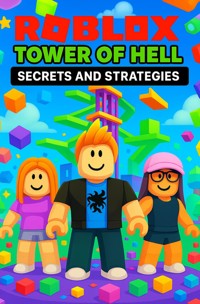
Roblox - Tower of Hell
Secrets and Strategies
Official Edition
All rights reserved©.
No part of this publication may be reproduced, distributed, or transmitted in any form or by any means—electronic, mechanical, photocopying, recording, or otherwise—without the prior express permission of the author.
This eBook is official and inspired by the Roblox universe.
The content presented here is protected by copyright and intellectual property laws.
Violation of these rights is subject to penalties provided for in current legislation.
This is the original and authentic guide.
All rights reserved to the author.
Introduction — Tower of Hell: Secrets and Strategies
Welcome to the definitive guide to Tower of Hell, the game that challenges reflexes, precision, and strategy with every jump. This book is designed for players who want to go beyond the basics, learn advanced techniques, discover little-known secrets, and progress from intermediate to pro level.
Here you will find:
• Advanced tips and pro strategies for every module and tower type.
• Structured training, drills and exercises to improve reflexes, rhythm and anticipation.
• Observation techniques to learn from experienced players.
• Emotional control and tilt prevention methods, essential for long towers.
• Advanced secrets and hacks that are not obvious at first glance.
The goal of this guide isn’t just to teach you how to complete towers, but to transform the way you play, making each move conscious, precise, and strategic. Each chapter is designed to develop specific skills that, when combined, elevate your performance to pro levels.
Get ready for a journey of learning, practice, and growth—from your first jump to your personal best, you’ll have all the tools you need to master Tower of Hell.
Complete Summary
Main Chapters
• Chapter 1 — Introduction to the Game and Advanced Fundamentals
• Chapter 2 — Camera Control and Optimized Sensitivity
• Chapter 3 — Mini-Corrections and Millimetric Adjustments
• Chapter 4 — Rhythm and Cadence in Jumps
• Chapter 5 — Mobile Platform Anticipation
• Chapter 6 — Advanced Edge Jumps and Corner Jumps
• Chapter 7 — Dynamic Obstacles and Strategic Blocks
• Chapter 8 — Complex Sequences of Modules
• Chapter 9 — Breathing and Strategic Pauses
• Chapter 10 — Memorizing Towers and Patterns
• Chapter 11 — Deliberate Training and Structured Repetition
• Chapter 12 — Physical Adjustments and Character Posture
• Chapter 13 — Perfect Timing and Continuous Flow
• Chapter 14 — Strategies for Narrow Platforms
• Chapter 15 — Managing Stress and Pressure in Tournaments
• Chapter 16 — High-Intensity Drills
• Chapter 17 — Optimizing Time and Efficiency
• Chapter 18 — Adaptation to Variable Towers
• Chapter 19 — Reviewing and Correcting Common Errors
• Chapter 20 — Repetition Strategies and High-Intensity Training
• Chapter 21 — Techniques for Observing Other Players
• Chapter 22 — Obstacle Anticipation and Movement Forecasting Strategies
• Chapter 23 — Advanced Strategies for Combining All Techniques
• Chapter 24 — Tilt Recovery and Prevention Strategies
• Chapter 25 — Peak Performance Strategies and Records
Bonus
• Camera and HUD customization
• Alternative jumps and secret shortcuts
• Exploration of game physics
• Creative drills and stress sessions
• Advanced player scouting
• Pro mindset and preparation for complex towers
• Advanced execution hacks
Final Epilogue
• Reflection on the journey
• Pro mentality
• Integration of all techniques
• Next steps and continuous evolution
Chapter 1 — The World of Tower of Hell: Why It’s Roblox’s Biggest Challenge
Welcome to the first chapter. Here we’ll lay the foundation: understand what makes Tower of Hell so challenging, what skills you need to develop, and—most importantly—how to prepare to train efficiently and consistently. If you want to climb from the first platforms to the top without freaking out, this chapter is your mental, technical, and physical warm-up manual.
1. What is Tower of Hell (in a nutshell)
Tower of Hell is a competitive obby with no checkpoints (for most towers): you must traverse a sequence of increasingly difficult platforms to the top. The combination of generated/randomized maps, troll platforms, pinpoint precision, and the lack of checkpoints turns each attempt into a test of skill, map reading, and emotional control.
2. Why is it so difficult — anatomy of the challenge
• Lack of checkpoints: one mistake sends you down — this increases pressure and demands consistency.
• Variety of obstacles: moving, transparent platforms with different physics or “trolls” that force quick adjustments.
• Precision: many passages require very precise jumps and micro-movements.
• Time and randomness: the same player faces different towers; adapting quickly is crucial.
• External factors: server lag, unstable FPS and other players can interfere.
3. Essential skills you need to master
• Jumping and timing — knowing when to jump and how long to hold the key.
• Camera control — position the camera to view the right platform without losing control of your avatar.
• Micro-movements / “edge control” — small adjustments that make a difference on narrow platforms.
• Map reading — identify the “safe” path and alternative options.
• Mental resilience — staying calm after falls and trying again with focus.
4. Preparation before playing — essential checklist
Before starting your session, quickly complete this checklist:
✅ Hardware
• Use mouse + keyboard (greater precision).
• Monitor with stable refresh rate (60Hz+ if possible).
✅ Connection
• Stable network; prefer cable or strong Wi-Fi to reduce lag.
✅ Roblox Settings
• Graphics: Adjust to ensure high and stable FPS (if it freezes, reduce quality).
• Fullscreen windowed usually gives less frame loss when switching windows.
• Enable Shift Lock in the settings (Settings → Shift Lock Switch → On). Learn how to activate it with Shift.
✅ Sensitivity settings
• Start with low to moderate sensitivity in the game and on your mouse. Adjust until you can control small movements without shaking.
5. Practical configuration recommendations (suggestions — try them out)
• Mouse DPI: Many players use between 400–1600 DPI; adjust personally.
• Game sensitivity: Reduce it until you feel that a small movement of the mouse does not turn the entire camera.
• FOV (field of view): choose something that allows you to see straight ahead without distorting too much; experiment.
• Camera mode: Classic + Shift Lock enabled is the most used combination for those looking for precision.
Note: There is no such thing as a “perfect setup” — the important thing is consistency: always play with the same settings while training.
6. Warm-up routine (10–20 minutes)
Warm up to enter “pro” mode:
• Quick hand stretch — 30s (avoids tension).
• Tracking drill (2–3 minutes): Move the mouse following imaginary points on the screen to warm up coordination.
• Short Jump Drill (5 minutes): Go into easy maps and focus on 3 sets of 10 precise jumps on short platforms.
• Easy Run (5–10 minutes): Play easy towers without pressure to warm up reflexes.
Warm up to reduce jerky falls and improve consistency.
7. Technical exercises (advanced drills) — do them with a clear objective
These drills train specific skills. Perform 2–4 drills per session.
Drill A — Long Jump (precision jump)
• Objective: measure acceleration control before the jump.
• How: Find an obby with platforms separated by distance. Run to the edge, pace yourself (count) and jump on the same spot 10 times.
• Metric: hits/10; repeatedly improve to >7/10.
Drill B — Narrow Platform (micro-movements)
• Objective: walk and correct position on thin platforms.
• How: Walk slowly on a narrow board; practice small A/D taps to adjust without falling.
• Tip: Use Shift Lock to see the body and align the foot.
Drill C — Camera + Shift Lock Toggle
• Objective: switch cameras fluidly without losing movement.
• How: On an easy map, switch between Shift Lock and Free Camera during a section and observe where each mode makes things easier or harder.
• Metric: speed of adaptation and number of errors when switching.
Drill D — Mental Toughness (50/10)
• Objective: train focus under frustration.
• How: Play for 50 minutes with a 10-minute scheduled break; note down any crashes and error patterns.
• Result: improved patience and tilt resistance.
8. How to measure progress (real metrics)
Note these simple metrics per session:
• Total attempts per session (e.g., 20).
• Completed (reached the top) — objectives: percentage.
• Average floor reached (e.g.: reached the 6th block before falling).
• Drops by map — identify patterns (always in the same phase?).
• Average time per attempt (useful for speedruns).
Do a baseline test: play 10 towers, record metrics. Then repeat each week to see progress.
9. Common mistakes (and immediate fixes)
• Mistake: Jumping at the wrong time because of nervousness. → Correction: Take a 1–2 second breath and count “1-2” mentally before jumping.
• Error: camera out of control. → Correction: lower sensitivity and practice small movements.
• Error: loss of rhythm in a sequence of jumps. → Correction: practice the entire sequence in drill, not just the isolated jump.
• Mistake: Trying risky shortcuts under pressure. → Correction: Prefer the safe path until you have a margin of confidence.
10. Mindset: How to Think Like a Pro
• Small, immediate goal: instead of “I’m going to be pro today,” say “I’m going to improve 1 point in metric X.”
• Process > Result: Focus on the training pattern and habits, not just the top.
• Active feedback: review your sessions and correct only 1-2 points at a time.
• Patience: Consistency overcomes desperate practice spikes.
11. How to use this book (practical guide)
• Follow the chapters in the suggested order: each chapter builds on the foundations.
• Stop and practice: after each technical chapter, do the suggested drills.
• Keep a training notebook: record metrics, errors and discoveries.
• Reevaluate settings every 2 weeks — small, gradual changes.
12. Weekly Mini-Workout Plan (Example)
• Monday (technical training): 40 min — Drill A + Drill B.
• Wednesday (speed focus): 30 min — quick attempts and partial speedruns.
• Friday (resilience): 60 min — 50/10 Mental Toughness.
• Sunday (free maps): 30 min — test learned strategies.
Adjust according to your availability.
13. Quick Summary & Final Checklist
• Tower of Hell requires technique + mentality.
• Standardize your settings and always heat.
• Train specific drills (jumping, micro-movements, camera).
• Measure progress with simple, objective metrics.
• Practice patience: improve 1 thing per week.
Chapter 2 — Gearing Up Like a Pro: Hidden Settings and Tweaks
In the first chapter, you understood why Tower of Hell is considered one of the greatest tests of skill in Roblox and how to start practicing consistently. Now, let’s dive into something most players completely overlook, but which separates beginners from true pros: the hidden settings and tweaks that optimize your gameplay.
This chapter is like behind-the-scenes engineering: if Chapter 1 was about body and mind, Chapter 2 is about sharpening your tools.
1. The impact of settings on your performance
Many players underestimate the impact of technical settings. They think “it’s just a matter of playing,” but in Tower of Hell, every microsecond and every pixel matters. Poor settings can cause: • Input delay (your command arrives late).
• FPS (frames per second) drops, which impair reflexes.
• Sudden camera movements (poorly calibrated sensitivity).
• Crashes during critical moments.
A pro leaves nothing to chance: they adjust even the smallest details so that the avatar responds as a natural extension of their reflexes.
2. Roblox Settings — Essential Tweaks
a) Graphs
• Settings tab → Graphics Mode: use Manual.
• Graphics Quality: Reduce to maintain a stable FPS. Ideally, you should run at a fixed 60 FPS.
• If the PC is weak: reduce to 1–3.
• If the PC is medium/strong: keep it between 5–7.
• Avoid maxing out as it can cause crashes on maps full of effects.
Pro Tip: Stability trumps visual quality. In Tower of Hell, performance is more important than beauty.
b) Camera
• Camera Mode: Classic.
• Shift Lock Switch: On.
• Camera Inverted: Off.
Shift Lock is essential: it “locks” your camera to your body, allowing you to line up jumps on narrow platforms.
c) Character Control
• Movement Mode: Keyboard & Mouse.
• Jump Key: space (do not change it, the brain is already trained for this).
• Shift Key (Shift Lock): Keep default unless you want to customize.
3. Adjustments outside of Roblox
a) Mouse and DPI
• Most pros play at 400–800 DPI.
• Adjust Windows sensitivity to 6/11 (neutral, no acceleration).
• If possible, disable mouse acceleration on your system. This ensures that each movement is 1:1.
b) Monitor
• Refresh rate: 60Hz already works, but if it has 120Hz or 144Hz, even better.
• Resolution: Use your monitor’s native resolution. Don’t lower the resolution to gain FPS—this can distort platforms.
c) Keyboard
• Use a mechanical keyboard if possible: faster response.
• Avoid “rubbery” keyboards, which can fail when pressed quickly.




