


41,99 €
Mehr erfahren.
- Herausgeber: Packt Publishing
- Kategorie: Wissenschaft und neue Technologien
- Sprache: Englisch
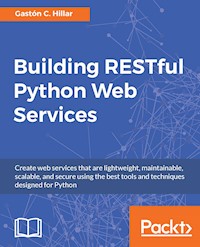
Create web services that are lightweight, maintainable, scalable, and secure using the best tools and techniques designed for Python
About This Book
- Develop RESTful Web Services using the most popular frameworks in Python
- Configure and fine-tune your APIs using the best tools and techniques available
- This practical guide will help you to implement complete REST-based APIs from scratch
Who This Book Is For
This book is for web developers who have working knowledge of Python and would like to build amazing web services by taking advantage of the various frameworks of Python. You should have some knowledge of RESTful APIs.
What You Will Learn
- Develop complex RESTful APIs from scratch with Python combined with and without data sources
- Choose the most appropriate (micro) framework based on the specific requirements of a RESTful API / web service
- Debug, test, and profile RESTful APIs with each of the frameworks
- Develop a complex RESTful API that interacts with a PostgreSQL database
- Add authentication and permissions to a RESTful API built in each of the frameworks
- Map URL patterns to request handlers and check how the API works
- Profile an existing API and refactor it to take advantage of asynchronous code
In Detail
Python is the language of choice for millions of developers worldwide, due to its gentle learning curve as well as its vast applications in day-to-day programming. It serves the purpose of building great web services in the RESTful architecture. This book will show you the best tools you can use to build your own web services.
Learn how to develop RESTful APIs using the popular Python frameworks and all the necessary stacks with Python, Django, Flask, and Tornado, combined with related libraries and tools. We will dive deep into each of these frameworks to build various web services, and will provide use cases and best practices on when to use a particular framework to get the best results.
We will show you everything required to successfully develop RESTful APIs with the four frameworks such as request handling, URL mapping, serialization, validation, authentication, authorization, versioning, ORMs, databases, custom code for models and views, and asynchronous callbacks. At the end of each framework, we will add authentication and security to the RESTful APIs and prepare tests for it.
By the end of the book, you will have a deep understanding of the stacks needed to build RESTful web services.
Style and approach
The book takes a straightforward approach, not spending time getting you started with RESTful APIs and web services. It will give you the best use cases for each framework to build great web services in Python.
Sie lesen das E-Book in den Legimi-Apps auf:
Seitenzahl: 504
Veröffentlichungsjahr: 2016
Ähnliche













Table of Contents
Building RESTful Python Web Services
Building RESTful Python Web Services
Copyright © 2016 Packt Publishing
All rights reserved. No part of this book may be reproduced, stored in a retrieval system, or transmitted in any form or by any means, without the prior written permission of the publisher, except in the case of brief quotations embedded in critical articles or reviews.
Every effort has been made in the preparation of this book to ensure the accuracy of the information presented. However, the information contained in this book is sold without warranty, either express or implied. Neither the author, nor Packt Publishing, and its dealers and distributors will be held liable for any damages caused or alleged to be caused directly or indirectly by this book.
Packt Publishing has endeavored to provide trademark information about all of the companies and products mentioned in this book by the appropriate use of capitals. However, Packt Publishing cannot guarantee the accuracy of this information.
First published: October 2016
Production reference: 1201016
Published by Packt Publishing Ltd.
Livery Place
35 Livery Street
Birmingham
B3 2PB, UK.
ISBN 978-1-78646-225-1
www.packtpub.com
Credits
Author
Gastón C. Hillar
Copy Editor
Sneha Singh
Reviewer
Elmer Thomas
Project Coordinator
Sheejal Shah
Commissioning Editor
Aaron Lazar
Proofreader
Safis Editing
Acquisition Editor
Reshma Raman
Indexer
Rekha Nair
Content Development Editor
Divij Kotian
Graphics
Jason Monteiro
Technical Editor
Gebin George
Production Coordinator
Melwyn Dsa
About the Author
Gastón C. Hillar is Italian and has been working with computers since he was eight. He began programming with the legendary Texas TI-99/4A and Commodore 64 home computers in the early 80s. He has a Bachelor's degree in Computer Science from which he graduated with honors, and an MBA from which he graduated with an outstanding thesis. At present, Gastón is an independent IT consultant and freelance author who is always looking for new adventures around the world.
He has been a senior contributing editor at Dr. Dobb’s and has written more than a hundred articles on software development topics. Gaston was also a former Microsoft MVP in technical computing. He has received the prestigious Intel® Black Belt Software Developer award eight times.
He is a guest blogger at Intel® Software Network (http://software.intel.com). You can reach him at [email protected] and follow him on Twitter at http://twitter.com/gastonhillar. Gastón's blog is http://csharpmulticore.blogspot.com.
He lives with his wife, Vanesa, and his two sons, Kevin and Brandon.
Acknowledgments
At the time of writing this book, I was fortunate to work with an excellent team at Packt Publishing , whose contributions vastly improved the presentation of this book. Reshma Raman and Aaron Lazar allowed me to provide them ideas to develop this book and I jumped into the exciting project of teaching how to use many popular web frameworks to develop RESTful Web Services with Python 3.5. Divij Kotian helped me realize my vision for this book and provided many sensible suggestions regarding the text, the format and the flow. The reader will notice his great work. It was great working with Divij in another book. In fact, it is the third book in which I was able to work with Reshma and Divij. It’s been great working with them in another project and I can’t wait to work with them again. I would like to thank my technical reviewers and proofreaders, for their thorough reviews and insightful comments. I was able to incorporate some of the knowledge and wisdom they have gained in their many years in the software development industry. This book was possible because they gave valuable feedback.
Gebin George did a wonderful job when the book moved into the production stage. He has made all the necessary adjustments to generate the final version of the book with an outstanding layout. Gebin made the book easy to read in its different versions and made sure I was happy with the results. A book like this one with so many tables, figures, pieces of code, commands and sample outputs requires skilled people with eye for detail during all the stages. I was fortunate to have Gebin onboard. I would like to thank my technical reviewers and proofreaders, for their thorough reviews and insightful comments. I was able to incorporate some of the knowledge and wisdom they have gained in their many years in the software development industry. This book was possible because they gave valuable feedback.
I usually start writing notes about ideas for a book when I spend time at software development conferences and events. I wrote the initial idea for this book in San Francisco, California, at Intel Developer Forum 2015. One year later, at Intel Developer Forum 2016, I had the chance to discuss with many software engineers the book I was finishing and incorporate their suggestions in the final drafts.
The entire process of writing a book requires a huge amount of lonely hours. I wouldn’t be able to write an entire book without dedicating some time to play soccer against my sons Kevin and Brandon, and my nephew, Nicolas. Of course, I never won a match. However, I did score a few goals.
About the Reviewer
Elmer Thomas completed a B.S. in Computer Engineering and a M.S. in Electrical Engineering at the University of California, Riverside. His focus was on Control Systems, specifically GPS navigation systems, spending several years serving as a research assistant, building software and hardware for self driving cars at U.C. Riverside and Berkeley, resulting in 2 co-publications: Aided Integer Ambiguity Resolution Algorithm and Data Fusion via Kalman Filter: GPS & INS. During the final years of his Masters program, he added a few mentors, partners and some business skills through the Tuck Executive Program at Dartmouth to his repertoire and co-founded several companies with varying degrees of success over the next 7 years. During this time he helped hundreds of business profit while achieving over 50 awards from local and state government for service in the community.
While building businesses, Elmer served on various boards to help foster growth in local business communities in Riverside and Orange County, including the Riverside Technology CEO Forum, the TechBiz Connection, OCTANe and TriTech. Next, he began serving at SendGrid, an email API and Service Company, as one of the first 5 employees in a now 300+ employee company on the verge of going public. Service began as the web development manager, and then he moved into a product development role while helping build out a quality assurance program. After spending 2 years traveling to over 50 events, speaking, teaching and mentoring as a Developer Evangelist within the Send Grid marketing department, Elmer then served as the Hacker in Residence on the community team at SendGrid. In that role he mentored over 50 startups, many belonging to accelerators such as Techstars and 500 Startups, and hundreds of developers through live consulting and development of productivity content and software.
He currently serves as the Developer Experience Engineer at SendGrid, leading, developing and managing SendGrid’s open source community, which includes over 24 active projects across 7 programming languages. These open source projects process hundreds of millions of emails per day for our customers. He also serves as Vice President of the Council for the Advancement of Black Engineers, drawing from experience as chapter president of the National Society of Black Engineers while a student at U.C. Riverside, supporting our mission to increase the number of culturally responsible Black Engineers with PhD’s, post-doctoral training and professional engineering registrations.
As member of the board of directors for Operation Code, he helps equip military veterans and their families with programming knowledge through mentorship to help veterans create new career paths in software development. Through his volunteer work with the Girls Scouts of San Gorgonio Council, Elmer focuses on helping bring STEM experiences to girls, specifically within the age groups between 9 and 14 years old, including his own 11 year old daughter, who is now a Girl Scout cadette. To help serve his local community, he is a member of the board of directors of his local HOA. He is considered a social media influencer, driving 100s of millions of visits to various web pages. He is known as ThinkingSerious on various social networks.
Elmer's passions include family time with his wife, and 2 daughters, reading, writing, watching videos, especially in virtual reality, developing software and creating in general, especially in the area of personal development and productivity through quantification techniques. I would like to thank my wife Linda and daughter Audrey for their patience and quiet time for me to complete this review.
More detail can be found at his blog, ThinkingSerious.com.
www.PacktPub.com
For support files and downloads related to your book, please visit www.PacktPub.com.
Did you know that Packt offers eBook versions of every book published, with PDF and ePub files available? You can upgrade to the eBook version at www.PacktPub.com and as a print book customer, you are entitled to a discount on the eBook copy. Get in touch with us at [email protected] for more details.
Did you know that Packt offers eBook versions of every book published, with PDF and ePub files available? You can upgrade to the eBook version at www.PacktPub.com and as a print book customer, you are entitled to a discount on the eBook copy. Get in touch with us at [email protected] for more details.
At www.PacktPub.com, you can also read a collection of free technical articles, sign up for a range of free newsletters and receive exclusive discounts and offers on Packt books and eBooks.
https://www.packtpub.com/mapt
Get the most in-demand software skills with Mapt. Mapt gives you full access to all Packt books and video courses, as well as industry-leading tools to help you plan your personal development and advance your career.
Why subscribe?
Preface
REST (Representational State Transfer) is the architectural style that is driving modern web development and mobile apps. In fact, developing and interacting with RESTful Web Services is a required skill in any modern software development job. Sometimes, you have to interact with an existing API and in other cases, you have to design a RESTful API from scratch and make it work with JSON (JavaScript Object Notation).
Python is one of the most popular programming languages. Python 3.5 is the most modern version of Python. It is open source, multiplatform, and you can use it to develop any kind of application, from websites to extremely complex scientific computing applications. There is always a Python package that makes things easier for you to avoid reinventing the wheel and solve the problems faster. The most important and popular Cloud computing providers make it easy to work with Python and its related Web frameworks. Thus, Python is an ideal choice for developing RESTful Web Services. The book covers all the things you need to know to select the most appropriate Python Web framework and develop a RESTful API from scratch.
You will work with the three most popular Python web frameworks that make it easy to develop RESTful Web Services: Django, Flask, and Tornado. Each web framework has its advantages and tradeoffs. You will work with examples that represent appropriate cases for each of these Web frameworks, in combination with additional Python packages that will simplify the most common tasks. You will learn to use different tools to test and develop high-quality, consistent and scalable RESTful Web Services. You will also take advantage of object-oriented programming, also known as OOP, to maximize code reuse and minimize maintenance costs.
You will always write unit tests and improve test coverage for all of the RESTful Web Services that you will develop throughout the book. You won’t just run the sample code but you will also make sure that you write tests for your RESTful API.
This book will allow you to learn how to take advantage of many packages that will simplify the most common tasks related to RESTful Web Services. You will be able to start creating your own RESTful APIs for any domain in any of the covered Web frameworks in Python 3.5 or greater.
What this book covers
Chapter 1, Developing RESTful APIs with Django, in this chapter we will start working with Django and Django REST Framework, and we will create a RESTful Web API that performs CRUD (Create, Read, Update and Delete) operations on a simple SQLite database.
Chapter 2, Working with Class-Based Views and Hyperlinked APIs in Django, in this chapter we will expand the capabilities of the RESTful API that we started in the previous chapter. We will change the ORM settings to work with a more powerful PostgreSQL database and we will take advantage of advanced features included in Django REST Framework that allow us to reduce boilerplate code for complex APIs, such as class based views.
Chapter 3, Improving and Adding Authentication to an API with Django, in this chapter we will improve the RESTful API that we started in the previous chapter. We will add unique constraints to the model and update the database. We will make it easy to update single fields with the PATCH method and we will take advantage of pagination. We will start working with authentication, permissions and throttling.
Chapter 4, Throttling, Filtering, Testing and Deploying an API with Django, in this chapter we will take advantage of many features included in Django REST Framework to define throttling policies. We will use filtering, searching and ordering classes to make it easy to configure filters, search queries and desired order for the results in HTTP requests. We will use the browsable API feature to test these new features included in our API. We will write a first round of unit tests, measure test coverage and then write additional unit tests to improve test coverage. Finally, we will learn many considerations for deployment and scalability.
Chapter 5,Developing RESTful APIs with Flask, in this chapter we will start working with Flask and its Flask-RESTful extension. We will create a RESTful Web API that performs CRUD operations on a simple list.
Chapter 6, Working with Models, SQLAlchemy, and Hyperlinked APIs in Flask, in this chapter we will expand the capabilities of the RESTful API that we started in the previous chapter. We will use SQLAlchemy as our ORM to work with a PostgreSQL database and we will take advantage of advanced features included in Flask and Flask-RESTful that will allow us to easily organize code for complex APIs, such as models and blueprints.
Chapter 7, Improving and Adding Authentication to an API with Flask, in this chapter we will improve the RESTful API in many ways. We will add user friendly error messages when resources aren’t unique. We will test how to update single or multiple fields with the PATCH method and we will create our own generic pagination class. Then, we will start working with authentication and permissions. We will added a user model and we will update the database. We will make many changes in the different pieces of code to achieve a specific security goal and we will take advantage of Flask-HTTPAuth and passlib to use HTTP authentication in our API.
Chapter 8, Testing and Deploying an API with Flask, in this chapter we will set up a testing environment. We will install nose2 to make it easy to discover and execute unit tests and we will create a new database to be used for testing. We will write a first round of unit tests, measure test coverage and then write additional unit tests to improve test coverage. Finally, we will learn many considerations for deployment and scalability.
Chapter 9,Developing RESTful APIs with Tornado, we will work with Tornado to create a RESTful Web API. We will design a RESTful API to interact with slow sensors and actuators. We will defined the requirements for our API and we will understand the tasks performed by each HTTP method. We will create the classes that represent a drone and write code to simulate slow I/O operations that are called for each HTTP request method. We will write classes that represent request handlers and process the different HTTP requests and configure the URL patterns to route URLs to request handlers and their methods.
Chapter 10, Working with Asynchronous Code, Testing, and Deploying an API with Tornado, in this chapter we will understand the difference between synchronous and asynchronous execution. We will create a new version of the RESTful API that takes advantage of the non-blocking features in Tornado combined with asynchronous execution. We will improve scalability for our existing API and we will make it possible to start executing other requests while waiting for the slow I/O operations with sensors and actuators. Then, we will set up a testing environment. We will install nose2 to make it easy to discover and execute unit tests. We will wrote a first round of unit tests, measure test coverage and then write additional unit tests to improve test coverage. We will create all the necessary tests to have a complete coverage of all the lines of code.
What you need for this book
In order to work with the different samples for Python 3.5.x, you will need any computer with an Intel Core i3 or higher CPU and at least 4 GB RAM. You can work with any of the following operating systems:
You will need Python 3.5 or greater installed on your computer.
Who this book is for
This book is for web developers who have working knowledge of Python and would like to build amazing web services by taking advantage of the various frameworks of Python. You should have some knowledge of RESTful APIs.
Reader feedback
Feedback from our readers is always welcome. Let us know what you think about this book-what you liked or disliked. Reader feedback is important for us as it helps us develop titles that you will really get the most out of. To send us general feedback, simply e-mail [email protected], and mention the book's title in the subject of your message. If there is a topic that you have expertise in and you are interested in either writing or contributing to a book, see our author guide at www.packtpub.com/authors.
Customer support
Now that you are the proud owner of a Packt book, we have a number of things to help you to get the most from your purchase.
Downloading the example code
You can download the example code files for this book from your account at http://www.packtpub.com. If you purchased this book elsewhere, you can visit http://www.packtpub.com/support and register to have the files e-mailed directly to you.
You can download the code files by following these steps:
Once the file is downloaded, please make sure that you unzip or extract the folder using the latest version of:
The code bundle for the book is also hosted on GitHub at https://github.com/PacktPublishing/Building-RESTful-Python-Web-Services. We also have other code bundles from our rich catalog of books and videos available at https://github.com/PacktPublishing/. Check them out!
Errata
Although we have taken every care to ensure the accuracy of our content, mistakes do happen. If you find a mistake in one of our books-maybe a mistake in the text or the code-we would be grateful if you could report this to us. By doing so, you can save other readers from frustration and help us improve subsequent versions of this book. If you find any errata, please report them by visiting http://www.packtpub.com/submit-errata, selecting your book, clicking on the Errata Submission Form link, and entering the details of your errata. Once your errata are verified, your submission will be accepted and the errata will be uploaded to our website or added to any list of existing errata under the Errata section of that title.
To view the previously submitted errata, go to https://www.packtpub.com/books/content/support and enter the name of the book in the search field. The required information will appear under the Errata section.
Piracy
Piracy of copyrighted material on the Internet is an ongoing problem across all media. At Packt, we take the protection of our copyright and licenses very seriously. If you come across any illegal copies of our works in any form on the Internet, please provide us with the location address or website name immediately so that we can pursue a remedy.
Please contact us at [email protected] with a link to the suspected pirated material.
We appreciate your help in protecting our authors and our ability to bring you valuable content.
Questions
If you have a problem with any aspect of this book, you can contact us at [email protected], and we will do our best to address the problem.
Chapter 1. Developing RESTful APIs with Django
In this chapter, we will start our journey towards RESTful Web APIs with Python and four different Web frameworks. Python is one of the most popular and versatile programming languages. There are thousands of Python packages, which allow you to extend Python capabilities to any kind of domain you can imagine. We can work with many different Web frameworks and packages to easily build simple and complex RESTful Web APIs with Python, and we can also combine these frameworks with other Python packages.
We can leverage our existing knowledge of Python and its packages to code the different pieces of our RESTful Web APIs and their ecosystem. We can use the object-oriented features to create code that is easier to maintain, understand, and reuse. We can use all the packages that we already know to interact with databases, Web services, and different APIs. Python makes it easy for us to create RESTful Web APIs. We don't need to learn another programming language; we can use the one we already know and love.
In this chapter, we will start working with Django and Django REST Framework, and we will create a RESTful Web API that performs CRUD (Create, Read, Update, and Delete) operations on a simple SQLite database. We will:
Designing a RESTful API to interact with a simple SQLite database
Imagine that we have to start working on a mobile App that has to interact with a RESTful API to perform CRUD operations with games. We don't want to spend time choosing and configuring the most appropriate ORM ( Object-Relational Mapping); we just want to finish the RESTful API as soon as possible to start interacting with it via our mobile App. We really want the games to persist in a database but we don't need it to be production-ready, and therefore, we can use the simplest possible relational database, as long as we don't have to spend time making complex installations or configurations.
Django REST framework, also known as DRF, will allow us to easily accomplish this task and start making HTTP requests to our first version of our RESTful Web Service. In this case, we will work with a very simple SQLite database, the default database for a new Django REST framework project.
First, we must specify the requirements for our main resource: a game. We need the following attributes or fields for a game:
In addition, we want our database to save a timestamp with the date and time in which the game was inserted in the database.
The following table shows the HTTP verbs, the scope, and the semantics for the methods that our first version of the API must support. Each method is composed by an HTTP verb and a scope and all the methods have a well defined meaning for all games and collections.
HTTP verb
Scope
Semantics
GET
Collection of games
Retrieve all the stored games in the collection, sorted by their name in ascending order
GET
Game
Retrieve a single game
POST
Collection of games
Create a new game in the collection
PUT
Game
Update an existing game
DELETE
Game
Delete an existing game
Tip
In a RESTful API, each resource has its own unique URL. In our API, each game has its own unique URL.
Understanding the tasks performed by each HTTP method
In the preceding table, the GET HTTP verb appears twice but with two different scopes. The first row shows a GET HTTP verb applied to a collection of games (collection of resources) and the second row shows a GET HTTP verb applied to a game (a single resource).
Let's consider that http://localhost:8000/games/ is the URL for the collection of games. If we add a number and a slash (/) to the preceding URL, we identify a specific game whose id or primary key is equal to the specified numeric value. For example, http://localhost:8000/games/12/ identifies the game whose id or primary key is equal to 12.
We have to compose and send an HTTP request with the following HTTP verb (POST) and request URL (http://localhost:8000/games/) to create a new game. In addition, we have to provide the JSON (JavaScript Object Notation) key-value pairs with the field names and the values to create the new game. As a result of the request, the server will validate the provided values for the fields, make sure that it is a valid game and persist it in the database.
The server will insert a new row with the new game in the appropriate table and it will return a 201 Created status code and a JSON body with the recently added game serialized to JSON, including the assigned id or primary key that was automatically generated by the database and assigned to the game object.
POST http://localhost:8000/games/We have to compose and send an HTTP request with the following HTTP verb (GET) and request URL (http://localhost:8000/games/{id}/) to retrieve the game whose id or primary key matches the specified numeric value in the place where {id} is written.
For example, if we use the request URL http://localhost:8000/games/50/, the server will retrieve the game whose id or primary key matches 50.
As a result of the request, the server will retrieve a game with the specified id or primary key from the database and create the appropriate game object in Python. If a game is found, the server will serialize the game object into JSON and return a 200 OK status code and a JSON body with the serialized game object. If no game matches the specified id or primary key, the server will return just a 404 Not Found status:
GET http://localhost:8000/games/{id}/We have to compose and send an HTTP request with the following HTTP verb (PUT) and request URL (http://localhost:8000/games/{id}/) to retrieve the game whose id or primary key matches the specified numeric value in the place where {id} is written and replace it with a game created with the provided data. In addition, we have to provide the JSON key-value pairs with the field names and the values to create the new game that will replace the existing one. As a result of the request, the server will validate the provided values for the fields, make sure that it is a valid game and replace the one that matches the specified id or primary key with the new one in the database. The id or primary key for the game will be the same after the update operation. The server will update the existing row in the appropriate table and it will return a 200 OK status code and a JSON body with the recently updated game serialized to JSON. If we don't provide all the necessary data for the new game, the server will return a 400 Bad Request status code. If the server doesn't find a game with the specified id, the server will return just a 404 Not Found status.
PUT http://localhost:8000/games/{id}/We have to compose and send an HTTP request with the following HTTP verb (DELETE) and request URL (http://localhost:8000/games/{id}/) to remove the game whose id or primary key matches the specified numeric value in the place where {id} is written. For example, if we use the request URL http://localhost:8000/games/20/, the server will delete the game whose id or primary key matches 20. As a result of the request, the server will retrieve a game with the specified id or primary key from the database and create the appropriate game object in Python. If a game is found, the server will request the ORM to delete the game row associated with this game object and the server will return a 204 No Content status code. If no game matches the specified id or primary key, the server will return just a 404 Not Found status.
DELETE http://localhost:8000/games/{id}/Working with lightweight virtual environments
Throughout this book, we will be working with different frameworks and libraries, and therefore, it is convenient to work with virtual environments. We will work with the lightweight virtual environments introduced in Python 3.3 and improved in Python 3.4. However, you can also choose to use the popular virtualenv (https://pypi.python.org/pypi/virtualenv) third-party virtual environment builder or the virtual environment options provided by your Python IDE.
You just have to make sure that you activate your virtual environment with the appropriate mechanism when it is necessary to do so, instead of following the step explained to activate the virtual environment generated with the venv module integrated in Python. You can read more information about PEP 405 Python Virtual Environment that introduced the venv module at https://www.python.org/dev/peps/pep-0405.
Tip
Each virtual environment we create with venv is an isolated environment and it will have its own independent set of installed Python packages in its site directories. When we create a virtual environment with venv in Python 3.4 and greater, pip is included in the new virtual environment. In Python 3.3, it was necessary to manually install pip after creating the virtual environment. Notice that the instructions provided are compatible with Python 3.4 or greater, including Python 3.5.x. The following commands assume that you have Python 3.5.x installed on macOS, Linux, or Windows.
First, we have to select the target folder or directory for our virtual environment. The following is the path we will use in the example for macOS and Linux. The target folder for the virtual environment will be the PythonREST/Django folder within our home directory. For example, if our home directory in macOS or Linux is /Users/gaston, the virtual environment will be created within /Users/gaston/PythonREST/Django. You can replace the specified path with your desired path in each command.
~/PythonREST/DjangoThe following is the path we will use in the example for Windows. The target folder for the virtual environment will be the PythonREST/Django folder within our user profile folder. For example, if our user profile folder is C:\Users\Gaston, the virtual environment will be created within C:\Users\gaston\PythonREST\Django. You can replace the specified path with your desired path in each command.
%USERPROFILE%\PythonREST\DjangoNow, we have to use the -m option followed by the venv module name and the desired path to make Python run this module as a script and create a virtual environment in the specified path. The instructions are different depending on the platform in which we are creating the virtual environment.
Open a Terminal in macOS or Linux and execute the following command to create a virtual environment:
python3 -m venv ~/PythonREST/Django01In Windows, execute the following command to create a virtual environment:
python -m venv %USERPROFILE%\PythonREST\Django01The preceding command doesn't produce any output. The script created the specified target folder and installed pip by invoking ensurepip because we didn't specify the --without-pip option. The specified target folder has a new directory tree that contains Python executable files and other files that indicate that it is a virtual environment.
The pyenv.cfg configuration file specifies different options for the virtual environment and its existence is an indicator that we are in the root folder for a virtual environment. In OS and Linux, the folder will have the following main sub-folders—bin, include, lib, lib/python3.5 and lib/python3.5/site-packages. In Windows, the folder will have the following main sub-folders—Include, Lib, Lib\site-packages, and Scripts. The directory trees for the virtual environment in each platform are the same as the layout of the Python installation in these platforms. The following screenshot shows the folders and files in the directory trees generated for the Django01 virtual environment in macOS:
The following screenshot shows the main folders in the directory trees generated for the virtual environments in Windows:
Tip
After we activate the virtual environment, we will install third-party packages into the virtual environment and the modules will be located within the lib/python3.5/site-packages or Lib\site-packages folder, based on the platform. The executables will be copied in the bin or Scripts folder, based on the platform. The packages we install won't make changes to other virtual environments or our base Python environment.
Now that we have created a virtual environment, we will run a platform-specific script to activate it. After we activate the virtual environment, we will install packages that will only be available in this virtual environment.
Run the following command in the terminal in macOS or Linux. Note that the results of this command will be accurate if you don't start a different shell than the default shell in the terminal session. In case you have doubts, check your terminal configuration and preferences.
echo $SHELLThe command will display the name of the shell you are using in the Terminal. In macOS, the default is /bin/bash and this means you are working with the bash shell. Depending on the shell, you must run a different command to activate the virtual environment in OS or Linux.
If your Terminal is configured to use the bash shell in macOS or Linux, run the following command to activate the virtual environment. The command also works for the zsh shell:
source ~/PythonREST/Django01/bin/activateIf your Terminal is configured to use either the csh or tcsh shell, run the following command to activate the virtual environment:
source ~/PythonREST/Django01/bin/activate.cshIf your Terminal is configured to use either the fish shell, run the following command to activate the virtual environment:
source ~/PythonREST/Django01/bin/activate.fishIn Windows, you can run either a batch file in the command prompt or a Windows PowerShell script to activate the virtual environment. If you prefer the command prompt, run the following command in the Windows command line to activate the virtual environment:
%USERPROFILE%\PythonREST\Django01\Scripts\activate.batIf you prefer the Windows PowerShell, launch it and run the following commands to activate the virtual environment. However, notice that you should have scripts execution enabled in Windows PowerShell to be able to run the script:
cd $env:USERPROFILEPythonREST\Django01\Scripts\Activate.ps1After you activate the virtual environment, the command prompt will display the virtual environment root folder name enclosed in parenthesis as a prefix of the default prompt to remind us that we are working in the virtual environment. In this case, we will see (Django01) as a prefix for the command prompt because the root folder for the activated virtual environment is Django01.
The following screenshot shows the virtual environment activated in a macOS El Capitan terminal with a bash shell, after executing the previously shown commands:
As we can see in the preceding screenshot, the prompt changed from Gastons-MacBook-Pro:~ gaston$ to (Django01) Gastons-MacBook-Pro:~ gaston$ after the activation of the virtual environment.
The following screenshot shows the virtual environment activated in a Windows 10 Command Prompt, after executing the previously shown commands:
As we can notice from the preceding screenshot, the prompt changed from C:\Users\gaston\AppData\Local\Programs\Python\Python35 to (Django01) C:\Users\gaston\AppData\Local\Programs\Python\Python35 after the activation of the virtual environment.
Tip
It is extremely easy to deactivate a virtual environment generated with the previously explained process. In macOS or Linux, just type deactivate and press Enter. In a Windows command prompt, you have to run the deactivate.bat batch file included in the Scripts folder (%USERPROFILE%\PythonREST\Django01\Scripts\deactivate.bat in our example). In Windows PowerShell, you have to run the Deactivate.ps1 script in the Scripts folder. The deactivation will remove all the changes made in the environment variables.




