


7,49 €
Mehr erfahren.
- Herausgeber: Ryuu Shinohara
- Kategorie: Für Kinder und Jugendliche
- Sprache: Englisch
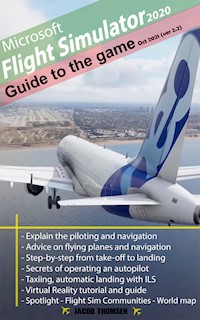
Welcome to 2020's Most Ambitious Game -
Microsoft Flight Simulator 2020. With the AI-powered gaming,
Microsoft Flight Simulator 2020 is the newest of the popular Microsoft simulation game series. Advances in technology from Microsoft will show us what's ahead for the world of video games.
“
Microsoft Flight Simulator 2020: Guide to the game” will give you from the basic to advance information you need to fly. Check out important tips on flying, navigating and control the game before you master the sky. Author also gives you the tools you need to have the perfect
VR experience with Microsoft Flight Simulator.
Version 2.2 (10-10-2021):
- NEW - World Update VI Info
- NEW - Spotlight - Flight Sim Communities
- UPDATED - Added information on Safe Mode
- UPDATED - 'Offscreen terrain pre caching' added to performance guide
- ADDED NEW - Virtual Reality tutorial and guide
- ADDED NEW - World Update II: Europe Section
- ADDED NEW - Four new airports based on the free World Update (Europe and US) for the simulator
- FIXED - All pages have footer with the version number
- FIXED - Images missing from Airbus A321neo
- Flight Simulator: How to turn on Autopilot - the game's AI to fly your plane for you
- Flight Simulator: How do I find my home from the air
- Flight Simulator: Airplane painting or livery - how to change
- Introduce all Game Modes - list of challenges and opportunities to fly around the world.
- Realism, facilitation - difficulty levels, which options affect the level of realism of the flight or what facilities they offer
- Analog Cockpit – How to read the most important instruments and indicators in the analog cockpit of older types of aircraft
- ILS Frequencies - how to view the ILS frequencies for a runway in order to land on it by instrumentation
- Taxi to the runway - how to find the right way to the runway while taxiing - meaning of letter signs and light taxiways
- Change of Direction - How to control your airplane in the sky
- Understand the in-flight toolbar - All the options and capabilities of the toolbar and which ones are most useful
- All errors in Microsoft Flight Simulator 2020 – how to fix them
- Airports in Microsoft Flight Simulator 2020 – All airports and runways from which you can take off and land all over the Earth
- How to Save the Game
- Rolling Cache - Manage disk space efficiently and reduce the amount of data you download from your network
- Virtual Reality set-up tutorial and guide
- How to use Flight Sim Communities.
- At the last step this book will guide to perform a completed flight with a basic aircraft.
Buy now and enjoy playing.
Das E-Book können Sie in Legimi-Apps oder einer beliebigen App lesen, die das folgende Format unterstützen:
Veröffentlichungsjahr: 2021
Ähnliche













![Tintenherz [Tintenwelt-Reihe, Band 1 (Ungekürzt)] - Cornelia Funke - Hörbuch](https://legimifiles.blob.core.windows.net/images/2830629ec0fd3fd8c1f122134ba4a884/w200_u90.jpg)






Flight Simulator: Airplane painting or livery - how to change?
In this section of the Microsoft Flight Simulator guide, we explain how to change the "skin", or livery of an airplane.
Painting is selected in the aircraft selection menu before departure, the appropriate option on the right. Unfortunately, at the moment the manufacturer has not yet introduced any content to choose from in this section. This will likely change in one of the next release.
How to choose joystick controller for flight simulator 2020?
In this chapter of the Microsoft Flight Simulator guide, we suggest which joystick controller to choose for flight simulators. We suggest what to do when buying and what are the advantages and disadvantages of different types of joysticks, controllers available on the market.
From the very first moments at the controls of a small Cessna or Robin you will find that controlling the aircraft with the numeric keypad, although possible, is not a good solution. The machine reacts very violently and is difficult to sense. Making small, precise corrections really takes a lot of patience and effort. Keyboard control only makes sense with some quick performance test of the game on our hardware, and not for the sheer fun of flying.
We should definitely stock up on some analog controller, allowing you to assign axes to control aile volatility and rudder heights, not buttons. Smooth axle tilts and the ability to maintain these tilts at the desired level is crucial not only to get a realistic piloting experience, but it will make control much easier and more enjoyable compared to the keyboard itself. We have a lot of equipment to choose from here - from gamepads, joysticks, HOTAS kits, to volts, separately connected pedals and devices for tracking head movements. What are the advantages and disadvantages of different solutions?- Gamepad
- Joystick
- HOTAS, separate throttle
- Volunteer
- Pedals
- Head Tracking
Gamepad
The simplest solution is a regular gamepad used for other games, which allows you to control the aircraft with the left knob, and triggers operate the rudder direction. For gamepads, however, you won't do without a special controller configuration in the form of a reduction in axis sensitivity, as described in detail in the Control section. All because the tilts of the gamepad knobs are very small and it is difficult to achieve the right precision in this regard.
The advantage of the gamepad is that it has analog axes and we probably already have it at home. It's a good choice to start with when you just want to see if flying in simulators will pull us in. Remember, however, that the operation of the aircraft is a lot of different buttons and in addition to the rain you still need to operate the mouse efficiently and support the keyboard.

Joystick
The good old joystick, which was once a must-have for any gaming PC, is by far the most versatile solution. It will be useful not only for Microsoft Flight Simulator, but also for combat aircraft simulators and space simulators. It provides the right ergonomics, and much longer axis tilt than gamepads to achieve the right control precision.




