


10,99 €
Mehr erfahren.
- Herausgeber: Kevin Pitch
- Kategorie: Wissenschaft und neue Technologien
- Sprache: Englisch
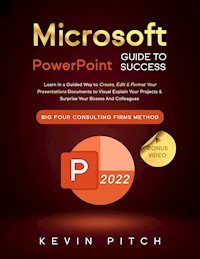
PRESENT YOUR IDEA IN A PROFESSIONAL WAY!
Do you know that presenting your project the right way could double your chances of success with your viewers?
Being able to convey your idea effectively to someone else or represent your gathered data at best is one of the hardest but crucial parts of business.
Using a professional tool that allows you to show the world your project might seem like an obstacle too difficult to overcome.
On the other hand,
Microsoft PowerPoint is the perfect solution to
combine effectiveness with ease and speed of use.
We have created for you an
easy-to-grasp yet complete guide that can take you from
novice to expert in just a few days, even if you've never written on a slide before.
Inside, you will find:
- Creating, formatting, and editing a presentation - Easy-to-understand and intuitive explanations with descriptive screenshots (for both Windows and iOS),
- How to insert images, videos, graphics, and animations into your slides in a few simple steps,
- Powerpoint Cheatsheets - The shortcuts that will make you work faster and more efficiently to create presentations that will stand out from all others,
- The most common mistakes made by beginners and how to avoid them so you don't throw your work away for silly errors,
- Templates ready to be used for your projects (whether you are working on a presentation for educational, corporate, or business purposes),
And much more!
WHAT IS CAREER OFFICE ELEVATOR?
Career Office Elevator is the first comprehensive training course to know and learn every function and secret of the Microsoft Office package programs.
Up-to-date and accurate information will let you know even the recent features not yet well covered in most online courses.
The whole learning process is structured by professionals in a step-by-step manner and explained easily so anyone can fully understand each concept, starting from the basics and going up to the most complex functions.
Click "Buy Now" and learn how to create presentations that impress!
Das E-Book können Sie in Legimi-Apps oder einer beliebigen App lesen, die das folgende Format unterstützen:
Veröffentlichungsjahr: 2022
Ähnliche













Microsoft PowerPoint Guide for Success:
Learn in a Guided Way to Create, Edit & Format Your Presentations Documents to Visual Explain Your Projects & Surprise Your Bosses And Colleagues | Big Four Consulting Firms Method
Copyright © 2022
Kevin Pitch
COPYRIGHT & DISCLAIMER: all rights are reserved by law. No part of this book may be reproduced without the authors' written permission. It is expressly forbidden to transmit this book to others, neither in paper or electronic format, neither for money nor free of charge. What is reported in this book is the result of years of studies and accumulated experience. The achievement of the same results is not guaranteed. The reader assumes full responsibility for their choices. The book is exclusively for educational purposes.
This book's content is based solely on my experience; Microsoft has not reviewed it. The Microsoft brand is used following the Microsoft Brand and Trademark Guidelines, which are available on the following website https://www.microsoft.com/en-us/legal/intellectualproperty/trademarks. All trademarks mentioned are Microsoft property.
TABLE OF CONTENTS
INTRODUCTION
1 KICK-START
2 WHERE TO DOWNLOAD POWERPOINT EXTENSIONS FOR MICROSOFT POWERPOINT 2022
3 TIPS FOR MICROSOFT POWERPOINT 2022
4 OPEN A BLANK DOCUMENT OR AN EXISTING TEMPLATE
5 POWERPOINT DASHBOARD
6 TIPS AND TRICKS FOR FORMATTING AND EDITING
7 NUMERATIONS AND BULLETINS
8 THE POWER OF FIND AND REPLACE
9 SHAPES, IMAGES, AND TABLES
10 THE GRAPHS AND CHARTS
11 INSERT VIDEOS AND AUDIO
12 THE MAGIC OF ANIMATIONS
13 COMMON PROBLEMS AND MISTAKES
14 ERROR CHECKS
15 PRINT AND EXPORT
16 THE IMPORTANCE OF SECURITY
17 THE STRATEGIC SHORTCUTS
18 CONCLUSION
INTRODUCTION
Microsoft PowerPoint 2022 brings a host of new features to present your ideas and data. For example, you can now use the slide transitions feature to change from the current slide to the next. Moreover, this software also allows changing the transitions for all the slides. Likewise, you can now customize the look and feel of your presentations with the new layout.
How PowerPoint works basic of the algorithm work
PowerPoint is a presentation software which lets users create and present visuals in various formats. The new PowerPoint 2022 includes new features to help you create presentations that impress your audience. For example, you can now add multiple shapes to your picture, ensuring that they will not scatter across your slide. Doing so improves the clarity of your image and keeps it from being imbalanced when copied.
In Microsoft PowerPoint, you can easily add text to your slide. You can do this by choosing the Notes option at the bottom of your PowerPoint environment. You can also use the Auto Content Wizard to see a content sample. You can also choose to group shapes and move them together as one. You can also select a group by holding down the Shift key as you click on each shape. You can then move each shape inside the group.
The Zoom control is another feature that lets you zoom in and out of your presentation. You can find it near the slide view, near the Zoom Control shortcut option. The Zoom Control meter has a range of 10 to 400. Most people keep it set to about 69% or 71% for readability. PowerPoint users can also encrypt their files with passwords to protect them from unauthorized access. To do this, you must choose a password and confirm it.
How PowerPoint works is a presentation graphics software that allows you to create professional-looking electronic slide shows. These slide shows are composed of slides that demonstrate the graphical interpretation of data. That means they can deliver information more creatively. In addition, PowerPoint allows you to use shapes, charts, and other elements to create impressive slides.
When working on a presentation, you want to ensure that you're using the latest version of PowerPoint. If you're not sure, click on the About Window to find out the version you're using.
What is a Slide?
In Microsoft PowerPoint, a slide is a single page in a slideshow. The term slide also describes a set of slides, or a "slide deck," in a slide show. It can be a single page developed in a presentation program or a document using a document markup language (DML). Microsoft PowerPoint provides two ways to design a slide: you can maximize the slide or scale the content to fit the page. The former blows up the slide to the size you specify, but the slide's content may fall outside the frame. The latter option scales the content to fit the page and can help you save time when creating a presentation. PowerPoint allows you to format your slides in landscape or portrait orientation. The slide sizes are also adjustable. You can select from three different slide sizes. To format your slides, click File>New. You can find the Slide Show tab at the top of the screen. Use the options on the ribbon to change the size of your slides.
Where to Buy Microsoft PowerPoint
Microsoft PowerPoint is actually one of the most popular business programs in the world. While it was initially designed for business use, the software has many communities and school applications. The first package was a stand-alone product but later became part of the Microsoft Office suite. Because of its popularity, Microsoft has secured a near-total market share in the presentation software space.
The first version of PowerPoint was released on April 20, 1987. The software was initially called presenter, and its name changed later in the 1980s. Originally, PowerPoint was only available for Macintosh, but Microsoft eventually purchased Forethought and released a Windows version a year later.
Microsoft PowerPoint is a presentation package that makes it easy to present your ideas to an audience. Its built-in tools and features allow even the most novice users to create professional-quality presentations. It also has live collaboration and co-authoring capabilities. In addition, it has accessibility options that enhance the experience of those watching. So whether you're trying to sell a product, present a business plan, or give a presentation to your co-workers, PowerPoint is the perfect presentation program to use.
If you need to upgrade to the latest version of PowerPoint, the best option is to purchase it directly from Microsoft. You can also subscribe to Microsoft 365, which gives you access to the latest versions of Office applications, including PowerPoint. This service costs an annual fee, and you'll get the newest software version and any updates. However, remember that you'll need to renew your subscription each year to continue using the latest version of PowerPoint.
Office 365 offers a cloud-based storage service called OneDrive. It comes with 1 TB of free storage space, and users can access it from any platform. Furthermore, it can be used on mobile devices such as iPads and smartphones. Through this feature, you can access your presentations on the go.
What's the student version & where to download it legally?
The student version of Microsoft PowerPoint is in the Microsoft Office 365 suite. The software is free to download and is available for eligible users. It allows students to make presentations with text, images, graphics, diagrams, and sounds. You can also add in complex and simple animations to your presentations.
1 KICK-START
You can choose to open a new document or an existing template to get started.
Figure 1: Opening MS PowerPoint app
ADVANTAGES
PowerPoint is one of the most utilized presentation software applications, and most people are familiar with its essential features. Its rich multimedia features help keep audiences engaged and add visual impact to your presentation. In addition, the program comes with an extensive library of templates that make it easy to create professional presentations. However, PowerPoint is not a replacement for the presenter's voice, so you'll still need to deliver the presentation in person. One advantage of PowerPoint is that you can store it on a USB flash drive or in a cloud storage app. Doing so makes it easier to share and access your work from any location. Nowadays, people are working from home more often, and tools that facilitate remote collaboration are in demand. PowerPoint has considered this trend and has created a feature that allows co-authors to edit a presentation simultaneously, without the need to send it anywhere. One of the other main advantages of PowerPoint is that it supports collaborative work, especially in office settings. Many users can work on the same presentation and leave notes for clarification. With the new feature, you can even write your presentation with a stylus.
2 WHERE TO DOWNLOAD POWERPOINT EXTENSIONS FOR MICROSOFT POWERPOINT 2022
If you're looking to learn how to create PowerPoint presentations, you've come to the right place. Through this book we will teach you how to create attractive presentations using the Microsoft PowerPoint application. This book includes project-based learning as well as hands-on project development. You'll learn everything from formatting shapes to using the Format Painter and Animation Painter. In addition, you'll learn how to use the Quick Access Toolbar and the Presenter View.
What is a PowerPoint extension?
You can install a PowerPoint extension if you want to add more features and options to your presentations. This tool allows you to change the slides' font, size, style, color, and more. Thousands of add-ins are available for free or on trial accounts. Almost anyone can use them.
Office Timeline is a PowerPoint add-in that lets you create beautiful timelines, Gantt charts, and Swimlanes. It also offers animation controls and a library of instructional slides. You can even embed a video or audio file into your presentation. You can even add a voiceover to your presentation with the Speech-Over Professional add-in.
Another popular add-in for PowerPoint is the MLC PowerPoint Add-in, which helps you swap shapes and create presentations faster. This add-in is available for PowerPoint 2007, 2010, and 2013 and will let you make changes to your presentations without using special software. It also allows you to set the Branding Colors for your slides. Another helpful tool is HTML5Point, which converts PowerPoint presentations to HTML5 content. It also preserves fonts, rich media content, and most animations.
Microsoft PowerPoint is now available for mobile devices, as well as on tablets. This application allows you to make presentations no matter where you are. Moreover, it supports rich animation, cinematic motion, and 3D models. With these features, you can easily create an excellent presentation.
One of the most popular presentation software, Microsoft PowerPoint, is free for personal and business use. The new version provides a web interface that lets you access the program through any web browser. It also offers more than 700,000 stock photos for your presentations. You can also get a subscription to Envato Elements and access hundreds of templates and stock photos for your presentations.
Where to download PowerPoint Extensions
If you are designing your next presentation, you may be wondering where to download PowerPoint Extensions for Microsoft PowerPoint 2032. After all, it can take a lot of time and effort to create a compelling and appealing presentation. Fortunately, many free PowerPoint add-ins can help make the process easier. One of these is PowerUser, which allows you to add charts, graphs, and more to PowerPoint presentations. It also includes an extensive library of stock images and icons.
Another helpful PowerPoint add-in is Office Timeline. This program helps you create beautiful timelines, Gantt charts, and Swimlanes. The program also features a microphone recording tool and enables you to add voiceover to your presentations. This tool is handy for creating training videos and eLearning courses and is compatible with PowerPoint 2007 and 2010. It also supports Office 365 and 32-bit editions.




