


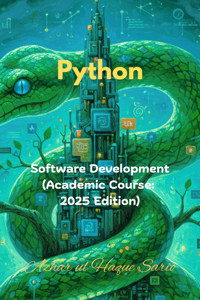
5,16 €
Mehr erfahren.
- Herausgeber: Azhar Sario Hungary
- Kategorie: Wissenschaft und neue Technologien
- Serie: Software Development
- Sprache: Englisch
Master Python for Real-World Software Engineering in 2025!
This book, Python: Software Development (Academic Course: 2025 Edition), takes you from computational basics to production-ready applications. Start with algorithms, branching, and iteration using pseudocode. Dive into Python’s runtime, virtual environments, and pip for professional setups. Explore variables as object references, mutability, and memory models. Master control flow with if-elif-else, loops, and functional decomposition using def, parameters, and the LEGB rule. Handle strings with f-strings, manage files with context managers, and serialize data using JSON, CSV, and XML. Build core data structures like lists, tuples, dictionaries, and sets, plus comprehensions for Pythonic code. Understand iterators, generators, and Big-O complexity for efficient processing of massive datasets. Learn error handling with try-except-else-finally and custom exceptions. Write tests with pytest, use mocks, and adopt TDD. Replace print() with structured logging using getLogger(name). Grasp OOP with classes, inheritance, and composition, favoring Pythonic duck typing over rigid patterns. Conquer asynchronous programming with asyncio for I/O-bound tasks. Analyze data with Polars and Pandas, build ML models with scikit-learn, and deploy APIs using FastAPI or Django. Containerize with Docker and automate with CI/CD via GitHub Actions and MLOps tools like MLflow and DVC. Each chapter ends with hands-on case studies, like file organizers, calculators, log parsers, shopping carts, API clients, and fraud detection systems.
Unlike traditional Python books that recycle beginner syntax or chase trends, this one bridges academic rigor with 2025 job demands. It teaches why mutability matters for design, why generators beat lists for big data, and why structured JSON logs enable microservice debugging—insights missing from most texts. You won’t just code; you’ll architect maintainable, testable, and scalable systems. From virtual environments on day one to full MLOps pipelines, it equips you for real roles in startups or enterprises. No fluff, just battle-tested skills that make you stand out.
Copyright Disclaimer: This book is independently produced and has no affiliation with any educational board, university, or cited institution. All references are used under nominative fair use for educational purposes.
Das E-Book können Sie in Legimi-Apps oder einer beliebigen App lesen, die das folgende Format unterstützen:
Seitenzahl: 187
Veröffentlichungsjahr: 2025
Ähnliche
















Python: Software Development (Academic Course: 2025 Edition)
Azhar ul Haque Sario
Copyright
Copyright © 2025 by Azhar ul Haque Sario
All rights reserved. No part of this book may be reproduced in any manner whatsoever without written permission except in the case of brief quotations embodied in critical articles and reviews.
First Printing, 2025
ORCID: https://orcid.org/0009-0004-8629-830X
LinkedIn: https://www.linkedin.com/in/azharulhaquesario/
Disclaimer: This book is free from AI use. The cover was designed in Microsoft PowerPoint.
Copyright Disclaimer: This book is independently produced and has no affiliation with any educational board, university, or cited institution. All references are used under nominative fair use for educational purposes.
Contents
Copyright
PART 1: Foundations of Computation and Python Syntax
The Python Computational Model
Control Flow and Functional Decomposition
String and I/O Operations
PART 2: Data Structures and Algorithmic Abstraction
Core Data Structures: Lists and Tuples
Advanced Data Structures: Dictionaries and Sets
Iterators, Generators, and Algorithmic Complexity
PART 3: Software Construction and Professional Practices
Error Handling and Exception Management
Professional Testing and Quality Assurance
Production Logging and Debugging
PART 4: Object-Oriented Design and Concurrency
Principles of Object-Oriented Programming (OOP)
Advanced OOP, Composition, and Design Patterns
Asynchronous Programming with asyncio
PART 5: High-Performance Applications and Deployment
About Author
PART 1: Foundations of Computation and Python Syntax
The Python Computational Model
1.1 Foundations of Computation: Algorithms, Branching, and Iteration
What are we really doing when we "compute" something? It’s a question that goes far deeper than just computers. Computation is not about electronics or code; it’s about process. It's the art and science of defining a precise sequence of steps to solve a problem or achieve a goal.
Think about giving a tourist directions. You are performing a computation. You provide a clear, step-by-step plan. "Go straight for two blocks. Turn left at the coffee shop. If the bridge is closed, take the long way around." You've just created an algorithm.
An algorithm is simply that: a formal, unambiguous recipe for getting something done. It’s a finite sequence of instructions. The power of computer science, and the foundation of this entire book, is the realization that all algorithms, from the one that navigates a Mars rover to the one that recommends your next song, are built from just three simple building blocks.
These three constructs are the "Lego bricks" of all software.
Sequential Execution: This is the default. It's the simplest and most obvious construct. You do one thing, then the next, then the next, in a straight line.
Step 1: Pour coffee beans into the grinder.
Step 2: Grind the beans.
Step 3: Put the grounds in the filter.
Step 4: Pour hot water over the grounds. You can't do Step 3 before Step 2. The order is fixed and linear. This is the spine of your algorithm.
Branching (or Selection): This is where your program gets a "brain." Branching is about making a decision. It allows your algorithm to follow different paths based on a specific condition. The most common way to write this is with "if-then-else" logic.
Step 1: Check the fuel gauge.
Step 2: IF (the tank is empty) THEN (go to the gas station).
Step 3: ELSE (continue driving to work). This logic allows your program to react to its environment. It's no longer a dumb, linear script; it's a responsive system. Without branching, software would be incredibly limited.
Iteration (or Loops): This is the workhorse of computation. Iteration is simply the act of repeating an action. We often use a "while" loop for this, which says, "While some condition is true, keep doing this thing."
Step 1: WHILE (the soup is not hot enough)
Step 2: (Keep stirring and heating).
Step 3: (Stop stirring and serve). Iteration is what lets a computer process a million-row spreadsheet in seconds. It can execute the same tiny instruction (like "check this number") over and over again at blistering speed.
That's it. Sequence, branching, and iteration. Every piece of software you have ever used is just a clever combination of these three ideas, nested inside each other thousands of layers deep.
To see this in action, let's design an algorithm for a common problem: "finding the largest number in an unsorted list of numbers." We'll use pseudocode, which is just structured English, to focus on the logic, not the syntax.
Problem: Find the largest number in [18, 5, 29, 42, 11].
Algorithm:
(Sequential) First, we need a place to store our "winner so far." Let's call it largest_so_far.
(Iteration) Now, we will iterate (or loop) through every other number in the list, one by one. Let's call the number we are currently looking at current_number.
(Branching) Inside that loop, for each current_number, we must make a decision:
IF (the current_number is bigger than our largest_so_far)
THEN (we have a new winner. We must update our largest_so_far to be this current_number).
(Sequential) After the loop has finished checking every single number, we know that our largest_so_far variable must hold the biggest number in the entire list.
(Sequential) The algorithm is done. Return the largest_so_far.
Let's trace it:
List: [18, 5, 29, 42, 11]
Loop 1: current_number is 5. Is 5 > 18? No.
Loop 4: current_number is 11. Is 11 > 42? No.
End of Loop.
Final Answer: 42.
We just solved a computational problem without writing a single line of Python. This is computational thinking. Python is just the powerful tool we will use to write down these ideas and make them execute.
1.2 The Python Runtime Environment (2025 Standard)
We've explored the abstract ideas of computation. Now we turn to the concrete tools. To become a professional developer in 2025, you can't just write code; you must understand the environment your code lives in. This is the "workshop" for the craft, and setting it up correctly is the difference between a reliable, professional product and a fragile, "it-works-on-my-machine" hobby project.
First, what is Python? When you download "Python," you are primarily downloading an interpreter. The most common one, the official one, is called CPython (because it's written in the C programming language). An interpreter is a program that reads your text file (your .py script) and translates it into instructions the computer's hardware can actually execute.
The process goes like this:
You write your human-readable script: script.py.
You tell the interpreter to run it: python script.py.
The interpreter first compiles your code into a lower-level, intermediate format called bytecode. This is a set of instructions for a "Python Virtual Machine" (PVM). You might see these as .pyc files in a __pycache__ folder. This is an optimization step; it's faster for Python to run this bytecode next time than to re-read your English-like text.
The Python Virtual Machine (the runtime engine) then executes that bytecode, line by line.
Now, we hit our first real-world, professional problem: dependencies.
Your project will need other people's code to get its job done. You'll want to use libraries for web requests (requests), data analysis (pandas), or web development (flask). You install these using a package manager, almost always pip. You run pip install requests, and it downloads that library.
Here's the problem. What happens when Project A on your computer needs requests version 1.5, but Project B needs the new requests version 2.0? If you just install them "globally" (on your main computer), one of them will overwrite the other. Project A or Project B will break. This is a nightmare. We call it "dependency hell," and it’s the single biggest source of frustration for new developers.
The 2025 standard solution to this is non-negotiable: virtual environments.
A virtual environment is a self-contained, isolated directory that holds a specific version of the Python interpreter and all the specific libraries your project needs.
Think of it this way: your main computer is your house's kitchen. You could just dump all your ingredients for every recipe you've ever cooked onto the counter. It would be a mess. You'd grab salt when you needed sugar.
A virtual environment is like getting a perfectly clean, separate kitchen-in-a-box for every single recipe. When you're "working on" a project, you "activate" its environment. Your shell (your command prompt) is now inside that box. When you pip install something, it only goes into that box. Your main "kitchen" (your global system) remains perfectly clean.
Here’s the standard workflow:
Create a folder for your new project: mkdir my-project
Go into it: cd my-project
Create a virtual environment (using the built-in venv module): python -m venv venv (This creates a new folder named venv that contains a copy of the Python interpreter.)
Activate it:
On macOS/Linux: source venv/bin/activate
On Windows: .\venv\Scripts\activate (Your command prompt will change to show (venv), telling you you're "in the box.")
Now, any package you install with pip install ... is only for this project.
Finally, how do you share your project with a coworker, or deploy it to a server? You need to give them the list of ingredients. You don't email them your entire venv folder (it can be huge!). Instead, you generate a "shopping list."
This is the requirements.txt file.
You run one command: pip freeze > requirements.txt
This command looks inside your active virtual environment, sees every package you installed (e.g., requests==2.0.1, flask==3.0.0), and writes that list to a file.
When your coworker gets your project, they create their own new, clean virtual environment and then run one command: pip install -r requirements.txt. Pip reads the file and installs the exact same versions of all the libraries.
This is the key to reproducible builds, a core concept in professional software and Continuous Integration/Continuous Deployment (CI/CD). This setup—venv for isolation, pip for installation, and requirements.txt for reproducibility—is the bedrock of modern Python development.
1.3 Variables, Objects, and the Python Memory Model
This is the first truly deep dive into how Python thinks. And for many new developers, it is the most critical and confusing concept to master. If you come from other languages, you probably have a mental model of how variables work. I need you to forget it.
This is not how Python works.
In Python, variables are not boxes. Variables are names. They are labels or "sticky notes" that refer to objects in memory.
Let's re-examine that code with the correct mental model:
Python's memory is a giant warehouse. Python sees the number 10. It creates an integer object with the value 10 and places it somewhere in the warehouse.
Then, it takes a name (a label) called x and sticks it onto that 10 object.
x is not the box. x is the name pointing to the object.
Python sees you want to assign x to y. It looks at the x label and sees it's stuck to the 10 object.
It does not create a new object. It does not copy the value.
It simply takes a new label called y and sticks it on the exact same 10 object.
Now, we have two different names, x and y, both pointing to the very same object in memory.
This brings us to two crucial, and very different, ways to compare things:
Value Equality (==): This operator asks, "Do the objects these names point to look the same?" Do they have the same content?
Identity (is): This operator asks, "Are these names pointing to the exact same object in the warehouse?"
x is y will also be True. (They are both labels on the same one object.)
This seems simple, but let's look at a more complex example that trips up everyone:
Python
Now let's check:
a is b is False. Why? Because Python created two separate list objects in memory. a is a label on the first list. b is a label on the second, identical-looking list. They are two different objects in the warehouse.
This "name-to-object" binding model is the key to understanding one last concept: mutability.
Objects in Python's warehouse are either immutable or mutable.
It creates a new integer object, 11, and puts it in the warehouse.
It moves the x label from the old 10 object and sticks it onto the new 11 object. The original 10 object is unchanged (and if no other labels are pointing to it, it will be cleaned up by Python).
Mutable objects can be changed in place. This includes lists, dictionaries, and sets. This is where "The Great Gotcha" happens. Let's see it in action.
Python
# 1. Create one list object, label it 'my_list'
# 2. Stick a new label, 'other_list', on that *same* object
# 3. Check identity:
# 4. Now, let's *modify* the object using one of its labels
other_list.append(40)
What happens when we print my_list? print(my_list) Output: [10, 20, 30, 40]
The original my_list "magically" changed! It's not magic. It's because my_list and other_list were just two names for the same mutable object. When you modified the object via other_list, you were also modifying the only object that my_list was pointing to.
This is fundamental. It explains why a function can "secretly" modify a list you pass to it. Understanding that variables are names and the difference between identity (is) and value (==) is the key to mastering Python.
1.4 Real-World Case Study: Automation Scripting
We've covered the core "Lego bricks" of computation (1.1), the professional setup of our workshop (1.2), and the deep "physics" of how our main tool, Python, actually works (1.3). It's time to put it all together.
This case study synthesizes every concept by solving a tangible, common problem that everyone faces: the messy Downloads folder.
It's a digital junk drawer. It's full of .pdf files, .jpg screenshots, .zip archives, and .mp3 files, all mixed together in one chaotic list. We are going to build a "File Organizer" script. This is a classic "utility script" and a perfect first step into the world of automation.
The Goal
Our script will read the contents of a single directory (e.g., "Downloads"). It will inspect the file extension of each file. Then, using branching logic, it will move that file into an organized subdirectory (e.g., "PDFs," "Images," "Archives").
Step 1: The Algorithm (Connecting to 1.1)
Before we write any Python, we must think. We need an algorithm using our three constructs.
(Sequential): Define the source folder we want to clean up (e.g., "/Users/Me/Downloads").
(Sequential): Define the destination folders we want to create (e.g., "Images", "PDFs", "Other"). We should probably check if they exist first, and if not, create them.
(Iteration): We must loop through every single item in the source folder.
(Sequential): For each item, we must check if it's actually a file (and not a subfolder).
(Sequential): If it's a file, we must get its extension (e.g., ".pdf").
(Branching): Now, we make a decision based on that extension:
IF the extension is ".jpg" or ".png" or ".gif"
THEN move this file to the "Images" folder.
ELIF (else if) the extension is ".pdf" or ".docx"
THEN move this file to the "Documents" folder.
ELIF the extension is ".zip" or ".rar"
THEN move this file to the "Archives" folder.
ELSE (for anything we don't recognize)
THEN move this file to the "Other" folder.
(Iteration): The loop continues to the next file until the folder is empty.
(Sequential): The script is finished.
Step 2: The Tools (Connecting to 1.2 & 1.3)
To make this work, we don't need to pip install anything! The tools we need are part of Python's standard library, which is the "batteries included" set of modules that comes with Python.
We will import three modules:
os: The "Operating System" module. We'll use this to get the list of files (os.listdir()), to get file extensions (os.path.splitext()), and to create new folders (os.mkdir()).
shutil: The "Shell Utilities" module. This has the powerful shutil.move() function that will physically move our files.
pathlib: A modern (and often better) alternative to os.path. We'll use its Path object to make our code cleaner and work on any OS (Windows, Mac, or Linux).
We will also be heavily using variables (1.3). We'll store the path to the Downloads folder in a variable, downloads_path. We'll store the list of filenames in a variable, all_files. Inside our loop, we'll store the current file's name and its extension in variables.
Step 3: The Synthesis (Writing the Code)
Let's see what this looks like, piece by piece.
First, we set up our paths using pathlib. This is smart, modern Python.
Python
import os
import shutil
import pathlib
# Define the source folder using Pathlib
# Path.home() gets your user home directory (e.g., /Users/Me)
# Define destination folders
"Images": [".jpg", ".jpeg", ".png", ".gif"],
"PDFs": [".pdf"],
"Documents": [".doc", ".docx", ".txt", ".rtf"],
"Archives": [".zip", ".rar", ".gz", ".tar"],
"Other": [] # This will be our default
}
We've just used variables and a dictionary (a mutable object!) to set up our "rules."
Next, we should create those folders if they don't exist. This is a great use of a loop and a branch:
Python
for folder_name in DEST_FOLDERS.keys():
# Branch: IF this path does *not* exist...
if not folder_path.exists():
print(f"Creating folder: {folder_path}")
folder_path.mkdir() # ...create it.
Now, the main event: the loop, the branch, and the action.
Python
# Iteration: Loop over every file in the source directory
for file_path in SOURCE_DIR.iterdir():
# Branch: Only act on *files* (not our new folders)
if file_path.is_file():
# Sequential: Get the file's extension
# A flag to see if we moved the file
# Iteration (nested!): Loop over our rules
for folder_name, extensions in DEST_FOLDERS.items():
# Branch: Does the file's extension match a rule?
if file_extension in extensions:
shutil.move(file_path, SOURCE_DIR / folder_name)
print(f"Moved: {file_path.name} -> {folder_name}")
break # Stop checking rules once we've moved it
# Branch: If, after all checks, it wasn't moved...
if not moved:
shutil.move(file_path, SOURCE_DIR / "Other")
print(f"Moved: {file_path.name} -> Other")
print("File organization complete!")
This script is the perfect culmination of our chapter. It takes an abstract algorithm (1.1), built from sequence, branching, and iteration. It runs in a real environment (1.2), though it only uses built-in modules. It relies completely on Python's memory model (1.3), creating variables (names) like file_path and file_extension that point to string and Path objects.
Most importantly, it's not an "academic" exercise. This is a real tool. You can run it. It provides immediate, tangible value. It's the first taste of the true power of programming: automating the boring stuff.
Control Flow and Functional Decomposition
Welcome to what I consider the most foundational chapter for writing "real" software. In the beginning, we write scripts. We write code from top to bottom, and it runs. But this chapter is where we make the leap from scripting to software engineering.
The core concept we're exploring is functional decomposition. This is a fancy term for a simple, powerful idea: "Don't try to solve a big, complex problem all at once." Instead, we'll learn to break that problem down into a set of smaller, logical, and manageable "helper" functions.
Why do we do this? It's not just to "reuse code," though that's a nice bonus. The real reasons are clarity and sanity. A well-decomposed program is like a well-organized company. There's a main "manager" function that doesn't do much work itself. Instead, it delegates tasks to specialized "worker" functions. One function might be an expert at getting user input. Another's entire job is to validate that input. A third is a "specialist" that only knows how to perform a specific calculation.
This approach means that when a bug appears, you don't have to search through a 500-line monster script. You can pinpoint the "department" responsible. "Ah, the output is wrong. Let's check the calculate function." This is how you build systems that are maintainable, testable, and (most importantly) understandable to your future self and your teammates.
This chapter is our guide to building that "company." We'll start with the advanced tools for making decisions (control flow), then learn how to create the "workers" (functions), understand how they communicate (or stay private) (scope), and finally, build a complete project to see it all come together.
Subtopic 2.1: Advanced Control Flow and Logical Operators
In the beginning, programming logic is a simple if statement. "If this is true, do that." But the real world is messy. It's rarely a simple "yes" or "no." We often face multiple, cascading, or complex conditions. This subtopic is your toolkit for mastering that complexity.
Let's move beyond the simple if. When you have multiple, mutually exclusive conditions (meaning, only one of them can be true), you use an if-elif-else chain. Think of it as a waterfall. Python checks the if condition first. If it's true, it runs that block and skips the rest of the chain. If it's false, it moves to the first elif (short for "else if") and checks that. It continues down the chain until it finds a true condition. If it gets all the way to the else block, it runs that as the "catch-all" default.
This is a classic pattern for things like a grading system.
if score >= 90:
elif score >= 80:
elif score >= 70:
else:
print(f"Your grade is {grade}") # Output: Your grade is B
The order matters here. If we had checked for score >= 70 first, the code would have assigned a 'C' and incorrectly skipped the 'B' and 'A' checks.
But what if a decision isn't a simple chain? What if it depends on multiple factors at once? That's where logical operators (and, or, not) become essential.
and: This is the strict one. A and B is only true if both A and B are true.
or: This is the flexible one. A or B is true if either A is true, or B is true, or both.
not: This simply inverts the truth value. not True is False.
Let's imagine a real-world example: an ATM withdrawal. To get cash, you must have a valid PIN and sufficient funds.




