


7,49 €
Mehr erfahren.
- Herausgeber: Rob Botwright
- Kategorie: Wissenschaft und neue Technologien
- Sprache: Englisch
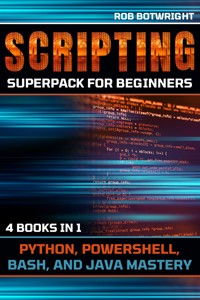
Introducing the Scripting Superpack for Beginners - your ultimate gateway to mastering scripting languages. This bundle comprises four dynamic books, each designed to empower you with scripting mastery across Python, PowerShell, Bash, and Java.
📘
Book 1 - Scripting Simplified: A Beginner's Guide to Python Discover the gentle giant of scripting - Python. Perfect for beginners, this book will demystify Python's syntax and unveil its versatility, setting you on a journey to Python scripting excellence.
📗
Book 2 - Mastering PowerShell Scripting: From Novice to Ninja Unleash the power of Windows automation with PowerShell. Whether you're an IT professional or a scripting enthusiast, this book will guide you from novice to ninja in managing systems and automating tasks.
📙
Book 3 - Bash Scripting Unleashed: A Practical Approach for Beginners and Beyond Unlock the world of command-line wizardry with Bash. From mastering the Linux file system to creating powerful scripts, this book provides a practical approach for beginners and beyond.
📕
Book 4 - Java Scripting Mastery: A Step-by-Step Guide from Beginner to Pro Experience the fusion of scripting and Java programming. Learn to create Java applications, harness libraries and APIs, and dive into multithreading. This book is your pathway to becoming a scripting pro.
Whether you want to automate tasks, manage systems, analyze data, or develop applications, the Scripting Superpack for Beginners has got you covered. Each book is meticulously crafted to offer a hands-on and immersive learning experience.
This superpack is your key to scripting excellence, no matter your background or experience level. Grab your bundle today and embark on a transformative journey into the world of scripting. Don't miss this opportunity to script your way to success!
Das E-Book können Sie in Legimi-Apps oder einer beliebigen App lesen, die das folgende Format unterstützen:
Veröffentlichungsjahr: 2023
Ähnliche
SCRIPTING SUPERPACK
FOR BEGINNERS
PYTHON, POWERSHELL, BASH, AND JAVA MASTERY
4 BOOKS IN 1
BOOK 1
SCRIPTING SIMPLIFIED: A BEGINNER'S GUIDE TO PYTHON
BOOK 2
MASTERING POWERSHELL SCRIPTING: FROM NOVICE TO NINJA
BOOK 3
BASH SCRIPTING UNLEASHED: A PRACTICAL APPROACH FOR BEGINNERS AND BEYOND
BOOK 4
JAVA SCRIPTING MASTERY: A STEP-BY-STEP GUIDE FROM BEGINNER TO PRO
ROB BOTWRIGHT
Copyright © 2023 by Rob Botwright
All rights reserved. No part of this book may be reproduced or transmitted in any form or by any means, electronic or mechanical, including photocopying, recording, or by any information storage and retrieval system, without permission in writing from the publisher.
Published by Rob Botwright
Library of Congress Cataloging-in-Publication Data
ISBN 978-1-83938-521-6
Cover design by Rizzo
Disclaimer
The contents of this book are based on extensive research and the best available historical sources. However, the author and publisher make no claims, promises, or guarantees about the accuracy, completeness, or adequacy of the information contained herein. The information in this book is provided on an "as is" basis, and the author and publisher disclaim any and all liability for any errors, omissions, or inaccuracies in the information or for any actions taken in reliance on such information.
The opinions and views expressed in this book are those of the author and do not necessarily reflect the official policy or position of any organization or individual mentioned in this book. Any reference to specific people, places, or events is intended only to provide historical context and is not intended to defame or malign any group, individual, or entity.
The information in this book is intended for educational and entertainment purposes only. It is not intended to be a substitute for professional advice or judgment. Readers are encouraged to conduct their own research and to seek professional advice where appropriate.
Every effort has been made to obtain necessary permissions and acknowledgments for all images and other copyrighted material used in this book. Any errors or omissions in this regard are unintentional, and the author and publisher will correct them in future editions.
TABLE OF CONTENTS – BOOK 1 - SCRIPTING SIMPLIFIED: A BEGINNER'S GUIDE TO PYTHON
Introduction
Chapter 1: Introduction to Python Scripting
Chapter 2: Setting Up Your Python Environment
Chapter 3: Variables and Data Types
Chapter 4: Basic Input and Output
Chapter 5: Control Flow: Conditional Statements and Loops
Chapter 6: Functions and Modular Programming
Chapter 7: Working with Lists and Dictionaries
Chapter 8: File Handling and Data Persistence
Chapter 9: Error Handling and Debugging
Chapter 10: Advanced Python Scripting Techniques
TABLE OF CONTENTS – BOOK 2 - MASTERING POWERSHELL SCRIPTING: FROM NOVICE TO NINJA
Chapter 1: Introduction to PowerShell Scripting
Chapter 2: Getting Started with PowerShell: Basics and Setup
Chapter 3: Working with Variables and Data Types
Chapter 4: Commandlets and Pipelines: Harnessing PowerShell's Power
Chapter 5: Conditional Logic and Loops
Chapter 6: Functions and Script Modules
Chapter 7: Managing Files and Folders with PowerShell
Chapter 8: Remote Scripting and Automation
Chapter 9: Error Handling and Debugging Techniques
Chapter 10: Advanced PowerShell Scripting: Becoming a Ninja
TABLE OF CONTENTS – BOOK 3 - BASH SCRIPTING UNLEASHED: A PRACTICAL APPROACH FOR BEGINNERS AND BEYOND
Chapter 1: Getting Started with Bash
Chapter 2: Understanding the Linux Command Line
Chapter 3: Variables and Data Manipulation in Bash
Chapter 4: Control Structures: Conditional Statements and Loops
Chapter 5: Functions and Script Organization
Chapter 6: Text Processing and Manipulation
Chapter 7: File System Operations with Bash
Chapter 8: Working with Permissions and Users
Chapter 9: Automation and Scripting Best Practices
Chapter 10: Advanced Bash Scripting: Taking Your Skills to the Next Level
TABLE OF CONTENTS – BOOK 4 - JAVA SCRIPTING MASTERY: A STEP-BY-STEP GUIDE FROM BEGINNER TO PRO
Chapter 1: Introduction to Java Scripting
Chapter 2: Setting Up Your Java Development Environment
Chapter 3: Basic Java Syntax and Data Types
Chapter 4: Control Flow: Conditional Statements and Loops
Chapter 5: Methods and Functions in Java
Chapter 6: Working with Data Structures: Arrays and Collections
Chapter 7: File Input and Output in Java
Chapter 8: Exception Handling and Debugging
Chapter 9: Object-Oriented Programming in Java
Chapter 10: Advanced Java Scripting Techniques: Becoming a Pro
Conclusion
About Rob Botwright
Introduction
Welcome to the Scripting Superpack for Beginners—a comprehensive journey into the captivating world of scripting and automation. In this power-packed bundle, we bring you four distinct guides, each tailored to empower you with scripting mastery in Python, PowerShell, Bash, and Java.
Book 1 - Scripting Simplified: A Beginner's Guide to PythonUnveiling the Gentle Giant
Our adventure begins with Python, a language celebrated for its elegance and simplicity. Python is the ideal starting point for anyone new to scripting. In "Scripting Simplified," we will guide you through the fundamentals of Python, demystifying its syntax and exploring its versatility. Whether you're a complete beginner or just looking to expand your scripting repertoire, this book will provide you with a strong foundation in Python scripting.
Book 2 - Mastering PowerShell Scripting: From Novice to NinjaUnleashing the Power of Windows Automation
Next, we delve into the world of PowerShell—a scripting language designed for Windows system administration and automation. "Mastering PowerShell Scripting" takes you on a journey from novice to ninja, equipping you with the skills to automate tasks, manage systems, and harness the full potential of PowerShell. Whether you're an IT professional or a scripting enthusiast, this book will make you a master of PowerShell.
Book 3 - Bash Scripting Unleashed: A Practical Approach for Beginners and BeyondCommand-Line Wizardry Unveiled
Bash, the command-line interface for Unix-like operating systems, is a scripting powerhouse. In "Bash Scripting Unleashed," we guide you through the world of shell scripting. From navigating the Linux file system to mastering loops and functions, this book will transform you into a command-line maestro. Whether you're a beginner or looking to enhance your Linux skills, this book provides a practical approach to Bash scripting.
Book 4 - Java Scripting Mastery: A Step-by-Step Guide from Beginner to ProScripting Meets the Power of Java
Our journey concludes with Java, a robust and versatile programming language. In "Java Scripting Mastery," we explore the intersection of scripting and object-oriented programming. You'll learn to create Java applications, harness the power of libraries and APIs, and even venture into the world of multithreading. This book is your step-by-step guide from beginner to scripting pro in the realm of Java.
Whether you're automating tasks, analyzing data, managing systems, or creating applications, the Scripting Superpack for Beginners has you covered. Each book in this bundle is carefully crafted to provide a hands-on, practical, and immersive learning experience. No matter your background or prior experience, these books will unlock the doors to scripting excellence.
Join us on this scripting adventure as we journey through Python, PowerShell, Bash, and Java. By the end of this superpack, you'll emerge as a scripting maestro, ready to tackle real-world challenges and script your way to success. Let's embark on this exciting journey together!
BOOK 1
SCRIPTING SIMPLIFIED
A BEGINNER'S GUIDE TO PYTHON
ROB BOTWRIGHT
Chapter 1: Introduction to Python Scripting
Python has gained immense popularity for scripting due to its simplicity and versatility in handling various tasks, from automating repetitive processes to developing complex applications. When you choose Python for scripting, you're harnessing a language that is known for its readability and ease of use. It reads like plain English, making it accessible to beginners and seasoned developers alike.
Python's extensive standard library offers a wide range of modules and packages, which simplifies scripting tasks by providing pre-built functions for common operations. This vast library reduces the need to reinvent the wheel, saving time and effort.
Another compelling reason to opt for Python in your scripting endeavors is its platform independence. Python is available on various platforms, including Windows, macOS, and Linux, ensuring your scripts can run seamlessly across different systems. This cross-platform compatibility is a significant advantage when you need to create scripts that work in diverse computing environments.
Python's open-source nature means you can access a wealth of resources, tutorials, and community support. Whether you're a novice or an expert, the Python community is there to assist and share knowledge, making your scripting journey smoother and more enjoyable.
Moreover, Python's versatility extends beyond scripting. It's a full-fledged programming language capable of handling web development, data analysis, machine learning, and more. This means that as you become proficient in Python scripting, you'll have the opportunity to explore other domains and expand your skill set.
Installing Python and getting started with scripting is a breeze. Python distributions like Anaconda and Python's official website offer user-friendly installers that make the setup process straightforward. Once Python is installed, you can begin writing and executing scripts right away, without the need for complex configurations.
In Python, variables and data types are fundamental concepts to understand. Variables are like containers that store data, and data types define the kind of data a variable can hold. Python supports various data types, including integers, floating-point numbers, strings, and more, providing flexibility for your scripting needs.
When scripting in Python, input and output operations are essential for interaction with users and data sources. Python provides straightforward ways to obtain input from users and display output to the screen. This simplicity makes it ideal for building scripts that require user interaction or generate informative output.
One of the key strengths of Python for scripting is its ability to control program flow efficiently. Conditional statements, such as if-else, allow you to make decisions in your script based on certain conditions. Loops like for and while enable you to repeat a set of instructions, making it easy to automate repetitive tasks.
Functions are reusable blocks of code that help organize your script and enhance its readability. In Python scripting, defining and using functions is straightforward. You can create functions to encapsulate specific tasks, making your scripts modular and easier to maintain.
Lists and dictionaries are powerful data structures in Python that allow you to store and manipulate collections of data. Lists are ordered collections, while dictionaries are unordered collections of key-value pairs. These data structures are invaluable when working with large sets of data in your scripts.
Python's file handling capabilities are crucial when dealing with input and output operations in scripting. You can open, read, write, and manipulate files easily using Python. This functionality is vital when automating data processing tasks or working with external data sources.
To ensure your scripts are robust and error-resistant, Python provides mechanisms for handling exceptions. Exception handling allows you to gracefully handle unexpected errors and failures in your script, ensuring it continues to execute smoothly even in adverse conditions.
Debugging is an integral part of scripting, and Python offers various debugging tools and techniques to help you identify and resolve issues in your code. Effective debugging practices can save you a considerable amount of time and frustration when working on complex scripts.
As you progress in your Python scripting journey, you'll encounter the need to work with more advanced techniques. These might include integrating external libraries, accessing web APIs, or using Python for tasks like web scraping and data analysis.
The possibilities with Python scripting are vast and varied. From automating system administration tasks to creating data-driven reports and web applications, Python empowers you to tackle a wide range of projects. Its versatility and simplicity make it a valuable tool in the toolbox of both beginners and experienced developers.
Now that you've gained insight into why Python is an excellent choice for scripting, you're ready to embark on your scripting journey. Whether you're automating repetitive tasks, building small utilities, or developing more complex applications, Python's readability, versatility, and community support make it a fantastic language to use.
With each step you take in Python scripting, you'll uncover new ways to streamline your work, solve problems, and unleash your creativity. So, pick up your keyboard, open your favorite text editor or integrated development environment, and start scripting with Python today. The world of automation and efficiency awaits you, and Python is your trusted companion on this exciting journey.
Python, the beloved programming language renowned for its simplicity and versatility, has a fascinating history. Its journey began in the late 1980s when a Dutch programmer named Guido van Rossum set out to create a language that emphasized readability and ease of use. Guido's vision was to develop a language that would enable developers to write clear and concise code, making it easier to express ideas and solve complex problems.
In December 1989, Guido van Rossum started working on the first version of Python. He named it after his favorite British comedy group, Monty Python, showcasing his quirky sense of humor. Python was born not just as a tool for developers but as a language that encouraged collaboration and fun in the programming community.
Python's initial release, Python 0.9.0, became publicly available in February 1991. It was already equipped with features that set it apart, such as exception handling and modules, allowing code organization and reuse. This early version of Python laid the foundation for what would become a powerful and widely adopted programming language.
Throughout the 1990s, Python's development continued, with the release of Python 1.0 in January 1994. This milestone version introduced features like lambda, map, filter, and reduce functions, enhancing Python's capabilities and expressiveness. As Python's community grew, so did the language's popularity, especially in academic and scientific circles.
Python 2.0, released in October 2000, brought list comprehensions and garbage collection to the language. It further solidified Python's position as a reliable and efficient choice for developers across different domains. The development team maintained Python 2 for many years, ensuring stability and backward compatibility.
However, as Python's popularity surged, so did the need for improvements and updates. In December 2008, Python 3.0, also known as Python 3000 or simply Python 3, was released. This version of Python introduced significant changes to the language to address issues and inconsistencies in Python 2. While Python 3 introduced some compatibility challenges with Python 2 code, it was a necessary step to modernize and refine the language.
Python 3's adoption was gradual, as developers and libraries transitioned from Python 2. Nonetheless, Python's vibrant community embraced the changes and worked to ensure that Python 3 became the new standard. This transition paved the way for the continued growth and evolution of Python.
Python's success is not only attributed to its readability and powerful features but also to its strong community and open-source nature. Python's community is diverse, inclusive, and welcoming, making it an ideal environment for both beginners and experienced developers to learn, collaborate, and share knowledge.
The Python Software Foundation (PSF), established in 2001, plays a pivotal role in fostering Python's growth and development. The PSF supports the language's infrastructure, organizes events, and promotes Python's use in various fields, from web development and data science to artificial intelligence and scientific research.
Python's simplicity and readability have made it an excellent choice for teaching programming. It is often the first language taught in universities and coding bootcamps, introducing countless students to the world of programming. Python's straightforward syntax and clear structure help newcomers grasp fundamental concepts quickly.
Python's versatility extends to web development, with frameworks like Django and Flask simplifying the process of building web applications. Django, in particular, has gained popularity for its robustness and rapid development capabilities. Developers use Python to create websites, web services, and APIs with ease.
Data science and machine learning have also seen a surge in Python usage. Libraries like NumPy, pandas, and scikit-learn provide powerful tools for data analysis and machine learning. Python's ease of use and extensive ecosystem make it a top choice for data professionals working on everything from data visualization to predictive modeling.
Python's role in scientific research is noteworthy as well. Scientists and researchers use Python for tasks such as data analysis, simulations, and modeling. Libraries like SciPy and Matplotlib aid researchers in their pursuit of knowledge, while Jupyter notebooks provide an interactive platform for experimentation and collaboration.
The field of artificial intelligence and deep learning has experienced a Python revolution, thanks to libraries like TensorFlow and PyTorch. These frameworks enable researchers and developers to build sophisticated machine learning models and neural networks, pushing the boundaries of AI research and application.
Python's impact extends to automation and scripting. System administrators and DevOps professionals rely on Python for tasks like configuring servers, managing infrastructure, and orchestrating deployments. Python's cross-platform compatibility ensures that automation scripts can run seamlessly on different operating systems.
The entertainment industry has not been immune to Python's charm. Python is used in game development, audio and video processing, and special effects creation for movies. Its simplicity and versatility make it a valuable tool for creating interactive multimedia experiences.
In recent years, Python's popularity has skyrocketed in the field of cybersecurity. Python's libraries and frameworks, combined with its ease of use, make it an attractive choice for tasks like penetration testing, vulnerability assessment, and building security tools.
As Python continues to evolve, it remains a language of choice for developers, educators, researchers, and professionals in various domains. Its simplicity, readability, and broad range of applications ensure that Python will continue to have a profound impact on the world of technology and beyond.
Whether you're a novice programmer, a seasoned developer, or someone seeking to automate everyday tasks, Python welcomes you into its world of creativity and problem-solving. With Python, the possibilities are endless, and the journey of exploration and innovation is boundless. So, join the Python community, and let your coding adventures begin.
Chapter 2: Setting Up Your Python Environment
Now that we've explored the rich history and versatility of Python, let's dive into the practical steps of installing Python on your system. Installing Python is a straightforward process, and it's the first essential step on your journey to becoming a Python programmer or scripter.
The first thing you need to do is visit the official Python website. This website serves as the central hub for all things Python-related, and it's where you'll find the latest version of Python available for download. Python is an open-source language, so you can access it freely.
When you arrive at the Python website, you'll notice that there are two major versions available: Python 2 and Python 3. However, Python 2 is no longer actively developed and has reached its end of life. Therefore, it's strongly recommended to choose Python 3 for any new projects or installations. Python 3 offers numerous improvements, bug fixes, and new features compared to Python 2.
Once you've decided to go with Python 3, you'll see several subversions available for download. Python has a release cycle that includes both stable releases and development releases. For most users, it's best to download the latest stable release. These stable releases have been thoroughly tested and are considered reliable for everyday use.
Now, you need to select the appropriate installer for your operating system. Python is available for Windows, macOS, and various Linux distributions. Each operating system has its own installer, which is tailored to work seamlessly with that platform.
If you're using Windows, you'll find a Windows installer executable file (with a .exe extension) available for download. Download the installer that matches your system's architecture, whether it's 32-bit or 64-bit. Most modern systems are 64-bit, but it's essential to verify your system's architecture to ensure compatibility.
For macOS users, you'll find a macOS installer package (with a .pkg extension). This package is designed to work with macOS, and it provides a straightforward installation process.
Linux users typically have Python pre-installed on their systems. However, it's important to note that Python 2 may still be present on some older Linux distributions. To install Python 3 on Linux, you can use your distribution's package manager. For example, on Debian-based systems like Ubuntu, you can use the "apt" package manager, while on Red Hat-based systems like CentOS, you can use "yum" or "dnf."
After downloading the Python installer that matches your system and architecture, the next step is to run the installer. On Windows, you'll double-click the downloaded .exe file to start the installation process. On macOS, you'll open the .pkg file, and on Linux, you'll use your package manager to install Python.
During the installation process, you'll have the option to customize the installation if you wish. You can choose the installation directory, configure advanced options, and even add Python to your system's PATH environment variable. Adding Python to the PATH is particularly useful, as it allows you to run Python from the command line without specifying the full path to the Python executable.
Once you've completed the installation, you can verify that Python is installed correctly by opening a terminal or command prompt and running the following command:
cssCopy code
python --version
This command should display the version of Python you installed, confirming that Python is now available on your system.
Additionally, you can run the Python interactive shell by simply typing "python" in your terminal or command prompt and pressing Enter. This opens a Python shell where you can interactively write and execute Python code.
Python also comes with a package manager called "pip." Pip allows you to easily install additional Python packages and libraries. To check if pip is installed, you can run:
cssCopy code
pip --version
If pip is not installed, you can download and install it separately by following the instructions on the official Python website.
With Python successfully installed on your system, you're now ready to start scripting, coding, and exploring the vast Python ecosystem. You have the power to automate tasks, build applications, analyze data, and embark on exciting programming adventures.
Whether you're a beginner taking your first steps in programming or an experienced developer expanding your skill set, Python offers a welcoming and powerful environment for all. So, get ready to unleash your creativity, solve real-world problems, and enjoy the journey of learning and mastering Python. Your programming adventure begins now!
Now that you have Python installed on your system, the next important step in your programming journey is selecting an Integrated Development Environment or IDE. An IDE is a software application that provides a comprehensive environment for writing, testing, and debugging your Python code. Choosing the right IDE can greatly enhance your coding experience and productivity.
One of the most popular Python IDEs is PyCharm, developed by JetBrains. PyCharm is known for its powerful features, user-friendly interface, and robust code analysis capabilities. It offers both a free Community edition and a paid Professional edition, making it accessible to both beginners and professionals.
Another excellent option is Visual Studio Code, commonly referred to as VS Code. It's a free, open-source code editor developed by Microsoft. While it's not a traditional IDE, VS Code offers a wide range of extensions and integrations, allowing you to customize it for Python development. It's known for its speed and versatility.
If you prefer a lightweight and straightforward IDE, you might consider Thonny. Thonny is designed with beginners in mind. It comes with a built-in Python interpreter, a simple interface, and features like code completion and debugging tools to ease the learning curve.
For web development using Python, Django developers often use PyCharm or Visual Studio Code due to their excellent support for web frameworks. PyCharm, in particular, has specialized features for Django development, making it a popular choice in the Django community.
If you're working with data analysis and scientific computing, Jupyter Notebook is a fantastic choice. Jupyter Notebook allows you to create and share documents containing live code, equations, visualizations, and narrative text. It's widely used in the data science community for exploratory data analysis and research.
Many developers also prefer using simple text editors like Sublime Text, Atom, or Notepad++ in combination with the command line for Python scripting. These text editors offer flexibility and are highly customizable with plugins and themes to suit your preferences.
When choosing an IDE, consider factors such as your level of experience, the type of projects you'll be working on, and your personal preferences. Take the time to explore different IDEs and editors to find the one that aligns best with your needs and workflow.
Now, let's delve into some essential features to look for in a Python IDE. Code autocompletion is a must-have feature that saves you time by suggesting code snippets, function names, and variable names as you type. This helps prevent typos and speeds up coding.
Another critical feature is a robust debugger. Debugging tools allow you to identify and fix errors in your code efficiently. Look for an IDE that provides visual debugging capabilities, breakpoints, and a clear interface for inspecting variables and the call stack.
Intelligent code analysis is valuable for catching potential issues before you run your code. An IDE with code analysis capabilities can highlight syntax errors, unused variables, and suggest code improvements, enhancing the overall quality of your code.
Integration with version control systems like Git is essential if you're working on collaborative projects or want to keep track of changes to your code. A good IDE should provide seamless integration with version control tools, making it easy to commit, pull, and push changes to repositories.
Efficient project management tools are also crucial, especially for larger projects. Look for an IDE that allows you to organize your code into projects or workspaces, manage dependencies, and easily navigate through project files.
Customizability is a feature that allows you to tailor your IDE to your preferences. Whether it's choosing a dark theme for late-night coding sessions or configuring keybindings to match your previous coding habits, having the ability to customize the IDE's appearance and behavior can greatly enhance your coding experience.
One often overlooked but valuable feature is code snippet management. An IDE that allows you to create and store reusable code snippets or templates can save you time and effort when working on similar tasks or projects.
Finally, consider the community and support around the IDE. A thriving user community means that you'll have access to tutorials, plugins, and answers to common questions. It can be incredibly beneficial when you encounter challenges or want to expand your knowledge.
Ultimately, the choice of an IDE is a personal one, and what works best for you may differ from what works for someone else. It's worth experimenting with a few IDEs to see which one aligns most closely with your needs and preferences. Many IDEs offer free trials or open-source versions, making it easy to explore your options.
As you gain experience and expertise in Python, you may find that your IDE preferences evolve. Some developers switch between different IDEs for different types of projects or tasks. The flexibility to adapt your tools to specific requirements is one of the strengths of the Python development ecosystem.
In summary, selecting the right IDE is an essential decision in your Python programming journey. It can significantly impact your coding efficiency, debugging capabilities, and overall coding experience. Take the time to explore the available options, experiment with different IDEs, and don't hesitate to switch if you find a better fit for your needs. With the right IDE by your side, you'll be well-equipped to tackle your Python projects and embark on exciting coding adventures. Happy coding!
Chapter 3: Variables and Data Types
In the world of programming, understanding variables is like grasping the alphabet before diving into writing. Variables are fundamental building blocks that store and manage data within a program, and they play a central role in Python, as in many other programming languages.
Think of variables as containers, each with a unique label, where you can store different types of information. These containers can hold numbers, text, dates, and more, allowing your program to manipulate and work with data in various ways.
In Python, declaring a variable is as simple as assigning a value to a name. You choose the name of the variable, which is called an identifier, and then use the equal sign (=) to assign a value to it. For example, you can create a variable called "message" and assign it the value "Hello, World!" like this:
pythonCopy code
Once you've created a variable, you can access its value by using its name. In the case of our "message" variable, you can print its value to the console like this:
pythonCopy code
print(message)
When you run this code, it will display "Hello, World!" in the console because the variable "message" holds that value.
Variables in Python are dynamic, meaning their values can change during the execution of your program. You can update the value of a variable by simply assigning it a new value. For example:
pythonCopy code
In this code, we first assign the value "Hello, World!" to the "message" variable and print it. Then, we update the value of "message" to "Welcome to Python!" and print it again. The result will be the first "Hello, World!" and then "Welcome to Python!".
Python is a dynamically typed language, which means you don't need to declare the data type of a variable explicitly. Python automatically determines the data type based on the value assigned to the variable. For instance, if you assign an integer to a variable, Python knows it's an integer, and if you assign a string, it recognizes it as a string.
Let's explore different types of data that you can store in variables. Common data types in Python include:
Integers: These are whole numbers, such as 1, 42, or -10, and they are represented as the int data type in Python.
Floating-point numbers: These are numbers with decimal points, like 3.14 or -0.5. They are represented as the float data type.
Strings: Strings are sequences of characters, like "Python," "Hello, World!", or even "123." They are represented as the str data type.
Booleans: Booleans represent either true or false values. They are used for logical operations and are represented as the bool data type.
Lists: Lists are ordered collections of items that can be of different data types. You can create lists like [1, 2, 3] or ["apple", "banana", "cherry"].
Dictionaries: Dictionaries are collections of key-value pairs. Each value is associated with a unique key. You can define dictionaries like {"name": "Alice", "age": 30}.
Tuples: Tuples are similar to lists, but they are immutable, meaning their contents cannot be changed after creation. They are defined using parentheses, like (1, 2, 3).
Sets: Sets are unordered collections of unique items. You can create sets like {1, 2, 3}.
Each of these data types serves a specific purpose and can be used in various scenarios within your programs. For example, you might use integers to represent quantities, strings for text data, and lists to store multiple items of the same type.
Variables can be used not only to store data but also to perform operations on that data. You can use mathematical operators like addition (+), subtraction (-), multiplication (*), and division (/) with numeric variables. For example:
pythonCopy code
Running this code would output the results of these operations: addition, subtraction, multiplication, and division.
In addition to mathematical operations, you can perform operations on strings as well. Python allows you to concatenate strings (join them together) using the + operator and repeat a string using the * operator. For example:
pythonCopy code
This code combines the greeting and name strings to create a personalized message and repeats the greeting three times. The output would be "Hello, Alice" and "Hello, Hello, Hello, ".
Variables also play a crucial role in making your code more dynamic and interactive. For instance, you can use input functions to take user input and store it in variables. Here's an example:
pythonCopy code
In this code, the input function prompts the user to enter their name, which is then stored in the name variable. The program then greets the user by printing "Hello" followed by the name provided.
Another essential aspect of variables is their scope, which determines where a variable is accessible in your code. In Python, variables can have global or local scope. A variable declared outside of any function or block has a global scope, meaning it can be accessed from anywhere in the program. Conversely, a variable declared within a function has a local scope and is only accessible within that function.
Understanding variable scope is essential because it impacts how variables are used and modified within different parts of your code. Variables with global scope can be accessed and modified from both inside and outside functions, while variables with local scope are limited to the function in which they are defined.
Here's an example illustrating variable scope:
pythonCopy code
In this code, global_variable is declared outside the function and has global scope, so it can be accessed both inside and outside the function. local_variable, on the other hand, is defined within the my_function function and has local scope, so it's accessible only within that function.
Variables with global scope can be modified from within a function using the global keyword, which allows you to specify that you want to work with the global variable, not create a new local one.
pythonCopy code
In this example, the modify_global function uses the global keyword to indicate that it intends to modify the global variable global_variable. As a result, the value of global_variable is changed to 20 when the function is called.
Understanding variable scope and knowing when to use global or local variables is vital for writing clean and maintainable code. Properly managing variable scope helps prevent unintended side effects and enhances code clarity.
In addition to single variables, you can also work with collections of data using variables. Lists, dictionaries, tuples, and sets allow you to store and manipulate multiple values together. These data structures are particularly useful when dealing with large amounts of data or when you need to organize related pieces of information.
For example, you might use a list to store a collection of numbers, a dictionary to represent key-value pairs, or a set to keep track of unique items. Here are some examples:
pythonCopy code
Once you have these collections stored in variables, you can access their elements or perform operations on them. For instance, you can add or remove items from a list, update values in a dictionary, or check if an item exists in a set.
pythonCopy code
Working with collections expands your ability to organize and manage data effectively in your programs. These data structures become invaluable when dealing with complex applications and real-world scenarios.
In summary, understanding variables is a fundamental aspect of Python programming. Variables serve as containers for data, allowing you to store, manipulate, and access information within your programs. You can use variables to work with different data types, perform operations, and create dynamic and interactive applications. Additionally, grasping the concept of variable scope helps you manage variables effectively within your code. Whether you're a beginner or an experienced programmer, mastering variables is a crucial step in your Python journey, enabling you to write efficient and expressive code. So, embrace the power of variables and start building amazing Python programs today!
In Python, as in any programming language, data types are the building blocks of your code, allowing you to work with different kinds of information. These data types define how the data is stored and what operations can be performed on it, making them a crucial aspect of programming. So, let's embark on a journey to explore the diverse world of data types in Python.
On the flip side, we have floating-point numbers, often simply referred to as floats. Floats, unlike integers, can represent numbers with decimal points. They're incredibly versatile, suitable for scientific calculations, financial applications, and many other scenarios where precise numerical accuracy is required.
Strings, another essential data type, are sequences of characters enclosed in either single (' ') or double (" ") quotes. Strings are incredibly flexible; they can hold text, numbers, symbols, or even empty spaces. You can concatenate strings by using the + operator, making it easy to combine words or sentences.
Booleans, often associated with true and false values, are critical for decision-making in your code. They represent binary logic and can be either True or False. Booleans come in handy when you need to evaluate conditions or create conditional statements like if and while.
Now, let's explore some data types that allow you to store multiple values. Lists are one of the most versatile data types for this purpose. A list is an ordered collection of items, and these items can be of different data types, including integers, floats, strings, and even other lists. You can create lists by enclosing items in square brackets and separating them with commas.
Next up are tuples, which are similar to lists but with one crucial difference: they are immutable. Once you create a tuple, you cannot change its contents. Tuples are defined using parentheses and can hold a variety of data types. They are often used to represent fixed collections of items.
Dictionaries, on the other hand, are a powerful data type for storing key-value pairs. Each value in a dictionary is associated with a unique key. You can think of a dictionary as a real-world dictionary where words (keys) are associated with their definitions (values). Dictionaries are particularly useful when you need to look up values by their associated keys quickly.
Lastly, we have sets, which are unordered collections of unique items. Sets are handy when you need to ensure that a collection contains distinct elements. You can perform various set operations like union, intersection, and difference, making them valuable in scenarios where you need to compare and manipulate data efficiently.
Understanding data types is vital because it enables you to work with different types of data effectively. Python's dynamic typing system allows you to create variables without specifying their data types explicitly. Python determines the data type based on the assigned value.
Here's an example of dynamic typing in Python:
pythonCopy code
In this code, Python automatically assigns the appropriate data type to each variable based on the assigned values.
In Python, you can also check the data type of a variable using the type() function. For instance:
pythonCopy code
This code prints the data type of the variable x, which is int (integer).
Now, let's explore type conversion, a process that allows you to change the data type of a variable. Python provides built-in functions for type conversion, such as int(), float(), str(), and others.
For example, you can convert an integer to a float like this:
pythonCopy code
In this code, the float() function converts the integer x to a float, resulting in y having the value 42.0.
Conversely, you can convert a float to an integer using the int() function:
pythonCopy code
In this case, the int() function truncates the decimal part of the float y, resulting in x having the value 3.
String conversion is also straightforward:
pythonCopy code
Here, the str() function converts the integer x to a string, making y equal to the string '42'.
Type conversion is especially useful when you need to perform operations involving variables of different data types. For instance, you might want to concatenate a string and an integer. In this case, you can convert the integer to a string and then perform the concatenation:
pythonCopy code
The str(x) part converts the integer x to a string so that it can be combined with the string message.
Now, let's delve into some more advanced topics related to data types in Python. One of these topics is indexing and slicing, which allows you to access specific elements or portions of data structures like strings and lists.
Indexing in Python starts at 0, which means the first element of a sequence is at index 0, the second element at index 1, and so on. To access a specific element, you use square brackets and provide the index.
For example, if you have a string:
pythonCopy code
You can access the first character, 'P', by using text[0]. To access the second character, 'y', you use text[1], and so on.
Slicing extends indexing by allowing you to extract a range of elements. Slicing uses the colon : to specify a range. For example, if you want to extract the first three characters of the string, you can use text[0:3], which results in 'Pyt'.
Slicing is versatile and allows you to extract elements from a specific starting point to an ending point. For instance, text[2:5] extracts 'tho' from the string.
Negative indexing and slicing are also possible. Negative indexing starts from the end of the sequence, with -1 representing the last element, -2 the second-to-last, and so on. Negative slicing allows you to extract elements from the end of the sequence. For example, text[-3:-1] extracts 'ho' from the string.
Understanding indexing and slicing is fundamental when working with strings, lists, and other sequences in Python. It allows you to access and manipulate specific elements or portions of data effectively.
Let's shift our focus to another crucial topic: type checking and conversion. Python provides functions like isinstance() to check the data type of a variable. This function returns True if the variable is of the specified type or a subtype thereof; otherwise, it returns False.
For example, you can use isinstance() to check if a variable is an integer:
pythonCopy code
In this code, the isinstance(x, int) function checks if the variable x is an integer and prints the appropriate message.
Type checking becomes especially useful when you're working with user input or data from external sources, where the data type may not be guaranteed.
Python also provides functions for more advanced type conversion. For instance, you can use eval() to evaluate a string containing a Python expression and return its result. However, use eval() with caution, as it can execute arbitrary code and pose security risks when dealing with untrusted input.
Another useful function is str.format(), which allows you to format strings dynamically by replacing placeholders with values. For example:
pythonCopy code
In this code, {} are placeholders that are replaced by the values of the name and age variables.
Python also provides several built-in functions for working with strings, including len() to get the length of a string, lower() and upper() to change the case of characters, strip() to remove leading and trailing whitespace, and many more.
In addition to these built-in functions, Python's standard library includes modules for more specialized data types and operations. For instance, the datetime module allows you to work with dates and times, the math module provides mathematical functions, and the random module offers tools for generating random numbers.
Understanding data types and their manipulation is foundational to programming in Python. With a solid grasp of integers, floats, strings, and other data types, you have the tools to create diverse and complex applications. Learning how to perform type conversion, index and slice sequences, and use type checking functions expands your capabilities as a Python programmer. As you continue your journey, you'll discover even more data types and modules in Python's rich ecosystem, enabling you to tackle a wide range of tasks and challenges. So, embrace the world of data types, experiment with your code, and enjoy the creative journey of programming in Python!




