


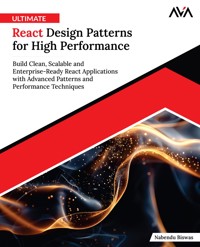
Ultimate React Design Patterns for High Performance: Build Clean, Scalable and Enterprise-Ready React Applications with Advanced Patterns and Performance Techniques E-Book
Nabendu Biswas
21,49 €
Mehr erfahren.
- Herausgeber: Orange Education Pvt Ltd
- Kategorie: Wissenschaft und neue Technologien
- Sprache: Englisch
Das E-Book können Sie in Legimi-Apps oder einer beliebigen App lesen, die das folgende Format unterstützen:
Veröffentlichungsjahr: 2025
Ähnliche















Ultimate React DesignPatterns for HighPerformance
Build Clean, Scalable and Enterprise-ReadyReact Applications with Advanced Patternsand Performance Techniques
Nabendu Biswas
www.orangeava.com
Copyright © 2025 Orange Education Pvt Ltd, AVA®
All rights reserved. No part of this book may be reproduced, stored in a retrieval system, or transmitted in any form or by any means, without the prior written permission of the publisher, except in the case of brief quotations embedded in critical articles or reviews.
Every effort has been made in the preparation of this book to ensure the accuracy of the information presented. However, the information contained in this book is sold without warranty, either express or implied. Neither the author nor Orange Education Pvt Ltd or its dealers and distributors, will be held liable for any damages caused or alleged to have been caused directly or indirectly by this book.
Orange Education Pvt Ltd has endeavored to provide trademark information about all of the companies and products mentioned in this book by the appropriate use of capital. However, Orange Education Pvt Ltd cannot guarantee the accuracy of this information. The use of general descriptive names, registered names, trademarks, service marks, etc. in this publication does not imply, even in the absence of a specific statement, that such names are exempt from the relevant protective laws and regulations and therefore free for general use.
First Published: October 2025
Published by: Orange Education Pvt Ltd, AVA®
Address: 9, Daryaganj, Delhi, 110002, India
275 New North Road Islington Suite 1314 London,
N1 7AA, United Kingdom
ISBN (PBK): 978-93-49888-14-2
ISBN (E-BOOK): 978-93-49888-92-0
Scan the QR code to explore our entire catalogue
www.orangeava.com
Dedicated To
My Wife, Shikha
And
My Son, Hriday
About the Author
Nabendu Biswas is a seasoned Full Stack JavaScript Developer and Senior Software Engineer with over 21 years of IT experience across global investment banks, product companies, and startups. Over the last decade, he has developed expertise in the React ecosystem, delivering scalable, high-performance web applications across domains such as finance, retail, AI, and education technology.
Nabendu’s career includes senior roles such as Architect, Team Lead, and Associate Architect, where he successfully led UI teams, drove micro-frontend architectures, and guided complex enterprise-scale applications. His most recent assignments include working as a Senior Full Stack Developer on critical projects for Iris idea, where he modernized large-scale React and Node.js codebases, optimized performance, and eliminated security vulnerabilities.
He is also a published author of 8 bookson JavaScript, React, and frontend development, including the popular title Full-Stack Web Development with MERN. Through these works, he has helped thousands of developers transition from beginner to advanced levels.
Beyond authoring books, Nabendu has also worked as a corporate trainer and mentor, training more than 1000 students and 50+ corporate teamsin JavaScript, React, and MERN stack. His engaging teaching style extends to his YouTube channel and tech blog, where he shares knowledge about React, modern web technologies, and career growth in software development.
A passionate innovator, Nabendu has also exploredGenerative AI, creating chatbots and 3D avatars with lip-sync capabilities, using React Fiber and LLaMA. His curiosity and constant drive for learning keep him at the cutting edge of frontend technologies, including TypeScript, GraphQL, serverless architecture (AWS/Azure), and performance optimization.
When he is not coding or writing, Nabendu enjoys spending time with his family, his two dogs, and reading about AI/ML, space, and emerging technologies.
About the Technical Reviewers
Gaurav Patel is a Senior Software Engineer with over eight years of experience developing and maintaining projects of varying complexity to enhance efficiency and capabilities. He has strong expertise in web technologies and frameworks, including JavaScript, AngularJS (2–6), ReactJS, Redux, jQuery, NodeJS, ExpressJS, and Spring Boot. Gaurav has extensive experience in building Ajax-driven web applications, implementing Web Services, and creating responsive UIs. His technical proficiency also spans MySQL, NoSQL, HTML5, CSS3, Docker, Kubernetes, GitLab, .NET, Python, AWS, and CI/CD pipelines. Known for his quick learning and effective communication skills, Gaurav thrives in environments that encourage continuous learning and growth.
Sunil S is a seasoned Frontend Developer with nine years of experience designing and building user-centric, high-performance web applications. Currently, a Senior Frontend Developer at Reltio, he specializes in ReactJS, NextJS, Material UI, TypeScript, and JavaScript. Sunil also has backend experience with NodeJS and Express, enabling him to deliver seamless end-to-end solutions. His professional interests include micro-frontend architecture, modular and scalable application design, and performance optimization. Recognized for his problem-solving ability and collaborative approach, Sunil emphasizes writing clean, maintainable codes, and applies strong testing practices using Jest, React Testing Library, and Playwright.
Anjani Kumar Varma is an Associate at Cognizant Technology Solutions with four years of experience developing scalable, React-based applications for a leading retail client. Skilled in React, Redux, Jest, React Testing Library, and Module Federation, he focuses on performance optimization through lazy loading, tree shaking, and memory leak prevention. As part of Cognizant’s core governance team, Anjani has implemented initiatives such as pre-commit hooks for optional chaining, automated removal of console logs in production, and improved Webpack configurations. He actively conducts knowledge-sharing sessions on unit testing, and has implemented Adobe tagging as well as Quantum Metrics, enabling advanced analytics and behavioral insights. Anjani has also contributed to resolving memory leaks, addressing security vulnerabilities, and enhancing performance through the transition to CommonJS packages. His work has directly improved application reliability and user experience for millions of retail customers.
Acknowledgements
There are a few people I want to thank for the continued and ongoing support during the writing of this book. First and foremost, I would like to thank my wife for continuously encouraging me to write the book. I could have never completed this project without her support.
I am also grateful to the courses, and the companies that supported me throughout the learning process of web development. I thank them for all the hidden inspiration and support they provided.
My gratitude also goes to the editorial team at Orange Education Pvt Ltd for their unwavering support and patience, and for granting me ample time to successfully complete and publish this book.
Preface
This book, Ultimate React Design Patterns for High Performance, is written for React developers who already know the fundamentals, and want to level up to become senior frontend developers. In today’s software industry, writing functional React applications is not enough — to succeed in large-scale, enterprise environments, you need to understand design patterns, architecture, and performance optimization.
The goal of this book is to bridge that gap. It will guide you step by step from intermediate knowledge of React toward mastering advanced design patterns, scalable architectures, and performance techniques that set apart a professional React engineer.
The book is organized into multiple chapters, each addressing a specific advanced concept in React:
Chapters 1
–
3
introduce design patterns, layout components, and container components to help you structure clean and reusable UI code.
Chapters 4
–
6
cover controlled/uncontrolled components, Higher-Order Components (HOCs), custom hooks, and functional programming patterns — essential techniques for building robust, reusable, and scalable components.
Chapters 7
–
8
dive into advanced concepts and hooks, including portals, error boundaries, and clean coding practices that enable scalable project architecture.
Chapters 9
–
12
deal with API integration, React Query, state management patterns, and performance optimization, ensuring that your apps remain responsive under real-world load.
Chapters 13
–
17
focus on
Design Systems
building UI components in Figma, encapsulating styles, spacing patterns, complex styles, and finishing with a full design system project.
Chapters 18
–
21
conclude with
Advanced TypeScript techniques
, teaching you to strongly type hooks, reducers, generics, and component patterns — a must-have skill in enterprise projects.
Thus, by the end of this book, you will not only be confident in applying React design patterns and performance optimizations, but also in architecting scalable and clean codebases that can withstand enterprise demands. This is the skillset expected from a senior frontend developer, and this book is designed to get you there!
I hope this book inspires you to build better, cleaner, and more scalable React applications.
Get a Free eBook
We hope you are enjoying your recently purchased book! Your feedback is incredibly valuable to us, and to all other readers looking for great books.
If you found this book helpful or enjoyable, we would truly appreciate it, if you could take a moment to leave a short review with a 5 star rating on Amazon. It helps us grow, and lets other readers discover our books.
As a thank you, we would love to send you a free digital copy of this book, and a 30% discount code on your next cart value on our official websites:
www.orangeava.com
www.orangeava.in (For Indian Subcontinent)
Here's how:
Leave a review for the book on Amazon.
Take a screenshot of your review, and send an email to [email protected] (it can be just the confirmation screen).
Once, we receive your screenshot, we will send you the digital file, within 24 hours.
Thank you so much for your support - it means a lot to us!
Downloading the codebundles and colored images
Please follow the link or scan the QR code to download theCode Bundles and Images of the book:
https://github.com/ava-orange-education/Ultimate-React-Design-Patterns-for-High-Performance
The code bundles and images of the book are also hosted onhttps://rebrand.ly/0d0d2f
In case there’s an update to the code, it will be updated on the existing GitHub repository.
Errata
We take immense pride in our work at Orange Education Pvt Ltd and follow best practices to ensure the accuracy of our content to provide an indulging reading experience to our subscribers. Our readers are our mirrors, and we use their inputs to reflect and improve upon human errors, if any, that may have occurred during the publishing processes involved. To let us maintain the quality and help us reach out to any readers who might be having difficulties due to any unforeseen errors, please write to us at :
Your support, suggestions, and feedback are highly appreciated.
DID YOU KNOW
Did you know that Orange Education Pvt Ltd offers eBook versions of every book published, with PDF and ePub files available? You can upgrade to the eBook version at www.orangeava.com and as a print book customer, you are entitled to a discount on the eBook copy. Get in touch with us at: [email protected] for more details.
At www.orangeava.com, you can also read a collection of free technical articles, sign up for a range of free newsletters, and receive exclusive discounts and offers on AVA® Books and eBooks.
PIRACY
If you come across any illegal copies of our works in any form on the internet, we would be grateful if you would provide us with the location address or website name. Please contact us at [email protected] with a link to the material.
ARE YOU INTERESTED IN AUTHORING WITH US?
If there is a topic that you have expertise in, and you are interested in either writing or contributing to a book, please write to us at [email protected]. We are on a journey to help developers and tech professionals to gain insights on the present technological advancements and innovations happening across the globe and build a community that believes Knowledge is best acquired by sharing and learning with others. Please reach out to us to learn what our audience demands and how you can be part of this educational reform. We also welcome ideas from tech experts and help them build learning and development content for their domains.
REVIEWS
Please leave a review. Once you have read and used this book, why not leave a review on the site that you purchased it from? Potential readers can then see and use your unbiased opinion to make purchase decisions. We at Orange Education would love to know what you think about our products, and our authors can learn from your feedback. Thank you!
For more information about Orange Education, please visit www.orangeava.com.
Table of Contents
1. Introduction to Design Patterns
Introduction
Structure
Introduction to Design Patterns
Requirements
Node and NPM Installation Windows
VS Code Installation Windows
Download the Link
Conclusion
Points to Remember
2. Layout Components
Introduction
Structure
Design Patterns Details
Layout Components
Screen Splitter
Screen Splitter Enhancements
Lists
Modals
Conclusion
Points to Remember
3. Container Components
Introduction
Structure
Container Components Overview
Server Setup
Loader Component
User Data Loader
Resource Data Loader
DataSource Component
Render Props Pattern
Conclusion
Points to Remember
4. Controlled and Uncontrolled Components
Introduction
Structure
Uncontrolled Components
Controlled Components
Controlled Modals
Uncontrolled Flows
Collecting Data
Controlled Flows
Conclusion
Points to Remember
5. Higher Order Components and Custom Hooks
Introduction
Structure
Introduction to HOC
Checking Props with HOCs
Data Loading with HOC
Updating Data and Building Forms
Enhancing HOC Pattern
Introduction to Hooks
Fetching a User with Custom Hooks
Fetching a Resource with Custom Hooks
Conclusion
Points to Remember
6. Functional Programming and More Patterns
Introduction
Structure
Introduction to Functional Programming
Recursive Components
Compositions
Partial Components
Compound Components
Observer Pattern
Conclusion
Points to Remember
7. Advanced Concepts and Hooks
Introduction
Structure
React Portals
Error Boundaries
Keys
useLayoutEffect and useId
useDeferredValue
useTransition
Conclusion
Points to Remember
8. Clean Code Tips and Scalable Architecture
Introduction
Structure
Using Element Prop
Optimizing Context API
General Architecture
Route Components
Encapsulating Components
Conclusion
Points to Remember
9. API Layer
Introduction
Structure
Building API Layer and API States
Enhancing the API States
Avoiding Flickering Loaders
Abstracting API States
Adding Request Abort Logic
Conclusion
Points to Remember
10. API Layer with React Query
Introduction
Structure
Server Setup
Fetching Data with React-Query
Updating Data with React-Query
Pagination with React-Query
Infinite Scroll with React-Query
Conclusion
Points to Remember
11. State Management Patterns
Introduction
Structure
Immutable Updates with uselmmer
Cleaner, Reducer with uselmmerReducer
Conclusion
Points to Remember
12. Performance Optimization
Introduction
Structure
Code-Splitting and Lazy-Loading
useCallback and useMemo Hooks
State Collocation and Lifting up Components
Throttling
Debouncing
Conclusion
Points to Remember
13. Design System with Core Concepts and Building Components in Figma
Introduction
Structure
Understanding Design System
Down Sides of Design Systems and Team Structure
Audience of Design Systems and Example
Key Concepts and Practical Checklist
Mistakes to Avoid
Hands-on Color Palette in Figma
Hands-on Designing a Modal
Conclusion
Points to Remember
14. Design System with Developing Components and Encapsulating Styles
Introduction
Structure
Extensible Foundations
Creating Button Component
Building a Modal
Style Compositions
Encapsulating Styles
Conclusion
Points to Remember
15. Design System with Patterns for Spacing
Introduction
Structure
Overview
Layers Pattern
Split Pattern
Column Pattern
Grid Pattern
Inline Bundle Pattern
Conclusion
Points to Remember
16. Design System with Patterns for Complex Styles
Introduction
Structure
Overview
Pad Pattern
Center Pattern
Media-Wrapper Pattern
Cover Pattern
Conclusion
Points to Remember
17. Design System (Final Project)
Introduction
Structure
Overview
Navbar with Menu and Header
Sidebar Menu
Building Form
Finishing Buttons
Conclusion
Points to Remember
18. Advanced TypeScript Using Typing Hooks
Introduction
Structure
Overview
Typing useState
State Without Initial State
Passing States and Events
Typing useRef
Typing Custom Hooks
Typing Complex States
Tuples with Custom Hooks
Conclusion
Points to Remember
19. Advanced TypeScript Using Typing Reducers and Context API
Introduction
Structure
Overview
Typing Reducers
Passing Dispatch as a Prop
Action and Reducer Types
Context API with Types
Conclusion
Points to Remember
20. Advanced TypeScript with Typing Generics
Introduction
Structure
Overview
Context with Generics
Building a Type Helper
Another Type Helper
Hook with Generics
Inferring Generics Types
Generics Components
Conclusion
Points to Remember
21. Advanced TypeScript (Component Patterns)
Introduction
Structure
Overview
Higher Order Components
Render Props
Custom Hooks
Limiting Prop Composition
Requiring Prop Composition
Conclusion
Points to Remember
Index
CHAPTER 1
Introduction to Design Patterns
Introduction
This chapter gives a brief introduction to design patterns, and covers the requirements to start with the installation of NodeJS and NPM (Node Package Manager) on a Windows system, These software are primarily required for ReactJS coding.
Besides this, we will also learn to install Visual Studio Code, also popularly known as VS Code. This is a light-weight code editor which is helpful in coding in ReactJS. All these three requirements are completely free to install on Windows, Mac and Linux.
Structure
In this chapter, we are going to discuss the following topics:
Introduction to Design Patterns
Requirements
Introduction to Design Patterns
Design patterns are an advanced concept in ReactJS which means designing the code in an efficient way. These advanced concepts allow us to write an effective code, by using patterns such as controlled and uncontrolled components.
We will also learn other advanced concepts like memoization which optimizes the performance of React. The readers will be able to develop enterprise level React systems for reusability. We will use React Hooks, Context API, HOCs, Custom hooks and React functional programming to build reliable apps that scale.
By understanding these design patterns, developers can develop scalable, maintainable and optimized React applications.
Requirements
Since this book is about advanced React concepts, the Basic understanding of React and JavaScript is required. You should have Node and NPM installed on your machine because React requires both to create applications, and install dependencies. Besides this, Visual Studio code should also be installed on your machine. Next, we will learn to install these on Windows. The setup for Mac and Linux is quite similar, and can be done easily.
Node and NPM Installation Windows
First, we need to go to the official NodeJS download url which is https://nodejs.org/en/download. Afterwards. click on Download Node.js vXX.XX.X button. During the time of writing the book, it was v20.12.2.
Figure 1.1: Node Install Link
Next, on the top side of the browser, we will see the 'msi file' being downloaded. Click on the 'Open' icon to run the file directly.
Figure 1.2: Node Downloaded
A pop-up will come that will start the 'Node.js Setup Wizard'. Here, click on the Next button.
Figure 1.3: Node Setup Wizard
In the next window, accept the terms by clicking on the 'checkbox', and then the 'Next' button.
Figure 1.4: Node License Agreement
Next, it will show the default directory to install NodeJS. Here, then click on the 'Next' button.
Figure 1.5: Node Default Path
In the next screen also, click on the 'Next' button.
Figure 1.6: Node Features
Now, the wizard will install all the necessary tools. Here, select the 'checkbox' and then click on the 'Next' button.
Figure 1.7: Node Necessary Tools
Finally, we will get the 'Install' button. Click it, and install NodeJS.
Figure 1.8: Node Install
It will take around 1 minute to install 'NodeJS', and the progress bar will show the status.
Figure 1.9: Node Install Progress
Once the installation is complete, click on the 'Finish' button.
Figure 1.10: Node Install Finish
Now, the setup for additional tools will start. It will open the command line, where we need to click on any button.
Figure 1.11: Node Additional Tools
Now, open any terminal and run the command node '-v'. It will give the 'Node' version installed which is 20.12.2 in our case.
Figure 1.12: Node Version
Now, in the terminal, run the command npm -v. It will give the NPM version installed which is 9.5.0 in our case. NPM stands for Node Package Manager that is automatically installed with Node installation:
Figure 1.13: NPM Version
VS Code Installation Windows
To download Visual Studio Code or VS Code, first go to https://code.visualstudio.com/, and click on the download button. This site automatically detects your operating system.
Figure 1.14: VS Code
Download the Link
Afterwards, on the top side of the browser, we will see the VS Code file being downloaded. Click on the Open icon to run the file directly.
Figure 1.15: VS Code Downloaded
A pop-up will open showing the License Agreement. Then, accept the agreement, and click on the Next button.
Figure 1.16: VS Code License Agreement
The next window will show the path on which VS Code will be downloaded. Here, just click on the Next button.
Figure 1.17: VS Code Install Location
In the next pop-up, just click on the Next button.
Figure 1.18: VS Code Shortcut
In the next pop-up, select all of the check boxes for a better experience. Then click on the Next button.
Figure 1.19: VS Code Options
Finally, click on the Install button.
Figure 1.20: VS Code Install
It will take around two (2) minutes to install the VS Code.
Figure 1.21: VS Code Install Progress
Once the installation is complete, click on the Finish button. Keep the default checked option of Launching VS Code.
Figure 1.22: VS Code Install Complete
Next, the VS code will open, and we will see the version information.
Figure 1.23: VS Code
Conclusion
In this chapter, we learned about design patterns. Lastly, we have learned to install NodeJS and VS Code on windows systems which is the basic requirement to start with the book.
In the next chapter, we will learn about the first design patterns of Layout and Container components.
Points to Remember
The concept of Design Patterns which is an effective way to write production ready and highly optimized React Code.
Installation of NodeJS, NPM and VS Code that are must to start coding in ReactJS. All these three can be easily installed, and completely free to use.




