


38,39 €
Mehr erfahren.
- Herausgeber: Packt Publishing
- Kategorie: Wissenschaft und neue Technologien
- Sprache: Englisch
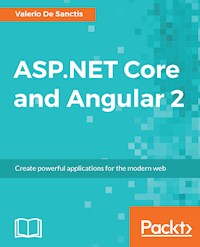
Create powerful applications for the modern web
About This Book
- Build a complete single page application with two of the most impressive frameworks in modern development
- Find out how to bring together the capabilities and features of both Angular 2 and ASP.NET Core
- From managing data, to application design, through to SEO optimization and security – take a comprehensive approach to building your next web project
Who This Book Is For
ASP.NET developers – find out how to bring Angular 2 into your development stack and extend your skillset so you can build even better single page applications.
What You Will Learn
- Find out how ASP.NET Core's and Angular 2's features perfectly complement each other
- Learn how to set up the resources you need and configure the MVC 6 interface
- Handle requests and actions using server-side and client-side Routing
- Create the Data Model using Entity Framework Core
- Learn how to use Angular 2 components and master directives
- Implement a token-based authorization and authentication flow supporting external login providers such as Facebook, Google, Twitter and more
- Create responsive, mobile-friendly views using Bootstrap and LESS
- Setup and optimize your production environment using IIS and SQL Server
- Secure your application against a diverse range of dangerous security threats
In Detail
Writing code is about striking a balance between maintainability and productivity—how quickly you can write it against how much more you have to write in the future. This is a guide to doing just that by combining the impressive capabilities of ASP.NET Core and Angular 2. It shows you how to successfully manage an API and use it to support and power a dynamic single-page application.
We'll show you how to construct your data model and manage routing and redirects before wrapping it up and styling it, all with the help of ASP.NET and Angular 2. You'll also learn how to optimize your application for SEO, check and secure any vulnerabilities, implement a viable authentication mechanism and, last but not least, use the proper tools and strategies for successful deployment. From readable URIs to OData retrieval and authentication patterns, we'll make sure you have all the technical knowledge you need and, more importantly, bring it all together so you can focus on what's important: a high-quality application that performs for users.
Style and approach
More than just a technical manual, this guide takes you through the most important technical facets of developing with these two hugely popular frameworks and then demonstrates how to put those skills into practice. It's a book that recognizes that what's really important is the end product.
Sie lesen das E-Book in den Legimi-Apps auf:
Seitenzahl: 475
Veröffentlichungsjahr: 2016
Ähnliche















Table of Contents
ASP.NET Core and Angular 2
ASP.NET Core and Angular 2
Copyright © 2016 Packt Publishing
All rights reserved. No part of this book may be reproduced, stored in a retrieval system, or transmitted in any form or by any means, without the prior written permission of the publisher, except in the case of brief quotations embedded in critical articles or reviews.
Every effort has been made in the preparation of this book to ensure the accuracy of the information presented. However, the information contained in this book is sold without warranty, either express or implied. Neither the author, nor Packt Publishing, and its dealers and distributors will be held liable for any damages caused or alleged to be caused directly or indirectly by this book.
Packt Publishing has endeavored to provide trademark information about all of the companies and products mentioned in this book by the appropriate use of capitals. However, Packt Publishing cannot guarantee the accuracy of this information.
First published: September 2016
Production reference: 1270916
Published by Packt Publishing Ltd.
Livery Place
35 Livery Street
Birmingham
B3 2PB, UK.
ISBN 978-1-78646-568-9
www.packtpub.com
Credits
Author
Valerio De Sanctis
Copy Editor
Safis Editing
Reviewer
Vincent Maverick Durano
Project Coordinator
Ulhas Kambali
Commissioning Editor
Edward Gordon
Proofreader
Safis Editing
Acquisition Editor
Reshma Raman
Indexer
Mariammal Chettiyar
Content Development Editor
Onkar Wani
Production Coordinator
Arvindkumar Gupta
Technical Editor
Shivani K. Mistry
Cover Work
Arvindkumar Gupta
About the Author
Valerio De Sanctis is a skilled IT professional with more than 12 years of experience in lead programming, web-based development, and project management using ASP.NET, PHP, and Java. He previously held senior positions at a range of financial and insurance companies, most recently serving as Chief Technology Officer and Chief Operating Officer at a leading after-sales and IT service provider for many top-tier life and non-life insurance groups.
During the course of his career Valerio De Sanctis helped many private organizations to implement and maintain .NET based solutions, working side by side with many IT industry experts and leading several frontend, backend and UX development teams. He designed the architecture and actively oversaw the development of a wide number of corporate-level web application projects for high-profile clients, customers and partners including London Stock Exchange Group, Zurich Insurance Group, Allianz, Generali, Harmonie Mutuelle, Honda Motor, FCA Group, Luxottica, ANSA, Saipem, ENI, Enel, Terna, Banzai Media, Virgilio.it, Repubblica.it, and Corriere.it.
He is an active member of the Stack Exchange Network, providing advices and tips for .NET, JavaScript, HTML5 and Web related topics on the StackOverflow, ServerFault, and SuperUser communities. Most of his projects and code samples are available under open-source licenses on GitHub, BitBucket, NPM, CocoaPods, JQuery Plugin Registry, and WordPress Plugin Repository.
He also runs an IT-oriented, web-focused blog at www.ryadel.com featuring news, reviews, code samples and guides to help developers and enthusiasts worldwide.
I would like to thank those who supported me in writing this book: my beloved and beautiful wife for her awesome encouragement and invaluable support; my children Viola and Daniele; my parents and my sister for always being there in times of need; my IT colleagues and partners in Ryadel, Teleborsa and Assirecre Group for their enduring friendship. A special thanks to Vincent Maverick Durano for helping me to work through software and UI issues to determine if they were bugs or user errors, and to all Packt Publishing folks who worked hard to bring this book to life.
About the Reviewer
Vincent Maverick Durano works as a Technical Lead Developer in a research and development company, focusing mainly on web and mobile technologies. His exploration into programming began at the age of 15; Turbo PASCAL, C, C++, JAVA, VB6, Action Scripts and a variety of other equally obscure acronyms, mainly as a hobby. After several detours, he is now on the VB.NET to C# channel. He now works on ASP.NET, C#, MSSQL, EF, LINQ, AJAX, JavaScript, JQuery, Angular, HTML5, and CSS which go together like coffee crumble ice cream. He's an eight-time Microsoft MVP, two-time C# Corner MVP, Microsoft Influencer, Dzone MVB, and a regular contributor at CodeASP.net in which he also moderate, CodeProject, C# Corner, AspSnippets, and Xamarin but more often at the official Microsoft ASP.NET community site where he became one of the All-Time Top Answerer with ALL-STAR recognition level (the highest attainable level with 100,000+ points). He authored a few e-books for C# Corner: GridView Control Pocket Guide, ASP.NET MVC5: Beginner’s Guide and is now working on a new e-book entitled ASP.NET Core and Angular 2 Code Venture. He runs a blog at http://proudmonkey.azurewebsites.net/ and created a few open-source projects that is hosted in Codeplex and GitHub.
www.PacktPub.com
For support files and downloads related to your book, please visit www.PacktPub.com.
Did you know that Packt offers eBook versions of every book published, with PDF and ePub files available? You can upgrade to the eBook version at www.PacktPub.com and as a print book customer, you are entitled to a discount on the eBook copy. Get in touch with us at [email protected] for more details.
At www.PacktPub.com, you can also read a collection of free technical articles, sign up for a range of free newsletters and receive exclusive discounts and offers on Packt books and eBooks.
https://www.packtpub.com/mapt
Get the most in-demand software skills with Mapt. Mapt gives you full access to all Packt books and video courses, as well as industry-leading tools to help you plan your personal development and advance your career.
Why subscribe?
Preface
It is common knowledge among many seasoned web developers that building a website from scratch 15 years ago was a rather simple task. To begin with, we didn’t have to deal with the insane amount of screen resolutions brought by big-size monitors, ultra-high resolutions, and mobile devices; we could avoid the urge of learning a lot of (back then) "experimental" stuff such as AJAX, JSON, and XMLHttpRequest, as the established DHTML-based techniques we already knew were more than enough to get the job done; our simple, quick 'n' dirty JavaScript hacks could easily shine among friends and colleagues without being embarrassed by cross-platform JS libraries such as jQuery (2006); we didn’t have to implement time-consuming and/or knowledge-demanding features such as login with Facebook, Sharing buttons, SEO meta tags, Twitter Cards and RSS feeds because they were either not there yet or not so important. On top of all that, there still weren’t that many fully-featured, great-looking, award-winning CMS solutions such as Drupal (2001), Wordpress (2003), and Joomla (2005) to compare our results with.
Sounds pretty reasonable, right? Except it’s not. The Web is always changing, just like the rest of the world: the complexity level of the average website is constantly increasing because the usage is more diversified, widespread and intense, however, such growing excitement was also a great thing for those who wanted to make a living out on building web applications, assuming they had the guts to keep studying, communicating, and living the blowing storm of new technologies behind these winds of change. As seasoned developers, we should be able to cope with such simple, yet inevitable truth, adapting ourselves before and better than our customers instead of being trampled by their increasing demands.
The main purpose of this book is to demonstrate that is still possible to develop great web applications from scratch, providing that we use the proper tools and have the patience to understand how we can blend them together to achieve what we want. Luckily enough, the insane amount of additional work required nowadays can be mitigated by a lot of powerful frameworks that make their way through the development scene: we’re talking of server-side runtime environments like ASP.NET and Node.js and also of many client-side frameworks such as Bootstrap, jQuery, React, AngularJS and Angular 2. We chose to focus on two of them – ASP.NET Core to cover the server-side aspects, Angular 2 to deal with the client-side not only for their stunning set of features and elegant design, but also because they happen to have something revolutionary in common: they are both a complete rewrite of their massively-popular previous installments, who played a leading role in their respective field.
Why a development team should do that? What’s the purpose of reinvent their own widely-acknowledged wheel despite it still rocks? The answer most likely lies in what we said earlier: in an ever-changing world such as the one we’re living in we need to be humble and wise enough to keep moving forward, embracing – sometimes even enforcing – the iterative processes required to forge better tools for building a more complex, yet also more enticing World Wide Web.
The guys behind ASP.NET and Angular were brave enough to accept the challenge: after a few months of unstable releases and breaking interface changes it definitely seems that their choice was worth the effort, as they’re about to hit a decisive score.
What about you?
What this book covers
Chapter 1, Getting Ready, introduces the ASP.NET Core and Angular 2 frameworks, explaining how they can effectively be used to build a feature-rich, modern SPA. It then enumerates the core aspects of a common SPA project, which will be addressed throughout the following chapters. The last part covers the required steps for setting up a .NET Core Web Application project, together with its required packages and components, up to a buildable and running app skeleton.
Chapter 2, ASP.NET Controllers and Server-Side Routes, explains how we can interchange Json data between a server-side .NET Controller and a client-side Angular 2 Component. The reader will learn how to handle the HTTP request-response cycle and also how to configure the improved routing logic built upon the .NET Core pipeline.
Chapter 3, Angular 2 Components and Client-Side Routing, focuses about the client-side aspects of our SPA: the reader will learn how to fetch JSON objects with Angular 2 core classes and show the retrieved data on screen using the Angular 2 Template Syntax. We will also explain how the client-side routing works in a SPA and what we need do to implement a viable routing pattern for our project using the PathLocationStrategy.
Chapter 4,The Data Model, is dedicated to the building of a proper, DBMS-based Data Model using Entity Framework Core. The reader will learn how to install and properly configure the required EF Core packages: we will also explain how to properly implement them to build a list of Entities and persist them into a stable Database structure using the Code-First approach.
Chapter 5, Persisting Changes, will explain how to update the application code to make full usage of the EF Core entities defined in Chapter 4,The Data Model. The reader will learn how to fetch and persist the application data by using the Database instead of the sample mocking methods.
Chapter 6, Applying Styles, will introduce LESS, a powerful dynamic stylesheet language that can be compiled into CSS. After a brief overview of the LESS language syntax, the reader will learn how to add, implement and compile LESS scripts within the application project to greatly improve the front-end UI.
Chapter 7, Authentication and Authorization, will guide the reader through the most relevant auth-related concepts for building a web application. The reader will learn how to implement a sample Token-based authentication provider and also how to properly add and configure it throughout the existing Entity Framework entities, .NET core services and HTTP middleware list.
Chapter 8, Third-Party Authentication and External Providers, further expands the authentication and authorization topics introducing OpenIddict, an open-source .NET library based upon the AspNet OpenID Connect Server (ASOS) that can be used to handle internal and external auth providers. The reader will learn how to install OpenIddict and configure it to support Facebook, Google and Twitter authentication.
Chapter 9, User Registration and Account Edit, is dedicated to account-related features such as user registration and edit account mechanism. The reader will learn how to properly handle such requests by implementing a dedicated .NET Core Controller together with a versatile Angular 2 Model-Driven form.
Chapter 10, Finalization and Deployment, describes the most common tasks to publish a potentially shippable web application onto a production server. The reader will learn how to replace its localDb instance with an external SQL Server, create FTP and FileSystem publishing profiles, upload their compiled application to an external server and configure it to run under IIS using the .NET Core Windows Server Hosting bundle; he will also learn how to deal with the most common issues with the help of some .NET Core specific troubleshooting techniques.
What you need for this book
Who this book is for
This book is for seasoned ASP.NET developers who already know about ASP.NET Core and Angular 2, but want to blend them together to craft a production-ready SPA.
Conventions
In this book, you will find a number of text styles that distinguish between different kinds of information. Here are some examples of these styles and an explanation of their meaning.
Code words in text, database table names, folder names, filenames, file extensions, pathnames, dummy URLs, user input, and Twitter handles are shown as follows: "We can include other contexts through the use of the include directive."
A block of code is set as follows:
<%@ taglib prefix="c" uri="http://java.sun.com/jsp/jstl/core"%> <!DOCTYPE html> <html lang="en"> <head> <meta charset="utf-8"> <meta http-equiv="X-UA-Compatible" content="IE=edge"> <meta name="viewport" content="width=device-width, initial-scale=1">When we wish to draw your attention to a particular part of a code block, the relevant lines or items are set in bold:
<dependency> <groupId>org.springframework</groupId> <artifactId>spring-webmvc</artifactId> <version>4.2.2.RELEASE</version> </dependency>Any command-line input or output is written as follows:
Java(TM) SE Runtime Environment (build 1.8.0_91-b15) Java HotSpot(TM) 64-Bit Server VM (build 25.91-b15, mixed mode)New terms and important words are shown in bold. Words that you see on the screen, for example, in menus or dialog boxes, appear in the text like this: "Click on the Java Platform (JDK) 8u91/8u92 download link"
Note
Warnings or important notes appear in a box like this.
Tip
Tips and tricks appear like this.
Reader feedback
Feedback from our readers is always welcome. Let us know what you think about this book—what you liked or disliked. Reader feedback is important for us as it helps us develop titles that you will really get the most out of.
To send us general feedback, simply e-mail [email protected], and mention the book's title in the subject of your message.
If there is a topic that you have expertise in and you are interested in either writing or contributing to a book, see our author guide at www.packtpub.com/authors.
Customer support
Now that you are the proud owner of a Packt book, we have a number of things to help you to get the most from your purchase.
Downloading the example code
You can download the example code files for this book from your account at http://www.packtpub.com. If you purchased this book elsewhere, you can visit http://www.packtpub.com/support and register to have the files e-mailed directly to you.
You can download the code files by following these steps:
You can also download the code files by clicking on the Code Files button on the book's webpage at the Packt Publishing website. This page can be accessed by entering the book's name in the Search box. Please note that you need to be logged in to your Packt account.
Once the file is downloaded, please make sure that you unzip or extract the folder using the latest version of:
The code bundle for the book is also hosted on GitHub at https://github.com/PacktPublishing/ASPdotNET-Core-and-Angular-2. We also have other code bundles from our rich catalog of books and videos available at https://github.com/PacktPublishing/. Check them out!
Downloading the color images of this book
We also provide you with a PDF file that has color images of the screenshots/diagrams used in this book. The color images will help you better understand the changes in the output. You can download this file from https://www.packtpub.com/sites/default/files/downloads/ASPdotNETCoreAndAngular2_ColorImages.pdf.
Errata
Although we have taken every care to ensure the accuracy of our content, mistakes do happen. If you find a mistake in one of our books—maybe a mistake in the text or the code—we would be grateful if you could report this to us. By doing so, you can save other readers from frustration and help us improve subsequent versions of this book. If you find any errata, please report them by visiting http://www.packtpub.com/submit-errata, selecting your book, clicking on the Errata Submission Form link, and entering the details of your errata. Once your errata are verified, your submission will be accepted and the errata will be uploaded to our website or added to any list of existing errata under the Errata section of that title.
To view the previously submitted errata, go to https://www.packtpub.com/books/content/support and enter the name of the book in the search field. The required information will appear under the Errata section.
Piracy
Piracy of copyrighted material on the Internet is an ongoing problem across all media. At Packt, we take the protection of our copyright and licenses very seriously. If you come across any illegal copies of our works in any form on the Internet, please provide us with the location address or website name immediately so that we can pursue a remedy.
Please contact us at [email protected] with a link to the suspected pirated material.
We appreciate your help in protecting our authors and our ability to bring you valuable content.
Questions
If you have a problem with any aspect of this book, you can contact us at [email protected], and we will do our best to address the problem.
Chapter 1. Getting Ready
ASP.NET Core MVC is a web framework, built on top of the core .NET framework, specifically made for building efficient web applications and APIs that will be able to be reached by a massive range of clients including web browsers, mobile devices, smart TVs, web-based home automation tools, and more.
Angular 2 is the second major installment of AngularJS, a world-renowned development framework born with the idea of giving the coder the toolbox needed to build reactive, cross-platform web-based apps, which are optimized for desktop and mobile: it features a structure-rich templating approach which is based upon a natural, easy-to-write, and readable syntax.
These two frameworks were put together with the same assumption in mind: the HTTP protocol is not limited to serving web pages, it can be also used as a viable platform to build web-based APIs to effectively send and receive data. This theory has slowly made its way through the first 20 years of the World Wide Web and is now an undeniable, widely acknowledged statement, and also a fundamental pillar of almost every modern web development approach.
As for the reasons behind this perspective switch, there are plenty of good reasons for it, the most important of them being related to the intrinsic characteristics of the HTTP protocol. It is simple to use, flexible enough to match most development needs in the always-changing environment which the World Wide Web happens to be, not to mention how universal it has become nowadays, almost any platform that you can think of has an HTTP library, so HTTP services can reach a broad range of clients, including browsers, mobile devices, and traditional desktop applications.
Two players one goal
From the perspective of a fully-functional web-based application, we could say that the Web API interface provided with the ASP.NET Core framework is a programmatic set of server-side handlers used by the server to expose a number of hooks and/or endpoints to a defined request-response message system, typically expressed in structured markup languages such as JSON or XML. This "exposition" is provided using the HTTP protocol thanks to a publicly available web server (typically IIS). Similarly, Angular can be described as a modern, feature-rich client-side library that gives the browser the ability to bind input and/or output parts of an HTML web page to a flexible, reusable, and easily testable JavaScript model.
These assumptions allow us to answer a simple, yet inevitable question: can we put together the server-side strengths of ASP.NET Core's Web API capabilities with the frontend capabilities of the Angular library in order to build a modern, feature-rich, and production-ready web application?
The answer, in short, is yes. In the following chapters, we'll see how we can do that by analyzing all the fundamental aspects of a well-written, properly designed web-based product and how ASP.NET Core and/or Angular can be used to handle each one of them.
What's new in Angular 2?
The new major version of Angular is a complete rewrite of the previous one, entirely based upon TypeScript and ECMAScript 6 specifications. The choice of not making it backward compatible with the previous installment clearly demonstrates the intention of the authors to adopt a completely new approach, any developer who already knows AngularJS will undoubtedly face a huge number of breaking changes, not only in the code syntax but also in the way of thinking and designing your client app. Angular 2 is highly modular, entirely component-based, features a new and improved dependency injection model and has the main goal of being able to easily integrate with other server-side and client-side frameworks.
However, the most important reason why we're picking Angular 2 over other excellent JS libraries such as ReactJS and EmberJS is the fact that it arrives with a huge stack of features out of the box, making it way simpler to use than the aforementioned competitors. If we combine that with the consistency given by TypeScript language we could very well say that, despite being the youngster, Angular 2 has embraced the framework approach more convincingly than the others. That's a great reason to invest in it, hoping it will keep up with these compelling promises.
The ASP.NET Core revolution
Summarizing what has happened in the ASP.NET world within the last year is not an easy task, in short, we could say that we're undoubtedly facing the most important series of changes in the .NET Framework since the year it came to life. ASP.NET Core is a complete re-implementation of ASP.NET, which unites all the previous web application technologies such as MVC, Web API and Web Pages into a single programming module, formerly known as MVC6. The new framework introduces a fully featured cross-platform component, also known as .NET Core, shipped with a brand new open source .NET Compiler Platform (currently known as Roslyn), a cross-platform runtime (known as CoreCLR), and an improved x64 Just-In-Time compiler (RyuJIT).
Note
You might be wondering what happened to ASP.NET 5 and Web API 2, as these used to be quite popular names until mid-2016.
ASP.NET 5 was the original name of ASP.NET Core, before the developers chose to rename it to emphasize the fact that it is a complete rewrite. The reasons for that, together with the Microsoft vision about the new product, are further explained in the following blog post from Scott Hanselman that anticipated the changes on January 16, 2016:
http://www.hanselman.com/blog/ASPNET5IsDeadIntroducingASPNETCore10AndNETCore10.aspx
For those who don't know, Scott Hanselman has been the outreach and community manager for .NET/ASP.NET/IIS/Azure and Visual Studio since 2007.
Additional information regarding the perspective switch is also available in the following article by the senior Microsoft developer (and NuGet Program Manager) Jeffrey T. Fritz: https://blogs.msdn.microsoft.com/webdev/2016/02/01/an-update-on-asp-net-core-and-net-core/
As for Web API 2, it was a dedicated framework for building HTTP services returning pure JSON or XML data instead of web pages. Initially born as an alternative to the MVC platform, it has been merged with the latter into the new, general-purpose web application framework known as MVC6, which is now shipped as a separate module of ASP.NET Core.
The field of choice – single-page application
In order to demonstrate how ASP.NET Core and Angular 2 can work together to their full extent, we couldn't think of anything better than building a single-page application project. The reason for that is quite obvious: although neither ASP.NET Core nor Angular came into being with the specific purpose of building a SPA, there is no better approach for showcasing some of the best features they have to offer nowadays: we're talking about HTML5 pushState API, webhooks, data transport-based requests, dynamic web components, UI data bindings, and a stateless, AJAX-driven architecture capable of flawlessly encompassing all of these.
Common features of a competitive SPA
If you have never worked on building single-page applications, you need to know what you'll be facing. If you already have, feel free to skip to the following paragraph, unless you don't mind taking another look at the key features provided by any competitive SPA:
The list could easily grow, as these are only some of the major advantages of a properly designed, competitive SPA. These aspects play a major role nowadays, as many business websites and services are switching from their traditional multi-page application (also known as MPA) mindset to fully committed or hybrid single-page application based approaches. The latter have become increasingly popular since 2015 and are commonly called Native Web Applications (NWAs) because they tend to implement a number of small-scale, single-page modules bound together upon a multi-page skeleton rather than building a single, monolithic SPA.
Furthermore, there are also a lot of enterprise level single-page applications and NWAs flawlessly serving thousands of users everyday, examples include WhatsApp Web, Teleport Web, and Flickr, plus a wide amount of Google web services including Gmail, Contacts, Spreadsheet, Maps, and more. Most of these services are not there, thanks to the heat of the moment; they were intentionally built that way years ago, and they are meant to stay.
Product owner expectations
One the most interesting, yet underrated, concepts brought out by many modern agile software development frameworks such as SCRUM is the importance given to the meanings and definitions of roles. Among these, there's nothing as important as the product owner, also known as the customer inExtreme Programming methodology, or customer representative elsewhere. In case you don't know, he's the guy that brings the expectations you'll struggle to satisfy to the development table. He will tell you what's most important to deliver and when; he will prioritize your work based on its manifest business value rather than its underlying architectural value; he'll be entitled by the management to take decisions and make tough calls, sometimes these are great, sometimes not so, that will often have a significant impact on your development schedule. In short, he's the one in charge of the project, that's why, in order to deliver a web application matching his expectancies, you'll need to understand his vision and feel it as if it were yours.
This is always true, even if your project's product owner is your dad, wife, or best friend; even if he happens to be you.
Now that we've made that clear, let's take a look to some of the most common product owner's expectations for a typical web-based single-page application project, we ought to see if the choice of using ASP.NET Core and Angular is good enough to fulfill each one of them:
That's about it. Notice that we didn't cover everything here, as it would be impossible without undertaking an actual assignment. We just tried to give an extensive answer to the following general questions. If we were to build SPA, would ASP.NET Core and Angular 2 be an appropriate choice? The answer is undoubtedly yes, especially when used together. Does it mean that we're done already? Not a chance, as we have no intention of taking this assumption for granted. Conversely, it's time for us to demonstrate it by ceasing to speak in general terms and starting to put things in motion.
A sample single-page application project
What we need now is to conceive a suitable test-case scenario similar to the ones we will eventually have to deal with: a fully featured, production-ready single-page application project complete with all the core aspects you would expect from a potentially shippable product.
In order to do this, the first thing we need to do is to become our own customer for a minute and come up with an idea, a vision to share with our own other self. We'll then be able to put our developer shoes back on and split our abstract plan into a list of items we'll need to implement: these will be the core requirements of our own project. Finally, we'll set up our workstation by getting the required packages, adding the resource files, and configuring both the ASP.NET Core and Angular 2 frameworks into the Visual Studio 2015 IDE.
The vision
If we're going to demonstrate the key features of ASP.NET Core and Angular we can't really take into consideration the number of presentation-oriented websites such as demos, product galleries, corporate or marketing showcases, photo/video/media reels, and so on, as we need something that can show the asynchronous and parallel request processing capabilities of both frameworks to their full extent. In order to fulfill these expectations, we would instead need something similar to a blog engine, a content-management system, and/or a groupware platform such as a community forum or a wiki.
The latter seems to be the most appropriate, as it will mean going through a number of implementation challenges including account management, login/session handling, search-based navigation, full-text search queries, titles and contents indexing, multi-language support, markup syntax rendering, dynamic media handling and a not-so-trivial data model on top of an ever-growing, potentially huge amount of data.
The application we are going to build won't be just a shallow demonstration; we won't throw some working code here and there and expect the reader to connect the dots. Our objective is to create a solid, realistic application using our frameworks of choice while following the current development best practices. Each chapter will be dedicated to a single core aspect and if you feel like you already know your way there, feel free to skip to the next one. Conversely, if you're willing to follow us through the whole loop, you'll have a great journey through the most useful aspects of ASP.NET Core and Angular 2 and how they can work together to deliver the most common and useful web development tasks, from the most trivial ones to the more complex beasts. It's an investment that will pay dividends, as it will leave you with a maintainable, extensible, and well-structured project, plus the knowledge needed to build your own.
To avoid making things too boring, we'll pick an enjoyable, enticing theme from the entertainment industry: a collaborative, wiki-enabled database of open-source video games, where registered users will be able to add/modify entries.
We'll call it OpenGameList, also known as opengamelist.com. Luckily enough, the domain was still available at the time of writing this book. If you go there now, you'll be able to see what we're going to build from scratch (don't do that if you don't like spoilers, as it could ruin some of your fun).
Core requirements
Our application will follow a rather classic approach: our users will be able to browse the latest entries and navigate through the wiki using internal wiki links or via simple or complex search queries. If they're authenticated, they'll also be allowed to switch to edit mode to modify an item or add a new one, otherwise, they'll be prompted to enter their credentials via a classic login or registration form. On top of all that, we'll also add an administration area where we can do our management stuff such as deleting entries, editing/disabling/deleting users, running maintenance tasks, and so on.
Let's break down these requirements to a list of development topics:
These will be our main development challenges: if we don't know how to properly handle them, we won't be able to succeed.
The following chapters will address each one of them: we'll also cover other important aspects such as SEO, security, and deployment, as they will be very important when you are ready to publish your application.
Preparing the workspace
The first thing we have to do is to set up our workstation: it won't be difficult because we only need a small set of essential tools. These include Visual Studio 2015, the web platform installer, .NET Framework 4.5 or higher, a web server such as IIS or IIS Express, and a decent source code control system such as Git, Mercurial, or Team Foundation, which we will take for granted as you most likely already have them in place. Just make sure you're all set with these before going further.
Note
IMPORTANT
If you haven't already, be sure to download and install Visual Studio 2015 Update 3 and the .NET Core for Visual Studio Tools Preview 2. These are the latest updates at the time of writing, but will be updated in the near future.
These updates will address some important issues for web development tools, as well as adding improved support for TypeScript, NPM, and other components that we'll be using later on:
Setting up the project
The first thing we need to do is to create a new ASP.NET Core web application project:
Package and resource managers
Now that our project has been created, it's time to add the resources we're going to use. As we already mentioned, the layout of a standard ASP.NET Core solution is quite different from what it used to be. The main differences are:
Other things worth noting are a Controller folder, containing a sample ValueController.cs class, a Startup.cs file containing the application class and a couple of other files we'll address in a while.
The first thing we need to do is to add a folder called Scripts to the root of our project. We'll use this folder to place all of our JavaScript files, and then we'll combine and minify these using a JavaScript Task Runner such as Gulp, this way we'll make sure that the resulting file will be added to the wwwroot folder automatically after each build.
Installing the packages
Now it's time to make a good use of the three package managers natively supported by ASP.NET, namely NuGet, NPM, and Bower. These tools will allow you to gather all the resources you need to build your application: they will download all the resources and their dependencies automatically, so you needn't do it manually, thus saving a lot of time. In case you're wondering why we need three of them, it can be useful to briefly recap their scope:
NuGet and ASP.NET
ASP.NET Core gives us at least four different ways to add NuGet packages to our project:
The first three methods, although being absolutely viable, are basically shortcuts for populating the fourth one; the latter has the advantage of being the less opaque one, so we'll just use it.
Project.json
Open the project.json file, find the dependencies section and add the following packages to the list (new lines are highlighted):
"dependencies": { "Microsoft.AspNetCore.Mvc": "1.0.0", "Microsoft.AspNetCore.Server.IISIntegration": "1.0.0", "Microsoft.AspNetCore.Server.Kestrel": "1.0.0", "Microsoft.Extensions.Configuration.EnvironmentVariables": "1.0.0", "Microsoft.Extensions.Configuration.FileExtensions": "1.0.0", "Microsoft.Extensions.Configuration.Json": "1.0.0", "Microsoft.Extensions.Logging": "1.0.0", "Microsoft.Extensions.Logging.Console": "1.0.0", "Microsoft.Extensions.Logging.Debug": "1.0.0", "Microsoft.Extensions.Options.ConfigurationExtensions": "1.0.0", "Microsoft.AspNetCore.Diagnostics": "1.0.0", "Microsoft.AspNetCore.Routing": "1.0.0", "Microsoft.AspNetCore.Authentication.JwtBearer": "1.0.0", "Microsoft.AspNetCore.StaticFiles": "1.0.0", "Microsoft.VisualStudio.Web.BrowserLink.Loader": "14.0.0" }We have added a space to visually separate the default dependencies required by all ASP.NET Core projects from our newly added ones.
Tip
The listed builds are the latest at the time of writing, but they won't last forever: as soon as ASP.NET Core passes its initial release (1.0.0 at the time of writing), these numbers will gradually increase over time, whenever a new version comes out. To check the latest version of each package, just place the cursor between the quotes and delete the version number, a dynamic drop-down list will be shown containing all the latest versions for that given module.
While we're here, it can be useful to check which version of the .NET Framework we are targeting by looking at the frameworks key. Since we choose the .NET Framework template, we should find something like this:
"frameworks": { "net461": { } },This will most likely change in the future, so be sure to target a version compatible with the packages you want to use. For the purpose of this book, the .NET Framework 4.6.1 will do the job.
As soon as we save the project.json file, Visual Studio will start to retrieve the missing packages from the web. Wait for it to finish, then proceed with opening the Startup.cs file, which is also in the project root.
Startup.cs
If you're a seasoned .NET developer you might already be familiar with the Startup.cs file, introduced in OWIN-based applications to replace most of the tasks previously handled by the good old Global.asax file. In ASP.NET Core, the Startup.cs file serves the same purpose as the OWIN startup class, being nothing less than the application main entry point, it is the place where we can add services, choose which application modules and middleware functions to load, handle dependency injection tasks, and configure the pipeline.
However, the similarities end here, the class has been completely rewritten to be as pluggable and lightweight as possible, meaning that it will include and load only what's strictly necessary to fulfill our application's tasks.
To better understand this, let's take a look at the following lines taken from the Startup.cs source code shipped with the ASP.NET Core Web API project template we chose:
// This method gets called by the runtime. Use this method to configure the HTTP request pipeline. public void Configure(IApplicationBuilder app, IHostingEnvironment env, ILoggerFactory loggerFactory) { loggerFactory.AddConsole(Configuration.GetSection("Logging")); loggerFactory.AddDebug(); app.UseMvc(); }Notice how empty our application's HTTP request pipeline is, it won't ever serve static files, since there is nothing telling it to do so. To better understand it, let's perform a quick test before proceeding.
Testing the HTTP request pipeline
In order to check that the ASP.NET pipeline is properly working, click on the Start Debugging option in the Debug menu, or just hit the F5 hotkey. If everything is OK, your default web browser will open pointing to the following URL: http://localhost:14600/api/values.
The page content will show the following:
If we're seeing the preceding screenshot, it means that the request pipeline is working fine, the MVC module has been added within the Startup.cs file and it's working as expected. That's because there's a sample ValueController.cs class in the /Controllers/ folder, conveniently added by the Web API project template we chose a while ago, that behaves exactly like this.
Now let's try to request the static Project_Readme.html file, also added by our chosen template in the project root. In order to reach it, we need to move it inside the /wwwroot/ folder. Once done, it should be reachable by pointing at the following URL: http://localhost:14600/Project_Readme.html.




