


47,99 €
Mehr erfahren.
- Herausgeber: John Wiley & Sons
- Kategorie: Wissenschaft und neue Technologien
- Sprache: Englisch
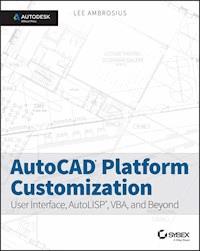
Take control of AutoCAD for a more efficient, streamlined workflow AutoCAD Platform Customization is the most comprehensive guide to streamlining and personalizing the AutoCAD platform. The AutoLISP and VBA programming languages open up a myriad of customization options, and this book provides expert guidance toward applying them to AutoCAD, Civil 3D, Plant 3D, and other programs based on the Autodesk AutoCAD platform. Detailed discussions backed by real-world examples and step-by-step tutorials provide user-friendly instruction, and downloadable datasets allow for hands-on learning. Through customization you can increase screen real estate, streamline workflows, and create more accurate drawings by unleashing powerful programming languages that allow the user to command the software how to work, instead of the other way around. AutoCAD customization is commonly performed by system administrators and CAD managers, but senior drafters and savvy users are increasingly taking customization into their own hands. AutoLISP and VBA are two popular and versatile tools that allow for going beyond the boundaries of normal user interface customization options, allowing users to: * Enforce drawing and CAD standards, and automate repetitive tasks * Customize the workspace, including tool sets, ribbon tabs and panels, and palettes * Modify graphical objects, set system variables, integrate with external software, and more * Manage blocks, change the interface, create dialog boxes, and communicate with Microsoft Office applications The ideal design environment puts the tools you need right at your fingertips, removes unnecessary steps, and fosters precision through good communication. Customizing, including applying AutoLISP and VBA to AutoCAD, enables all of this and much more. For the designer who needs to work smarter because it's impossible to work any harder, AutoCAD Platform Customization provides the key information, insight, and techniques that will help to increase your productivity with AutoCAD.
Sie lesen das E-Book in den Legimi-Apps auf:
Seitenzahl: 1854
Veröffentlichungsjahr: 2015
Ähnliche
















Table of Contents
Title Page
Copyright
Dedication
Acknowledgments
About the Author
Introduction
About This Book
Customization in AutoCAD
AutoLISP in AutoCAD
VBA in AutoCAD
What to Expect
Other Information
Styles and Conventions of This Book
Contacting the Author
Part I: AutoCAD Customization: Increasing Productivity through Personalization
Chapter 1: Establishing the Foundation for Drawing Standards
Naming Standards for Projects and Files
Managing Standards with Drawing Templates
Choosing a File Format for Your Drawings
Defining Plotter Configurations and Plot Styles
Enforcing CAD Standards
Chapter 2: Working with Nongraphical Objects
Standardizing the Names of Nongraphical Objects
Managing Object Properties with Layers
Creating and Managing Annotation Styles
Defining and Managing Other Nongraphical Objects
Removing Unused Nongraphical Objects
Chapter 3: Building the Real World One Block at a Time
Defining and Editing a Block Definition
Using and Managing Block Definitions
Embedding Information in a Block Definition with Attributes
Adding Dynamic Properties to a Block Definition
Extracting Properties and Values from a Block Reference
Chapter 4: Manipulating the Drawing Environment
Getting Started with Drawing-Environment Customization
Customizing the AutoCAD Startup Process
Specifying Application Preferences
Customizing the Elements in the Drawing Window
Configuring Command and Dynamic Input
Creating and Modifying Command Aliases
Working with System and Environment Variables
Chapter 5: Customizing the AutoCAD User Interface for Windows
Getting Started with the CUI Editor
Creating Commands and Defining Command Macros
Customizing User-Interface Elements
Setting Up Rollover Tooltips and the Quick Properties Palette
Organizing the User Interface with Workspaces
Working with Customization Files
Controlling the Tools on the Status Bars
Chapter 6: Customizing the AutoCAD User Interface for Mac
Getting Started with the Customize Dialog Box
Creating Commands and Defining Command Macros
Customizing User-Interface Elements
Controlling the Tools on the Status Bar
Chapter 7: Creating Tools and Tool Palettes
What Is a Tool Palette?
Using the Tool Palettes Window
Defining Tool Palettes
Adding and Modifying Tools
Organizing Tool Palettes with Tool-Palette Groups
Sharing Tool Palettes and Tool-Palette Groups
Chapter 8: Automating Repetitive Tasks
Creating and Running Scripts
Recording Action Macros (Windows Only)
Chapter 9: Defining Shapes, Linetypes, and Hatch Patterns
Creating and Compiling Shapes
Creating and Using Custom Linetypes
Creating and Applying Custom Hatch Patterns
Chapter 10: Using, Loading, and Managing Custom Files
Deploying Your Custom Files
Using and Loading Custom Programs
Backing Up and Migrating Customization
Part II: AutoLISP: Productivity through Programming
Chapter 11: Quick Start for New AutoLISP Programmers
Working with AutoLISP Expressions
Storing and Loading AutoLISP Expressions
Chapter 12: Understanding AutoLISP
Getting Started with AutoLISP
Storing and Retrieving Values
Exploring Data Types
Leveraging AutoCAD and Third-Party Commands
Defining and Using Custom Functions
Example: Drawing a Rectangle
Chapter 13: Calculating and Working with Values
Calculating Values with Math Functions
Manipulating Strings
Converting Data Types
Returning a Value from a Custom Function
Exercise: Drawing a Rectangle (Revisited)
Chapter 14: Working with Lists
What Are Lists?
Creating a List
Getting an Element from a List
Appending, Substituting, and Removing Elements
Determining Whether an Item Exists in a List
Sorting the Elements of a List
Using Point Lists to Calculate Geometric Values
Converting Lists to Strings and Strings to Lists
Exercise: Adding Holes to the Plate
Chapter 15: Requesting Input and Using Conditional and Looping Expressions
Interacting with the User
Conditionalizing and Branching Expressions
Repeating and Looping Expressions
Exercise: Getting Input from the User to Draw the Plate
Chapter 16: Creating and Modifying Graphical Objects
Working with Entity Names and Dotted Pairs
Adding Objects to a Drawing
Selecting Objects
Modifying Objects
Working with Complex Objects
Extending an Object's Information
Exercise: Creating, Querying, and Modifying Objects
Chapter 17: Creating and Modifying Nongraphical Objects
Working with Symbol Tables
Working with Dictionaries
Exercise: Creating and Incrementing Room Labels
Chapter 18: Working with the Operating System and External Files
Storing Information in the Windows Registry or a Plist File
Accessing Data from External Files
Working with Directories and Files in the Operating System
Exercise: Reading and Writing Data
Chapter 19: Catching and Handling Errors
Identifying and Tracking Down Errors
Catching Errors in a Program
Defining and Using a Custom Error Handler
Grouping Functions into a Single Undo Action
Exercise: Handling Errors in the
drawplate
Function
Chapter 20: Authoring, Managing, and Loading AutoLISP Programs
Storing AutoLISP Expressions
Writing Modular Code
Adding Comments
Undefining and Redefining Standard AutoCAD Commands
Defining a Startup Function
Loading AutoLISP Files
Managing the Locations of AutoLISP Files
Deploying AutoLISP Files
Exercise: Deploying the
drawplate
Function
Chapter 21: Using the Visual LISP Editor (Windows only)
Accessing the Visual LISP Editor
Managing AutoLISP Files with the Visual LISP Editor
Formatting an AutoLISP File
Validating and Debugging Code
Creating a Visual LISP Project
Compiling LSP and PRJ Files into a VLX File
Exercise: Working with the Visual LISP Editor
Chapter 22: Working with ActiveX/COM Libraries (Windows only)
Understanding the Basics of ActiveX
Importing COM Libraries
Using the AutoCAD COM Library
Leveraging the Windows and Microsoft Office COM Libraries
Chapter 23: Implementing Dialog Boxes (Windows only)
What Is Dialog Control Language?
Defining and Laying Out a Dialog Box
Loading and Displaying a Dialog Box
Interacting with and Responding to a User
Exercise: Implementing a Dialog Box for the
drawplate
Function
Part III: AutoCAD VBA: Programming with VBA and ActiveX (Windows only)
Chapter 24: Understanding the AutoCAD VBA Environment
What Makes Up an AutoCAD VBA Project?
What You'll Need to Start
Getting Started with the VBA Editor
Managing VBA Programs
Executing VBA Macros
Accessing the AutoCAD VBA Documentation
Chapter 25: Understanding Visual Basic for Applications
Learning the Fundamentals of the VBA Language
Exploring Data Types
Comparing Values
Conditionalizing and Branching Statements
Repeating and Looping Expressions
Chapter 26: Interacting with the Application and Documents Objects
Working with the Application
Managing Documents
Working with System Variables
Querying and Setting Application and Document Preferences
Executing Commands
Exercise: Setting Up a Project
Chapter 27: Creating and Modifying Drawing Objects
Understanding the Basics of a Drawing-Based Object
Accessing Objects in a Drawing
Working with Model or Paper Space
Creating Graphical Objects
Getting an Object in the Drawing
Modifying Objects
Changing Object Properties
Exercise: Creating, Querying, and Modifying Objects
Chapter 28: Interacting with the User and Controlling the Current View
Interacting with the User
Selecting Objects
Performing Geometric Calculations
Changing the Current View
Exercise: Getting Input from the User to Draw the Plate
Chapter 29: Annotating Objects
Working with Text
Dimensioning Objects
Creating and Modifying Geometric Tolerances
Adding Leaders
Organizing Data with Tables
Creating Fields
Exercise: Adding a Label to the Plate
Chapter 30: Working with Blocks and External References
Managing Block Definitions
Inserting and Working with Block References
Managing External References
Listing File Dependencies
Exercise: Creating and Querying Blocks
Chapter 31: Outputting Drawings
Creating and Managing Layouts
Displaying Model Space Objects with Viewports
Controlling the Output of a Layout
Plotting and Previewing a Layout
Exporting and Importing File Formats
Exercise: Adding a Layout to Create a Check Plot
Chapter 32: Storing and Retrieving Custom Data
Extending Object Information
Creating and Modifying a Custom Dictionary
Storing Information in the Windows Registry
Exercise: Storing Custom Values for the Room Labels Program
Chapter 33: Modifying the Application and Working with Events
Manipulating the AutoCAD User Interface
Using External Custom Programs
Lesen Sie weiter in der vollständigen Ausgabe!
Lesen Sie weiter in der vollständigen Ausgabe!
Lesen Sie weiter in der vollständigen Ausgabe!
Lesen Sie weiter in der vollständigen Ausgabe!
Lesen Sie weiter in der vollständigen Ausgabe!
Lesen Sie weiter in der vollständigen Ausgabe!
Lesen Sie weiter in der vollständigen Ausgabe!
Lesen Sie weiter in der vollständigen Ausgabe!
Lesen Sie weiter in der vollständigen Ausgabe!
Lesen Sie weiter in der vollständigen Ausgabe!
Lesen Sie weiter in der vollständigen Ausgabe!
Lesen Sie weiter in der vollständigen Ausgabe!
Lesen Sie weiter in der vollständigen Ausgabe!
Lesen Sie weiter in der vollständigen Ausgabe!
Lesen Sie weiter in der vollständigen Ausgabe!
Lesen Sie weiter in der vollständigen Ausgabe!
Lesen Sie weiter in der vollständigen Ausgabe!
Lesen Sie weiter in der vollständigen Ausgabe!
Lesen Sie weiter in der vollständigen Ausgabe!
Lesen Sie weiter in der vollständigen Ausgabe!
Lesen Sie weiter in der vollständigen Ausgabe!
Lesen Sie weiter in der vollständigen Ausgabe!
Lesen Sie weiter in der vollständigen Ausgabe!
Lesen Sie weiter in der vollständigen Ausgabe!
Lesen Sie weiter in der vollständigen Ausgabe!
Lesen Sie weiter in der vollständigen Ausgabe!
Lesen Sie weiter in der vollständigen Ausgabe!
Lesen Sie weiter in der vollständigen Ausgabe!
Lesen Sie weiter in der vollständigen Ausgabe!
Lesen Sie weiter in der vollständigen Ausgabe!
Lesen Sie weiter in der vollständigen Ausgabe!
Lesen Sie weiter in der vollständigen Ausgabe!
Lesen Sie weiter in der vollständigen Ausgabe!
Lesen Sie weiter in der vollständigen Ausgabe!
Lesen Sie weiter in der vollständigen Ausgabe!
Lesen Sie weiter in der vollständigen Ausgabe!
Lesen Sie weiter in der vollständigen Ausgabe!
Lesen Sie weiter in der vollständigen Ausgabe!
Lesen Sie weiter in der vollständigen Ausgabe!
Lesen Sie weiter in der vollständigen Ausgabe!
Lesen Sie weiter in der vollständigen Ausgabe!
Lesen Sie weiter in der vollständigen Ausgabe!
Lesen Sie weiter in der vollständigen Ausgabe!
Lesen Sie weiter in der vollständigen Ausgabe!
Lesen Sie weiter in der vollständigen Ausgabe!
Lesen Sie weiter in der vollständigen Ausgabe!




