


3,99 €
Mehr erfahren.
- Herausgeber: BookRix
- Kategorie: Wissenschaft und neue Technologien
- Sprache: Englisch
Have you ever held a broken part in your hand and thought, "I could print a replacement for this if I just knew how to design it?"
You have the 3D printer. You have the creative ideas. But you are stopped cold by the software. Traditional CAD programs are either eye-wateringly expensive or frustratingly complex, filled with buttons and menus that look like the cockpit of a spaceship. You don’t want to pay a monthly subscription just to design a bracket for your garage, and you certainly don't want to spend four years in engineering school just to draw a simple box.
It doesn’t have to be this hard.
Welcome to the era of creative independence. FreeCAD For Beginners 2026 is your passport to the world of open-source 3D modeling. Updated specifically for the 2026 Interface Overhaul, this book dismantles the intimidation of engineering software, translating complex jargon into plain English. It acts as a patient mentor, walking you through the new "Start Center" and tools with zero assumptions about your prior experience.
Inside, you will master the workflow from concept to reality:
- The "Sketcher" Foundation: Learn to draw 2D profiles that are mathematically perfect, turning shaky hand-drawn ideas into "Fully Constrained" green lines that never break.
- From 2D to 3D: Master the Part Design workbench to extrude, pocket, and revolve your sketches into professional-grade solid models.
- Build Complex Machines: Use the new 2026 Integrated Assembly Workbench to snap multiple parts together with "Mates," ensuring your bolts fit your holes before you ever hit print.
- The "Spreadsheet" Secret: Discover how to drive your designs with data, creating "Smart Templates" that resize automatically just by changing one number in a list.
- Real-World Manufacturing: Learn the critical secrets of Tolerances and Mesh Repair, ensuring your 3D printed parts actually fit together in the real world.
- Blueprints for Pros: Automatically generate professional 2D technical drawings to share with machinists or patent clerks using the TechDraw workbench.
- Troubleshooting Guide: Finally understand the "Topological Naming Problem" and how to design bulletproof models that don't crash when you edit them.
You are no longer limited by what you can buy at the store. You are only limited by what you can imagine.
Scroll up and click "Buy Now" to take production back into your own hands today.
Das E-Book können Sie in Legimi-Apps oder einer beliebigen App lesen, die das folgende Format unterstützen:
Veröffentlichungsjahr: 2026
Ähnliche


















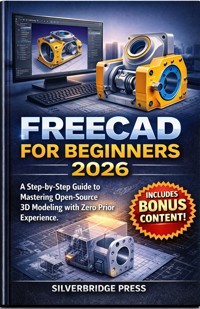
Freecad For Beginners 2026
A Step-by-Step Guide to Mastering Open-Source 3D Modeling with Zero Prior Experience
SilverBridge Press
Copyright 2026 by SilverBridge Press
All rights reserved.
No part of this publication may be reproduced, distributed, or transmitted in any form or by any means—including photocopying, recording, or other electronic or mechanical methods—without the prior written permission of the publisher, except for brief quotations in critical reviews.
Trademarks FreeCAD is a registered trademark of the FreeCAD community and its developers. All other trademarks, including SolidWorks, Fusion 360, AutoCAD, Windows, macOS, and Linux, are the property of their respective owners. Use of these names does not imply endorsement or affiliation.
First Edition: February 2026
About SilverBridge Press
SilverBridge Press builds the bridge from complexity to clarity. We publish premium, jargon-free guides designed to turn "tech-overwhelm" into creative confidence.
Our mission is simple: making the world’s most powerful tools accessible to every creator, regardless of age or experience. With a "patient mentor" approach, we ensure that every reader can master new skills without the stress.
SilverBridge Press Technology Made Simple. Creativity Made Accessible.
Disclaimer
Information for Educational Purposes Only This book is intended for informational and illustrative purposes only. FreeCAD is an open-source project undergoing continuous development; therefore, software updates may render specific instructions or interface descriptions obsolete after 2026.
Technical and Safety Risks
System Performance:
Hardware recommendations are based on 2026 benchmarks; actual performance depends on individual system configurations and project complexity.
Manufacturing Liability:
Users assume all risk and liability when transitioning digital designs into physical objects via 3D printing or CNC machining.
Structural Integrity:
Guidance on tolerances and stress simulations (FEM) is theoretical. Users must independently verify all measurements for safety-critical parts to prevent mechanical failure.
Software and Data
Third-Party Content:
The author cannot guarantee the security or stability of external "Addons" or community scripts.
Data Loss:
Users are responsible for maintaining backups and iteration history; the author is not liable for data loss or file corruption
How to Use This Guide
Building the Bridge from Complexity to Clarity
Welcome to FreeCAD for Beginners 2026. This guide is designed as a "patient mentor" to sit beside you in the workshop as you transition from "tech-overwhelm" into creative confidence. FreeCAD is a powerful, open-source tool, and while it may look complex at first, this book breaks it down into a jargon-free, step-by-step journey.
To get the most out of your experience, we recommend following this roadmap:
1. The "Active Workshop" Approach
This book is not meant for passive reading; it is a hands-on manual.
Keep FreeCAD Open:
Have your software running while you read.
The 10-Minute Habit:
Rather than 8-hour marathons, aim for 10-minute "check-ins" to keep your skills sharp and the learning process joyful.
Don't Fear Mistakes:
Use the "Undo" and "Reset" strategies discussed in later chapters to explore the software freely without fear of "breaking" anything.
2. Follow the Learning Roadmap
The guide is structured to build your skills layer by layer. We recommend moving through the chapters in order:
Phase I: Orientation (Chapters 1–2):
Focus on preparing your computer and understanding the "3D Mindset" without needing a degree in math.
Phase II: Core Navigation (Chapters 3–4):
Master "moving your eyes" within the software and learning how to manipulate basic 3D building blocks.
Phase III: Creating & Shaping (Chapters 5–11):
This is where you move from placing objects to "sculpting" them. You will learn the language of vertices and faces and how to turn a simple cube into a functional model.
Phase IV: Success & Maintenance (Chapters 12–13):
Learn how to fix "funny" looking shapes and how to stay updated as the software evolves.
3. Mastering the "Shortcut Secret"
Throughout the guide, we introduce "Golden Keys"—keyboard shortcuts that handle 90% of your work.
G (Grab):
To move your object.
R (Rotate):
To spin your object.
S (Scale):
To resize your object.
Spacebar (Search):
Use this whenever you feel lost to find any tool instantly.
4. Utilize the "Safety Net"
If you encounter a technical "bump in the road," turn immediately to the troubleshooting sections.
The "Oops" Guide:
Learn how to fix common mouse slips and modeling disasters.
Recovering Files:
Understand how to use the "Time Machine" features to rescue work after a crash or power flicker.
5. Your Next Steps
Mastering 3D design is a superpower. Once you finish the core chapters, use the Bonus Chapter to learn about:
Personal Asset Libraries:
How to reuse your successful models in future projects.
Exporting for the Real World:
Preparing your designs for 3D printing and sharing with others.
By following this guide, you are no longer limited by what you can buy—you are only limited by what you can imagine. The workshop is yours. Let's get to work.
TABLE OF CONTENT
Chapter 1: Welcome to the World of FreeCAD 2026
The Open-Source Advantage: Why FreeCAD is the premier choice for makers and how it compares to paid CAD
Hardware and System Requirements: Optimizing your computer for a lag-free 3D modeling experience
The 2026 Interface Overhaul: A guided tour of the new navigation styles, toolbars, and the "Start Center"
The Roadmap to Mastery: A bird’s-eye view of the design workflow from concept to physical object
Chapter 2: The Foundation: Installing and Configuring Your Workspace
Precision Installation: A step-by-step walkthrough for Windows, macOS, and Linux users
Essential Customization: Setting your units (Metric vs. Imperial) and personalizing your mouse navigation
Managing Add-on Workbenches: How to use the "Addon Manager" to safely extend FreeCAD’s capabilities
Performance Tuning: Adjusting display settings and GPU acceleration for complex models
Chapter 3: Thinking in 3D: The Parametric Modeling Mindset
What is Parametric Modeling? Designing with dimensions so your projects are easy to modify later.
Navigating the 3D Viewport: Expert tips for rotating, panning, and zooming without losing orientation.
The Project Tree Hierarchy: Understanding how FreeCAD organizes "Parents" and "Children" in your design history.
Using the Property Panel: How to edit data and view parameters on the fly without reopening sketches.
Chapter 4: Sketcher Workbench: The Heart of Your Design
Starting Your First Sketch: Choosing the right plane (XY, XZ, or YZ) for your project’s foundation
Core Geometry Tools: Creating lines, arcs, circles, and polygons with surgical precision
Mastering Geometric Constraints: Using "Equal," "Parallel," and "Tangent" to lock your design's behavior
Dimensional Constraints: Applying exact measurements to achieve a "Fully Constrained" (green) sketch
Chapter 5: From 2D to 3D: The Part Design Workbench
Creating Your First "Pad": The art of extruding 2D sketches into solid, three-dimensional objects.
Subtractive Modeling: Using "Pocket" and "Hole" tools to carve functional details out of solids.
Revolutions and Lofts: Designing rounded objects and complex transitions between different shapes.
Additive Primitives: Using built-in shapes to speed up the creation of standard mechanical parts
Chapter 6: Refining Your Model: Fillets, Chamfers, and Details
Smoothing the Edges: Applying fillets for professional aesthetics and structural integrity
Chamfers and Bevels: Adding functional angled edges for mechanical fit and assembly clearance
Creating Patterns: Using the Linear and Polar Pattern tools to duplicate features in seconds
Mirroring Geometry: Designing symmetrical parts efficiently by mirroring features or bodies
Chapter 7: Working with Multiple Parts: The Assembly Workflow
Introduction to Integrated Assemblies: Moving beyond single parts to create complex multi-component machines
Constraints in 3D Space: Using "Mates" to connect parts while allowing for realistic mechanical movement
Checking for Interference: Identifying "clashes" where two parts occupy the same physical space
Exploded Views: Creating visual breakdowns of how your assembly fits together for documentation
Chapter 8: Technical Drawings: The TechDraw Workbench
Generating 2D Blueprints: Automatically converting your 3D models into professional engineering sheets
Adding Dimensions and Annotations: Providing the necessary data for manufacturing or manual builds
Adding Perspectives and Sections: Creating "Cut-away" views to show internal part details
Exporting for Production: Saving your drawings as PDF or SVG for easy sharing and printing
Chapter 9: The Power of Spreadsheets: Driving Designs with Data
Setting Up the Spreadsheet Workbench: Creating a master list of dimensions for your project
Linking Cells to Sketches: Making your 3D model automatically resize when you change a single cell
Using Formulas in CAD: How to use basic math within FreeCAD to calculate gear teeth or spacing
Creating Dynamic Templates: Designing "smart" parts that can be repurposed for dozens of different projects
Chapter 10: Advanced Geometry: Introduction to the Part Workbench
Boolean Operations: Using Union, Cut, and Intersection to combine complex shapes creatively
Primitive-Based Modeling: When to use pre-made shapes instead of sketching from scratch
Repairing Broken Geometry: Tools for fixing "Non-Manifold" shapes and common mesh errors
Measuring and Inspection: Using the "Measure" tools to verify clearances and volumes
Chapter 11: Real-World Output: Preparing for 3D Printing and CNC
Exporting to STL and STEP: Choosing the right file format for 3D printing vs. professional machining
Mesh Evaluation: Using the Mesh Design workbench to ensure your model is "watertight"
Slicer Integration: Best practices for moving from FreeCAD to software like Cura or PrusaSlicer
Scaling and Tolerances: Adjusting your design to account for plastic shrinkage and material expansion
Chapter 12: Troubleshooting and Common Pitfalls
Solving the "Topological Naming Problem": A beginner’s guide to avoiding broken models when editing
Recovering Lost Work: How to use the autosave, backup system, and "commit" history effectively
Dealing with "Broken" Sketches: Identifying and fixing over-constrained or redundant geometry
Community Resources: Tapping into the FreeCAD Forum, Wiki, and Discord to solve unique design challenges
Chapter 13: Your Path Forward: Mastery and Specialization
Exploring BIM and Architecture: A glimpse into FreeCAD's tools for house design and floor plans
Intro to FEM (Finite Element Method): Basic stress testing to see if your design will break under load
Customizing via Python: An introduction to how scripts can automate repetitive design tasks
Staying Updated: How to transition your skills as FreeCAD evolves beyond the 2026 version
Chapter 1: Welcome to the World of FreeCAD 2026
Imagine for a moment the feeling of holding a physical object in your hand—a replacement part for a vintage toaster, a custom case for your smartphone, or perhaps a complex mechanical gear system—and knowing that it didn’t exist anywhere in the world until you imagined it. This is the profound magic of 3D modeling. It is the bridge between the ethereal realm of imagination and the concrete reality of physical manufacturing. For a long time, crossing that bridge required expensive tickets: software licenses costing thousands of dollars, university degrees in engineering, or subscriptions that bled your bank account dry month after month. But that era is over. You have just opened the door to a different path, one where the tools are powerful, professional, and, most importantly, completely free to you and everyone else who wants to build.
Welcome to FreeCAD in 2026. If you are reading this, you likely have an idea burning in the back of your mind, but perhaps you’ve been held back by the steep learning curve of traditional CAD (Computer-Aided Design) software or the restrictive paywalls of the industry giants. You might be worried that "free" implies "inferior," or that "open-source" means "clunky and unusable." I am here to tell you that the landscape has shifted dramatically. The tool you are about to master has evolved into a powerhouse, capable of standing toe-to-toe with the titans of the industry. This book is not just a manual; it is your passport to creative independence. We are going to dismantle the intimidation factor of 3D modeling piece by piece, turning jargon into plain English and complex workflows into logical, bite-sized steps.




