


3,99 €
Mehr erfahren.
- Herausgeber: BookRix
- Kategorie: Wissenschaft und neue Technologien
- Sprache: Englisch
Does opening AutoCAD feel like sitting in the cockpit of a fighter jet without a pilot's license?
You are greeted by a dark screen, a ribbon of endless buttons, and a quiet worry that maybe you aren’t "technical" enough to use this industry-standard software.
Stop the panic. Take a deep breath.
AutoCAD is not reserved for engineers with degrees in geometry. It is fundamentally just a digital pencil—one that never breaks and has a ruler that never slips. If you can point a mouse and type a word, you possess 100% of the technical skills required to master this program.
Welcome to AutoCAD for Beginners 2026, the jargon-free, "patient mentor" guide designed to take you from a blank screen to a professional blueprint without the stress.
Written by SilverBridge Press, experts in bridging complexity to clarity, this guide strips away the intimidating math and focuses on the logic of drafting. We don’t just tell you what the buttons do; we show you how to think like a designer.
What You Will Learn:
This book is structured to build your skills layer by layer, turning "tech-overwhelm" into creative confidence.
- The "Cockpit" Demystified: Navigate the Ribbon, Model Space, and Command Line with the grace of a pro. Learn why the "Esc" key is your best friend and how to save your work before the "digital abyss" takes it.
- The Grammar of Drafting: Master the nouns (Lines, Circles) and verbs (Move, Copy, Rotate) of the software. Learn to use Ortho Mode and Snaps as your "digital guardrails" to ensure perfect precision every time.
- Organize the Chaos: Stop drawing in a mess of lines. Master the "Transparent Sheets" concept of Layers to control your walls, furniture, and dimensions with a single click.
- Work Smarter, Not Harder: Why draw a chair 200 times? Learn to use Blocks to create reusable "digital stamps" and update your entire drawing in seconds.
- Step into the Third Dimension: Break through the 2D barrier. Learn to Extrude and Press/Pull your floor plans into 3D models that you can rotate and visualize.
- AutoCAD 2026 AI Features: Get ahead of the curve with the latest tools. Discover how Smart Blocks and Activity Insights act as your intelligent assistant to automate repetitive tasks.
- The "Active Reading" Approach: This isn't a dry manual to memorize. It is designed to be open on your desk while you work, building muscle memory as you go.
- Non-Techie Advice: Specific guidance for those without an engineering background, translating complex terms like "Boolean Operations" into plain English (it’s just adding and subtracting shapes!).
- Troubleshooting "First Aid Kit": Did your menu disappear? Is your cursor acting jerky? Chapter 13 provides instant fixes for the most common panic moments, so you never get stuck.
The "60-Minute Blueprint" Challenge Put your new skills to the test immediately. Follow the final chapter’s step-by-step "recipe" to draw, dimension, and print a fully professional Modern Studio Apartment floor plan in under one hour.
You do not need to be a computer programmer to design your world. You just need the right map.
Scroll up, click "Buy Now," and turn that black void into your creative canvas today.
Das E-Book können Sie in Legimi-Apps oder einer beliebigen App lesen, die das folgende Format unterstützen:
Veröffentlichungsjahr: 2026
Ähnliche


















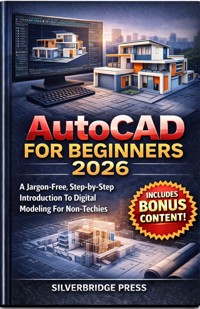
Autocad
For
Beginners
2026
A Jargon-Free, Step-by-Step Introduction To Digital Modeling For Non-Techies
SilverBridge Press
Copyright 2026 by SilverBridge Press
All rights reserved.
No part of this publication may be reproduced, distributed, or transmitted in any form or by any means, including photocopying, recording, or other electronic or mechanical methods, without the prior written permission of the publisher, except in the case of brief quotations embodied in critical reviews and certain other noncommercial uses permitted by copyright law.
DISCLAIMER
The information provided in AutoCAD for Beginners 2026 is for educational and informational purposes only. While every effort has been made to ensure the accuracy and reliability of the instructions, tips, and technical guidance contained herein , the author and publisher assume no responsibility for errors, omissions, or any outcomes resulting from the use of this material.
About SilverBridge Press
SilverBridge Press builds the bridge from complexity to clarity. We publish premium, jargon-free guides designed to turn "tech-overwhelm" into creative confidence.
Our mission is simple: making the world’s most powerful tools accessible to every creator, regardless of age or experience. With a "patient mentor" approach, we ensure that every reader can master new skills without the stress.
SilverBridge Press Technology Made Simple. Creativity Made Accessible.
How to Use This Guide
Getting the Most Out of Your Journey from "Non-Techie" to Designer
Welcome to AutoCAD for Beginners 2026. This book is not designed to be a dry technical manual that you memorize and never use. It is written as a "patient mentor" to sit beside you while you work. To go from a blank screen to a professional drawing with the least amount of stress, we recommend following this roadmap.
1. The "Active Reading" Approach
AutoCAD is a skill of the hands, not just the mind.
Don’t Just Read—Do:
This guide is designed for you to have the book open on your desk (or tablet) while AutoCAD is open on your computer. When we discuss the interface in Chapter 2, move your mouse and hover over the areas we discuss to build muscle memory.
Don’t Memorize:
You do not need to memorize every icon on day one. Focus on understanding the
logic
of where tools are stored—like a map of a city—rather than rote memorization.
2. Essential Prerequisites
Before you begin Chapter 1, ensure you have the one non-negotiable tool required for success:
The 3-Button Mouse:
You cannot effectively use AutoCAD with a laptop trackpad. Ensure you have a mouse with a Left Click, Right Click, and a clickable Scroll Wheel. This hardware is critical for the navigation techniques taught in Chapter 2.
3. Your Learning Roadmap
The book is structured to build your skills layer by layer. We recommend following this specific progression:
Phase I: The Foundation (Chapters 1–2)
Goal:
Overcome the fear of the "dark interface" and set up your workspace.
Action:
Learn to navigate the "cockpit" and save your files correctly to avoid losing work.
Phase II: The "Grammar" of Drafting (Chapters 3–5)
Goal:
Learn the nouns (Lines, Circles) and verbs (Move, Copy, Rotate) of the software.
Action:
Focus on precision tools like "Snaps" and "Ortho Mode." These are your digital guardrails that ensure accuracy.
Phase III: Professional Polish (Chapters 6–10)
Goal:
Transform simple lines into intelligent, readable blueprints.
Action:
Master "Layers" to organize your drawing , use "Blocks" to stop repetitive drawing , and use "Layouts" to print your work to scale.
Phase IV: Advanced Creation (Chapters 11–12)
Goal:
Expand into 3D modeling and increase your speed.
Action:
Learn to "extrude" 2D shapes into 3D objects and utilize AI features to automate repetitive tasks.
4. Special Features to Watch For
As you read, look for these recurring sections designed to speed up your workflow:
"Pro Tips":
These are industry secrets that prevent bad habits, such as drawing on Layer 0 for Blocks or using specific shortcuts.
"Non-Techie" Advice:
Specific guidance for those without an engineering background, translating complex terms into plain English.
Command Shortcuts:
We introduce "Aliases" (like typing 'L' for Line). Using these is the secret to becoming a fast drafter.
5. Your Safety Net
If you ever feel panic because a menu disappeared or a file crashed, turn immediately to Chapter 13.
This chapter acts as your "Digital First Aid Kit".
It covers how to restore missing menus, recover lost files, and fix common glitches like a jerky cursor.
Remember, you possess 100% of the technical skills required to master this program if you can point a mouse and type a word. Let’s get to work.
TABLE OF CONTENT
Chapter 1: Welcome to Your Digital Drafting Board
What is AutoCAD? (And Why You Can Do This)
Installation and Hardware Setup
The "Start" Tab and File Types
Creating and Saving Your First Drawing
Chapter 2: Navigating the Cockpit (The Interface)
The Ribbon and Toolbars
Model Space: Your Infinite Canvas
The Command Line and Dynamic Input
The Status Bar and Workspace Settings
Chapter 3: Drawing Your First Shapes
Lines and Coordinates
Circles, Arcs, and Rectangles
Ortho Mode and Polar Tracking
Selection Secrets (Blue vs. Green Box)
Chapter 4: The Art of Precision
Object Snaps (Osnaps)
Object Snap Tracking
The Offset Tool
Measuring and Verification
Chapter 5: Modify and Manipulate
Erase, Undo, and Redo
Move, Copy, and Rotate
Trim, Extend, and Stretch\
Fillet, Chamfer, and Mirror
Chapter 6: Organizing the Chaos: Layers
The "Transparent Sheets" Concept
Creating, Naming, and Coloring Layers
On, Off, Freeze, and Lock
Moving Objects Between Layers
Chapter 7: Adding Details: Text and Dimensions




