


20,99 €
Mehr erfahren.
- Herausgeber: John Wiley & Sons
- Kategorie: Wissenschaft und neue Technologien
- Sprache: Englisch
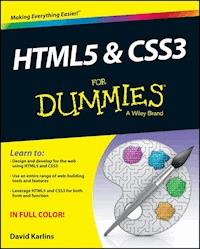
Learn to create powerful and unique websites with HTML5 and CSS3 HTML5 and CSS3 have ushered in an entirely new era in web development and web design. This easy-to-understand full-color guide presents the elements of design and development as equal; therefore, both designers and developers will benefit from learning how to leverage the power behind HTML5 and CSS3. The two-page spreads and helpful insight show you how to use HTML5 and CSS3 in conjunction in order to create websites that possess both powerful function and beautiful design. * Incorporates all the trademark elements of the For Dummies series writing style - approachable, friendly, reliable, and functional - to assist you in gaining a solid foundation of the basics * Fills the void for both developers and designers who are looking to merge the power and function of HTML5 and CSS3 * Features a website with code and templates HTML5 and CSS3 For Dummies covers what you need to know to use HTML5 and CSS3, without weighing you down in unnecessary information.
Sie lesen das E-Book in den Legimi-Apps auf:
Seitenzahl: 301
Veröffentlichungsjahr: 2013
Ähnliche

















HTML5 & CSS3 For Dummies®
Published by: John Wiley & Sons, Inc., 111 River Street, Hoboken, NJ 07030-5774, www.wiley.com
Copyright © 2014 by John Wiley & Sons, Inc., Hoboken, New Jersey
Published simultaneously in Canada
Media and software compilation copyright © 2014 by John Wiley & Sons, Inc. All rights reserved.
No part of this publication may be reproduced, stored in a retrieval system or transmitted in any form or by any means, electronic, mechanical, photocopying, recording, scanning or otherwise, except as permitted under Sections 107 or 108 of the 1976 United States Copyright Act, without the prior written permission of the Publisher. Requests to the Publisher for permission should be addressed to the Permissions Department, John Wiley & Sons, Inc., 111 River Street, Hoboken, NJ 07030, (201) 748-6011, fax (201) 748-6008, or online at http://www.wiley.com/go/permissions.
Trademarks: Wiley, For Dummies, the Dummies Man logo, Dummies.com, Making Everything Easier, and related trade dress are trademarks or registered trademarks of John Wiley & Sons, Inc. and may not be used without written permission. All other trademarks are the property of their respective owners. John Wiley & Sons, Inc. is not associated with any product or vendor mentioned in this book.
Limit of Liability/Disclaimer of Warranty: The publisher and the author make no representations or warranties with respect to the accuracy or completeness of the contents of this work and specifically disclaim all warranties, including without limitation warranties of fitness for a particular purpose. No warranty may be created or extended by sales or promotional materials. The advice and strategies contained herein may not be suitable for every situation. This work is sold with the understanding that the publisher is not engaged in rendering legal, accounting, or other professional services. If professional assistance is required, the services of a competent professional person should be sought. Neither the publisher nor the author shall be liable for damages arising herefrom. The fact that an organization or Website is referred to in this work as a citation and/or a potential source of further information does not mean that the author or the publisher endorses the information the organization or Website may provide or recommendations it may make. Further, readers should be aware that Internet Websites listed in this work may have changed or disappeared between when this work was written and when it is read.
For general information on our other products and services, please contact our Customer Care Department within the U.S. at 877-762-2974, outside the U.S. at 317-572-3993, or fax 317-572-4002. For technical support, please visit www.wiley.com/techsupport.
Wiley publishes in a variety of print and electronic formats and by print-on-demand. Some material included with standard print versions of this book may not be included in e-books or in print-on-demand. If this book refers to media such as a CD or DVD that is not included in the version you purchased, you may download this material at http://booksupport.wiley.com. For more information about Wiley products, visit www.wiley.com.
Library of Congress Control Number: 2013944335
ISBN 978-1-118-58863-5 (pbk); ISBN 978-1-118-63941-2 (ebk); ISBN 978-1-118-63965-8 (ebk)
Manufactured in the United States of America
10 9 8 7 6 5 4 3 2 1
HTML5 & CSS3 For Dummies®
Visit www.dummies.com/cheatsheet/html5andcss3 to view this book's cheat sheet.
Table of Contents
Introduction
About This Book
Foolish Assumptions
Icons Used in This Book
Beyond the Book
Where to Go from Here
Part I: Page Structure and Design with HTML5 and CSS3
Chapter 1: Structure and Design with HTML5 and CSS3
Realizing the Magic of HTML5 and CSS3
Not all new . . . but different
HTML5: Building on HTML techniques
Understanding HTML Foundations
Five things you need to know about HTML
Getting started with a basic HTML template
Identifying HTML document structure
Knowing basic element syntax
Working with the <head> element
Using the <body> element and <div> tags
Using headings, lists, and links
Deploying class styles
reaking Down Basic CSS
Creating a CSS document
Examining CSS style definitions
Combining style definitions
Moving Forward with HTML5 and CSS3
Chapter 2: Deploying HTML5
Identifying the Advantages of HTML5
Knowing the Price of Using HTML5
Introducing the Simplified Doctype Declaration
Understanding HTML5’s New, Standardized Structure Elements
New process and workflow
A brief introduction to semantic elements
<div> tags are dead — long live <div> tags
A new role for basic tags
Going Native with HTML5
Taking a Quick Look at HTML5’s New Form Tools
HTML5 Elements for Scripting with JavaScript
The <data> element
Using the <canvas> element
Chapter 3: CSS3 for Design, Interactivity, and Animation
Breaking Out of the Box with CSS3 Design
The way it was
A new design paradigm
Replacing Images with CSS3
Going beyond boxes
Background gradients
CSS3 and Mobile — A Perfect Fit
Animating with CSS3
Designing with Web Fonts
Web fonts made easy
Linking to a web font
Chapter 4: Compatibility Issues and Solutions
Making HTML5 and CSS3 Work in Older Browsers
Everything you wanted to know about IE8 (and earlier) but were afraid to ask
Hacking solutions
Testing sites in IE8 (and older)
Using graceful degradation for backward compatibility
HTML5 and CSS3 Browser Wars
Using vendor-specific CSS prefixes
Competing video formats
Creating video for IE8
Mobile Compatibility
A Word on Flash
Part II: Creating Pages with HTML5
Chapter 5: HTML5 Semantic Tags
Understanding the Different Kinds of Semantic Elements
Structural HTML5 semantic tags
Nonstructural semantic tags
Other HTML5 semantic tags
Organizing Content with Five Elements
Knowing when to use what
Examining a basic HTML5 page template
Styling structural tags
HTML5 for Specific Content
Using <details> and <summary> elements
Defining <figure> and <figcaption> tags
Highlighting with the <mark> tag
Using <time> and <datetime>
Defining addresses
Styling content tags
Advantages of HTML5 Semantic Tags
Chapter 6: HTML5 Forms
HTML5 Forms — An Underrated Resource
Surveying the new HTML5 form field parameters
HTML5 versus JavaScript or server-side scripts
Compatibility issues
Creating HTML5 Forms
Form actions
Defining input and label tags
Defining Placeholder Text
Implementing HTML5 Input Types
Defining an input type
Using input types for accessibility
Defining a Datalist
ting Form Output Elements
HTML5 Form Validation
Required input
Validating e-mail addresses
Validating numbers
A Final Word on HTML5 Forms
Chapter 7: Native Video and Audio
Getting Familiar with Native Audio and Video
A deeper look at native video and audio
Identifying proprietary plug-ins
Understanding the rise of native media
Designing for a complex video terrain
Compressed Video Formats
Video from your camera: Not ready for prime time
Competing native video formats
Different players in different browsers
Converting video to native formats
Knowing your options for hosting native video
Optimizing Native Video
Basic HTML5 video syntax
Providing options for non-HTML5 browsers
Adding a poster
Preloading a video
Embedding Native Audio
Converting MP3 audio to OGG
Embedding an HTML5 audio element
Alternative audio options
Chapter 8: Going Mobile: Responsive Design and jQuery Mobile
Understanding the Nature and Role of Responsive Design
A day in the life of a multidevice user
Three approaches to responsive design
The evolution and role of fluid design
Implementing Responsive Design with Media Queries
Two techniques for media queries
Different strokes for different (viewport) folks
Defining Media Queries with Multiple CSS Files
Forcing devices to report actual width
Creating CSS files for different sized viewports
Deploying Responsive Design in a Single CSS File
Building Web Apps with jQuery Mobile
How jQuery Mobile works
Building a basic jQuery Mobile template
jQuery Mobile and data-role elements
Customizing jQuery Mobile content
Assigning themes
Customizing themes with ThemeRoller
Part III: CSS3 Effects and Transforms
Chapter 9: Styling with CSS3 Properties
The Evolution of CSS
Phase I: Using HTML for styling
Phase II: Using CSS for styling
Phase III: Beyond boxes and image files
CSS3 Transitions
CSS3 transition properties
Using transition-timing-function
Compatibility issues for transitions
Adding delays in CSS3
CSS3 transition syntax examples
Can transitions get even more fun?
Redefining Color with CSS3
Smoother workflow with RGB and HSL
A is for alpha
Alpha versus opacity
Support for RGB and HSL color
Chapter 10: Applying CSS3 Effects
Getting the Most from CSS3 Effects
Breaking out of the box with border radii
Applying CSS3 border images
Applying CSS3 drop shadows
Effects and compatibility prefixes
Animating effects
Defining CSS3 Effects
Defining and applying a border radius
Defining border images
Defining box shadows
Creating text shadows
Creating a text outline
Animating Effects
Chapter 11: Applying and Animating CSS3 Transforms
Knowing How to Use Transforms
Advantages of design with transforms
Understanding transform syntax
Combining transforms
Managing overlap layers
Transforms compatibility
Animating Transforms with Transitions
How transitions work with transforms
Building an animated image gallery
Animating with @keyframes
Understanding how @keyframes work
Adding motion to @keyframes
@keyframes properties
@keyframe compatibility and prefixes
Using @keyframes to define a moving banner element
Chapter 12: Styling Gradients with CSS3
The Evolutionary Path to CSS3 Gradients
Rotated and radial
Gradients and mobile: A nice fit
Compatibility solutions
Competing CSS3 Gradient Syntax
Defining Gradients with Free Online Generators
Using Ultimate CSS Gradient Generator
Using preset gradients and the preview feature
Defining gradient color stops
Saving and applying gradient backgrounds
Part IV: The Part of Tens
Chapter 13: Top Ten HTML5 Design Resources
Notepad++
TextWrangler
Komodo Edit
Adobe Dreamweaver
FileZilla
W3Schools
WC3 Markup Validation Service
AMP Express
Hipster Ipsum
jQuery Widget Factory
Chapter 14: Top Ten CSS3 Design Tools
Ultimate CSS Gradient Generator
Adobe Kuler
Color Scheme Designer
CSS3 Generator
CSS3 Box Shadow Generator
CSS 3.0 Maker
Animate.css
Web Designer Wall
CSS Menu Maker
Notepad RT
Chapter 15: Top Ten Form Data Resources
MailChimp
FreeFind
Google Docs
Google Custom Search Engine
TheSiteWizard
Form Tools
jQuery Menu Widget
Freedback
EmailMeForm
Zoho Creator
Introduction
HTML and CSS are the basic building blocks of websites. The advent of HTML5 and CSS3 represents a dynamic and powerful evolutionary stage in the development of web design. Maximizing the potential of HTML5 and CSS3 makes it possible to apply styling and formatting, present audio and video, and create animation and interactivity in ways that have never before been possible without stringing together plugins, image files, and JavaScript.
About This Book
The web is filled with useful (and some not so useful) resources with definitions, descriptions, and syntax for HTML5 and CSS3. This book presents, in a coherent manner, a survey of the HTML5 and CSS3 tools and features and how to deploy them. The book begins with a compressed course in building pages with HTML and CSS and then quickly moves into a detailed exploration of how to really get the most out of HTML5 and CSS3.
Here are a few basic technical conventions used throughout the book:
Code (HTML5, CSS3, or small doses of JavaScript and PHP) is always indicated with monofont type. I provide numerous blocks of code that you might want to copy and paste as well as code snippets.
Web addresses and programming code also appear in monofont. If you're reading a digital version of this book on a device connected to the Internet, note that you can click the web address to visit that website, like this: www.dummies.com.
Overwhelmingly, the only “software” needed to apply all the features explored in this book is a code editor (free ones work just fine) and a browser to preview how pages will look. In rare occasions where I describe steps in command-based resources, commands are shown with arrow connectors (⇒) as in, With your browser open, choose File⇒Open.
Foolish Assumptions
This book is written for two audiences — and everyone who falls in between them. The first audience is readers just stepping into the world of web page layout and design in a serious way. You’ve been exposed to HTML and CSS and now want to jump in with both feet and learn the basics of web page design with the latest (and greatest) versions of HTML and CSS.
The second audience is experienced web designers who have explored pieces of the HTML5 and CSS3 puzzle and have applied some HTML5 and CSS3 tools but want (and need) to deploy a full understanding of HTML5 and CSS3.
Icons Used in This Book
The Tip icon marks tips and shortcuts that you can use to make page design easier.
Remember icons draw your attention to the information that’s especially important to know.
The Technical Stuff icon marks information of a highly technical nature, and you can skip these if you aren’t interested in information that ventures beyond the basics.
The Warning icon tells you to watch out! It marks important information that may save you headaches or disasters.
The On the Web icon marks links to online reference material as well as all of the code listings used in this book.
Beyond the Book
I have written a lot of extra content that you won’t find in this book. Go online to find the following:
Cheat Sheet: The book's cheat sheet is found at www.dummies.com/cheatsheet/html5andcss3. There, I put together some basic, fundamental approaches and resources necessary to launch a web development project. I encourage you to jump to the cheat sheet early in the process of engaging with this book, and to bookmark it for future reference as kind of a super-compressed review of the basic points in this book.
Dummies.com online articles: Each of the Part pages in this book (the pages that divide the book into different sections) includes a link to an article online at Dummies.com that extends the content covered in the book. You'll find links to the articles on the Part page and, where appropriate, at helpful points in the chapters, too. I think you'll find these articles helpful in extending the material covered in the book. Articles for this book are found at www.dummies.com/extras/html5andcss3.
Updates: The world of web design is changing rapidly. I created this book with that in mind, providing links to resources that document changes in browser compatibility and other fast-changing material. When necessary, updates will be posted to the Downloads tab on the book's product page (www.dummies.com/extras/html5andcss3) where you can find an article that either describes any necessary updates or a link to updated content. And, in the event that I find a need to post a correction, you'll find that there as well.
Companion files: All code listings used in this book are available for download from the Downloads tab on the book's companion website at www.dummies.com/extras/html5andcss3. You can copy the code and paste it into your code editor and then use it to follow along with the examples in the book.
Where to Go from Here
This book isn’t linear — you can start anywhere. That said, for most of you, I recommend starting with Part I for an overview of how HTML5 and CSS3 fit together as well as how they’ve altered the world of web design. After that, jump around at will and grab features you need. Or, if you’re using the book to acquire an overall and comprehensive understanding of HTML5 and CSS3, you might want to give the book a one-time straight-through read, and then return to specific features as you need them.
Part I
Page Structure and Design with HTML5 and CSS3
In this part, I walk you through a compressed course in building web pages with HTML5 for page structure and CSS3 for design, animation, and interactivity. Designers breaking out of the stifling box of content management system blogs and website builders whose HTML and CSS chops are a bit dated will find a solid grounding in building contemporary web pages. Designers in the midst of cutting-edge work will find material to fill in holes and round out their skills.
This part also provides an overview of accessibility and compatibility issues involved in building pages with HTML5 and CSS3 and surveys solutions to those issues.
Visit www.dummies.com for great Dummies content online.
Chapter 1
Structure and Design with HTML5 and CSS3
In This Chapter
• Essential new elements of HTML5
• Dynamic new design options with CSS3
• A crash course in structuring web page content with HTML
• An introduction to contemporary CSS styling techniques
In this chapter, I pull back the lens and survey the scope and range of new web design tools provided by HTML5 and CSS3. In the remainder of this book, I’ll dive deeply into specific features of both HTML5 and CSS3. But here at the beginning, it will be valuable to step back from the trees to appreciate the forest.
HTML5 is a breakthrough in structuring web page content. There are all kinds of cool new features, ranging from pop-up calendars that go with input forms (see Figure 1-1) to native video that doesn't require plugins. But the big picture is a cleaner, more logical way to organize and present content. This cleaner way to organize content is concentrated in many ways in the new semantic page elements like , , and . Similarly, CSS3 provides a dynamic and fun set of new styling tools — like gradient backgrounds and irregularly shaped boxes. But the sum of CSS3 is greater than the parts. CSS3 expands and stretches what designers can do with web pages in a qualitative way.
Lesen Sie weiter in der vollständigen Ausgabe!
Lesen Sie weiter in der vollständigen Ausgabe!
Lesen Sie weiter in der vollständigen Ausgabe!
Lesen Sie weiter in der vollständigen Ausgabe!
Lesen Sie weiter in der vollständigen Ausgabe!
Lesen Sie weiter in der vollständigen Ausgabe!
Lesen Sie weiter in der vollständigen Ausgabe!
Lesen Sie weiter in der vollständigen Ausgabe!
Lesen Sie weiter in der vollständigen Ausgabe!
Lesen Sie weiter in der vollständigen Ausgabe!
Lesen Sie weiter in der vollständigen Ausgabe!
Lesen Sie weiter in der vollständigen Ausgabe!
Lesen Sie weiter in der vollständigen Ausgabe!
Lesen Sie weiter in der vollständigen Ausgabe!
Lesen Sie weiter in der vollständigen Ausgabe!
Lesen Sie weiter in der vollständigen Ausgabe!
Lesen Sie weiter in der vollständigen Ausgabe!
Lesen Sie weiter in der vollständigen Ausgabe!
Lesen Sie weiter in der vollständigen Ausgabe!
Lesen Sie weiter in der vollständigen Ausgabe!




