


31,19 €
Mehr erfahren.
- Herausgeber: Packt Publishing
- Kategorie: Wissenschaft und neue Technologien
- Sprache: Englisch
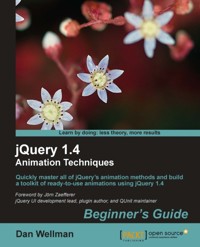
Master animation in jQuery to produce slick and attractive interfaces that respond to your visitors' interactions
jQuery is a cross-browser JavaScript library designed to simplify the client-side scripting of HTML, and is the most popular JavaScript library in use today. Using the features offered by jQuery, developers are able to create dynamic web pages. This book will act as a resource for you to create animation and advanced special effects in your web applications, by following the easy-to-understand steps mentioned in it.jQuery 1.4 Animation Techniques: Beginners Guide will allow you to master animation in jQuery to produce slick and attractive interfaces that respond to your visitors' interactions. You will learn everything you need to know about creating engaging and effective web page animations using jQuery. The book uses many examples and explains how to create animations using an easy, step-by-step, beginners guide approach.
This book will provide you with...
This book provides various examples that gradually build up the reader’s knowledge and practical experience in using the jQuery API to create stunning animations. The book starts off by explaining how animations make your user interface interactive and attractive. It explains the various methods used to make the element being animated appear or disappear. It provides a set of steps to create simple animations and show fading animations.
You can later learn how to make complex animations by chaining different effects together as well as how to halt a currently running application. You will find out how to slide your animation elements and learn to create custom animations that can be complex and specialized.
You will find out how to obtain and set up the jQuery UI— the official user interface library for jQuery. The book will tell you how to animate a page's background image, and will teach you how to make images scroll in a certain direction and at a certain speed depending on the movement of the mouse pointer
Das E-Book können Sie in Legimi-Apps oder einer beliebigen App lesen, die das folgende Format unterstützen:
Veröffentlichungsjahr: 2011
Ähnliche


















Table of Contents
jQuery 1.4 Animation TechniquesBeginner's Guide
jQuery 1.4 Animation Techniques Beginner's Guide
Copyright © 2011 Packt Publishing
All rights reserved. No part of this book may be reproduced, stored in a retrieval system, or transmitted in any form or by any means, without the prior written permission of the publisher, except in the case of brief quotations embedded in critical articles or reviews.
Every effort has been made in the preparation of this book to ensure the accuracy of the information presented. However, the information contained in this book is sold without warranty, either express or implied. Neither the author, nor Packt Publishing, and its dealers and distributors will be held liable for any damages caused or alleged to be caused directly or indirectly by this book.
Packt Publishing has endeavored to provide trademark information about all of the companies and products mentioned in this book by the appropriate use of capitals. However, Packt Publishing cannot guarantee the accuracy of this information.
First published: March 2011
Production Reference: 1140311
Published by Packt Publishing Ltd.
32 Lincoln Road
Olton
Birmingham, B27 6PA, UK.
ISBN 978-1-849513-30-2
www.packtpub.com
Cover Image by Filippo ( <[email protected]> )
Credits
Author
Dan Wellman
Reviewers
Shaiful Islam
Ben Nadel
Cyril Pierron
Acquisition Editor
Sarah Cullington
Development Editor
Roger D'souza
Technical Editor
Conrad Sardinha
Indexer
Hemangini Bari
Editorial Team Leader
Akshara Aware
Project Team Leader
Priya Mukherji
Project Coordinator
Sneha Harkut
Proofreader
Aaron Nash
Production Coordinator
Melwyn D'sa
Cover Work
Melwyn D'sa
Foreword
Since the first jQuery homepage in 2006, an interactive example introduced visitors to jQuery with a single line of code, and a button to run that code. When clicked, it added a class to a hidden paragraph, and animated that paragraph to become visible.
Today, in late 2010, the API documentation has 15 methods listed in the Effects category. These provide built-in animations for fading and sliding, as well as various ways to create custom animations. When combined with color and class animations and custom easings that jQuery UI provides, there are even more ways to create animations.
A good rule of thumb for using animations is to use slides when showing elements within the pageflow, and fades for overlays, like a tooltip. But that's just a rule of thumb, and with all the tools available there's a lot more opportunity to improve interactions, as well as messing them up.
With that in mind, a full book on animations starts to make a lot of sense. It makes even more sense when also taking into account upcoming technologies which aren't bound to jQuery directly, like CSS3 animations or animated canvas drawings.
As a tech reviewer I've worked with Dan on his jQuery UI 1.6 and jQuery UI 1.7 books. At the time the jQuery UI team was still figuring out the scope and exact direction of the project, including several direction changes at the time when Dan was writing the first book. Despite these challenges Dan did a great job providing documentation and extensive examples on how to use and combine the widgets and interactions jQuery UI provides.
With this book Dan brings his experience in writing on jQuery topics to teach you when and how to use animations to create better user experiences. I hope it serves you well.
Jörn Zaefferer
jQuery UI development lead, plugin author, and QUnit maintainer
About the Author
DanWellman is an author and web developer based on the South coast of the UK. By day he works alongside some of the most talented people he has had the pleasure of calling colleagues, for a small, yet accomplished digital agency called Design Haus. By night he writes books and tutorials on a range of frontend topics. He is hopelessly addicted to jQuery. His life is enriched by four wonderful children, a beautiful wife, and a close circle of family and friends. This is his fifth book.
I would like to thank the hugely supportive and patient editorial team at Packt, without whom this book would not exist. I would also like to thank the reviewers, especially Ben Nadel and Cyril Pierron, who put aside their own personal projects and dedicated countless hours to ensuring the book's technical accuracy. I'd also like to say a big Hey! to some of my closest friends, in no particular order; Andrew Herman, Steev Bishop, Aaron Matheson, Eamon O'Donoghue, James Zabiela, Mike Woodford, and John Adams.
About the Reviewers
ShaifulIslam completed his graduation in Computer Science and Engineering (CSE) from IIUC (International Islamic University Chittagong), and loves web development and PHP.
He is a Software Engineer, with three years of experience in web development and a keen lover of web technology. He also loves CSS, JQuery, CodeIgniter, Cakephp, and Zend Framework, which showed him the way to develop his career in web development and the programming field.
His motto is: Workthroughbestapproach, commitment, skill,andkeepsmiling.
Currently he is working for "bGlobal Sourcing LLC" as a Software Engineer.
I would like to thank all of my friends, colleagues, and those senior brothers who reviewed this type of book before and from whom I got inspiration. Special thanks to everyone at Packt Publishing.
BenNadel is the chief software engineer at Epicenter Consulting, a Manhattan-based web application development firm specializing in innovative custom software that transforms the way its clients do business. He is also an Adobe Community Professional as well as an Adobe Certified Professional in Advanced ColdFusion. In his spare time, he blogs extensively about all aspects of obsessively thorough web application development at http://www.bennadel.com/.
CyrilPierron is an engineer, a web addict, tech savvy, and life curious. He started programming at age 8, and has been working in telecommunications for the past 12 years. He is married and a father of a lovely baby girl.
I would actually like to thank Twitter which gave me the opportunity to see Packt Publishing message when they were looking for reviewers. Obviously thanks to the Packt Publishing team for giving me the chance to work on one of their titles. Lots of thanks to Dan Wellman who I actually followed on Twitter previously to realizing I was reviewing one of his books. This is an amazing piece that draws inspiration and Dan is the most cheerful, open minded, and supportive person. Finally thanks to my wife who showed quite some patience and support when I kept working on this book after hours.
www.PacktPub.com
Support files, eBooks, discount offers and more
You might want to visit www.PacktPub.com for support files and downloads related to your book.
Did you know that Packt offers eBook versions of every book published, with PDF and ePub files available? You can upgrade to the eBook version at www.PacktPub.com and as a print book customer, you are entitled to a discount on the eBook copy. Get in touch with us at <[email protected]> for more details.
At www.PacktPub.com, you can also read a collection of free technical articles, sign up for a range of free newsletters and receive exclusive discounts and offers on Packt books and eBooks.
http://PacktLib.PacktPub.com
Do you need instant solutions to your IT questions? PacktLib is Packt's online digital book library. Here, you can access, read and search across Packt's entire library of books.
Why Subscribe?
Free Access for Packt account holders
If you have an account with Packt atwww.PacktPub.com, you can use this to access PacktLib today and view nine entirely free books. Simply use your login credentials for immediate access.
For Pat Spacagna, the greatest mother-in-law I could have wished for. You are fondly remembered, but sorely missed. May you rest in peace always.
Preface
jQuery is a cross-browser JavaScript library designed to simplify the client-side scripting of HTML, and is the most popular JavaScript library in use today. Using the features offered by jQuery, developers are able to create dynamic web pages. This book will act as a resource for you to create animation and advanced special effects in your web applications, by following the easy-to-understand steps mentioned in it.
jQuery 1.4 Animation Techniques: Beginner's Guide will allow you to master animation in jQuery to produce slick and attractive interfaces that respond to your visitors' interactions. You will learn everything you need to know about creating engaging and effective web page animations using jQuery. The book uses many examples and explains how to create animations using an easy, step-by-step, beginner's guide approach.
This book provides various examples that gradually build up the reader's knowledge and practical experience in using the jQuery API to create stunning animations. The book starts off by explaining how animations make your user interface interactive and attractive. It explains the various methods used to make the element being animated appear or disappear. It provides a set of steps to create simple animations and show fading animations.
You can later learn how to make complex animations by chaining different effects together as well as how to halt a currently running application. You will find out how to slide your animation elements and learn to create custom animations that can be complex and specialized.
You will find out how to obtain and set up the jQuery UI—the official user interface library for jQuery. This book will tell you how to animate a page's background image, and will teach you how to make images scroll in a certain direction and at a certain speed depending on the movement of the mouse pointer.
What this book covers
Chapter 1, Introduction covers the basics including downloading jQuery and setting up a development area, a brief history of animation on the Web, when and where not to use animation, how animation can enhance an interface, and the animation methods exposed by jQuery. A basic example of animation is also covered.
Chapter 2, FadingAnimations looks at the fading family of animation methods including fading elements in and out, fade toggling, triggering animations with show(), hide(), and toggle(), and fading an element to a specific opacity.
Chapter 3, ManagingAnimations covers the animation queue and the methods jQuery provides for managing it. We see how to clear the queue, how to add functions to it, and how to clear it. We see how to add a delay between queued items and how to prevent animations building up in the queue when they are not required.
Chapter 4, SlidingAnimations looks at jQuery's sliding animation and covers how to slide elements in an out of view and how to toggle the slide based on their current state. We also look at how CSS positioning can affect animations and how to avoid a common pitfall when using these methods in a drop-down menu.
Chapter 5, CustomAnimations focuses on the animate() method, which jQuery provides for us as a means of creating custom animations not already predefined. This extremely powerful method allows us to animate almost any CSS-style property to easily create complex and attractive animations.
Chapter 6, ExtendedAnimationswithjQueryUI looks at the additional effects added by jQuery UI, the official UI library built on top of jQuery. We look at each of the 14 new effects as well as covering the easing functions built into the library.
Chapter 7, FullPageAnimations looks at animations that form the main focus of the page. Techniques we cover include animating page scroll, creating a parallax effect, and creating basic stop-motion animations.
Chapter 8, OtherPopularAnimations looks at some common types of animations found on the web including proximity animations triggered by the mouse pointer, animated headers, and a modern-day equivalent to the marquee element.
Chapter 9, CSS3Animations covers how we can use CSS3 to create attractive animations driven by the latest CSS transforms and how jQuery can be used to make the process easier, including the latest cssHooks functionality.
Chapter 10, CanvasAnimations looks at the HTML5 canvas element and shows how it can be used to create stunning animations without the use of Flash or other proprietary technologies. The book closes with an in-depth example teaching how to create an interactive game using nothing but HTML and JavaScript.
What you need for this book
To get the most out of this book you should have some knowledge of frontend development, preferably including JavaScript. Experience with jQuery is also preferable, but is not essential as all techniques used in the book are discussed in full.
You should have a computer capable of running the latest browsers and preferably an Internet connection. A code editing development software package will be of help, but again is not essential provided you have a text editor of some description.
Who this book is for
This book is written for web designers and frontend developers who already have good knowledge of HTML and CSS, and some experience with jQuery. If you want to learn how to animate the user interface of your web applications with jQuery, then this book is for you.
Conventions
In this book, you will find several headings appearing frequently.
To give clear instructions of how to complete a procedure or task, we use:
Time for action – heading
Instructions often need some extra explanation so that they make sense, so they are followed with:
What just happened?
This heading explains the working of tasks or instructions that you have just completed.
You will also find some other learning aids in the book, including:
Pop quiz – heading
These are short multiple choice questions intended to help you test your own understanding.
Have a go hero – heading
These set practical challenges and give you ideas for experimenting with what you have learned.
You will also find a number of styles of text that distinguish between different kinds of information. Here are some examples of these styles, and an explanation of their meaning.
Code words in text are shown as follows: "The fadeIn() and fadeOut() methods perform the least complex animations available via jQuery".
A block of code is set as follows:
When we wish to draw your attention to a particular part of a code block, the relevant lines or items are set in bold:
New terms and important words are shown in bold. Words that you see on the screen, in menus or dialog boxes for example, appear in the text like this: "In this case, we clear the whole canvas, removing the space ship and any surviving aliens, and print the text GAMEOVER! to the center of the canvas".
Note
Warnings or important notes appear in a box like this.
Tip
Tips and tricks appear like this.
Reader feedback
Feedback from our readers is always welcome. Let us know what you think about this book—what you liked or may have disliked. Reader feedback is important for us to develop titles that you really get the most out of.
To send us general feedback, simply send an e-mail to <[email protected]>, and mention the book title via the subject of your message.
If there is a book that you need and would like to see us publish, please send us a note in the SUGGEST A TITLE form on www.packtpub.com or e-mail <[email protected]>.
If there is a topic that you have expertise in and you are interested in either writing or contributing to a book, see our author guide on www.packtpub.com/authors.
Customer support
Now that you are the proud owner of a Packt book, we have a number of things to help you to get the most from your purchase.
Downloading the example code
You can download the example code files for all Packt books you have purchased from your account at http://www.PacktPub.com. If you purchased this book elsewhere, you can visit http://www.PacktPub.com/support and register to have the files e-mailed directly to you.
Errata
Although we have taken every care to ensure the accuracy of our content, mistakes do happen. If you find a mistake in one of our books—maybe a mistake in the text or the code—we would be grateful if you would report this to us. By doing so, you can save other readers from frustration and help us improve subsequent versions of this book. If you find any errata, please report them by visiting http://www.packtpub.com/support, selecting your book, clicking on the erratasubmissionform link, and entering the details of your errata. Once your errata are verified, your submission will be accepted and the errata will be uploaded on our website, or added to any list of existing errata, under the Errata section of that title. Any existing errata can be viewed by selecting your title from http://www.packtpub.com/support.
Piracy
Piracy of copyright material on the Internet is an ongoing problem across all media. At Packt, we take the protection of our copyright and licenses very seriously. If you come across any illegal copies of our works, in any form, on the Internet, please provide us with the location address or website name immediately so that we can pursue a remedy.
Please contact us at <[email protected]> with a link to the suspected pirated material.
We appreciate your help in protecting our authors, and our ability to bring you valuable content.
Questions
You can contact us at <[email protected]> if you are having a problem with any aspect of the book, and we will do our best to address it.
Chapter 1. Introduction
Welcome to the jQuery 1.4 Animation Techniques: Beginner's Guide book. Over the course of the book we'll look at each and every method that produces or controls animations available in the jQuery JavaScript library. We'll see how the methods are used, the arguments they are able to accept, and the different behavior they produce. We'll also look at how to use a range of accompanying resources including selected jQuery plugins and the jQuery UI library.
In this introductory chapter, we'll look at the following topics:
Animation on the Web
In 1989 Compuserve released GIF89A, an enhanced version of the popular GIF image format which allowed a sequence of frames to be stored as a single image and played by supporting software.
The GIF format was already popular on what passed for the Internet in those days (remember, the World Wide Web didn't even exist until 1991) due to its small file size, lossless compression, and wide support. The enhanced version, which allowed animations that anyone could create themselves provided they had supporting software, quickly became popular also.
In addition to animated GIFs, browser vendors added support for proprietary HTML elements that handled animation natively, such as the <blink> and <marquee> elements, which added different animated effects to text.
Neither of these elements was particularly attractive or successful and the W3C, as well as leading industry accessibility and usability experts, advised against their use in most cases. Different browsers at the time supported one or the other of these elements but not both. Both elements were added by their respective vendors as part of the original browser wars.
In the late 1990s, popular browsers added support for a technique known as Dynamic HTML (DHTML), which allowed scripting languages to modify the contents of a page after the page had loaded. DHTML wasn't any single technology, but rather a collection of techniques (JavaScript, CSS, the DOM, and so on) that worked together to enable a basic level of interactivity and/or animation.
In fact, DHTML made it possible to create quite advanced animations, but restrictions in the early implementations of the required technologies, as well as hugely varying browser support, made DHTML tricky at best.
This era also saw the release and rise of Flash (and Shockwave, a competing technology that was eventually subsumed by Macromedia), a vector and raster graphics format that allowed audio and video streaming, frame-by-frame animation, and a host of other features. Flash quickly became popular and at the time of writing is still the number one format for web-based video, browser-based gaming, and advertising.
Gradual standardization of the DOM across (most) browsers, as well as the rise of JavaScript libraries such as jQuery, which abstracted away the differences that remained between browsers, have opened up animation to a much wider range of people than ever before. The term DHTML isn't often used these days because of its connotations with poor support between browsers, but the underlying principles and techniques that drive many interactive and animated sites remain similar.
Today, in addition to the animations made plausible and accessible by JavaScript libraries we have much newer, much more exciting possibilities with CSS3 and native HTML elements such as the <canvas> element, which provides complete pixel-level control over an area of the page. We'll be looking at some CSS3 animation techniques, as well as the <canvas> element in more detail towards the end of the book. Flash-based animation is on the decline for the first time this century, and new technologies are poised on the horizon.
The power of animated UIs
Modern operating systems use animations constantly to engage their users and to create a more compelling computing experience. Used in the right way, animations provide assistance to the users of the system, to lead and guide them through different tasks, provide context or feedback, and reinforce positive actions.
A good example of this is the way that applications are minimized in Windows 7, or OSX—the application appears to squish down into the icon on the taskbar/dock, which shows the user where to go when they want to return to the application. It's the simple details like this that can be the most effective.
Good animations can lend an air of sleek professionalism to an interface and make it appear more advanced or more modern. Apple's iPhone (or iPad) is a perfect example—the seamless use of subtle animations and transitions within the operating system and its applications allow the user to connect with the device in a profoundly satisfying and immersive way. Anything that appears or disappears is faded smoothly in or out, and menus and content panels slide in or out from the top or the sides. Sudden events can unsettle or distract users, but a well-timed animation can help to make them aware that something is happening or something is about to happen.
Be warned however—badly executed, clumsy, or overly pointless animations can do the opposite, making your interface appear basic, poorly designed, or inferior. No animation can be better than poor animation. Even if your application works perfectly, superfluous animations can leave your users feeling frustrated and cause them to forgo your application or website.
Desktop computers and a rapidly growing number of mobile and hand-held devices are easily powerful enough to handle quite complex animations, and with integrated hardware acceleration and more refined CSS3 and HTML5 making its way into the latest browsers, the possibilities of what can be achieved on the Web are increasing exponentially.
When to use animations
Animations can make a great impression and enhance the user experience in the following situations:
When not to use animations
Too many animations or animations in unnecessary places can be damaging. Try and avoid animations, or at least give them serious consideration, in the following situations:
Bear in mind that these are guidelines only, not laws which must be obeyed at all costs, and they are certainly not definitive. There are few situations where animations should never, ever be used and few situations where they must always be used.
Use your judgment to determine whether an animation is suitable for your application or page and its intended audience. If possible, give your users the chance to enable or disable animations based on their own personal preferences.
Animation checklist
Before implementing an animation in our pages or applications, consider the following checklist of questions:
If you can answer yes to all of the above, the animation will probably be a positive feature. If you answered no to any of these questions, you probably need to stop and think about what you are trying to achieve by adding the animation, and whether or not it could be better achieved in some other manner.
Animating with jQuery
jQuery provides a range of animation methods natively, without the use of additional effects libraries or plugins. There are however, many plugins contributed from the online community, including jQuery UI, the official UI library for jQuery, which extend jQuery's animation capabilities. Natively, jQuery provides methods that add sliding and fading behavior with minimal configuration, and which work cross-browser. It also exposes methods related to managing the animation queue, and provides a means for creating custom animations that work on almost all numerical CSS styles. Over the course of this book, we'll look at every animation method that the library contains in detail. These methods are listed below:
All in all, it gives us a powerful and robust environment to easily add almost any type of animation that we can conceive.
Animation is also a popular theme for plugins, with many available plugins that bring different types of animations to our fingertips, for instant implementation with minimal configuration. We'll look at several plugins later in the book.
The template file
Each of the example files we'll create throughout the course of this book will rely on a common set of elements. Rather than repeatedly showing these same elements in every single code section and example in the book, I'll show you them just once now:
Tip
Downloading the example code
You can download the example code files for all Packt books you have purchased from your account at http://www.PacktPub.com. If you purchased this book elsewhere, you can visit http://www.PacktPub.com/support and register to have the files e-mailed directly to you.
Save a copy of this file now and call it template.html. This is the base file that we'll use for every single example, so when we start working through the examples and I say "add the following markup to the <body> of the template file", I mean insert it directly between the opening <body> tag and the first <script> tag in the template file, as shown above. Whenever we add any JavaScript to the template file, it will be added within the anonymous function in the second <script> tag.
Let's just take a look at what the template file contains. We start out with the HTML5 doctype declaration as we'll be using plenty of HTML5 elements in our examples. We also set the lang attribute of the <html> element to en, and <meta> tag with its charset attribute to utf-8, neither of which are strictly required but are nevertheless best practice.
Next comes an empty <title> element, to which we can add the name of each example, and a <link> element with an incomplete href, ready for us to add the name of the stylesheet that each example will use.
Because current versions (prior to version 9) of Internet Explorer don't support any HTML5 elements, we need to use Remy Sharp's html5shiv script to make this browser use them correctly. We can link to the online version of this file for convenience using a conditional comment that targets all versions of IE lower than version 9. Feel free to download html5.js and store it locally if you plan on playing with the examples in IE while disconnected from the Internet.
To get the most out of the examples throughout the book, it would probably be wise to upgrade to the latest stable release versions of the most common browsers, which at the time of writing are Firefox 3.6.13, Chrome 9.0, Safari 5.03, and Opera 11, although expect these to change quite rapidly.
At the time of writing, Internet Explorer 9 is available in beta release and is scheduled to go to full release at some point in early 2011. IE9 does support a lot of HTML5 and CSS3, so using the html5shiv file may not be required.
The <body> of the page is empty except for some <script> tags. We'll obviously use jQuery in every example, so the first tag links to that. The current version of jQuery is 1.5 at the time of writing (but like the browser versions, this is likely to change pretty quickly!).
In the second <script> tag we have an empty function, into which all of the example JavaScript code we write will go. We pass the jQuery object into our anonymous function and alias it to the $ character. Although not strictly necessary (except in the example where we create a jQuery plugin), this is another good habit to get into.
Creating a project folder
So that's the template file that we'll be referring to and using in the code examples throughout the book. Let's also take a moment to look at the folder structure that the example files use. Create a project folder and call it jquery-animation or similar. Within this, create three new folders and call them css, img, and js.
The HTML pages we create will go into the jquery-animation folder alongside the subfolders. All of the CSS files we create will go into the css folder and all of the images that we use in the examples will go into the img folder. The jQuery library and any additional script files we use or create will go into the js folder. This is also the directory structure you'll find if you download and unpack the accompanying code archive containing all of the examples.
A basic animation example
Let's look at a basic example of the kind of animation that can help reassure our visitors that something is happening. If the user performs an action, and the results are not displayed immediately, feedback that their action is in the process of being executed is a helpful use of animation. This is what we will end up with at the end of the example:
In the previous screenshot we can see the loading indicator centered beneath the trigger <button>. It features three separate loading bars which sequentially light up to show that something is happening. Each bar is styled slightly differently.
Summary
In this introductory chapter, we looked at a brief history of animation on the Web including how it began, early HTML elements and browser support, the rise of Flash, and the direction it's heading in the not too distant future.
We also looked at how animations can be used in a user interface to enhance the user experience. We saw some guidelines as to when animation should and shouldn't be used and looked at some of the things we should consider when implementing animations.
We closed the chapter with a basic example looking at a loading animation. In this example, we used the fadeTo() jQuery method to change the opacity of elements on the page, and a simple interval to "play" the animation. We didn't cover the method in full detail, but we saw one example of how it can be used. We'll look at this method in more detail in the next chapter, which covers all of the fading animations provided by jQuery.
Chapter 2. Fading Animations
In this chapter we'll be looking at the most basic types of jQuery animations, in which the element being animated gradually appears or disappears. There are several jQuery methods that deal with fading and we'll look at each of them in turn throughout the chapter. These methods are:




