


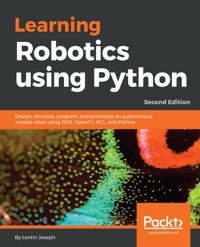
32,39 €
Mehr erfahren.
- Herausgeber: Packt Publishing
- Kategorie: Wissenschaft und neue Technologien
- Sprache: Englisch
Robot Operating System (ROS) is one of the most popular robotics software frameworks in research and industry. It has various features for implementing different capabilities in a robot without implementing them from scratch.
This book starts by showing you the fundamentals of ROS so you understand the basics of differential robots. Then, you'll learn about robot modeling and how to design and simulate it using ROS. Moving on, we'll design robot hardware and interfacing actuators. Then, you'll learn to configure and program depth sensors and LIDARs using ROS. Finally, you'll create a GUI for your robot using the Qt framework.
By the end of this tutorial, you'll have a clear idea of how to integrate and assemble everything into a robot and how to bundle the software package.
Das E-Book können Sie in Legimi-Apps oder einer beliebigen App lesen, die das folgende Format unterstützen:
Seitenzahl: 266
Veröffentlichungsjahr: 2018
Ähnliche














Learning Robotics using Python Second Edition
Copyright © 2018 Packt Publishing
All rights reserved. No part of this book may be reproduced, stored in a retrieval system, or transmitted in any form or by any means, without the prior written permission of the publisher, except in the case of brief quotations embedded in critical articles or reviews.
Every effort has been made in the preparation of this book to ensure the accuracy of the information presented. However, the information contained in this book is sold without warranty, either express or implied. Neither the author, nor Packt Publishing or its dealers and distributors, will be held liable for any damages caused or alleged to have been caused directly or indirectly by this book.
Packt Publishing has endeavored to provide trademark information about all of the companies and products mentioned in this book by the appropriate use of capitals. However, Packt Publishing cannot guarantee the accuracy of this information.
Commissioning Editor: Gebin GeorgeAcquisition Editor: Namrata PatilContent Development Editor: Sharon RajTechnical Editor: Mohit HassijaCopy Editor: Safis EditingProject Coordinator: Virginia DiasProofreader: Safis EditingIndexer: Pratik ShirodkarGraphics: Tom ScariaProduction Coordinator: Shantanu Zagade
First published: May 2015 Second edition: June 2018
Production reference: 1250618
Published by Packt Publishing Ltd. Livery Place 35 Livery Street Birmingham B3 2PB, UK.
ISBN 978-1-78862-331-5
www.packtpub.com
Mapt is an online digital library that gives you full access to over 5,000 books and videos, as well as industry leading tools to help you plan your personal development and advance your career. For more information, please visit our website.
Why subscribe?
Spend less time learning and more time coding with practical eBooks and Videos from over 4,000 industry professionals
Improve your learning with Skill Plans built especially for you
Get a free eBook or video every month
Mapt is fully searchable
Copy and paste, print, and bookmark content
PacktPub.com
Did you know that Packt offers eBook versions of every book published, with PDF and ePub files available? You can upgrade to the eBook version at www.PacktPub.com and as a print book customer, you are entitled to a discount on the eBook copy. Get in touch with us at [email protected] for more details.
At www.PacktPub.com, you can also read a collection of free technical articles, sign up for a range of free newsletters, and receive exclusive discounts and offers on Packt books and eBooks.
Contributors
About the author
Lentin Joseph is an author and robotics entrepreneur from India. He runs a robotics software company called Qbotics Labs in India. He has 7 years of experience in the robotics domain primarily in ROS, OpenCV, and PCL.
He has authored four books in ROS, namely, Learning Robotics using Python, Mastering ROS for Robotics Programming, ROS Robotics Projects, and Robot Operating System for Absolute Beginners.
He is currently pursuing his master's in Robotics from India and is also doing research at Robotics Institute, CMU, USA.
About the reviewer
Ruixiang Du is a PhD candidate in mechanical engineering at Worcester Polytechnic Institute. He works in the Autonomy, Control, and Estimation Laboratory with a research focus on the motion planning and control of autonomous mobile robots in cluttered and dynamic environments. He received a bachelor’s degree in automation from North China Electric Power University in 2011 and a master’s degree in robotics engineering from WPI in 2013. He has worked on various robotic projects with robot platforms ranging from medical robots, and unmanned aerial/ground vehicles, to humanoid robots.
Packt is searching for authors like you
If you're interested in becoming an author for Packt, please visit authors.packtpub.com and apply today. We have worked with thousands of developers and tech professionals, just like you, to help them share their insight with the global tech community. You can make a general application, apply for a specific hot topic that we are recruiting an author for, or submit your own idea.
Table of Contents
Title Page
Copyright and Credits
Learning Robotics using Python Second Edition
Dedication
Packt Upsell
Why subscribe?
PacktPub.com
Contributors
About the author
About the reviewer
Packt is searching for authors like you
Preface
Who this book is for
What this book covers
To get the most out of this book
Download the example code files
Download the color images
Conventions used
Get in touch
Reviews
Getting Started with Robot Operating System
Technical requirements
Introduction to ROS
ROS concepts
The ROS filesystem
The ROS Computation Graph
The ROS community level
Installing ROS on Ubuntu
Introducing catkin
Creating a ROS package
Hello_world_publisher.py
Hello_world_subscriber.py
Introducing Gazebo
Installing Gazebo
Testing Gazebo with the ROS interface
Summary
Questions
Understanding the Basics of Differential Robots
Mathematical modeling of the robot
Introduction to the differential drive system and robot kinematics
Forward kinematics of a differential robot
Explanations of the forward kinematics equation
Inverse kinematics
Summary
Questions
Further information
Modeling the Differential Drive Robot
Technical requirements
Requirements of a service robot
Robot drive mechanism
Selection of motors and wheels
Calculation of RPM of motors
Calculation of motor torque
The design summary
The robot chassis design
Installing LibreCAD, Blender, and MeshLab
Installing LibreCAD
Installing Blender
Installing MeshLab
Creating 2D CAD drawing of a robot using LibreCAD
The base plate designs
Base plate pole design
Wheel, motor, and motor clamp design
Caster wheel design
Middle plate design
Top plate design
Working with a 3D model of the robot using Blender
Python scripting in Blender
Introduction to Blender Python APIs
Python script of the robot model
Creating a URDF model of the robot
Creating a Chefbot description ROS package
Summary
Questions
Further reading
Simulating a Differential Drive Robot Using ROS
Technical requirements
Getting started with the Gazebo simulator
The Gazebo's graphical user interface
The Scene
The Left Panel
Right Panel
Gazebo toolbars
Upper toolbar
Bottom toolbar
Working with a TurtleBot 2 simulation
Moving the robot
Creating a simulation of Chefbot
Depth image to laser scan conversion
URDF tags and plugins for Gazebo simulation
Cliff sensor plugin
Contact sensor plugin
Gyroscope plugin
Differential drive plugin
Depth camera plugin
Visualizing the robot sensor data
Getting started with Simultaneous Localization and Mapping
Implementing SLAM in the Gazebo environment
Creating a map using SLAM
Getting started with Adaptive Monte Carlo Localization
Implementing AMCL in the Gazebo environment
Autonomous navigation of Chefbot in the hotel using Gazebo
Summary
Questions
Further reading
Designing ChefBot Hardware and Circuits
Technical requirements
Specifications of the ChefBot's hardware
Block diagram of the robot
Motor and encoder
Selecting motors, encoders, and wheels for the robot
Motor driver
Selecting a motor driver/controller
Input pins
Output pins
Power supply pins
Embedded controller board
Ultrasonic sensors
Selecting an ultrasonic sensor
Inertial measurement unit
Kinect/Orbbec Astra
Central processing unit
Speakers/mic
Power supply/battery
How ChefBot’s hardware works’?
Summary
Questions
Further reading
Interfacing Actuators and Sensors to the Robot Controller
Technical requirements
Interfacing DC geared motor to Tiva C LaunchPad
Differential wheeled robot
Installing Energia IDE
Motor interfacing code
Interfacing quadrature encoder with Tiva C Launchpad
Processing encoder data
Quadrature encoder interfacing code
Working with Dynamixel actuators
Working with ultrasonic distance sensors
Interfacing HC-SR04 to Tiva C LaunchPad
Working of HC-SR04
Interfacing Code of Tiva C Launchpad
Interfacing Tiva C LaunchPad with Python
Working with the IR proximity sensor
Working with Inertial Measurement Units
Inertial navigation
Interfacing MPU 6050 with Tiva C LaunchPad
Setting the MPU 6050 library in Energia
Interfacing code of Energia
Summary
Questions
Further reading
Interfacing Vision Sensors with ROS
Technical requirements
List of robotic vision sensors and image libraries
Pixy2/CMUcam5
Logitech C920 webcam
Kinect 360
Intel RealSense D400 series
Orbbec Astra depth sensor
Introduction to OpenCV, OpenNI, and PCL
What is OpenCV?
Installation of OpenCV from the source code in Ubuntu
Reading and displaying an image using the Python-OpenCV interface
Capturing from the web camera
What is OpenNI?
Installing OpenNI in Ubuntu
What is PCL?
Programming Kinect with Python using ROS, OpenCV, and OpenNI
How to launch the OpenNI driver
The ROS interface with OpenCV
Creating a ROS package with OpenCV support
Displaying Kinect images using Python, ROS, and cv_bridge
Interfacing Orbbec Astra with ROS
Installing the Astra–ROS driver
Working with point clouds using Kinect, ROS, OpenNI, and PCL
Opening the device and generating a point cloud
Conversion of point cloud data to laser scan data
Working with SLAM using ROS and Kinect
Summary
Questions
Further reading
Building ChefBot Hardware and the Integration of Software
Technical requirements
Building ChefBot hardware
Configuring ChefBot PC and setting ChefBot ROS packages
Interfacing ChefBot sensors to the Tiva-C LaunchPad
Embedded code for ChefBot
Writing a ROS Python driver for ChefBot
Understanding ChefBot ROS launch files
Working with ChefBot Python nodes and launch files
Working with SLAM on ROS to build a map of the room
Working with ROS localization and navigation
Summary
Questions
Further reading
Designing a GUI for a Robot Using Qt and Python
Technical requirements
Installing Qt on Ubuntu 16.04 LTS
Working with Python bindings of Qt
PyQt
Installing PyQt in Ubuntu 16.04 LTS
PySide
Installing PySide on Ubuntu 16.04 LTS
Working with PyQt and PySide
Introducing Qt Designer
Qt signals and slots
Converting a UI file into Python code
Adding a slot definition to PyQt code
Operation of the Hello World GUI application
Working with ChefBot's control GUI
Installing and working with rqt in Ubuntu 16.04 LTS
Summary
Questions
Further reading
Assessments
Chapter 1, Getting Started with the Robot Operating System
Chapter 2, Understanding the Basics of Differential Robots
Chapter 3, Modeling the Differential Drive Robot
Chapter 4, Simulating a Differential Drive Robot Using ROS
Chapter 5, Designing ChefBot Hardware and Circuits
Chapter 6, Interfacing Actuators and Sensors to the Robot Controller
Chapter 7, Interfacing Vision Sensors with ROS
Chapter 8, Building ChefBot Hardware and Integration of Software
Chapter 9, Designing a GUI for a Robot Using Qt and Python
Other Books You May Enjoy
Leave a review - let other readers know what you think
Preface
Learning Robotics using Python contains nine chapters that explain how to build an autonomous mobile robot from scratch and program it using Python. The robot mentioning in this book is a service robot that can be used to serve food in home, hotels, and restaurant. From the beginning to end, the book discusses step-by-step procedures of building of this robot. The book starts with the basics concepts of robotics and then moves to the 3D modeling and simulation of the robot. After successful simulation of the robot, it discusses the hardware components required to build the robot prototype.
The software part of this robot is mainly implemented using Python programming language and software frameworks, such as Robot Operating System (ROS) and OpenCV. You can see the application of python from the designing of a robot to creating robot user interface. The Gazebo simulator is used to simulate the robot and machine vision libraries, such as OpenCV, OpenNI, and PCL, is for processing the 2D and 3D image data. Each chapter is presented with adequate theory for understanding the application part. The book is reviewed by the experts in this field and it is the result of their handwork and passion in robotics.
Who this book is for
Learning Robotics using Python is a good companion for entrepreneurs who want to explore service robotics domain, professionals who want to implement more features on their robots, researchers who want to explore more on robotics, and hobbyist or students who want to learn robotics. The book follows a step-by-step guide, which can easily be captured by anyone.
What this book covers
Chapter 1, Getting Started with Robot Operating System, explains the fundamental concepts of ROS, which are the main platform for programming robot.
Chapter 2, Understanding the Basics of Differential Robots, discusses the fundamental concepts of a differential mobile robot. The concepts are Kinematics and Inverse kinematics of differential drive. This will help you implement the differential drive controller in the software.
Chapter 3, Modeling the Differential Drive Robot, discusses the calculation of the robot design constraints and 2D/3D modeling of this mobile robot. The 2D/3D modeling is based on a set of robot requirements. After completing the design and robot modeling, the reader will get the designed parameters that can be used for creating a robot simulation.
Chapter 4, Simulating a Differential Drive Robot Using ROS, introduces a robot simulator named Gazebo and helps readers to simulate their own robot using it.
Chapter 5, Designing ChefBot Hardware and Circuits, discusses the selection of different hardware components required to build Chefbot.
Chapter 6, Interfacing Actuators and Sensors to the Robot Controller, discusses the interfacing of different actuators and sensors used in this robot with Tiva C Launchpad controller.
Chapter 7, Interfacing Vision Sensors with ROS, discusses interfacing of different vision sensors such as Kinect and Orbecc Astra that can be used in Chefbot for autonomous navigation.
Chapter 8, Building ChefBot Hardware and Integration of Software, discusses the complete construction of robot hardware and software in ROS in order to implement autonomous navigation.
Chapter 9, Designing a GUI for a Robot Using Qt and Python, discusses the development of a GUI to command the robot to move to a table in a hotel-like environment.
To get the most out of this book
The book is all about building a robot; to start with this book, you should have some hardware. The robot can be built from scratch or you can buy a differential drive configuration robot with encoder feedback. You should buy a controller board such as Texas instruments LaunchPad for embedded processing and should have at least a laptop/netbook for entire robot processing. In this book, we are using Intel NUC for robot processing, it is very compact in size and delivering high performance. For 3D vision, you should have a 3D sensor such as laser scanner, Kinect, or Orbecc Astra.
In the software section, you should have a good understanding in working with GNU/Linux commands and have good knowledge in Python too. You should install Ubuntu 16.04 LTS to work with the examples. If you have knowledge in ROS, OpenCV, OpenNI, and PCL, this will help. You have to install ROS Kinect/Melodic for these examples.
Download the example code files
You can download the example code files for this book from your account at www.packtpub.com. If you purchased this book elsewhere, you can visit www.packtpub.com/support and register to have the files emailed directly to you.
You can download the code files by following these steps:
Log in or register at
www.packtpub.com
.
Select the
SUPPORT
tab.
Click on
Code Downloads & Errata
.
Enter the name of the book in the
Search
box and follow the onscreen instructions.
Once the file is downloaded, please make sure that you unzip or extract the folder using the latest version of:
WinRAR/7-Zip for Windows
Zipeg/iZip/UnRarX for Mac
7-Zip/PeaZip for Linux
The code bundle for the book is also hosted on GitHub athttps://github.com/PacktPublishing/Learning-Robotics-using-Python-Second-Edition. We also have other code bundles from our rich catalog of books and videos available athttps://github.com/PacktPublishing/. Check them out!
Download the color images
We also provide a PDF file that has color images of the screenshots/diagrams used in this book. You can download it from https://www.packtpub.com/sites/default/files/downloads/LearningRoboticsusingPythonSecondEdition_ColorImages.pdf.
Conventions used
There are a number of text conventions used throughout this book.
CodeInText: Indicates code words in text, database table names, folder names, filenames, file extensions, pathnames, dummy URLs, user input, and Twitter handles. Here is an example: " The first procedure is to create a world file and save it with the .worldfile extension."
A block of code is set as follows:
<xacro:include filename=”$(find chefbot_description)/urdf/chefbot_gazebo.urdf.xacro”/> <xacro:include filename=”$(find chefbot_description)/urdf/chefbot_properties.urdf.xacro”/>
Any command-line input or output is written as follows:
$ roslaunch chefbot_gazebo chefbot_empty_world.launch
Get in touch
Feedback from our readers is always welcome.
General feedback: Email [email protected] and mention the book title in the subject of your message. If you have questions about any aspect of this book, please email us at [email protected].
Errata: Although we have taken every care to ensure the accuracy of our content, mistakes do happen. If you have found a mistake in this book, we would be grateful if you would report this to us. Please visit www.packtpub.com/submit-errata, selecting your book, clicking on the Errata Submission Form link, and entering the details.
Piracy: If you come across any illegal copies of our works in any form on the Internet, we would be grateful if you would provide us with the location address or website name. Please contact us at [email protected] with a link to the material.
If you are interested in becoming an author: If there is a topic that you have expertise in and you are interested in either writing or contributing to a book, please visit authors.packtpub.com.
Reviews
Please leave a review. Once you have read and used this book, why not leave a review on the site that you purchased it from? Potential readers can then see and use your unbiased opinion to make purchase decisions, we at Packt can understand what you think about our products, and our authors can see your feedback on their book. Thank you!
For more information about Packt, please visit packtpub.com.
Getting Started with Robot Operating System
The main aim of this book is to teach you how to build an autonomous mobile robot from scratch. The robot will be programmed using ROS and its operations will be simulated using a simulator called Gazebo. You will also see the robot's mechanical design, circuit design, embedded programming, and high-level software programming using ROS in the upcoming chapters.
In this chapter, we will start with the basics of ROS, how to install it, how to write a basic application using ROS and Python, and the basics of Gazebo. This chapter will be the foundation of your autonomous robotics project. If you are already aware of the basics of ROS, and already have it installed on your system, you may skip this chapter. However, you can still go through this chapter later to refresh your memory as to the basics of ROS.
This chapter will cover the following topics:
Introduction to ROS
Installing ROS Kinetic on Ubuntu 16.04.3
Introducing, installing, and testing Gazebo
Let's start programming robots using Python and Robot Operating System (ROS).
Technical requirements
To get the complete code that is mentioned in this chapter, you can clone the following link:
https://github.com/qboticslabs/learning_robotics_2nd_ed
Introduction to ROS
ROS is a software framework used for creating robotic applications. The main aim of the ROS framework is to provide the capabilities that you can use to create powerful robotics applications that can be reused for other robots. ROS has a collection of software tools, libraries, and collection of packages that makes robot software development easy.
ROS is a complete open source project licensed under the BSD (https://opensource.org/licenses/BSD-3-Clause) license. We can use it for research and commercial applications. Even though ROS stands for Robot Operating System, it is not a real operating system. Rather, it is a meta-operating system, which provides the features of a real operating system. Here are the major features that ROS provides:
Message passing interface
: This is the core feature of ROS, and it enables interprocess communication. Using this message-passing capability, the ROS program can communicate with its linked systems and exchange data. We will learn more technical terms concerning the exchange of data between ROS programs/nodes in the coming sections and chapters.
Hardware abstraction
: ROS has a degree of abstraction that enables developers to create robot-agnostic applications. These kinds of application can be used with any robot; the developers need only worry about the underlying robot hardware.
Package management
: The ROS nodes are organized in packages called ROS packages. ROS packages consist of source codes, configuration files, build files, and so on. We create the package, build the package, and install the package. There is a build system in ROS that helps to build these packages. The package management in ROS makes ROS development more systematic and organized.
Third-party library integration:
The ROS framework is integrated with many third-party libraries, such as Open-CV, PCL, OpenNI, and so on. This helps developers to create all kinds of application in ROS.
Low-level device control
: When we work with robots, we may need to work with low-level devices, such as those that control I/O pins, sending data through serial ports, and so on. This can also be done using ROS.
Distributed computing
: The amount of computation required to process the data from robot sensors is very high. Using ROS, we can easily distribute the computation to a cluster of computing nodes. This distributes the computing power and allows you to process the data faster than you could using a single computer.
Code reuse
: The main goal of ROS is code reuse. Code reuse enables the growth of a good research and development community around the world. ROS executables are called nodes. These executables can be grouped into a single entity called a ROS package. A group of packages is called a meta package, and both packages and meta packages can be shared and distributed.
Language independence
: The ROS framework can be programmed using popular languages (such as Python, C++, and Lisp). The nodes can be written in any language and can communicate through ROS without any issues.
Easy testing
: ROS has a built-in unit/integration test framework called rostest to test ROS packages.
Scaling
: ROS can be scaled to perform complex computation in robots.
Free and open source
: The source code of ROS is open and it's absolutely free to use. The core part of ROS is licensed under a BSD license, and it can be reused in commercial and closed source products.
ROS is a combination of plumbing (message passing), tools, capabilities, and ecosystem. There are powerful tools in ROS to debug and visualize the robot data. There are inbuilt robot capabilities in ROS, such as robot navigation, localization, mapping, manipulation, and so on. They help to create powerful robotics applications.
The following image shows the ROS equation:
ROS concepts
There are three main organizational levels in ROS:
The ROS filesystem
The ROS computation graph
The ROS community
The ROS filesystem
The ROS filesystem mainly covers how ROS files are organized on the disk. The following are the main terms that we have to understand when working with the ROS filesystem:
Packages
: ROS packages are the individual unit of the ROS software framework. A ROS package may contain source code, third-party libraries, configuration files, and so on. ROS packages can be reused and shared.
Package manifests
: The manifests (
package.xml
) file will have all the details of the packages, including the name, description, license, and, more importantly, the dependencies of the package.
Message (msg) types
: Message descriptions are stored in the
msg
folder in a package. ROS messages are data structures for sending data through ROS's message-passing system. Message definitions are stored in a file with the
.msg
extension.
Service (srv) types
: Service descriptions are stored in the
srv
folder with the
.srv
extension. The
srv
file defines the request and response data structure for the service in ROS.
The ROS Computation Graph
The ROS Computation Graph is the peer-to-peer network of ROS systems that processes data. The basic features of ROS Computation Graph are nodes, ROS Master, the parameter server, messages, and services:
Nodes
: The ROS node is a process that uses ROS functionalities to process the data. A node basically computes. For example, a node can process the laser scanner data to check whether there is any collision. A ROS node is written with the help of an ROS client library (such as
roscpp
and
rospy
),
which will be discussed in the upcoming section
.
ROS Master
: The ROS nodes can connect to each other using a program called ROS Master. This provides the name, registration, and lookup to the rest of the computation graph. Without starting the master, the nodes will not find each other and send messages.
Parameter server
: The ROS parameters are static values that are stored in a global location called the parameter server. From the parameter server, all the nodes can access these values. We can even set the scope of the parameter server as private or public so that it can access one node or access all nodes.
ROS topics
: The ROS nodes communicate with each other using a named bus called ROS topic. The data flows through the topic in the form of messages. The sending of messages over a topic is called publishing, and receiving the data through a topic is called subscribing.
Messages
: A ROS message is a data type that can consist of primitive data types, such as integers, floating points, and Booleans. The ROS messages flow through the ROS topic. A topic can only send/receive one type of message at a time. We can create our own message definition and send it through the topics.
Services
: We have seen that the publish/subscribe model using ROS topics is a very easy way of communicating. This communication method is a one-to-many mode of communication, meaning that a topic can be subscribed to by any number of nodes. In some cases, we may also require a request/reply kind of interaction, which is usually used in distributed systems. This kind of interaction can be done using ROS services. The ROS services work in a similar way to ROS topics in that they have a message type definition. Using that message definition, we can send the service request to another node that provides the service. The result of the service will be sent as a reply. The node has to wait until the result is received from the other node.
Bags
: These are formats in which to save and play back the ROS topics. ROS bags are an important tool to log the sensor data and the processed data. These bags can be used later for testing our algorithm offline.
The following diagram shows how topics and services work between the nodes and the Master:
In the preceding diagram, you can see two ROS nodes with the ROS Master in between them. One thing we have to remember is, before starting any nodes in ROS, you should start the ROS Master. The ROS Master acts like a mediator between nodes for exchanging information about other ROS nodes in order to establish communication. Say that Node 1 wants to publish a topic called /xyz with message type abc. It will first approach the ROS Master, and says I am going to publish a topic called /xyz with message type abc and share its details. When another node, say Node 2, wants to subscribe to the same topic of /xyz with the message type of abc, the Master will share the information about Node 1 and allocate a port to start communication between these two nodes directly without communicating with the ROS Master.
The ROS services works in the same way. The ROS Master is a kind of DNS server, which can share the node details when the second node requests a topic or service from the first node. The communication protocol ROS uses is TCPROS (http://wiki.ros.org/ROS/TCPROS), which basically uses TCP/IP sockets for the communication.
The ROS community level
The ROS community consists of ROS developers and researchers who can create and maintain packages and exchange new information related to existing packages, newly released packages, and other news related to the ROS framework. The ROS community provides the following services:
Distributions
: A ROS distribution has a set of packages that come with a specific version. The distribution that we are using in this book is ROS Kinetic. There are other versions available, such as ROS Lunar and Indigo, which has a specific version that we can install. It is easier to maintain the packages in each distribution. In most cases, the packages inside a distribution will be relatively stable.
Repositories
: The online repositories are the locations where we keep our packages. Normally, developers keep a set of similar packages called meta packages in a repository. We can also keep an individual package in a single repository. We can simply clone these repositories and build or reuse the packages.
The ROS wiki
: The ROS wiki is the place where almost all the documentation of ROS is available. You can learn about ROS, from its most basic concepts to the most advanced programming, using the ROS wiki
(
http://wiki.ros.org
).
Mailing lists
: If you want to get updates regarding ROS, you can subscribe to the ROS mailing list (
http://lists.ros.org/mailman/listinfo/ros-users
). You can also get the latest ROS news from ROS Discourse (
https://discourse.ros.org
).
ROS answers
: This is very similar to the Stack Overflow website. You can ask questions related to ROS in this portal, and you might get support from developers across the world (
https://answers.ros.org/questions/
).
There are many other features available in ROS; you can refer to the ROS official website at www.ros.org for more information. For now, we will move on to the installation procedure of ROS.
Installing ROS on Ubuntu
As per our previous discussion, we know that ROS is a metaoperating system that is installed on a host system. ROS is completely supported on Ubuntu /Linux and in the experimental stages on Windows and OS X. Some of the latest ROS distributions are as follows:
Distribution
Release date
ROS Melodic Morenia
May 23 2018
ROS Lunar Loggerhead
May 23 2017
ROS Kinetic Kame
May 23 2016
ROS Indigo Igloo
July 22 2014




