


8,99 €
Mehr erfahren.
- Herausgeber: Penelope Watson
- Sprache: Englisch
Learn ChatGPT quickly. Use it confidently. Stay safe while doing it.
Das E-Book können Sie in Legimi-Apps oder einer beliebigen App lesen, die das folgende Format unterstützen:
Veröffentlichungsjahr: 2026
Ähnliche




















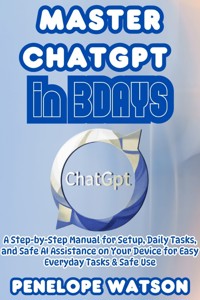
Master ChatGPT in 3DAYS
A Step-by-Step Manual for Setup, Daily Tasks, and Safe AI Assistance on Your Device for Easy Everyday Tasks & Safe Use
Penelope Watson
All rights reserved. No part of this publication may be reproduced, stored in a retrieval system, or transmitted in any form or by any means—electronic, mechanical, photocopying, recording, scanning, or otherwise—without prior written permission from the publisher.
Permission is granted for limited, non-commercial use of short excerpts or code samples for educational or review purposes, provided proper credit is given.
© 2026 Penelope Watson All rights reserved worldwide.
Disclaimer
This book is designed to offer general guidance on using ChatGPT for everyday tasks. It is not a substitute for professional advice of any kind. The information provided here is based on publicly available knowledge and is intended to support learning, communication, and personal organisation.
Readers should not rely on this book or on ChatGPT for medical decisions, legal judgments, financial planning, or emergency situations. Always seek help from qualified professionals when dealing with health matters, legal issues, money concerns, or any situation that may carry personal risk.
While every effort has been made to ensure clarity and accuracy, technology can change over time. Features, settings, and layouts may differ depending on your device, software version, or region. The author cannot accept responsibility for any loss, error, or inconvenience arising from the use of the information in this book.
Users are responsible for protecting their privacy, keeping their devices secure, and avoiding the sharing of sensitive personal information when using ChatGPT or any other online service.
This book is for educational purposes only. Use it as a supportive guide, and always act with caution, especially when unsure.
Table of Content
Chapter 1 — Welcome and How to Use This Guide 7
1.1 Purpose of the guide 7
1.2 Who this guide is for 7
1.3 What you will learn in three days 8
1.4 How to practise each lesson 8
1.5 Device and internet requirements 9
1.6 Accessibility tips for seniors 10
1.7 Simple terms you need to know before starting 11
Chapter 2 — Setting Up ChatGPT From Scratch 14
2.1 Opening the Official Website or App 14
2.2 Creating a New Account: Step-by-Step 15
2.3 Confirming Your Email 17
2.4 Understanding the Home Screen 18
2.5 Using ChatGPT Without an Account 20
2.6 Adjusting Text Size and Display Settings 21
2.7 Important First-Time Safety Settings 22
2.8 Understanding Free and Paid Options 24
Chapter 3 — Signing In and Navigating the Interface 27
3.1 How to Log In Properly 27
3.2 The Message Box: Where to Type 28
3.3 Sending Your First Message 30
3.4 Reading and Expanding Long Replies 31
3.5 Using Voice Input 33
3.6 Using the Sidebar and Switching Conversations 34
3.7 How to Clear or Rename a Chat 36
3.8 Logging Out Safely 37
Chapter 4 — Essential Safety and Privacy for New Users 39
4.1 What You Should Not Share 39
4.2 Understanding Data Controls 40
4.3 How to Disable Chat History 41
4.4 How to Export Your Data 41
4.5 How to Delete Your Account 42
4.6 Recognising Unsafe Advice 43
4.7 Spotting Scams and Fake Sites 44
4.8 Safe Behaviour Online for Seniors 45
Chapter 5 — Understanding Prompts and How ChatGPT Thinks 48
5.1 What a Prompt Is 48
5.2 Why Clear Instructions Matter 49
5.3 The Basic Prompt Structure 50
5.4 Adding Context to Improve Answers 51
5.5 Setting a Role for ChatGPT 52
5.6 Asking for a Specific Writing Style 53
5.7 Asking for Short or Long Answers 54
5.8 How to Correct ChatGPT Politely 55
5.9 When to Ask for an Example 56
Chapter 6 — Writing Your First Effective Prompts 59
6.1 Turning Simple Questions Into Strong Prompts 59
6.2 Prompts for Everyday Tasks 62
6.3 Prompts for Learning Something New 63
6.4 Prompts for Emails and Messages 65
6.5 Prompts for Lists and Checkpoints 66
6.6 Prompts for Planning and Scheduling 67
6.7 Prompts for Rewriting and Editing 68
6.8 How to Save Your Best Prompts 70
Chapter 7 — Mastering Follow-Up Questions 72
7.1 Why Follow-Ups Change the Answer 72
7.2 Asking for More Detail 73
7.3 Asking for Less Detail 74
7.4 Asking for a Clearer Explanation 75
7.5 Converting Text Into Plain English 75
7.6 Fixing Misunderstandings 76
7.7 Changing the Tone After the First Answer 77
7.8 Turning Long Replies Into Simple Steps 78
Chapter 8 — Everyday Use Cases for Seniors 80
8.1 Writing Personal Messages 80
8.2 Turning Notes Into Clear Text 81
8.3 Help With Doctor or Hospital Questions 82
8.4 Planning Family Events 83
8.5 Keeping Track of Shopping and Tasks 84
8.6 Writing Letters and Cards 85
8.7 Memory Support: Summaries and Reminders 86
8.8 Organising Your Week With ChatGPT 87
Chapter 9 — Using Voice Mode and Images 89
9.1 How Voice Mode Works 89
9.2 Setting Up Voice on iPhone 90
9.3 Setting Up Voice on Android 91
9.4 Best Way to Speak for Clear Results 92
9.5 Using Images for Help 93
9.6 Photographing Objects, Screens or Labels 93
9.7 What Not to Upload 94
9.8 Practical Voice and Image Examples 95
Chapter 10 — Accessibility and Ease of Use 98
10.1 Increasing Text Size 98
10.2 Switching to High Contrast 99
10.3 Using Screen Readers 100
10.4 Using Dictation on Phones 101
10.5 Dealing With Small Buttons 101
10.6 Reducing Typing Effort 102
10.7 Setting Up Shortcuts 103
10.8 Encouraging Confident Daily Practice 104
Chapter 11 — Saving, Printing and Organising Conversations 106
11.1 How to Copy Text 106
11.2 How to Paste into Notes 107
11.3 How to Save a Conversation 107
11.4 How to Print From a Computer 108
11.5 How to Print From a Phone 109
11.7 Backing Up to Email 110
11.8 Keeping a Simple Digital Folder System 111
Chapter 12 — Troubleshooting Common Problems 113
12.1 Slow Responses 113
12.2 Connection Problems 114
12.3 App Not Opening 115
12.4 Keyboard Not Appearing 115
12.5 Microphone Not Working 116
12.6 Not Receiving Email Codes 117
12.7 Resetting Your Password 118
12.8 When Replies Look Wrong or Confusing 118
Chapter 13 — Staying Safe and Confident Online 120
13.1 Avoiding Fraud 120
13.2 How to Check Reliable Information 121
13.3 Handling Sensitive Topics 121
13.4 Knowing When to Stop and Verify 122
13.5 Keeping Your Device Updated 123
13.6 Using Strong Passwords 123
13.7 Two-Step Verification 124
13.8 General Online Safety for Older Adults 125
Chapter 14 — Helpful ChatGPT Projects You Can Practise 127
14.1 Writing a Short Email 127
14.2 Making a Weekly Schedule 128
14.3 Creating a Shopping List 128
14.4 Creating a Meal Plan 129
14.5 Drafting a Birthday Message 130
14.6 Planning a Small Trip 130
14.7 Organising a Family Update Message 131
14.8 Turning a Long Paragraph Into a Summary 132
Chapter 15 — Advanced Features for Keen Learners 134
15.1 Using ChatGPT With Screenshots 134
15.2 Creating Quick Templates 135
15.3 Writing Step-by-Step Guides 136
15.4 Helping With Study or Research 136
15.5 Explaining Complicated Topics 137
15.6 Turning Voice Notes Into Text 137
15.7 Comparing Different Options 138
15.8 Creating Simple Scripts or Documents 139
Chapter 16 — Weekly Practice Plan After the Three Days 141
16.1 How to Continue Improving 141
16.2 Small Daily Exercises 141
16.3 When to Try Harder Tasks 142
16.4 Building a Folder of Useful Prompts 143
16.5 Using ChatGPT for Regular Routines 144
16.6 Tracking Your Progress 144
16.7 Asking Better Questions Over Time 145
16.8 Staying Confident With Technology 146
Chapter 17 — Final Words and Encouragement 147
17.1 A Recap of Key Lessons 147
17.2 What You Can Now Do With ChatGPT 147
17.3 How to Keep Learning at Your Pace 148
17.4 When to Seek Human Support 149
17.5 Staying Calm When You Forget Steps 149
17.6 Your Personal Achievement 150
17.7 Closing Motivation 150
17.8 What Comes Next 151
Chapter 1 — Welcome and How to Use This Guide
1.1 Purpose of the guide
This book exists to teach a simple, reliable way to use ChatGPT over three focused days. The purpose is not to overwhelm you with every technical detail; it is to show what matters most so you can be confident and independent after practising the short lessons. You will learn how to get started, how to ask clear questions, how to keep yourself safe, and how to use ChatGPT for everyday tasks such as writing a short message, making a shopping list, or turning a spoken thought into tidy text.
This chapter explains how to use the whole guide, what to prepare before you begin, and how to practise in a way that sticks. Treat the book like a friendly tutor you can follow at your own speed.
1.2 Who this guide is for
This manual is written for total beginners and for older adults who prefer calm, patient instructions. It is for people who may not use technology every day and would rather see short, plain steps than long technical explanations. If you fall into any of the following groups, this guide is for you:
If you are already comfortable with computers, you will still find practical examples and prompts you can copy. If you are completely new to the internet, the early sections provide simple instructions and links to support organisations that help older people learn digital skills. Age UK offers step-by-step learning programmes and advice specifically tailored to older learners.
1.3 What you will learn in three days
This guide follows a gentle, practical plan:
By the end of the three days you will be able to use ChatGPT for a wide range of everyday tasks, to tailor replies to your needs, and to keep your account and data under sensible control.
1.4 How to practise each lesson
This guide works best if you practise immediately after reading each short lesson. Here is a simple routine I recommend:
Read one short unit (about five minutes).
Try the exact step on your device as you follow. Use a quiet room so the voice features work better.
Repeat the step until it feels comfortable — one repetition is not enough.
If you are unsure, write a short note in a notebook: what did you type, what did ChatGPT reply, did you understand it?
Do a small “project” at the end of each day: a shopping list, a family message, or a short note you can print.
Small practice tasks are included at the end of every chapter. If you are using the book with a friend or family member, read the steps aloud and take turns practising. Age UK runs local programmes and helpful guides if you want an in-person class or one-to-one help.
1.5 Device and internet requirements
You will need:
Simple checklist before you begin a session:
1.6 Accessibility tips for seniors
Sensible adjustments make screens far easier to use. You do not need special equipment for most of these changes — they are built into your device.
These changes make a big difference for everyday comfort. Later chapters show exact menus and taps for each device.
1.7 Simple terms you need to know before starting
Here are a few short definitions to remove the mystery:




