


40,81 €
Mehr erfahren.
- Herausgeber: Packt Publishing
- Kategorie: Wissenschaft und neue Technologien
- Sprache: Englisch
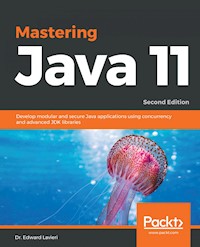
Update your Java knowledge with the latest features of Java 11, such as the low-Overhead Garbage Collector, Local-Variable Syntax for Lambda Parameters, and Dynamic Class-File Constants
Key Features
- Explore the latest features in Java 9,Java 10, and Java 11
- Enhance your Java application development and migration approaches
- Full coverage of modular Java applications, G1 Garbage Collector, JMH
Book Description
Java 11 is a long-term release and its new features add to the richness of the language. It emphasizes variable-type inference, performance improvements, along with simplified multithreading.
The Java platform has a special emphasis on modularity, making this the programming platform of choice for millions of developers. The modern Java platform can be used to build robust software applications, including enterprise-level and mobile applications. Fully updated for Java 11, this book stands to help any Java developer enjoy the richness of the Java programming language.
Mastering Java 11 is your one-stop guide to fully understanding recent Java platform updates. It contains detailed explanations of the recent features introduced in Java 9, Java 10, and Java 11 along with obtaining practical guidance on how to apply the new features. As you make your way through the chapters, you'll discover further information on the developments of the Java platform and learn about the changes introduced by the variable handles and Project Coin, along with several enhancements in relation to import statements processing. In the concluding chapters, you'll learn to improve your development productivity, making your applications more efficient. You'll also be able to get to grips with the command-line flags with respect to various utilities and the command-line utility changes featured in the current Java platform. By the end of the book, you'll have obtained an advanced level understanding of the Java platform and its recent changes.
What you will learn
- Write modular Java applications
- Migrate existing Java applications to modular ones
- Understand how the default G1 garbage collector works
- Leverage the possibilities provided by the newly introduced Java Shell
- Performance test your application effectively with the JVM harness
- Learn how Java supports the HTTP 2.0 standard
- Find out how to use the new Process API
- Explore the additional enhancements and features of Java 9, 10, and 11
Who this book is for
Mastering Java 11 is for experienced Java developers with a solid understanding of the Java language and want to progress to an advanced level.
Das E-Book können Sie in Legimi-Apps oder einer beliebigen App lesen, die das folgende Format unterstützen:
Seitenzahl: 427
Veröffentlichungsjahr: 2018
Ähnliche

















Mastering Java 11 Second Edition
Copyright © 2018 Packt Publishing
All rights reserved. No part of this book may be reproduced, stored in a retrieval system, or transmitted in any form or by any means, without the prior written permission of the publisher, except in the case of brief quotations embedded in critical articles or reviews.
Every effort has been made in the preparation of this book to ensure the accuracy of the information presented. However, the information contained in this book is sold without warranty, either express or implied. Neither the author, nor Packt Publishing or its dealers and distributors, will be held liable for any damages caused or alleged to have been caused directly or indirectly by this book.
Packt Publishing has endeavored to provide trademark information about all of the companies and products mentioned in this book by the appropriate use of capitals. However, Packt Publishing cannot guarantee the accuracy of this information.
Commissioning Editor: Aaron LazarAcquisition Editor: Denim PintoContent Development Editor: Akshada IyerTechnical Editor: Gaurav GalaCopy Editor: Safis EditingProject Coordinator: Prajakta NaikProofreader: Safis EditingIndexer: Rekha NairGraphics: Jisha ChirayilProduction Coordinator: Nilesh Mohite
First published: October 2017 Second edition: September 2018
Production reference: 1260918
Published by Packt Publishing Ltd. Livery Place 35 Livery Street Birmingham B3 2PB, UK.
ISBN 978-1-78913-761-3
www.packtpub.com
To IBB, my love, partner, and best friend.
Mapt is an online digital library that gives you full access to over 5,000 books and videos, as well as industry leading tools to help you plan your personal development and advance your career. For more information, please visit our website.
Why subscribe?
Spend less time learning and more time coding with practical eBooks and videos from over 4,000 industry professionals
Improve your learning with Skill Plans built especially for you
Get a free eBook or video every month
Mapt is fully searchable
Copy and paste, print, and bookmark content
Packt.com
Did you know that Packt offers eBook versions of every book published, with PDF and ePub files available? You can upgrade to the eBook version at www.packt.com and as a print book customer, you are entitled to a discount on the eBook copy. Get in touch with us at [email protected] for more details.
At www.packt.com, you can also read a collection of free technical articles, sign up for a range of free newsletters, and receive exclusive discounts and offers on Packt books and eBooks.
Contributors
About the author
Dr. Edward Lavieri is a veteran developer with a strong academic background. He has earned a doctorate in computer science from Colorado Technical University, an MS in management information systems (Bowie State University), an MS in education (Capella University), and an MS in operations management (University of Arkansas).
He has been creating and teaching computer science courses since 2002. Edward retired from the US Navy as a Command Master Chief after 25 years of active service. As the founder and creative director of three19, a software design and development studio. Edward is constantly designing and developing software. This is Edward's 10th book.
About the reviewer
Mandar Jog is an expert IT trainer with over 15 years of training experience. He is an expert with technologies such as Java, Spring, Hibernate, and Android. He also possesses SCJP and SCWCD certifications. He is an occasional blogger; he makes the readers to feel “I can” with complex concepts in Java and J2EE. He is a regular speaker at many engineering colleges in technical seminars and workshops. He worked as a technical reviewer on Modular Programming in Java 9 and Mastering Java 9 by Packt Publishing.
Packt is searching for authors like you
If you're interested in becoming an author for Packt, please visit authors.packtpub.com and apply today. We have worked with thousands of developers and tech professionals, just like you, to help them share their insight with the global tech community. You can make a general application, apply for a specific hot topic that we are recruiting an author for, or submit your own idea.
Table of Contents
Title Page
Copyright and Credits
Mastering Java 11 Second Edition
Dedication
Packt Upsell
Why subscribe?
Packt.com
Contributors
About the author
About the reviewer
Packt is searching for authors like you
Preface
Who this book is for
What this book covers
To get the most out of this book
Download the example code files
Download the color images
Conventions used
Get in touch
Reviews
The Java 11 Landscape
Technical requirements
Understanding the Java platform's new versioning model
Feature-driven releases
Time-based releases
Understanding the significance of Java 9
Breaking the monolith
Using the Java Shell
Taking control of external processes
Boosting performance with G1
Measuring performance with JMH
Getting ready for HTTP 2.0
Encompassing reactive programming
Benefiting from changes introduced with Java 10
Local variable type inference
Consolidation of the JDK forest into a single repository
Garbage collection interface
Parallel full garbage collector for G1
Application class-data sharing
Thread-local handshakes
Removal of the native-header generation tool (javah)
Additional Unicode language-tag extensions
Heap allocation on alternative memory devices
Experimental Java-based JIT compiler
Root certificates
Benefiting from changes introduced with Java 11
Dynamic class-file constants
Epsilon – an arbitrarily low-overhead garbage collector
Removal of the Java EE and CORBA modules
Local variable syntax for Lambda parameters
Summary
Questions
Further reading
Discovering Java 11
Technical requirements
Improved contended locking
Improvement goals
Segmented code cache
Memory allocation
Smart Java compilation
Resolving lint and doclint warnings 
Tiered attribution for Javac 
Annotations pipeline 2.0 
New version-string scheme 
Generating runtime compiler tests automatically 
Testing class-file attributes generated by Javac 
Storing interned strings in class-data sharing archives 
The problem
The Java 9 solution
The Java 10 improvement
Class determination
AppCDS archive creation
Using the AppCDS archive
Preparing JavaFX UI controls and Cascading Style Sheet APIs for modularization
JavaFX overview
Implications for Java 9, 10, and 11
Compact strings 
Merging selected Xerces 2.11.0 updates into JAXP 
Updating JavaFX/Media to the newer version of GStreamer 
HarfBuzz font-layout engine
HiDPI graphics on Windows and Linux
Marlin graphics renderer 
Unicode 8.0.0
New in Unicode 8.0.0
Updated classes in Java 9
Reserved stack areas for critical sections 
The pre-Java 9 situation
New in Java 9
Dynamic linking of language-defined object models 
Proof of concept
Additional tests for humongous objects in G1 
Improving test-failure troubleshooting 
Environmental information
Java process information
Optimizing string concatenation 
HotSpot C++ unit-test framework 
Enabling GTK3 on Linux 
New HotSpot build system 
Consolidating the JDF forest into a single repository 
Summary
Questions
Further reading
Java 11 Fundamentals
Technical requirements
Working with variable handlers
Working with the AtoMiC ToolKit
Using the sun.misc.Unsafe class
Import statement depreciation warnings
Milling Project Coin
Using the @SafeVarargs annotation
The try-with-resource statement
Using the diamond operator
Discontinuing use of the underscore
Making use of private interface methods
Import statement processing
Inferring local variables 
Inferring declarations with the var identifier
Local variable syntax for Lambda parameters
Thread-local handshakes
Heap allocation on alternative memory devices
Root certificates
Dynamic class-file constants
Removal of the Java EE and CORBA modules
Summary
Questions
Further reading
Building Modular Applications with Java 11
Technical requirements
A modular primer
The modular JDK
Modular source code
JDK source code organization before modularization
Development tools
Deployment
Internationalization
Monitoring
RMI
Security
Troubleshooting
Web services
JavaFX tools
Java runtime environment
Source code
Libraries
C header files
Database
JDK source code reorganization
Modular runtime images
Adopting a runtime format 
Runtime image restructure
Supporting common operations
Deprivileging JDK classes
Preserving existing behaviors
Module system
Module paths
Access-control boundary violations
Runtime
Modular Java application packaging
An advanced look at the Java Linker
Java Packager options
The Java Linker
Encapsulating most internal APIs
Summary
Questions
Further reading
Migrating Applications to Java 11
Technical requirements
A quick review of Project Jigsaw
Classpath
The monolithic nature of the JDK
How modules fit into the Java landscape
Base module
Reliable configuration
Strong encapsulation
Migration planning
Testing a simple Java application
Potential migration issues
The JRE
Accessing internal APIs
Accessing internal JARs
JAR URL depreciation
Extension mechanism
The JDK's modularization
Advice from Oracle
Preparatory steps
Getting the JDK early access build
Running your program before recompiling
Updating third-party libraries and tools
Compiling your application
Pre-Java 9 -source and -target options
Java 10 and 11 -source and -target options
Running jdeps on your code
Breaking encapsulation
The --add-opens option
The --add-exports option
The --permit-illegal-access option
Runtime image changes
Java version schema
JDK and JRE's layout
What has been removed?
Updated garbage collection
Deploying your applications
Selecting your JRE version 
Serialized applets
JNLP update
Nested resources
FX XML extension
JNLP file syntax
Numeric version comparison
Useful tools
Java Environment -jEnv
Maven
Obtaining the M2Eclipse IDE
Summary
Questions
Further reading
Experimenting with the Java Shell
Technical requirements
Understanding JShell
Getting started with JShell
Practical uses of JShell
Feedback modes
Creating a custom feedback mode
Listing your assets
Editing in JShell
Modifying text
Basic navigation
Historical navigation
Advanced editing commands
Working with scripts
Startup scripts
Loading scripts
Saving scripts
Advanced scripting with JShell
Summary
Questions
Further reading
Leveraging the Default G1 Garbage Collector
Technical requirements
Overview of garbage collection
Object life cycle
Object creation
Object mid-life
Object destruction
Garbage collection algorithms
Mark and sweep
Concurrent Mark Sweep (CMS) garbage collection
Serial garbage collection
Parallel garbage collection
G1 garbage collection
Garbage collection options
Java methods relevant to garbage collection
The System.gc() method
The finalize() method
The pre-Java 9 garbage collection schema
Visualizing garbage collection
Garbage collection upgrades in Java 8
Case study – games written with Java
Collecting garbage with the new Java platform
Default garbage collection 
Depreciated garbage collection combinations
Unified garbage collection logging
Unified JVM logging
Tags
Levels
Decorations
Output
Command-line options
Unified GC logging
Garbage collection logging options
The gc tag
Macros
Additional considerations
Garbage collection interface
Parallel full garbage collection for G1
Epsilon – an arbitrarily low-overhead GC
Persistent issues
Making objects eligible for garbage collection
Summary
Questions
Further reading
Microbenchmarking Applications with JMH
Technical requirements
Microbenchmarking overview
Approach to using JMH
Installing Java and Eclipse 
Hands-on experiment
Microbenchmarking with Maven
Benchmarking options
Modes
Time units
Techniques for avoiding microbenchmarking pitfalls
Power management
OS schedulers
Timesharing
Eliminating dead-code and constant folding
Run-to-run variance
Cache capacity
Summary
Questions
Further reading
Making Use of the Process API
Technical requirements
Introducing processes
Working with the ProcessHandle interface
Getting the PID of the current process
Getting information about processes
Listing processes
Listing children
Listing descendants
Listing all processes
Waiting for processes
Terminating processes
Reviewing a sample process controller app
Main class
Parameters class
ParamsAndHandle
ControlDaemon
Summary
Questions
Further reading
Fine-Grained Stack Tracing
Technical requirements
Overview of the Java Stack
The importance of stack information
Example – restricting callers
Example – getting loggers for callers
Working with StackWalker
Getting an instance of StackWalker
Enum options
RETAIN_CLASS_REFERNCE
SHOW_REFLECT_FRAMES
SHOW_HIDDEN_FRAMES
Final thoughts on enum constants
Accessing classes
Walking methods
StackFrame
Performance
Summary
Questions
New Tools and Tool Enhancements
Technical requirements
Working with the HTTP client
The pre-Java 9 HTTP client
The Java 11 HTTP client
Limitations of the HTTP client API
Understanding Javadoc and the Doclet API
The pre-Java 9 Doclet API
API enums
API classes
API interfaces
Problems with the pre-existing Doclet API
Java 9's Doclet API
Compiler tree API
Language model API
The AnnotatedConstruct interface
The SourceVersion enum
The UnknownEntityException exception
Using the HTML5 Javadoc
Javadoc search
Introducing Camel Case search
Changes to the Multiple JRE feature
JavaScript Parser
Nashorn
Using Nashorn as a command-line tool
Using Nashorn as an embedded interpreter
ECMAScript
Parser API
Multiple-release JAR files
Identifying multi-release JAR files
Related JDK changes
Java-level JVM Compiler Interface
BeanInfo annotations 
JavaBean
BeanProperty
SwingContainer
BeanInfo classes
TIFF support
Platform logging
The java.util.logging package
Logging in the modern Java platform
XML Catalogs
The OASIS XML Catalog standard
JAXP processors
Earlier XML Catalogs
Current XML Catalogs
Collections
Using collections prior to the modern Java platform
Using new collection literals
Platform-specific desktop features
Enhanced method handling
The reason for the enhancement
Lookup functions
Argument handling
Additional combinations
Enhanced depreciation
What the @Deprecated annotation really means
The native header generation tool (javah)
Summary
Questions
Further reading
Concurrency Enhancements
Technical requirements
Reactive programming
Reactive programming standardization
The Flow API
The Flow.Publisher interface
The Flow.Subscriber interface
The Flow.Subscription interface
The Flow.Processor interface
Sample implementation
Additional concurrency updates
Java concurrency
Concurrency explained
System configurations
Java threads
Concurrency improvements
CompletableFuture API enhancements
Class details
Enhancements
Spin-wait hints
Summary
Questions
Further reading
Security Enhancements
Technical requirements
Datagram Transport Layer Security
DTLS protocol version 1.0
DTLS protocol version 1.2
DTLS support in Java
Creating PKCS12 keystores
Keystore primer
Java Keystore (JKS)
Understanding the KeyStore.Builder
The CallbackHandlerProtection class
The PasswordProtection class
The PrivateKeyEntry class
The SecretKeyEntry class
The TrustedCertificateEntry class
PKCS12 default in Java 9, 10, and 11
Improving security application performance
Security policy enforcement
Permission evaluation
The java.Security.CodeSource package
Package checking algorithm
The TLS application-layer protocol negotiation extension
TLS ALPN extension
The javax.net.ssl package
The java.net.ssl package extension
Leveraging CPU instructions for GHASH and RSA
Hashing
OCSP stapling for TLS
OCSP stapling primer
Recent changes to the Java platform
DRBG-based SecureRandom implementations
Summary
Questions
Further reading
Command-Line Flags
Technical requirements
Unified JVM logging
Command-line options
Decorations
Levels
Working with Xlog output
Tags
Compiler control
Compilation modes
The C1 compilation mode
The C2 compilation mode
Tiered compilation
Compiler control in Java 11
Diagnostic commands
The heap profiling agent
Removing your JHAT
Command-line flag argument validation
Compiling for older platform versions
The experimental Java-based JIT compiler
Summary
Questions
Further reading
Additional Enhancements to the Java Platform
Technical requirements
Support for UTF-8
The ResourceBundle class
The nested class
Fields and constructors
Methods
Changes in the modern Java platform
Unicode support
The java.lang package
The java.text package
Additional significance
Linux/AArch64 port
Multiresolution images
Common Locale Data Repository
Summary
Questions
Future Directions
Technical requirements
An overview of the JDK Enhancement Proposal
JEP Candidates
JEP 326: Raw String Literals
JEP 334: JVM Constants API
JEP 337: RDMA Network Sockets
JEP 338: Vector API
JEP 339: Edwards-Curve Digital Signature Algorithm
JEP Submitted
JEP Drafted
Ongoing special projects
Annotations Pipeline 2.0
Audio Synthesis Engine
Caciocavallo
Common VM Interface
Compiler Grammar
Device I/O
Graal
HarfBuzz integration
Kona
OpenJFX
Panama
Shenandoah
Summary
Questions
Contributing to the Java Platform
Technical requirements
The Java Community
Participating in a Java User Group
Java Community Process
Oracle Technology Network
Writing technical articles 
Summary
Questions
Assessment
Chapter 1
Chapter 2
Chapter 3
Chapter 4
Chapter 5
Chapter 6
Chapter 7
Chapter 8
Chapter 9
Chapter 10
Chapter 11
Chapter 12
Chapter 13
Chapter 14
Chapter 15
Chapter 16
Chapter 17
Other Books You May Enjoy
Leave a review - let other readers know what you think
Preface
Java 11 and its new features add to the richness of the language—one of the most commonly-used programming languages for building robust software applications. Java 11 expands the capabilities of the Java platform. This book is your one-stop guide to mastering the changes made to the Java platform since Java 9.
This book gives an overview and explanation of the new features introduced in Java 11 and their importance. You will be provided with practical guidance in applying your newly acquired knowledge of Java 11 as well as information on future developments to the the Java platform. This book aims to improve your productivity by making your applications faster. By learning the best practices in Java, you will become the go-to person in your organization for Java.
By the end of this book, you will not only learn the important concepts of Java 11 but you will also gain a nuanced understanding of the important aspects of programming with this great language.
Who this book is for
This book is for enterprise developers and existing Java developers. Basic knowledge of Java is necessary.
What this book covers
Chapter 1, The Java 11 Landscape, explores the newly implemented time-based versioning system for the Java platform. We survey the current Java landscape with a specific focus on changes introduced with Java 9, 10 (18.3), and 11 (18.9). Our exploration includes an overview of Java 9's modularity, Java Shell, external process control, garbage collection, JHM, and more. For Java 10, we will highlight key changes to include local variable type inference, JDK consolidation, garbage collection, application class-data sharing, and root certificates, to name a few. Finally, we will explore changes introduced in Java 11, including dynamic class-file constants, garbage collection, and local variable type inference for lambdas.
Chapter 2, Discovering Java 11, looks at several internal changes introduced in the Java platform, including changes from Java 9, 10, and 11. Java 9 represented a major release to the Java platform; Java 10 and 11 were timed releases. Collectively, these releases consisted of a large number of internal changes, representing a tremendous set of new possibilities for Java developers, some stemming from developer requests, others from Oracle-inspired enhancements.
Chapter 3, Java 11 Fundamentals, covers changes to the Java platform that impact variable handlers, import statements, improvements to Project Coin, local variable type inference, root certificates, dynamic class-file constants, and more. These represent changes to the Java language itself.
Chapter 4, Building Modular Applications with Java 11, examines the structure of a Java module as specified by Project Jigsaw. We take a deep dive into how Project Jigsaw is implemented as part of the Java platform. We also review key internal changes to the Java platform as they relate to the modular system.
Chapter 5, Migrating Applications to Java 11, explores how to migrate our existing applications to the current Java platform. We look at both manual and semi-automated migration processes. This chapter aims to provide you with insights and processes to get your non-modular Java code working with the current Java platform.
Chapter 6, Experimenting with the Java Shell, takes a look at the new command line, the Read-Eval-Print-Loop (also referred to as REPL) tool in Java, and the Java Shell (JShell). We start with introductory information regarding the tool, the REPL concept, and move into the commands and command-line options for use with JShell. We take a practitioner's approach to our review of JShell and include examples you can try on your own.
Chapter 7, Leveraging the Default G1 Garbage Collector, takes an in-depth look at garbage collection and how it is handled in Java. We start with an overview of garbage collection and then look at specifics in the pre-Java 9 realm. Armed with that foundational information, we look at specific garbage collection changes in the Java 9 platform. Lastly, we look at some garbage collection issues that persist, even after Java 11.
Chapter 8, Microbenchmarking Applications with JMH, looks at how to write performance tests using the Java Microbenchmark Harness (JMH), a Java harness library for writing benchmarks for the Java Virtual Machine (JVM). We use Maven along with JMH to help illustrate the power of microbenchmarking with the new Java platform.
Chapter 9, Making Use of the Process API, focuses on the updates to theProcessclass and thejava.lang.ProcessHandleAPI. In earlier versions of Java, prior to Java 9, managing processes in Java was difficult. The API was insufficient with some features lacking and some tasks needed to be solved in a system-specific manner. For example, in Java 8, giving a process access to its own process identifier (PID) was an unnecessarily difficult task.
Chapter 10, Fine-Grained Stack Tracing, focuses on Java's StackWalker API. The API supports special functionality that is rarely needed by ordinary programs. The API can be useful for some very special cases, such as with functionality that is delivered by a framework. So, if you want an efficient means of stack walking that gives you filterable access to stack trace information, you will enjoy using the StackWalker API. The API provides fast and optimized access to the call stack, implementing lazy access to the individual frames.
Chapter 11, New Tools and Tool Enhancements, covers over a dozen tools and tool enhancements relevant to the modern Java platform. The featured changes will cover a wide range of tools and updates to APIs that are aimed at making developing with Java easier and enhance the ability to create optimized Java applications.
Chapter 12, Concurrency Enhancements, covers concurrency enhancements to the Java platform. Our primary focus is the support for reactive programming, a concurrency enhancement that is provided by the Flow class API. Reactive programming was first released in Java 9 and remains an important feature of Java 10 and 11. We also explore additional concurrency enhancements.
Chapter 13, Security Enhancements, looks at several recent changes made to the JDK that involve security. The size of these changes does not reflect their significance. The security enhancements to the modern Java platform provide developers with a greater ability to write and maintain applications that are more secure than previously possible.
Chapter 14, Command-Line Flags, explores several changes to the modern Java platform with the common theme of command-line flags. These include the following concepts: unified JVM logging, compiler control, diagnostic commands, the heap profiling agent, removing your JHAT, command-line flag argument validation, compiling for older platform versions, and the experimental Java-based JIT compiler.
Chapter 15, Additional Enhancements to the Java Platform, focuses on best practices with additional utilities provided with the Java platform. Specifically, this chapter covers support for UTF-8, Unicode support, Linux/AArch64 port, multi-resolution images, and theCommon Locale Data Repository.
Chapter 16, Future Directions, provides an overview of the future development of the Java platform beyond Java 11. We look at what is planned for Java 19.3 and 19.9 and what further changes we are likely to see in the future. We start with a brief overview of the JDK Enhancement Program (JEP).
Chapter 17, Contributing to the Java Platform, discusses the Java community and ways developers can contribute to the Java platform. Specifically, the chapter covers the following Java community-related topics, such as the Java community, participating in a Java user group, the Java community process, Oracle Technology Network (OTN), and writing technical articles.
To get the most out of this book
You are encouraged to download the Java 11 JDK in order to follow the examples provided in this book.
Download the example code files
You can download the example code files for this book from your account at www.packt.com. If you purchased this book elsewhere, you can visit www.packt.com/support and register to have the files emailed directly to you.
You can download the code files by following these steps:
Log in or register at
www.packt.com
.
Select the
SUPPORT
tab.
Click on
Code Downloads & Errata
.
Enter the name of the book in the
Search
box and follow the onscreen instructions.
Once the file is downloaded, please make sure that you unzip or extract the folder using the latest version of:
WinRAR/7-Zip for Windows
Zipeg/iZip/UnRarX for Mac
7-Zip/PeaZip for Linux
The code bundle for the book is also hosted on GitHub at https://github.com/PacktPublishing/Mastering-Java-11-Second-Edition. In case there's an update to the code, it will be updated on the existing GitHub repository.
We also have other code bundles from our rich catalog of books and videos available at https://github.com/PacktPublishing/. Check them out!
Download the color images
We also provide a PDF file that has color images of the screenshots/diagrams used in this book. You can download it here: https://www.packtpub.com/sites/default/files/downloads/9781789137613_ColorImages.pdf.
Get in touch
Feedback from our readers is always welcome.
General feedback: If you have questions about any aspect of this book, mention the book title in the subject of your message and email us at [email protected].
Errata: Although we have taken every care to ensure the accuracy of our content, mistakes do happen. If you have found a mistake in this book, we would be grateful if you would report this to us. Please visit www.packt.com/submit-errata, selecting your book, clicking on the Errata Submission Form link, and entering the details.
Piracy: If you come across any illegal copies of our works in any form on the Internet, we would be grateful if you would provide us with the location address or website name. Please contact us at [email protected] with a link to the material.
If you are interested in becoming an author: If there is a topic that you have expertise in and you are interested in either writing or contributing to a book, please visit authors.packtpub.com.
Reviews
Please leave a review. Once you have read and used this book, why not leave a review on the site that you purchased it from? Potential readers can then see and use your unbiased opinion to make purchase decisions, we at Packt can understand what you think about our products, and our authors can see your feedback on their book. Thank you!
For more information about Packt, please visit packt.com.
The Java 11 Landscape
In this chapter,we will explore the newly implemented, time-based versioning system for the Java platform. We will survey the current Java landscape with a specific focus on changes introduced with Java 9, 10 (18.3), and 11 (18.9). Our exploration will include an overview of Java 9's modularity, Java Shell, external process control, garbage collection, Java Microbenchmark Harness (JMH), and more. For Java 10, we will highlight key changes to include local variable type inference, Java Development Kit (JDK) consolidation, garbage collection, application class-data sharing (CDS), root certificates, and more. Finally, we will explore changes introduced in Java 11, including dynamic class-file constants, garbage collection, local variable type inference for Lambdas, and more.
Things we will learn by the end of this chapter include:
Understanding the Java platform's new versioning model
Understanding the significance of Java 9
Benefiting from changes introduced with Java 10
Benefiting from changes introduced with
Java 11
Technical requirements
This chapter and subsequent chapters feature Java 11. The Standard Edition (SE) of the Java platform can be downloaded from Oracle's official download site (http://www.oracle.com/technetwork/java/javase/downloads/index.html).
An integrated development environment (IDE) software package is sufficient. IntelliJ IDEA, from JetBrains, was used for all coding associated with this chapter and subsequent chapters. The Community version of IntelliJ IDEA can be downloaded from the site (https://www.jetbrains.com/idea/features/).
Understanding the Java platform's new versioning model
The first version of Java was released as Java 1 in 1996. Since then, there have been several incremental releases, each of which followed a feature-driven release model. Starting with Java 10, Oracle has implemented a new, time-based release model. In this section, we will look at the original model to provide a foundation to show how the Java platform evolved, and look at the new versioning model and why it matters.
Feature-driven releases
Following the 1996 launch of Java 1, subsequent releases had the nomenclature of 1.1, 1.2, 1.3, and 1.4. With the release of 1.5, the Java platform was referred to as Java 5. Frequent updates were released for Java 5 until Java 6 was released followed by Java 7, Java 8, and Java 9.
The following table provides a condensed view of the Java release history until Java 9:
Release Name
Version
Year Released
Code Name
Java 1
1.0
1996
Oak
Java 1.1
1.1
1997
(Abigail, Brutus, Chelsea)
Java 2
1.2
1998
Playground
Java 3
1.3
2000
Kestrel
Java 4
1.4
2002
Merlin
Java 5
1.5
2004
Tiger
Java 6
1.6
2006
Mustang
Java 7
1.7
2011
Dolphin
Java 8
1.8
2014
Spider
Java 9
9
2017
*Code names no longer used
The release of Java 9 was a significant change to the Java platform and how each of the versions was numbered. With the post-Java 9 releases, Oracle decided to abandon their feature-based model, opting for a time-released model instead.
Time-based releases
Java 9 was released in 2017 and two releases were scheduled for 2018. Those releases were Java 10 and Java 11. The version numbers for these post-Java 9 releases followed the YY.M format. So, with Java 10 released in March 2018, the version number was 18.3. Java 11, released in September 2018, has a version number of 18.9.
The general premise behind the new time-based release model is to have releases scheduled predictably and frequently. Here are the details:
Feature releases
: Issued every six months (each March and September)
Update releases
: Issued every quarter
Long-term support release
: Issued every three years
There are great gains to be had, from a developer's perspective, with this model. Developers no longer need to wait long for releases to the Java platform. More significant is the fact that no release will represent a major change to the platform of the kind that Java 9 was.
Understanding the significance of Java 9
Unarguably, the modularization of the Java platform, developed as part of Project Jigsaw, was the greatest change introduced to the Java platform with Java 9. Initially planned for Java 8, but postponed, Project Jigsaw was one of the main reasons why the final release of Java 9 was itself postponed. Jigsaw also introduced a few notable changes to the Java platform and was one of the reasons Java 9 was considered a major release. We will explore these features in detail in subsequent chapters.
Apart from the Jigsaw-related Java enhancement proposals, there is a long list of other enhancements that made it in Java 9. This section explores the most significant features introduced in Java 9, specifically:
Breaking the monolith
Using the Java Shell
Taking control of external processes
Boosting performance with G1
Measuring performance with
Java Microbenchmark Harness
(
JMH
)
Getting ready for HTTP 2.0
Encompassing reactive programming
Breaking the monolith
Over the years, the utilities of the Java platform have continued to evolve and increase, making it into one big monolith. In order to make the platform more suitable for embedded and mobile devices, the publication of stripped-down editions, such as Java Connected Device Configuration (CDC) and Java Micro Edition (ME), was necessary. These, however, did not prove to be flexible enough for modern applications with varying requirements in terms of the functionality provided by the JDK. In that regard, the need for a modular system came in as a vital requirement, not only to address the modularization of the Java utilities (overall, there are more than 5,000 Java classes and 1,500 C++ source files with more than 250,000 lines of code for the HotSpot runtime), but also to provide a mechanism for developers to create and manage modular applications using the same module system as that used in the JDK. Java 8 provided an intermediate mechanism to enable applications to use only a subset of the APIs provided by the entire JDK, and that mechanism was named compact profiles. In fact, compact profiles also provided the basis for further work that had to be done in order to break dependencies between the various distinct components of the JDK. This breaking of dependencies was required to enable the implementation of a module system in Java.
The module system itself was developed under the name of Project Jigsaw, on the basis of which several Java enhancement proposals and a target Java Specification Request (JSR 376) were formed. A complete restructuring of the JDK code base was made, along with a complete reorganization of the JDK distributable images.
There was considerable controversy in the community as to whether an existing and mature Java module system, such as OSGi, should be adopted as part of the JDK, instead of providing a completely new module system. However, OSGi targets runtime behavior, such as the resolution of module dependencies, installation, uninstallation, starting and stopping of modules (also named bundles in terms of OSGi), custom module classloaders, and so on.
Project Jigsaw, however, targets a compile-time module system where the resolution of dependencies happens when the application is compiled. Moreover, installing and uninstalling a module as part of the JDK eliminates the need to include it explicitly as a dependency during compilation. Furthermore, the loading of module classes is made possible through the existing hierarchy of classloaders (the bootstrap, and the extension and system classloaders).
Additional benefits from the Java module system include enhanced security and performance. By modularizing the JDK and applications into Jigsaw modules, developers are able to create well-defined boundaries between components and their corresponding domains. This separation of concerns aligns with the security architecture of the platform and is an enabler of better resource utilization.
Using the Java Shell
For a long time, there has been no standard shell shipped with the Java programming language to experiment with new language features or libraries, or for rapid prototyping. If you wanted to do this, you could write a test application with a main() method, compile it with javac, and run it. This could be done either in the command line or using a Java IDE; however, in both cases, this is not as convenient as having an interactive shell for the purpose.
Starting an interactive shell in JDK 9 is as simple as running the following command (assuming the bin directory of your JDK 9 installation is in the current path):
jshell
You may find it somewhat puzzling that an interactive shell has not been introduced earlier in the Java platform, as many programming languages, such as Python, Ruby, and a number of others, already come with an interactive shell in their earliest versions. However, this didn't make it on the priority features list until Java 9. The Java Shell makes use of a JShell API that provides capabilities to enable autocompletion or evaluation of expressions and code snippets, among other features. Chapter 6, Experimenting with the Java Shell, is dedicated to discussing the details of the Java Shell so that developers can make the best use of it.
Taking control of external processes
Up to JDK 9, if you wanted to create a Java process and handle process input/output, you had to use one of the following approaches:
The
Runtime.getRuntime.exec()
method, which allows us to execute a command in a separate OS process. Using this approach would require you to get a
java.lang.Process
instance over which to provide certain operations in order to manage the external process.
The new
java.lang.ProcessBuilder
class, which has some more enhancements with regard to interacting with the external process. You would also need to create a
java.lang.Process
instance to represent the external process.
Both approaches were inflexible and also nonportable, as the set of commands executed by the external processes were highly dependent on the operating system. An additional effort had to be exerted in order to make the particular process operations portable across multiple operating systems. Chapter 9, Making Use of the Process API, is dedicated to the new process API, providing developers with the knowledge to create and manage external processes in a much easier way.
Boosting performance with G1
The G1 garbage collector was already introduced in JDK 7 and is now enabled by default in JDK 9. It is targeted for systems with multiple processing cores and a lot of available memory. What are the benefits of the G1 compared to previous types of garbage collectors? How does it achieve these improvements? Is there a need to tune it manually, and in what scenarios? These and several more questions regarding G1 will be discussed in Chapter 7, Leveraging the Default G1 Garbage Collector.
Measuring performance with JMH
On many occasions, Java applications may suffer from performance degradation. Exacerbating the issue is a lack of performance tests that can provide at least a minimal set of guarantees that performance requirements are met and, moreover, the performance of certain features will not degrade over time. Measuring the performance of Java applications is not trivial, especially due to the fact that there are a number of compiler and runtime optimizations that may affect performance statistics. For that reason, additional measures, such as warm-up phases and other tricks, must be used in order to provide more accurate performance measurements. The JMH is a framework that incorporates a number of techniques, along with a convenient API that can be used for this purpose. It is not a new tool but was included with the distribution of Java 9. If you have not added JMH to your toolbox yet, read Chapter 8, Microbenchmarking Applications with JMH, to learn about the use of JMH in the context of Java application development.
Getting ready for HTTP 2.0
HTTP 2.0 is the successor to the HTTP 1.1 protocol, and this new version of the protocol addresses some limitations and drawbacks of the previous one. HTTP 2.0 improves performance in several ways and provides capabilities such as request/response multiplexing in a single TCP connection, sending of responses in a server push, flow control, and request prioritization, among others. Java provides the java.net.HttpURLConnection utility that can be used to establish a nonsecure HTTP 1.1 connection. However, the API was considered difficult to maintain, an issue which was further complicated by the need to support HTTP 2.0 and, so, an entirely new client API was introduced in order to establish a connection via the HTTP 2.0 or the web socket protocols. The HTTP 2.0 client, along with the capabilities it provides, will be covered in Chapter 11, New Tools and Tool Enhancements.
Encompassing reactive programming
Reactive programming is a paradigm used to describe a certain pattern for the propagation of changes in a system. Reactiveness is not built in Java itself, but reactive data flows can be established using third-party libraries, such as RxJava or Project Reactor (part of the Spring Framework). JDK 9 also addressed the need for an API that aids the development of highly responsive applications built around the idea of reactive streams by providing the java.util.concurrent.Flow class for the purpose. The Flow class, along with other related changes introduced in JDK 9, will be covered in Chapter 12, Concurrency Enhancements.
Benefiting from changes introduced with Java 10
Java 10 was released in March 2018 and had the 11 features listed here, in addition to the previously covered time-based versioning:
Local variable type inference
Consolidation of the JDK forest into a single repository
Garbage collection interface
Parallel full garbage collector for G1
Application class-data sharing
Thread-local handshakes
Removal of the native-header generation tool (javah)
Additional Unicode language-tag extensions
Heap allocation on alternative memory devices
Experimental Java-based JIT compiler
Root certificates
A brief overview of these features is covered in this chapter, with more detailed coverage in subsequent chapters.
Consolidation of the JDK forest into a single repository
Prior to Java 10, there were eight repositories for the JDK (CORBA, HotSpot, JDK, JAXP, JAX-WS, langtools, Nashorn, and ROOT). With Java 10, these repositories have been consolidated into a single code base. Notably, Java FX was not part of this consolidation. This topic will be explained further in Chapter 2, Discovering Java 11.
Garbage collection interface
Java 10 ushered in enhancements to the garbage collection process. A new garbage collector interface results in improvements that will be detailed in Chapter 7, Leveraging the Default G1 Garbage Collector.
Parallel full garbage collector for G1
In Java 10, the G1 full garbage collector was made parallel. Starting with Java 9, G1 was made the default garbage collector, so this change was of special significance. This change will be detailed in Chapter 7, Leveraging the Default G1 Garbage Collector.
Application class-data sharing
Class-data sharing (CDS) has been extended to support faster application startup and smaller footprints. Using CDS, developers can have specific class files pre-parsed and stored in a shareable archive. We will explore this change to the Java platform in Chapter 2,Discovering Java 11.
Thread-local handshakes
With Java 10 and beyond, it is possible to stop individual threads without having to perform a global virtual machine safepoint. We will fully explore this change in Chapter 3,Java 11 Fundamentals.
Removal of the native-header generation tool (javah)
A concerted effort was undertaken to remove the javah tool from the JDK. This change was warranted because of the functionality available in javac. We will detail this change in Chapter 11,New Tools and Tool Enhancements.
Additional Unicode language-tag extensions
The Java platform has supported language tags since Java 7. In Java 10, changes were made to java.util.Local and related APIs to incorporate additional Unicode language tags. Details will be covered in Chapter 2,Discovering Java 11.
Heap allocation on alternative memory devices
The HotSpot virtual machine, as of Java 10, supports non-DRAM memory devices. This will be explained in Chapter 3,Java 11 Fundamentals.
Experimental Java-based JIT compiler
Java 9 introduced us to a Java-based just-in-time (JIT) compiler. This JIT compiler has been enabled for Linux/x64 platforms. This experimental compiler will be further explored in Chapter 14,Command-Line Flags.
Root certificates
Starting with the release of Java 10, there has been a default set of Certification Authority (CA) certificates as part of the JDK. This change and its benefits will be covered in Chapter 3, Java 11 Fundamentals.
Benefiting from changes introduced with Java 11
Java 11, was released in September 2018 and had four features, as listed here:
Dynamic class-file constants
Epsilon—an arbitrarily low-overhead garbage collector
Removal of the Java EE and CORBA modules
Local variable syntax for Lambda parameters
A brief overview of these features is covered in this chapter, with more detailed coverage in subsequent chapters.
Dynamic class-file constants
In Java 11, the file format for Java class files was extended to support CONSTANT_Dynamic, which delegates creation to a bootstrap method. This change will be fully explored in Chapter 3,Java 11 Fundamentals.
Epsilon – an arbitrarily low-overhead garbage collector
Garbage collection enhancements are seemingly part of every Java platform release. Java 11, includes a passive garbage collector that does not reclaim memory. We will explore this in Chapter 7,Leveraging the Default G1 Garbage Collector.
Removal of the Java EE and CORBA modules
The Java Enterprise Edition (JavaEE) and Common Object Request Broker Architecture (CORBA) modules were depreciated in Java 9 and have been removed from the Java platform as of Java 11. Details are provided in Chapter 3,Java 11 Fundamentals.
Local variable syntax for Lambda parameters
As discussed earlier in this chapter, the var identifier was introduced in Java 10. With the latest version, Java 11, var can be used in implicitly typed Lambda expressions. This use of the var identifier is covered in Chapter 3,Java 11 Fundamentals.
Summary
In this chapter, we explored the newly implemented, time-based versioning system for the Java platform. We also learned, at a high level, the changes introduced in Java 9, 10, and 11 (referred to as versions 9, 18.3, and 18.9 respectively). Java 9's most significant change was modularity based on Project Jigsaw and included additional changes focusing on the Java shell, controlling external process, garbage collection, JHM, and more. Key features of Java 10 were covered, including local variable type inference, JDK consolidation, garbage collection, application CDS, root certificates, and more. Changes introduced in Java 11 included dynamic class-file constants, garbage collection, local variable type inference for Lambdas, and more.
In the next chapter, we will look at several internal changes introduced in the Java platform, including changes from Java 9, 10, and 11.
Questions
What will the first Java version be in 2019?
What is a key benefit of the new Java time-based release model?
What was the most significant change to the Java platform with JDK 9?
What was removed with Java 11: CORBA, Lambda, or G1?
Does CDS support faster startup or more efficient garbage collection?
What is Epsilon?
Is
var
a datatype, identifier, reserved word, or keyword?
Which Java release introduced root certificates to the Java platform?
Which release included enhancements to garbage collection?
What is the default garbage collector in Java?
Further reading
This survey chapter took a broad-brush approach to recent changes to the Java platform. If any of the concepts were unfamiliar to you, consider brushing up on your Java knowledge with one or more of the following resources:
Java: Object-Oriented Programming Concepts [Integrated Course]
, available at
https://www.packtpub.com/application-development/java-object-oriented-programming-concepts-integrated-course
.
Java 9 High Performance
, available at
https://www.packtpub.com/application-development/java-9-high-performance
.
Discovering Java 11
In the previous chapter, we explored the newly-implemented time-based versioning system for the Java platform. We also learned, at a high-level, the changes introduced in Java 9, 10, and 11, also referred to as versions 9, 18.3, and 18.9 respectively. Java 9's most significant change was the introduction of modularity based on Project Jigsaw and included additional changes focusing on the Java Shell, controlling external process, garbage collection, JHM, and more. Key features of Java 10 were covered, including local variable type inference, JDK consolidation, garbage collection, application class-data sharing (CDS), root certificates, and more. Changes introduced in Java 11 included dynamic class-file constants, garbage collection, local variable type inference for Lambdas and more.
In this chapter, we will look at several internal changes introduced to the Java platform, including changes from Java 9, 10, and 11. Java 9 represented a major release to the Java platform; Java 10 and 11 were timed-releases. Collectively, these releases consisted of a large number of internal changes, representing a tremendous set of new possibilities for Java developers, some stemming from developer requests, others from Oracle-inspired enhancements.
In this chapter, we will review 29 of the most important changes. Each change is related to a JDK Enhancement Proposal (JEP). JEPs are indexed and housed at openjdk.java.net/jeps/0. You can visit this link for additional information on each JEP.




