


13,99 €
Mehr erfahren.
- Herausgeber: John Wiley & Sons
- Kategorie: Wissenschaft und neue Technologien
- Serie: Digital Field Guide
- Sprache: Englisch
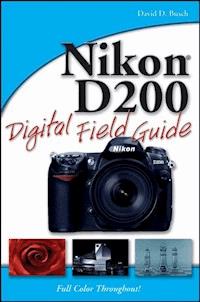
You've been waiting for an affordable dSLR with the quality andversatility of the Nikon D200. Packed with great techniques andfull-color examples, this book helps you take advantage of all theD200's features. From the Quick Tour on how to use your D200 to theintricacies of setting white balance, working with the flash,converting NEF, and shooting superb images in more than twentycommon situations, it's all here--and it goes anywhere you andyour Nikon can. * Get a clear understanding of your camera's challenges andadvantages * Choose the right shooting, exposure, and focus modes for eachtype of shot * Use extended ISO and noise reduction * Explore how various lenses can enhance your work * Work with different flash options and available light Visit our Web site at www.wiley.com/compbooks
Sie lesen das E-Book in den Legimi-Apps auf:
Seitenzahl: 455
Veröffentlichungsjahr: 2006
Ähnliche


















Contents
Acknowledgments
Introduction
Quick Tour
Part I: Using the Nikon D200
Chapter 1: Exploring the Nikon D200
Up Front
On Top
On the Back
Viewfinder Display
LCD Display
Viewing and Playing Back Images
Activating the Onboard Flash
Metering Modes
Semiautomatic and Manual Exposure Modes
ISO Sensitivity
Setting White Balance
Chapter 2: Nikon D200 Essentials
Metering Modes
Adjusting Exposures with EV
ISO Sensitivity
Using Noise Reduction
Using Automatic, Semi-Automatic, and Manual Modes
Working with Autofocus
Other Image Parameters
Setting White Balance
Chapter 3: Setting Up Your D200
Shooting Menu Preferences
Playback Menu Settings
Setup Menu Options
Custom Settings
Part II: Creating Great Photos with the Nikon D200
Chapter 4: Photography Essentials
Understanding Exposure
Getting the Right Exposure
Understanding Depth of Field
Chapter 5: All About Lenses
Expanding Your Lens Options
Choosing Between Zoom or Fixed-Focal-Length Lenses
Lens Compatibility
Decoding Nikon’s Lens Code
Wide-Angle Lenses
Telephoto Lenses
Normal Lenses
Macro Lenses
Reducing Vibration
Extending the Range of Any Lens with a Teleconverter
Chapter 6: Working with Light
D200 Flash Basics
Flash Sync Modes
Flash Exposure Modes
Flash Exposure Compensation
Using External Flash
Conquering Continuous Lighting
Chapter 7: Photo Subjects
The Basics of Composition
Abstract Photography
Animal Photography
Architectural Photography
Business Photography
Event Photography
Fill Flash Photography
Filter Effects Photography
Fireworks and Light Trail Photography
Flower and Plant Photography
Holiday Lights Photography
Indoor Portrait Photography
Infrared Photography
Landscape and Nature Photography
Macro Photography
Night and Evening Photography
Online Auction Photography
Outdoor and Environmental Portrait Photography
Panoramic Photography
Sports and Action Photography
Still Life Photography
Street Life Photography
Sunset and Sunrise Photography
Travel Photography
Waterfall Photography
Chapter 8: Downloading and Editing Images
Nikon’s Offerings
Nikon Capture
Other Software Options
Part III: Appendixes
Appendix A: Troubleshooting
Glossary
Index
Nikon® D200 Digital Field Guide
Published by
Wiley Publishing, Inc.
111 River Street
Hoboken, N.J. 07030
www.wiley.com
Copyright © 2006 by Wiley Publishing, Inc., Indianapolis, Indiana
Published simultaneously in Canada
ISBN-13: 978-0-470-03748-5
ISBN-10: 0-470-03748-2
Manufactured in the United States of America
10 9 8 7 6 5 4 3
1K/5Z/QW/QW/IN
No part of this publication may be reproduced, stored in a retrieval system or transmitted in any form or by any means, electronic, mechanical, photocopying, recording, scanning or otherwise, except as permitted under Sections 107 or 108 of the 1976 United States Copyright Act, without either the prior written permission of the Publisher, or authorization through payment of the appropriate per-copy fee to the Copyright Clearance Center, 222 Rosewood Drive, Danvers, MA 01923, (978) 750-8400, fax (978) 750-4744. Requests to the Publisher for permission should be addressed to the Legal Department, Wiley Publishing, Inc., 10475 Crosspoint Blvd., Indianapolis, IN 46256, (317) 572-3447, fax (317) 572-4355, or online at http://www.wiley.com/go/permissions.
LIMIT OF LIABILITY/DISCLAIMER OF WARRANTY: THE PUBLISHER AND THE AUTHOR MAKE NO REPRESENTATIONS OR WARRANTIES WITH RESPECT TO THE ACCURACY OR COMPLETENESS OF THE CONTENTS OF THIS WORK AND SPECIFICALLY DISCLAIM ALL WARRANTIES, INCLUDING WITHOUT LIMITATION WARRANTIES OF FITNESS FOR A PARTICULAR PURPOSE. NO WARRANTY MAY BE CREATED OR EXTENDED BY SALES OR PROMOTIONAL MATERIALS. THE ADVICE AND STRATEGIES CONTAINED HEREIN MAY NOT BE SUITABLE FOR EVERY SITUATION. THIS WORK IS SOLD WITH THE UNDERSTANDING THAT THE PUBLISHER IS NOT ENGAGED IN RENDERING LEGAL, ACCOUNTING, OR OTHER PROFESSIONAL SERVICES. IF PROFESSIONAL ASSISTANCE IS REQUIRED, THE SERVICES OF A COMPETENT PROFESSIONAL PERSON SHOULD BE SOUGHT. NEITHER THE PUBLISHER NOR THE AUTHOR SHALL BE LIABLE FOR DAMAGES ARISING HEREFROM. THE FACT THAT AN ORGANIZATION OR WEB SITE IS REFERRED TO IN THIS WORK AS A CITATION AND/OR A POTENTIAL SOURCE OF FURTHER INFORMATION DOES NOT MEAN THAT THE AUTHOR OR THE PUBLISHER ENDORSES THE INFORMATION THE ORGANIZATION OF WEB SITE MAY PROVIDE OR RECOMMENDATIONS IT MAY MAKE. FURTHER, READERS SHOULD BE AWARE THAT INTERNET WEB SITES LISTED IN THIS WORK MAY HAVE CHANGED OR DISAPPEARED BETWEEN WHEN THIS WORK WAS WRITTEN AND WHEN IT IS READ.
For general information on our other products and services or to obtain technical support, please contact our Customer Care Department within the U.S. at (800) 762-2974, outside the U.S. at (317) 572-3993 or fax (317) 572-4002.
Wiley also publishes its books in a variety of electronic formats. Some content that appears in print may not be available in electronic books.
Library of Congress Control Number: 2006925872
Trademarks: Wiley and the Wiley Publishing logo are trademarks or registered trademarks of John Wiley and Sons, Inc. and/or its affiliates. All other trademarks are the property of their respective owners. Wiley Publishing, Inc. is not associated with any product or vendor mentioned in this book.
About the Author
David D. Busch was a roving photojournalist for more than 20 years, and illustrated his books, magazine articles, and newspaper reports with award-winning images. He’s operated his own commercial studio, suffocated in formal dress while shooting weddings-for-hire, and shot sports for a daily newspaper and an upstate New York college. His photos have been published in magazines as diverse as Scientific American and Petersen’s PhotoGraphic, and his articles have appeared in Popular Photography & Imaging, The Rangefinder, The Professional Photographer, and hundreds of other publications. He currently reviews digital cameras for CNET.com and Computer Shopper.
When About.com recently named its top five books on Beginning Digital Photography, occupying the #1 and #2 slots were Busch’s Digital Photography All-In-One Desk Reference For Dummies and Mastering Digital Photography. His 80-plus other books published since 1983 include best-sellers like Nikon D70 Digital Field Guide, Nikon D50 Digital Field Guide, Digital Travel Photography Digital Field Guide, and Digital SLR Cameras and Photography For Dummies.
Busch earned top category honors in the Computer Press Awards the first two years they were given (for Sorry About the Explosion and Secrets of MacWrite, MacPaint and MacDraw), and later served as Master of Ceremonies for the awards.
Credits
Acquisitions Editor
Michael Roney
Project Editor
Cricket Krengel
Technical Editor
Michael D. Sullivan
Copy Editor
Lauren Kennedy
Editorial Manager
Robyn B. Siesky
Vice President & Group Executive Publisher
Richard Swadley
Vice President & Publisher
Barry Pruett
Business Manager
Amy Knies
Project Coordinator
Jennifer Theriot
Graphics and Production Specialists
Jennifer Click
Denny Hager
Lynsey Osborn
Amanda Spagnuolo
Quality Control Technicians
Laura Albert
Amanda Briggs
Leeann Harney
Joe Niesen
Proofreading
Laura Albert
Indexing
Broccoli Information Management
For Cathy.
Acknowledgments
Thanks to Mike Roney, who is always a joy to work with, for his valuable input as this book developed; to Cricket Krengel for keeping the project on track; and to tech editor Mike Sullivan, whose more than a decade of experience shooting Nikon-based digital cameras proved invaluable. Finally, thanks again to my agent, Carol McClendon, who once again found me a dream job at exactly the right time.
Introduction
Never has a Nikon digital camera been as eagerly anticipated as the Nikon D200! Speculation was rife in the months preceding the announcement of this camera, among those who wanted something with more resolution and more features than what was available with the Nikon D70s, but at a lower price tag than the top-of-the-line, $5000 Nikon D2X. This camera was long overdue, too: it was seen as a replacement for the aging Nikon D100, which was effectively made obsolete when the original D70 was introduced in 2004 with the same resolution and improved performance.
Nikon didn’t disappoint those of us who were awaiting its arrival. The D200 offers serious amateur photographers and value-minded professionals a sub-$2000 dSLR alternative with much of the specifications, features, and build quality of Nikon’s high-end pro cameras (like the freshened D2Hs and top-of-the-line D2X) in an aggressively-priced compact body.
Although not quite the junior version of the D2X that some had hoped for, the D200’s 10.2 megapixel resolution, rugged moisture- and dust-sealed magnesium-alloy body, large viewfinder, 5fps drive mode, and bountiful fine-tuning and customization options are a significant step upward from Nikon’s low-end models. Compatibility accessories including an expanded lineup of Nikon iTTL external flash units, a Wi-Fi transmitter, a burgeoning line of digital optics (such as a new 18mm to 200mm zoom with Vibration Reduction), and third-party GPS units give the D200 enough versatility to compete effectively with other pricier cameras.
I must admit I originally purchased my D200 as a backup to my Nikon D2X, but it quickly became my preferred camera for many different shooting situations. The D200 performs better at high ISO settings, so when I am shooting concerts or sporting events indoors in dim lighting, it’s the D200 I use more often than not. It is lighter in weight, too, so if I am venturing out on other business with no firm intention to take any pictures, I’ll tote my D200 just for fun. In the months since I bought my D200, I’ve probably divided my activities between it and the D2X almost equally.
The Nikon dSLR Revolution
Five years from now, you’ll look back and see just how important the Nikon digital SLR cameras were in changing the face of photography, particularly since players like Kodak and Konica Minolta have abandoned their dSLR lines, and Nikon itself has announced that it will produce only a limited number of SLR film cameras in the future. It’s a safe bet that this camera will be remembered warmly as a ground-breaking classic. Although Kodak led the initial charge, Nikon has been involved in digital-camera research since the mid-1980s. In 1986, it showed a prototype called the Nikon SVC, which had a 300,000-pixel sensor and saved images to a 2-inch floppy disk. The QV-1000C (with just 380,000 pixels) followed two years later. These early digital SLRs were possible thanks to the removable back panel of Nikon film SLRs, which could easily be replaced with a digital sensor.
Although Kodak offered a succession of digital SLRs based on Nikon camera bodies, Nikon didn’t seriously begin competing in the digital SLR market on its own until Kodak branched out and began offering cameras based on Canon bodies, too. Partnering with Fuji in 1994/1995, Nikon created the E2/E3 series. These used a clumsy optical reduction system to allow existing Nikon lenses to produce a field of view similar to that offered by film cameras, despite the smaller sensor size.
Naturally, $20,000 1.4-megapixel cameras didn’t compete well with other models, especially because the Kodak DCS 460 offered 6-megapixel resolution as far back as 1995. The modern age of Nikon digital SLRs finally arrived in 1999 with the Nikon D1, which offered 2.74 megapixels and was enthusiastically embraced by professional photographers. A slew of pro-level D1/D2-series cameras followed, culminating in the 12.4 megapixel D2x, which first became available in early 2005.
All these $5,000 to $10,000 (and up) professional models just whetted the appetites of those who were weaned on sub-$1,000 Nikon film bodies and were anxious to move into the digital realm without giving up any killer features such as autofocus, matrix metering, and tack-sharp interchangeable lenses. While the first Nikon D100 was tempting at its initial tariff of $3,000, the price tag was still too high for anyone who couldn’t justify the camera as a business expense. What photo enthusiasts really wanted were cameras in the magical $1,000-$1700 price bracket.
The first shot fired in the consumer dSLR revolution came from a Canon. Introduced in late 2003, the Canon EOS Digital Rebel was priced at $899 for the body alone, or $999 with a serviceable 18–55mm zoom lens. Nikon upped the ante a little a few months later by announcing the D70, which was priced a few hundred dollars higher and had a few features lacking in the first Digital Rebel. Both Nikon and Canon fans as well as owners of other camera lines were winners in this skirmish, as other camera vendors began to offer new and improved models in the hotly contested $1,000 price range.
The exceptionally low-priced Nikon D50 followed, along with a slightly improved Nikon D200s, paving the way for a more sophisticated model in the D200.
The D200’s Advantages
If you visit the online forums, you’ll find endless debates on which digital SLR in the intermediate price range is the best. Rather than enter the debate here (if you’re reading this, you’ve almost certainly decided in favor of the D200 camera), it makes more sense to provide a brief checklist of the Nikon D200’s advantages.
Nikon lenses
The D200 is compatible with a vast number of Nikon lenses, especially since its aperture coupling ring (like the one found in the D2X) allows this camera to provide metering functions (including automatic exposure when set to Aperture Priority mode) with the huge number of manual focus AI and AI-S Nikon lenses produced after 1977.
Even older lenses can be used with the D200 if they are properly converted to AI-S compatibility (for about $35.00 per lens). Other dSLRs may be able to use only a limited number of lenses made especially for them. Not all Canon lenses work on all Canon digital SLRs, for example.
But there are hundreds of newer lenses (“newer” being less than 25 years old), many at bargain prices, that work just fine on the D200. For example, one prized Nikon 70–300mm lens can be found used for about $100. A Benjamin will also buy you a 50mm f1.8D AF that’s probably one of the sharpest lenses you’ll ever use, or a Nikon 28–100mm zoom lens. The 18mm–70mm kit lens, available separately for around $300, is a bargain at that price. Third-party vendors such as Sigma, Tokina, and Tamron, offer a full range of attractively priced lenses with full autofocus and autoexposure functionality.
Full feature set
You don’t give up anything in terms of features when it comes to the Nikon D200. Some vendors have been known to “cripple” their low-end dSLR cameras by disabling features in the camera’s firmware (leading to hackers providing firmware “upgrades” that enable the features).
The D200, on the other hand, shares many of the most-used features of the Nikon D2X, and has a ton of functions not found in the D70s or D50. If you can’t do it with the D200, it probably doesn’t need to be done.
Fast operation
The Nikon D200 operates more quickly than many other digital SLRs. It includes a large memory buffer so you can shoot continuously for a longer period of time. It also writes images to the memory card very quickly. Many D200 users report being able to fire off shots as quickly as they can press the shutter release for as long as their index finger (or memory card) holds out.
One popular low-end dSLR takes as long as 3 seconds after power-up before it can take a shot. If you don’t take a picture for a while, it goes to sleep and you have to wait another 3 seconds to activate it each time. The D200 switches on instantly and fires with virtually no shutter lag. (Actually, it uses so little juice when idle that you can leave it on for days at a time without depleting the battery much.) Performance-wise, the D200 compares favorably with digital cameras costing much more. Unless you need a burst mode capable of more than 5 frames per second, this camera is likely to be faster than you are.
Great expandability
There are tons of add-ons you can buy that work great with the D200. These include bellows and extension rings for close-up photography, and at least three different electronic flash units (including the new R1 and R1C1 wireless close-up flash units) from Nikon and third parties that cooperate with the camera’s through-the-lens metering system. Because Nikon SLRs have been around for so long, there are lots of accessories available, new or used, and Nikon cameras are always among the first to be served by new gadgets as they’re developed.
Digital Challenges
As you use your D200 and learn more about its capabilities, you’ll want to keep in mind the challenges facing this pioneer in the dSLR arena. The Nikon D200 and other digital SLRs have advantages and disadvantages over both film cameras and non-SLR digital shooters.
Here are some of the key points to consider:
ISO sensitivity and noise.
Most non-dSLR digital cameras offer ISO settings no higher than ISO 400, and may display excessive noise in their images at settings as low as ISO 200. The larger sensor and less noise-prone larger pixels in the D200 provide good quality at ISO 800, and relatively little noise at ISO 1600, and you can boost sensitivity to ISO 3200 if you need to. The D200 also has an effective noise-reduction feature. One adjustment you’ll make in learning to use this camera is how to work with higher sensitivity settings while avoiding excess noise.
Depth-of-field control.
As with all dSLRs, the longer lenses used provide less depth-of-field at a particular field of view, which, when you want to use depth-of-field as a creative element, is a very good thing, indeed. If you’ve used only non-SLR cameras before, you’ll want to learn how to use selective focus and, especially, how to use the depth-of-field preview button.
The lens multiplier factor.
The D200’s sensor is smaller than a 35mm film frame, so the image from any lens you mount is cropped, producing a 1.5X multiplier factor. A 200mm lens is magically transformed into a 300mm telephoto, but the flip side of that is that a 28mm lens that’s a wide-angle optic on a full-frame camera becomes a 42mm normal lens on the D200. To get true wide-angle coverage, you’ll need a prime (non-zoom) or zoom lens that starts at 17mm to 18mm, like the kit lens. Superwide lenses, such as the $1,000 Nikon 12–24mm zoom, are expensive and even more difficult to justify.
Intuitive controls.
Compared to non-SLR cameras, the Nikon D200 and its siblings work more like a “real” camera, which is a boon for photo enthusiasts who prefer that their shooter work more like a film SLR and less like a DVD player. Wouldn’t you really rather zoom in and out by twisting a zoom ring on the lens itself, rather than pressing and rocking a button while a tiny motor does the job for you? Do you prefer navigating a multilevel menu to change the white balance, or would you rather press the WB button and spin a dial on the back of the camera?
Dirt and dust.
Small dust specks barely enter the consciousness of point-and-shoot digital owners and are usually minor annoyances in the film world, at least until it comes time to make a print from a negative or slide. But nearly invisible motes are the bane of D200 owners, because no matter how careful you are when changing lenses, sooner or later a dust spot or two will settle on the sensor. This dust is generally not difficult to remove and may not even show up except in photos taken with a small f-stop, but the mere threat drives many D200 owners crazy. Sensor dirt needn’t be a major issue, but any new D200 owner should be armed with an air bulb and other tools to keep that imager clean.
No LCD preview or composing.
If you’re coming to the D200 from the non-SLR digital world, one of the first things you’ll notice is that the LCD on a dSLR can be used only for reviewing photos or working with menus. There is no live preview, which usually isn’t a problem until you want to preview an image taken through an infrared filter (which appears totally black to visible light), or use the LCD to frame a picture when holding the camera overhead or at waist level.
Quick Tour
In This Quick Tour
Selecting a picture-taking mode
Using automatic or manual focus
A few more options
Reviewing the image
Correcting exposure
Transferring images to your computer
You’re probably eager to start using your Nikon D200, and I don’t blame you. No matter what type of camera you were using before—a film single lens reflex (SLR), some other type of digital camera, or even a different digital single lens reflex (dSLR)—it’s exciting to hold such a sophisticated picture-taking tool in your hands.
In this Quick Tour, I cover everything you need to know to begin using the D200’s basic features immediately. And by the end of the Quick Tour, you’ll already be producing good images with your D200. Once you’ve gotten a taste of what your camera can do, you’ll be ready for later chapters that explain the more advanced controls and show you how to use them to capture even better photos in challenging situations, or to apply them creatively to create special pictures.
This Quick Tour assumes you’ve already unpacked your D200, mounted a lens, charged and installed the battery, and inserted a CompactFlash card; it also assumes you have a basic understanding of things like focusing, shutter speeds, and f-stops. If you’ve reviewed the manual furnished with the camera, so much the better. (You’ll definitely need to do so to work with later chapters in this book.)
I’ve included only the basics in this Quick Tour. If you really want (or need) to know more right off the bat, you should just skim this section and then jump ahead to Chapter 1.
Selecting a Picture-Taking Mode
Once your D200 is powered up, you should choose a picture-taking mode for your first pictures. You change modes by pressing the Mode button on the right side of the camera near the shutter release button, and then turning the main command dial on the back of the camera until the mode you want to use appears in the status LCD on the top panel.
Lesen Sie weiter in der vollständigen Ausgabe!
Lesen Sie weiter in der vollständigen Ausgabe!
Lesen Sie weiter in der vollständigen Ausgabe!
Lesen Sie weiter in der vollständigen Ausgabe!
Lesen Sie weiter in der vollständigen Ausgabe!
Lesen Sie weiter in der vollständigen Ausgabe!
Lesen Sie weiter in der vollständigen Ausgabe!
Lesen Sie weiter in der vollständigen Ausgabe!
Lesen Sie weiter in der vollständigen Ausgabe!
Lesen Sie weiter in der vollständigen Ausgabe!
Lesen Sie weiter in der vollständigen Ausgabe!
Lesen Sie weiter in der vollständigen Ausgabe!
Lesen Sie weiter in der vollständigen Ausgabe!
Lesen Sie weiter in der vollständigen Ausgabe!




