


39,59 €
Mehr erfahren.
- Herausgeber: Packt Publishing
- Kategorie: Wissenschaft und neue Technologien
- Sprache: Englisch
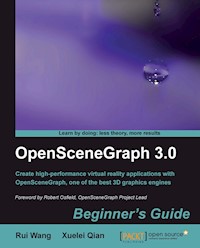
Virtual reality has quite a lot of demand in computer science today and OpenSceneGraph, being one of the best 3D graphics toolkits, is being used widely. Although you can use the powerful OpenSceneGraph, based on the low-level OpenGL API, to implement virtual-reality applications that simulate different environments in the 3D world, developing picture-perfect applications is easier said than done.This book has been written with the goal of helping readers become familiar with the structure and main functionalities of OpenSceneGraph (OSG), and guide them to develop virtual-reality applications using this powerful 3D graphics engine. This book covers the essence of OpenSceneGraph (OSG), providing programmers with detailed explanations and examples of scene graph APIs.This book helps you take full advantages of the key features and functionalities of OpenSceneGraph (OSG). You will learn almost all of the core elements required in a virtual reality application, including memory management, geometry creation, the structure of the scene graph, realistic rendering effects, scene navigation, animation, interaction with input devices and external user interfaces, file reading and writing, and so on.
With the essential knowledge contained in this book, you will be able to start using OSG in your own projects and research fields, and extend its functionalities by referring to OSG's source code, official examples and API documentation.
This handy book divides the core functionalities of the proved and comprehensive OpenSceneGraph (OSG) 3D graphics engine into different aspects, which are introduced in separate chapters. Each chapter can be treated as an individual part that covers one important field of OSG programming, along with several examples illustrating concrete usages and solutions. But the sequence of chapters is also organized from the easy to the more difficult, to help you get to grips with OSG.By the end of the whole book, you will have gained a ready-to-use OSG development environment for yourself and have the general ability to develop OSG-based applications and extend practical functionalities for your own purposes.
Das E-Book können Sie in Legimi-Apps oder einer beliebigen App lesen, die das folgende Format unterstützen:
Seitenzahl: 469
Veröffentlichungsjahr: 2010
Ähnliche


















Table of Contents
OpenSceneGraph 3.0
Beginner's Guide
OpenSceneGraph 3.0
Beginner's Guide
Copyright © 2010 Packt Publishing
All rights reserved. No part of this book may be reproduced, stored in a retrieval system, or transmitted in any form or by any means, without the prior written permission of the publisher, except in the case of brief quotations embedded in critical articles or reviews.
Every effort has been made in the preparation of this book to ensure the accuracy of the information presented. However, the information contained in this book is sold without warranty, either express or implied. Neither the authors, nor Packt Publishing and its dealers and distributors will be held liable for any damages caused or alleged to be caused directly or indirectly by this book.
Packt Publishing has endeavored to provide trademark information about all of the companies and products mentioned in this book by the appropriate use of capitals. However, Packt Publishing cannot guarantee the accuracy of this information.
First published: December 2010
Production Reference: 1081210
Published by Packt Publishing Ltd.
32 Lincoln Road
Olton
Birmingham, B27 6PA, UK.
ISBN 978-1-849512-82-4
www.packtpub.com
Cover Image by Ed Maclean (<[email protected]>)
Credits
Authors
Rui Wang
Xuelei Qian
Reviewers
Jean-Sébastien Guay
Cedric Pinson
Acquisition Editor
Usha Iyer
Development Editor
Maitreya Bhakal
Technical Editors
Conrad Sardinha
Vanjeet D'souza
Indexers
Tejal Daruwale
Hemangini Bari
Monica Ajmera Mehta
Editorial Team Leader
Akshara Aware
Project Team Leader
Lata Basantani
Project Coordinator
Leena Purkait
Proofreader
Dirk Manuel
Graphics
Nilesh Mohite
Production Coordinator
Adline Swetha Jesuthas
Cover Work
Adline Swetha Jesuthas
Foreword
Scene graphs have been the foundation of real-time graphics applications for the last two decades, whether it is a 3D game on a phone or a professional flight simulator costing millions of pounds, a virtual reality application through to the latest 3D real-time visualization on television, scene graphs are there under the hood, quietly churning out high quality visuals.
However, even powerful tools like scene graphs don't write world leading graphics applications by themselves, they still need developers with the skill and knowledge to make best use of them and the hardware that they run on. This expertise isn't something that you can gain by reading a few pages on the web—graphics hardware and software continues to evolve and you need to keep up with it... It's a journey of learning and exploration undertaken throughout your career.
OpenSceneGraph itself is the world's leading scene graph API, and has been written by, and to fulfil the needs of, professional graphics application developers. It is written to be powerful and productive to use rather than cut down and easy to use. Your first encounter with OpenSceneGraph may well be daunting; it's a professional grade scene graph containing many hundreds of classes and modules. But with this sophistication comes the ability to write very powerful graphics applications quickly so it's well worth the effort in learning how to make best use of it.
The authors of this book are users and contributors to the OpenSceneGraph software and its community. For me it's rewarding to see this open source project reach out across the world and inspire people, such as Rui Wang and Xuelei Qian, not only to use and contribute to the software, but also to write a book about it so that others can start their own journey into real-time graphics.
With this book their aim has been to take you from your first steps through to being able to use advanced features of the OpenSceneGraph and the graphics hardware that it runs on. Learning new concepts and APIs can often be dry and awkward, but once you get your first applications on screen you'll glimpse the potential, and it won't be long before you are seeing complex worlds come life. As a real-time graphics geek myself, I can't think anything more rewarding than immersing yourself in 3D worlds that you help create. Some familiarity with linear algebra, such like 3D vectors, quaternion numbers and matrix transformations, is helpful, too.
Robert Osfield.
OpenSceneGraph Project Lead
About the Authors
Rui Wang is a software engineer at the Chinese Academy of Surveying and Mapping and the manager of osgChina, the largest OSG discussion website in China. He is one of the most active members of the official OSG community, who contributes to the serialization I/O, GPU-based particle functionalities, BVH and animated GIF plugins, and other fixes and improvements to the OSG project. He translated Paul Martz's OpenSceneGraph Quick Start Guide into Chinese in 2008, and wrote his own Chinese book OpenSceneGraph Design and Implementation in 2009, cooperating with Xuelei Qian. He is also a novel writer and a guitar lover.
Xuelei Qian received his B.Sc. degree in Precision Instrument Engineering from Southeast University, Jiangsu, China, and his Ph.D. degree in applied graphic computing from the University of Derby, Derby, UK in 1998 and 2005, respectively. Upon completion of his Ph.D. degree, he worked as a postdoctoral research fellow in the Dept. of Precision Instrument and Mechanology at Tsinghua University and his current research interests include E-manufacturing, STEP-NC and intelligent CNC, and virtual reality engineering.
Acknowledgement
We'd like to first thank Don Burns and Robert Osfield for their creative efforts in giving birth to OpenSceneGraph, as well as thousands of members in the OSG core community, for their supports and contributions all the time.
Thanks again to Robert Osfield, a pure open source enthusiast and father of a happy family, for his tremendous passion in leading the development the OSG project for so many years (since 1999). He also took time out of his busy schedule to write the foreword for this book.
We must express our deep gratitude to Rakesh Shejwal, Usha Iyer, Leena Purkait, Priya Mukherji, and the entire Packt Publishing team for their talented work in producing yet another product, as well as Jean-Sébastien Guay and Cedric Pinson for reviewing the first drafts of the book and providing insightful feedback.
We would like to acknowledge John F. Richardson and Marek Teichmann, who announced the book at the OpenSceneGraph BOF at SIGGRAPH 2010. We also offer special thanks to Zhanying Wei, Xuexia Chen, Shixing Yang, Peng Xiao, Qingliang Liu, Su Jiang, and a number of other people who contributed to the completion of this book in different ways.
Finally, we owe the most sincere thanks to Paul Martz, who dedicates the first non-commercial book to OSG beginners all over the world and provides great help in supporting the publication of our past and current books.
About the Reviewers
Jean-Sébastien Guay is a software developer from Montréal, Quebec, Canada. After completing a Bachelor's Degree in Software Development and Software Engineering at UQAM, he began a Master's Degree in Computer Graphics at École Polytechnique, where he chose to use OpenSceneGraph for his Master's project. Motivated by the open nature of the project and wanting to contribute, he started learning its inner workings, fixing bugs, improving the Windows build system, and helping others with their problems on the osg-users mailing list. He has been in the top three posters each month ever since. But is that a good thing or just an indication that he talks too much?
Since late 2007, he has worked for CM-Labs Simulations Inc. (http://www.vortexsim.com/), where he develops the Vortex physics toolkit and training simulators for various industries such as construction, subsea, and others. Being the company's dedicated graphics developer allows him to continue using and contributing to OpenSceneGraph. The best part is he gets paid for it, too! Doing so has helped improve his proficiency with C++ as well as allowed him to use other scene graphs such as Vega Prime and OpenSG, which lets him keep an open mind and always see the big picture.
Jean-Sébastien has participated in several OpenSceneGraph user meetings, and he was a presenter at the OpenSceneGraph BOFs at Siggraph in 2008 and 2009. He is also a co-developer of the osgOcean nodekit, an ocean surface rendering add-on library for OpenSceneGraph, which is available at http://osgocean.googlecode.com/. He has also contributed to other open source projects, such as Bugzilla, Yafaray, and others.
Jean-Sébastien currently lives in the suburbs of Montréal, with his lovely wife and their three young boys. His personal website can be found at http://whitestar02.webhop.org/.
Cedric M. Pinson has twelve years of experience in 3D software. He has worked in the video game industry at Nemosoft and Mekensleep, before joining OutFlop, where he has served as the project leader for 3D client technology. He is a contributor to the OpenSceneGraph project and the author and maintainer of osgAnimation. He now does freelance work around OpenGL technologies such as OpenSceneGraph and WebGL.
I would like to thank my friends, Loic Dachary for helping me with his advice, Jeremy Moles for the motivation and comments about OpenSceneGraph, Johan Euphrosine for his support, Olivier Lejade who offered me a place to work, and Amy Jones who helps in many ways.
www.PacktPub.com
Support files, eBooks, discount offers and more
You might want to visit www.PacktPub.com for support files and downloads related to your book.
Did you know that Packt offers eBook versions of every book published, with PDF and ePub files available? You can upgrade to the eBook version at www.PacktPub.com and as a print book customer, you are entitled to a discount on the eBook copy. Get in touch with us at <[email protected]> for more details.
At www.PacktPub.com, you can also read a collection of free technical articles, sign up for a range of free newsletters and receive exclusive discounts and offers on Packt books and eBooks.
http://PacktLib.PacktPub.com
Do you need instant solutions to your IT questions? PacktLib is Packt's online digital book library. Here, you can access, read and search across Packt's entire library of books.
Why Subscribe?
Free Access for Packt account holders
If you have an account with Packt at www.PacktPub.com, you can use this to access PacktLib today and view nine entirely free books. Simply use your login credentials for immediate access.
Rui Wang dedicates this book to his parents, Lihang Wang and Ximei Bao, and his lovely fiancée Qin Leng, for their patience and moral support during the entire writing.
Xuelei Qian dedicates this book to his wife Yuehui Liu, for her constant love, support, and feels she deserves a major share of this book. He also wants to thank his grandfather Xinmin Zhu, mother Danmu Zhu, and father Gimping Qian, for their hugely spiritual support and encouragement all along.
Preface
Real-time rendering is in quite demand in computer science today, and OpenSceneGraph, being one of the best 3D graphics toolkits, is being used widely in the fields of virtual reality, scientific visualization, visual simulation, modeling, games, mobile applications, and so on. Although you can use the powerful OpenSceneGraph, which is based on the low-level OpenGL API, to implement applications that simulate different environments in the 3D world, developing picture-perfect applications is easier said than done.
This book has been written with the goal of helping readers become familiar with the structure and main functionalities of OpenSceneGraph, and guiding them to develop virtual-reality applications using this powerful 3D graphics engine. This book covers the essence of OpenSceneGraph, providing programmers with detailed explanations and examples of scene graph APIs.
This book helps you take full advantages of the key features and functionalities of OpenSceneGraph. You will learn almost all of the core elements required in a virtual reality application, including memory management, geometry creation, the structure of the scene graph, realistic rendering effects, scene navigation, animation, interaction with input devices and external user interfaces, file reading and writing, and so on.
With the essential knowledge contained in this book, you will be able to start using OpenSceneGraph in your own projects and research fields, and extend its functionalities by referring to OpenSceneGraph's source code, official examples, and API documentation.
This handy book divides the core functionalities of the proved and comprehensive OpenSceneGraph 3D graphics engine into different aspects, which are introduced in separate chapters. Each chapter can be treated as an individual lesson that covers one important field of OpenSceneGraph programming, along with several examples illustrating concrete usages and solutions. The sequence of the chapters is organized from the easy topics to the more difficult concepts, to help you to gradually build your knowledge and skills in with OpenSceneGraph.
By the end of the whole book, you will have gained a ready-to-use OpenSceneGraph development environment for yourself, and will have the ability to develop OpenSceneGraph -based applications and extend practical functionalities for your own purposes.
With plenty of examples to get you started quickly, you'll master developing with OpenSceneGraph in no time.
What this book covers
Chapter 1, The Journey into OpenSceneGraph introduces the history, structure and features of OpenSceneGraph (OSG), and introduces the general concept of scene graph.
Chapter 2, Compilation and Installation of OpenSceneGraph guides readers through compiling, installing and configuring an OSG development environment, either by using the prebuilt binaries or building an environment wholly from the source code.
Chapter 3, Creating Your First OSG Program shows how to code an OSG-based application, highlighting the utilization of smart pointers, notifying system, object instances and data variances.
Chapter 4, Building Geometry Models explains how to create a geometry entity simply with vertices and the drawing primitives defined within OSG.
Chapter 5, Managing Scene Graph is all about the implementation of a typical scene graph using OSG, and shows the usages of the various types of scene graph nodes with special focus on some commonly-used node types.
Chapter 6, Creating Realistic Rendering Effects introduces some basic knowledge about OSG implementation of rendering states, texture mapping, shaders, and the render-to-texture technique.
Chapter 7, Viewing the World shows the means by which developers can encapsulate the cameras, manipulators, and stereo supports, and have them work together.
Chapter 8, Animating Scene Objects shows OSG's capability of creating animated graphic presentations by using the built-in animation library, and showcases the implementations of path animations, vertex-level animations, state and texture animations, and character animations that a 3D application can use.
Chapter 9, Interacting with Outside Elements focuses on the implementation of human computer interaction using OSG, including input device handling and GUI toolkit integration.
Chapter 10, Saving and Loading Files explains in detail the working mechanism of reading and writing scene data, and gives tips for creating user-customized I/O plugins.
Chapter 11, Developing Visual Components covers a wide range of advanced scene graph components, including billboards, texts, height mapped terrains, shadows, and volume rendering.
Chapter 12, Improving Rendering Efficiency introduces the techniques necessary for building a fast real time rendering system. It helps users to load, organize, and render massive datasets in a very efficient manner.
What you need for this book
To use this book, you will need a graphics card with robust OpenGL support, with the latest OpenGL device driver from your graphics hardware vendor installed.
You will also need a working compiler that can transform C++source code into executable files. Some recommended ones include: .gcc, .mingw32, and Visual Studio. For Windows users, there is a free Visual Studio Express Edition for use (http://www.microsoft.com/express/Windows/). However, you should read the documentation in order to consider its limitations carefully.
Who this book is for
This book is intended for software developers who are new to OpenSceneGraph and are considering using it in their applications. It is assumed that you have basic knowledge of C++ before using this book, especially the standard template library (STL) constructs, of which OSG makes extensive use. Some familiarity with design patterns as implemented in C++ is also useful, but is not required.
You need to be familiar with OpenGL—the standard cross-platform low-level 3D graphics API. We'll meet some math in the book, including geometry and linear algebra. Familiarity with these topics will be great, but you don't need to be a math whiz to use this book.
Conventions
In this book, you will find several headings appearing frequently.
To give clear instructions of how to complete a procedure or task, we use:
Time for action—heading
Instructions often need some extra explanation so that they make sense, so they are followed with:
What just happened?
This heading explains the working of tasks or instructions that you have just completed.
You will also find some other learning aids in the book, including:
Pop quiz—heading
These are questions intended to help you test your own understanding.
Have a go hero—heading
These set practical challenges and give you ideas for experimenting with what you have learned.
You will also find a number of styles of text that distinguish between different kinds of information. Here are some examples of these styles, and an explanation of their meaning.
Code words in text are shown as follows: "CMake will generate an OpenSceneGraph.sln file at the root of the build directory".
A block of code is set as follows:
Any command-line input or output is written as follows:
New terms and important words are shown in bold. Words that you see on the screen, in menus or dialog boxes for example, appear in the text like this: "Start the installer and you will see the Choosing Language dialog, the Welcome page, and the License Agreement page".
Note
Warnings or important notes appear in a box like this.
Tip
Tips and tricks appear like this.
Reader feedback
Feedback from our readers is always welcome. Let us know what you think about this book—what you liked or may have disliked. Reader feedback is important for us to develop titles that you really get the most out of.
To send us general feedback, simply send an e-mail to <[email protected]>, and mention the book title via the subject of your message.
If there is a book that you need and would like to see us publish, please send us a note in the SUGGEST A TITLE form on www.packtpub.com or e-mail <[email protected]>.
If there is a topic that you have expertise in and you are interested in either writing or contributing to a book, see our author guide on www.packtpub.com/authors.
Customer support
Now that you are the proud owner of a Packt book, we have a number of things to help you to get the most from your purchase.
Tip
Downloading the example code for this book
You can download the example code files for all Packt books you have purchased from your account at http://www.PacktPub.com. If you purchased this book elsewhere, you can visit http://www.PacktPub.com/support and register to have the files e-mailed directly to you.
Errata
Although we have taken every care to ensure the accuracy of our content, mistakes do happen. If you find a mistake in one of our books—maybe a mistake in the text or the code—we would be grateful if you would report this to us. By doing so, you can save other readers from frustration and help us improve subsequent versions of this book. If you find any errata, please report them by visiting http://www.packtpub.com/support, selecting your book, clicking on the errata submission form link, and entering the details of your errata. Once your errata are verified, your submission will be accepted and the errata will be uploaded on our website, or added to any list of existing errata, under the Errata section of that title. Any existing errata can be viewed by selecting your title from http://www.packtpub.com/support.
Piracy
Piracy of copyright material on the Internet is an ongoing problem across all media. At Packt, we take the protection of our copyright and licenses very seriously. If you come across any illegal copies of our works, in any form, on the Internet, please provide us with the location address or website name immediately so that we can pursue a remedy.
Please contact us at <[email protected]> with a link to the suspected pirated material.
We appreciate your help in protecting our authors, and our ability to bring you valuable content.
Questions
You can contact us at <[email protected]> if you are having a problem with any aspect of the book, and we will do our best to address it.
Chapter 1. The Journey into OpenSceneGraph
Before looking into various rendering effects and playing with carefully selected code snippets, let us first get a glimpse of the history of OpenSceneGraph, learn about its structures and capabilities, and join a web community to learn and discuss OSG online. You will also have the chance to create a "Hello World" application in OSG style, through which you will gain necessary information about OSG's syntax and structure.
In this book, OSG is short for OpenSceneGraph. It will be used from time to time to replace OpenSceneGraph's full name, for convenience.
In this chapter, we will:
A quick overview of rendering middleware
Before entering the world of OpenSceneGraph, we assume that you are already experienced in OpenGL programming. You work with stacks of matrices, set pipeline states, look for new extensions, call rendering APIs or commands and immediately draw them on a context, no matter if you are enjoying or suffering from the whole process.
A rendering middleware is a solution that raises the level of abstraction and eases the complexity of using a low-level OpenGL API, at the cost of flexibility. The concepts of modularity and object-orientation are often applied to manage graphics primitives, materials, and different visual data sets in user applications, saving much development time and allowing new functionalities to be combined as modules and plugins.
OpenSceneGraph is a well-designed rendering middleware application. It is actually a retained rendering (or deferred rendering) system based on the theory of scene graph, which records rendering commands and data in a buffer, for executing at some other time. This allows the system to perform various optimizations before rendering, as well as implement a multithreaded strategy for handling complex scenes.
Scene graphs
A scene graph is a general data structure that defines the spatial and logical relationship of a graphical scene for efficient management and rendering of graphics data. It is typically represented as a hierarchical graph, which contains a collection of graphics nodes including a top-level root node, a number of group nodes each of which can have any number of child nodes, and a set of leaf nodes each of which has zero child nodes and that serve together as the bottom layer of the tree. A typical scene graph does not allow a directed cycle (where some nodes are connected in a closed chain) or an isolated element (a node that has no child or parent) inside of itself.
Each group node can have any number of children. Grouping these child nodes allows them to share the information of the parent and be treated as one unit. By default, an operation performed by a parent propagates its effects to all of its children.
It also happens that certain nodes have more than one parent node, in which case the node is considered to be "instanced", and the scene graph can be defined as a directed acyclic graph (DAG). Instancing produces many interesting effects, including data sharing and multi-pass rendering.
The concept of scene graph has been widely applied in many modern software and applications, for instance, AutoCAD, Maya, CorelDraw, VRML, Open Inventor, and the one that we are going to investigate—OpenSceneGraph.
The Birth and development of OSG
The OpenSceneGraph project was initiated as an avocation by Don Burns in 1998. He used to work for SGI and is a hang-gliding enthusiast. He wrote a simplified SGI Performer-like scene graph API on a humble Linux PC, named SG, which was the prototype of OSG.
In 1999, Robert Osfield, a design consultant for a hang-glider manufacturer, started to take part in this young project. He suggested continuity to develop SG as a standalone, open source project and soon ported its elements to Windows. At the end of the year, Robert took over the project and changed its name to OpenSceneGraph. The project was then fully rewritten to take advantage of C++ standards and design patterns.
In 2001, in response to the growing interest in the project, Robert set up OpenSceneGraph Professional Services. He gave up the opportunity to work for other companies, and went full-time providing both commercial and free OSG services. Don also formed his own company, Andes Computer Engineering, and continues to support the development of OSG.
The first OpenSceneGraph birds-of-a-feather (BOF) meeting occurred the same year, at SIGGRAPH 2001, with only 12 people attending. After that, attendance at the OSG BOF continues to grow every year, with more and more people getting to know this great OpenGL-based API.
The Producer library, which was initially created to provide windowing and multi-pipe graphic system integrations for customer's needs, was added, along with other two important libraries, osgText and osgFX, in 2003. Then, in 2005, OSG 1.0 was announced, to the delight of over 1,100 members in the mailing list.
In 2007, a totally new OSG 2.0 was released, with improved multi-core, multi-GPU support, and three important new libraries: osgViewer, osgManipulator, and osgShadow. From then on, the unified build system CMake was used to simplify the build process. Then the old Producer was deprecated and maintained by Andes Computer Engineering as an independent project. The first two OSG books, OpenSceneGraph Quick Start Guide and OpenSceneGraph Reference Manuals, were available, too. Paul Martz dedicated them to all developers who were new to scene graph technology.
How time flies! Years have slipped away and OSG is developing at an incredible speed all the time: osgWidget was first introduced in 2008; osgVolume and osgAnimation came out in 2009; and osgQt was born in 2010, with the coming 3.0 release and the amazing OpenGL ES and OpenGL 3.0 support.
Today, several hundred high-performance applications are using OSG to render complex scenes and manage massive datasets. With the great efforts made by 432 core contributors and the continuous support of software developers around the world, it can be anticipated that OSG has a very bright future ahead of it.
Components
The computing infrastructure of OSG is designed to be highly scalable in order to enable runtime access to extended functionalities. In addition to the standard core libraries, a set of additional modular libraries known as NodeKits have been delivered to meet specific development requirements.
The core OSG functionality consists of four libraries:
The extra NodeKits and utilities available with current OSG distributions are:
All OSG core libraries and NodeKits, no matter what kind of features they implement or who contributed them, have the same prefix "osg", and a short word or abbreviation followed as the keyword.
The whole OSG architecture can be illustrated as follows:
In most cases, the osg, osgDB, osgUtil, and osgViewer libraries are the major components of an OSG-based application, and will be discussed in more detail in the following chapters of this book, while other less frequently used NodeKits may also be mentioned in specific chapters.
Why OSG?
The OSG project is open sourced and released under a modified GNU Lesser General Public License (LGPL), named OSGPL. It brings about significant benefits to its users:
Who uses OSG?
The following is a rough list of some of the organizations that are using or have used OSG as a development tool for their applications and products:
Organization name
Download link (if downloadable)
Purpose using OSG
Boeing
-
Flight simulation
Delta 3D
www.delta3d.org
Game engine
Flight Gear
www.flightgear.org
Flight simulation
Intra
-
Train simulation
Magic Earth
-
Oil and gas probing
NASA
-
Earth simulation
Norcontrol
-
Maritime simulation
ossimPlanet
www.ossim.org/OSSIM/ossimPlanet.html
Geo-spatial visualization
Virtual Terrain Project
www.vterrain.org
CAD and GIS related fields
VR Juggler
www.vrjuggler.org
Virtual reality system
Other customers include ESA, Landmark Graphics, Sony, STN Atlas, Northrop Grumman, and even the military sectors. To learn more about the large number of OSG-based projects and outcome, just search the whole web, and always keep in contact with developers all over the world through the web community.
Have a quick taste
Before sitting down and coding, you should have already set up an OSG development environment consisting of header files and libraries, either by obtaining a prebuilt package compliant to your compiler version, or building everything with the source code. Please refer to Chapter 2, Compilation & Installation of OpenSceneGraph for details.
Time for action—say "Hello World" OSG style
Can't wait to have a taste of OSG programming? Here is the simplest example, which shows how to load an existing model file and render it on the screen. It is much more interesting than just printing a "Hello World" text on the console:
What just happened?
An easy-to-read example was just created to show how powerful and clear OSG is. The osgDB::readNodeFile() function is used to read an existing node file, that is, a scene graph that represents the Cessna model. The osgViewer::Viewer instance is then created to set the scene data and provide a simulation loop for the application.
Here, osgDB and osgViewer are namespaces, and Viewer is a class name. The naming style of a function or class member uses the same convention as the famous "camel-case", that is, the first word of the function name starts with a lowercase letter, and additional ones start with upper-case letters.
Live in community
Everyone interested in learning and making use of OSG is welcome to join the community at any time. There are several ways to get in touch with the core developing team and thousands of OSG programmers.
The preferred way is to use one of the two major public mailing lists. A mailing list here is a list of subscribers who have discussions on the same particular topic, via e-mail. To subscribe to an OSG mailing list, follow the appropriate links mentioned:
Mailing list
Subscription link
Description
osg-users
http://lists.openscenegraph.org/listinfo.cgi/osg-users-openscenegraph.org
General technique support and discussions
osg-submissions
http://lists.openscenegraph.org/listinfo.cgi/osg-submissions-openscenegraph.org
Submission of code changes and bug fixes only
The forum, which is already linked to the mailing lists, is also provided for people who like this form: http://forum.openscenegraph.org/.
You will find a greater variety of OSG discussion groups on the internet, such as IRC channel, Google group, LinkedIn, and even a Chinese mirror:
Companies and individuals may ask for professional services, too, by making the appropriate payments. A number of professional OSG contractors are listed here as a reference: http://www.openscenegraph.org/projects/osg/wiki/Community/Contractors.
Finally, remember to visit the wiki website and developer blog at any time. This contains an enormous wealth of information, including the latest news and download links for OSG distributions:
Summary
This chapter gave a bird's eye view of OSG, in which we have drawn in mind a rough image about what we are going to learn about this widely used 3D graphics API. We sincerely hope the following chapters of this small book will serve as a ladder to help the readers, rung by rung, to get into the world of OSG-based programming.
In this chapter, we specially covered:
Chapter 2. Compilation and Installation of OpenSceneGraph
It is usually a painstaking process to create binary files completely from the source code in order to construct an efficient development environment. There are two different ways to set up the OSG working environment: for beginners, an easy-to-use prebuilt package installer can be obtained from the official OSG website, which may help with installing particular versions of OSG (not all versions have a corresponding installer); and for developers with more experience, there is a more flexible way to work with the OSG source code—using the CMake build system, which is also presented in detail.
In this chapter, we will tell you:
System requirements
OSG can run on most computers, as well as mobile devices with OpenGL ES installed which is a subset of OpenGL 3D Graphical API that was specially designed for embedded devices. OSG has been designed to take advantage of multi-processor and multi-core architectures, and works fine on both 32 and 64 bit processors.
Since OSG is an OpenGL-based scene graph API, it is recommended that you have an AGP or PCI-Express graphics card which guarantees satisfying OpenGL performance. In fact, most professional and consumer grade graphics hardware on the market nowadays should suffice for development needs. OSG is capable of working with a very low version OpenGL and limited graphics RAM, at the price of losing particular rendering features and functional extensions. Therefore, it is suggested that you have the latest version of the device driver installed on your machine before programming with OSG. A graphics card with 256 MB or 512 MB of memory will be a good start, too.
The needs for disk space and system memory depend on specific application requirements and the scale of the datasets to be rendered. Basically, the core OSG binary and library file size is up to 30 MB, without any debug information. The size of the executable file will be even smaller and only those shared library files are necessary at runtime.
Note that developers who decide to build OSG completely from the source code have to make sure there is at least 3GB of free disk space available for storage of intermediate files generated during the compilation process.
Using the installer
It is easy and fast to use a prebuilt OSG package to deploy the binaries and libraries necessary for creating your own programs. A typical prebuilt binary package is designed, compiled, and tested by a third party, and often includes run-time executables, shared libraries, static-link libraries, headers, third-party dependencies, documentation, and other useful resources, and is available to developers in the form of a freeware or a commercial product.
To quickly set up your OSG development environment, you may get an OSG installer with the following URL: http://www.openscenegraph.org/files/dev/OpenSceneGraph-Installer.exe
This tiny and simple installer will check your computer's configuration and automatically download the previously mentioned prebuilt binary packages from the official OSG website. The installer will read from a .ini configuration file first, which will be updated as soon as new prebuilt packages are released. In this way, users can keep their OSG version up-to-date simply by re-executing the installer.
Time for action—installing OSG
The installer is designed to make the installation process flow more efficiently. If you are not familiar with the process of compiling a project from source code, or just want to have an initial impression of the OSG utilities, the following instructions may help you to install an OSG development environment step by step by using the installer.
Note that only Microsoft Windows developers can benefit from the installer at present. Users of Linux, Mac OS X, and other systems should refer to the Cross-platform building section.
Make sure that the displayed building environment of the item goes with your system and development settings. For example, you should have installed Visual Studio 2008 Service Pack 1 on a 32-bit Windows XP system, in order to make use of the OSG 3.0 prebuilt packages shown in the following image, either with dynamic debug or release configuration.
The massage box below will show up if the processor architecture, operating system, or the IDE is mismatched with the distribution's requirements. Don't ignore it unless you have specific requirements and know what will happen.Now it is time to decide the components to be installed, which have been classified into eight categories by the installer. Users are allowed to select one or more of them according to their individual requirements. A grayed out (disabled) section means that that part is not included in the current distribution:What just happened?
The installer will generate a few subdirectories under the installation directory (hereafter INSTDIR) and copy files into those subdirectories. Binaries and plugins will be copied to INSTDIR/bin, header files to INSTDIR/include, static-link libraries to INSTDIR/lib, sample data to INSTDIR/data, documentation to INSTDIR/doc, and examples to INSTDIR/share.




