


34,79 €
Mehr erfahren.
- Herausgeber: Packt Publishing
- Kategorie: Wissenschaft und neue Technologien
- Sprache: Englisch
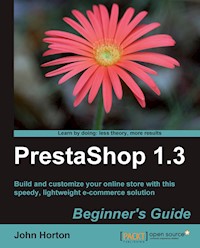
PrestaShop is a hidden gem. There are many much more widely known online shopping cart solutions that have nothing like the features, potential, and ease of use that this open source, completely free-to-use, system has. But until now there has been no information available on how to make the most of it. This book takes a step-by-step approach to help you set up your own e-commerce store and maximize its potential. Even if you are totally new to e-commerce and PrestaShop, you can have your own functioning e-commerce store quickly and with tiny expenditure. Imagine the feeling when you get that glorious e-mail saying that you have your first paying customer.This practical guide follows the order of developing an active business. Packed with easy-to-follow steps with loads of screenshots and clear explanations, it follows a step-by-step approach to set up a PrestaShop e-commerce store from the very beginning through finding a web host, setting up your PrestaShop store, accepting money from customers, and planning for the future of your business.The first few chapters are a lightening, but thorough, illustration of how to get your shop online, stocked up, and looking smart and unique, including some really cool and really simple product features to show off your wares in style – very quickly. The later chapters are quite diverse and cover some exciting stuff such as newsletters, loyalty schemes, alternative revenue streams, statistics and analytics. You will also learn about security, disaster recovery, payment handling, currencies, taxes, shipping, and more. Towards the end, the chapters cover final preparations before going live, handling orders in PrestaShop, and how to promote your store and get more customers. Once the money starts to flow, the book looks at the future of e-commerce and your PrestaShop business. Then it discusses how to get to the top of your niche and stay there. And then the big secret: to use the knowledge you have gained to turn a single PrestaShop into a thriving e-commerce empire.The Appendix covers a number of worthwhile topics such as a handy PrestaShop control panel reference and various web resources for PrestaShop.
Das E-Book können Sie in Legimi-Apps oder einer beliebigen App lesen, die das folgende Format unterstützen:
Seitenzahl: 406
Veröffentlichungsjahr: 2010
Ähnliche


















Table of Contents
PrestaShop 1.3 Beginner's Guide
PrestaShop 1.3 Beginner's Guide
Copyright © 2010 Packt Publishing
All rights reserved. No part of this book may be reproduced, stored in a retrieval system, or transmitted in any form or by any means, without the prior written permission of the publisher, except in the case of brief quotations embedded in critical articles or reviews.
Every effort has been made in the preparation of this book to ensure the accuracy of the information presented. However, the information contained in this book is sold without warranty, either express or implied. Neither the author, nor Packt Publishing, and its dealers and distributors will be held liable for any damages caused or alleged to be caused directly or indirectly by this book.
Packt Publishing has endeavored to provide trademark information about all of the companies and products mentioned in this book by the appropriate use of capitals. However, Packt Publishing cannot guarantee the accuracy of this information.
First published: June 2010
Production Reference: 1080610
Published by Packt Publishing Ltd. 32 Lincoln Road Olton Birmingham, B27 6PA, UK.
ISBN 978-1-849511-14-8
www.packtpub.com
Cover Image by Vinayak Chittar ( <[email protected]> )
Credits
Author
John Horton
Reviewers
Tomer Grassiany
Ardian Yuli Setyanto
Acquisition Editor
Dilip Venkatesh
Development Editor
Tarun Singh
Technical Editors
Shadab Khan
Hithesh Uchil
Copy Editor
Lakshmi Menon
Indexer
Hemangini Bari
Editorial Team Leader
Akshara Aware
Project Team Leader
Lata Basantani
Project Coordinator
Shubhanjan Chatterjee
Proofreader
Aaron Nash
Production Coordinator
Shantanu Zagade
Cover Work
Shantanu Zagade
About the Author
John Horton comes from a retail sales background where he learned the importance of selling, rather than the mere passive offering of a product or service. By 2005 he was disillusioned with the greedy, integrity-lacking, low-reward, corporate world, and was looking for a way to earn a living without the grind of the 9 to 5 and without having to sell his soul. He decided to investigate an e-commerce venture.
John started his first e-commerce website in 2005. Although only a modest success initially, it was the seed of a eureka moment, a blindingly obvious moment that comes only once in a lifetime. If you can start and run a business with virtually no costs (one that once up and running, has virtually no ongoing time commitment), why not make lots of businesses around the same idea?
John now has numerous e-commerce sites as well as other types of web businesses, earning revenue in different ways. John's latest venture is a product comparison website with a unique slant.
It is the low-time commitment model of John's businesses that has allowed him to write books aimed at helping others who want to achieve the same thing. He has published training manuals and books with other publishers on the same subject area and this is his first book for Packt. He is an avid fan of all things open source.
John has no formal, technical, or programming background, had no relevant previous business experience, no related educational qualifications, has never borrowed startup capital, is of average intelligence at best, does not have the gift of the gab or any other magical quality, is not especially "lucky" and would sincerely like to point out that it doesn't matter if you are in the same situation as him!
John works from home and spends his spare time with his family, Jo, Jack, and James, in Norwich, UK and pursues his hobbies of running, computer gaming, and reading.
Acknowledgement
To Jack for being such a wonderful son. I am so proud of you. James for being the loveliest little fellow anybody could wish to know. Jo, whom I love so much, for accepting me and my mad ideas and for your love. Ray for being someone I admire so highly and Rita as well. Olivia and Casey for being the prettiest girls, bar none, and Stan for being a great dad to them. And also to my newly found friend Mary Patel.
Sylvia for actually wanting a copy of my crazy ramblings and the first person in the whole world (and probably the last) to ask for my autograph.
A big thanks to all the people at Packt who made this a better book than I could ever have done on my own. A big thanks to the technical reviewers, Tomer Grassiany in New York and Ardian Yuli Setyanto, for pointing out improvements and blunders.
Also worth a mention: Higgsy, John (eboy) Barton, and Peter EggbuttNoBacon for being my friends. David Swinnerton for being a friend, doing my math homework and completing Bounty Bob Strikes Back. A long overdue thanks to the Ebbutt family for putting up with me and letting me in their house so often, especially when mine was empty. And to Chris, I sincerely apologize about the loft, bucket, shower thing—it was Pete’s idea!
And mostly to those whose memory has inspired me all my life, especially this last year, who will sadly never read the next sentence. To Valerie and Ann, I dedicate this book.
About the Reviewers
Tomer Grassiany, born in Israel, has been interested in computer science since an early age. His serious work in computers and computer networks began during his high school years in Israel. Prior to coming to the U.S. at the age of 19, he administered networks at two Israeli computer animation schools.
As Chief Technology Officer and later Chief Software Architect of Meaningful Machines, a New York-based company, Tomer was in charge of research and development, including bringing the inventors' ideas to life. His focus was on the company's new and sometimes experimental applications. From 1999 to 2007, Tomer developed applications that brought the company's new technologies from concept to reality in the fields of Machine Translation, Data Mining, and Artificial Intelligence. During this time, he worked closely on machine translation with Professor Jaime Carbonell, the Allen Newell Professor of Computer Science at Carnegie Mellon University.
Tomer went on to found COMET Classifieds in 2007. The leading classifieds website in COMET's portfolio is TennisLessons.com, which has coaches listed in over 400 cities across 40 countries. Helping to connect over 30,000 students and coaches every month, it has become the most popular website for finding tennis lessons.
Tomer has been working since the start of 2009 doing custom PrestaShop projects for new and existing shops worldwide. He is also a PrestaShop Moderator on the English and Hebrew forums.
Tomer's newest venture is Presto-Changeo.com. Created in 2009, the website offers his PrestaShop modules and provides tips on how to troubleshoot and customize PrestaShop. His modules help shops to create a better experience for their customers, and increase productivity and sales.
I would like to acknowledge my parents, Dalia and Telo Grassiany, who supported and backed me throughout my life, and Eli Abir, who taught me a lot and always believed in me and my abilities.
Ardian Yuli Setyanto is a 22-year-old website developer from Indonesia and currently specializes in PrestaShop module and theme creation. He also moderates the PrestaShop local forum for Indonesian users.
Being a freelancer and a householder for a year has been a wonderful experience for him and he thanks his wife, Niela Pratamasari, for always supporting him.
You can get an update on PrestaShop tutorials and modifications on Ardian's blog (http://ardianys.com/) and follow him on Twitter (http://twitter.com/ardianys). His opinion about PrestaShop: "Although currently PrestaShop lacks in documentation, I have already found the great PrestaShop documentation in its source code."
Preface
PrestaShop is a hidden gem. There are many, much more widely known online shopping cart solutions but none of them have anything like the number of features, the potential, and the ease-of-use that this OSL-licensed, completely free-to-use system has. PrestaShop is definitely a very big part of the future of e-commerce!
This book is called a 'beginner's guide' only because that is where it starts! Using both realistic and unusual case studies throughout, PrestaShop 1.3 Beginner's Guide will take you on a click-by-click, yet whirlwind journey to the realization of a fully featured, highly professional e-commerce business.
And then a bit further!
To make sure you are ready to sprint off the starting blocks let's talk about:
So let's get on with it...
Why PrestaShop?
I have already enthusiastically introduced PrestaShop. But there is so much to PrestaShop that the only way to really grasp its innovation is to open a shop and make money with it, which we will do really soon! First, here are some of the ways that PrestaShop stands out from the crowd.
Simplicity and function
There are dozens of shopping cart solutions to choose from. But with my hand on my heart I can say that NONE are so damn easy to use! Every feature has a clearly labeled button or tab. And some of the previously most frustrating tasks like product attributes, customization, and statistics, are now, thanks to PrestaShop, a breeze. And PrestaShop achieves this simplicity without cutting back on options. To get anywhere near the advanced options available (as standard in PrestaShop when using other carts) you will need to install add-ons, upgrades, and even mess with the PHP code that makes the software. Yuck!
Stability and progress
PrestaShop is stable as a table! It is highly unlikely to crash on you or your customers. It doesn't lose their shopping cart or fail to find searched-for products.
And it is getting better all the time. The development team at PrestaShop is working on new features and bug fixes, probably even as you read these words. So often when a shopping cart reaches a certain stage of development, the team sits back and reaps the fruits, leaving a community of tens of thousands of users wondering, "What's next?" Not so with PrestaShop. During the writing of this book, PrestaShop went through many improvements, including the jump from version 1.2 to 1.3. So this guide is suitable for both.
It's cool!
I am serious. It's important! If your customer thinks it's cool, they are much more likely to shop with you. Check out the live shops. Go to www.prestashop.com. Click on SHOWCASE and then on Live shops.
Look how fresh, modern, and functional they are. The only differences between these shops and the default PrestaShop are some nice images, well-presented products, and a bit of customization. All of this and more is covered in this book.
Open source and OSL are the best!
PrestaShop is free because of the open development model chosen by its creators. This means you can download it, use it, modify it, and even distribute it! No charge.
Open source and OSL (the PrestaShop license) work by offering a reward model for developers/contributors outside of the traditional pay per item used for just about everything else on our planet. This means typical users like you and I get tons of great software for nothing. You don't even have to say thank you!
Availability
There's an instant download of just about anything you might need. This book uses only open source software to achieve everything.
Cost
It costs nothing! This is hard to elaborate on!
Updates
It is because distribution costs the developers nothing that open source (and OSL) teams can concentrate more on offering improvements, bug-fixes, and new versions at a much faster rate than the conventional software companies with their unwieldy software-in-a-box distribution methods.
As previously mentioned, PrestaShop improved from version 1.2 to 1.3 in the months it took to write this book. And it is probably a safe bet they will be working on 1.4 by the time you read this. This book deals with the fundamental and critical issues of starting and running a real business with PrestaShop. So no matter what the current version, this book should serve you well. Visit www.prestashop-book.com for regular updates and amendments.
Support
Now we know the software is free and the availability is high. This makes the really good stuff very popular. So there is often a whole community of enthusiastic users associated with an open source software title. The quality and responsiveness of any given community does vary. But you can usually solve almost any e-commerce problem within a few hours with a simple forum post or a well-directed e-mail.
If that doesn't sound impressive, try ringing Microsoft next time Windows crashes. Try even finding their phone number!
My golden rule of e-commerce
Keep your wallet shut! Don't buy any software until you have checked out www.sourceforge.net. This is the largest repository of high quality, free software. I will point out free software titles as and when they might be needed throughout this book.
What this book covers
Now I am really impatient. Whenever I get an idea for a business I always want to do it straight away. Waiting around for "professionals" to finish a website for me or a supplier to get back to me about a new product drives me mad. The good news is we are not going to hang around before getting your PrestaShop up and running.
I am going to try and be thorough and I will cover some of the less talked about topics that you might need, but I am NOT going to delay the day when you get that glorious e-mail saying that you have your first customer.
What follows is a really quick introduction to the topics covered in this book. They are approached in precisely the order that might be used when setting up a real business. So there is no study or theorizing, unless you choose to.
The only assumption I make is that you have already chosen a range of products to sell from your new e-commerce store. If you haven't—don't panic! Get on over to www.prestashop-book.com and download my PDF on choosing a business model and a product range. It's free.
John's 7-day challenge
When somebody first pointed out PrestaShop to me, I just had to have one yesterday. I stayed up half the night installing it, putting in great product descriptions, connecting the checkout, and customizing the look. In the morning, I started organically (free, not paid-for) promoting my new site. My first order came in seven days after the installation.
Can you beat seven days to your first sale? I really want you to and if you dive in and really go for it, you will. Please contact me and let me know if you do, or if you come close. Or even if you just want to share your joy at your first order, no matter how long it takes.
Here is how you can achieve my 7-day challenge.
Installing, configuring, and stocking-up
The first four chapters are a lightning (but thorough) guide to get your shop online—stocked up looking smart and unique, including some really cool and really simple product features to quickly show off your wares in style.
Customers, search engines, and customization
Chapters 5, 6, and 7 are quite diverse and cover some exciting stuff: newsletters, loyalty schemes, alternative revenue streams, statistics, analytics, and... breathe! Also, we cover security, disaster recovery, payment handling, currencies, taxes, shipping, and a bit more.
Now and the future
The last two chapters cover the final preparations before going live, handling orders in PrestaShop, and how to promote your store and get customers queuing up to spend their money with you. Once the money is starting to flow, we look at the future of e-commerce and your PrestaShop business. Then we discuss how to get on top of your niche and stay there. Not to forget "the big secret". Don't skip ahead!
Here are the chapter contents in more detail:
Chapter 1, Building Your PrestaShop, covers how to download and prepare the PrestaShop files, make a database, install PrestaShop, and implement post-install security. We will have a look at your shop from a customer's viewpoint and also have a look around your new admin control panel.
Chapter 2, Shop Fitting and Layout, sets the shape of your store including the logo. We will make your home page, make some more key pages such as "Contact us" and "Conditions of use", and also configure and enter manufacturer and supplier information, change and customize themes, and add a few more touches to your shop's configuration.
Chapter 3, Merchandising for Success, discusses and implements an efficient category structure. We will add high quality product descriptions that sell and take a look at all the different ways you can use PrestaShop to highlight products. We will also take a look at product features, attributes, accessories, and customization.
Chapter 4, Giving Customers More and Getting More Customers, provides information on how to choose the best keywords and provide food for the search engines. We will refine PrestaShop search. We will also cover Tag clouds, using the PrestaShop CMS, URLs in PrestaShop, robots and site maps, and using PrestaShop language features.
Chapter 5, Tools, Newsletters, Extra Income, and Statistics, looks at all of the most useful things on the Preferences tab. We will also explore the best stuff on the Tools tab. We will set up a newsletter and notifications system, talk about running an e-mail marketing campaign, set up PrestaShop statistics, and also set up Google Analytics.
Chapter 6, Security and Disaster Recovery, looks at the ways your shop can be damaged. We will add users, profiles, and permissions to increase security. We will talk about and optionally implement SSL to protect your customers' private information. We will learn how to back up and restore your shop in case everything else fails. We will also talk about upgrading PrestaShop and how this helps keep your business secure.
Chapter 7, Checkouts and Shipping, helps us choose and set up a payment provider. We will look at alternative payment methods, take a look at sales taxes, discuss and implement gift vouchers, and learn how to accept foreign currencies. We will look at the multitude ways to set up shipping options for your customers to choose from and make sure they get charged correctly.
Chapter 8, Get Set..., will show us how to create a customer account and place an order. We will look at the PrestaShop customer loyalty scheme and at how to get some feedback on your products using the PrestaShop comments module. We will tell the search engines about your cool new shop. We will also look at a multi-pronged marketing campaign including vouchers, forums, social media, and Google AdWords. The last thing we will do is cover some functionality on the Customers and Orders tabs that we haven't covered already.
In Chapter 9, Go... To the Future, we will cover analyzing, optimizing, and adding in PrestaShop. We will see "the big secret" and also the future of e-commerce and PrestaShop.
Appendix A, Control Panel Quick Reference, lists a reference to find everything in your PrestaShop control panel.
Appendix B, Web Resources, lists all the most useful websites for e-commerce entrepreneurs.
Who this book is for
This book is for anybody who wants a fully functional, real e-commerce store using PrestaShop. You do not have to have any previous knowledge of PrestaShop or any aspect of e-commerce or business in general. If you do, then you will probably find this guide really valuable as well. The book covers all you need to know but you must just bring the desire to have your own e-commerce business.
Which hosting environment?
Before you get down to building your PrestaShop, you need to choose how you are going to host your new business.
Option 1: Developing on your own PC
There is a generally accepted principle that you should develop a website privately, test it, and then transfer it to a "live" server.
If you want to go that route, then that's ok. But I am not recommending that here. PrestaShop is so smooth, so problem free that I don't see the point of the extra step. You really can buy a domain name, transfer the necessary files to your hosting account, and be up and running in not much more time than it takes to read this book.
Here is a suggestion. If you are planning on having thousands of products, why not get your shop up and running as described in this book and then add your range steadily to your store when it is already open and earning you money?
Obviously, if you are just checking out PrestaShop or you are working for a company who insists on a private environment to develop your shop, then fine, do it that way.
If you opt for developing PrestaShop on a private PC, have a look at WAMP (www.wampserver.com). This is a quick, easily configured environment that will allow you to develop PrestaShop on your PC.
Alternatively, go and download my guide on running a web server from home. It will talk you, click by click, through setting up the perfect environment for running a PrestaShop on your home PC. It's free and you can find it on www.prestashop-book.com.
It is my goal, however, to give you the chance to realize a trading, profitable, e-commerce business in a hurry. And the specific guides and tutorials will describe live development on a hosting account. It should be very easy to adapt these guides should you choose to do things on your own PC.
Option 2: Live hosting accounts
This is definitely my preferred way. Get it up, get it open, and get the money coming in.
If you go for this option, here are a couple of things to help you choose. A quick survey of web hosts showed that most would do the job nicely. One of the big names that's fine is www.godaddy.com. Their economy plan is more than sufficient. Don't book it on their website! Ring them up. Pretend you are not sure if Go Daddy is right for you and they will give you a discount. Nice, isn't it? This is true with most web hosts.
One big name you can't use is 1&1. They are still using a dodgy version of PHP that PrestaShop doesn't like. No talking or pleading with 1&1 seems to do any good.
If you already have a web host, here are the system requirements for PrestaShop. Give your host a call if you are unsure, change if they can't accommodate you. Most good hosts will be fine, as the requirements are very "normal":
PrestaShop is working from MySQL 4.1.14 to 5.0 too, but some features do not work (for example, product duplication) or have strange behaviors.
Some PHP 5 versions are bugged (like 1&1) and prevent PrestaShop from working correctly:
PrestaShop turn-key hosting
If you want to save yourself a few hours setting up your PC or 10 minutes uploading the files, you can use PrestaShop-recommended turn-key hosting. That is, you can pay a monthly fee and use a ready-installed PrestaShop. The advantage is the hosting environment is specifically designed for PrestaShop and you will save a bit of time.
If money is no object, great, do it, but it really is not hard to get PrestaShop up and running without the turn-key option. And of course they charge much more than a regular web host as well as a commission on all your sales. Ugh! If you want to use the turn-key option, then visit www.prestabox.com.
Get your hosting ready to go
Considering all that we have just discussed, it is time to decide what is right for you and put your plan into action:
Your hosting environment is ready!
Now let's look at the help and support available to you.
What happens if I get stuck?
PrestaShop really is as intuitive and user-friendly as they come. But there are loads, and I mean loads, of options in the PrestaShop control panel. And it is likely that the large array of different hosting providers as well as the varying objectives of different readers will mean that different issues and problems arise for everybody.
That's OK. Help is at hand.
www.prestashop-book.com
This is the official website of PrestaShop 1.3 Beginner's Guide. There will be a regularly updated F.A.Q. and an errors and omissions section (hopefully, quite small) as well. You can visit as the need arises or register free for e-mailed updates.
www.prestashop.com
This is the official PrestaShop website. Here you can view the PrestaShop wiki and other official documents. You can log into their trial admin area and experiment with the features discussed in this book without fear of the effect.
Best of all though is the PrestaShop forum. You can ask anything about PrestaShop. And I can say from experience the community is responsive, knowledgeable, and most of all, very friendly. So many times in the forums of other shopping carts newcomers have been slated for minor breaches of somewhat draconian rules. This is not so in the PrestaShop forum.
www.businessdreams.net
Here you can ask anything you want about online business. Click on Forums and select the most appropriate category for your question. You can talk about marketing, affiliate programs, finance, open source software, and much more. There is even a PrestaShop category. And you can sign up for a hints and tips newsletter for great advice and up-to-the-minute e-commerce news.
Help others to help you
Now it's time to introduce yourself to e-commerce and PrestaShop entrepreneurs who are more than happy to help you. And maybe you can help them too.
You are now ready to set up your first PrestaShop.
Remember
My first rule of e-commerce: keep your wallet shut (assuming you have already bought this book—it's too big to put up your jumper). Hold onto your entrepreneurial hat. You will be in business before you know it.
Conventions
In this book, you will find several headings appearing frequently.
To give clear instructions of how to complete a procedure or task, we use:
Time for action - heading
Instructions often need some extra explanation so that they make sense, so they are followed with:
What just happened?
This heading explains the working of tasks or instructions that you have just completed.
You will also find some other learning aids in the book, including:
Pop quiz - heading
These are short multiple choice questions intended to help you test your own understanding.
Have a go hero - heading
These set practical challenges and give you ideas for experimenting with what you have learned.
You will also find a number of styles of text that distinguish between different kinds of information. Here are some examples of these styles, and an explanation of their meaning.
New terms and important words are shown in bold. Words that you see on the screen, in menus or dialog boxes for example, appear in the text like this: "Click on the Modules tab and then click on Configure next to the Product Comments module."
Note
Warnings or important notes appear in a box like this.
Tip
Tips and tricks appear like this.
Reader feedback
Feedback from our readers is always welcome. Let us know what you think about this book—what you liked or may have disliked. Reader feedback is important for us to develop titles that you really get the most out of.
To send us general feedback, simply send an e-mail to <[email protected]>, and mention the book title via the subject of your message.
If there is a book that you need and would like to see us publish, please send us a note in the SUGGEST A TITLE form on www.packtpub.com or e-mail <[email protected]>.
If there is a topic that you have expertise in and you are interested in either writing or contributing to a book on, see our author guide on www.packtpub.com/authors.
Customer support
Now that you are the proud owner of a Packt book, we have a number of things to help you to get the most from your purchase.
Errata
Although we have taken every care to ensure the accuracy of our content, mistakes do happen. If you find a mistake in one of our books—maybe a mistake in the text or the code—we would be grateful if you would report this to us. By doing so, you can save other readers from frustration and help us improve subsequent versions of this book. If you find any errata, please report them by visiting http://www.packtpub.com/support, selecting your book, clicking on the let us know link, and entering the details of your errata. Once your errata are verified, your submission will be accepted and the errata will be uploaded on our website, or added to any list of existing errata, under the Errata section of that title. Any existing errata can be viewed by selecting your title from http://www.packtpub.com/support.
Piracy
Piracy of copyright material on the Internet is an ongoing problem across all media. At Packt, we take the protection of our copyright and licenses very seriously. If you come across any illegal copies of our works, in any form, on the Internet, please provide us with the location address or website name immediately so that we can pursue a remedy.
Please contact us at <[email protected]> with a link to the suspected pirated material.
We appreciate your help in protecting our authors and our ability to bring you valuable content.
Questions
You can contact us at <[email protected]> if you are having a problem with any aspect of the book, and we will do our best to address it.
Chapter 1. Building Your PrestaShop
I don't believe in hanging around! So let's get right on with setting up PrestaShop. Take a look at what we will do next.
In this chapter we will:
Here we go...
Case studies
To make this book realistic, I will refer to two fictitious stores—fluffyteddies.com and guns4u.com. The diverse and extreme nature of the case studies will help to clearly demonstrate the "real" application of some PrestaShop features. I will refer to the case studies from time to time to discuss how the topic in question might fit in with one or perhaps both of them. Here is a bit more about the case studies.
Fluffy Teddies is a brand new small scale business. It is the fulfillment of a dream for a teddy bear, doll, and accessories hobbyist. It is his plan to offer a wide and diverse range of the most delightful and collectable products of their type, available in one place.
He is passionate about his range and aims to project this to his customers through an interesting and useful website content as well as good quality merchandise.
Guns4u.comGuns4u is the web outlet for a major arms reseller. Guns4u has a very wide range of weapons from small arms to intercontinental ordinance with various warheads as well as state-of-the-art missile defense systems.
Guns4u plans to make their product range available to a wide and diverse range of customers. Operating from the independent island of Tropicano in the South Pacific, it is not governed by restrictive laws on arms sales.
Just as long as Guns4u complies with the stringent tax laws of the ruling dictator of Tropicano, it will have a free reign to sell its wares to whoever it chooses. Guns4u intends to offer a retail range to anybody and a bulk discounted range for its bigger customers.
Downloading PrestaShop
Visit www.prestashop.com to get your free copy of PrestaShop. Click on the Download PrestaShop option. Fill in the very brief registration information and click on the big blue button. Finally click on the Download button and you should have a zipped file called prestashop_1.x.x.x.zip, where x.x.x is the version of PrestaShop you have downloaded. The version number you have doesn't matter. As long as you follow the download link from the PrestaShop home page, you will have the latest stable version.
In the next tutorial, we will upload all the loose unzipped files to your web server. It is worth pointing out that you might save some time by uploading the zipped file and then using your web host's file manager to do the unzipping. As most web hosts use a slightly different system, I will guide you through by unzipping first. But if you know how to use your web hosts file manager to do this, then you could save a short wait while uploading. You decide. Unzip it now to prepare for the next guide and you will be left with a folder called prestashop.
Now that you have downloaded and unzipped the PrestaShop files, it's time to put them onto your website ready to install. If you are hosting at home, this is a simple matter of putting them in the Apache home folder (see my downloadable guide if you're unsure where this is).
If you are developing on a live server, then you need to transfer the files via FTP. Let's do that step by step.




