


35,99 €
Mehr erfahren.
- Herausgeber: Packt Publishing
- Kategorie: Fachliteratur
- Sprache: Englisch
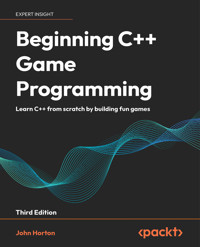
Always dreamed of creating your own games? With the third edition of Beginning C++ Game Programming, you can turn that dream into reality! This beginner-friendly guide is updated and improved to include the latest features of VS 2022, SFML, and modern C++20 programming techniques. You'll get a fun introduction to game programming by building four fully playable games of increasing complexity. You'll build clones of popular games such as Timberman, Pong, a Zombie survival shooter, and an endless runner.
The book starts by covering the basics of programming. You'll study key C++ topics, such as object-oriented programming (OOP) and C++ pointers and get acquainted with the Standard Template Library (STL). The book helps you learn about collision detection techniques and game physics by building a Pong game. As you build games, you'll also learn exciting game programming concepts such as vertex arrays, directional sound (spatialization), OpenGL programmable shaders, spawning objects, and much more. You’ll dive deep into game mechanics and implement input handling, levelling up a character, and simple enemy AI. Finally, you'll explore game design patterns to enhance your C++ game programming skills.
By the end of the book, you'll have gained the knowledge you need to build your own games with exciting features from scratch.
Das E-Book können Sie in Legimi-Apps oder einer beliebigen App lesen, die das folgende Format unterstützen:
Seitenzahl: 790
Veröffentlichungsjahr: 2024
Ähnliche













Beginning C++ Game Programming
Third Edition
Learn C++ from scratch by building fun games
John Horton
Beginning C++ Game Programming
Third Edition
Copyright © 2024 Packt Publishing
All rights reserved. No part of this book may be reproduced, stored in a retrieval system, or transmitted in any form or by any means, without the prior written permission of the publisher, except in the case of brief quotations embedded in critical articles or reviews.
Every effort has been made in the preparation of this book to ensure the accuracy of the information presented. However, the information contained in this book is sold without warranty, either express or implied. Neither the author, nor Packt Publishing or its dealers and distributors, will be held liable for any damages caused or alleged to have been caused directly or indirectly by this book.
Packt Publishing has endeavored to provide trademark information about all of the companies and products mentioned in this book by the appropriate use of capitals. However, Packt Publishing cannot guarantee the accuracy of this information.
Senior Publishing Product Manager: Larissa Pinto
Acquisition Editor – Peer Reviews: Jane Dsouza
Project Editor: Meenakshi Vijay
Content Development Editor: Shikha Parashar
Copy Editor: Safis Editing
Technical Editor: Simanta Rajbangshi
Proofreader: Safis Editing
Indexer: Hemangini Bari
Presentation Designer: Rajesh Shirsath
Developer Relations Marketing Executive: Sohini Ghosh
First published: October 2016
Second edition: October 2019
Third edition: May 2024
Production reference: 1240524
Published by Packt Publishing Ltd.
Grosvenor House
11 St Paul’s Square
Birmingham
B3 1RB, UK.
ISBN 978-1-83508-174-7
www.packt.com
Contributors
About the author
John Horton is a programming and gaming enthusiast based in the UK.
Dedicated to two brothers, Ray and Barry, for your guidance, example, and support.
About the reviewer
Yoan Rock is a 26-year-old developer with over 4 years of experience in the gaming industry. With a background in C++ software engineering, Yoan’s expertise lies in C++ programming within the gaming industry, particularly in utilizing Unreal Engine and sometimes Blueprints to create immersive experiences.
During his tenure at Limbic Studio, Yoan contributed significantly to the development of Park Beyond, an AAA-released game where players create and manage their own theme park. He excelled in gameplay development, bug fixing, and fostering effective communication among team members.
Yoan later collaborated with Chillchat on Primorden, a multiplayer project using Unreal Engine 5 and the Game play Ability system, where he played a key role in implementing game mechanics, monster abilities, and AI behavior trees.
At Game Atelier, Yoan led UI development for an unannounced project, showcasing his proficiency in crafting immersive user experiences using Unreal Engine 5.3, Common UI, and, of course, UMG.
Currently, Yoan is part of an exciting project with Blacksheep, contributing to an ambitious, unannounced venture. Always eager to innovate, Yoan stays updated with industry trends and is exploring Unreal Engine 5.3 for personal projects.
Contents
Preface
Who this book is for
What this book covers
To get the most out of this book
Get in touch
Welcome to Beginning C++ Game Programming Third Edition!
The games we will build
Timber!!!
Pong
Zombie Arena
Platform game
Why you should learn game programming using C++ in 2024
SFML
Microsoft Visual Studio
What about Mac and Linux?
Installing Visual Studio 2022
Setting up SFML
Creating a new project in Visual Studio 2022
Configuring the project properties
Planning Timber!!!
The project assets
Making your own sound FX
Adding the assets to the project
Exploring the assets
Understanding screen and internal coordinates
Getting started with coding the game
Making code clearer with comments
The main function
Presentation and syntax
Returning values from a function
Running the game
Opening a window using SFML
Including SFML features
OOP, classes, and objects
Using namespace sf
SFML VideoMode and RenderWindow
Running the game
The game loop
while loops
C-style code comments
Input, update, draw, repeat
Detecting a key press
Clearing and drawing the scene
Running the game
Drawing the game’s background
Preparing the sprite using a texture
Double buffering the background sprite
Running the game
Handling errors
Configuration errors
Compile errors
Link errors
Bugs
Summary
Frequently asked questions
Variables, Operators, and Decisions: Animating Sprites
Learning all about C++ variables
Types of variables
User-defined types
Declaring and initializing variables
Declaring variables
Initializing variables
Declaring and initializing in one step
Constants
Uniform initialization
Declaring and initializing user-defined types
Seeing how to manipulate the variables
C++ arithmetic and assignment operators
Getting things done with expressions
Assignment
Increment and decrement
Adding clouds, a buzzing bee, and a tree
Preparing the tree
Preparing the bee
Preparing the clouds
Drawing the tree, the bee, and the clouds
Random numbers
Generating random numbers in C++
Making decisions with if and else
Logical operators
C++ if and else
If they come over the bridge, shoot them!
Else do this instead
Reader challenge
Timing
The frame rate problem
The SFML frame rate solution
Moving the clouds and the bee
Giving life to the bee
Blowing the clouds
Summary
Frequently Asked Questions
C++ Strings, SFML Time: Player Input and HUD
Pausing and restarting the game
C++ strings
Declaring strings
Assigning a value to strings
String Concatenation
Getting the string length
Manipulating strings another way with StringStream
SFML Text and SFML Font
Adding a score and a message
Adding a time-bar
Summary
Frequently asked questions
Loops, Arrays, Switch, Enumerations, and Functions: Implementing Game Mechanics
Loops
while loops
Breaking out of a loop
for loops
Arrays
Declaring an array
Initializing the elements of an array
Quickly initializing the elements of an array
What do these arrays really do for our games?
Making decisions with switch
Class enumerations
Getting started with functions
Who designed all this weird and frustrating syntax and why is it the way it is?
Function return types
Function names
Function parameters
The function body
Function prototypes
Organizing functions
Function scope
A final word on functions – for now
Growing the branches
Preparing the branches
Updating the branch sprites in each frame
Drawing the branches
Moving the branches
Summary
Frequently asked questions
Collisions, Sound, and End Conditions: Making the Game Playable
Preparing the player (and other sprites)
Drawing the player and other sprites
Handling the player’s input
Handling setting up a new game
Detecting the player chopping
Detecting a key being released
Animating the chopped logs and the axe
Handling death
Simple sound effects
How SFML sound works
When to play the sounds
Adding the sound code
Improving the game and code
Summary
Frequently asked questions
Object-Oriented Programming – Starting the Pong Game
Object-oriented programming
Encapsulation
Polymorphism
Inheritance
Why use OOP?
What exactly is a class?
The theory of a Pong bat
Declaring the class, variables, and functions
The class function definitions
Using an instance of a class
Creating the Pong project
Coding the Bat class
Coding Bat.h
Constructor functions
Continuing with the Bat.h explanation
Coding Bat.cpp
Using the Bat class and coding the main function
Summary
Frequently asked questions
AABB Collision Detection and Physics – Finishing the Pong Game
Coding the Ball class
Using the Ball class
Collision detection and scoring
Running the game
Learning about the C++ spaceship operator
Summary
Frequently asked questions
SFML Views – Starting the Zombie Shooter Game
Planning and starting the Zombie Arena game
Creating a new project
The project assets
Exploring the assets
Adding the assets to the project
OOP and the Zombie Arena project
Building the player – the first class
Coding the Player class header file
Coding the Player class function definitions
Controlling the game camera with SFML View
Starting the Zombie Arena game engine
Managing the code files
Starting to code the main game loop
Summary
Frequently asked questions
C++ References, Sprite Sheets, and Vertex Arrays
Understanding C++ references
Summarizing references
SFML vertex arrays and sprite sheets
What is a sprite sheet?
What is a vertex array?
Building a background from tiles
Building a vertex array
Using the vertex array to draw
Creating a randomly generated scrolling background
Using the background
Summary
Frequently asked questions
Pointers, the Standard Template Library, and Texture Management
Learning about pointers
Pointer syntax
Declaring a pointer
Initializing a pointer
Reinitializing pointers
Dereferencing a pointer
Pointers are versatile and powerful
Dynamically allocated memory
Passing a pointer to a function
Declaring and using a pointer to an object
Pointers and arrays
Summary of pointers
Learning about the Standard Template Library
What is a vector?
Declaring a vector
Adding data to a vector
Accessing data in a vector
Removing data from a vector
Checking the size of a vector
Looping/iterating through the elements of a vector
What is a map?
Declaring a map
Adding data to a map
Finding data in a map
Removing data from a map
Checking the size of a map
Checking for keys in a map
Looping/iterating through the key-value pairs of a map
The auto keyword
STL summary
Summary
Frequently asked questions
Coding the TextureHolder Class and Building a Horde of Zombies
Implementing the TextureHolder class
Coding the TextureHolder header file
Coding the TextureHolder function definitions
What have we achieved with TextureHolder?
Building a horde of zombies
Coding the Zombie.h file
Coding the Zombie.cpp file
Using the Zombie class to create a horde
Bringing the horde to life (or back to life)
Using the TextureHolder class for all textures
Changing the way the background gets its textures
Changing the way the Player class gets its texture
Summary
Frequently asked questions
Collision Detection, Pickups, and Bullets
Coding the Bullet class
Coding the Bullet header file
Coding the Bullet source file
Coding the shoot function
Calculating the gradient in the shoot function
Making the gradient positive in the shoot function
Calculating the ratio between X and Y in the shoot function
Finishing the shoot function explanation
More bullet functions
The Bullet class’s update function
Making the bullets fly
Including the Bullet class
Control variables and the bullet array
Reloading the gun
Shooting a bullet
Updating the bullets in each frame
Drawing the bullets in each frame
Giving the player a crosshair
Coding a class for pickups
Coding the Pickup header file
Coding the Pickup class function definitions
Using the Pickup class
Detecting collisions
Has a zombie been shot?
Has the player been touched by a zombie?
Has the player touched a pickup?
Summary
Frequently asked questions
Layering Views and Implementing the HUD
Adding all the Text and HUD objects
Updating the HUD
Drawing the HUD, home, and level-up screens
Summary
Sound Effects, File I/O, and Finishing the Game
Saving and loading the high score
Preparing sound effects
Allowing the player to level up and spawning a new wave
Restarting the game
Playing the rest of the sounds
Adding sound effects while the player is reloading
Making a shooting sound
Playing a sound when the player is hit
Playing a sound when getting a pickup
Making a splat sound when a zombie is shot
Summary
Frequently asked questions
Run!
About the game
Creating the project
Coding the main function
Handling input
Coding the Factory class
Advanced OOP: inheritance and polymorphism
Inheritance
Extending a class
Polymorphism
Abstract classes: virtual and pure virtual functions
Design patterns
Entity Component System pattern
Why lots of diverse object types are hard to manage
Using a generic GameObject for better code structure
Prefer composition over inheritance
Factory pattern
C++ smart pointers
Shared pointers
Unique pointers
Casting smart pointers
Coding the GameObject class
Coding the Component class
Coding the Graphics class
Coding the Update class
Running the code
What next?
Summary
Sound, Game Logic, Inter-Object Communication, and the Player
Coding the SoundEngine class
Code the Game logic
Coding the LevelUpdate class
Coding the player: Part 1
Coding the PlayerUpdate class
Coding the PlayerGraphics class
Coding the factory to use all our new classes
Remembering the texture coordinates
Running the game
Summary
Graphics, Cameras, Action
Cameras, draw calls, and SFML View
Coding the camera classes
Coding the CameraUpdate class
Coding the CameraGraphics class part 1
The SFML View class
Coding the CameraGraphics class part 2
Adding camera instances to the game
Running the game
Summary
Coding the Platforms, Player Animations, and Controls
Coding the platforms
Coding the PlatformUpdate class
Coding the update function for the PlatformUpdate class
Coding the PlatformGraphics class
Building some platforms in the factory
Running the game
Adding functionality to the player
Coding the player controls
Running the game
Coding the Animator class
Coding the player animations
Running the game
Summary
Building the Menu and Making It Rain
Building an interactive menu
Coding the MenuUpdate class
Coding the MenuGraphics class
Building a menu in the factory
Running the game
Making it rain
Coding the RainGraphics class
Making it rain in the factory
Running the game
Summary
Fireballs and Spatialization
What is spatialization?
Emitters, attenuation, and listeners
Handling spatialization using SFML
Upgrading the SoundEngine class
Fireballs
Coding the FireballUpdate class
Coding the FireballGraphics class
Coding FireballGraphics.h
Coding FireballGraphics.cpp
Building some fireballs in the factory
Running the code
Summary
Parallax Backgrounds and Shaders
Learning about OpenGL, shaders, and GLSL
The programmable pipeline and shaders
Coding a hypothetical fragment shader
Coding a hypothetical vertex shader
Finishing the CameraGraphics class
Breaking up the new draw code
Coding a shader for the game
Running the completed game
Summary
Further reading
Other Books You May Enjoy
Index
Landmarks
Cover
Index
Share your thoughts
Once you’ve read Beginning C++ Game Programming, Third Edition, we’d love to hear your thoughts! Please click here to go straight to the Amazon review page for this book and share your feedback.
Your review is important to us and the tech community and will help us make sure we’re delivering excellent quality content.
Download a free PDF copy of this book
Thanks for purchasing this book!
Do you like to read on the go but are unable to carry your print books everywhere?
Is your eBook purchase not compatible with the device of your choice?
Don’t worry, now with every Packt book you get a DRM-free PDF version of that book at no cost.
Read anywhere, any place, on any device. Search, copy, and paste code from your favorite technical books directly into your application.
The perks don’t stop there, you can get exclusive access to discounts, newsletters, and great free content in your inbox daily.
Follow these simple steps to get the benefits:
Scan the QR code or visit the link below:https://packt.link/free-ebook/9781835081747
Submit your proof of purchase.That’s it! We’ll send your free PDF and other benefits to your email directly.1
Welcome to Beginning C++ Game Programming Third Edition!
Let’s get started on your journey to writing exciting games for the PC using C++ and the OpenGL-powered SFML. This third edition has an overwhelming focus on improving and expanding upon what you will learn. All the C++ basics from variables in the beginning, through loops, object-oriented programming, the Standard Template Library, SFML features, and newer C++ possibilities have all been added to and expanded upon. By the end of this book, not only will you have four playable games but you will also have a deep and solid grounding in C++.
Here is what is coming up in this chapter
First, we will look at the four games we will build across this book. The first game is the exact same as the previous edition and will help us learn the C++ basics, like variables, loops, and decision-making. The second and third are enhanced, modified, and refined from the previous edition, and the fourth is all new and, in my view, way better for playing and learning than the final two games of the previous edition put together.This next bit is mportant in which you will discover why you should learn game programming and perhaps any other programming genre using C++. Using C++ to learn game development can be the best choice for so many reasons.Then, we can explore SFML and its relationship with C++.Nobody likes corporate evangelism, and you won’t get any here, but there are good reasons to find out about Microsoft Visual Studio and why we will use it in this book.Next, it’s time to set up the development environment. This is admittedly a slightly dull affair, but we will get through it in short order, step by step, and when you have done it once, you will never need to learn it again.We will then plan and prepare for the first game project, Timber!!!Moving on, we will write the first C++ code of this book and make a runnable first stage of the game that draws a pretty background – ooh! In the next chapter, things will advance and begin to move graphics around and what we learned in this chapter will stand us in good stead to make faster progress with our first game.Finally, we will cover how to handle any problems you might get as you learn C++ and game programming, such as configuration errors, compile errors, link errors, and bugs.Of course, what you want to know first is what you are going to have to show for yourself by the end of this weighty tome. So, let’s find out more about the games we will build.
You will find this chapter’s source code in the GitHub repository: https://github.com/PacktPublishing/Beginning-C-Game-Programming-Third-Edition/tree/main/Timber
The games we will build
This journey will be smooth as we will learn about the fundamentals of the super-fast C++ language one step at a time, and then put this new knowledge to use by adding cool features to the four games we are going to build.
The following are our four projects for this book.
Timber!!!
The first game is an addictive, fast-paced clone of the hugely successful Timberman. Our game, Timber!!!, will introduce us to all the beginner basics of C++ while we build a genuinely playable game. Here is what our version of the game will look like when we are done and we have added a few last-minute enhancements:
Figure 1.1: Timber game
Timberman can be found at http://store.steampowered.com/app/398710/.
Pong
Pong was one of the first video games ever made. It is an excellent example of how the basics of game object animation, player input, and collision detection work. We will build a version of this simple retro game to explore the concept of classes and object-oriented programming. Here is what it will look like by the end of Chapter 7:
Figure 1.2: Pong game
The player will use the bat at the bottom of the screen and hit the ball back to the top of the screen. If you are interested, find out about Pong’s history here: https://en.wikipedia.org/wiki/Pong.
Zombie Arena
Next, we will build a frantic, zombie survival shooter, not unlike the Steam hit Over 9,000 Zombies!, which you can find out more about at http://store.steampowered.com/app/273500/. The player will have a machine gun and must fight off ever-growing waves of zombies. All this will take place in a randomly generated, scrolling world:
Figure 1.3: Zombie Arena game
To achieve this, we will learn about how object-oriented programming allows us to have a large code base (lots of code) that is easy to write and maintain. Expect exciting features such as hundreds of enemies, rapid-fire weaponry, pickups, and a character that can be leveled up after each wave.
Platform game
The final game is a platform game called Run. Run will be packed with more features enabled by the C++ skills we will have acquired and made easier by the great features of SFML. Take a look at the finished game below:
Figure 1.4: Platform game
Features include a photo-realistic shader background, parallax scrolling cityscape, spatialized (directional) sound, mini-map, animated player character, rain weather effect, music, pop-up menu, and more. Best of all, the final game will have a reusable code structure that you can use to invent and add your own features to.
Why you should learn game programming using C++ in 2024
The title above could also have read, “Why use game programming to learn C++…”, because C++, game programming, and beginners (in my view) are a perfect match. Let’s look at C++ in more detail while also staying focussed on games and beginners:
Speed: C++ is known for its high performance and efficiency. In game development, performance is important. C++ allows you to write code that can run close to the native languages of both the CPU and the GPU, making it well suited for anything demanding, which includes games. This is achieved because C++ is turned into native executable instructions. This is just what we need when coding games with hundreds, thousands, or even hundreds of thousands of entities in it. In the final chapter, Chapter 21, we will see how C++ can interact directly with the GPU using shader programs.Cross-platform development: C++ works almost everywhere, meaning you can write code that can be compiled and run on various platforms without significant modifications. This book will focus on Windows but everything we learn and write in this book, with minor modifications, will work on macOS and Linux. C++ itself is also used extensively in next-gen console game development and can even be useful on mobile. Compiled means translating our C++ code into binary machine instructions for the CPU.Lots of game engines and libraries: Many game engines and libraries are written in C++ or provide C++ APIs. Learning C++ gives you access to the widest range of tools and resources for game development, such as Unreal Engine, as well as the fastest and best graphics libraries like Vulcan, OpenGL, DirectX, and Metal, as well as physics libraries like Box2D, UI tools like IMGUI, and networking libraries for co-op and multiplayer like RakNet, Enet and SFML’s very own networking features.Low-level control: C++ provides low-level control over hardware resources, which is crucial for optimizing game performance. In game development, you may need to manage memory, optimize rendering pipelines, and maintain control over the system your game is running on, and C++ offers the flexibility and power to do this. If managing memory and rendering pipelines sound ominous, then I can assure you that things will be fine. We introduce both these topics in a completely beginner-friendly manner in Chapters 10 and 21, respectively. Far from leaving you baffled, knowing how these powerful things can be controlled will leave you feeling powerful and in control of your programming destiny.Documentation and support: There is a thriving community around C++ game development, with numerous resources, tutorials, and forums available to help you learn and troubleshoot issues. If you have a C++ problem, I can guarantee you are not the first and a quick web search will almost always yield a solution. ChatGPT is an ace C++ problem solver, too.Learning C++ does have challenges but, taken a step at a time, is easily mastered. It is so rewarding to struggle over a problem and finally see it burst into an exciting gameplay feature when you get it right. Game development often involves seemingly difficult algorithms, data structures, and principles but C++ provides tools like the Standard Template Library (STL) and classes through object-oriented programming (OOP) to boil down complexity into manageable chunks. We will be covering OOP and STL in Chapters 6 and 10, respectively.C++ is an industry standard: It is because of everything we have just discussed that C++ is widely used in the game development industry. Familiarity with C++ can make it easier to collaborate with other developers, understand existing code bases, switch between game engines, and secure highly paid jobs in the industry.Critics will say that C++ can have a steeper learning curve compared to some other programming languages and that if you’re new to programming or game development, you might consider starting with a more beginner-friendly language like C# (for Unity development) or Python (for simple game projects) before diving into C++. There is some truth in this, but it is nowhere near as true as it used to be. C++ is constantly evolving, and numerous improvements to simplify learning and dramatically speed up development have been introduced in recent years. For example, new keywords like auto, intriguing-sounding logic operators like spaceship, as well as language constructs like lambdas, coroutines, and smart pointers, were introduced over the last 10 years, which dramatically simplify and speed up C++ development.
In summary, I would suggest that not learning C++ as a first language might be a mistake. And if you want to make learning as fun and rewarding as it possibly can get then learning with games is a no-brainer. Finally, if you want to be an indie game developer or work for a top game studio, unless you have some very specific other path in mind, C++ is the way to go.
But having just stated that C++ is so wonderful and has so many paths and libraries, why would we choose SFML?
SFML
SFML is the Simple Fast Media Library. It is not the only C++ library for games and multimedia. It is possible to make an argument to use other libraries, but SFML seems to come through for me every time. Firstly, it is written using object-oriented C++. The benefits of object-oriented C++ are numerous, and you will experience them as you progress through this book.
SFML is also easy to get started with and is therefore a good choice if you are a beginner, yet at the same time, it has the potential to build the highest quality 2D games if you are a professional. So, a beginner can get started using SFML and not worry about having to start again with a new language/library as their experience grows. And if you want to build 3D games, C++ and SFML is a great introduction before moving on to Unreal Engine. As an aside, you can build 3D games with SFML and OpenGL but most SFML libraries are focused on 2D, as is this book.
Perhaps the biggest benefit is that most modern C++ programming uses OOP. Every C++ beginner’s guide I have ever read uses and teaches OOP. OOP is the future (and the now) of coding in almost all languages, in fact. So why, if you’re learning C++ from the beginning, would you want to do it any other way?
SFML has a library for just about anything you would ever want to do in a 2D game. SFML works using OpenGL, which can also make 3D games. OpenGL is the de facto free-to-use graphics library for games when you want it to run on more than one platform. When you use SFML, you are automatically using OpenGL.
SFML allows you to create the following:
2D graphics and animations, including scrolling game worlds.Sound effects and music playback, including high-quality directional sound.Input handling with a keyboard, mouse, and gamepad.Online multiplayer features.The same code can be compiled and linked on all major desktop operating systems, and mobile as well!Extensive research has not uncovered any more suitable ways to build 2D games for PC with C++, even for expert developers, especially if you are a beginner and want to learn C++ in a fun gaming environment. C++, check. SFML, check. Surely we want to steer clear of the big controlling corporations, though, right?
Microsoft Visual Studio
Visual Studio is an Integrated Development Environment (IDE). Visual Studio provides a neat and well-featured interface that simplifies the game development process while keeping advanced features to hand. Beginners can benefit from features like code completion and syntax highlighting, which help streamline the process of learning C++. Visual Studio is almost unarguably the most advanced free-to-use IDE for C++. Microsoft gives it away, not to seek forgiveness for past transgressions but to get you hooked for the future using a premium version. So, let’s take advantage of the free stuff for now.
Visual Studio offers a powerful debugger with features like breakpoints and call stacks. You can run your game in Visual Studio and have it pause at a point of your choosing. You can then inspect the values held by your code and step through execution a line at a time. This makes it easier for beginners to understand how their code works and troubleshoot otherwise near-impossible issues.
IntelliSense is Visual Studio’s code suggestions and real-time error-checking tool. It can help those new to C++ learn the language more quickly by instantly highlighting mistakes and auto-suggesting what you might be trying to think of. This is not just a great learning tool for beginners but it is also a huge speed boost for professionals.
Visual Studio has a large and active community, and there are many tutorials, forums, and resources available to help beginners with their C++ and SFML projects in Visual Studio.
Visual Studio has many advanced features. As you grow in knowledge and ambition, Visual Studio can grow with you. Visual Studio integrates with popular version control systems (VCSs) like Git, making it easy to get started managing larger projects with multiple programmers. Visual Studio has performance profiling features that allow you to monitor the memory and CPU usage of your game and, therefore, improve and optimize your game.
Visual Studio is almost an industry standard. Being one of the most widely used IDEs for C++, Visual Studio has an enormous number of users. This means that beginners can find plenty of online help and tutorials specific to Visual Studio. As an aside, usually, the last place you will look for Visual Studio support will be Microsoft. Being knowledgeable with Visual Studio could be valuable to a future employer.
Visual Studio hides away the complexity of preprocessing, compiling, and linking. It wraps it all up with the press of a button. In addition to this, it provides a slick user interface for us to type our code into and manage what will become a large selection of code files and other project assets as well.
Having extolled the virtues of Visual Studio, it is also true that any game you can create with Visual Studio, you can also create with open-source tools. Visual Studio will just make your time as a beginner simpler, and if you decide to switch to a more ethical toolset at some point in the future, the change will be smoother than if you had gone straight to these other tools.
While there are advanced versions of Visual Studio that cost hundreds of dollars, we will be able to build all our games in the free Visual Studio 2022 Community edition. This is the latest free version of Visual Studio at the time of writing. If, when you are reading this, there is a newer version, I suggest using the newer version as Visual Studio tends to be highly backward compatible as well as maintaining a reasonably consistent user interface over the years. This means you can probably benefit from the new features and ease of availability of the latest version and still follow along with this book.
In the sections that follow, we will set up the development environment, beginning with a discussion on what to do if you are using Mac or Linux operating systems.
What about Mac and Linux?
The games that we will be making can be built to run on Windows, Mac, and Linux! The code we use will be identical for each platform. However, each version does need to be compiled and linked on the platform for which it is intended, and the tutorials will not be able to help with Mac and Linux.
It would be unfair to say, especially for complete beginners, that this book is perfectly suited for Mac and Linux users. Although, I guess, if you are an enthusiastic Mac or Linux user and you are comfortable with your operating system, you will likely succeed. Most of the extra challenges you will encounter will be in the initial setup of the development environment, SFML, and the first project.
To this end, I can highly recommend the following tutorials, which will hopefully replace the next 10 pages (approximately), up to the Planning Timber!!! section, at which point, this book will become relevant to all operating systems.
For Linux, read this to replace the next few sections: https://www.sfml-dev.org/tutorials/2.5/start-linux.php.
On Mac, read this tutorial to get started: https://www.sfml-dev.org/tutorials/2.5/start-osx.php.
Installing Visual Studio 2022
To start creating a game, we need to install Visual Studio 2022. Installing Visual Studio can be almost as simple as downloading a file and clicking a few buttons. There is nothing challenging about installing Visual Studio provided you choose the correct edition. I will clearly point out the correct edition at the point of choosing.
Note that, over the years, Microsoft is likely to change the name, appearance, and download page that’s used to obtain Visual Studio. They might change the layout of the user interface and make the instructions that follow out of date. My experience, however, is that they try hard to maintain consistency between editions. Furthermore, the settings that we configure for each project are fundamental to C++ and SFML, so careful interpretation of the instructions that follow in this chapter will likely be possible, even if Microsoft does something radical to Visual Studio.
Let’s get started with installing Visual Studio:
The first thing you need is a Microsoft account and your login details. If you have a Hotmail, Windows, Xbox, or MSN account, then you already have one. If not, you can sign up for a free one here: https://login.live.com/.At the time of writing (May 2024), Visual Studio 2022 is the latest version, so hopefully, this chapter will be up to date for a while. To get started, visit https://visualstudio.microsoft.com/ and find the Visual Studio download. This next image shows what the page looks like at the time I visited the previous link:Figure 1.5: Downloading Visual Studio
Find the download for Visual Studio and choose Community 2022 from the drop-down options. Note that editions other than Community are premium products that are not free and the Visual Studio Code option, also shown in this image, is not what we want for this book. Click the Save button and your download will begin.When the download completes, run the download by double-clicking on it. After giving permission for Visual Studio to make changes to your computer, wait for the installer program to download some files and set up the next stage of the installation.Shortly, you will be asked where you want to install Visual Studio. Choose a hard drive with at least 50 GB of storage. Various sources on the web suggest you will get away with much less than 50 GB, but by the time you have started creating projects, 50 GB will make sure you have plenty of room for future development. When you are ready, locate the Desktop development with C++ option and select it. Next, click the Install button. This step might take a while to complete.Now, we are ready to turn our attention to SFML and then our first project.
Setting up SFML
This short tutorial will guide you through downloading the SFML files that allow us to include the functionality contained in the SFML library in our projects. In addition, we will see how we can use the SFML DLL files that will enable our compiled object code to run alongside SFML. To set up SFML, follow these steps:
Visit this link on the SFML website: http://www.sfml-dev.org/download.php. Click on the button that says Latest stable version, as shown here:Figure 1.6: Downloading SFML 2.6
By the time you read this book, the latest version will almost certainly have changed. This won’t matter if you do the next step just right. We want to download the 32-bit version. This might sound counter-intuitive because you probably (most commonly) have a 64-bit PC. The reason we will download the 32-bit version is that 32-bit apps can run on both 32- and 64-bit machines. Furthermore, we need to get the Visual Studio 22 version. Click the Download button that’s shown in the following screenshot:Figure 1.7: Downloading SFML 17_22
When the download completes, create a folder at the root of the same drive where you installed Visual Studio and name it SFML. Also, create another folder at the root of the drive where you installed Visual Studio and call it VS Projects.Finally, unzip the SFML download. Do this on your desktop. My file was called SFML-2.6.0-windows-vc17-32-bit.zip but yours may be different to reflect a newer version of SFML. When unzipping is complete, you can delete the .zip folder. You will be left with a single folder on your desktop. Its name will reflect the version of SFML that you downloaded. Double-click this folder to see its contents; I have a folder called SFML-2.6.0. Now double-click again into the folder.The following screenshot shows what my SFML folder’s content looks like. Yours should look the same.
Figure 1.8: SFML folder contents
Copy the entire contents of this folder and paste all the files and folders into the SFML folder that you created in step 3. For the rest of this book, I will refer to this folder simply as “your SFML folder”.
Now, we are ready to start using C++ and SFML in Visual Studio.
Creating a new project in Visual Studio 2022
As setting up a project is a fiddly process, we will go through it step by step so that we can start getting used to it:
Start Visual Studio in the same way you start any app: by clicking on its icon. The default installation options will have placed a Visual Studio 2022 icon in the Windows Start menu. You will see the following window:




