


50,99 €
Mehr erfahren.
- Herausgeber: John Wiley & Sons
- Kategorie: Wissenschaft und neue Technologien
- Sprache: Englisch
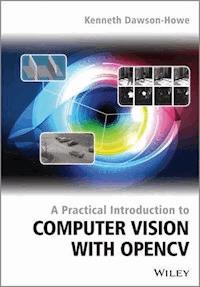
Explains the theory behind basic computer vision and provides a bridge from the theory to practical implementation using the industry standard OpenCV libraries
Computer Vision is a rapidly expanding area and it is becoming progressively easier for developers to make use of this field due to the ready availability of high quality libraries (such as OpenCV 2). This text is intended to facilitate the practical use of computer vision with the goal being to bridge the gap between the theory and the practical implementation of computer vision. The book will explain how to use the relevant OpenCV library routines and will be accompanied by a full working program including the code snippets from the text. This textbook is a heavily illustrated, practical introduction to an exciting field, the applications of which are becoming almost ubiquitous. We are now surrounded by cameras, for example cameras on computers & tablets/ cameras built into our mobile phones/ cameras in games consoles; cameras imaging difficult modalities (such as ultrasound, X-ray, MRI) in hospitals, and surveillance cameras. This book is concerned with helping the next generation of computer developers to make use of all these images in order to develop systems which are more intuitive and interact with us in more intelligent ways.
- Explains the theory behind basic computer vision and provides a bridge from the theory to practical implementation using the industry standard OpenCV libraries
- Offers an introduction to computer vision, with enough theory to make clear how the various algorithms work but with an emphasis on practical programming issues
- Provides enough material for a one semester course in computer vision at senior undergraduate and Masters levels
- Includes the basics of cameras and images and image processing to remove noise, before moving on to topics such as image histogramming; binary imaging; video processing to detect and model moving objects; geometric operations & camera models; edge detection; features detection; recognition in images
- Contains a large number of vision application problems to provide students with the opportunity to solve real problems. Images or videos for these problems are provided in the resources associated with this book which include an enhanced eBook
Sie lesen das E-Book in den Legimi-Apps auf:
Seitenzahl: 334
Veröffentlichungsjahr: 2014
Ähnliche


















A PRACTICAL INTRODUCTION TO COMPUTER VISION WITH OPENCV
Kenneth Dawson-Howe
Trinity College Dublin, Ireland
This edition first published 2014 © 2014 John Wiley & Sons Ltd
Registered office John Wiley & Sons Ltd, The Atrium, Southern Gate, Chichester, West Sussex, PO19 8SQ, United Kingdom
For details of our global editorial offices, for customer services and for information about how to apply for permission to reuse the copyright material in this book please see our website at www.wiley.com.
The right of the author to be identified as the author of this work has been asserted in accordance with the Copyright, Designs and Patents Act 1988.
All rights reserved. No part of this publication may be reproduced, stored in a retrieval system, or transmitted, in any form or by any means, electronic, mechanical, photocopying, recording or otherwise, except as permitted by the UK Copyright, Designs and Patents Act 1988, without the prior permission of the publisher.
Wiley also publishes its books in a variety of electronic formats. Some content that appears in print may not be available in electronic books.
Designations used by companies to distinguish their products are often claimed as trademarks. All brand names and product names used in this book are trade names, service marks, trademarks or registered trademarks of their respective owners. The publisher is not associated with any product or vendor mentioned in this book.
Limit of Liability/Disclaimer of Warranty: While the publisher and author have used their best efforts in preparing this book, they make no representations or warranties with respect to the accuracy or completeness of the contents of this book and specifically disclaim any implied warranties of merchantability or fitness for a particular purpose. It is sold on the understanding that the publisher is not engaged in rendering professional services and neither the publisher nor the author shall be liable for damages arising herefrom. If professional advice or other expert assistance is required, the services of a competent professional should be sought.
Library of Congress Cataloging-in-Publication Data applied for.
ISBN: 9781118848456
I am grateful to many people for their help and support during the writing of this book. The biggest thanks must go to my wife Jane, my children, William and Susie, and my parents, all of whose encouragement has been unstinting.
I must express my thanks to my students for their interest and enthusiasm in this subject. It is always refreshing to hear students discussing how to solve vision problems in tutorials and great to hear their solutions to problems which are often different (and sometimes better) than my own.
I thank my colleagues (in particular Arthur Hughes, Jeremy Jones and Hilary McDonald) for their encouragement and support.
Contents
Preface
Electronic Resources
Teaching Computer Vision Using This Text
1 Introduction
1.1 A Difficult Problem
1.2 The Human Vision System
1.3 Practical Applications of Computer Vision
1.4 The Future of Computer Vision
1.5 Material in this Textbook
1.6 Going Further with Computer Vision
2 Images
2.1 Cameras
2.2 Images
2.3 Colour Images
2.4 Noise
2.5 Smoothing
3 Histograms
3.1 1D Histograms
3.2 3D Histograms
3.3 Histogram/Image Equalisation
3.4 Histogram Comparison
3.5 Back-projection
3.6 k-means Clustering
4 Binary Vision
4.1 Thresholding
4.2 Threshold Detection Methods
4.3 Variations on Thresholding
4.4 Mathematical Morphology
4.5 Connectivity
5 Geometric Transformations
5.1 Problem Specification and Algorithm
5.2 Affine Transformations
5.3 Perspective Transformations
5.4 Specification of More Complex Transformations
5.5 Interpolation
5.6 Modelling and Removing Distortion from Cameras
6 Edges
6.1 Edge Detection
6.2 Contour Segmentation
6.3 Hough Transform
7 Features
7.1 Moravec Corner Detection
7.2 Harris Corner Detection
7.3 FAST Corner Detection
7.4 SIFT
7.5 Other Detectors
8 Recognition
8.1 Template Matching
8.2 Chamfer Matching
8.3 Statistical Pattern Recognition
8.4 Cascade of Haar Classifiers
8.5 Other Recognition Techniques
8.6 Performance
9 Video
9.1 Moving Object Detection
9.2 Tracking
9.3 Performance
10 Vision Problems
10.1 Baby Food
10.2 Labels on Glue
10.3 O-rings
10.4 Staying in Lane
10.5 Reading Notices
10.6 Mailboxes
10.7 Abandoned and Removed Object Detection
10.8 Surveillance
10.9 Traffic Lights
10.10 Real Time Face Tracking
10.11 Playing Pool
10.12 Open Windows
10.13 Modelling Doors
10.14 Determining the Time from Analogue Clocks
10.15 Which Page
10.16 Nut/Bolt/Washer Classification
10.17 Road Sign Recognition
10.18 License Plates
10.19 Counting Bicycles
10.20 Recognise Paintings
References
Index
End User License Agreement
List of Figure
Chapter 1
Figure 1.1 Different versions of an image. An array of numbers (left) which are the values of the grey scales in the low resolution image of a face (top right). The task of computer vision is most like understanding the array of numbers
Figure 1.2 PCB inspection of pads (left) and images of some detected flaws in the surface mounting of components (right). Reproduced by permission of James Mahon
Figure 1.3 Checking print quality of best-before dates (right), and monitoring level to which bottles are filled (right). Reproduced by permission of Omron Electronics LLC
Figure 1.4 Buried landmines in an infrared image (left). Reproduced by permission of Zouheir Fawaz, Handprint recognition system (right). Reproduced by permission of Siemens AG
Figure 1.5 The ASIMO humanoid robot which has two cameras in its ‘head’ which allow ASIMO to determine how far away things are, recognise familiar faces, etc. Reproduced by permission of Honda Motor Co. Inc
Chapter 2
Figure 2.1 The simple pinhole camera model showing the relationship the real 3D world (on the right-hand side) and the images captured on the image plane (on the left-hand side). The pinhole in this case is the origin in the XYZ coordinate system and, in reality, the image plane would need to be enclosed in a housing, which prevented any stray light from hitting the image plane
Figure 2.2 Four different samplings of the same image; top left 256x192, top right 128x96, bottom left 64x48 and bottom right 32x24
Figure 2.3 Four different quantizations of the same grey-scale image; top left 8 bits, top right 6 bits, bottom left 4 bits and bottom right 2 bits
Figure 2.4 RGB colour image (left) and the same image in grey-scale (right)
Figure 2.5 RGB Image (top left) shown with red channel (top right), green channel (bottom left) and blue channel (bottom right)
Figure 2.6 Spectral sensitively curves for blue (left), green (middle) and red (right) photosensitive elements
Figure 2.7 Sample arrangement of photosensitive cells in an RGB camera where the red, green and blue boxes represent individual photosensitive cells which are sensitive to wavelengths around red, green, and blue respectively. This pattern is referred as the Bayer pattern and is used in modern CCD and older CMOS cameras
Figure 2.8 CMY Image (top left) shown with yellow channel (top right), magenta channel (bottom left) and cyan channel (bottom right)
Figure 2.9 YUV image (top left) shown with luminance (Y) channel (top right), U channel (bottom left) and V channel (bottom right)
Figure 2.10 HLS space. The different colours are around the circular hue axis, the depth of the colours is indicated by how far along the saturation axis the colour is (from the centre), and the luminance indicates the brightness. The space is shown as wide in the middle and smaller at high and low values of luminance as there is no effective/reliable colour information when something is very dark or very bright
Lesen Sie weiter in der vollständigen Ausgabe!
Lesen Sie weiter in der vollständigen Ausgabe!
Lesen Sie weiter in der vollständigen Ausgabe!
Lesen Sie weiter in der vollständigen Ausgabe!
Lesen Sie weiter in der vollständigen Ausgabe!
Lesen Sie weiter in der vollständigen Ausgabe!
Lesen Sie weiter in der vollständigen Ausgabe!
Lesen Sie weiter in der vollständigen Ausgabe!
Lesen Sie weiter in der vollständigen Ausgabe!
Lesen Sie weiter in der vollständigen Ausgabe!
Lesen Sie weiter in der vollständigen Ausgabe!
Lesen Sie weiter in der vollständigen Ausgabe!
Lesen Sie weiter in der vollständigen Ausgabe!
Lesen Sie weiter in der vollständigen Ausgabe!




