


27,99 €
Mehr erfahren.
- Herausgeber: John Wiley & Sons
- Kategorie: Wissenschaft und neue Technologien
- Sprache: Englisch
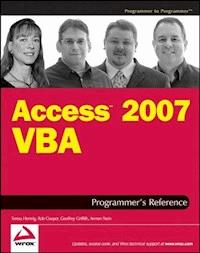
Access 2007 VBA Programmer's Reference covers a wide spectrum of programming topics relevant to Access. Although it assumes the reader has some familiarity with VBA programming language, it begins with a brief introduction to VBA. And to help you leverage the tools that Access provides, a chapter highlights the new features in Microsoft Office Access 2007 — including new wizards and GUI (graphical user interface) elements that previously required VBA code, as well as new VBA features.
The book also discusses how to create and name variables, how to use Data Access Object (DAO) and ActiveX Data Object (ADO) to manipulate data both within Access and within other applications, proper error handling techniques, and advanced functions such as creating classes and using APIs. Key new objects such as using Macros and the Ribbon are explored, too, as are forms and reports, the two most powerful tools for working with and displaying data. Working with other applications is covered extensively both in a general nature and for working specifically with Microsoft Office applications, Windows SharePoint Services, and SQL Server. Of course, this book wouldn’t be complete without discussing security issues and the Developer Extensions.
Sie lesen das E-Book in den Legimi-Apps auf:
Seitenzahl: 1840
Veröffentlichungsjahr: 2011
Ähnliche


















Table of Contents
Cover
Title Page
Copyright
Dedications
About the Authors
Credits
Acknowledgments
Foreword
Introduction
What Is VBA?
What Does This Book Cover?
How to Use This Book
Other Access/VBA Sources
Conventions Used in This Book
Source Code
Errata
p2p.wrox.com
Chapter 1: Introduction to Microsoft Access 2007
A Brief History of Access
Is Access the Only Database System?
Developing Databases Without VBA Code
Summary
Chapter 2: Access, VBA, and Macros
VBA in Access
VBA versus Macros in Access
Summary
Chapter 3: New Features in Access 2007
Who Benefits
New Look
Development Environment
Forms
Reports
Embedded Macros
Access Data Engine
Integration with SharePoint
External Data Sources
Security
Convert with Confidence
ADE and Creating Runtime Files
What’s Gone or Deprecated
Summary
Chapter 4: Using the VBA Editor
Anatomy of the VBA Editor
Using the Object Browser
Testing and Debugging VBA Code
Summary
Chapter 5: VBA Basics
VBA Objects
Variables and VBA Syntax
Other VBA Structures
Summary
Chapter 6: Using DAO to Access Data
Data Access Objects
Why Use DAO?
New Features in DAO
Referring to DAO Objects
The DBEngine Object
The Databases Collection
DAO Object Properties
Creating Schema Objects with DAO
Database Encryption with DAO
Managing Access (JET) Security with DAO
Data Access with DAO
Append Only Fields
Summary
Chapter 7: Using ADO to Access Data
Ambiguous References
Referring to ADO Objects
Connecting to a Data Source
Rolling Your Own Connection String
Data Access with ADO
Creating ADO Recordsets
Creating Schema Recordsets
Using ADO Events
Testing the State Property
Creating Schema Objects with ADOX
Managing Security with ADO
Summary
Chapter 8: Executing VBA
When Events Fire
VBA Procedures
Evaluating Expressions in VBA
Using Recordsets
Using Multiple Recordsets
Using VBA in Forms and Reports
Debugging VBA
Investigating Variables
Common VBA Techniques
String Concatenation Techniques
Summary
Chapter 9: VBA Error Handling
Why Use Error Handling?
Two Kinds of Errors: Unexpected and Expected
Basic Error Handling
Cleaning Up After an Error
More on Absorbing Expected Errors
Issues in Error Handling
Summary
Chapter 10: Using VBA to Enhance Forms
VBA Basics
Creating Forms the 2007 Way
Summary
Chapter 11: Enhancing Reports with VBA
Introduction to Reports
Creating a Report
Working with VBA in Reports
Important Report Events and Properties
Report Properties
Working with Charts
Common Report Requests
Layout View
Report View
Summary
Chapter 12: Customizing the Ribbon
Ribbon Overview
Custom Menu Bars and Toolbars
Ribbon Customization
Saving a Custom Ribbon
Specifying the Custom Ribbon
Creating an Integrated Ribbon
Creating a Ribbon from Scratch
Customizing the Office Menu
Customizing the Quick Access Toolbar
More Ribbon Tips
Summary
Chapter 13: Creating Classes in VBA
A Touch of Class
Why Use Classes?
Creating a Class Module
Naming Objects
Using Class Events
Forms as Objects
Variable Scope and Lifetime
The Me Property
Creating a Clone Method
Creating and Using Collection Classes
The Three Pillars
Summary
Chapter 14: Extending VBA with APIs
Introducing the Win32 API
Introducing Linking
Linking Libraries in Access 2007
Understanding C Parameters
Err.LastDLLError
Distributing Applications That Reference Type Libraries and Custom DLLs
Summary
Chapter 15: SQL and VBA
Working with SQL Strings in VBA
Using SQL When Opening Forms and Reports
Using SQL to Enhance Forms
The ReplaceOrderByClause and ReplaceWhereClause Functions
Summary
Chapter 16: Working with Office Applications
Sharing Information Is a Two-Way Street
Working with Outlook
Sending Information from Access to Excel
Exchanging Data with Microsoft Word
Sending Data to PowerPoint
Pulling Data from Access
Summary
Chapter 17: Working with SharePoint
Overview
Access Features on SharePoint
SharePoint Features in Access
Summary
Chapter 18: Database Security
Security for the ACCDB File Format
Security for the MDB File Format
Summary
Chapter 19: Understanding Client-Server Development with VBA
Client-Server Applications
Choosing the Correct File Format
Controlling the Logon Process
Binding ADODB Recordsets
Using Unbound Forms
Summary
Chapter 20: Working with the Win32 Registry
About the Registry
Using the Built-In VBA Registry Functions
Using the Win32 Registry APIs
Summary
Chapter 21: Using the ADE Tools
The Redistributable Access Runtime
The Package Solution Wizard
Save as Template
Source Code Control Support
Summary
Chapter 22: Protecting Yourself with Access 2007 Security
The Office Trust Center
Disabled Mode
Digital Signatures and Certificates
Access Database Engine Expression Service
Summary
Appendix A: Upgrading to Access 2007
To Convert or To Enable
Installing Multiple Versions of Access on One PC
Changing File Formats
Converting a Secured Database
Converting a Replicated Database
Enabling a Database
Appendix B: References for Projects
Types of References
Adding References to Your Projects
Building Code Libraries
Resources
Appendix C: Calling Managed Code
A Quick Overview of Managed Code
Writing Managed Code
Using Managed Code in Access
Appendix D: DAO Object Method and Property Descriptions
DAO-Supported Objects
Undocumented Tools and Resources
DAO Field Types
OpenRecordset Constants
Appendix E: ADO Object Model Reference
Connection Object
Errors Collection and Error Object
Properties Collection and Property Object
Command Object
Parameters Collection
Recordset Object
Fields Collection
Field Object
Record Object
Stream Object
Appendix F: ADO Object Argument Enumeration Information
Connection.Execute Method Options
Recordset.Open Method Options
Connection.OpenSchema Method Options
Group or User SetPermissions Method Options
Appendix G: The Access Object Model
The Application Object
AllObjects Collection
The CurrentData Object
The CurrentProject Object
AccessObject
The DoCmd Object
The Form Object
The Control Object
The ImportExportSpecification Object
The Module Object
The Printer Object
The References Collection and Reference Object
The Reports Collection and Report Object
The Screen Object
The Section Object
The SmartTag Object
The SubForm Object
The SubReport Object
Other Helpful Information
Appendix H: Windows API Reference Information
API Viewer
Websites
Books
Some Useful API Functions
Appendix I: Windows Registry Information
Windows Registry Data Types
Registry Root Key Hives
Registry Function Declarations
Registry API Constant and User-Defined Type Declarations
Appendix J: Access Wizards, Builders, and Managers
Access Wizards
Access Managers
Access Builders
Access Managers
Appendix K: Reserved Words and Special Characters
What Are the Sources of Reserved Words?
Reserved Words with Error Messages
Reserved Word List
What Are Special Characters?
Appendix L: Naming Conventions
Why Implement Naming Conventions?
A Brief History
The Fundamentals of the Hungarian Convention
Rules for Creating Names — Adding the Personal Touch
More Do’s and Don’ts
Tables of Tags
Standards
Appendix M: Tips and Tricks
Visual Interface Standards
Daisy Chain Your Forms
Find Records
Split Your Application
Display Informative Form Captions
Preload Records
Use a Splash Screen
Pop-Up Memo Workspace Form with Spell Check
Determine the User Name
Index
Advertisements
Access™ 2007 VBA Programmer’s Reference
Published by Wiley Publishing, Inc. 10475 Crosspoint Boulevard Indianapolis, IN 46256www.wiley.com
Copyright ©2007 by Wiley Publishing, Inc., Indianapolis, Indiana
Published simultaneously in Canada
ISBN: 978-0-470-04703-3
Manufactured in the United States of America
10 9 8 7 6 5 4 3 2 1
Library of Congress Cataloging-in-Publication Data: Available from Publisher.
No part of this publication may be reproduced, stored in a retrieval system or transmitted in any form or by any means, electronic, mechanical, photocopying, recording, scanning or otherwise, except as permitted under Sections 107 or 108 of the 1976 United States Copyright Act, without either the prior written permission of the Publisher, or authorization through payment of the appropriate per-copy fee to the Copyright Clearance Center, 222 Rosewood Drive, Danvers, MA 01923, (978) 750-8400, fax (978) 646-8600. Requests to the Publisher for permission should be addressed to the Legal Department, Wiley Publishing, Inc., 10475 Crosspoint Blvd., Indianapolis, IN 46256, (317) 572-3447, fax (317) 572-4355, or online at http://www.wiley.com/go/permissions.
Limit of Liability/Disclaimer of Warranty: The publisher and the author make no representations or warranties with respect to the accuracy or completeness of the contents of this work and specifically disclaim all warranties, including without limitation warranties of fitness for a particular purpose. No warranty may be created or extended by sales or promotional materials. The advice and strategies contained herein may not be suitable for every situation. This work is sold with the understanding that the publisher is not engaged in rendering legal, accounting, or other professional services. If professional assistance is required, the services of a competent professional person should be sought. Neither the publisher nor the author shall be liable for damages arising herefrom. The fact that an organization or Website is referred to in this work as a citation and/or a potential source of further information does not mean that the author or the publisher endorses the information the organization or Website may provide or recommendations it may make. Further, readers should be aware that Internet Websites listed in this work may have changed or disappeared between when this work was written and when it is read.
For general information on our other products and services please contact our Customer Care Department within the United States at (800) 762-2974, outside the United States at (317) 572-3993 or fax (317) 572-4002.
Trademarks: Wiley, the Wiley logo, Wrox, the Wrox logo, Programmer to Programmer, and related trade dress are trademarks or registered trademarks of John Wiley & Sons, Inc. and/or its affiliates, in the United States and other countries, and may not be used without written permission. Microsoft and Access are trademarks or registered trademarks of Microsoft Corporation in the United States and other countries. All other trademarks are the property of their respective owners. Wiley Publishing, Inc., is not associated with any product or vendor mentioned in this book.
Wiley also publishes its books in a variety of electronic formats. Some content that appears in print may not be available in electronic books.
I dedicate my work, passion, and energies to my brother. Kirk is an inspiration, mentor, and good friend, and he leads by example in his unstinting support of the Spinal Cord Society’s research to cure paralysis. And to my Mom and Papa and my Dad, who encourage me, laugh with me, and share in my joys, struggles, and jubilations as I take on extraordinary challenges such as climbing Mt. Rainier, riding 220 miles on a bike, and even writing this book.
And I dedicate this book to all the people who are just learning about Access and about VBA. Access 2007 has some phenomenal new features that empower users and give Access a more universal appeal. I am privileged to help you on your journey.
— Teresa
To my Mom, for her love and encouragement over the years and for instilling in me the passion to find the things I enjoy. To Karen and Chris, for reminding me where I come from. And in loving memory of my dad Marvin, who continues to drive me in my search for meaning.
— Rob
To my wife Jamie, for all the love and support you have given me. To my family: Mom, Dad, Cara, Sean, Ariana, and Army, for the encouragement, knowledge, and strength you have given me. My deepest gratitude does not even begin to define my love and appreciation for each of you.
— Geoff
To my wife Lori. Our work and interests are often so different, but I couldn’t ask for a better partner.
— Armen
About the Authors
Teresa Hennig loves challenges, solving problems, and making things happen. Her company, Data Dynamics NW, reflects her dynamic personality and her innate ability to quickly grasp a situation and formulate a solution.
Teresa is president of both the Pacific Northwest Access Developer Group and the Seattle Access Group, and is host for INETA’s monthly webcasts. She was the coordinating author for Access 2003 VBA Programmer’s reference, and continues to publish two monthly Access newsletters. In recognition of her expertise and dedication to the Access community, Teresa was awarded Microsoft Access MVP.
Rob Cooper is a test lead on the Access team at Microsoft. He started at Microsoft as a support engineer in Charlotte, North Carolina, in 1998 and joined the Access 2003 test team in Redmond in 2001. During the Access 2007 release, he led the security efforts across the test team and worked on several new features including disabled mode, database encryption, Office Trust Center, and sorting, grouping and totals. Rob also led efforts around the Access object model and continues to provide direction around programmability and security in Access.
A long-time fan of Access, Rob is a frequent speaker at the Seattle Access Group and PNWADG meetings and has written for the Microsoft Knowledge Base and Access Advisor. Aside from writing code in Access and C#, he also enjoys spending time with his family watching movies, going to the zoo and aquarium, and hanging out in and around Seattle.
Geoffrey Griffith is an avid Access user who was raised in the Boulder, Colorado, area. He holds a Bachelor of Science degree in Computer Science from University of Colorado, where he studied software engineering. Now living in the Seattle, Washington, area and employed by Microsoft, he contributed to the Access 2007 product as a Software Design Engineer in Test for the Microsoft Office Access team. He enjoys participating in software community events by attending and speaking for local users groups and helping all those who would seek it.
Armen Stein is a Microsoft Access MVP and the president of J Street Technology, Inc., a team of database application developers in Redmond, Washington. J Street also offers web design, web hosting, and CartGenie, a complete web storefront and shopping cart system. Armen is President Emeritus of the Pacific Northwest Access Developers Group, and has also spoken at Seattle Access and Portland Access Users Group meetings. He has taught database classes at Bellevue Community College, and also developed and taught one-day training classes on Access and Access/SQL Server development. Armen earned a Business Administration/Computer Science degree from Western Washington University, and has been developing computer applications since 1984. His other interests include activities with his family, backgammon, Mariners baseball, and driving his 1969 Ford Bronco in the sun.
Credits
Executive Editor
Robert Elliott
Development Editor
Maryann Steinhart
Technical Editors
Michael BrothertonMichael Tucker
Production Editor
Angela Smith
Copy Editor
Nancy Rapoport
Editorial Manager
Mary Beth Wakefield
Production Manager
Tim Tate
Vice President and Executive Group Publisher
Richard Swadley
Vice President and Executive Publisher
Joseph B. Wikert
Armen Stein Cover Photo by
Walt Jones
Composition
Maureen Forys, Happenstance Type-O-Rama
Proofreading
Christopher Jones
Indexing
Robert Swanson
Anniversary Logo Design
Richard Pacifico
Acknowledgments
We want to start with a huge thank you to everyone who was pulled into the research and review for the uniquely challenging adventure of writing about Access 2007 while working with the beta versions and using Vista beta. And a very heartfelt hug of appreciation to the families and friends of the authors and tech editors for putting up with our all-nighters as we strove to make this the most technically accurate and comprehensive book in its class. Speaking of tech editors, words alone cannot adequately acknowledge the valuable contributions of our two tech editors, Michael Brotherton and Michael Tucker. We also want to thank the Microsoft Access team for their passion and devotion and for making such revolutionary changes to Access. And, it wouldn’t be as good as it is without the people who shared ideas and contributed to this book, including David Antonsen, Tim Getsch, Michael Kaplan, Michael Tucker, and Randy Weers.
We also want to thank Wiley and Wrox for providing the opportunity and infrastructure to reach our audience. We especially want to thank Bob Elliott for guiding us through the process and understanding the challenges of working with two beta systems. And we have a very special vote of appreciation for our development editor, Maryann Steinhart, who did a great job of managing the formatting and editing. Despite numerous delays, Maryann worked with us to incorporate final revisions when 2007 was released. And of course, we want to thank the authors of the 2003 edition, Patricia Cardoza, Teresa Hennig, Graham Seach, Armen Stein, and contributors Randy, Sam, Steve, and Brian.
Writing this book has been a challenging and incredibly rewarding experience. It was only possible because of teamwork and the contributions of others. So, thank you all!
— The Authors
I have to start by saying that is has been an honor and privilege to lead such an amazing team of authors and tech editors. Their combined expertise, experience, and passion for Access is unprecedented. This may have been the most challenging version to write about, and thanks to your devotion and team spirit our book will set a new standard for technical accuracy. As shocking as this may be, I’m at a loss for words to adequately express my heartfelt appreciation.
Of course, I have to thank the Access team for going all out for Access 2007 and for their seemingly tireless dedication to supporting the Access community. It’s only through their efforts that we have so many new features. I can hardly wait to feel the excitement as people start to use Access 2007. That being said, I want to thank the members of my Access groups and all of the people who are using our book to get more out of Access. You are my motivation, and our team wrote this book for you.
I want to thank my family and special friends for their understanding and support through the roller coaster ride of writing this book. You were always available to listen to my stories and graciously accepted the many times that I was “unavailable.” And, I am so fortunate to have the most amazing clients. Thank you for hanging in there when my time was consumed by the book and I had to defer your projects. You’ll recognize Randy from our last book; although he was unable to officially join our team this time, Randy has my undying gratitude for helping me with Chapter 10. And no matter how immersed I became, I could always count on my friends Marc, David, Randy, Andi, and Mike. Ahhh, yes, there it is again, the M word. So yes, my world is still filled with Mikes and Michaels. I wouldn’t want it any other way <g>.
To friends, challenges, and opportunities. May we learn to celebrate them all.
— Teresa
First, I’d like to thank my wife Sandi for her support during all of the late nights and weekends. To my children Isabel and Gillian for being so understanding at such a young age while Daddy was working and not playing soccer or hanging out on the weekends. And to my oldest Taryn for being there on many occasions while I was not. The sushi is still better on the left-coast!
Huge thanks to Teresa Hennig for the opportunity to work on this book and for the project coordination efforts. This is something I have always wanted to do and I am truly grateful for the opportunity. Thanks to everyone on the Access team at Microsoft for their amazing work during this release and for answering questions that I came across while writing. I’d also like to thank the following people in particular: Sherri Duran for her encouragement and support while I started on this project, Kumar Srinivasamurthy for the encouragement and for being both a great lead and teacher this release, Adam Kenney for teaching me about the Ribbon, Michael Tucker and Michael Brotherton for agreeing to work on this project and for providing outstanding technical feedback, and Tim Getsch for writing the Foreword and great Access conversation.
— Rob
I’d like to acknowledge my wife Jamie and her family — Ken, Mary and Tammy — for the numerous sacrifices you have made for me; they are far too many to count. To my own family — Mom, Dad, Cara, Sean, Ariana, Army, and all my grandparents, aunts, uncles and cousins — your love and support has been monumental and the foundation of my entire life. To my best friends throughout the years — Mike and Megan, Joe, Rudi, Dylan, the Tom’s, Sean, Cody, Ryan, Sammy, Marc, John, Paul, Matt, Elgin, Dave and Lori, Joe, Shinya, Andrew, Scott, and Dee Dee — thanks for all the encouragement and great times. To Sherri, Shawn, and everyone on the Access Team, for answering all of my questions and providing me with tremendous, life-changing experiences. Andrei, Valdimir, Tianru, Richard and Stephanie, thanks for taking a chance on a young kid, teaching me Access, and breaking me into the software industry. The writers and contributors to this book — Teresa, Rob, Armen, Michael, Michael, Maryann, Bob, and David — thanks for the great team and providing me with the magnificent opportunity of working on this book. To the previous authors of this book: Patricia, Teresa, Graham and Armen, as well as the contributing authors Steve, Brian, Randy, and Sam, for laying a powerful foundation for this book and sharing your extensive knowledge and experience in the previous book. To Clayton, Doug, Ed (“Dr. A”), Dr. Tom Lookabaugh, Dr. Michael Main, Jan, Mrs. Best, Jeannie, Yvonne, and all of my other teachers and professors, thanks for helping me learn and grow. Finally, all the hundreds of people who have made a difference in my life, even though you have not been called out by name, I still acknowledge your support and appreciate your contributions. Every last one of you is a Rock Star!
— Geoff
Thanks to my team at J Street Technology for their dedication to quality database applications: Steve, Sandra, Tyler, Matt, Stacey and Jessica. And thanks to my wife Lori and kids Lauren and Jonathan, who always support me in everything I do.
— Armen
Foreword
When I saw the list of authors Teresa brought together for this second edition of the Access VBA Programmer’s Reference, I was very impressed. I have known each of the authors for several years, and they each have valuable insight. Teresa Hennig and Armen Stein are both Microsoft MVPs who have served the Access community in the Seattle area for many years. Rob Cooper is one of the top testers on the Access team and has a long history with the Access product as a support engineer. Geoffrey Griffith is an up-and-coming tester on the Access team who carries a lot of passion for the product. I have worked closely with him since his first day at Microsoft. Even the technical editors for this book have extremely strong resumes. Both Michael Brotherton and Michael Tucker have worked at Microsoft for more than 10 years and were testers on the Access 2007 team.
Not only was this book written and reviewed by a strong cast of authors, it nicely covers a wide spectrum of topics that you will encounter as you build your solutions in Access. It has topics for people new to Access or new to programming as well as topics that will improve the skills of seasoned veterans. This book teaches about many of the latest innovations as well as illustrating several commonly used techniques.
You will not just learn how to properly use VBA, but you will also see several new features in Access 2007 that eliminate or reduce the need for VBA code. Ultimately, you have a job to get done, and this book shows you the tools that are at your disposal. It is full of sample code that can help you get started, and it teaches you solid techniques that will help your code become easier to maintain in the long run.
This is a great book for anyone wanting to learn the depth and breadth of Access 2007. It is also an excellent reference and something that you will surely want to keep close at hand.
Tim Getsch
Program Manager, Microsoft Access
Introduction
Welcome to Access 2007 VBA Programmer’s Reference. This release of Access probably has the most dramatic changes for developers and users since Access 97 and arguably since Access 2.0. With changes of this magnitude, you will want to leverage community resources to get up to speed quickly so that you are working smarter and more efficiently. That’s where this book comes in.
Why this book? It has an unparalleled team of authors and tech editors who are as devoted to helping fellow developers as they are passionate about the product. Armen and Teresa have both earned Access MVP status in recognition of their expertise and contributions to the Access community, and Rob and Geoff are members of the Microsoft Access test team. They have the level of familiarity with Access 2007 that can only be developed through time and use. Both of the tech editors are testers on the Microsoft Access team, so they too have been working with Access 2007 for more than a year. In addition to editing, they also contributed resources, suggestions, and some of the tips in Appendix M. Every member of the team has been working with Access since 97 or before. Even with this remarkable level of expertise, we took the opportunity to complement our own experiences with contributions from other developers to bring you the best available information on using VBA (Microsoft Visual Basic for Applications) in Access 2007.
Many of the new features in Access 2007 can accomplish tasks that previously required VBA programming. In addition to reducing development time, these features can create better and more professional looking solutions. For many of us, being able to take advantage of the new features, right out of the box, is more than enough reason to upgrade. So although the primary focus of this book is to help you extend the power of Access by adding VBA, we identify the new features of Access 2007. Because many of you are familiar with prior versions of Access, we also point out some of the major changes, particularly if they affect the way that you will be working.
The goal is for Access 2007 VBA Programmer’s Reference to be your primary resource and tool to help you leverage both Access’s built-in functionality and VBA in a manner that helps you to create the best applications that you can imagine. Access 2007 makes it easy to start working as soon as it’s installed. With the new UI (user interface), people will be building complex applications using the tools and resources that ship with Access. And, with a little outside guidance, they can work a lot smarter, with more confidence, and avoid several pitfalls. So, this book is for the typical Access user as well as the seasoned programmer. It will help you utilize the power of Microsoft Access more effectively and help you choose when to let the wizards do the work, as well as showing you how to modify and enhance the code that the wizards create. Access builds great forms and reports that can be customized on-the-fly by using VBA code to respond to a multitude of events. Interactive reports, or report browse, may be the ultimate example of the power and potential of Access. And Access now offers invaluable opportunities to integrate with external applications and multiple data sources. It’s almost as easy as “a click of a button” to retrieve data from e-mail or to work with SharePoint and other online services. You can even use SharePoint for deployment and version control.
With all the new templates, macros, wizards, and help files, it is easier than ever to open the program and quickly start creating tables, forms, and reports. When you consider how easy it is to get started, you’ll realize that it is doubly important to be working smart and in the right direction. Use this book and its online resources as your guide to better programming and more effective solutions.
What Is VBA?
Microsoft Visual Basic for Applications (VBA) enables programmers to develop highly customized desktop applications that integrate with a variety of Microsoft and non-Microsoft programs. For example, all of the Microsoft Office System products support VBA and can be extended even further by employing Visual Studio Tools for Office. In addition, many third-party programs, such as accounting software packages, mapping software, and drafting programs also support VBA. And, if the company provides an integration tool, or SDK (software development kit), it typically requires VB or VBA to work with it.
VBA is actually a subset of the Visual Basic programming language and is a superset of VB Script (another in the Visual Basic family of development tools). VBA includes a robust suite of programming tools based on the Visual Basic development, arguably the world’s most popular rapid application development system for desktop solutions. Developers can add code to tailor any VBA-enabled application to their specific business processes. Starting with a blank database or building on a template, you can build complex solutions. For example, a construction company can use VBA within Microsoft Access to develop a sophisticated system covering estimating, ordering, scheduling, costing, and inventory control. The look and operation of the system can be tailored for each group and it can easily limit what data a person can view or change.
The report browse feature in Access 2007 is going to revolutionize the way both developers and users work with data. Developers will create more powerful and informative reports and users will have more options for analyzing and reporting data. It will enable people to make smarter decisions faster. Whatever the industry, Access may be the cost-effective alternative to purchasing an off-the-shelf product. Instead of paying the high cost of a proprietary program that offers limited capability for customization, developers can use Access to build a robust, expandable application that easily integrates with other programs. Once the Access application is in place, it can continue to be enhanced quickly and efficiently.
You might wonder why you should develop in VBA rather than Visual Basic 6.0 or Visual Basic .NET, both robust, popular, and capable programming languages. Using VBA within Access gives you a couple of key benefits. First, you can profit from a built-in Access object library, taking full advantage of a wide variety of Access commands, including executing any command from the Ribbon or custom toolbar in Access. And second, it’s cost effective because VBA is included in all Microsoft Office System applications. To develop in Visual Basic, you need to purchase Visual Basic 6.0 or Visual Basic .NET either alone or as part of the Visual Studio or Visual Studio .NET suite. If they are required, they can be cost-effective tools, but it may not be necessary to burden a project with that overhead. And, since VBA is included with the Microsoft Office applications, your code and skills are transferable and it makes it much easier to integrate with other applications.
Despite the advantages of VBA, there are still circumstances where it would be beneficial to use Visual Basic. For example, to deploy an application to a wide variety of computers, especially those without a full installation of Microsoft Access, Visual Basic is a valid option. In fact, this book discusses using the Access Developer Extensions that ship with Visual Studio Tools for Office for that very purpose.
What Does This Book Cover?
Access 2007 VBA Programmer’s Reference covers a wide spectrum of programming topics relevant to Access. Although it assumes the reader has some familiarity with VBA programming language, it begins with a brief introduction to VBA. And to help you leverage the tools that Access provides, a chapter highlights the new features in Microsoft Office Access 2007 — including new wizards and GUI (graphical user interface) elements that previously required VBA code, as well as new VBA features.
The book also discusses how to create and name variables, how to use Data Access Object (DAO) and ActiveX Data Object (ADO) to manipulate data both within Access and within other applications, proper error handling techniques, and advanced functions such as creating classes and using APIs. Key new objects such as using Macros and the Ribbon are explored, too, as are forms and reports, the two most powerful tools for working with and displaying data. Working with other applications is covered extensively both in a general nature and for working specifically with Microsoft Office applications, Windows SharePoint Services, and SQL Server. Of course, this book wouldn’t be complete without discussing security issues and the Developer Extensions.
The Chapters
Chapters 1–5 provide material that you need if you’re new to Access or VBA. After a review of Access 2007’s new features, you explore the building blocks of VBA, including objects, properties, methods, and events. And you’re introduced to the VBA Editor and its various debugging tools.
Chapters 6 and 7 focus on using VBA to access data. Both DAO and ADO provide methods for accessing data in Microsoft Access and other external data sources such as Informix, SQL Server, and a variety of accounting programs.
Chapters 8 and 9 provide detailed information on executing and debugging VBA code. Every development project needs some debugging, even if you’re an expert developer. You’ll see some easy ways to debug your code, and get some tips and tricks to make the tedious process of debugging a bit easier. Error handling is for more than just trapping problems and preventing crashes. It provides a powerful tool for interacting with users and adding functionality to programs.
Chapters 10 and 11 tackle forms and reports, two Access objects that can make particularly heavy use of VBA. In many applications, forms and reports control what the user can see and do. With the advent of report browsers, nearly all of the events that were available on forms are now accessible on reports. So, in addition to using code to show or hide sections of reports and to provide special formatting, you can now drill into the data underlying the report. These two chapters are packed with information; you’ll see how to use split screens on forms, create professional image controls, format reports based on cross tab queries, enhance interactive reports, alternate row colors, and much more.
Advanced VBA programming information begins in the next four chapters (12–15) — creating classes in VBA, using APIs, and using SQL and VBA. Because the Office Ribbon is new, there is a chapter dedicated to explaining how to customize and work with the ribbon.
Chapters 16–22 provide information about working with other programs, working with Windows, and controlling access to your applications and files. They also discuss some techniques for deploying database solutions. You’ll learn to create tasks and e-mail in Outlook, perform a mail merge in Word, export data to an Excel spreadsheet, and take information from Access, create a graph, and insert that graph into PowerPoint. Windows SharePoint services can help your applications share data across the Web. You’ll see how new file formats add to network and Access security. In addition, you’ll work with client/server development, learn to take advantage of Windows Registry and explore the Access Developer Extensions, essentially a Microsoft add-in, before you tackle macro security.
The Appendixes
As a developer, you can often spend hours going from source to source looking for reference material. The authors have applied the principles of relational databases (doing the work once so it can be used many times in multiple ways) to the appendixes, providing a compilation of data from a myriad of sources.
Appendix A addresses the issues and processes of upgrading, converting, and compatibility. The other 12 appendixes provide lists and tables that complement specific chapters in the book. You’ll find detailed lists of objects for both DAO and ADO as well as the Access object model and Windows Registry. The appendixes on naming conventions and reserved words provide invaluable information that not only can strengthen your programming style but can save you from using terms or characters that can cause hours of needless pain and frustration in debugging and correcting. The last appendix is filled with tips and tricks to make it easier and faster for you to develop professional applications, all solicited from MVPs and developers around the world.
How to Use This Book
The initial chapters are written in a tutorial format with detailed examples. True to the Wrox Programmer’s Reference standard format, the book includes numerous reference appendixes with details on the various object models you might use when writing VBA code in Access. It also provides a detailed primer on the Windows Registry and a listing of common API functions you might want to use in your code.
Real-world examples are given for many, if not most, of the programming topics covered in this book. These are just of few of the topics and examples that are included:
How to control access to data based on database login information.How to create custom reports based on information entered on a form.How to leverage report browse — the new interactive report feature that enables drilling into data on reports.How to summarize and graphically display data using cross-tab reports.How to use VBA to transfer data between Access and other Office programs such as Outlook, Word, and Excel.How to configure custom ribbons, toolbars, and menus for your Access database applications.How to use the image controls for more intuitive and professional looking forms.Throughout the book, we’ve also included tips and tricks discovered during the authors’ programming experiences.
We recommend that as you go through the book, you download the code and sample databases so that you can see how the code works and experiment with changes. (See the “Source Code” section later in this Introduction for details on downloading the code.) Working with the code is how you take ownership of the concept and start to incorporate it into your work and solutions.
Other Access/VBA Sources
You’ve heard the saying that there are as many ways to build a solution as there are programmers. Well, there is a lot of history underlying that statement. So, although this book is an excellent reference for all of your Access 2007 programming needs, there just isn’t enough time and ink to cover everything — to say nothing about fixes, updates, and add-ons. That’s where networking, newsgroups, and other information sites come in. Here are some of the authors’ favorites for you to check out:
Microsoft Newsgroups — Microsoft maintains a news server and has a wide variety of Access and VBA newsgroups to choose from. Currently there are more than 18 Access newsgroups for you to choose from. They all begin with microsoft.public.access. You can access newsgroups through a newsreader such as Outlook Express or through the Web at http://support.microsoft.com/newsgroups/default.aspx.Microsoft Office Discussion Groups (http:// microsoft.com/office/community/en-us/FlyoutOverview.mspx) — Microsoft is encouraging users to help each other, and it hosts discussion groups on selected products. There are currently 12 newsgroups listed for Microsoft Access.MVPS.ORG (http:// mvps.org) — Your jumping-off point to a number of interesting offerings provided by a few folks associated with the Microsoft Most Valuable Professional (MVP) program.Microsoft Access Developer Portal (http://msdn.microsoft.com/office/program/access) — Provides information about current issues, downloads, updates, and ways to obtain product support. There are links to excellent tutorials and training as well as videos about Access 2007 and links to external sites such as user groups, newsgroups, and other valuable resources.Microsoft TechNet (http:// microsoft.com/technet) — Offers quick access to Microsoft Knowledge Base articles, security information, and many other technical articles and tips.Microsoft Office Online - Access (http://office.microsoft.com/en-us/FX010857911033.aspx) — Provides quick tips, and direct links to Access resources such as downloads, templates, training, add-ins, and other pertinent information.Utter Access (http:// utteraccess.com) — Currently the leading independent forum for Microsoft Access questions and solutions.Conventions Used in This Book
Several different styles of text in this book will help you understand different types of information. Some of the styles we’ve used are listed here:
Mission-critical information or tips we’ve found particularly valuable in development are included in a box such as this.
Tips, hints, tricks, and asides to the current discussion are offset and placed in italics like this.
As for styles in the text:
New terms and important words are highlighted when they’re introduced.Keyboard strokes appear like this: Ctrl+A.Simple filenames, URLs, and code within the text look like so: persistence.properties.Code is presented in two different ways:Source Code
As you work through the examples in this book, you may choose either to type in all the code manually or to use the source code files that accompany the book. All of the source code used in this book is available for download at http://www.wrox.com. Once at the site, simply locate the book’s title (either by using the Search box or by using one of the title lists) and click the Download Code link on the book’s detail page to obtain all the source code for the book.
Because many books have similar titles, you may find it easiest to search by ISBN; this book’s ISBN is 978-0-470-04703-3.
Once you download the code, just decompress it with your favorite compression tool. Alternatively, you can go to the main Wrox code download page at http://www.wrox.com/dynamic/books/download.aspx to see the code available for this book and all other Wrox books.
Errata
Every effort is made to ensure that there are no errors in the text or in the code. However, no one is perfect, and mistakes do occur. If you find an error like a spelling mistake or faulty piece of code in one of our books, we would be grateful for your feedback. By sending in errata you may save another reader hours of frustration and at the same time you will be helping us provide even higher quality information.
To find the errata page for this book, go to http://www.wrox.com and locate the title using the Search box or one of the title lists. Then, on the book details page, click the Book Errata link. On this page you can view all errata that has been submitted for this book and posted by Wrox editors. A complete book list including links to each book’s errata is also available at www.wrox.com/misc-pages/booklist.shtml.
If you don’t spot “your” error on the Book Errata page, go to www.wrox.com/contact/techsupport.shtml and complete the form there to send us the error you have found. We’ll check the information and, if appropriate, post a message to the book’s errata page and fix the problem in subsequent editions of the book.
p2p.wrox.com
For author and peer discussion, join the P2P forums at p2p.wrox.com. The forums are a Web-based system for you to post messages relating to Wrox books and related technologies and interact with other readers and technology users. The forums offer a subscription feature to e-mail you topics of interest of your choosing when new posts are made to the forums. Wrox authors, editors, other industry experts, and your fellow readers are present on these forums.
At http://p2p.wrox.com you will find a number of different forums that will help you not only as you read this book, but also as you develop your own applications. To join the forums, just follow these steps:
1. Go to p2p.wrox.com and click the Register link.
2. Read the terms of use and click Agree.
3. Complete the required information to join as well as any optional information you want to provide, and click Submit.
4. You will receive an e-mail with information describing how to verify your account and complete the joining process.
You can read messages in the forums without joining P2P but to post your own messages, you must join.
Once you join, you can post new messages and respond to messages other users post. You can read messages at any time on the Web. If you would like to have new messages from a particular forum e-mailed to you, click the Subscribe to this Forum icon by the forum name in the forum listing.
For more information about how to use the Wrox P2P, be sure to read the P2P FAQs for answers to questions about how the forum software works as well as many common questions specific to P2P and Wrox books. To read the FAQs, click the FAQ link on any P2P page.
Chapter 1
Introduction to Microsoft Access 2007
What is Microsoft Office Access 2007? Simply put, it’s the newest version of Access, a well-known and widely used relational database management system (RDBMS) for Microsoft Windows designed for building small- to medium-scale database applications. Access 2007 provides a rich set of features and tools for designing, creating, storing, analyzing, and viewing data, as well as the capability to connect to a large variety of other data sources. Access combines ease-of-use features with software development capabilities to support a wide range of user skill sets. Access also provides a Primary Interop Assembly (PIA) to allow other development platforms, such as Microsoft Visual Studio .NET 2005, to manage data using an Access database or even incorporate Access functionality into an external application.
Lesen Sie weiter in der vollständigen Ausgabe!
Lesen Sie weiter in der vollständigen Ausgabe!
Lesen Sie weiter in der vollständigen Ausgabe!
Lesen Sie weiter in der vollständigen Ausgabe!
Lesen Sie weiter in der vollständigen Ausgabe!
Lesen Sie weiter in der vollständigen Ausgabe!
Lesen Sie weiter in der vollständigen Ausgabe!
Lesen Sie weiter in der vollständigen Ausgabe!
Lesen Sie weiter in der vollständigen Ausgabe!
Lesen Sie weiter in der vollständigen Ausgabe!
Lesen Sie weiter in der vollständigen Ausgabe!
Lesen Sie weiter in der vollständigen Ausgabe!
Lesen Sie weiter in der vollständigen Ausgabe!
Lesen Sie weiter in der vollständigen Ausgabe!
Lesen Sie weiter in der vollständigen Ausgabe!
Lesen Sie weiter in der vollständigen Ausgabe!
Lesen Sie weiter in der vollständigen Ausgabe!
Lesen Sie weiter in der vollständigen Ausgabe!
Lesen Sie weiter in der vollständigen Ausgabe!
Lesen Sie weiter in der vollständigen Ausgabe!
Lesen Sie weiter in der vollständigen Ausgabe!
Lesen Sie weiter in der vollständigen Ausgabe!
Lesen Sie weiter in der vollständigen Ausgabe!
Lesen Sie weiter in der vollständigen Ausgabe!
Lesen Sie weiter in der vollständigen Ausgabe!
Lesen Sie weiter in der vollständigen Ausgabe!
Lesen Sie weiter in der vollständigen Ausgabe!
Lesen Sie weiter in der vollständigen Ausgabe!
Lesen Sie weiter in der vollständigen Ausgabe!
Lesen Sie weiter in der vollständigen Ausgabe!
Lesen Sie weiter in der vollständigen Ausgabe!
Lesen Sie weiter in der vollständigen Ausgabe!
Lesen Sie weiter in der vollständigen Ausgabe!
Lesen Sie weiter in der vollständigen Ausgabe!
Lesen Sie weiter in der vollständigen Ausgabe!
Lesen Sie weiter in der vollständigen Ausgabe!




