


16,99 €
Mehr erfahren.
- Herausgeber: John Wiley & Sons
- Kategorie: Wissenschaft und neue Technologien
- Serie: Adventures In ...
- Sprache: Englisch
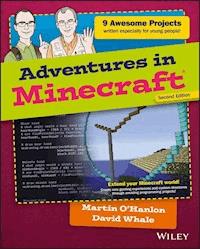
Learn valuable programming skills while building your own Minecraft adventure! If you love playing Minecraft and want to learn how to code and create your own mods, this book was designed just for you. Working within the game itself, you'll learn to set up and run your own local Minecraft server, interact with the game on PC, Mac and Raspberry Pi, and develop Python programming skills that apply way beyond Minecraft. You'll learn how to use coordinates, how to change the player's position, how to create and delete blocks and how to check when a block has been hit. The adventures aren't limited to the virtual - you'll also learn how to connect Minecraft to a BBC micro:bit so your Minecraft world can sense and control objects in the real world! The companion website gives you access to tutorial videos to make sure you understand the book, starter kits to make setup simple, completed code files, and badges to collect for your accomplishments. Written specifically for young people by professional Minecraft geeks, this fun, easy-to-follow guide helps you expand Minecraft for more exciting adventures, and put your personal stamp on the world you create. Your own Minecraft world will be unlike anyone else's on the planet, and you'll pick up programming skills that will serve you for years to come on other devices and projects. Among other things, you will: * Write Minecraft programs in Python® on your Mac®, PC or Raspberry Pi® * Build houses, structures, and make a 3D duplicating machine * Build intelligent objects and program an alien invasion * Build huge 2D and 3D structures like spheres and pyramids * Build a custom game controller using a BBC micro:bit(TM) * Plan and write a complete interactive arena game Adventures in Minecraft teaches you how to make your favourite game even better, while you learn to program by customizing your Minecraft journey.
Sie lesen das E-Book in den Legimi-Apps auf:
Seitenzahl: 394
Veröffentlichungsjahr: 2017
Ähnliche



















Adventures in Minecraft®, Second Edition
Published byJohn Wiley & Sons, Inc.10475 Crosspoint BoulevardIndianapolis, IN 46256www.wiley.com
Copyright © 2018 by John Wiley & Sons, Inc., Indianapolis, Indiana
Published simultaneously in Canada
ISBN: 978-1-119-43958 -5
ISBN: 978-1-119-43957-8 (ebk)
ISBN: 978-1-119-43955-4 (ebk)
No part of this publication may be reproduced, stored in a retrieval system or transmitted in any form or by any means, electronic, mechanical, photocopying, recording, scanning or otherwise, except as permitted under Sections 107 or 108 of the 1976 United States Copyright Act, without either the prior written permission of the Publisher, or authorization through payment of the appropriate per-copy fee to the Copyright Clearance Center, 222 Rosewood Drive, Danvers, MA 01923, (978) 750-8400, fax (978) 646-8600. Requests to the Publisher for permission should be addressed to the Permissions Department, John Wiley & Sons, Inc., 111 River Street, Hoboken, NJ 07030, (201) 748-6011, fax (201) 748-6008, or online at http://www.wiley.com/go/permissions.
LIMIT OF LIABILITY/DISCLAIMER OF WARRANTY: THE PUBLISHER AND THE AUTHOR MAKE NO REPRESENTATIONS OR WARRANTIES WITH RESPECT TO THE ACCURACY OR COMPLETENESS OF THE CONTENTS OF THIS WORK AND SPECIFICALLY DISCLAIM ALL WARRANTIES, INCLUDING WITHOUT LIMITATION WARRANTIES OF FITNESS FOR A PARTICULAR PURPOSE. NO WARRANTY MAY BE CREATED OR EXTENDED BY SALES OR PROMOTIONAL MATERIALS. THE ADVICE AND STRATEGIES CONTAINED HEREIN MAY NOT BE SUITABLE FOR EVERY SITUATION. THIS WORK IS SOLD WITH THE UNDERSTANDING THAT THE PUBLISHER IS NOT ENGAGED IN RENDERING LEGAL, ACCOUNTING, OR OTHER PROFESSIONAL SERVICES. IF PROFESSIONAL ASSISTANCE IS REQUIRED, THE SERVICES OF A COMPETENT PROFESSIONAL PERSON SHOULD BE SOUGHT. NEITHER THE PUBLISHER NOR THE AUTHOR SHALL BE LIABLE FOR DAMAGES ARISING HEREFROM. THE FACT THAT AN ORGANIZATION OR WEB SITE IS REFERRED TO IN THIS WORK AS A CITATION AND/OR A POTENTIAL SOURCE OF FURTHER INFORMATION DOES NOT MEAN THAT THE AUTHOR OR THE PUBLISHER ENDORSES THE INFORMATION THE ORGANIZATION OR WEBSITE MAY PROVIDE OR RECOMMENDATIONS IT MAY MAKE. FURTHER, READERS SHOULD BE AWARE THAT INTERNET WEBSITES LISTED IN THIS WORK MAY HAVE CHANGED OR DISAPPEARED BETWEEN WHEN THIS WORK WAS WRITTEN AND WHEN IT IS READ.
For general information on our other products and services please contact our Customer Care Department within the United States at (877) 762-2974, outside the United States at (317) 572-3993 or fax (317) 572-4002.
Wiley publishes in a variety of print and electronic formats and by print-on-demand. Some material included with standard print versions of this book may not be included in e-books or in print-on-demand. If this book refers to media such as a CD or DVD that is not included in the version you purchased, you may download this material at http://booksupport.wiley.com. For more information about Wiley products, visit www.wiley.com.
Library of Congress Control Number: 2017954526
Trademarks: Wiley and the Wiley logo are trademarks or registered trademarks of John Wiley & Sons, Inc. and/or its affiliates, in the United States and other countries, and may not be used without written permission. Minecraft is a registered trademark of Mojang Synergies AB. BBC and micro:bit are trademarks of the BBC. All other trademarks are the property of their respective owners. John Wiley & Sons, Inc. is not associated with any product or vendor mentioned in this book.
For my wife Leonie, without you, this would never have been.– MartinFor my parents Jan and Alf, who taught me the value of learning.– David
Publisher’s acknowledgements
Some of the people who helped bring this book to market include the following:
Project EditorCharlotte Kughen
Production EditorBarath Kumar Rajasekaran
Copy EditorCharlotte Kughen
Technical EditorCliff O’Reilly
Production ManagerKatie Wisor
Manager of Content Development and AssemblyMary Beth Wakefield
Marketing ManagerChristie Hilbrich
Executive EditorJody Lefevere
Project Coordinator, CoverBrent Savage
ProofreaderNancy Bell
IndexerEstalita M. Slivoskey
Cover DesignerWiley
IllustratorSarah Wright
Cover ImageCourtesy of Martin O’Hanlon
About the authors
MARTIN O'HANLON has been designing and programming computer systems for all of his adult life. His passion for programming and helping others to learn led him to create the blog (www.stuffaboutcode.com) where he shares his experiences, skills and ideas. Martin regularly delivers presentations and workshops on programming Minecraft to coders, teachers and young people with the aim of inspiring them to try something new and making programming fun.
DAVID WHALE has spent most of his life writing computer programs for devices you wouldn't imagine have computers inside them. He was bitten by the computer programming bug aged 11 when he was at school, and he still thoroughly enjoys writing software and helping others to learn programming. He works with the Micro:bit Educational Foundation on a shared mission to make computer programming accessible to all, and he also regularly volunteers for The Institution of Engineering and Technology (The IET) helping in schools, running weekend computing clubs, judging schools competitions and running programming workshops for young people at community events all around the UK. You can follow his adventures from his Twitter page: www.twitter.com/whaleygeek.
Acknowledgements
Many people are involved in producing a book, too many to mention in this small space. We would both like to give our special thanks to the following people:
The staff at Mojang for designing such a great game and also for their genius and insight in making the game programmable. Without this insight, this book would not have been possible.
The Raspberry Pi Foundation and the open-source community, without which there wouldn't be a Raspberry Pi or a free Minecraft server, both of which are vital platforms that enabled this book to be written for a wide audience.
Our testers and young Minecraft experts, Zachary Igielman, Sam Whale, Ben Foden, Ria Parish, Ashley Cheema and Lauren Trussler who tried our programs and provided really useful feedback, without which we would never have known if we were pitching the book correctly to the target age group.
Sarah Wright, for the truly amazing illustrations throughout this book. They are beautiful pieces of visual artwork, and cleverly and perfectly capture the concepts being presented in each adventure.
Ben Ramachandra, the young lad at the Christmas 2013 Fire Tech Camp event at Imperial College, London: You were so determined to follow the Python course entirely in Minecraft, which was the moment that caused the idea for this book to spark into existence!
Last, but not least, we would like to thank Carrie-Anne Philbin, for having the vision and determination to write her first book
Adventures in Raspberry Pi
, without which the Adventures series of books would not exist—now, see what you've started, Carrie-Anne?!
Adventures in Minecraft®
Table of Contents
Cover
Title Page
About the Authors
Foreword
Introduction
What Is Minecraft?
What Is Minecraft Programming?
Who Should Read This Book?
What You Will Learn
What We Assume You Already Know
What You Need for the Projects
A Note for Parents and Teachers
The Companion Website
Other Sources of Help
Conventions
Reaching Out
Adventure 1: Hello Minecraft World
Setting Up Your Raspberry Pi to Program Minecraft
Setting Up Your PC or Apple Mac to Program Minecraft
Creating a Program
Running a Program
Adventure 2: Tracking Your Players as They Move
Sensing Your Player’s Position
Building the Welcome Home Game
Using Geo-Fencing to Charge Rent
Moving Your Player
Further Adventures in Tracking Your Player
Adventure 3: Building Anything Automatically
Creating Blocks
Building More Than One Block
Using for Loops
Clearing Some Space
Building a House
Building More Than One House
Adding Random Carpets
Further Adventures in Building Anything
Adventure 4: Interacting with Blocks
Finding Out What You Are Standing On
Using Python Lists as Magic Memory
Sensing That a Block Has Been Hit
Writing a Treasure Hunt Game
Further Adventures in Interacting with Blocks
Adventure 5: Using Data Files
Reading Data from a File
Building Mazes from a Data File
Building a 3D Block Printer
Building a 3D Block Scanner
Building a Duplicating Machine
Further Adventures in Data Files
Adventure 6: Building 2D and 3D Structures
The minecraftstuff Module
Creating Lines, Circles and Spheres
Creating a Minecraft Clock
Drawing Polygons
Pyramids
Further Adventures with 2D and 3D Shapes
Adventure 7: Giving Blocks a Mind of Their Own
Your Block Friend
Using Random Numbers to Make Your Block Friend More Interesting
Bigger Shapes
Alien Invasion
Further Adventures in Simulation
Adventure 8: Building a Game Controller with a BBC micro:bit
What You Need for This Adventure
What Is a BBC micro:bit?
Setting Up Your Computer to Connect to Your BBC micro:bit
Hello BBC micro:bit
The Magic Doormat Revisited
Making a Detonator
Writing a Ball-Rolling Game
Further Adventures with Your BBC micro:bit Game Controller
Adventure 9: The Big Adventure: Crafty Crossing
A Game within a Game
Part 1: Building the Arena
Part 2: Creating the Obstacles
Part 3: Game Play
Part 4: Adding a Button and Display
Further Adventures in Your Continuing Journey with Minecraft
Appendix A: Where to Go from Here
Websites
Videos
Books
Appendix B: Quick Reference
Glossary
End User License Agreement
Guide
Cover
Table of Contents
Begin Reading
Pages
iii
iv
v
vi
vii
viii
xv
xvi
1
2
3
4
5
6
7
8
9
10
11
12
13
14
15
16
17
18
19
20
21
22
23
24
25
26
27
28
29
30
31
32
33
35
36
37
38
39
40
41
42
43
44
45
46
47
48
49
50
51
52
53
54
55
56
57
58
59
60
61
62
63
65
66
67
68
69
70
71
72
73
74
75
76
77
78
79
80
81
82
83
84
85
86
87
88
89
90
91
92
95
96
97
98
99
100
101
102
103
104
105
106
107
108
109
110
111
112
113
114
115
116
117
118
119
121
122
123
124
125
126
127
128
129
130
131
132
133
134
135
136
137
138
139
140
141
142
143
144
145
146
147
148
149
150
151
152
153
154
155
156
157
159
160
161
162
163
164
165
166
167
168
169
170
171
172
173
174
175
176
177
178
179
180
181
182
183
184
185
186
187
188
189
190
191
192
193
194
195
196
197
198
199
200
201
202
203
204
205
206
207
208
209
210
211
212
213
214
215
216
217
218
219
220
221
222
223
224
225
226
227
228
229
230
231
232
233
234
235
236
237
239
240
241
242
243
244
245
246
247
248
249
250
251
252
253
254
255
256
257
258
259
260
261
262
263
264
265
266
267
268
269
270
271
272
273
274
275
276
277
278
279
283
284
285
286
291
292
293
294
Foreword
I am a teacher, and my main interest is student learning and engagement. When I teach coding by using Minecraft (my main use has been at Raspberry Jam events and in the classroom to help teach coding in Python), my students are more engaged than they are with other techniques I use. When the lesson plan instead takes us into the areas of theory or other coding tasks, the students regularly say, ‘When can we code with Minecraft again, sir?' Simply put, Minecraft lodges itself in the kids' brains, and the coding techniques take deeper root.
Minecraft has the power to engage students in ways that I have not seen before. The simplicity of Minecraft has a universal appeal to all children, much in the same way that building bricks do. When children are exposed to new skills with Minecraft as the vehicle for teaching—in the classroom, library or makerspace environment—the appeal still remains. Because students stay engaged and interested in learning new skills, using Minecraft in the classroom is very rewarding, both for the instructor and the students.
I believe one reason Minecraft is effective as a teaching tool is because there is immediate visual feedback, whether it's in the form of a house, 3D turtle shapes, an entire town or an ISS tracker. After all, Minecraft is a sandbox, which means there are no limitations to what you can achieve with Minecraft—even on the cut-down free version on the Raspberry Pi.
The memories of what the students produce in Minecraft serve as excellent reference material—this helps to signpost conceptual learning and becomes a great revision aid for them. For example, I regularly make reference to 2D arrays by reminding students of one lesson where we created 32 x 32 random block walls.
In my school in North Warwickshire, UK we have 10 copies of Adventures in Minecraft, and we use it to help students independently work on projects after introducing them to simple worksheet-type activities. For example, we may complete a task, such as dropping a rainbow when the player walks, and then the students may move on to use the book independently to create a house or make a mini game. The beauty of the book is that the adventures in the book can be picked up in segments or consumed all the way through. You can remix them and take them in different directions. I have found that most of the resources that I create myself start off with initial ideas or code that stems from either David or Martin. This book inspires people of all ages to engage with computer coding. In essence, it provides a platform from which teachers, parents and, most importantly, children can build.
It would be naive to think that learning is confined to the classroom. Activities such as CodeClub, Coderdojo and Raspberry Jams are engaging communities across the world in coding with Minecraft. Families at home or individual students working alone are also learning to code. This book is relevant in each of these scenarios.
I once heard Martin describe this book as ‘learning by stealth'. I think that it is the crux of it; you make cool stuff with code and along the way learn how to iterate, use file handling, use conditionals and do much more. Students and children have fun and are constantly challenged and engaged in solving problems while also learning to code.
In this new version of the book, Martin and David have added the BBC micro:bit adventure, which brings in more physical computing. In the last couple of years, the BBC micro:bit has helped bring computing to the hands of children across the world. By adding the BBC micro:bit chapter, Martin and David have again helped to lower the barriers for children, teachers and parents to let their imaginations take over.
I wish you the best of luck with your adventures in Minecraft!
–Chris Penn, IT/CS teacher, Nicholas Chamberlaine School, Warwickshire, UK
These other readers have great things to say about Adventures in Minecraft:
‘An absolute life saver! I use it daily, and David and Martin are amazing resources!'
–Bob, educator, United States
‘We use chapters from the book in our Year 8 Computer Science curriculum as well as using it regularly at the Hull Raspberry Jam.'
–Jon, educator and Raspberry Jam organiser, Hull, UK
‘It's an AWESOME book full of exciting ways to introduce the principles of Python and 3D CAD.'
–Frank, UK Raspberry Jam organiser, London, UK
‘I recommend it to parents at every event I go to, even in China. It's where my coding journey began!'
–Gemma, participatory artist, Manchester UK
‘Has been great for individual and paired challenges at Leeds Raspberry Jam, including family activities. Inspired with signposts to more projects.'
–Claire, educator and Raspberry Jam organiser, Leeds, UK
‘Invaluable resource. The kids at Blackpool Raspberry Jam love it!'
–Les, educational trainer and Raspberry Jam organiser, Blackpool, UK
Introduction
ARE YOU AN adventurer? Do you like to try new things and learn new skills? Are you a huge fan of Minecraft? And would you like to push the boundaries of what you can do in Minecraft by learning how to write computer programs (mods) that interact with your game, and amaze your friends with your creativity and magic? If the answer is a resounding “Yes!” then this is the book for you.
What Is Minecraft?
Minecraft is a sandbox indie game, where you build structures, collect items, mine minerals and fight monsters in order to survive. It appears to you as a 3D virtual world made of different types of blocks, each block having its own place inside the grid layout of the 3D virtual world. Figure 1 shows an example of the Minecraft world.
FIGURE 1 The Minecraft world
The Virtual World
In a sandbox game, you are a player inside a virtual world (a sandbox with very distant edges, like a playpen filled with sand). Instead of being offered levels in a preset order, you roam around the virtual world and make your own choices about what goals you want to achieve and how to set about them. Because you are making your own choices right from the start, sandbox games have limitless possibilities. You make up your own stories and move through the 3D world, learning new skills and features by discovering them by chance and experimentation.
In Minecraft, your player, or avatar, is called Steve. You direct Steve through the sandbox virtual world to achieve whatever mission you decide. If you are successful in surviving your first night against the monsters, you can follow your own enthralling missions to interact with other participants of the game and build huge structures limited only by your imagination.
A sandbox game allows you, the player, to make your own decisions about playing the game, rather than being forced down a specific route by the game designers. You can read more about this type of game design at http://en.wikipedia.org/wiki/Open_world. There is a little bit of mystery about why the player is called Steve, but you can read more about it at http://minecraft.gamepedia.com/The_Player.
How Did Minecraft Come About?
Indie games are ‘independent video games', created by individuals or small teams. They are often developed without any funding or support from a games publisher. As a result of their independent nature, indie games are often more innovative than other, more mainstream games. According to Wikipedia, Minecraft was created by the Swedish computer programmer Markus Persson, who is known by the gamer tag ‘Notch'. He first demonstrated Minecraft as an early version in 2009, and the first official release of the game took place in 2011. Notch founded a Swedish company called Mojang AB, which continues to develop the Minecraft game on many computer platforms, including PC, Mac, Raspberry Pi, Linux, iOS, Android, Xbox 360, Playstation and Wii.
You can find out more about the fascinating Minecraft story in a documentary film called Minecraft: The Story of Mojang (http://en.wikipedia.org/wiki/Minecraft:_The_Story_of_Mojang).
What Is Minecraft Programming?
This is a book about computer programming—it uses Minecraft as a way to teach you about computer programming. If you are looking for some helpful tips on how to build structures and fight combat, there are some other great books on the market listed in Appendix A that will help.
By programming Minecraft, you make your gaming experiences even more exciting, creative, and individual. As you play the normal game, you follow the basic rules of the Minecraft game as set out by the game designers. By writing programs that interact with the Minecraft game world, you can make complex and repetitive tasks—like building huge streets of houses and large structures—automatically. You can make the game and the objects inside it behave in new ways, and you can invent new things that even the original creators of the game didn’t think of. But most of all, you will learn a general skill—how to program using the Python programming language. You are then able to apply this to all sorts of other things aside from Minecraft. Figure 2 shows a huge street of houses that was built automatically by a short Python program.
FIGURE 2 A huge street of houses, built by a 20-line Python program
In a video about why all children should learn programming (www.youtube.com/watch?v=nKIu9yen5nc), Will.i.am is quoted as saying ‘great coders are today’s rock stars'. The new skills you learn while following the adventures in this book will make your Minecraft experiences more personal, more creative, more ambitious. Your new wizardry with programming will amaze your friends and fellow gamers and inspire them to ask you what magic you used to achieve such amazing feats. The answer, of course, is the magic of computer programming.
Who Should Read This Book?
Adventures in Minecraft is for any young person who loves playing Minecraft and would like to learn to program and do more with it. The Adventures series of books is aimed at readers in the age range 11–15, but some of the more challenging later adventures might be appropriate for older readers too. The earlier chapters have also been tested with readers as young as 8.
You might already be an expert in playing the game but find yourself getting frustrated by the length of time it takes to build new structures. Or you might want to find ways to extend the game by adding some additional intelligence and automation to the world. Whatever your reasons, this book will be your guide for a journey through Minecraft programming; and as every adventurer knows, your guidebook is the most important item in your backpack. Your trek will take you from simple beginnings, such as posting messages to the Minecraft chat, through learning the basics of programming Minecraft using the Python programming language, to discovering how to use your new computer programming skills to program your own exciting game inside Minecraft. By the end of your adventures you will have learned the skills you need to become a pioneer in Minecraft programming!
What You Will Learn
You will learn about many aspects of the Minecraft game and how to interact with Minecraft features through the Python programming language. You will discover how blocks are addressed in the 3D world using coordinates, how to sense the position of your player, how to create and delete blocks in the Minecraft world, and how to sense that a block has been hit by the player.
You will learn how to write programs in the Python programming language, from the very beginnings of a Hello Minecraft World program to the creation of and interaction with huge 3D objects that, thanks to your new Python programming skills, you can stamp with your own personality. If you are using a PC or a Mac, you will also learn how to set up and run your own local Minecraft server.
Using the free MinecraftStuff module of Python helper code, you will be able to enhance your ability to create both 2D and 3D objects out of blocks, lines, polygons and text.
Your adventures will not be limited to the virtual world of Minecraft though! We will introduce you to ways to connect Minecraft to other devices, such as the BBC micro:bit, which makes it possible for your Minecraft world to be able to sense and control objects in the real world. Thus, we give you a valuable secret: how to break out of the boundaries of the virtual sandbox world!
Minecraft has two main modes of working: Survival mode and Creative mode. You will be using Creative mode throughout this book. We won’t be covering Survival mode (mainly because it’s extremely frustrating when a creeper kills you just as you are watching your program running). There are many good books already on the market that explain how to survive the night in Minecraft, and we give links to those and other resources in Appendix A at the back of this book. However, any programs you create in Creative mode also work in Survival mode.
What We Assume You Already Know
Because this is a book about programming with Minecraft and we want to focus on learning the programming aspects of Minecraft, we have to assume a few things about you the reader and what you already know:
You have a computer (a Raspberry Pi running Raspbian, a PC running Microsoft Windows, or an Apple Mac running macOS X), which meets the minimum requirements for running Minecraft and is already set up and working.
You have a basic understanding of how to use your computer, such as using a keyboard and a mouse, using the menu system to start programs, and using application menus like File ⇒ New ⇒ Save.
You have a connection to the Internet, and you know how to use a web browser to download files.
If you are using a PC or a Mac, you already have a Minecraft user ID and a working copy of Minecraft installed.
You know how to play the Minecraft game, such as how to start it, how to move around, how to choose items from the inventory, and how to create and delete blocks in the world.
Because this is a book about programming Minecraft, we don’t assume you have any prior knowledge about how to program. As you progress through your adventures, we will lead you through the steps needed to learn programming.
What You Need for the Projects
We have written this book to work on three commonly available computers: a Raspberry Pi running Raspbian, a PC running Microsoft Windows, and an Apple Mac running macOS X. Minecraft is supported on other platforms too, such as a PC running various flavours of Linux, but we don’t cover the set-up of those platforms in this book.
To make the set-up of the various parts simpler, we have prepared three starter kits, one for each of the supported computer platforms. You can download the correct starter kit for your computer, and in your first adventure we provide step-by-step instructions about how to download and install these and get everything working. These starter kits include everything you need, except Minecraft itself. You’ll be up and running in no time!
You need an Internet connection on your computer to download the starter kits. Almost everything you need for the adventures is included in the starter kits. A few of the adventures have special requirements and we note these at the start of the adventure so you can get everything prepared before you start.
In Adventures 8 and 9, we show you how to link the Minecraft virtual world to the real world. For this you need to buy a BBC micro:bit, which is a small, hand-held, programmable computer with a range of inputs and outputs that you can use with your Minecraft games. We provide some links to where you can buy a BBC micro:bit in Appendix A.
The most important things you need on this journey are your own excitement and enthusiasm for Minecraft, and some curiosity and willingness to experiment with your own ideas and push the boundaries of what you already know!
A Note for Parents and Teachers
We have split this book into separate self-contained adventures that you can treat as individual standalone projects, each of which focuses on one specific feature of Minecraft programming. The Python language is introduced gradually and progressively throughout each adventure; the early adventures are aimed chiefly at beginners, with the later adventures becoming more challenging and introducing more Python, stretching the reader a bit more.
Each adventure presents a practical project with step-by-step instructions (that readers can tick off as they complete them), delivered in a descriptive style, very much like a well-commented program listing. Detailed explanations appear in Digging into the Code sidebars that students can read later, meaning that they are not distracted from the progress of typing in and trying the programs.
Each adventure will probably take more than one session to complete, but they are all split into sections, with subheadings at logical points that could be used to provide a goal for an individual lesson, or an activity to be stretched over a number of sessions.
The Python language uses indents on the left side of the program to represent code structure, and it is a case-sensitive language. Extra guidance from an adult may be useful sometimes with very young readers, to make sure they are being careful to use case and indents correctly, thus avoiding the possibility of them introducing errors into their programs. All of the programs are downloadable from the companion website, so if you have problems with indentation you can check our versions of the programs to see where you might have gone wrong.
Changes Made to the Second Edition
This second edition follows the same highly successful style and content as the first edition, with some minor improvements, bug fixes, and one replacement adventure:
The downloadable starter kits have been slightly simplified. All coordinates on PC, Mac, and Raspberry Pi are now consistently reported to the Python program as absolute coordinates—that is, real coordinates inside Minecraft (rather than them being relative to the spawn point, as was previously the case). This makes the maths associated with locating objects in Minecraft much easier for children to comprehend, at the expense of it sometimes reporting some large numbers. Coordinates reported on screen now match coordinates reported by the Python programs you write.
To bring the book up to date and in -line with what is commonly used in schools, all programs are now written in the latest version of Python 3, and we recommend in
Adventure 1
that this is what readers download. The only difference you might spot in our programs is the use of
input()
rather than
raw_input()
(Python 3 works slightly differently to Python 2 in this respect).
The
Adventure 5
from the previous edition has been replaced with an entirely new adventure where readers use a BBC micro:bit as a programmable Minecraft game controller. The new adventure has been moved later into the book (to
Adventure 8
) to allow the addition of some larger projects using the BBC micro:bit with Minecraft. The BBC micro:bit is available mostly worldwide from many resellers including some retail outlets that sell them directly off the shelf. It offers a very affordable entry into the world of physical computing that can be used alongside Minecraft; it is also a completely programmable computer in its own right, and we hope that you will also explore the many features that it offers as a standalone computing platform.
Martin's free
MinecraftStuff
module has been updated to simplify some features, and this has cut down the amount of typing required to enter the programs in
Adventures 6
,
7
and
9
, as well as making it possible to include a new feature: the Minecraft Turtle! This is a fully controllable block within Minecraft that can move in three dimensions and enables readers to draw complex shapes very quickly. It is also well aligned with teaching curriculums, which regularly introduce programming concepts using a programmable turtle.
How This Book Is Organised
Every chapter of the book is a separate adventure, teaching you new skills and concepts as you program and test the projects. The book is organised so that each adventure is a standalone project, but you might find it easier to work through them in order, as we build up your understanding of the programming concepts gradually throughout the book.
It is vital that you do Adventure 1 before doing anything else. This is because it shows you how to download and install everything you need, and to check that it all works properly. We introduce some basic steps in this adventure that you need to know how to do in all the other adventures, but will give you some reminders in the earlier adventures as you get started.
The first three adventures are written for beginners who have little or no programming knowledge, and we explain all the jargon and concepts as you work through them. In Adventures 2, 3 and 4, you cover the key parts of any good Minecraft game. These include sensing things that happen in the Minecraft world, doing some calculations with some simple maths, and making your programs behave differently, for example by displaying a message on the chat or automatically creating blocks in the world. You will use these three concepts of sensing, calculating, and behaving throughout the book to build bigger and more exciting Minecraft programs!
Adventures 5 and 6 build on what you learned in the earlier adventures by introducing slightly bigger programs that are developed and tested in stages. Adventure 5 looks at ways you can bring in large amounts of data from data files to save and duplicate large structures with a 3D ‘duplicating machine'.
Adventures 6 and 7 introduce the free MinecraftStuff module, which makes it possible to use blocks to build lines, circles and other 2D shapes, and also some fantastic 3D spheres and pyramids. These can form the beginnings of huge structures that would be very hard to build by hand. Adventure 7 shows how you can add personalities to moving objects to give them their own intelligence. With these techniques, you can write some exciting ‘games inside a game' that will amaze your friends.
Adventure 8 introduces the exciting topic of physical computing, and if you want to do this optional adventure you will need to purchase a BBC micro:bit (links to resellers are provided in Appendix A). By connecting a BBC micro:bit to your computer you can use a range of input and output devices on the micro:bit to control and interact with your Minecraft games; the BBC micro:bit becomes a programmable game controller for Minecraft.
Adventure 9 draws on all the programming concepts and skills from the earlier adventures to create one final big project—an awesome game with scoring, and moving objects that you have to avoid or carry around with you. In this adventure, you also have the option to experiment again with the BBC micro:bit, allowing you to do things in the game by pressing buttons in the real world.
Appendix A suggests a whole range of resources that you can use to extend and enhance your adventures, learn more about programming in Python and create even more awesome Minecraft programs based on what you have learnt throughout this book.
In Appendix B we have included a comprehensive reference guide to the programming features used throughout the book, along with a reference to the programming statements that are specific to Minecraft, and a table of block types that you can build with. You’ll find this is an invaluable reference section to help with all your own projects and inventions as well!
The glossary provides a handy quick reference to all the jargon and terminology we have introduced throughout the book, and is a collection of all definitions from each adventure.
The Companion Website
Throughout this book you’ll find references to the Adventures in Minecraft companion website at www.wiley.com/go/adventuresinminecraft2e. The website is where you’ll find the starter kits you will need to start programming in Minecraft, together with a collection of video tutorials we have put together to help you if you get stuck. You can find code files for some of the bigger projects on the website.
Appendix B contains a handy reference. Keep it by your side as you work through these Minecraft adventures. You can also use it in any programming projects you embark on in the future.
Other Sources of Help
Computers are complex devices, and operating systems and software are changing all the time. We have tried to protect you and your adventures from future changes as much as possible by providing a downloadable starter kit in Adventure 1 that should give you most of what you need. However, if you run into problems or need specific help, here are some useful places to go:
Sign up for a user ID and downloading and installing Minecraft:
http://minecraft.net
Play the Minecraft game:
http://minecraft.gamepedia.com/Minecraft_Wiki
Raspberry Pi:
www.raspberrypi.org
Microsoft Windows:
http://support.microsoft.com
Apple Mac and macOS X:
www.apple.com/support
The Python language:
www.python.org
The IDLE programming IDE:
https://docs.python.org/3/library/idle.html
Minecraft Pi edition:
http://pi.minecraft.net
Minecraft server:
www.spigotmc.org/
RaspberryJuice bukkit plug-in:
http://dev.bukkit.org/bukkit-plugins/raspberryjuice
Conventions
You’ll notice that there are special boxes throughout this book, to guide and support you. Here is what they look like:
These boxes explain concepts or terms you might not be familiar with.
These boxes give you hints to make your computer-programming life easier.
These boxes contain important warnings to keep you and your computer safe when completing a step or a project.
These boxes feature quick quizzes for you to test your understanding or make you think more about a topic.
These boxes allow us to explain things or give you extra information we think you’ll find useful.
These boxes point you to videos on the companion website that will take you through the tasks, step by step.
You will also find two sets of sidebars in the book. Challenge sidebars give you extra tasks you can accept if you want to take the project a bit further, perhaps by making changes or adding new features. Digging into the Code sidebars explains in a bit more detail some concept or feature of the program, to give you a better understanding of the programming language Python. These sidebars mean you can focus on getting the programs working first, and then read in more detail about how they work and ways you can extend them further once they are working.
When you are following our steps or instructions using code, you should type the code in exactly as we have described it in the instructions. Python is a language where the amount of space at the start of the line (the indent) is important to the meaning of the program, so take extra special care to make sure you put enough spaces at the left of each line. We have coloured the code listing boxes for you so that it makes it easier to see how much each line needs to be indented. Don’t worry too much about it—we explain indenting in the early adventures when you first need to use it.
Sometimes you need to type a very long line of code, longer than will fit on a single line in this book. If you see ↩ at the end of a line of code, it means that line and the following line are part of a single line of code, so you should type them as one line, not separate lines. For example, the following code should be typed on one line, not two:
print("Welcome to Adventures in Minecraft by ↩ Martin O'Hanlon and David Whale")
If you are viewing this book on an e-reader, to make sure that the programs you type in are correctly laid out, please reduce your e-reader font size. This is so that the program listings are not unnecessarily wrapped around the page margins, and to prevent errors being introduced into your programs.
Most adventures include a Quick Reference Table at the end to sum up the main programming statements or concepts. You can refer to these guides when you need a refresher. There is also a reference section in Appendix B, which shows you the most important programming statements for Minecraft and Python. We hope you will find this handy to refer to as you progress through your adventures.
Whenever you complete an adventure, you unlock an achievement and collect a new badge. You can collect the badges to represent these achievements from the Adventures in Minecraft companion website (www.wiley.com/go/adventuresinminecraft2e).
Reaching Out
In Appendix A you will find ways to take your Minecraft programming knowledge further, with lists of websites, organisations, videos and other resources. Many of these resources include forums where you can ask questions or get in touch with other Minecraft programmers.
You can also contact the authors and get help from other readers on the Adventures in Minecraft forum at www.stuffaboutcode.com/p/adventures-in-minecraft.html.
Time to start your adventures!
THIS BOOK IS going to help you learn how to write programs or mods that interact with your Minecraft world, allowing you to do some very exciting things. You use a programming language called Python to do it. This way of controlling the Minecraft world from a Python program was first created for Minecraft: Pi Edition on the Raspberry Pi. If you don’t have a Raspberry Pi but have Minecraft for Windows or Apple Mac instead, that’s okay; you just need to do some extra work on the setup before you get started, which this adventure shows you how to do.
Python is the programming language used in this book.
This book is full of adventures that teach you how to write programs for the Minecraft game. It’s packed with all sorts of things you can do with Minecraft to entertain your friends and make the game even more fun to play. You will discover some pretty flashy ways to move your player around, and before long you’ll be finding it easy to build whole cities and Minecraft creations that have never been seen before.
The Python programming language comes with a code editor called IDLE, which you will use to create, edit and run the programs you create in these adventures.
The Python programming language is used throughout the world in business and education. It is extremely powerful but also easy to learn. You can find out more about Python at www.python.org/.
When computer programmers learn a new programming language or a new way of doing something, they always start by writing a “hello world” program. This is a really simple program that displays “hello world” on the screen, to make sure everything is installed and working properly.
In this first adventure, you set up your computer to allow you to write a program that displays the text “Hello Minecraft World” on the Minecraft chat (see Figure 1-1).
FIGURE 1-1 Hello Minecraft World
To do the Minecraft programming in this book, you need one of these three types of computer: a PC running Microsoft Windows; an Apple Mac running macOS X; or a Raspberry Pi running Raspbian with Pixel. The way you set up your computer depends on which sort of computer you have but, once you have set it up, you program Minecraft in exactly the same way on all of them. To make it easier for you to set up your computer, you can download a starter kit from https://adventuresinminecraft.github.io. The starter kits have been tested to make sure all the adventures in this book work properly.
You’ll see that your starter kit contains a README file, which you should have a look at. It describes what the kit contains and how it was created; you could use this information to set up your own computer from scratch, although this is not recommended. You’ll get a lot more out of it by following the instructions in this book.
Make sure you follow the instructions for your type of computer, either “Setting Up Your Raspberry Pi for Programming Minecraft” or “Setting Up Your PC or Apple Mac for Programming Minecraft”.
It’s essential that you to set up your computer correctly; otherwise you could get yourself into quite a muddle. So please make sure that you follow the instructions very carefully!
Setting Up Your Raspberry Pi to Program Minecraft
If you are using a Raspberry Pi, Minecraft is installed already; you just need to download the Raspberry Pi starter kit. Everything you need to complete Adventures in Minecraft is in a folder called MyAdventures. You also will save your Minecraft programs in this folder.
To see a video of how to set up your Raspberry Pi, visit the companion website at http://www.wiley.com/go/adventuresinminecraft2e.
The Raspberry Pi’s graphical user interface (GUI), known as Pixel, is used throughout Adventures in Minecraft. The GUI is installed on Raspbian, but depending on how you have set up your Raspberry Pi, it may not load the GUI when it boots up. You may instead start with a login and command prompt.
If your Raspberry Pi is set up to start at a command prompt, you need to log in, type startx and then press Enter to load the GUI when the command prompt appears.
Start Adventures in Minecraft with a new installation of Raspbian so you can be sure that your Raspberry Pi is set up correctly. Visit www.raspberrypi.org/help/ for information on setting up your Raspberry Pi and installing Raspbian.
Downloading the Starter Kit
Once your Raspberry Pi has booted up and the GUI has started, you can download the starter kit for Raspberry Pi by following these steps:
Open a terminal, click Menu (the Raspberry Pi icon in the top left) ⇒ Accessories ⇒ Terminal.
Change the directory to the Desktop by typing the following command (see
Figure 1-2
) and pressing Enter:
cd ~cd Desktop
Download the starter kit entering the following command and pressing Enter:
git clone https://github.com/AdventuresInMinecraft/AdventuresInMinecraft-Pi
FIGURE 1-2 Download the Raspberry Pi starter kit.
Visit https://adventuresinminecraft.github.io




