


5,99 €
Mehr erfahren.
- Herausgeber: BookRix
- Kategorie: Wissenschaft und neue Technologien
- Sprache: Englisch
Unlock the Full Potential of Your Amazon Echo Show 8
Transform your Echo Show 8 from a simple smart speaker into the command center of your connected home. This comprehensive beginner's guide takes you step-by-step through every feature, from initial setup to advanced automation routines that simplify your daily life.
Whether you're making your first voice command or building complex smart home scenes, this guide provides clear, jargon-free instructions that get results. Learn to master video calls with family, stream your favorite entertainment, control compatible devices throughout your home, and create personalized routines that anticipate your needs.
Inside You'll Discover:
• Complete setup and navigation tutorials for absolute beginners
• Voice command mastery for hands-free control of your entire home
• Smart home automation and custom routine creation
• Video conferencing, calls, and messaging setup
• Music, video, and streaming service integration
• Privacy settings, security features, and troubleshooting solutions
• Advanced personalization tips to match your lifestyle
• Device compatibility and ecosystem expansion strategies
Stop struggling with confusing menus and unlock the true power of your Echo Show 8.
This guide eliminates frustration and gets you enjoying your smart display in minutes, not hours.
Buy a copy now and start living smarter today!
Das E-Book können Sie in Legimi-Apps oder einer beliebigen App lesen, die das folgende Format unterstützen:
Veröffentlichungsjahr: 2026
Ähnliche


















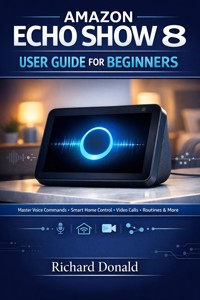
Amazon Echo Show 8 User Guide for Beginners
Comprehensive tutorials on voice interactions, automation routines, video conferencing, media streaming, and complete personalized household organization.
Richard Donald
Copyright © 2026
Introduction
Welcome to Your Smart Home Journey: A Guide to the Amazon Echo Show 8
Welcome to the world of the Amazon Echo Show 8! If you’ve just unboxed this incredible device, you’re holding more than just a speaker with a screen; you’re holding the keys to simplifying your daily life, connecting with loved ones instantly, managing your smart home with a glance, and entertaining yourself with minimal effort. This guidebook, [Amazon Echo Show 8 User Guide for Beginners], is designed specifically for you—the first-time user who is eager to unlock the full potential of your new smart display but might feel a little overwhelmed by the technology jargon and endless settings menus. We understand that taking the plunge into a new piece of technology can be daunting, but we promise that by the time you finish this guide, you’ll be talking to Alexa like a seasoned pro.
For many years, the idea of a truly "smart" home—a house that responds to your voice and manages its own organization—seemed like something out of a science fiction movie. We had simple voice assistants on our phones, sure, but they were often confined to basic search queries. The advent of devices like the Amazon Echo Show 8 has dramatically changed that reality. This device represents the perfect fusion of sight and sound, taking the powerful, cloud-based intelligence of the Alexa voice assistant and combining it with a crisp, vibrant 8-inch high-definition screen. This screen transforms simple audio interactions into rich, visual experiences, whether it’s displaying the weather forecast, showing you the recipe video you asked for, or letting you see who is at the front door without lifting a finger. It is the central nervous system for your modern home, ready to take your instructions and show you the results.
The beauty of the Echo Show 8 lies in its accessibility and versatility. It wasn't built for tech experts; it was built for busy families, individuals looking for better organization, and anyone who wants technology to fade into the background and simply work. Think about your typical morning routine. Instead of fumbling for your phone to check the calendar, turning on the TV for the news, and manually setting a timer for your coffee, you can do it all with a simple request. "Alexa, start my morning routine." The Show 8 springs to life, displaying your schedule, summarizing the latest headlines, and perhaps even turning on your smart lights, all while you're focused on your breakfast. This isn't just about cool tricks; it's about reclaiming precious minutes in your day and reducing cognitive load. It's about making your home a place of efficiency and relaxation, not confusion.
However, getting to that point of seamless integration requires a gentle introduction. This guidebook is structured to be your patient, step-by-step mentor. We won't jump straight into complex smart home routines or deeply technical settings. Instead, we'll start where you are right now: with the physical box in your hand. We will meticulously guide you through the initial unboxing, the critical setup process, and how to navigate the touch screen with confidence. We’ll then move into mastering the core voice commands, exploring entertainment options, and finally, tackling the advanced topics like smart home control and personalization. We are committed to using clear, friendly language and avoiding confusing technical jargon, ensuring that every chapter builds logically on the last. Our goal is not just to teach you how to use the buttons, but to empower you to think about how the Echo Show 8 can genuinely improve your life.
The decision to invest in an Echo Show 8 is an investment in your comfort, efficiency, and connectivity. It bridges the gap between traditional home living and the digital age, acting as a visual communication center, a kitchen assistant, an entertainment screen, and a security guard—all wrapped up in one sleek package. We will also prioritize the discussion of privacy and security early on, providing you with the knowledge to use your device responsibly and confidently. So, take a deep breath, get comfortable, and prepare to embark on this exciting journey. The first step, as always, is the most exciting one: taking the device out of the box and plugging it in. Let's begin the transition from beginner to savvy Echo Show 8 user, together. This guide will be your constant companion as you transform your new smart display into an indispensable member of your household.
This Echo Show 8 isn't merely an upgrade from a previous version of an Alexa device; it represents a significant leap forward in how we interact with ambient technology within our homes. Older smart speakers, while revolutionary in their time, often left us wondering if Alexa had truly understood our request, or if she was simply giving us a rote answer. The addition of the screen, particularly the perfectly sized 8-inch display, eliminates that guesswork. You can see the timer counting down, see the list you’re building, and see the video call connecting. This visual confirmation provides an unparalleled layer of confidence and ease of use that is essential for a beginner. Imagine you’re trying a complex new recipe. Instead of having Alexa read out instructions you might miss, the Echo Show 8 displays the ingredient list, highlights the current step, and can even pull up a step-by-step video demonstration right on your countertop. It removes friction from complex tasks and makes technology an invisible helper, not a hurdle.
The core purpose of this device, and thus this guide, is to centralize and visualize your digital life. Before the Show 8, information was scattered: your calendar on your phone, your music on a speaker, your security camera feed on a different app, and video calls requiring a laptop. The Echo Show 8 consolidates all these functions into one visually appealing device that sits centrally in your kitchen, living room, or bedside table. We will show you exactly how to integrate your existing services—like Spotify, Netflix, Google Calendars, and more—so the Echo Show 8 acts as the single pane of glass through which you view your entire digital world. This is particularly valuable for shared households, as the device becomes a communal noticeboard, showing family reminders, shared shopping lists, and the schedule for the day, ensuring everyone is literally and figuratively on the same page.
For the beginner, understanding the ecosystem is just as important as understanding the device itself. When you purchased the Echo Show 8, you joined the vast Amazon and Alexa ecosystem. This means your device is constantly being updated, gaining new features, and becoming compatible with thousands of new smart home products every year. This guide will help you navigate this growing ecosystem. We’ll explain what "Skills" are—the equivalent of apps for Alexa—and how to find the ones that are useful for your specific needs, whether it’s ordering a pizza or checking transit times. We’ll also demystify the smart home compatibility labels, helping you understand which lights, plugs, and thermostats will effortlessly connect to your Echo Show 8, turning simple ideas like "Alexa, turn on the living room light" into a simple reality. This foundational knowledge is crucial because it transforms the Echo Show 8 from a standalone gadget into a powerful, extensible hub that will continue to grow in usefulness long after you first plug it in.
Perhaps the most common initial hesitation for beginners revolves around privacy. It is a device that listens, and that feature, while necessary for its operation, can cause understandable concern. We want to address this head-on and make you an informed user. Throughout this guide, and especially in Chapter 1, we will dedicate significant space to the physical controls and software settings that put you in control of your data. You will learn exactly how the microphone and camera mute buttons work, how to review and delete your voice recordings, and how to use the built-in shutter to cover the camera for total peace of mind. Our philosophy is simple: technology should serve you, and you should always have the final say over when and how your device listens or records. By understanding these controls, any initial anxiety can be replaced with confidence and a secure relationship with your device. The goal is to maximize convenience while maintaining absolute privacy.
Think of this guidebook as your personal, non-judgmental tutor. We understand that some people learn best by doing, others by reading, and still others by seeing. That’s why we’ve integrated clear, step-by-step instructions (numbered lists), crucial takeaways (bold text), and specific places for visual aids (Image Tags and Sketch Illustrations) directly into the text. We’ll cover every imaginable function, from the most basic, like setting an alarm (Chapter 3), to the more complex, like creating customized multi-step routines that involve various smart home devices (Chapter 5). Whether you place your Echo Show 8 in the kitchen to manage meal prep, in the bedroom for a calm morning routine, or in the living room for centralized entertainment, this guide will provide the knowledge necessary to tailor its vast capabilities to your specific environment and lifestyle. We are not just giving you instructions; we are providing a roadmap to a more interconnected, organized, and effortlessly smart life, powered by your new Echo Show 8. The foundation we build in the initial chapters is the most vital, ensuring that every interaction you have with the device going forward is intuitive and satisfying. We invite you to follow along, take your time, and soon you'll be using your Echo Show 8 like it was always meant to be there.
The sheer scope of the Echo Show 8's capabilities is vast, and a common mistake for new users is trying to do too much too soon. This leads to frustration, and often, the device is relegated to a simple clock or weather checker, missing out on its true potential. We aim to prevent this by adopting a phased approach. The guide is structured logically, starting with the tangible and moving toward the abstract. Chapter 1, for instance, is entirely dedicated to the physical interaction—the ports, the buttons, the screen gestures. Before you even speak to Alexa, you should know where the volume buttons are, how to turn the device off and on, and how to adjust basic settings using the touchscreen. This initial, hands-on chapter removes the "mystery" of the hardware, grounding you in the physical reality of the device before we unleash the power of its voice commands. We believe confidence starts with knowing your hardware intimately.
Following the hardware foundation, Chapter 2 introduces the voice interaction, which is the primary way you will engage with the device. Many people assume they need to use precise, robotic language with Alexa. We will dispel this myth entirely. We will teach you how to speak to Alexa naturally, using conversational language, and show you how Alexa's sophisticated language processing allows her to understand context and intent. We'll explore the difference between simple requests ("Alexa, what time is it?") and complex command structures ("Alexa, set a reminder for tomorrow at 3 PM to call the dentist and name it 'Dentist Appointment'"). Understanding this spectrum of command complexity is the key to truly leveraging Alexa's intelligence. This chapter will turn a series of isolated voice commands into a fluid, ongoing conversation that feels natural and intuitive.
As you become comfortable speaking to Alexa, the subsequent chapters focus on integrating the Show 8 into specific areas of your life. Chapter 3 focuses on organization and home management, transforming the device into the family's digital assistant. We’ll delve into advanced list-making features, shared calendar viewing, and the invaluable "Drop In" feature that turns your Echo Show 8 into a powerful, internal intercom system, perfect for calling the kids down for dinner or checking in on a relative in another room. Chapter 4 is dedicated to entertainment, where we’ll go beyond basic music playback. We’ll show you how to link your streaming accounts, manage playlists with voice, and, perhaps most delightfully, turn your Show 8 into a rotating digital photo frame showcasing your favorite memories using Amazon Photos—a personal, visual touch that adds warmth to your home.
The mid-section of the book is where the most significant transformations happen. Chapter 5, Smart Home Domination, is the blueprint for creating a truly automated home. This is where we bridge the gap between having a smart device and having a smart home. We will walk you through the process of setting up and naming devices (the crucial first step), organizing them into rooms, and most importantly, building Routines. Routines are the soul of smart home automation—they allow a single phrase like "Alexa, goodnight" to lock the doors, turn off all the lights, adjust the thermostat, and start a gentle sound machine. Mastering Routines is the defining step between a basic user and an advanced one, and we provide detailed guidance to get you there effortlessly.
Finally, the later chapters ensure you remain connected, personalized, and prepared. Chapter 6 covers the communication features, which are vital for many users, especially the elderly or those with family far away. We’ll focus on the simple elegance of video calling, including how to connect to popular services like Zoom, and how the Show 8’s camera can actually follow you during a call. Chapter 7, on Personalization, focuses on the aesthetics and user experience, showing you how to change backgrounds, customize what cards show up on your home screen, and set up Voice Profiles so Alexa can give personalized information based on who is speaking. The final chapter, Chapter 8, is the essential Troubleshooting and Maintenance manual, ensuring that if something goes wrong (as technology sometimes does), you know exactly how to fix it, update it, or securely reset it.
The journey you are about to begin with your Amazon Echo Show 8 is a journey toward less friction and more fluidity in your daily life. This guidebook is your comprehensive travel companion, ensuring every step, from the first plug-in to the most complex smart home command, is clear, enjoyable, and successful. We have written this content in a conversational, human-like voice because we want you to feel like you’re learning from a trusted friend, not a cold technical manual. We’ve anticipated your questions, preempted your frustrations, and structured the information to allow you to absorb it at your own pace. By the end of this guide, the Echo Show 8 won't feel like a futuristic gadget; it will feel like an indispensable, intuitive part of your home. It’s time to stop wondering what your new device can do, and start making it do things. Let’s turn the page and dive into the exciting process of unboxing and setting up your new smart display.
Chapter 1: The First Hello – Unboxing, Setup, and Essential Navigation
Welcome to the very beginning of your journey with the Amazon Echo Show 8. If you are reading this, you likely have a sealed box sitting in front of you, or perhaps you’ve just opened the flaps and are looking at the sleek device nestled inside. This moment—the "First Hello"—is more than just a setup phase; it is the foundation of your relationship with your new smart home assistant. Many beginners feel a mix of excitement and apprehension when unboxing a new piece of technology. You might be wondering, "Is this going to be complicated?" or "Will I press the wrong button?" Let me assure you right now: Amazon has designed this experience to be as intuitive and welcoming as possible, and this guide is here to ensure that every step you take is the right one. We are going to slow down the pace and focus entirely on getting comfortable with the physical device before we even think about complicated voice commands or smart home routines.
Think of your Echo Show 8 not as a computer that requires programming, but as a new appliance, like a high-tech toaster or a fancy coffee machine. It needs a place to live, it needs power, and it needs a connection to the outside world. In this chapter, we are going to strip away the mystery of the hardware. We will examine the device from every angle, learning exactly what the buttons do, where the camera is hiding, and how to ensure your privacy is protected from the very first second. Understanding the physical geography of the device is crucial because it gives you a sense of control. When you know exactly where the "Mute" button is, you never have to worry about Alexa listening when you don't want her to. This physical confidence is the first step toward digital mastery.
Once we have the hardware sorted, we will move to the "Initial Spark"—that magical moment when the screen lights up for the first time. We will walk through the on-screen setup process together, screen by screen. This isn't just about typing in a Wi-Fi password; it's about introducing the Echo Show 8 to your home environment. We will cover how to select your language, how to log in to your Amazon account (or create one if you haven't yet), and how to tell the device which room it is living in. These might seem like small details, but they help Alexa tailor her responses to you. For instance, knowing the device is in the "Kitchen" versus the "Bedroom" changes how it behaves when you ask to turn off the lights.
We will also touch upon the importance of patience during this initial phase. Modern devices often need to "phone home" to get the latest updates immediately after they are plugged in. It is perfectly normal for your Echo Show 8 to spend a few minutes downloading the latest software to ensure it runs smoothly and securely. We’ll tell you exactly what that looks like on the screen so you aren’t left wondering if the device has frozen. By the end of this chapter, your Echo Show 8 will be fully powered, connected to the internet, updated, and displaying a beautiful clock face, ready and waiting for your first command.
So, clear a little space on your counter or table. Grab your reading glasses if you need them, and perhaps a cup of coffee or tea. We are going to take this slow, step-by-step, and get it right the first time. There is no rush, and there is no test at the end. It’s just you, your new assistant, and a world of possibilities waiting to be unlocked. Let’s open the box and see what the future looks like.
1.1: What's in the Box? A Guided Unboxing and Device Overview
Let’s start with the tangible. The unboxing experience is the first handshake between you and the product. Amazon keeps things fairly minimalist, which is great because it means there aren't a hundred tiny parts to lose, but it also means every piece in that box is essential.
Unboxing Checklist: Identifying the Essentials
Go ahead and slide the outer sleeve off the box and open the lid. Inside, you should find three distinct items. It is important to verify you have all of them before tossing the packaging into the recycling bin.
The Echo Show 8 Device: This is the main unit with the 8-inch screen and the fabric-covered speaker back. It usually comes wrapped in a protective film to keep the screen pristine.
The Power Adapter: This is the white or black "brick" with a long cord attached. Crucial Note: This power adapter is specifically rated for the Echo Show 8 (usually 30W). Please do not mix this up with your phone charger or an adapter from an older, smaller Echo Dot. Using the wrong power cord can result in the device under-performing or simply not turning on.
Documentation: You will find a small "Quick Start" pamphlet and a "Things to Try" card. You can set these aside for now; this book covers everything in them and much more.
Pro-Tip: Keep the original box for at least the duration of the warranty period (usually one year). If you ever need to return the device or move house, the custom-fitted packaging is the safest way to transport it.
The Physical Tour: Anatomy of the Echo Show 8
Now, gently remove the plastic film from the screen and the power adapter. Place the Echo Show 8 on a flat surface. Let’s take a tour of the hardware. Knowing your "dashboard" is vital for operating the device smoothly.
1. The Touchscreen Display
The front is dominated by an 8-inch HD touchscreen. This works exactly like a smartphone or tablet. You can tap icons, swipe left and right to change pages, and swipe down from the top to access menus. We will practice these gestures in the next subchapter, but for now, just ensure the screen is clean and free of dust.
2. The Top Controls (Your Privacy Center)
Look at the top edge of the device. You will see three buttons and a sliding switch. These are the most important physical controls on the unit, as they control volume and privacy.
The Mute Button (Circle with a line through it): This is usually the leftmost button. When you press this, the microphone and camera are electrically disconnected. You will know it is active because the button itself—and often a red bar on the screen—will glow red. This is your "do not disturb" mode. When this is red, Alexa cannot hear you, even if you shout her name.
The Volume Buttons (+ and -): To the right of the mute button are the volume controls. The Plus (+) raises the volume, and the Minus (-) lowers it. While you can ask Alexa to change the volume with your voice, these physical buttons are great for quick adjustments, especially if the music is too loud for her to hear you!
The Privacy Shutter (The Slider): This is a physical switch located on the top right. Slide it to the left or right. When you slide it closed, a physical white shutter covers the camera lens. You will visually see the lens disappear. This is a hardware block—meaning it is physically impossible for the camera to see anything when the shutter is closed. Use this whenever you want absolute visual privacy.
3. The Rear Ports
Turn the device around. On the back, nestled near the bottom of the fabric base, you will typically see two ports:
Power Port: A round hole where the power cable plugs in.
Micro-USB Service Port (On some models): You might see a smaller port (like an old Android phone charger slot). This is generally for factory service or ethernet adapters and is rarely used by the average user. You can safely ignore it.
4. The Speakers and Microphones




