


39,59 €
Mehr erfahren.
- Herausgeber: Packt Publishing
- Kategorie: Wissenschaft und neue Technologien
- Sprache: Englisch
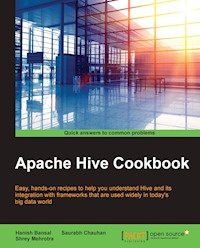
Easy, hands-on recipes to help you understand Hive and its integration with frameworks that are used widely in today's big data world
About This Book
- Grasp a complete reference of different Hive topics.
- Get to know the latest recipes in development in Hive including CRUD operations
- Understand Hive internals and integration of Hive with different frameworks used in today's world.
Who This Book Is For
The book is intended for those who want to start in Hive or who have basic understanding of Hive framework. Prior knowledge of basic SQL command is also required
What You Will Learn
- Learn different features and offering on the latest Hive
- Understand the working and structure of the Hive internals
- Get an insight on the latest development in Hive framework
- Grasp the concepts of Hive Data Model
- Master the key concepts like Partition, Buckets and Statistics
- Know how to integrate Hive with other frameworks such as Spark, Accumulo, etc
In Detail
Hive was developed by Facebook and later open sourced in Apache community. Hive provides SQL like interface to run queries on Big Data frameworks. Hive provides SQL like syntax also called as HiveQL that includes all SQL capabilities like analytical functions which are the need of the hour in today's Big Data world.
This book provides you easy installation steps with different types of metastores supported by Hive. This book has simple and easy to learn recipes for configuring Hive clients and services. You would also learn different Hive optimizations including Partitions and Bucketing. The book also covers the source code explanation of latest Hive version.
Hive Query Language is being used by other frameworks including spark. Towards the end you will cover integration of Hive with these frameworks.
Style and approach
Starting with the basics and covering the core concepts with the practical usage, this book is a complete guide to learn and explore Hive offerings.
Sie lesen das E-Book in den Legimi-Apps auf:
Seitenzahl: 281
Veröffentlichungsjahr: 2016
Ähnliche



















Table of Contents
Apache Hive Cookbook
Apache Hive Cookbook
Copyright © 2016 Packt Publishing
All rights reserved. No part of this book may be reproduced, stored in a retrieval system, or transmitted in any form or by any means, without the prior written permission of the publisher, except in the case of brief quotations embedded in critical articles or reviews.
Every effort has been made in the preparation of this book to ensure the accuracy of the information presented. However, the information contained in this book is sold without warranty, either express or implied. Neither the authors, nor Packt Publishing, and its dealers and distributors will be held liable for any damages caused or alleged to be caused directly or indirectly by this book.
Packt Publishing has endeavored to provide trademark information about all of the companies and products mentioned in this book by the appropriate use of capitals. However, Packt Publishing cannot guarantee the accuracy of this information.
First published: April 2016
Production reference: 1260416
Published by Packt Publishing Ltd.
Livery Place
35 Livery Street
Birmingham B3 2PB, UK.
ISBN 978-1-78216-108-0
www.packtpub.com
Credits
Authors
Hanish Bansal
Saurabh Chauhan
Shrey Mehrotra
Reviewer
Aristides Villarreal Bravo
Commissioning Editor
Wilson D'souza
Acquisition Editor
Tushar Gupta
Content Development Editor
Anish Dhurat
Technical Editor
Vishal K. Mewada
Copy Editor
Dipti Mankame
Project Coordinator
Bijal Patel
Proofreader
Safis Editing
Indexer
Priya Sane
Graphics
Kirk D'Penha
Production Coordinator
Shantanu N. Zagade
Cover Work
Shantanu N. Zagade
About the Authors
Hanish Bansal is a software engineer with over 4 years of experience in developing big data applications. He loves to study emerging solutions and applications mainly related to big data processing, NoSQL, natural language processing, and neural networks. He has worked on various technologies such as Spring Framework, Hibernate, Hadoop, Hive, Flume, Kafka, Storm, and NoSQL databases, which include HBase, Cassandra, MongoDB, and search engines such as Elasticsearch.
In 2012, he completed his graduation in Information Technology stream from Jaipur Engineering College and Research Center, Jaipur, India. He was also the technical reviewer of the book Apache Zookeeper Essentials. In his spare time, he loves to travel and listen to music.
You can read his blog at http://hanishblogger.blogspot.in/ and follow him on Twitter at https://twitter.com/hanishbansal786.
I would like to thank my parents for their love, support, encouragement and the amazing chances they've given me over the years.
Saurabh Chauhan is a module lead with close to 8 years of experience in data warehousing and big data applications. He has worked on multiple Extract, Transform and Load tools, such as Oracle Data Integrator and Informatica as well as on big data technologies such as Hadoop, Hive, Pig, Sqoop, and Flume.
He completed his bachelor of technology in 2007 from Vishveshwarya Institute of Engineering and Technology. In his spare time, he loves to travel and discover new places. He also has a keen interest in sports.
I would like to thank everyone who has supported me throughout my life.
Shrey Mehrotra has 6 years of IT experience and, since the past 4 years, in designing and architecting cloud and big data solutions for the governance and financial domains.
Having worked with big data R&D Labs and Global Data and Analytical Capabilities, he has gained insights into Hadoop, focusing on HDFS, MapReduce, and YARN. His technical strengths also include Hive, Pig, Spark, Elasticsearch, Sqoop, Flume, Kafka, and Java.
He likes spending time performing R&D on different big data technologies. He is the co-author of the book Learning YARN, a certified Hadoop developer, and has also written various technical papers. In his free time, he listens to music, watches movies, and spending time with friends.
I would like to thank my mom and dad for giving me support to accomplish anything I wanted. Also, I would like to thank my friends, who bear with me while I am busy writing.
About the Reviewer
Aristides Villarreal Bravo is a Java developers, a member of the NetBeans Dream Team, and a Java User Groups leader.
He has organized and participated in various conferences and seminars related to Java, JavaEE, NetBeans, NetBeans Platform, free software, and mobile devices, nationally and internationally.
He has written tutorials and blogs about Java, NetBeans, and web development. He has participated in several interviews on sites such as NetBeans, NetBeans Dzone, and JavaHispano. He has developed plugins for NetBeans. He has been a technical reviewer for the book PrimeFaces Blueprints.
Aristides is the CEO of Javscaz Software Developers. He lives in Panamá
To my mother, father, and all family and friends.
www.PacktPub.com
eBooks, discount offers, and more
Did you know that Packt offers eBook versions of every book published, with PDF and ePub files available? You can upgrade to the eBook version at www.PacktPub.com and as a print book customer, you are entitled to a discount on the eBook copy. Get in touch with us at <[email protected]> for more details.
At www.PacktPub.com, you can also read a collection of free technical articles, sign up for a range of free newsletters and receive exclusive discounts and offers on Packt books and eBooks.
https://www2.packtpub.com/books/subscription/packtlib
Do you need instant solutions to your IT questions? PacktLib is Packt's online digital book library. Here, you can search, access, and read Packt's entire library of books.
Why Subscribe?
Preface
Hive is an open source big data framework in the Hadoop ecosystem. It provides an SQL-like interface to query data stored in HDFS. Underlying it runs MapReduce programs corresponding to the SQL query. Hive was initially developed by Facebook and later added to the Hadoop ecosystem.
Hive is currently the most preferred framework to query data in Hadoop. Because most of the historical data is stored in RDBMS data stores, including Oracle and Teradata. It is convenient for the developers to run similar SQL statements in Hive to query data.
Along with simple SQL statements, Hive supports wide variety of windowing and analytical functions, including rank, row num, dense rank, lead, and lag.
Hive is considered as de facto big data warehouse solution. It provides a number of techniques to optimize storage and processing of terabytes or petabytes of data in a cost-effective way.
Hive could be easily integrated with a majority of other frameworks, including Spark and HBase. Hive allows developers or analysts to execute SQL on it. Hive also supports querying data stored in different formats such as JSON.
What this book covers
Chapter 1, Developing Hive, helps you out in configuring Hive on a Hadoop platform. This chapter explains a different mode of Hive installations. It also provides pointers for debugging Hive and brief information about compiling Hive source code and different modules in the Hive source code.
Chapter 2, Services in Hive, gives a detailed description about the configurations and usage of different services provided by Hive such as HiveServer2. This chapter also explains about different clients of Hive, including Hive CLI and Beeline.
Chapter 3, Understanding the Hive Data Model, takes you through the details of different data types provided by Hive in order to be helpful in data modeling.
Chapter 4, Hive Data Definition Language, helps you understand the syntax and semantics of creating, altering, and dropping different objects in Hive, including databases, tables, functions, views, indexes, and roles.
Chapter 5, Hive Data Manipulation Language, gives you complete understanding of Hive interfaces for data manipulation. This chapter also includes some of the latest features in Hive related to CRUD operations in Hive. It explains insert, update, and delete at the row level in Hive available in Hive 0.14 and later versions.
Chapter 6, Hive Extensibility Features, covers a majority of advance concepts in Hive. This chapter explain some concepts such as SerDes, Partitions, Bucketing, Windowing and Analytics, and File Formats in Hive with the detailed examples.
Chapter 7, Joins and Join Optimization, gives you a detailed explanation of types of Join supported by Hive. It also provides detailed information about different types of Join optimizations available in Hive.
Chapter 8, Statistics in Hive, allows you to capture and analyze tables, partitions, and column-level statistics. This chapter covers the configurations and commands use to capture these statistics.
Chapter 9, Functions in Hive, gives you the detailed overview of the extensive set of inbuilt functions supported by Hive, which can be used directly in queries. This chapter also covers how to create a custom User-Defined Function and register in Hive.
Chapter 10, Hive Tuning, helps you out in optimizing the complex queries to reduce the throughput time. It covers different optimization techniques using predicate pushdown, by reducing number of maps, and by sampling.
Chapter 11, Hive Security, covers concepts to secure the data from any unauthorized access. It explains the different mechanisms of authentication and authorization that can be implement in Hive for security purposes. In case of critical or sensitive data, security is the first thing that needs to be considered.
Chapter 12, Hive Integration with Other Frameworks, takes you through the integration mechanism of Hive with some other popular frameworks such as Spark, HBase, Accumulo, and Google Drill.
What you need for this book
To practice in parallel with reading the book, you need a machine or set of machines on which Hadoop is installed in either pseudo distributed or clustered mode.
To have a better understanding of metastore concept, you should have configured Hive with local or remote metastore using MySQL at the backend.
You also need a sample dataset to practice different windowing and analytical functions available in Hive and to optimize queries using concepts such as partitions and bucketing.
Who this book is for
This book has covered almost all concepts of Hive. So, if you are a beginner in the big data Hadoop domain, you can start with installing Hive, understanding Hive services and clients, and using Hive data modeling concepts to design your data model. If you have basic knowledge of Hive, you can deep dive into some of the advance concepts covered in the book such as partitions, bucketing, file formats, security, and windowing and analytics.
In a nutshell, this book is helpful for both a Hadoop developer and a Hadoop analyst who want to explore Hive.
Sections
In this book, you will find several headings that appear frequently (Getting ready, How to do it, How it works, There's more, and See also).
To give clear instructions on how to complete a recipe, we use these sections as follows:
Getting ready
This section tells you what to expect in the recipe, and describes how to set up any software or any preliminary settings required for the recipe.
How to do it…
This section contains the steps required to follow the recipe.
How it works…
This section usually consists of a detailed explanation of what happened in the previous section.
There's more…
This section consists of additional information about the recipe in order to make the reader more knowledgeable about the recipe.
See also
This section provides helpful links to other useful information for the recipe.
Conventions
In this book, you will find a number of text styles that distinguish between different kinds of information. Here are some examples of these styles and an explanation of their meaning.
Code words in text, database table names, folder names, filenames, file extensions, pathnames, dummy URLs, user input, and Twitter handles are shown as follows: By default, this location is set to the /metastore_dbinconf/hive-default.xml file.
A block of code is set as follows:
Any command-line input or output is written as follows:
New terms and important words are shown in bold. Words that you see on the screen, for example, in menus or dialog boxes, appear in the text like this: Create a Maven project in Eclipse by going to File | New | Project.
Note
Warnings or important notes appear in a box like this.
Tip
Tips and tricks appear like this.
Reader feedback
Feedback from our readers is always welcome. Let us know what you think about this book—what you liked or disliked. Reader feedback is important for us as it helps us develop titles that you will really get the most out of.
To send us general feedback, simply e-mail <[email protected]>, and mention the book's title in the subject of your message.
If there is a topic that you have expertise in and you are interested in either writing or contributing to a book, see our author guide at www.packtpub.com/authors.
Customer support
Now that you are the proud owner of a Packt book, we have a number of things to help you to get the most from your purchase.
Downloading the example code
You can download the example code files for this book from your account at http://www.packtpub.com. If you purchased this book elsewhere, you can visit http://www.packtpub.com/support and register to have the files e-mailed directly to you.
You can download the code files by following these steps:
You can also download the code files by clicking on the Code Files button on the book's webpage at the Packt Publishing website. This page can be accessed by entering the book's name in the Search box. Please note that you need to be logged in to your Packt account.
Once the file is downloaded, please make sure that you unzip or extract the folder using the latest version of:
Downloading the color images of this book
We also provide you with a PDF file that has color images of the screenshots/diagrams used in this book. The color images will help you better understand the changes in the output. You can download this file from http://www.packtpub.com/sites/default/files/downloads/ApacheHiveCookbook_ColorImages.pdf.
Errata
Although we have taken every care to ensure the accuracy of our content, mistakes do happen. If you find a mistake in one of our books—maybe a mistake in the text or the code—we would be grateful if you could report this to us. By doing so, you can save other readers from frustration and help us improve subsequent versions of this book. If you find any errata, please report them by visiting http://www.packtpub.com/submit-errata, selecting your book, clicking on the Errata Submission Form link, and entering the details of your errata. Once your errata are verified, your submission will be accepted and the errata will be uploaded to our website or added to any list of existing errata under the Errata section of that title.
To view the previously submitted errata, go to https://www.packtpub.com/books/content/support and enter the name of the book in the search field. The required information will appear under the Errata section.
Piracy
Piracy of copyrighted material on the Internet is an ongoing problem across all media. At Packt, we take the protection of our copyright and licenses very seriously. If you come across any illegal copies of our works in any form on the Internet, please provide us with the location address or website name immediately so that we can pursue a remedy.
Please contact us at <[email protected]> with a link to the suspected pirated material.
We appreciate your help in protecting our authors and our ability to bring you valuable content.
Questions
If you have a problem with any aspect of this book, you can contact us at <[email protected]>, and we will do our best to address the problem.
Chapter 1. Developing Hive
In this chapter, we will cover the following recipes:
Introduction
Hive, an Apache Hadoop ecosystem component is developed by Facebook to query the data stored in Hadoop Distributed File System (HDFS). Here, HDFS is the data storage layer of Hadoop that at very high level divides the data into small blocks (default 128 MB) and stores these blocks on different nodes.
Hive provides a SQL-like query model named Hive Query Language (HQL) to access and analyze big data. It is also termed Data Warehousing framework of Hadoop and provides various analytical features, such as windowing and partitioning.
Deploying Hive on a Hadoop cluster
Hive is supported by a wide variety of platforms. GNU/Linux and Windows are commonly used as the production environment, whereas Mac OS X is commonly used as the development environment.
Getting ready
In this book, we will assume a GNU/Linux-based installation of Apache Hive for installation and other instructions.
Before installing Hive, the first step is to make sure that a Java SE environment is installed properly. Hive requires version 6 or later, which can be downloaded from http://www.oracle.com/technetwork/java/javase/downloads/index.html.
How to do it...
To install Hive, just download it from http://Hive.apache.org/downloads.html and unpack it. Choose the latest stable version.
Note
At the time of writing this book, Hive 1.2.1 was the latest stable version available.
How it works…
By default, Hive is configured to use an embedded Derby database whose disk storage location is determined by the Hive configuration variable named javax.jdo.option.ConnectionURL. By default, this location is set to the /metastore_dbinconf/hive-default.xml file. Hive with Derby as metastore in embedded mode allows at most one user at a time.
The other modes of installation are Hive with local metastore and Hive with remote metastore, which will be discussed later.
Deploying Hive Metastore
Apache Hive is a client-side library that provides a table-like abstraction on top of the data in HDFS for data processing. Hive jobs are converted into a map reduce plan, which is then submitted to the Hadoop cluster. Hadoop cluster is the set of nodes or machines with HDFS, MapReduce, and YARN deployed on these machines. MapReduce works on the distributed data stored in HDFS and processes a large datasets in parallel, as compared with traditional processing engines that process whole task on a single machine and wait for hours or days for a single query. Yet Another Resource Negotiator (YARN) is used to manage RAM the and CPU cores of the whole cluster, which are critical for running any process on a node.
The Hive table and database definitions and mapping to the data in HDFS is stored in a metastore. A metastore is a central repository for Hive metadata. A metastore consists of two main components, which are really important for working on Hive. Let's take a look at these components:
Getting ready
In this book, we will assume a GNU/Linux-based installation of Apache Hive for installation and other instructions.
Before installing Hive, the first step is to make sure that a Java SE environment is installed properly. Hive requires version 6 or later, which can be downloaded from http://www.oracle.com/technetwork/java/javase/downloads/index.html.
How to do it…
In Hive, a metastore (service and RDBMS database) could be configured in one of the following ways:
When we install Hive on the preinstalled Hadoop cluster, Hive, by default, gets the embedded database. This means that we need not configure any database as a Hive metastore. Let's check out what these configurations are and why we call them the embedded and remote metastore.
By default, the metastore service and the Hive service run in the same JVM. Hive needs a database to store metadata. In default mode, it uses an embedded Derby database stored on the local file system. The embedded mode of Hive has the limitation that only one session can be opened at a time from the same location on a machine as only one embedded Derby database can get lock and access the database files on disk:
An Embedded Metastore has a single service and a single JVM that cannot work with multiple nodes at a time.
To solve this limitation, a separate RDBMS database runs on same node. The metastore service and Hive service still run in the same JVM. This configuration mode is named local metastore. Here, local means the same environment of the JVM machine as well as the service in the same node.
There is one more configuration where one or more metastore servers run in a separate JVM process to the Hive service connecting to a database on a remote machine. This configuration is named remote metastore.
The Hive service is configured to use a remote metastore by setting hive.metastore.uris to metastore server URIs, separated by commas. The Hive metastore could be configured using properties specified in the following sections.
In the following diagram, the pictorial representation of the metastore and driver is given:
Installing Hive
We will now take a look at installing Hive along with all the prerequisites.
Getting ready
Let's download the stable version from one of the mirrors:
How to do it…
This can be achieved in three ways.
Hive with an embedded metastore
Once you have downloaded the Hive tar-ball file, installing and setting up a Hive is pretty simple and straightforward. Extract the compressed tar:
Export the location where Hive is extracted as the environment variable HIVE_HOME:
Hive has all its installation scripts in the $HIVE_HOME/bin directory. Export this location to the PATH environment variable so that you can run all scripts from any location directly from a command-line:
Alternatively, if you want to set the Hive path permanently for the user, then make the entry of Hive environment variables in the .bashrc or .bash_profile files available or could be created in the user's home folder:
Hive with a local metastore
Follow these steps to configure Hive with the local metastore. Here, we are using the MySQL database as a metastore:
Here, hduser is the user name, and apache-hive-1.2.1-bin is the Hive directory extracted from the tar file.
Install a SQL database such as MySQL on the same machine where you want to run Hive.For the Ubuntu, MySQL could be installed by running the following command on the node's terminal:Note
There is a known "JLine" jar conflict issue with Hadoop 2.6.0 and Hive 1.2.1. If you are getting the error "unable to load class jline.terminal," you need to remove the older version of the jline jar from the yarn lib folder using the following command:
Hive with a remote metastore
Follow these steps to configure Hive with a remote metastore.
Here, hduser is the user name and apache-hive-1.2.1-bin is the




