


27,59 €
Mehr erfahren.
- Herausgeber: Packt Publishing
- Kategorie: Wissenschaft und neue Technologien
- Sprache: Englisch
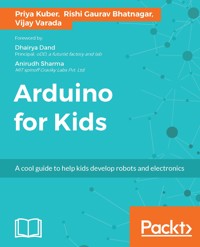
The mission of this book is to integrate technology with the tools that children already use for crafts so that they feel that the technology is an extension of their playtime. We use coding, sensors, and micro-controllers integrated with art and craft supplies, origami, and Playdough. There are 10 fun-filled chapters that talk to children directly, and give clear instructions for non-technical parents too.
We use Arduino as the controller of choice due to its easy availability and large community. By the end of the book, children will comfortably be able to set up their Arduino, read and understand code, manipulate code, and ultimately write their own code for projects. They will also be able to use basic sensors and know how components connect to each other. All the learning takes place with lots of colorful pictures and the circuits are neatly presented using wiring.
Das E-Book können Sie in Legimi-Apps oder einer beliebigen App lesen, die das folgende Format unterstützen:
Veröffentlichungsjahr: 2017
Ähnliche


















Table of Contents
Arduino for Kids
Arduino for Kids
Copyright © 2017 Packt Publishing
All rights reserved. No part of this book may be reproduced, stored in a retrieval system, or transmitted in any form or by any means, without the prior written permission of the publisher, except in the case of brief quotations embedded in critical articles or reviews.
Every effort has been made in the preparation of this book to ensure the accuracy of the information presented. However, the information contained in this book is sold without warranty, either express or implied. Neither the authors, nor Packt Publishing, and its dealers and distributors will be held liable for any damages caused or alleged to be caused directly or indirectly by this book.
Packt Publishing has endeavored to provide trademark information about all of the companies and products mentioned in this book by the appropriate use of capitals. However, Packt Publishing cannot guarantee the accuracy of this information.
First published: March 2017
Production reference: 1210317
Published by Packt Publishing Ltd.
Livery Place
35 Livery Street
Birmingham
B3 2PB, UK.
ISBN 978-1-78588-481-8
www.packtpub.com
Credits
Authors
Priya Kuber
Rishi Gaurav Bhatnagar
Vijay Varada
Copy Editor
Manisha Sinha
Reviewers
Avik Dhupar
Rubén Oliva Ramos
Project Coordinator
Nidhi Joshi
Commissioning Editor
Veena Pagare
Proofreader
Safis Editing
Acquisition Editor
Tushar Gupta
Indexer
Tejal Daruwale Soni
Content Development Editor
Manthan Raja
Graphics
Tania Dutta
Technical Editor
Danish Shaikh
Production Coordinator
Aparna Bhagat
Foreword
Willy Wonka was whom I wanted to be when I grew up, everything about him appealed to me - here you had a grown up who was tinkering around in his own factory creating new inventions - what made it even better was that his inventions were candies. I learnt coding in school, I started living part of my Willy Wonka dream by creating games in C++, as I created more of these technological 'candies' I realized that all of them were trapped inside this box of a computer. I would imagine what if you could unleash this computer from this box and let it out in the open, what if it could be free and everything would be a computer. Around this time a friend introduced me to the Arduino and I couldn't believe this small inexpensive piece of circuitry - it was more like magical wizardry, you see I grew up in the 90s when the fastest computer I had ever seen was much slower than the cheapest smartphone you can buy today. But more than anything, with the Arduino my ideas wouldn't anymore be limited to the computer screen but they could reach out into the real world - this new reality opened a pandora's box of innovative ideas and possibilities, some of which have made their way to the market thanks to Arduino's easy accessibility. It's been more than a decade since I was introduced to the Arduino, but I still use it to this day whenever I start with a new idea, it has become my 'Chocolate Factory'.
- Dhairya Dand
Principal
oDD, a futurist factory and lab
During the early 2009s Lechal was just an idea, to help navigate the blind from one place to another. We wanted to use vibrations as a medium to guide the blind. The human cognition, esp in the blind is complex, and very different from sighted people. It took us more than 25/30 product iterations to Lechal where it is right now. I came from a background of design and electronics, and found nothing as simple and modular as Arduino-Lilypad back in those days: It all started with this schematic, and prototype.
Even till the later stages of development, Arduino was the first tool we used to take ideas beyond the whiteboard.
As a new spinoff, Even the work that we're doing with present Arduino as Team Graviky, we utlize Arduino to prototype our ideas, and iterate fast. Arduino not only works well during our prototyping, but serves as a good manufacturing benchmark when we custom design our capture units, used to capture pollution.
- Anirudh Sharma
MIT spinoff Graviky Labs Pvt. Ltd.
About the Authors
Priya Kuber, is the first Indian woman to set up an open hardware company in India. At the age of 24, she was the founding CEO of Arduino India with a mission to empower students with the knowledge and tools to bring their creative ideas to life. She discovered Arduino in the year 2009 and has since contributed at several levels, including documentation, maintaining their official, blog and teaching workshops in rapid prototyping using Arduino, all across India. She has also won several hackathons and has mentored several winning teams. She now lives in San Francisco and works full-time on creating secure and impactful wearable technology. She is also the recipient of Silicon Valley’s prestigious Rajeev Circle Fellowship and has given talks all around the world including at TEDx.
Rishi Gaurav Bhatnagar is a creative technologist who likes to work at the intersection of design and technology. He is an Intel software innovator, Arduino maker fellow, a volunteer at Random Hacks Of Kindness, also Campus Diaries 25 under 25- Science & Tech. When he is not tinkering with technology and storytelling, he spends time building new modules for students that help fuel their curiosity and build their innovation muscle.
Vijay Varada is an artist, engineer, and entrepreneur whose motto is, create positive change in the world through art, design and technology for sustainable and exponential development and progress. He is the CEO, and cofounder of Fracktal Works, which is engaged with design and research in the field of additive manufacturing, rapid prototyping, and product design with its line of desktop and industrial 3D printers aimed at using the technology to empower the abilities of students, engineers, designers, and industries. Vijay actively contributes to open source hardware projects, particularly assistive technologies for the blind.
About the Reviewers
Avik Dhupar is a hardware hacker and technology designer. He has been making and breaking circuits and toys ever since he was a kid. He was introduced to Arduino at a pretty young age, which changed his course of interest in life. He went on to join the official Arduino team, building and promoting Arduino awareness in India.
Currently, he works at Inveno, where he is making an inclusive and easy robotics and IoT platform for kids to learn programming.
He has worked extensively with Arduino, Raspberry Pi, and several other single board computers. He also enjoys designing musical instruments, particularly in the Eurorack format.
I would like to thank Packt for giving me the opportunity to review this amazing book. I would also like to thank my parents, who constantly supported me during the review of this book and influenced me to make and break things.
Rubén Oliva Ramos is a computer systems engineer from Tecnologico de Leon Institute, with a master's degree in computer and electronic systems engineering, teleinformatics and networking specialization from University of Salle Bajio in Leon, Guanajuato Mexico. He has more than five years of experience in developing web applications to control and monitor devices connected with Arduino and Raspberry Pi using web frameworks and cloud services to build Internet of Things applications.
He is a mechatronics teacher at University of Salle Bajio and teaches students on the master's degree in design and engineering of mechatronics systems. He also works at Centro de Bachillerato Tecnologico Industrial 225 in Leon, Guanajuato Mexico, teaching electronics, robotics and control, automation, and microcontrollers at Mechatronics Technician Career. He has worked on consultant and developer projects in areas such as monitoring systems and datalogger data using technologies such as Android, iOS, Windows Phone, Visual Studio .NET, HTML5, PHP, CSS, Ajax, JavaScript, Angular, ASP .NET databases (SQlite, mongoDB, and MySQL), and web servers (Node.js and IIS).
Ruben has done hardware programming on Arduino, Raspberry Pi, Ethernet Shield, GPS, and GSM/GPRS, ESP8266, and control and monitor systems for data acquisition and programming. He has written the book titled Internet of Things Programming with JavaScript, Packt.
His current job involves monitoring, controlling, and acquisition of data with Arduino and Visual Basic .NET for Alfaomega Editor Group.
I want to thank God for helping me reviewing this book, to my wife, Mayte, and my sons, Ruben and Dario, for their support, to my parents, my brother and sister whom I love and to all my beautiful family.
www.PacktPub.com
For support files and downloads related to your book, please visit www.PacktPub.com.
Did you know that Packt offers eBook versions of every book published, with PDF and ePub files available? You can upgrade to the eBook version at www.PacktPub.com and as a print book customer, you are entitled to a discount on the eBook copy. Get in touch with us at [email protected] for more details.
At www.PacktPub.com, you can also read a collection of free technical articles, sign up for a range of free newsletters and receive exclusive discounts and offers on Packt books and eBooks.
https://www.packtpub.com/mapt
Get the most in-demand software skills with Mapt. Mapt gives you full access to all Packt books and video courses, as well as industry-leading tools to help you plan your personal development and advance your career.
Why subscribe?
Customer Feedback
Thanks for purchasing this Packt book. At Packt, quality is at the heart of our editorial process. To help us improve, please leave us an honest review on this book's Amazon page at https://www.amazon.com/dp/1785884816/.
If you'd like to join our team of regular reviewers, you can e-mail us at [email protected]. We award our regular reviewers with free eBooks and videos in exchange for their valuable feedback. Help us be relentless in improving our products!
Preface
It is well known that early childhood experiences shape adult life. Hobbies have now transitioned from simple Lego buildings to well researched knowledge building toolkits. Albert Einstein said, If you can't explain to a six year old, you don’t understand it yourself. This book is the attempt of 3 self-taught professional hobbyist-inventors to use their experience, to teach complex electronics to a 9-12 year old. This book contains the combined teaching experience of approximately 300 workshops conducted by 3 of the authors separately.
Learning, is a process, but effective learning is a skill. In this book, we have started with the fundamentals of critical thinking that all professional engineers use and translated it, to the level of children. We have ensured that the learning curve is relatable and includes the fundamentals of developing the research mindset, that is required in today’s career, irrespective of their life choices.
We also took care of increasing the complexity level of the projects to a level, just within the reach of kids. Irrespective of their technical level, adults can use this book to build projects and bond with their kids. The components used are simple and easy to find in any market.
The time taken to complete each project, has also been carefully crafted to last 1 day. The assumption is that you can have productive fun with your kids for several weekends. Each project has also been kept independent from the other, to give a sense of completion and tangible accomplishment to the kids.
This world will need more engineers, designers, astronauts, story tellers, and visionaries. We hope that this book is going to be the first step in their scientific and creative journeys.
What this book covers
Chapter 1, The World Around Us, is about explicitly drawing the attention of the reader to the systems and processes around us, encouraging the reader to take notes and observations. Children are inspired by everyday things more than an abstract concept. Every system is split into sensor-microcontroller-actuator.
Chapter 2, Systems and Logic, proceeds to teach the young readers how logic works. Starting from simple algorithms, it teaches the child to reach complex systems by first creating simple substitute systems. For example, to make an alarm, this chapter first teaches them to prototype using an LED. Then later teach them to add a button to disable the alarm, and as a challenge, would ask them to make a special combination lock in the activity.
Chapter 3, Components and Connections, is about the basics of electronics and building blocks of circuits. The child will also get introduced to basic sensors that are available off the shelf, also will learn the logic of the sensors, to enable them to create their own. They learn the concept of electricity, current, and voltages and understand that they can be manipulated.
Chapter 4, The Magic Wand, is about introducing Arduino as the 'brain' of a system and will teach students how to operate. It teaches a child to set up the Arduino with vibrant picture instructions. It will introduce them to a set process of thinking an execution when solving problems or working with projects. This chapter will also talk about open source, and open source hardware - will talk about how open source has revolutionized technology., giving them a non-selfish view about technology.
Chapter 5, Hello world!, is the beginning of integration of all the knowledge that the readers have accumulated and write their first program in Arduino and create a light sensitive organism.
Chapter 6, Safety box, begins with the series of projects. Every child likes to keep secrets and what better a first project than getting the child to make a small safety box that will ring an alarm if opened. The project further includes a button to stop the alarm, and further guides the child to set a secret key code to stop the alarm.
Chapter 7, Make a friend. is about teaching the child learning the importance of making a friend by using proximity sensor. When the child brings a friend near to his/her toy friend , the toy’s smile lights up. The child’s toy would be made using playdough, with the proximity sensor as a belt.
Chapter 8, Save Energy, aims to show the child the positive impact that a sensor-based smart system can have on the environment. The system uses a simple LDR (light dependent resistor) , an Arduino and an LED. This is to demonstrate a simple porchlight turning automatically off when it is daytime, thus saving energy.
Chapter 9, High 5!, creates a very gratifying High-5ing robot to celebrate the child's accomplishment so far through the book. It combines sensors and actuators and gives the child a comprehensive understanding of building autonomous systems. You build a robot that High 5s you when you are close!
Chapter 10, Plant, Meet Arduino, is a fun and a challenging activity where the child will make a plant more interactive. The child will build a system that can find out if the plant is thirsty and intimate human about it.
What you need for this book
The latest version of Arduino IDE for your computer.
Who this book is for
This book is for children aged 9 and up and their parents, who may or may not have a technical background. This book is tailored around the central idea of introducing electronics as a fun and a curiosity-inducing exercise. This book can act as a bonding exercise between parent and child over the weekend.
Reader feedback
Feedback from our readers is always welcome. Let us know what you think about this book—what you liked or disliked. Reader feedback is important for us as it helps us develop titles that you will really get the most out of.
To send us general feedback, simply e-mail [email protected], and mention the book's title in the subject of your message.
If there is a topic that you have expertise in and you are interested in either writing or contributing to a book, see our author guide at www.packtpub.com/authors.
Customer support
Now that you are the proud owner of a Packt book, we have a number of things to help you to get the most from your purchase.
Downloading the example code
You can download the example code files for this book from your account at http://www.packtpub.com. If you purchased this book elsewhere, you can visit http://www.packtpub.com/support and register to have the files e-mailed directly to you.
You can download the code files by following these steps:
You can also download the code files by clicking on the Code Files button on the book's webpage at the Packt Publishing website. This page can be accessed by entering the book's name in the Search box. Please note that you need to be logged in to your Packt account.
Once the file is downloaded, please make sure that you unzip or extract the folder using the latest version of:




