


44,99 €
Mehr erfahren.
- Herausgeber: John Wiley & Sons
- Kategorie: Wissenschaft und neue Technologien
- Sprache: Englisch
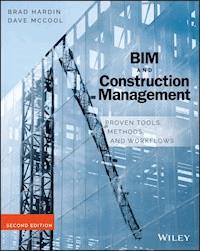
A sleeker, more comprehensive approach to construction projects BIM and Construction Management, Second Edition is a complete integration guide, featuring practical advice, project tested methods and workflows, and tutorials for implementing Building Information Modeling and technology in construction. Updated to align with the latest software editions from Autodesk, Trimble and Bentley, this book provides a common sense approach to leveraging BIM to provide significant value throughout a project's life cycle. This book outlines a results-focused approach which shows you how to incorporate BIM and other technologies into all phases of construction management, such as: Project planning: Set up the BIM project to succeed right from the start by using the right contracts, the right processes and the right technology Marketing: How to exceed customer expectations and market your brand of BIM to win. Pre-construction: Take a practical approach to engineer out risks in your project by using the model early to virtually build and analyze your project, prior to physical construction. Construction: Leverage the model throughout construction to build safer and with better quality. Field work: Learn how mobile technologies have disrupted the way we work in the field to optimize efficiencies and access information faster. Closeout: Deliver a better product to your customer that goes beyond the physical structure and better prepares them for future operations. Additionally, the book provides a look at technology trends in construction and a thoughtful perspective into potential use cases going forward. BIM and Construction Management, Second Edition builds on what has changed in the construction landscape and highlights a new way of delivering BIM-enabled projects. Aligning to industry trends such as Lean, integrated delivery methods, mobile platforms and cloud-based collaboration this book illustrates how using BIM and technology efficiently can create value.
Sie lesen das E-Book in den Legimi-Apps auf:
Seitenzahl: 577
Veröffentlichungsjahr: 2015
Ähnliche



















BIM and Construction Management
Proven Tools, Methods, and Workflows
Second Edition
Brad Hardin
Dave McCool
Acquisitions Editor: MARIANN BARSOLO
Development Editor: TOM CIRTIN
Technical Editor: JANA CONOVER
Production Editor: REBECCA ANDERSON
Copy Editor: ELIZABETH WELCH
Editorial Manager: MARY BETH WAKEFIELD
Production Manager: KATHLEEN WISOR
Associate Publisher: JIM MINATEL
Book Designer: FRANZ BAUMHACKL
Proofreader: NANCY CARRASCO
Indexer: J & J INDEXING
Project Coordinator, Cover: NICK WEHRKAMP
Cover Designer: WILEY
Cover Image: © PAOLO GAETANO ROCCO / ISTOCKPHOTO
Copyright © 2015 by John Wiley & Sons, Inc., Indianapolis, Indiana
Published simultaneously in Canada
ISBN: 978-1-118-94276-5
ISBN: 978-1-118-94278-9 (ebk.)
ISBN: 978-1-118-94277-2 (ebk.)
No part of this publication may be reproduced, stored in a retrieval system or transmitted in any form or by any means, electronic, mechanical, photocopying, recording, scanning or otherwise, except as permitted under Sections 107 or 108 of the 1976 United States Copyright Act, without either the prior written permission of the Publisher, or authorization through payment of the appropriate per-copy fee to the Copyright Clearance Center, 222 Rosewood Drive, Danvers, MA 01923, (978) 750-8400, fax (978) 646-8600. Requests to the Publisher for permission should be addressed to the Permissions Department, John Wiley & Sons, Inc., 111 River Street, Hoboken, NJ 07030, (201) 748-6011, fax (201) 748-6008, or online at http://www.wiley.com/go/permissions.
Limit of Liability/Disclaimer of Warranty: The publisher and the author make no representations or warranties with respect to the accuracy or completeness of the contents of this work and specifically disclaim all warranties, including without limitation warranties of fitness for a particular purpose. No warranty may be created or extended by sales or promotional materials. The advice and strategies contained herein may not be suitable for every situation. This work is sold with the understanding that the publisher is not engaged in rendering legal, accounting, or other professional services. If professional assistance is required, the services of a competent professional person should be sought. Neither the publisher nor the author shall be liable for damages arising herefrom. The fact that an organization or Web site is referred to in this work as a citation and/or a potential source of further information does not mean that the author or the publisher endorses the information the organization or Web site may provide or recommendations it may make. Further, readers should be aware that Internet Web sites listed in this work may have changed or disappeared between when this work was written and when it is read.
For general information on our other products and services or to obtain technical support, please contact our Customer Care Department within the U.S. at (877) 762-2974, outside the U.S. at (317) 572-3993 or fax (317) 572-4002.
Wiley publishes in a variety of print and electronic formats and by print-on-demand. Some material included with standard print versions of this book may not be included in e-books or in print-on-demand. If this book refers to media such as a CD or DVD that is not included in the version you purchased, you may download this material at http://booksupport.wiley.com. For more information about Wiley products, visit www.wiley.com.
Library of Congress Control Number: 2015930545
TRADEMARKS: Wiley and the Sybex logo are trademarks or registered trademarks of John Wiley & Sons, Inc. and/or its affiliates, in the United States and other countries, and may not be used without written permission. All other trademarks are the property of their respective owners. John Wiley & Sons, Inc. is not associated with any product or vendor mentioned in this book.
10 9 8 7 6 5 4 3 2 1
For my parents, who let me draw on the walls. For my great kids who are loved by their geek dad and for my beautiful wife who is beyond supportive.
– B.H.
For Paul Vance, my high school technical drawing teacher at Vestavia Hills, who found and fostered a passion that has shaped my career.
– D.M.
Acknowledgments
I would like to thank my wife, Iris; daughter, Lucia; and son, Wesley for supporting the late nights and shared time of weekends with this project. I couldn't have done it without your support. I'm blessed to have family, Jen, Dave, Mom, and Dad and friends, Joe Moerke, Eric Glatzl, and DJ who helped as much as they have. Lulu, I have no more pages left in my “chapter book” to do…
I would also like to thank my co-author, Dave McCool, who agreed to partner up and take this book project head on. Dave contributed great insights and valuable content and supported many good discussions on what BIM “really is” and how best to tell that story. It has been a pleasure working with such an industry leader.
I'm thankful to the firms, colleagues, industry organizations, and academics who let us use their work, insights, and images for case studies. Thanks to Black & Veatch for allowing me the time to see this work completed. I'm hopeful the design and construction industry takes this content and uses it to accelerate positive change in this industry I am so passionate about.
– Brad Hardin
First off, I want to thank Brad Hardin for this amazing opportunity. He's been a great friend and mentor throughout this journey, and I'm excited about our next adventure. I also want to thank my dad (Jim McCool, PE, CEM, CxA, LEED AP), who has been a role model father and mentor. Dad, you're not allowed to get any more acronyms. It won't fit on our business cards! My whole family has been incredibly supportive and encouraging throughout this whole process. Meg, thank you for the edits and brainstorming sessions. Mom, thank you for the counseling. Emily, thank you for waiting till I was done.
I would also like to thank the many others who have mentored and supported me over the years. This book wouldn't have happened without you: Tommy Duncan, Morgan Duncan, Bill Hitchcock, Dianne Gilmer, Trey Clegg, Mike Dunn, Mike Mitchell, Jason Lee, Sam Hardie, Sarah Carr, Derek Glanvill, Randy Highland, Chad Dorgan, Jim Mynott, Simon Peters, Shannon Lightfoot, Enrique Sarmiento, Connor Christian, John Grady, Brasfield & Gorrie, and the entire family at McCarthy Building Companies. To Dr. H and Dianne, thank you for taking a chance with a psychology major. I will forever be indebted to you and the Construction Engineering Management master's program you created at the University of Alabama at Birmingham (UAB).
From both of us, a very big thank you to the Wiley team: Pete Gaughan, who saw value in this project; Mariann Barsolo, for the patience and prodding in getting this done; Thomas Cirtin, Becca Anderson, Liz Welch, and Nancy Carrasco for helping us say what we meant to and making us sound smarter than we are; and Jana Conover, for taking on a new challenge and checking the technical components and tutorials.
– Dave McCool
About the Authors
Brad Hardin is the Chief Technology Officer for Black & Veatch, a global engineering and construction firm. He is a LEED-accredited architect, an ENR 20 under 40 recipient and is an advisory board member of the New School of Architecture. He has written numerous articles, given numerous presentations, and enjoys participating in industry events to further the cause of BIM, technology, and AEC startups in the design and construction market. He is a co-founder of Virtual Builders (www.virtualbuilders.com) the world's first nonprofit software- and association-agnostic certification and open source BIM intelligence development community for the design construction and operations industry. He lives in Kansas City with his wife, Iris; his two children, Wes and Lulu; and a dog named Shiloh.
Dave McCool is the Director of Virtual Design and Construction at McCarthy Building Companies. He holds a master's degree in engineering, DBIA, and LEED accredidation, but has realized that his BS in psychology is much more useful in the construction industry than any of the other credentials. He has lectured at multiple university and industry events, and has held chair positions for both AIA and NBIMS committees. He is also a co-founder of Virtual Builders. Originally from Alabama, he now lives in Los Angeles, where he enjoys the sunny weather, trying to surf, and playing music on the weekends.
List of Tables
Chapter 1
Table 1.1
Chapter 2
Table 2.1
Table 2.2
Table 2.3
Table 2.4
Table 2.5
Chapter 3
Table 3.1
Chapter 4
Table 4.1
Table 4.2
Table 4.3
Chapter 6
Table 6.1
List of Illustrations
Chapter 1
Figure 1.1 Three-legged stool of BIM
Figure 1.2 Expected growth trends of BIM
Figure 1.3 Growth of BIM adoption since 2007
Figure 1.4 Traditional technology adoption cycle
Figure 1.5 Factors influencing the use of BIM: 2007
Figure 1.6 Most important factors for increasing BIM benefits: 2012
Figure 1.7 Increase in BIM adoption 2007–2012
Figure 1.8 BIM has multiple stakeholders, so defining team members’ responsibilities is critical.
Figure 1.9 Project visualization example
Figure 1.10 Line of balance, Gantt, and resource-loaded schedule view
Figure 1.11 Apple Watch
Figure 1.12 5D data flow
Figure 1.13 The Onuma System on the iPad
Figure 1.14 Model coordination review meeting
Figure 1.15 Clearance object in front of equipment
Figure 1.16 Autodesk BIM 360 Glue
Figure 1.17 Prefabricated project, “The Stack” in New York City
Figure 1.18 Tablet being used in the field
Figure 1.19 Screenshot from Pull Plan, lean planning tool
Figure 1.20 Laser scan and BIM overlay
Figure 1.21 Model punch list callout
Figure 1.22 Life-cycle facility costs
Figure 1.23 BIM-related savings as collaboration increases
Chapter 2
Figure 2.1 Santa Maria Novella
Figure 2.2 Design-Bid-Build
Figure 2.3 MacLeamy Curve
Figure 2.4 Construction Manager at Risk
Figure 2.5 Design-Build
Figure 2.6 Expected Change in Use of Established Delivery Systems in the Industry by 2017
Figure 2.7 Hole in the boat
Figure 2.8 Engineer (Autodesk Revit) model showing design intent at 100 percent CD
Figure 2.9 Subcontractor (CAD) fabrication model for shop drawings
Figure 2.10 Integrated Project Delivery method
Figure 2.11 Lateral brace frame
Figure 2.12 LOD matrix
Figure 2.13 Life-cycle cost of a building
Figure 2.14 Life-cycle information for a door
Figure 2.15 Effective communication
Figure 2.16 Save As options in Word
Figure 2.17 Revit export formats
Figure 2.18 Information exchange plan
Chapter 3
Figure 3.1 “BIM-washing”
Figure 3.2 AEC Hackathon
Figure 3.3 Impact of risk-reducing strategies
Figure 3.4 Construction site simulation video rendering
Figure 3.5 QR code link to video of simulation
Figure 3.6 Combining pursuit factors and technology for a winning approach
Figure 3.7 Site safety visualization
Figure 3.8 Site logistics plan on occupied campus
Figure 3.9 Stormwater runoff prevention plan
Figure 3.10 Project pursuit rendering
Figure 3.11 Construction simulation QR code video
Figure 3.12 Alaskan Way earthquake simulation
Figure 3.13 QR code link to video of simulation
Figure 3.14 Oculus Rift Augmented Reality Headset
Figure 3.15 Proposal project rendering
Chapter 4
Figure 4.1 A chart showing companies’ familiarity with or implementation of lean practices
Figure 4.2 Industrial track (12 lb., 26-gauge rail) on 85th floor
Figure 4.3 A Koppel rocker dump car on the track to the brick hopper
Figure 4.4 Post and McCord’s fabrication and erection drawings
Figure 4.5 Steel schedule
Figure 4.6 Construction productivity index compared to nonfarm industries
Figure 4.7 Leroy Lettering Tool
Figure 4.8 Design and construction schedule
Figure 4.9 Increment schedule
Figure 4.10 Design information chaos
Figure 4.11 DSM elements
Figure 4.12 Design process mapping
Figure 4.13 DSM before dependency sequence
Figure 4.14 Selecting Dependency Sequence from the Tools menu
Figure 4.15 DSM after dependency sequence
Figure 4.16 LOD schedule
Figure 4.17 BIM use according to the
SmartMarket Report
Figure 4.18 Door frame detail
Figure 4.19 Mechanical plans before markup
Figure 4.20 Mechanical plans after markup
Figure 4.21 Guide for clearances between pipes, walls, and curbs
Figure 4.22 Base flashing at wood curb
Figure 4.23 Roof image
Figure 4.24 Roof image with detail issues
Figure 4.25 Roof drain distance
Figure 4.26 Glue e-mail invitation
Figure 4.27 In the Visibility/Graphic Overrides window, deselect all categories except for Floors.
Figure 4.28 Project Units window
Figure 4.29 Editing the type
Figure 4.30 The New Schedule dialog box
Figure 4.31 Creating the Concrete and Placement formula
Figure 4.32 Select the Grand Totals option.
Figure 4.33 Enter the field formatting settings shown here.
Figure 4.34 The Concrete Takeoff schedule
Figure 4.35 Elevation view
Figure 4.36 Exporting a schedule to a text file
Figure 4.37 Assemble interface
Figure 4.38 Complete ROM estimate
Figure 4.39 Cost trending 75% DD to 75% CD
Figure 4.40 2010 U.S. buildings energy end-use splits by fuel type
Figure 4.41 Sustainability analysis schedule
Figure 4.42 Sefaira interface
Figure 4.43 Shoebox design without glazing
Figure 4.44 Entity palette
Figure 4.45 Energy and daylighting analysis
Figure 4.46 Building code selection
Figure 4.47 Daylighting Annual Availability
Figure 4.48 Daylighting Time of Day
Figure 4.49 Sefaira web application
Figure 4.50 Design option comparison
Figure 4.51 Site logistics plan using Trimble SketchUp (rendered with Autodesk 3ds Max)
Figure 4.52 Site logistics plan using Trimble SketchUp
Figure 4.53 Site logistics plan rendering using Trimble SketchUp (rendered with Autodesk 3ds Max)
Figure 4.54 Site logistics plan rendering using Autodesk InfraWorks 360
Chapter 5
Figure 5.1 Example of a 3D site logistics plan
Figure 5.2 Conflict resolution path
Figure 5.3 Open the sample NWD file.
Figure 5.4 Appending the NWD mechanical file
Figure 5.5 Opening the Clash Detective window
Figure 5.6 Opening the Find Items window
Figure 5.7 Opening the search selection
Figure 5.8 Entering the Find Item search criteria
Figure 5.9 Saving your search set
Figure 5.10 Creating the ductwork search set
Figure 5.11 Saving the ductwork search set
Figure 5.12 Creating the set criteria
Figure 5.13 Defining the set comparisons
Figure 5.14 Editing the clash report display settings
Figure 5.15 Identifying a system problem through a clash trend
Figure 5.16 Refinement of BIM from design to fabrication
Figure 5.17 Establishing the model clash parameters
Figure 5.18 A clash is generated because of a schedule conflict.
Figure 5.19 Updating a BIM schedule is a continuous task through a project.
Figure 5.20 A schedule is a series of complex, overlapping tasks to ensure successful project delivery.
Figure 5.21 Opening a Revit file into Navisworks
Figure 5.22 Changing the file units in Navisworks
Figure 5.23 Enabling snaps in Navisworks
Figure 5.24 Linking the MPX file
Figure 5.25 Accepting the default import settings
Figure 5.26 Rebuilding the task hierarchy from the link
Figure 5.27 Creating the Footing search set
Figure 5.28 Attaching search sets to the schedule
Figure 5.29 Defining the task type
Figure 5.30 Editing animation settings
Figure 5.31 Running the simulation
Figure 5.32 Vico Office logic
Figure 5.33 Laser scanning team in-field
Figure 5.34 Laser scan and BIM overlay
Figure 5.35 Pull Plan project
Figure 5.36 Fiatech’s model roadmap vision
Figure 5.37 Saving a viewpoint
Figure 5.38 Adding a comment to the composite file
Figure 5.39 Saving the comment
Figure 5.40 Editing an existing comment
Figure 5.41 Comments on the model create related views and can be tracked and logged just like sheet comments.
Figure 5.42 Opening the redlining tool
Figure 5.43 Creating the redline cloud shape
Figure 5.44 Adding a comment to the redline
Figure 5.45 Adding a tag to model components
Figure 5.46 The Add Comment dialog box
Figure 5.47 Tag with comment added to a clash item
Figure 5.48 Setting up the link
Figure 5.49 Defining the type of link
Figure 5.50 Links icon
Figure 5.51 Field coordination is where all the physical pieces come together.
Chapter 6
Figure 6.1 The knowledge gap
Figure 6.2 Superintendent using BIM in the field to coordinate construction—applying learned technology to the field
Figure 6.3 Sticks of as-built drawings
Figure 6.4 Combined set of drawings with no labels
Figure 6.5 AutoMark 2.0 icon
Figure 6.6 Combined set of drawings with labels
Figure 6.7 Extract Pages window
Figure 6.8 Batch Link window
Figure 6.9 Sheet index with highlighted links
Figure 6.10 RFI cloud
Figure 6.11 The Action dialog box
Figure 6.12 Replace Pages dialog box
Figure 6.13 Mobile kiosks in the field
Figure 6.14 Superintendents looking at drawings in the field
Figure 6.15 Predictability of time
Figure 6.16 Flow-line schedule
Figure 6.17 Placing the door so that it swings out
Figure 6.18 Rooms and door tags
Figure 6.19 Properties window in Revit
Figure 6.20 Filtering categories in Assemble
Figure 6.21 Exporting Navisworks Search Sets out of Assemble Systems
Figure 6.22 Saving the search set
Figure 6.23 NWC Export
Figure 6.24 Manage Sets
Figure 6.25 The Sets window in Navisworks Manage
Figure 6.26 The Element tab of the Properties window
Figure 6.27 Share With Field
Figure 6.28 Selecting Setup from the drop-down menu
Figure 6.29 Selecting Manage Equipment Mapping
Figure 6.30 Our sets group together nicely.
Figure 6.31 Associating model properties with equipment
Figure 6.32 Equipment database in BIM 360 Field
Figure 6.33 Generating a file link in Box.com
Figure 6.34 Fields in the Equipment CSV file
Figure 6.35 BIM 360 Field’s mobile application
Figure 6.36 QR code associated with the right door
Figure 6.37 Superintendent using BIM Anywhere to scan QR codes for quality control in the field
Figure 6.38 Barcode Scanner
Figure 6.39 Facilities management details
Figure 6.40 Equipment database in BIM 360 Field
Figure 6.41 BIM 360 Properties in Navisworks Manage
Figure 6.42 Appearance Profiler settings
Figure 6.43 Overall project status by color
Figure 6.44 Flow of information example
Chapter 7
Figure 7.1 Life-cycle costs of a building
Figure 7.2 Documents to manage in facility management
Figure 7.3 Revision plan sheet
Figure 7.4 Constant and artifact information management strategy
Figure 7.5 Model and laser scan overlay
Figure 7.6 Knowledge gaps in handoff
Figure 7.7 Commissioning process
Figure 7.8 Autodesk BIM 360 Field
Figure 7.9 Bentley Navigator
Figure 7.10 Example of Navisworks being used for punch list coordination
Figure 7.11 Information backbone diagram
Chapter 8
Figure 8.1 “3D Printers Print Ten Houses in 24 Hours” (https://www.youtube.com/watch?v=SObzNdyRTBs)
Figure 8.2 Fabricating walls in Revit
Figure 8.3 American Building Innovation video (https://www.youtube.com/watch?v=VDWr2R_WKrQ)
Figure 8.4 Ronald McDonald House built using BIM and prefabricated mockups
Figure 8.5 “Stick Built vs. Prefabricated Wall Panel House Construction” video
Figure 8.6 TheoBOT
Figure 8.7 Virtual Builders
Guide
Cover
Table of Contents
1
Pages
vii
ix
xvii
xviii
xix
xx
xxi
xxii
xxiii
1
2
3
4
5
6
7
8
9
10
11
12
15
16
17
18
19
20
21
22
23
24
25
26
27
28
29
30
31
32
33
34
35
36
37
38
39
40
41
42
43
44
45
46
47
48
49
50
51
52
53
54
55
56
57
58
59
60
61
62
63
64
65
66
67
68
69
70
71
72
73
74
75
76
77
78
79
80
81
82
83
84
85
86
87
88
89
91
92
93
94
95
96
97
98
99
100
101
102
104
105
106
107
108
109
110
112
113
114
115
116
117
118
119
120
121
123
124
125
126
127
128
129
131
132
133
134
135
136
137
138
139
140
141
142
143
144
145
146
147
148
149
150
151
152
153
154
155
156
157
158
159
160
161
162
163
164
165
167
168
169
170
171
172
173
174
175
176
177
178
179
180
181
182
184
185
186
188
190
191
192
193
194
195
196
197
198
199
200
201
202
203
205
206
208
209
210
211
212
213
214
215
216
217
218
219
220
221
222
223
224
225
226
227
228
229
230
231
232
233
234
235
236
237
238
239
240
241
242
243
245
246
247
248
249
250
251
252
253
254
255
256
257
258
259
260
261
262
263
264
265
266
267
268
269
270
271
272
273
274
275
276
277
278
279
281
282
283
284
285
286
287
288
289
290
291
292
293
294
295
296
297
298
299
300
301
302
303
304
305
306
307
308
309
310
311
312
314
315
316
317
318
319
320
321
322
323
324
325
326
327
328
329
330
331
332
333
334
335
336
337
338
339
340
341
342
343
344
345
346
347
348
349
350
351
352
353
354
355
356
357
358
359
360
361
362
Introduction
This book shares a rounded perspective of how BIM and enabling technologies are changing the way we collaborate and distribute information. As an industry, we are constantly facing new challenges in the field of construction. This book will show how many of these challenges are being addressed with cutting-edge tools, leveraged with experience, and a practical application of the “right tools for the right job.” There is a shift happening in the construction management market in the context of technology, and this book serves as a catalyst for more fundamental changes that create positive outcomes.
Lesen Sie weiter in der vollständigen Ausgabe!
Lesen Sie weiter in der vollständigen Ausgabe!
Lesen Sie weiter in der vollständigen Ausgabe!
Lesen Sie weiter in der vollständigen Ausgabe!
Lesen Sie weiter in der vollständigen Ausgabe!
Lesen Sie weiter in der vollständigen Ausgabe!
Lesen Sie weiter in der vollständigen Ausgabe!
Lesen Sie weiter in der vollständigen Ausgabe!
Lesen Sie weiter in der vollständigen Ausgabe!




