


27,59 €
Mehr erfahren.
- Herausgeber: Packt Publishing
- Kategorie: Wissenschaft und neue Technologien
- Sprache: Englisch
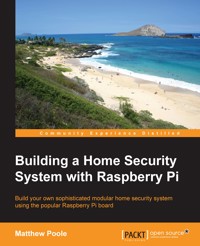
The Raspberry Pi is a powerful low-cost credit-card-sized computer, which lends itself perfectly as the controller for a sophisticated home security system. Using the on-board interfaces available, the Raspberry Pi can be expanded to allow the connection of a virtually infinite number of security sensors and devices. The Raspberry Pi has the processing power and interfaces available to build a sophisticated home security system but at a fraction of the cost of commercially available systems.
Building a Home Security System with Raspberry Pi starts off by showing you the Raspberry Pi and how to set up the Linux-based operating system. It then guides you through connecting switch sensors and LEDs to the native GPIO connector safely, and how to access them using simple Bash scripts. As you dive further in, you’ll learn how to build an input/output expansion board using the I2C interface and power supply, allowing the connection of the large number of sensors needed for a typical home security setup.
In the later chapters of the book, we'll look at more sophisticated topics such as adding cameras, remotely accessing the system using your mobile phone, receiving intrusion alerts and images by e-mail, and more.
By the end of the book, you will be well-versed with the use of Raspberry Pi to power a home-based security system that sends message alerts whenever it is triggered and will be able to build a truly sophisticated and modular home security system. You will also gain a good understanding of Raspberry Pi's ecosystem and be able to write the functions required for a security system.
Das E-Book können Sie in Legimi-Apps oder einer beliebigen App lesen, die das folgende Format unterstützen:
Seitenzahl: 188
Veröffentlichungsjahr: 2015
Ähnliche



















Table of Contents
Building a Home Security System with Raspberry Pi
Building a Home Security System with Raspberry Pi
Copyright © 2015 Packt Publishing
All rights reserved. No part of this book may be reproduced, stored in a retrieval system, or transmitted in any form or by any means, without the prior written permission of the publisher, except in the case of brief quotations embedded in critical articles or reviews.
Every effort has been made in the preparation of this book to ensure the accuracy of the information presented. However, the information contained in this book is sold without warranty, either express or implied. Neither the author, nor Packt Publishing, and its dealers and distributors will be held liable for any damages caused or alleged to be caused directly or indirectly by this book.
Packt Publishing has endeavored to provide trademark information about all of the companies and products mentioned in this book by the appropriate use of capitals. However, Packt Publishing cannot guarantee the accuracy of this information.
First published: December 2015
Production reference: 1161215
Published by Packt Publishing Ltd.
Livery Place
35 Livery Street
Birmingham B3 2PB, UK.
ISBN 978-1-78217-527-8
www.packtpub.com
Credits
Author
Matthew Poole
Reviewers
Lihang Li
Cédric Verstraeten
Commissioning Editor
Edward Bowkett
Acquisition Editors
Vivek Anantharaman
Vinay Argekar
Content Development Editor
Sumeet Sawant
Technical Editor
Namrata Patil
Copy Editor
Angad Singh
Project Coordinator
Shweta H. Birwatkar
Proofreader
Safis Editing
Indexer
Rekha Nair
Production Coordinator
Manu Joseph
Cover Work
Manu Joseph
About the Author
Matthew Poole is a systems engineer based near Southampton on the south coast of England with over 20 years of industry experience. After graduating in electronics and communications engineering, he went on to train as and to become an air traffic engineer for the UK Civil Aviation Authority, working on microprocessor-based control and communications systems.
Later, he became a software architect and mobile technology specialist, and worked for several consultancies and global organizations. He is now a partner at UK Mobile Media, a boutique systems consultancy focused on designing Bluetooth and other wireless systems, taking ideas from concept to prototype. He is also the director of technology for Mobile Onboard, a leading UK-based transport technology company that specializes in on-bus connectivity and mobile ticketing.
About the Reviewers
Lihang Li received his MS degree in computer vision from National Laboratory of Pattern Recognition(NLPR) at Institute of Automation of the Chinese Academy of Sciences (CAS). His interests include Linux, open source, cloud computing, virtualization, computer vision algorithms, machine learning and data mining, and a variety of programming languages.
You can find him at his personal website at http://hustcalm.me.
It has been a great opportunity being a part of this book. I have always been a fan of embedded devices and systems. Thanks go to our author and coordinator. Hope the readers will find this book helpful.
Cédric Verstraeten has an MSc in engineering and is primarily active in the C++ community. He works as a software engineer and is a huge open source enthusiast. He spends most of his time on side projects. He's the founder of Kerberos.io, an open source video surveillance system built for the Raspberry Pi, and is the organizer of the Raspberry Pi Belgium meetup group.
I would like to thank Packt Publishing for making me a reviewer of this book. I really think their books can give people an in-depth overview of a particular topic.
www.PacktPub.com
Support files, eBooks, discount offers, and more
For support files and downloads related to your book, please visit www.PacktPub.com.
Did you know that Packt offers eBook versions of every book published, with PDF and ePub files available? You can upgrade to the eBook version at www.PacktPub.com and as a print book customer, you are entitled to a discount on the eBook copy. Get in touch with us at <[email protected]> for more details.
At www.PacktPub.com, you can also read a collection of free technical articles, sign up for a range of free newsletters and receive exclusive discounts and offers on Packt books and eBooks.
https://www2.packtpub.com/books/subscription/packtlib
Do you need instant solutions to your IT questions? PacktLib is Packt's online digital book library. Here, you can search, access, and read Packt's entire library of books.
Why subscribe?
Free access for Packt account holders
If you have an account with Packt at www.PacktPub.com, you can use this to access PacktLib today and view 9 entirely free books. Simply use your login credentials for immediate access.
Preface
The Raspberry Pi is a powerful, low-cost, credit-card sized computer, which lends itself perfectly as the controller of a sophisticated home security system. Using the available on-board interfaces, the Raspberry Pi can be expanded to allow the connection of a virtually infinite number of security sensors and devices. The Raspberry Pi has the processing power and interfaces available to build a sophisticated home security system but at a fraction of the cost of commercially available systems.
Building a Home Security System with Raspberry Pi starts off by showing you the Raspberry Pi and how to set up the Linux-based operating system. The book then guides you through connecting switch sensors and LEDs to the native GPIO connector safely, and it also shows you how to access these using simple Bash scripts. As you dive further in, you'll learn how to build an input/output expansion board using the I2C interface and power supply, allowing the connection of the large number of sensors needed for a typical home security setup.
The book features clear diagrams and code listing every step of the way to allow you to build a truly sophisticated and modular home security system.
What this book covers
Chapter 1, Setting Up Your Raspberry Pi, starts out by taking our Raspberry Pi out of its box and preparing it for being the centerpiece of our home security system. Along the way, we will install and set up the operating system, connect our Pi to the network, and access it remotely. We'll also secure our Pi and make sure it can keep the right time.
Chapter 2, Connecting Things to Your Pi with GPIO, explores the GPIO port and the various interfaces it features. We'll look at the various things we can connect to the Raspberry Pi using the GPIO including switches and sensors as we start to build our home security system.
Chapter 3, Extending Your Pi to Connect More Things, looks at ways of expanding the number of things we can connect to our Raspberry Pi, overcoming the limitation of having just the eight digital pins available to us on the GPIO by tapping into other interfaces on the GPIO and building our own input/output expansion board.
Chapter 4, Adding a Magnetic Contact Sensor, starts to actually connect things to our home security system, such as magnetic sensors and other types of contact devices. You will learn how to program our I2C expansion port using Bash scripts so that we can read the state of our sensors and switch on warning LEDs. We'll also start to develop the control scripts for our system that will allow us to arm and disarm the system and add delay timers.
Chapter 5, Adding a Passive Infrared Motion Sensor, looks at passive infra-red motion detectors, how they work, and how we can connect wired and wireless types to our home security system. We'll also learn how to create log files based on events using Bash scripts so that we can maintain a history of detector states as they change.
Chapter 6, Adding Cameras to Our Security System, teaches you how to connect both Raspberry Pi camera modules and USB cameras to our Pi board in order to take image and video captures when required by our home security system. We'll also learn how to overlay our images with informative text and have the files immediately emailed to us.
Chapter 7, Building a Web-Based Control Panel, gets down to the business of starting to put together modules by building a mobile-optimized web-based control panel for our home security system. You'll learn how to set up a web server on our Raspberry Pi and manipulate files using our web control panel, meaning we'll start to explore how all of the elements so far will come together as part of our final system.
Chapter 8, A Miscellany of Things, looks a few other bits and pieces, such as adding other sensors to our home security system that are not necessarily related to intruder detection. We'll also look at how we can administer our entire Raspberry Pi system remotely using a web browser in addition to accessing our home security control panel.
Chapter 9, Putting It All Together, is the moment we've all been waiting for; we're going to take all of the elements and concepts from the previous chapters and put together our full system comprising the elements we want to feature. The star of the show will be our Bash scripts, which will glue together all of these elements and provide the control logic for the entire system.
What you need for this book
You'll need the following software:
Who this book is for
This book is for anyone who is interested in building a modular home security system from scratch using a Raspberry Pi board, basic electronics, sensors, and simple scripts. This book is ideal for enthusiastic novice programmers, electronics hobbyists, and engineering professionals. It would be great if you have some basic soldering skills in order to build some of the interface modules.
Conventions
In this book, you will find a number of styles of text that distinguish between different kinds of information. Here are some examples of these styles, and an explanation of their meaning.
Code words in text, database table names, folder names, filenames, file extensions, pathnames, dummy URLs, user input, and Twitter handles are shown as follows: "Extract 2015-09-24-raspbian-jessie.img to your Home folder."
A block of code is set as follows:
Any command-line input or output is written as follows:
New terms and important words are shown in bold. Words that you see on the screen, in menus or dialog boxes for example, appear in the text like this: "Type the IP address of the Raspberry Pi into the Host Name box and click on Open."
Note
Warnings or important notes appear in a box like this.
Tip
Tips and tricks appear like this.
Reader feedback
Feedback from our readers is always welcome. Let us know what you think about this book—what you liked or may have disliked. Reader feedback is important for us to develop titles that you really get the most out of.
To send us general feedback, simply send an e-mail to <[email protected]>, and mention the book title via the subject of your message.
If there is a topic that you have expertise in and you are interested in either writing or contributing to a book, see our author guide on www.packtpub.com/authors.
Customer support
Now that you are the proud owner of a Packt book, we have a number of things to help you to get the most from your purchase.
Downloading the example code
You can download the example code files for all Packt books you have purchased from your account at http://www.packtpub.com. If you purchased this book elsewhere, you can visit http://www.packtpub.com/support and register to have the files e-mailed directly to you.
Errata
Although we have taken every care to ensure the accuracy of our content, mistakes do happen. If you find a mistake in one of our books—maybe a mistake in the text or the code—we would be grateful if you could report this to us. By doing so, you can save other readers from frustration and help us improve subsequent versions of this book. If you find any errata, please report them by visiting http://www.packtpub.com/submit-errata, selecting your book, clicking on the Errata Submission Form link, and entering the details of your errata. Once your errata are verified, your submission will be accepted and the errata will be uploaded to our website or added to any list of existing errata under the Errata section of that title.
To view the previously submitted errata, go to https://www.packtpub.com/books/content/support and enter the name of the book in the search field. The required information will appear under the Errata section.
Piracy
Piracy of copyright material on the Internet is an ongoing problem across all media. At Packt, we take the protection of our copyright and licenses very seriously. If you come across any illegal copies of our works, in any form, on the Internet, please provide us with the location address or website name immediately so that we can pursue a remedy.
Please contact us at <[email protected]> with a link to the suspected pirated material.
We appreciate your help in protecting our authors, and our ability to bring you valuable content.
Questions
You can contact us at <[email protected]> if you are having a problem with any aspect of the book, and we will do our best to address it.
Chapter 1. Setting Up Your Raspberry Pi
Before we can get into the realms of building our home security system, there's a bit of preparation work needed to get our Raspberry Pi up and running. So, we're going to go through the initial steps needed to get our Pi ready to be worked on.
In this chapter, we will cover the following topics:
Which flavor of Pi?
Since the Raspberry Pi was released in 2012, there have been several versions of the mini-PC board released. I'll go though each of the versions released with their respective features so that you can choose which one is suitable for your particular project.
The good news is that it doesn't really matter which version you use in terms of power, as our home security system doesn't necessarily need loads of processing power, depending on what you want your system to do, of course). You might have an older board kicking about that will work for you.
The other piece of good news is that the GPIO interface pin layouts are the same across all the versions. The later versions have more pins, but the original 26 pins still remain in the same place.
The latest Raspberry Pi Version 2
Raspberry Pi Model A
The baby of the family is the Model A; it was released as a lower-cost version of the Model B, shown in the following section. Its main differences from the Model B are that it features just 256Mb of memory and has no Ethernet port; so if you want to connect this board to a network, you are limited to using a USB Wi-Fi dongle.
The Raspberry Pi Model A Board Layout
Raspberry Pi Model B
This was the first version of Raspberry Pi to be released; an updated revision, which improved the power system and USB port protection, came later. It features 512Mb of memory and has an Ethernet port for connecting to your network. This is probably the most common version used, and having the Ethernet port is incredibly useful, especially to get up and run quickly in order to set up and configure your Pi without the need for a keyboard and monitor.
The Raspberry Pi Model B Layout
Raspberry Pi Model B+ and Model 2
In 2014, the Raspberry Pi Foundation released a new version of the board that had some fundamental changes as compared to the previous version. The most fundamental changes were the board layout, form factor, and mounting points—much to the dismay of the many enclosure and accessory manufacturers out there.
In fact, we were in the middle of prototyping an enclosure for a commercial product that we were developing based on the Raspberry Pi—fortunately we caught wind of the board change in the nick of time and were able to change our enclosure to support the upcoming model B+.
The main electronic changes to this board are the addition of 2 more USB ports that can deliver more power to peripherals, an expanded GPIO interface, and the removal of the composite video port that is now consolidated into the audio jack. It also now uses a micro SD card with a better card slot.
In February 2015, a more powerful Raspberry Pi was released: the Raspberry Pi Model 2. It's similar to the Model B+ in terms of form-factor and interfaces, but is now reportedly 6-times faster than the Model B/B+ with its upgraded ARM processor and 1Gb of memory.
At the same low cost of less than £30, it's a fantastic little board and a great power-house for embedded systems.
The Raspberry Pi Model B+ and Model 2 Layout
Model comparison table
Model A
Model B
Model B+
Version 2
So which one?
Essentially, any version of the Raspberry Pi will work with the modules presented in this book, but if you want to exploit features such as the camera, which may require more processing power and memory, or want to have an Ethernet connection, you'll need to use the Model B.




