


18,99 €
Mehr erfahren.
- Herausgeber: John Wiley & Sons
- Kategorie: Wissenschaft und neue Technologien
- Sprache: Englisch
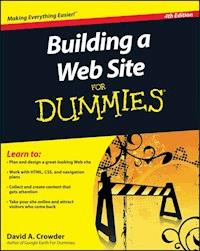
The bestselling guide to building a knockout Web site, newly updated An effective Web site is the key to success for every venture from class reunions to major corporations. And since Web technology changes rapidly, Building a Web Site For Dummies, 4th Edition is fully updated for the cutting-edge tools and trends. If you need to build and maintain a Web site, even if your experience is severely limited, this book makes it easy and fun. You'll learn to plan, design, create, launch, and maintain your site using the most up-to-date tools. * A quality Web presence is essential in today's marketplace, and many individuals charged with creating one are unaware of the challenges * This guide gives novice Web designers the tools and know-how to plan, design, and build effective Web sites * Provides a nuts-and-bolts guide to site-building, including coverage of HTML, WYSIWYG construction software, CSS, and navigation plans * Shows how to spruce up your site with topnotch graphics, video, and great content * Guides you through getting your site online, promoting it, and even making money from it Building a Web Site For Dummies, 4th Edition is the tool every first-time Web designer needs to build a professional-looking site.
Sie lesen das E-Book in den Legimi-Apps auf:
Seitenzahl: 359
Veröffentlichungsjahr: 2010
Ähnliche


















Building a Web Site For Dummies®, 4th Edition
Table of Contents
Introduction
About This Book
How to Use This Book
Foolish Assumptions
Conventions Used in This Book
How This Book Is Organized
Part I: Building Your First Web Site
Part II: Building Better Web Pages
Part III: Adding Frills and Fancy Stuff
Part IV: Making Money
Part V: The Part of Tens
Icons Used in This Book
Where to Go from Here
Part I: Building Your First Web Site
Chapter 1: Planning for Good Site Design
Drafting a Plan
What do you want to accomplish?
Who do you want to reach?
Keeping your site fresh
User-generated content
Designing the Look of Your Site
Appealing to your audience
Avoiding clutter
Achieving Usability
The Big Rules for Planning Your Site
Online Sources for Web Design
Chapter 2: Creating a Web Page with Basic HTML Tags
Tagging Along with HTML
Getting Wordy
Paragraphs
Headings
Fonts
Lines
Using Color
Creating Links
Picturing It: Using Images
Images
Background images
Putting It All Together
Online Sources for Web Page Building
Chapter 3: Arranging Your Text with Tables and Other Advanced Tags
Creating Tables
Defining rows and columns
Setting table dimensions
Defining cell sizes
Padding and spacing cells
Spanning rows and columns
Playing with alignments
Using Frames and Framesets
Building pages with frames and framesets
Adding borders and margins to frames
Online Sources for Tables and Frames
Chapter 4: Working with WYSIWYG
Creating the Basic Page in CoffeeCup
Setting the page properties
Working with text and links
Adding images
Switching views
Working with Website Projects
Online Sources for WYSIWYG
Chapter 5: Letting the World In: Choosing a Host and Domain Name
Going Live: Choosing a Host
ISPs
Virtual servers
Dedicated servers
Finding your match
Keeping It Cheap: Free Web-Site Providers
Getting Your Own Domain Name
Picking a name
Finding a registrar
Online Sources for Web Hosting and Domain Registration
Part II: Building Better Web Pages
Chapter 6: Using Cascading Style Sheets
Merging CSS and HTML
Selectors, Classes, and IDs
Using classes
Using IDs
Redefining Elements
Contextual Selectors
Going Beyond the Basics
CSS colors
Borders
CSS and WYSIWYG
Layers
Absolute positioning
Relative positioning
Online Sources for CSS
Chapter 7: Adding Images
Getting Graphics — for Free!
Heeding copyrights and credits
Creating your own images
Differentiating among graphics file formats
Putting Your Graphics on a Diet with GIFWorks
Creating a Logo with CoolText.com
Editing Images
Resizing
Cropping
Rotating and flipping
Adjusting color
Using special effects filters
Basic Design with Images
Placing images for maximum effectiveness
Sizing images in HTML
Online Sources for Quality Graphics
Chapter 8: Adding Forms
Getting Input
Typing in text boxes
Using text areas
Choosing radio buttons or check boxes
Setting up SELECT and OPTION
Submitting the form
Processing the Form
Why your ISP often won’t help
Finding a CGI provider
Using remotely hosted CGI scripts
Adding CGI Scripts
Basic techniques
Solving problems
Trying Out Form and Poll Makers
Response-O-Matic
FormSite.com
Online Sources for CGI and Forms
Part III: Adding Frills and Fancy Stuff
Chapter 9: Exploring JavaScript and DHTML
Principles of Programming
Constants and variables
Doing the math
Branches
Loops
Creating JavaScript Functions
Incorporating JavaScripts
Basic techniques
Dealing with problems
The Document Object Model (DOM)
Making Choices with JavaScript Events
Mouseovers and clicks
Keyboard input
Adding Interactive Menus
Making drop-down lists
Making a menu with CoffeeCup
Online Sources for JavaScript and DHTML
Chapter 10: Adding Image-Based Buttons and Image Maps
Creating Buttons
Creating Image Maps
Online Sources for Buttons and Image Maps
Chapter 11: Web Sights and Sounds
Getting Music and Video
Finding music houses
Finding public-domain music and video
Picking a File Format
Compressing Files
Adding Audio and Video Files to Your Site
Adding a Flash music player
Importing YouTube video
Online Sources for Web Audio and Video
Chapter 12: Adding a Blog
Adding Blogger to Your Site
Bloggin’ with WordPress
Adding a post in WordPress
Altering the General Settings
Online Sources for Blogs
Part IV: Making Money
Chapter 13: Attracting an Audience: Publicizing Your Site
Working Keywords into Your Pages
Adding meta tags
Incorporating keywords in the content
Avoiding keyword trickery
Analyzing keywords that other sites are using
Keyword advertising
Submitting to the Search Sites
Doing it yourself
Using submission services
Keeping out of the search sites
Checking Your Search Site Position
Investigating Reciprocal Linking
Finding sites to link to
Joining Web rings
Joining a banner exchange
Online Sources for Getting the Word Out about Your Site
Chapter 14: Designing for Internet Commerce
Learning the Real Secret to Internet Success
Developing the right attitude
Focusing on your business
Getting supplies flowing
Designing for E-Commerce
Adding a Search Function
Using Google Site Search
Getting a free search engine with FreeFind
Dropping in Perl CGI scripts such as Simple Search
Adding a FAQ
Online Sources for Internet Commerce
Chapter 15: Checking Out Online Payment Methods
Checking Out Online Payment Methods
PayPal
Google Checkout
Cash alternatives
Phones, faxes, and snail mail
Getting a Merchant Account
Choosing which acquirers to sign up with
Deciding which cards to take
Signing up
Watching out for fees
Protecting against credit card fraud
Building on a Business Platform
Converting Currencies
Adding the converter to your Web page
Customizing the converter
Online Sources for Merchant Services
Part V: The Part of Tens
Chapter 16: Ten Great Web Sites to Get Advice
Bizy Moms
Cozahost Newsletter
Geek/Talk Forums for Webmasters
grammarNOW!
LivePerson
LawGuru.com
webmaster-talk.com
The Small Business Advisor
Web Developer’s Journal
Website Tips
Chapter 17: Ten Fabulous Tools for E-Commerce
CafePress.com
DMA Privacy Policy Generator
ECommerce Guide
HumanClick
MapQuest
osCommerce
S&H greenpoints
SYSTRAN Translation Software
TRUSTe
WorldPay
Chapter 18: Ten More Great Add-Ins
@watch
Crossword Compiler
Everyone.net
GeoPhrase
VFM Leonardo
localendar
Merriam-Webster Online
SuperStats
Google Friend Connect
theFinancials.com
Glossary
Building a Web Site For Dummies®, 4th Edition
by David A. Crowder
Building a Web Site For Dummies®, 4th Edition
Published byWiley Publishing, Inc.111 River St.Hoboken, NJ 07030-5774www.wiley.com
Copyright © 2010 by Wiley Publishing, Inc., Indianapolis, Indiana
Published simultaneously in Canada
No part of this publication may be reproduced, stored in a retrieval system or transmitted in any form or by any means, electronic, mechanical, photocopying, recording, scanning or otherwise, except as permitted under Sections 107 or 108 of the 1976 United States Copyright Act, without either the prior written permission of the Publisher, or authorization through payment of the appropriate per-copy fee to the Copyright Clearance Center, 222 Rosewood Drive, Danvers, MA 01923, (978) 750-8400, fax (978) 646-8600. Requests to the Publisher for permission should be addressed to the Permissions Department, John Wiley & Sons, Inc., 111 River Street, Hoboken, NJ 07030, (201) 748-6011, fax (201) 748-6008, or online at http://www.wiley.com/go/permissions.
Trademarks: Wiley, the Wiley Publishing logo, For Dummies, the Dummies Man logo, A Reference for the Rest of Us!, The Dummies Way, Dummies Daily, The Fun and Easy Way, Dummies.com, Making Everything Easier, and related trade dress are trademarks or registered trademarks of John Wiley & Sons, Inc. and/or its affiliates in the United States and other countries, and may not be used without written permission. All other trademarks are the property of their respective owners. Wiley Publishing, Inc., is not associated with any product or vendor mentioned in this book.
Limit of Liability/Disclaimer of Warranty: The publisher and the author make no representations or warranties with respect to the accuracy or completeness of the contents of this work and specifically disclaim all warranties, including without limitation warranties of fitness for a particular purpose. No warranty may be created or extended by sales or promotional materials. The advice and strategies contained herein may not be suitable for every situation. This work is sold with the understanding that the publisher is not engaged in rendering legal, accounting, or other professional services. If professional assistance is required, the services of a competent professional person should be sought. Neither the publisher nor the author shall be liable for damages arising herefrom. The fact that an organization or Website is referred to in this work as a citation and/or a potential source of further information does not mean that the author or the publisher endorses the information the organization or Website may provide or recommendations it may make. Further, readers should be aware that Internet Websites listed in this work may have changed or disappeared between when this work was written and when it is read.
For general information on our other products and services, please contact our Customer Care Department within the U.S. at 877-762-2974, outside the U.S. at 317-572-3993, or fax 317-572-4002.
For technical support, please visit www.wiley.com/techsupport.
Wiley also publishes its books in a variety of electronic formats. Some content that appears in print may not be available in electronic books.
Library of Congress Control Number: 2010926852
ISBN: 978-0-470-56093-8
Manufactured in the United States of America
10 9 8 7 6 5 4 3 2 1
About the Author
David A. Crowder has authored or coauthored nearly 30 books on subjects ranging from computers to historical mysteries, including popular bestsellers such as Sherlock Holmes For Dummies, Building a Web Site For Dummies and CliffsNotes Getting on the Internet. He was selling hypertext systems back in the days when you had to explain to people what the word meant. He’s been involved in the online community since its inception and is the recipient of several awards for his work, including NetGuide Magazine’s Gold Site Award.
He is the son of a teacher and a college president, and his dedication to spreading knowledge, especially about the computer revolution, goes beyond his writing. He also founded three Internet mailing lists (discussion groups), JavaScript Talk, Java Talk, and Delphi Talk, all of which were sold to Ziff-Davis. One of his most treasured memories is the message he received from an old-timer on one of those lists who said that he had never seen such a free and open exchange of information since the days when computers were built by hobbyists in home workshops.
When he isn’t writing, he spends his time with his wife Angela, wandering through villages in the Andes or frolicking in the Caribbean surf.
Dedication
For Angela. Eres mi sol, nena, eres mi luna.
Author’s Acknowledgments
Thanks are due to Steven Hayes, Christopher Morris, Barry Childs-Helton, and James Russell, my fine editors, who were there for me every step of the way. Sometimes the relationship between writers and editors is smooth as silk, and sometimes it’s tempestuous, but it always results in a better book through the give-and-take of the writing/editing process — and I’m grateful for the critiques and contributions of all the members of the Wiley team. All helped to make this the best book we could put together for you. And they’re just the tip of the iceberg: About a zillion people work their tails off anonymously and behind the scenes at Wiley to bring you the finest books they can possibly produce. My hat is off to all of them, from the top editors to the humblest laborer on the loading dock. Last, but by no means least, I’d like to say how much I appreciate all the hard work done by my literary agent, Robert G. Diforio, without whose help I would be lost in the intricacies of the publishing world.
Publisher’s Acknowledgments
We’re proud of this book; please send us your comments through our online registration form located at www.dummies.com/register/.
Some of the people who helped bring this book to market include the following:
Acquisitions, Editorial, and Media Development
Senior Project Editor: Christopher Morris (Previous Edition: Jean Rogers)
Executive Editor: Steven Hayes
Senior Copy Editor: Barry Childs-Helton
Technical Editor: James Russell
Editorial Manager: Kevin Kirschner
Media Development Project Manager: Laura Moss-Hollister
Media Development Assistant Project Manager: Jenny Swisher
Media Development Associate Producers: Angela Denny, Josh Frank, Marilyn Hummel, Shawn Patrick
Editorial Assistant: Amanda Graham
Sr. Editorial Assistant: Cherie Case
Cartoons: Rich Tennant (www.the5thwave.com)
Composition Services
Project Coordinator: Katherine Crocker
Layout and Graphics: Claudia Bell, Ashley Chamberlain, Christin Swinford
Proofreaders: Laura Bowman, Lindsay Littrell
Indexer: Steve Rath
Publishing and Editorial for Technology Dummies
Richard Swadley, Vice President and Executive Group Publisher
Andy Cummings, Vice President and Publisher
Mary Bednarek, Executive Acquisitions Director
Mary C. Corder, Editorial Director
Publishing for Consumer Dummies
Diane Graves Steele, Vice President and Publisher
Composition Services
Debbie Stailey, Director of Composition Services
Introduction
Maybe you already have your own Web site and you’re not quite satisfied with it. Or perhaps you’re still in the planning stages and want to know what you can do to make your site as good as it can be. You’ve been to Web sites that have all the bells and whistles, and you wouldn’t be human if you weren’t just a wee bit envious. Well, now you can have it all too. In Building a Web Site For Dummies, 4th Edition, I show you some of the best stuff around, and I tell you just how to go about putting it on your site.
About This Book
This isn’t just another Web design book. It’s special. Really. I set out to write the one book I’d want by my side if I were looking to set up a really fancy Web site and not break the bank doing it. I tracked down and tested zillions of Web-site enhancements and selected the top of the line to share with you. And I’m honestly proud of the results. I’ve authored or coauthored more than 20 books on computers and the Internet, and this one is my hands-down favorite.
It’s full of things you’re sure to love. It’s packed with fun stuff, but it’s got plenty of serious stuff, too, like how to get past the hype and really make money through your Web site. You’ll wonder how in the world you ever got along without having these features on your Web site.
How to Use This Book
Keep this book next to your computer and never lend it to anybody. It’s far too precious for that. Make your friends buy their own copies. If you need to make space on your bookshelf, throw away anything else you own to make room for it. When you travel, take it with you. Hold it in your arms at night and tell it how much you love it.
Each chapter is a stand-alone entity. (Don’t you just love that word?) You don’t have to read the whole thing, and it’s a rare person who will read the book from cover to cover right off the bat. Go ahead — hit the table of contents or the index and jump to the parts you’re most interested in. But don’t forget to explore the rest of the book after you’re done with the parts that excite you most. You won’t regret spending the time — you’ll find wonders in every chapter.
Foolish Assumptions
I assume that you have a favorite Web-page creation program — whether it’s Dreamweaver, plain old Notepad, or the UNIX-based text editor vi — and you know how to use it. So when I say to copy and paste text or save your file, you know what you need to do. Just in case you don’t have a good Web-authoring program, I include sources for some good HTML editors in this book.
Conventions Used in This Book
It’s all organized; I promise. Even though it’s rather plebeian compared with finding free content for your site, lots of people worked very hard to make sure that this book follows some straightforward rules and typographical conventions.
Code listings, of which there are plenty, look like this:
<HTML>
<HEAD>
<SCRIPT>
...
</SCRIPT>
<TITLE>
...
</TITLE>
</HEAD>
...
HTML elements in this book are in uppercase, and their attributes are in lowercase, as in this example:
<INPUT type=”hidden” name=”answer” value=”yes”>
If the value of an attribute is in normal type, you enter it exactly as shown. If it’s in italics, it’s only a placeholder value, and you need to replace it with a real value. In the following example, you replace myownimage with the name of the image file you intend to use:
<IMG src=”myownimage”>
Whenever you see the URL for one of the top sites I’ve tracked down, it appears in a special typeface within the paragraph, like this: www.dummies.com. Or it may appear on a separate line, like this:
www.dummies.com
How This Book Is Organized
This book is divided into six parts. I organized it that way, with a little help from the folks you see in the Acknowledgments. You did read the Acknowledgments, didn’t you? Don’t tell me that you’re the kind of person who reads the Introduction but doesn’t read the Acknowledgments. Please tell me that you didn’t miss the Dedication, too?
Each part has chapters in it. And each chapter has headings and subheadings. All the sections under these headings and subheadings have text that enlightens the heart and soul. Here, take a look.
Part I: Building Your First Web Site
Part I spills the secrets of how to plan a successful site from the ground up. It tosses in a quick refresher course in basic HTML, then goes into more depth with some of the more advanced approaches such as tables and frames. Toss in a look at WYSIWYG site creation and some advice on getting your material on the Net, and you’re ready to transform a bunch of Web pages into a coherent Web site.
Part II: Building Better Web Pages
Part II introduces you to Cascading Style Sheets, and different ways to add images and forms to your site.
Part III: Adding Frills and Fancy Stuff
Part III gives you a ton of ways to make your site work, look, and sound great. This part demystifies JavaScript and DHTML (Dynamic HTML), then it covers the different ways that you add new features like blogs to your Web site and shows you where to get great multimedia.
Part IV: Making Money
Part IV takes a look at making money from your site. It explodes the myths about Internet income and shows you how to really make a profit, how to get a credit card merchant account, and how to work both ends of the affiliates game.
Part V: The Part of Tens
Part V is The Part of Tens. Well, it just wouldn’t be a For Dummies book without The Part of Tens at the end, right? This part comprises three chapters, so you’ve got 30 extra bits here that tell you all sorts of wonderful things, like where to go for Web-site design advice and ways to add value to your site.
Finally, at the end of the book is a glossary of all the tech terms that might otherwise leave you baffled.
Icons Used in This Book
The icons in the margins of this book point out items of special interest. Keep an eye out for them — they’re important.
Psst! Listen, pal, I wouldn’t tell just anybody about this, but here’s a way to make things a bit easier or get a little bit more out of it.
Time to tiptoe on eggshells. Make one false step, and things can get pretty messy.
You don’t really need to know this stuff, but I just like to show off sometimes. Humor me.
Well, of course, it’s all memorable material. But these bits are ones you’ll especially want to keep in mind.
Where to Go from Here
Well, keep turning pages, of course. And use the material to make your own Web site the hottest thing there ever was.
One of the hardest parts about getting this book together was categorizing the material in it. Many times, a Web site add-in could’ve been slotted into a different chapter than the one it ended up in because it had multiple features or attributes. So when you’re visiting any of the sites that I mention in this book, be sure to take a good look around. A site that has a great chat room might also have a fine affiliates program. One that offers a good series of Java applets could have some solid tutorials on Web design. A site that has good information on dedicated servers may have the best e-commerce solution for you. I encourage you to browse up a storm.
Additionally, you can go to this book’s companion Web site, at www.dummies.com/go/buildingawebsite4efd, where you can find links to many of the sites discussed in the book.
Part I
Building Your First Web Site
In this part . . .
I start off by covering all the things you need to know to put together a Web site. Chapter 1 shows you the differences between a random bunch of Web pages and a coherent Web site, while Chapter 2 is a quick refresher course in basic HTML. Chapter 3 goes into some more advanced areas like tables. Chapter 4 shows you how to use a WYSIWYG editor to visually design your pages. Finally, Chapter 5 gives you everything you need to know about different Web-hosting options.
Chapter 1
Planning for Good Site Design
In This Chapter
Determining your site’s purpose
Analyzing the audience
Appealing to visitors
Keeping your site lean
People argue about what the number-one factor in quality Web site design is, and they probably always will. Some say great graphics are the key. Others say worthwhile information is everything. Still others think that ease of use is the most important factor. I’m not so sure that there’s such a thing as a linear ranking for these kinds of things. After all, a good-looking site that doesn’t work well is useless. A site with a combination of good content and lousy graphics is nothing to crow about either. This book shows you how to do it all and how it all fits together to make a Web site that’s actually worth visiting. If you want to get the basics of Web page structure down pat, check out Chapters 2 and 3 on HTML; for the lowdown on graphic design, make sure you spend some time with Chapter 7.
In this chapter, I walk you through the fundamental things you should consider as you create your Web site. And at the end of the chapter, I give you four basic rules for creating Web sites that work. Take ’em with a grain of salt — remember, you’re the ultimate judge.
Lesen Sie weiter in der vollständigen Ausgabe!
Lesen Sie weiter in der vollständigen Ausgabe!
Lesen Sie weiter in der vollständigen Ausgabe!
Lesen Sie weiter in der vollständigen Ausgabe!
Lesen Sie weiter in der vollständigen Ausgabe!
Lesen Sie weiter in der vollständigen Ausgabe!
Lesen Sie weiter in der vollständigen Ausgabe!
Lesen Sie weiter in der vollständigen Ausgabe!
Lesen Sie weiter in der vollständigen Ausgabe!
Lesen Sie weiter in der vollständigen Ausgabe!
Lesen Sie weiter in der vollständigen Ausgabe!
Lesen Sie weiter in der vollständigen Ausgabe!
Lesen Sie weiter in der vollständigen Ausgabe!
Lesen Sie weiter in der vollständigen Ausgabe!
Lesen Sie weiter in der vollständigen Ausgabe!
Lesen Sie weiter in der vollständigen Ausgabe!
Lesen Sie weiter in der vollständigen Ausgabe!
Lesen Sie weiter in der vollständigen Ausgabe!
Lesen Sie weiter in der vollständigen Ausgabe!
Lesen Sie weiter in der vollständigen Ausgabe!
Lesen Sie weiter in der vollständigen Ausgabe!
Lesen Sie weiter in der vollständigen Ausgabe!




