


36,59 €
Mehr erfahren.
- Herausgeber: Packt Publishing
- Kategorie: Wissenschaft und neue Technologien
- Sprache: Englisch
Get up to speed with using C# 8 and .NET Core 3.0 features to build real-world .NET Core applications
Key Features
- Learn the core concepts of web applications, serverless computing, and microservices
- Create an ASP.NET Core MVC application using controllers, routing, middleware and authentication
- Build modern applications using cutting-edge services from Microsoft Azure
Book Description
.NET Core is a general-purpose, modular, cross-platform, and opensource implementation of .NET. The latest release of .NET Core 3 comes with improved performance and security features, along with support for desktop applications. .NET Core 3 is not only useful for new developers looking to start learning the framework, but also for legacy developers interested in migrating their apps. Updated with the latest features and enhancements, this updated second edition is a step-by-step, project-based guide.
The book starts with a brief introduction to the key features of C# 8 and .NET Core 3.
You'll learn to work with relational data using Entity Framework Core 3, before understanding how to use ASP.NET Core. As you progress, you'll discover how you can use .NET Core to create cross-platform applications. Later, the book will show you how to upgrade your old WinForms apps to .NET Core 3. The concluding chapters will then help you use SignalR effectively to add real-time functionality to your applications, before demonstrating how to implement MongoDB in your apps. Finally, you'll delve into serverless computing and how to build microservices using Docker and Kubernetes.
By the end of this book, you'll be proficient in developing applications using .NET Core 3.
What you will learn
- Understand how to incorporate the Entity Framework Core 3 to build ASP.NET Core MVC applications
- Create a real-time chat application using Azure's SignalR service
- Gain hands-on experience of working with Cosmos DB
- Develop an Azure Function and interface it with an Azure Logic App
- Explore user authentication with Identity Server and OAuth2
- Understand how to use Azure Cognitive Services to add advanced functionalities with minimal code
- Get to grips with running a .NET Core application with Kubernetes
Who this book is for
This book is for developers and programmers of all levels who want to build real-world projects and explore the new features of .NET Core 3. Developers working on legacy desktop software who are looking to migrate to .NET Core 3 will also find this book useful. Basic knowledge of .NET Core and C# is assumed.
Das E-Book können Sie in Legimi-Apps oder einer beliebigen App lesen, die das folgende Format unterstützen:
Seitenzahl: 417
Veröffentlichungsjahr: 2019
Ähnliche


















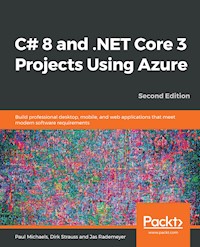
C# 8 and .NET Core 3 Projects Using Azure Second Edition
Copyright © 2019 Packt Publishing
All rights reserved. No part of this book may be reproduced, stored in a retrieval system, or transmitted in any form or by any means, without the prior written permission of the publisher, except in the case of brief quotations embedded in critical articles or reviews.
Every effort has been made in the preparation of this book to ensure the accuracy of the information presented. However, the information contained in this book is sold without warranty, either express or implied. Neither the authors, nor Packt Publishing or its dealers and distributors, will be held liable for any damages caused or alleged to have been caused directly or indirectly by this book.
Packt Publishing has endeavored to provide trademark information about all of the companies and products mentioned in this book by the appropriate use of capitals. However, Packt Publishing cannot guarantee the accuracy of this information.
Commissioning Editor:Richa TripathiAcquisition Editor:Alok DhuriContent Development Editor:Digvijay BagulSenior Editor: Rohit SinghTechnical Editor:Pradeep SahuCopy Editor: Safis EditingProject Coordinator: Francy PuthiryProofreader: Safis EditingIndexer:Priyanka DhadkeProduction Designer:Alishon Mendonsa
First published: March 2018 Second edition: December 2019
Production reference: 1301219
Published by Packt Publishing Ltd. Livery Place 35 Livery Street Birmingham B3 2PB, UK.
ISBN 978-1-78961-208-0
www.packt.com
Packt.com
Subscribe to our online digital library for full access to over 7,000 books and videos, as well as industry leading tools to help you plan your personal development and advance your career. For more information, please visit our website.
Why subscribe?
Spend less time learning and more time coding with practical eBooks and Videos from over 4,000 industry professionals
Improve your learning with Skill Plans built especially for you
Get a free eBook or video every month
Fully searchable for easy access to vital information
Copy and paste, print, and bookmark content
Did you know that Packt offers eBook versions of every book published, with PDF and ePub files available? You can upgrade to the eBook version at www.packt.com and as a print book customer, you are entitled to a discount on the eBook copy. Get in touch with us at [email protected] for more details.
At www.packt.com, you can also read a collection of free technical articles, sign up for a range of free newsletters, and receive exclusive discounts and offers on Packt books and eBooks.
Contributors
About the authors
Paul Michaels is a Lead Developer with over 20 years experience. He likes programming, playing with new technology and solving problems. When he’s not working, you can find him cycling or walking around The Peak District, playing table tennis, or trying to cook for his wife and two children. You can follow him on twitter at @paul_michaels, or find him on LinkedIn by searching for pcmichaels. He also writes a blog for which the link is available on both his LinkedIn and Twitter profiles.
Dirk Strauss is a full-stack developer with Embrace. He enjoys learning and sharing what he learns with others. Dirk has published books on C# for Packt as well as ebooks for Syncfusion. In his spare time, he relaxes by playing guitar and trying to learn Jimi Hendrix licks. You can find him at @DirkStrauss on Twitter.
Jas Rademeyer has been a part of the IT industry for over 15 years, focusing on the software side of things for most of his career. With a degree in information science, specializing in multimedia, he has been involved in all facets of development, ranging from architecture and solution design to user experience and training. He is currently plying his trade as a technical solutions manager, where he manages development teams on various projects in the Microsoft space. A family man and a musician at heart, he spends his free time with his wife and two kids and serves in the worship band at church.
About the reviewer
Alvin Ashcraft is a developer living near Philadelphia. He has spent his 23-year career building software with C#, Visual Studio, WPF, ASP.NET, and more. He has been awarded the Microsoft MVP title nine times. You can read his daily links for .NET developers on his blog, Morning Dew. He works as a principal software engineer for Allscripts, building healthcare software. He has previously been employed by software companies, including Oracle. He has reviewed other titles for Packt Publishing, such as Mastering ASP.NET Core 2.0, Mastering Entity Framework Core 2.0, and Learning ASP.NET Core 2.0.
Packt is searching for authors like you
If you're interested in becoming an author for Packt, please visit authors.packtpub.com and apply today. We have worked with thousands of developers and tech professionals, just like you, to help them share their insight with the global tech community. You can make a general application, apply for a specific hot topic that we are recruiting an author for, or submit your own idea.
Table of Contents
Title Page
Copyright and Credits
C# 8 and .NET Core 3 Projects Using Azure Second Edition
Dedication
About Packt
Why subscribe?
Contributors
About the authors
About the reviewer
Packt is searching for authors like you
Preface
Who this book is for
What this book covers
To get the most out of this book
Download the example code files
Download the color images
Conventions used
Get in touch
Reviews
Ebook Manager and Catalogue App - .NET Core for Desktop
Technical requirements
Creating a new WinForms application
Virtual storage spaces and extension methods
The DocumentEngine class
The ImportBooks form
Populating the TreeView control
Populating the storage space list
Saving a selected book to a storage space
Creating the main eBookManager form
Running the eBookManager application
Upgrading to .NET Core 3
Fixing compilation errors
Resource files
The eBookManager screen
importBooks screen
ProcessStartInfo
Benefits of upgrading to .NET Core
Understanding nullable reference types
Exploring XAML Islands
UWP TreeView
WIndowsXamlHost
ItemTemplate
TreeView Item model and ItemsSource
Removing the existing TreeView
Tree shaking and compiling to a single executable
Summary
Task Bug Logging ASP.NET Core MVC App Using Cosmos DB
Technical requirements
Benefits of using Cosmos DB
Why cloud? It's Microsoft's job to scale – not yours
Why Cosmos? Compatibility with industry-leading APIs and global distribution
Setting up Azure Cosmos DB
Subscription/resource group
Account name
API
Location
Geo-redundancy/multi-region writes
Configuring the Cosmos DB instance
Connecting your ASP.NET Core MVC application to Cosmos DB
Adding the NuGet package
Creating the MongoDbRepository class
Reading and writing data to MongoDB
Creating the interfaces and WorkItemService
Creating the view
Modifying the HomeController
Adding work items
Redirecting to the list of work items
Cleaning up the resources
Summary
ASP.NET Azure SignalR Chat Application
Technical requirements
Introducing SignalR
SignalR project
Configuring Azure SignalR
Creating the project
Setting up the project
Adding the SignalR libraries
Building the server
SignalR Hub subclass
Configuration changes
Creating a client
Included libraries
JavaScript functions
Naming section
Chat input
Archive function
Building and running the project
Running the application
Getting the party started
Archiving the chat
The Azure service
Cleanup
Summary
Web Research Tool with Entity Framework Core
Entity Framework (EF) Core history
Code-First versus Model-First versus Database-First approach
Developing a database design
Setting up the project
Installing the required packages
EF Core SQL Server
EF Core tools
Code generation design
Creating the models
Configuring the services
Creating the database
Seeding the database with test data
Creating the controller
Running the application
Testing the application
Arrange/act/assert
In-memory database
What are we testing?
Speed
Deploying the application
Microsoft Azure App Service
Custom targets
FTP
Web Deploy
Web Deploy Package
Folder
Import profile
Summary
Building a Twitter Automated Campaign Manager Using Azure Logic Apps and Functions
Technical requirements
An overview of workflow engines, logic apps, and Functions
Creating an Excel table
Building logic apps in the Azure portal
Building logic apps in Visual Studio
Azure development workload
The logic apps extension
Creating a resource group
Creating the workflow
Step 1 – Choosing a trigger
Step 2 – Reading the Excel file
New Azure function
Deploying and testing the function
Iterating through the spreadsheet
Sending a tweet
Adding a condition and removing the current row
Passing parameters to a function
Back to our condition
Deleting the row
Publishing the logic app
Failure
Cleaning up the Azure resources
Summary
Stock Checker Using Identity Server and OAuth 2
Technical requirements
Visual Studio Installer – new workloads
Identity and permission
Project overview
Stock checker application API
Setup
Adding the controller and routing
Reading stock levels
Updating stock levels
Permissions
Client application
OnPropertyChanged
Commands and API calls
Helper classes
IdentityServer 4
IdentityServer
Securing the API
Client configuration
Login screen
Calling IdentityServer
Capabilities
Setting up IdentityServer
Calling the API
Grant types
Creating and using a valid key
Authorization
Users and roles
IdentityServer
Client
Logic changes and UI changes
Login and navigation changes
Server calls
How to update the quantity when you can't see it
Summary
Suggested improvements
Further reading
Building a Photo Storage App Using a Windows Service and Azure Storage
Technical requirements
Windows Services and Windows Compatibility Pack
Windows Services
Windows Compatibility Pack
Project overview
Configuring Azure Storage
Hot and cold storage
Storage redundancy
Storage account
Creating our Windows Service
Testing the class
Using the Azure Storage Client 
Configuring our Service to Access Azure Storage
Finishing off the Cloud Storage Client
Further configuration
Logging
Only uploading images
Uploading existing images
Installing the Windows Service
Code changes
Installation command
Testing and debugging
Step 1 – check the service is running
Step 2 – check the log file
Step 3 – check the Event Viewer
Summary
A Load-Balanced Order Processing Microservice Using Docker and Azure Kubernetes Service
Technical requirements
JMeter
Microservices
Exploring Docker
Kubernetes and orchestration
Creating our microservice
Queues
Sales order generator
The Service bus helper library
Testing our sales order generator and JMeter
JMeter
Logging
Creating a new microservice
Creating our new Docker Container
Creating the microservice logic
Creating a new Azure SQL database
Entity Framework Core
Creating the sales order
The storage queue
Azure Kubernetes Service
Building a Docker image
Azure Container registry
Azure Container Registry
Azure Kubernetes Service
Kubernetes deployment
Load balancing
Cleanup
Summary
Emotion Detector Mobile App - Using Xamarin Forms and Azure Cognitive Services
Technical requirements
Concepts overview
Machine learning
Cross-platform and mobile development
Project overview
Configuring Azure Cognitive Services
Creating the Xamarin application
Taking a picture
Xamarin plugins
Media plugin
TakePicture()
GetEmotionAnalysis()
DisplayData()
CreateLabel()
GetStrongestEmotion()
Button_Clicked
Testing and running on a physical device
Summary
Eliza for the 21st Century - UWP and the MS Bot Framework
Technical requirements
Creating a chatbot
Bot emulator
Echo Bot – Except for Hello
Introducing LUIS
Integrating LUIS into the Bot Framework
Upgrading the template from .NET Core 2.1 to 3.0
UseMvc
AllowSynchronousIO
Intent/response matrix
Publishing the bot
Creating a Channel Registration
MicrosoftAppId and MicrosoftAppPassword
Creating a UWP application
MainPage
Row definitions
ListView
Message and command binding
Data binding and view models
ObservableCollection
Command binding
DirectLineWrapper
Models
RelayCommandAsync
Channels
Direct Line and Web Chat
Bot client
Summary
WebAssembly
Why WebAssembly
Reason one – statically typed
Reason two – compiled
Reason three – speed
Reason four – languages that you know/same language in the frontend and backend
Reason five – existing code
Reason six – deployment
Reason seven – security
Writing WebAssembly
Understanding Blazor
Other Books You May Enjoy
Leave a review - let other readers know what you think
Preface
.NET Core is a general-purpose, modular, cross-platform, and open source implementation of .NET. The latest release of .NET Core 3 comes with improved performance along with support for desktop applications. .NET Core 3 should not only entice new developers to start learning the framework but also convince legacy developers to start migrating their apps.
This book is the second edition of C# 7 and .NET Core 2.0 Blueprints, updated with the latest features and enhancements of C# 8 and .NET Core 3.0. This book is a comprehensive guide delivering 10 real-world enterprise applications. It will help you learn and implement the concepts simultaneously and advance by building effective applications on ASP.NET Core and Azure that meet modern software requirements.
We'll work with relational data using Entity Framework Core 3 and use ASP.NET Core to create a real-world web application. We'll see how readers can upgrade their old WinForms app to the latest version of .NET Core. We'll also create a real-time chat application with SignalR. Finally, we'll learn about serverless computing with Azure Storage and how to build a load-balanced order processing microservice using Docker and Kubernetes.
To sum it up, this book will teach you the core concepts of web applications, serverless computing, and microservices using various projects and applications. Following this step-by-step guide, you will be able to create an ASP.NET Core MVC application and build modern applications using cutting-edge services from Microsoft Azure.
Who this book is for
This book is for amateur developers/programmers as well as professionals who wish to build real-world projects and learn the new features of .NET Core 3. It would be also useful for developers working on legacy desktop software who wish to migrate to .NET Core 3. Basic knowledge of .NET Core and C# is assumed.
What this book covers
Chapter 1, Ebook Manager and Catalogue App – .NET Core 3 on Windows Desktop, introduces the key features of .NET Core 3 – the headline feature being support for desktop applications in .NET Core. You will create a WinForms application based on the previous version of this book and upgrade it to use .NET Core 3. Then we will introduce XAML Islands and create a new desktop control using UWP and add it to the existing WinForms application.
Chapter 2, Task Bug Logging ASP.NET Core MVC App Using Cosmos DB, focuses on creating an ASP.NET Core MVC application that allows the user to capture tasks and log issues. The application will allow you to view captured tasks and to action them.
Chapter 3, ASP.NET Azure SignalR Chat Application, creates a real-time chat application using ASP.NET SignalR. Real-time web functionality is the ability of server-side code to push content to connected clients as it happens in real time. Once created, we'll create an Azure App Service instance and host the application there.
Chapter 4, Web Research Tool with Entity Framework Core, introduces you to Entity Framework Core and shows you how to create an ASP.NET Core MVC application that can be used to save links and social media posts for research purposes. Many such applications exist, such as Instapaper and Evernote. This application, however, will show you how to roll your own and add specific functionality.
Chapter 5, Building a Twitter Automated Campaign Manager Using Azure Logic Apps and Functions, investigates Logic Apps from Azure. The chapter guides you through the creation of a logic application, integrating the application to Twitter, and allowing the user to enter data into a spreadsheet, and have it automatically posted on Twitter.
Chapter 6, Stock Checker Using Identity Server and OAuth 2, illustrates the concept of authentication using the Identity Server OSS as a template. The chapter guides you through creating your own identity server and then logging into it from a UWP application.
Chapter 7, Building a Photo Storage App Using a Windows Service and Azure Storage, illustrates the concept of serverless computing. You will create an application that will back up photos on a user’s PC to Azure Storage. There are many backup services available to users these days. Azure Blob storage is but one such service that allows developers to create applications that utilize Microsoft’s servers to store files.
Chapter 8, A Load-Balanced Order Processing Microservice Using Docker and Azure Kubernetes Service, starts by covering the concept of microservices with an explanation of what they are and why you would use them. In this chapter, we'll introduce the concept of distributed systems. We'll build a microservice, configure a Kubernetes cluster on Azure Kubernetes, and use storage queues to interface with our microservice.
Chapter 9, Emotion Detector Mobile App Using Xamarin Forms and Azure Cognitive Services, creates a mobile application using Xamarin.Forms. In this chapter, we’ll integrate with Azure Cognitive Services and the camera on the device, allowing the user to take a picture of a face, and have Azure come back with a rating of that person’s emotions. We’ll then display on the screen what we think that person is feeling. We’ll cross-compile this to Android.
Chapter 10, Eliza for the 21st Century – UWP and MS Bot Framework, sets up a new UWP application using .NET Core 3. This will be a simple chat application but will interface with LUIS and an MS chat bot intended to pass the Turing test.
Appendix A, WebAssembly, covers WebAssembly, which has recently been integrated into all the main browsers, and allows code to be compiled down to WASM (a sort of IL for the browser). Microsoft has recently released a preview of something called Blazor, allowing Razor syntax to run in place of JavaScript.
To get the most out of this book
These are the prerequisites that you need to be equipped with in order to follow the instructions given in this book:
Azure subscription
Visual Studio
Copy of Excel/Office Online
OneDrive account
Postman
Download the example code files
You can download the example code files for this book from your account at www.packt.com. If you purchased this book elsewhere, you can visit www.packt.com/support and register to have the files emailed directly to you.
You can download the code files by following these steps:
Log in or register at
www.packt.com
.
Select the
SUPPORT
tab.
Click on
Code Downloads & Errata
.
Enter the name of the book in the
Search
box and follow the onscreen instructions.
Once the file is downloaded, please make sure that you unzip or extract the folder using the latest version of:
WinRAR/7-Zip for Windows
Zipeg/iZip/UnRarX for Mac
7-Zip/PeaZip for Linux
The code bundle for the book is also hosted on GitHub at https://github.com/PacktPublishing/C-8-and-.NET-Core-3-Projects-Using-Azure-Second-Edition. In case there's an update to the code, it will be updated on the existing GitHub repository.
We also have other code bundles from our rich catalog of books and videos available at https://github.com/PacktPublishing/. Check them out!
Download the color images
We also provide a PDF file that has color images of the screenshots/diagrams used in this book. You can download it here: https://static.packt-cdn.com/downloads/9781789612080_ColorImages.pdf.
Conventions used
There are a number of text conventions used throughout this book.
CodeInText: Indicates code words in text, database table names, folder names, filenames, file extensions, pathnames, dummy URLs, user input, and Twitter handles. Here is an example: "Open the Document.csfile and add the following code to the class."
A block of code is set as follows:
public class Document{ public string Title { get; set; } public string FileName { get; set; } public string Extension { get; set; } public DateTime LastAccessed { get; set; } public DateTime Created { get; set; } public string FilePath { get; set; } public string FileSize { get; set; }}
When we wish to draw your attention to a particular part of a code block, the relevant lines or items are set in bold:
public class Document{ public string Title { get; set; }
public string FileName { get; set; }
public string Extension { get; set; }
public DateTime LastAccessed { get; set; } public DateTime Created { get; set; } public string FilePath { get; set; } public string FileSize { get; set; }}
Bold: Indicates a new term, an important word, or words that you see onscreen. For example, words in menus or dialog boxes appear in the text like this. Here is an example: "There are other options that the Nullable option can be configured for."
Get in touch
Feedback from our readers is always welcome.
General feedback: If you have questions about any aspect of this book, mention the book title in the subject of your message and email us at [email protected].
Errata: Although we have taken every care to ensure the accuracy of our content, mistakes do happen. If you have found a mistake in this book, we would be grateful if you would report this to us. Please visit www.packt.com/submit-errata, selecting your book, clicking on the Errata Submission Form link, and entering the details.
Piracy: If you come across any illegal copies of our works in any form on the Internet, we would be grateful if you would provide us with the location address or website name. Please contact us at [email protected] with a link to the material.
If you are interested in becoming an author: If there is a topic that you have expertise in and you are interested in either writing or contributing to a book, please visit authors.packtpub.com.
Reviews
Please leave a review. Once you have read and used this book, why not leave a review on the site that you purchased it from? Potential readers can then see and use your unbiased opinion to make purchase decisions, we at Packt can understand what you think about our products, and our authors can see your feedback on their book. Thank you!
For more information about Packt, please visit packt.com.
Ebook Manager and Catalogue App - .NET Core for Desktop
.NET Core 3 marks a significant release in the reboot of .NET. Now that the fundamental framework is in place, Microsoft has been able to look at technologies that, while no longer en vogue, are running on millions of machines around the world.
WinForms and WPF have been victims of their own success: Microsoft simply dare not change the framework around them and risk breaking applications that may have been running successfully for several years.
C# 8 has a similar theme in that it introduces features such as nullable reference types, and interface implementations that are designed to improve legacy code bases.
In this, the first chapter, we'llcreate the Ebook Manager application. Following this, we'll pick up our Ebook Manager built with .NET Core 2 and migrate it over to .NET Core 3.
In .NET Core 2, a number of significant performance enhancements were made, and so there is a real drive to upgrade existing WinForms apps to .NET Core 3. Microsoft has boasted that .NET Core 2.1 had over 30% performance boost for Bing.
The topics that we'll cover are as follows:
Creating a new WinForms application in .NET Core 3.0
Migrating an existing WinForms application to .NET Core 3.0
Nullable reference types
XAML Islands, and how they can be used to add functionality to existing WinForms applications
Tree shaking and compilation
Technical requirements
To follow along with the first part of the chapter, you'll need the WinForms designer. At the time of writing, this is in pre-release and can be downloaded from https://aka.ms/winforms-designer.
For the XAML Islands section, you will need to be running Windows 10 1903 or later. By the time this book is published, it is expected that the 1903 release will have been delivered automatically to all Windows 10 machines; however, if you are running an earlier version, then you can force an update by visiting the following link: https://www.microsoft.com/en-us/software-download/windows10.




