


43,19 €
Mehr erfahren.
- Herausgeber: Packt Publishing
- Kategorie: Wissenschaft und neue Technologien
- Sprache: Englisch
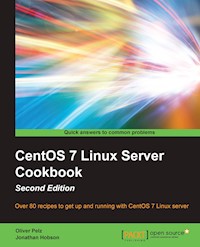
Over 80 recipes to get up and running with CentOS 7 Linux server
About This Book
- A practical guide to install, configure, administer and maintain CentOS 7 servers
- An in-depth guide to the CentOS 7 operating system, exploring its various new features and changes in server administration
- Presents tricks and solutions to tackle common server issues with the help of practical examples and real-life scenarios
Who This Book Is For
This book is targeted at beginner and more experienced system administrators alike who want to use CentOS as their server solution. Readers do not need much pre-knowledge or experience at all to work with this book.
What You Will Learn
- Install and configure CentOS 7 Linux server system from scratch using normal and advanced methods
- Maintain a performance-based and secure server solution by deploying expert configuration advice and managing software packages
- Monitor, manage and develop your server's file system to maintain a stable performance
- Gain best practice methods on sharing files and resources through a network
- Install and configure common standard services such as web, mail, FTP, database and domain name server technologies
- Introduce you to the world of operating-system-level virtualization using the Docker platform.
- Understand the fundamentals of the Security-Enhanced Linux access control architecture
- Monitor your IT infrastructure using Nagios
In Detail
This book will provide you with a comprehensive series of starting points that will give you direct access to the inner workings of the latest CentOS version 7 and help you trim the learning curve to master your server.
You will begin with the installation and basic configuration of CentOS 7, followed by learning how to manage your system, services and software packages. You will then gain an understanding of how to administer the file system, secure access to your server and configure various resource sharing services such as file, printer and DHCP servers across your network. Further on, we cover advanced topics such as FTP services, building your own DNS server, running database servers, and providing mail and web services. Finally, you will get a deep understanding of SELinux and you will learn how to work with Docker operating-system virtualization and how to monitor your IT infrastructure with Nagios.
By the end of this book, you will have a fair understanding of all the aspects of configuring, implementing and administering CentOS 7 Linux server and how to put it in control.
Style and approach
This book is a practical reference guide with hands-on examples and solutions to real-world administration problems. It covers in-depth and comprehensive information on CentOS 7 and its new features.
Sie lesen das E-Book in den Legimi-Apps auf:
Seitenzahl: 570
Veröffentlichungsjahr: 2016
Ähnliche


















Table of Contents
CentOS 7 Linux Server Cookbook Second Edition
CentOS 7 Linux Server Cookbook Second Edition
Copyright © 2016 Packt Publishing
All rights reserved. No part of this book may be reproduced, stored in a retrieval system, or transmitted in any form or by any means, without the prior written permission of the publisher, except in the case of brief quotations embedded in critical articles or reviews.
Every effort has been made in the preparation of this book to ensure the accuracy of the information presented. However, the information contained in this book is sold without warranty, either express or implied. Neither the author nor Packt Publishing, and its dealers and distributors will be held liable for any damages caused or alleged to be caused directly or indirectly by this book.
Packt Publishing has endeavored to provide trademark information about all of the companies and products mentioned in this book by the appropriate use of capitals. However, Packt Publishing cannot guarantee the accuracy of this information.
First published: April 2013
Second edition: January 2016
Production reference: 1250116
Published by Packt Publishing Ltd.
Livery Place
35 Livery Street
Birmingham B3 2PB, UK.
ISBN 978-1-78588-728-4
www.packtpub.com
Credits
Authors
Oliver Pelz
Jonathan Hobson
Reviewer
Mitja Resman
Commissioning Editor
Priya Singh
Acquisition Editor
Kevin Colaco
Content Development Editor
Pooja Mhapsekar
Technical Editor
Deepti Tuscano
Copy Editor
Angad Singh
Project Coordinator
Francina Pinto
Proofreader
Safis Editing
Indexer
Rekha Nair
Production Coordinator
Manu Joseph
Cover Work
Manu Joseph
About the Authors
Oliver Pelz has more than 10 years of experience as a software developer and system administrator. He graduated with a diploma degree in bioinformatics and is currently working at the German Cancer Research center in Heidelberg where he has authored and co-authored several scientific publications in the field of Bioinformatics. As well as developing web applications and biological databases for his department and scientists all over the world, he administers a division-wide Linux-based data center and has set up two high-performance CentOS clusters for the analysis of high-throughput microscope and genome sequencing data. He loves writing code, riding his mountain bike in the Black Forest of Germany and has been an absolute Linux and open source enthusiast for many years. He has contributed to several open-source projects in the past and also worked as a reviewer on the book CentOS High Performance, Packt Publishing. He maintains an IT tech blog at www.oliverpelz.de.
I would like to thank my family and especially my wonderful wife Beatrice and little son Jonah for their patience and understanding during all the long working hours while writing this book. Also I would like to thank the folks at Packt Publishing for all their support and the opportunity to to write this book, it was a great pleasure for me. Last but not least I would like to thank Jonathan Hobson for writing the first edition of this book: without him no second edition of this book would have been possible.
I would also like to thank all of the mentors that I've had over the years, especially Prof. Dr. Tobias Dykerhoff, who introduced me to the whole world of Linux a long time ago and infected me with his enthusiasm about open source and the free software movement.
Jonathan Hobson is a web developer, systems engineer, and applications programmer. For more than 20 years, he has been working behind the scenes to support companies, organizations, and individuals around the world to realize their digital ambitions. With an honors degree in both english and history and as a respected practitioner of many computer languages, Jonathan enjoys writing code, publishing articles, building computers, playing the video games, and getting 'out and about' in the big outdoors. He has been using CentOS since its inception, and over the years, it has not only earned his trust, but it has also become his first choice for a server solution. CentOS is a first class community-based enterprise class operating system. It is a pleasure to work with and because of this, Jonathan has written this book so that his knowledge and experience can be passed on to others.
About the Reviewer
Mitja Resman comes from a small, beautiful country called Slovenia, located in southern Central Europe. Mitja is a fan of Linux and an open source enthusiast, and also a Red Hat Certified Engineer and Linux Professional Institute professional. Working as a system administrator, Mitja got years of professional experience with open source software and Linux system administration on local and international projects worldwide. Swiss Army knife syndrome makes Mitja an expert in the fields of VMware virtualization, Microsoft system administration, and also Android system administration.
Mitja has a strong desire to learn, develop, and share knowledge with others. This is the reason he started a blog called GeekPeek.Net. This website provides CentOS Linux guides and "how to" articles covering all sorts of topics appropriate for beginners and advanced users. Mitja wrote a book called CentOS High Availability, Packt Publishing, covering how to install, configure, and manage cluster on CentOS Linux.
Mitja is also a devoted father and husband. His two daughters and wife take his mind off the geek stuff and make him appreciate life, looking forward to things to come.
www.PacktPub.com
Support files, eBooks, discount offers, and more
For support files and downloads related to your book, please visit www.PacktPub.com.
Did you know that Packt offers eBook versions of every book published, with PDF and ePub files available? You can upgrade to the eBook version at www.PacktPub.com and as a print book customer, you are entitled to a discount on the eBook copy. Get in touch with us at <[email protected]> for more details.
At www.PacktPub.com, you can also read a collection of free technical articles, sign up for a range of free newsletters and receive exclusive discounts and offers on Packt books and eBooks.
https://www2.packtpub.com/books/subscription/packtlib
Do you need instant solutions to your IT questions? PacktLib is Packt's online digital book library. Here, you can search, access, and read Packt's entire library of books.
Why Subscribe?
Free Access for Packt account holders
If you have an account with Packt at www.PacktPub.com, you can use this to access PacktLib today and view 9 entirely free books. Simply use your login credentials for immediate access.
This work is dedicated to my son Marlin Pelz who was tragically stillborn on 2.10.15, two weeks before his expected date of delivery while I was writing the last few chapters of this book. Marlin, words can not express how much I miss you!
Preface
This is the second edition of the highly rated CentOS Linux Server Cookbook. With the advent of CentOS 7 in mid 2014, there has been a long list of significant changes and new features to this famous operating system. To name a few, there is a new installer, suite of system management services, firewall daemon, enhanced Linux container support, and a new standard filesystem. With all these new advances in the operating system, a major part of the recipes from the CentOS 6 Linux Server Cookbook became obsolete or even non-functional, making an update of the book's original content essential. But this book is not just a refresher of the topics covered in the first edition: two brand new chapters have been included as well to keep up to date with the latest open source technologies as well as providing better security: operating system-level virtualization and SELinux. Finally, to make the book a more comprehensive server-administration book, another chapter about server monitoring has been included as well.
Building a server can present a challenge. It is often difficult at the best of times and frustrating at the worst of times. They can represent the biggest of problems or give you a great sense of pride and achievement. Where the word "server" can describe many things, it is the intention of this book to lift the lid and expose the inner workings of this enterprise-class computing system with the intention of enabling you to build your professional server solution of choice. CentOS is a community-based enterprise class operating system. It is available free of charge, and as a fully compatible derivative of Red Hat Enterprise Linux (RHEL), it represents the first choice operating system for organizations, companies, professionals, and home users all over the world who intend to run a server. It's widely respected as a very powerful and flexible Linux distribution and regardless of whether you intend to run a web server, file server, FTP server, domain server, or a multi-role solution, it is the purpose of this book to deliver a series of turnkey solutions that will show you how quickly you can build a fully capable and comprehensive server system using the CentOS operating system. So with this in mind, you could say that this book represents more than just another introduction to yet another server-based operating system. This is a cookbook about an enterprise-class operating system that provides a step-by-step approach to making it work. So, regardless of whether you are a new or an experienced user, there is something inside these pages for everyone, as this book will become your practical guide to getting things done and a starting point to all things CentOS.
What this book covers
Chapter 1, Installing CentOS, is a series of recipes that introduces you to the task of installing your server, updating, and enhancing the minimal install with additional tools. It is designed to get you started and to provide a reference that shows you a number of ways to achieve the desired installation.
Chapter 2, Configuring the System, is designed to follow on from a successful installation to offer a helping hand and provide you with a number of recipes that will enable you to achieve the desired starting server configuration. Beginning with showing you how to work with text files, then changing language and time and date settings, you will not only learn how configure your network settings but also how to resolve a fully qualified domain name and work with kernel modules.
Chapter 3, Managing the System, provides the building blocks that will enable you to champion your server and take control of your environment. It is here where you will kick start your role as a server administrator by disseminating a wealth of information that will walk you through a variety of steps that are required to develop a fully considered and professional server solution.
Chapter 4, Managing Packages with YUM, serves to introduce you to working with software packages on CentOS 7. From upgrading the system to finding, installing, removing, and enhancing your system with additional repositories, it is the purpose of this chapter to explain the open source command-line package management utility known as the Yellowdog Updater Modified (YUM) as well as the RPM package manager.
Chapter 5, Administering the Filesystem, focuses on working with your server's file system. From creating mocking disk devices to test-drive concepts expert level formatting and partitioning commands, you will learn how to work with the Logical Volume Manager, maintain your file system and work with disk quotas.
Chapter 6, Providing Security, discusses the need to implement a series of solutions that will deliver the level of protection you need to run a successful server solution. From protecting your ssh and FTP services, to understanding the new firewalld manager and creating certificates, you will see how easy it is to build a server that not only considers the need to reduce risk from external attack but one that will provide additional protection for your users.
Chapter 7, Building a Network, explains the steps required to implement various forms of resource sharing within your network's computers. From IP addresses and printing devices to various forms of file sharing protocols, this chapter plays an essential role of any server whether you are intending to support a home network or a full corporate environment.
Chapter 8, Working with FTP, concentrates on the role of VSFTP with a series of recipes that will provide the guidance you need to install, configure and manage the File Transfer Protocol (FTP) you want to provide on a CentOS 7 server.
Chapter 9, Working with Domains, considers the steps required to implement domain names, domain resolution, and DNS queries on a CentOS 7 server. The domain name system is an essential role of any server and whether you are intending to support a home network or a full corporate environment, it is the purpose of this chapter to provide a series of solutions that will deliver the beginning of a future-proof solution.
Chapter 10, Working with Databases, provides a series of recipes that deliver instant access to MySQL and PostgreSQL with the intention of explaining the necessary steps required to deploy them on a CentOS 7 server.
Chapter 11, Providing Mail Services, introduces you to the process of enabling a domain-wide Mail Transport Agent to your CentOS 7 server. From building a local POP3/SMTP server to configuring Fetchmail, the purpose of this chapter is to provide the groundwork for all your future e-mail-based needs.
Chapter 12, Providing Web Services, investigates the role of the well-known Apache server technology to full effect, and whether you are intending to run a development server or a live production server, this chapter provides you with the necessary steps to deliver the features you need to become the master of your web based publishing solution.
Chapter 13, Operating System-Level Virtualization, introduces you to the word of Linux containers using the state-of-the-art open source platform Docker, and guides you through building, running, and sharing your first Docker image.
Chapter 14, Working with SELinux, helps to understand and demystify Security Enhanced Linux, which is one of the most little-known topics of CentOS 7.
Chapter 15, Monitoring IT Infrastructure, introduces and shows how to set up Nagios Core, the de-facto industry standard for monitoring your complete IT infrastructure.
What you need for this book
The requirements of this book are relatively simple and begin with the need to download the CentOS operating system. The software is free, but you will need a computer that is capable of fulfilling the role of a server, some free installation media (blank CD-R/DVD-R or USB device), an Internet connection, some spare time, and a desire to have fun.
In saying that, many readers will be aware that you do not need a spare computer to take advantage of this book as the option of installing CentOS on virtualization software is always available. This approach is quite common and where the recipes contained within these pages remain applicable, you should be aware that the use of virtualization software is not considered by this book. For this reason, any requests for support regarding the use of this software should be directed towards the appropriate supplier.
Who this book is for
This is a practical guide for building a server solution, and rather than being about CentOS itself, this is a book that will show you how to get CentOS up and running. It is a book that has been written with the novice-to-intermediate Linux user in mind who is intending to use CentOS as the basis of their next server. However, if you are new to operating systems as a whole, then don't worry; this book will also serve to provide you with the step-by-step approach you need to build a complete server solution with plenty of tricks of the trade thrown in for good measure.
Sections
In this book, you will find several headings that appear frequently (Getting ready, How to do it, How it works and There's more).
To give clear instructions on how to complete a recipe, we use these sections as follows:
Getting ready
This section tells you what to expect in the recipe, and describes how to set up any software or any preliminary settings required for the recipe.
How to do it…
This section contains the steps required to follow the recipe.
How it works…
This section usually consists of a detailed explanation of what happened in the previous section.
There's more…
This section consists of additional information about the recipe in order to make the reader more knowledgeable about the recipe.
Conventions
In this book, you will find a number of text styles that distinguish between different kinds of information. Here are some examples of these styles and an explanation of their meaning.
Code words in text, database table names, folder names, filenames, file extensions, pathnames, dummy URLs, user input, and Twitter handles are shown as follows: "For the purpose of this recipe, it is assumed that all the downloads will be stored on Windows in your personal C:\Users\<username>\Downloads folder, or if using an OS X system, in the /Users/<username>/Downloads folder."
A block of code is set as follows:
Any command-line input or output is written as follows:
New terms and important words are shown in bold. Words that you see on the screen, for example, in menus or dialog boxes, appear in the text like this: "Clicking the Next button moves you to the next screen."
Note
Warnings or important notes appear in a box like this.
Tip
Tips and tricks appear like this.
Reader feedback
Feedback from our readers is always welcome. Let us know what you think about this book—what you liked or disliked. Reader feedback is important for us as it helps us develop titles that you will really get the most out of.
To send us general feedback, simply e-mail <[email protected]>, and mention the book's title in the subject of your message.
If there is a topic that you have expertise in and you are interested in either writing or contributing to a book, see our author guide at www.packtpub.com/authors.
Customer support
Now that you are the proud owner of a Packt book, we have a number of things to help you to get the most from your purchase.
Errata
Although we have taken every care to ensure the accuracy of our content, mistakes do happen. If you find a mistake in one of our books—maybe a mistake in the text or the code—we would be grateful if you could report this to us. By doing so, you can save other readers from frustration and help us improve subsequent versions of this book. If you find any errata, please report them by visiting http://www.packtpub.com/submit-errata, selecting your book, clicking on the Errata Submission Form link, and entering the details of your errata. Once your errata are verified, your submission will be accepted and the errata will be uploaded to our website or added to any list of existing errata under the Errata section of that title.
To view the previously submitted errata, go to https://www.packtpub.com/books/content/support and enter the name of the book in the search field. The required information will appear under the Errata section.
Piracy
Piracy of copyrighted material on the Internet is an ongoing problem across all media. At Packt, we take the protection of our copyright and licenses very seriously. If you come across any illegal copies of our works in any form on the Internet, please provide us with the location address or website name immediately so that we can pursue a remedy.
Please contact us at <[email protected]> with a link to the suspected pirated material.
We appreciate your help in protecting our authors and our ability to bring you valuable content.
Questions
If you have a problem with any aspect of this book, you can contact us at <[email protected]>, and we will do our best to address the problem.
Chapter 1. Installing CentOS
In this chapter, we will cover:
Introduction
This chapter is a collection of recipes that covers the basic practice of installing the CentOS 7 operating system. The purpose of this chapter is to show you how quickly you can get CentOS up and running whilst enabling you to customize your installation with a few 'tricks of the trade' thrown in for good measure.
Downloading CentOS and confirming the checksum on Windows or OS X
In this recipe, we will learn how to download and confirm the checksum of one or more CentOS 7 disk images using a typical Windows or OS X desktop computer. CentOS is made available in various formats by HTTP, FTP, or the rsync protocol from a series of mirror sites located across the world or via the BitTorrent network. For downloading very important files from the Internet, such as operating system images, it is considered best practices to validate those files' checksum, in order to ensure that any resulting media would function and perform as expected when installing. This also makes certain that the files are genuine and come from the original source.
Getting ready
To complete this recipe, it is assumed that you are using a typical Windows-based (Windows 7, Windows Vista, or similar) or OS X computer with full administration rights. You will need an Internet connection to download the required installation files and also need access to a standard DVD/CD disk burner with the appropriate software, in order to create the relevant installation disks from the image files. For the purpose of this recipe, it is assumed that all the downloads will be stored on Windows in your personal C:\Users\<username>\Downloads folder, or if using an OS X system, in the /Users/<username>/Downloads folder.
How to do it...
Regardless of the type of installation files you download, the following techniques can be applied to all the image files supplied by the CentOS project:
How it works…
So what have we learned from this experience?
The act of downloading a CentOS installation image is just the first step towards building the perfect server. Although this process is very simple, many do forget the need to confirm the checksum. In this book, we will work with the minimal installation image, but you should be aware that there are other installation options available to you, such as NetInstall, DVD, Everything, and various LiveCDs.
Creating USB installation media on Windows or OS X
In this recipe, we will learn how to create a USB installation media on Windows or OS X. Nowadays, more and more server systems, desktop PCs, and laptops get shipped without any optical drive. Installing a new operating system, such as CentOS Linux using USB devices gets essential for them as no other installation option is available, as there is no other way to boot the installation media. Also, installing CentOS using USB media can be considerably faster than using the CD/DVD approach.
Getting ready
Before we begin, it is assumed that you have followed the previous recipe in which you were shown how to download a minimal CentOS image and confirm the checksum of the relevant image files. It is also assumed that all the downloads (including the downloaded ISO file) are stored on Windows in your C:\Users\<username>\Downloads folder or if using a OS X system, in the /Users/<username>/Downloads folder. Next, you will need a free USB device which can be discovered by your operating system, with enough total space, and which is empty or with data on it that can be discarded. The total space of the USB device needed for preparing as an installation media for CentOS 7 for the minimal version must be roughly 700 megabyte. If you are working on a Windows computer, you will need a working Internet connection to download additional software. On OS X, you need an administrator user account.
How to do it...
To begin this recipe, start up your Windows or OS X operating system, then connect a free USB device with enough capacity, and wait until it gets discovered by File Manager under Windows or Finder under OS X.
How it works...
So what have we learned from this experience?
The purpose of this recipe was to introduce you to the concept of creating an exact copy of a CentOS installation ISO file on a USB device, using the dd command-line program. The dd program is a Unix based tool which can be used to copy bits from a source to a destination file. This means that the source gets read bit by bit and written to a destination without considering the content or file allocation; it just involves reading and writing pure raw data. It expects two file name based arguments: input file (if) and output file (of). We will use the CentOS image file as our input filename to clone it exactly 1:1 to the USB device, which is accessible through its device file as our output file parameter. The bs parameter defines the block size, which is the amount of data to be copied at once. Be careful, it is an absolute expert tool and overwrites any existing data on your target while copying data on it without further confirmation or any safety checks. So at least double-check the device drive letters of your target USB device and never confuse them! For example, if you have a second hard disk installed at D: and your USB device at E: (on OS X, at /dev/disk2 and /dev/disk3 respectively) and you confuse the drive letter E: with D: (or /dev/disk3 with /dev/disk2), your second hard disk would be erased with little to no chances of recovering any lost data. So handle with care! If you're in doubt of the correct output file device, never start the dd program!
In conclusion, it is fair to say that there are other far more convenient solutions available for creating a USB installation media for CentOS 7 than the dd command, such as the Fedora Live USB Creator. But the purpose of this recipe was not only to create a ready-to-use CentOS USB installer but also to get you used to the dd command. It's a common Linux command that every CentOS system administrator should know how to use. It can be used for a broad variety of daily tasks. For example, for securely erasing hard disks, benchmarking network speed, or creating random binary files.
Performing an installation of CentOS using the graphical installer
In this recipe, we will learn how to perform a typical installation of CentOS using a new graphical installer interface introduced in CentOS 7. In many respects, this is considered to be the recommended approach to installing your system, as it not only provides you with the ability to create the desired hard disk partitions but also to customize your installation in lots of ways (for example, keyboard layout, package selection, installation type, and so on). Your installation will then form the basis of a server on which you can build, develop, and run any type of service you may want to provide in the future.
Getting ready
Before we begin, it is assumed that you have followed the previous recipe in which you were shown how to download a CentOS image, confirm the checksum of the relevant image files, and create the relevant installation optical disks or USB media. Your system must be a 64 bit (x64_86) architecture, must have at least 406 MB RAM to load the graphical installer 1 GB or more is recommended if installing a graphical window manager such as Gnome), and have at least 10 GB free hard disk space.
How to do it...
To begin this recipe, insert your installation media (CD/DVD or USB device), restart the computer, and press the correct key for selecting the boot device during startup. Then choose the inserted device from the list (for many computers, this can be reached using F11 or F12 but can be different on your system. Please refer to your motherboard's manual).
How it works…
In this recipe, you have discovered how to install the CentOS 7 operating system. Having covered the typical approach to the graphical installation process, you are now in a position to develop the server with additional configuration changes and packages that will suit the role you intend the server to fulfill. This graphical installer has been built with the aim to be very intuitive and flexible, and makes installation very easy as it will guide the user through some mandatory tasks that he has to fulfill before the installation of the main system can be started.
Running a netinstall over HTTP
In this recipe, we will learn how to initiate the process of running a netinstall over HTTP (using the URL method) in order to install CentOS 7. It is a process in which a small image file is used to boot the computer and let the user select and install only the software packages and services he wants and nothing more over a network connection thus providing great flexibility.
Getting ready
Before we begin, it is assumed that you already know how to download and checksum a CentOS 7 installation image and how to create the relevant installation media from it. For this recipe here, we will need to download and create installation media for the netinstall image (download the latest CentOS-7-x86_64-NetInstall-XXXX.iso file) instead of the minimal ISO shown in another recipe in this chapter. Also, it is assumed that you have at least gone through the graphical installation procedure once to exactly know how to boot from your installation media and work with the installer program.
How to do it...
To begin this recipe, insert your prepared netinstall media, boot your computer from it, and wait for the welcome screen to appear:
Note
Here the installer should be configured exactly as in the normal graphical installation recipe, besides the following mandatory changes to the Network & Host name and Installation source menu items (which is shown by the red exclamation marks).
How it works...
The purpose of this recipe was to introduce you to the concept of the CentOS network installation process, in order to show you just how simple this approach can be. By completing this recipe you have not only saved time by limiting your initial download to those files that are required by the installation process, but you have also been able to take advantage of the full graphical installation method without the need for a complete DVD suite.
Installing CentOS 7 using a kickstart file
While installing CentOS 7 manually using the graphical installer utility is fine on a single server, doing so on a multiple number of systems can be tedious. Kickstart files can automate the installation process of a server system and here we will show how this can be done. They are simple text based configuration files which provide detailed and exact instructions on how the target system should be set up and installed (for example, which keyboard layout or additional software packages to install).
Getting ready
To successfully complete this recipe, you will need access to an already installed CentOS 7 system to retrieve the kickstart configuration file we want to work with and use for automated installation. On this pre-installed CentOS server, you also need a working Internet connection to download additional software.
Next, we will need to download and create installation media for the DVD or the Everything image (download the latest CentOS-7-x86_64-DVD-XXXX.iso or CentOS-7-x86_64-Everything-XXXX.iso file), instead of the minimal iso file shown in another recipe in this chapter. Then you need another USB device which must be read and writable on Linux systems (formatted as FAT16, FAT32, EXT2, EXT3, EXT4, or XFS filesystem).
How to do it...
For this recipe to work, we first need physical access to an existing kickstart file from another finished CentOS 7 installation, which we will use as a template for a new CentOS 7 installation.




