


28,99 €
Mehr erfahren.
- Herausgeber: John Wiley & Sons
- Kategorie: Wissenschaft und neue Technologien
- Sprache: Englisch
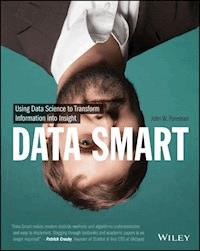
Data Science gets thrown around in the press like it's magic. Major retailers are predicting everything from when their customers are pregnant to when they want a new pair of Chuck Taylors. It's a brave new world where seemingly meaningless data can be transformed into valuable insight to drive smart business decisions. But how does one exactly do data science? Do you have to hire one of these priests of the dark arts, the "data scientist," to extract this gold from your data? Nope. Data science is little more than using straight-forward steps to process raw data into actionable insight. And in Data Smart, author and data scientist John Foreman will show you how that's done within the familiar environment of a spreadsheet. Why a spreadsheet? It's comfortable! You get to look at the data every step of the way, building confidence as you learn the tricks of the trade. Plus, spreadsheets are a vendor-neutral place to learn data science without the hype. But don't let the Excel sheets fool you. This is a book for those serious about learning the analytic techniques, the math and the magic, behind big data. Each chapter will cover a different technique in a spreadsheet so you can follow along: * Mathematical optimization, including non-linear programming and genetic algorithms * Clustering via k-means, spherical k-means, and graph modularity * Data mining in graphs, such as outlier detection * Supervised AI through logistic regression, ensemble models, and bag-of-words models * Forecasting, seasonal adjustments, and prediction intervals through monte carlo simulation * Moving from spreadsheets into the R programming language You get your hands dirty as you work alongside John through each technique. But never fear, the topics are readily applicable and the author laces humor throughout. You'll even learn what a dead squirrel has to do with optimization modeling, which you no doubt are dying to know.
Sie lesen das E-Book in den Legimi-Apps auf:
Seitenzahl: 511
Veröffentlichungsjahr: 2013
Ähnliche

















Table of Contents
Introduction
What Am I Doing Here?
A Workable Definition of Data Science
But Wait, What about Big Data?
Who Am I?
Who Are You?
No Regrets. Spreadsheets Forever
Conventions
Let's Get Going
Chapter 1: Everything You Ever Needed to Know about Spreadsheets but Were Too Afraid to Ask
Some Sample Data
Moving Quickly with the Control Button
Copying Formulas and Data Quickly
Formatting Cells
Paste Special Values
Inserting Charts
Locating the Find and Replace Menus
Formulas for Locating and Pulling Values
Using VLOOKUP to Merge Data
Filtering and Sorting
Using PivotTables
Using Array Formulas
Solving Stuff with Solver
OpenSolver: I Wish We Didn't Need This, but We Do
Wrapping Up
Chapter 2: Cluster Analysis Part I: Using K-Means to Segment Your Customer Base
Girls Dance with Girls, Boys Scratch their Elbows
Getting Real: K-Means Clustering Subscribers in E-mail Marketing
K-Medians Clustering and Asymmetric Distance Measurements
Wrapping Up
Chapter 3: Naïve Bayes and the Incredible Lightness of Being an Idiot
When You Name a Product Mandrill, You're Going to Get Some Signal and Some Noise
The World's Fastest Intro to Probability Theory
Using Bayes Rule to Create an AI Model
Let's Get This Excel Party Started
Wrapping Up
Chapter 4: Optimization Modeling: Because That “Fresh Squeezed” Orange Juice Ain't Gonna Blend Itself
Why Should Data Scientists Know Optimization?
Starting with a Simple Trade-Off
Fresh from the Grove to Your Glass…with a Pit Stop through a Blending Model
Modeling Risk
Wrapping Up
Chapter 5: Cluster Analysis Part II: Network Graphs and Community Detection
What Is a Network Graph?
Visualizing a Simple Graph
Brief Introduction to Gephi
Building a Graph from the Wholesale Wine Data
How Much Is an Edge Worth? Points and Penalties in Graph Modularity
Let's Get Clustering!
There and Back Again: A Gephi Tale
Wrapping Up
Chapter 6: The Granddaddy of Supervised Artificial Intelligence—Regression
Wait, What? You're Pregnant?
Don't Kid Yourself
Predicting Pregnant Customers at RetailMart Using Linear Regression
Predicting Pregnant Customers at RetailMart Using Logistic Regression
For More Information
Wrapping Up
Chapter 7: Ensemble Models: A Whole Lot of Bad Pizza
Using the Data from Chapter 6
Bagging: Randomize, Train, Repeat
Boosting: If You Get It Wrong, Just Boost and Try Again
Wrapping Up
Chapter 8: Forecasting: Breathe Easy, You Can't Win
The Sword Trade Is Hopping
Getting Acquainted with Time Series Data
Starting Slow with Simple Exponential Smoothing
You Might Have a Trend
Holt's Trend-Corrected Exponential Smoothing
Multiplicative Holt-Winters Exponential Smoothing
Wrapping Up
Chapter 9: Outlier Detection: Just Because They're Odd Doesn't Mean They're Unimportant
Outliers Are (Bad?) People, Too
The Fascinating Case of Hadlum v. Hadlum
Terrible at Nothing, Bad at Everything
Wrapping Up
Chapter 10: Moving From Spreadsheets into R
Getting Up and Running with R
Doing Some Actual Data Science
Wrapping Up
Conclusion
Where Am I? What Just Happened?
Before You Go-Go
Get Creative and Keep in Touch!
Introduction
What Am I Doing Here?
You've probably heard the term data science floating around recently in the media, in business books and journals, and at conferences. Data science can call presidential races, reveal more about your buying habits than you'd dare tell your mother, and predict just how many years those chili cheese burritos have been shaving off your life.
Data scientists, the elite practitioners of this art, were even labeled “sexy” in a recent Harvard Business Review article, although there's apparently such a shortage that it's kind of like calling a unicorn sexy. There's just no way to verify the claim, but if you could see me as I type this book with my neck beard and the tired eyes of a parent of three boys, you'd know that sexy is a bit of an overstatement.
I digress. The point is that there's a buzz about data science these days, and that buzz is creating pressure on a lot of businesses. If you're not doing data science, you're gonna lose out to the competition. Someone's going to come along with some new product called the “BlahBlahBlahBigDataGraphThing” and destroy your business.
Take a deep breath.
The truth is most people are going about data science all wrong. They're starting with buying the tools and hiring the consultants. They're spending all their money before they even know what they want, because a purchase order seems to pass for actual progress in many companies these days.
By reading this book, you're gonna have a leg up on those jokers, because you're going to learn exactly what these techniques in data science are and how they're used. When it comes time to do the planning, and the hiring, and the buying, you'll already know how to identify the data science opportunities within your own organization.
The purpose of this book is to introduce you to the practice of data science in a comfortable and conversational way. When you're done, I hope that much of that data science anxiety you're feeling is replaced with excitement and with ideas about how you can use data to take your business to the next level.
A Workable Definition of Data Science
To an extent, data science is synonymous with or related to terms like business analytics, operations research, business intelligence, competitive intelligence, data analysis and modeling, and knowledge extraction (also called knowledge discovery in databases or KDD). It's just a new spin on something that people have been doing for a long time.
There's been a shift in technology since the heyday of those other terms. Advancements in hardware and software have made it easy and inexpensive to collect, store, and analyze large amounts of data whether that be sales and marketing data, HTTP requests from your website, customer support data, and so on. Small businesses and nonprofits can now engage in the kind of analytics that were previously the purview of large enterprises.
Of course, while data science is used as a catch-all buzzword for analytics today, data science is most often associated with data mining techniques such as artificial intelligence, clustering, and outlier detection. Thanks to the cheap technology-enabled proliferation of transactional business data, these computational techniques have gained a foothold in business in recent years where previously they were too cumbersome to use in production settings.
In this book, I'm going to take a broad view of data science. Here's the definition I'll work from:
Data science is the transformation of data using mathematics and statistics into valuable insights, decisions, and products.
This is a business-centric definition. It's about a usable and valuable end product derived from data. Why? Because I'm not in this for research purposes or because I think data has aesthetic merit. I do data science to help my organization function better and create value; if you're reading this, I suspect you're after something similar.
With that definition in mind, this book will cover mainstay analytics techniques such as optimization, forecasting, and simulation, as well as more “hot” topics such as artificial intelligence, network graphs, clustering, and outlier detection.
Some of these techniques are as old as World War II. Others were introduced in the last 5 years. And you'll see that age has no bearing on difficulty or usefulness. All these techniques—whether or not they're currently the rage—are equally useful in the right business context.
And that's why you need to understand how they work, how to choose the right technique for the right problem, and how to prototype with them. There are a lot of folks out there who understand one or two of these techniques, but the rest aren't on their radar. If all I had in my toolbox was a hammer, I'd probably try to solve every problem by smacking it real hard. Not unlike my two-year-old.
Better to have a few other tools at your disposal.
But Wait, What about Big Data?
You've heard the term big data even more than data science most likely. Is this a book on big data?
That depends on how you define big data. If you define big data as computing simple summary statistics on unstructured garbage stored in massive, horizontally scalable, NoSQL databases, then no, this is not a book on big data.
If you define big data as turning transactional business data into decisions and insight using cutting-edge analytics (regardless of where that data is stored), then yes, this is a book about big data.
This is not a book that will be covering database technologies, like MongoDB and HBase. This is not a book that will be covering data science coding packages like Mahout, NumPy, various R libraries, and so on. There are other books out there for that stuff.
But that's a good thing. This book ignores the tools, the storage, and the code. Instead, it focuses as much as possible on the techniques. There are many folks out there who think that data storage and retrieval, with a little bit of cleanup and aggregation mixed in, constitutes all there is to know about big data.
They're wrong. This book will take you beyond the spiel you've been hearing from the big data software sales reps and bloggers to show you what's really possible with your data. And the cool thing is that for many of these techniques, your dataset can be any size, small or large. You don't have to have a petabyte of data and the expenses that come along with it in order to predict the interests of your customer base. If you have a massive dataset, that's great, but there are some businesses that don't have it, need it, and will likely never generate it. Like my local butcher. But that doesn't mean his e-mail marketing couldn't benefit from a little bacon versus sausage cluster detection.
If data science books were workouts, this book would be all calisthenics—no machine weights, no ergs. Once you understand how to implement the techniques with even the most barebones of tools, you'll find yourself free to implement them in a variety of technologies, prototype with them with ease, buy the correct data science products from consultants, delegate the correct approach to your developers, and so on.
Who Am I?
Let me pause a moment to tell you my story. It'll go a long way to explaining why I teach data science the way I do. Many moons ago, I was a management consultant. I worked on analytics problems for organizations such as the FBI, DoD, the Coca-Cola Company, Intercontinental Hotels Group, and Royal Caribbean International. And through all these experiences I walked away having learned one thing—more people than just the scientists need to understand data science.
I worked with managers who bought simulations when they needed an optimization model. I worked with analysts who only understood Gantt charts, so everything needed to be solved with Gantt charts. As a consultant, it wasn't hard to win over a customer with any old white paper and a slick PowerPoint deck, because they couldn't tell AI from BI or BI from BS.
The point of this book is to broaden the audience of who understands and can implement data science techniques. I'm not trying to turn you into a data scientist against your will. I just want you to be able to integrate data science as best as you can into the role you're already good at.
And that brings me to who you are.
Who Are You?
No, I haven't been using data science to spy on you. I have no idea who you are, but thanks for shelling out some money for this book. Or supporting your local library. You can do that, too.
Here are some archetypes (or personas for you marketing folks) I had in mind when writing this book. Maybe you are:
The vice president of marketing who wants to use her transactional business data more strategically to price products and segment customers. But she doesn't understand the approaches her software developers and overpriced consultants are recommending she try.
The demand forecasting analyst who knows his organization's historical purchase data holds more insight about his customers than just the next quarter's projections. But he doesn't know how to extract that insight.
The CEO of an online retail start-up who wants to predict when a customer is likely to be interested in buying an item based on their past purchases.
The business intelligence analyst who sees money going down the tubes from the infrastructure and supply chain costs her organization is accruing, but doesn't know how to systematically make cost-saving decisions.
The online marketer who wants to do more with his company's free text customer interactions taking place in e-mail, Facebook, and Twitter, but right now they're just being read and saved.
I have in mind that you are a reader who would benefit directly from knowing more about data science but hasn't found a way to get a foothold into all the techniques. The purpose of this book is to strip away all the distractions around data science (the code, the tools, and the hype) and teach the techniques using practical use cases that someone with a semester of linear algebra or calculus in college can understand. Assuming you didn't fail that semester. If you did, just read slower and use Wikipedia liberally.
No Regrets. Spreadsheets Forever
This is not a book about coding. In fact, I'm giving you my “no code” guarantee (until Chapter 10 at least). Why?
Because I don't want to spend a hundred pages at the beginning of this book messing with Git, setting environment variables, and doing the dance of Emacs versus Vi.
If you run Windows and Microsoft Office almost exclusively. If you work for the government, and they don't let you download and install random open source stuff on your box. Even if MATLAB or your TI-83 scared the hell out of you in college, you need not be afraid.
Do you need to know how to write code to put most of these techniques in automated, production settings? Absolutely! Or at least someone you work with needs to be able to handle code and storage technologies.
Do you need to know how to write code in order to understand, distinguish between, and prototype with these techniques? Absolutely not!
This is why I go over every technique in spreadsheet software.
Now, this is all a bit of a lie. The final chapter in this book is actually on moving to the data science-focused programming language, R. It's for those of you that want to use this book as a jumping-off point to deeper things.
But Spreadsheets Are So Démodé!
Spreadsheets are not the sexiest tools around. In fact, they're the Wilford-Brimley-selling-Colonial-Penn of the analytics tool world. Completely unsexy. Sorry, Wilford.
But that's the point. Spreadsheets stay out of the way. They allow you to see the data and to touch (or at least click on) the data. There's a freedom there. In order to learn these techniques, you need something vanilla, something everyone understands, but nonetheless, something that will let you move fast and light as you learn. That's a spreadsheet.
Say it with me: “I am a human. I have dignity. I should not have to write a map-reduce job in order to learn data science.”
And spreadsheets are great for prototyping! You're not running a production AI model for your online retail business out of Excel, but that doesn't mean you can't look at purchase data, experiment with features that predict product interest, and prototype a targeting model. In fact, it's the perfect place to do just that.
Use Excel or LibreOffice
All the examples you're going to work through will be visualized in the book in Excel.
On the book's website (www.wiley.com/go/datasmart) are posted companion spreadsheets for each chapter so that you can follow along. If you're really adventurous, you can clear out all but the starting data in the spreadsheet and replicate all the work yourself.
This book is compatible with Excel versions 2007, 2010, 2011 for Mac, and 2013. Chapter 1 will discuss the version differences most in depth.
Most of you have access to Excel, and you probably already use it for reporting or recordkeeping at work. But if for some reason you don't have a copy of Excel, you can either buy it or go for LibreOffice (www.libreoffice.org) instead.
LibreOffice is open source, free, and has nearly all of the same functionality as Excel. I think its native solver is actual preferable to Excel's. So if you want to go that route for this book, feel free.
Conventions
To help you get the most from the text and keep track of what's happening, I've used a number of conventions throughout the book.
Frequently in this text I'll reference little snippets of Excel code like this:
=CONCATENATE(“THIS IS A FORMULA”, “ IN EXCEL!”)
We highlight new terms and important words when we introduce them. We show file names, URLs, and formulas within the text like so:
http://www.john-foreman.com
.
Let's Get Going
In the first chapter, I'm going to fill in a few holes in your Excel knowledge. After that, you'll move right into use cases. By the end of this book, you'll not only know about but actually have experience implementing from scratch the following techniques:
Optimization using linear and integer programming
Working with time series data, detecting trends and seasonal patterns, and forecasting with exponential smoothing
Using Monte Carlo simulation in optimization and forecasting scenarios to quantify and address risk
Artificial intelligence using the general linear model, logistic link functions, ensemble methods, and naïve Bayes
Measuring distances between customers using cosine similarity, creating kNN graphs, calculating modularity, and clustering customers
Detecting outliers in a single dimension with Tukey fences or in multiple dimensions with local outlier factors
Using R packages to “stand on the shoulders” of other analysts in conducting these tasks
If any of that sounds exciting, read on! If any of that sounds scary, I promise to keep things as clear and enjoyable as possible.
In fact, I prefer clarity well above mathematical correctness, so if you're an academician reading this, there may be times where you should close your eyes and think of England. Without further ado, then, let's get number-crunching.
Chapter 1
Everything You Ever Needed to Know about Spreadsheets but Were Too Afraid to Ask
This book relies on you having a working knowledge of spreadsheets, and I'm going to assume that you already understand the basics. If you've never used a formula before in your life, then you've got a slight uphill battle here. I'd recommend going through a For Dummies book or some other intro-level tutorial for Excel before diving into this.
That said, even if you're a seasoned Excel veteran, there's some functionality that'll keep cropping up in this text that you may not have had to use before. It's not difficult stuff; just things I've noticed not everyone has used in Excel. You'll be covering a wide variety of little features in this chapter, and the example at this stage might feel a bit disjointed. But you can learn what you can here, and then, when you encounter it organically later in the book, you can slip back to this chapter as a reference.
As Samuel L. Jackson says in Jurassic Park, “Hold on to your butts!”
Some Sample Data
Imagine you've been terribly unsuccessful in life, and now you're an adult, still living at home, running the concession stand during the basketball games played at your old high school. (I swear this is only semi-autobiographical.)
You have a spreadsheet full of last night's sales, and it looks like Figure 1.1.
Figure 1.1 Concession stand sales
Figure 1.1 shows each sale, what the item was, what type of food or drink it was, the price, and the percentage of the sale going toward profit.
Moving Quickly with the Control Button
If you want to peruse the records, you can scroll down the sheet with your scroll wheel, track pad, or down arrow. As you scroll, it's helpful to keep the header row locked at the top of the sheet, so you can remember what each column means. To do that, choose Freeze Panes or Freeze Top Row from the “View” tab on Windows (“Layout” tab on Mac 2011 as shown in ).
Lesen Sie weiter in der vollständigen Ausgabe!
Lesen Sie weiter in der vollständigen Ausgabe!
Lesen Sie weiter in der vollständigen Ausgabe!
Lesen Sie weiter in der vollständigen Ausgabe!
Lesen Sie weiter in der vollständigen Ausgabe!
Lesen Sie weiter in der vollständigen Ausgabe!
Lesen Sie weiter in der vollständigen Ausgabe!
Lesen Sie weiter in der vollständigen Ausgabe!
Lesen Sie weiter in der vollständigen Ausgabe!
Lesen Sie weiter in der vollständigen Ausgabe!
Lesen Sie weiter in der vollständigen Ausgabe!
Lesen Sie weiter in der vollständigen Ausgabe!
Lesen Sie weiter in der vollständigen Ausgabe!
Lesen Sie weiter in der vollständigen Ausgabe!
Lesen Sie weiter in der vollständigen Ausgabe!
Lesen Sie weiter in der vollständigen Ausgabe!
Lesen Sie weiter in der vollständigen Ausgabe!




