


59,99 €
Mehr erfahren.
- Herausgeber: John Wiley & Sons
- Kategorie: Wissenschaft und neue Technologien
- Sprache: Englisch
Discover the power of machine learning in the physical sciences with this one-stop resource from a leading voice in the field
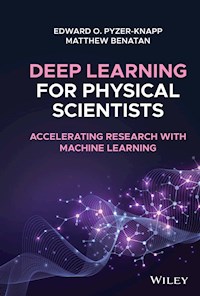
Deep Learning for Physical Scientists: Accelerating Research with Machine Learning delivers an insightful analysis of the transformative techniques being used in deep learning within the physical sciences. The book offers readers the ability to understand, select, and apply the best deep learning techniques for their individual research problem and interpret the outcome.
Designed to teach researchers to think in useful new ways about how to achieve results in their research, the book provides scientists with new avenues to attack problems and avoid common pitfalls and problems. Practical case studies and problems are presented, giving readers an opportunity to put what they have learned into practice, with exemplar coding approaches provided to assist the reader.
From modelling basics to feed-forward networks, the book offers a broad cross-section of machine learning techniques to improve physical science research. Readers will also enjoy:
- A thorough introduction to the basic classification and regression with perceptrons
- An exploration of training algorithms, including back propagation and stochastic gradient descent and the parallelization of training
- An examination of multi-layer perceptrons for learning from descriptors and de-noising data
- Discussions of recurrent neural networks for learning from sequences and convolutional neural networks for learning from images
- A treatment of Bayesian optimization for tuning deep learning architectures
Perfect for academic and industrial research professionals in the physical sciences, Deep Learning for Physical Scientists: Accelerating Research with Machine Learning will also earn a place in the libraries of industrial researchers who have access to large amounts of data but have yet to learn the techniques to fully exploit that access.
Sie lesen das E-Book in den Legimi-Apps auf:
Seitenzahl: 247
Veröffentlichungsjahr: 2021
Ähnliche



















Table of Contents
Cover
Title Page
Copyright Page
About the Authors
Acknowledgements
1 Prefix – Learning to “Think Deep”
1.1 So What Do I Mean by Changing the Way You Think?
2 Setting Up a Python Environment for Deep Learning Projects
2.1 Python Overview
2.2 Why Use Python for Data Science?
2.3 Anaconda Python
2.4 Jupyter Notebooks
3 Modelling Basics
3.1 Introduction
3.2 Start Where You Mean to Go On – Input Definition and Creation
3.3 Loss Functions
3.4 Overfitting and Underfitting
3.5 Regularisation
3.6 Evaluating a Model
3.7 The Curse of Dimensionality
3.8 Summary
4 Feedforward Networks and Multilayered Perceptrons
4.1 Introduction
4.2 The Single Perceptron
4.3 Moving to a Deep Network
4.4 Vanishing Gradients and Other “Deep” Problems
4.5 Improving the Optimisation
4.6 Parallelisation of learning
4.7 High and Low‐level Tensorflow APIs
4.8 Architecture Implementations
4.9 Summary
4.10 Papers to Read
5 Recurrent Neural Networks
5.1 Introduction
5.2 Basic Recurrent Neural Networks
5.3 Long Short‐Term Memory (LSTM) Networks
5.4 Gated Recurrent Units
5.5 Using Keras for RNNs
5.6 Real World Implementations
5.7 Summary
5.8 Papers to Read
6 Convolutional Neural Networks
6.1 Introduction
6.2 Fundamental Principles of Convolutional Neural Networks
6.3 Graph Convolutional Networks
6.4 Real World Implementations
6.5 Summary
6.6 Papers to Read
7 Auto‐Encoders
7.1 Introduction
7.2 Getting a Good Start – Stacked Auto‐Encoders, Restricted Boltzmann Machines, and Pretraining
7.3 Denoising Auto‐Encoders
7.4 Variational Auto‐Encoders
7.5 Sequence to Sequence Learning
7.6 The Attention Mechanism
7.7 Application in Chemistry: Building a Molecular Generator
7.8 Summary
7.9 Real World Implementations
7.10 Papers to Read
8 Optimising Models Using Bayesian Optimisation
8.1 Introduction
8.2 Defining Our Function
8.3 Grid and Random Search
8.4 Moving Towards an Intelligent Search
8.5 Exploration and Exploitation
8.6 Greedy Search
8.7 Diversity Search
8.8 Bayesian Optimisation
8.9 Summary
8.10 Papers to Read
Case Study 1: Solubility Prediction Case Study
CS 1.1 Step 1 – Import Packages
CS 1.2 Step 2 – Importing the Data
CS 1.3 Step 3 – Creating the Inputs
CS 1.4 Step 4 – Splitting into Training and Testing
CS 1.5 Step 5 – Defining Our Model
CS 1.6 Step 6 – Running Our Model
CS 1.7 Step 7 – Automatically Finding an Optimised Architecture Using Bayesian Optimisation
Case Study 2: Time Series Forecasting with LSTMs
CS 2.1 Simple LSTM
CS 2.2 Sequence‐to‐Sequence LSTM
Case Study 3: Deep Embeddings for Auto‐Encoder‐Based Featurisation
Index
End User License Agreement
List of Tables
Chapter 3
Table 3.1 A rule of thumb guide for understanding AUC‐ROC scores.
List of Illustrations
Chapter 3
Figure 3.1 Examples of ROC curves.
Figure 3.2 Optimal strategy without knowing the distribution.
Figure 3.3 Optimal strategy when you know 50% of galaxies are elliptical and...
Figure 3.4 A graphical look at the bias–variance trade‐off.
Figure 3.5 A flow chart for dealing with high bias or high‐variance situatio...
Figure 3.6 Graphical representation of the holdout‐validation algorithm.
Figure 3.7 The effects of different scales on a simple loss function topolog...
Chapter 4
Figure 4.1 An overview of a single perceptron learning.
Figure 4.2 The logistic function.
Figure 4.3 Derivatives of the logistic function.
Figure 4.4 How learning rate can affect the training, and therefore performa...
Figure 4.5 A schematic of a multilayer perceptron.
Figure 4.6 Plot of ReLU activation function.
Figure 4.7 Plot of leaky ReLU activation function.
Figure 4.8 Plot of ELU activation function.
Figure 4.9 Bias allows you to shift the activation function along the
X
‐axis...
Figure 4.10 Training vs. validation error.
Figure 4.11 Validation error from training model on the Glass dataset.
Chapter 5
Figure 5.1 A schematic of a RNN cell.
X
and
Y
are inputs and outputs, respec...
Figure 5.2 Connections in a feedforward layer in an MLP (a) destroy the sequ...
Figure 5.3 An example of how sequential information is stored in a recurrent...
Figure 5.4 A schematic of information flow through an LSTM cell. As througho...
Figure 5.5 An LSTM cell with the flow through the forget gate highlighted.
Figure 5.6 An LSTM cell with the flow through the input gate highlighted.
Figure 5.7 An LSTM cell with the flow through the output gate highlighted.
Figure 5.8 An LSTM cell with peephole connections highlighted.
Figure 5.9 A schematic of information flow through a GRU cell. Here,
X
refer...
Chapter 6
Figure 6.1 Illustration of convolutional neural network architecture.
Figure 6.2 Illustration of average and max pooling algorithms.
Figure 6.3 Illustration of average and max pooling on face image.
Figure 6.4 Illustration of average and max pooling on handwritten character ...
Figure 6.5 Illustration of the effect of stride on change in data volume.
Figure 6.6 Illustration of stride.
Figure 6.7 Illustration of the impact of sparse connectivity on CNN unit's r...
Figure 6.8 Illustration of graph convolutional network.
Figure 6.9 Example graph.
Figure 6.10 Example adjacency matrix.
Chapter 7
Figure 7.1 A schematic of a shallow auto‐encoder.
Figure 7.2 Representing a neural network as a stack of RBMs for pretraining....
Figure 7.3 Training an auto‐encoder from stacked RBMs. (1) Train a stack of ...
Figure 7.4 Comparison of standard auto‐encoder and variational auto‐encoder....
Figure 7.5 Illustration of sequence to sequence model.
Chapter 8
Figure 8.1 Schematic for greedy search.
Figure 8.2 Bayes rule.
Guide
Cover Page
Title Page
Copyright Page
About the Authors
Acknowledgements
Table of Contents
Begin Reading
Index
Wiley End User License Agreement
Pages
iii
iv
xi
xii
1
2
3
5
6
7
8
9
10
11
12
13
14
15
16
17
18
19
20
21
22
23
24
25
26
27
28
29
30
31
32
33
34
35
36
37
38
39
41
42
43
44
45
46
47
48
49
50
51
52
53
54
55
56
57
58
59
60
61
62
63
64
65
66
67
68
69
70
71
72
73
74
75
77
78
79
80
81
82
83
84
85
86
87
88
89
90
91
92
93
94
95
96
97
98
99
100
101
102
103
104
105
106
107
108
109
110
111
112
113
114
115
116
117
118
119
120
121
122
123
124
125
126
127
128
129
130
131
132
133
134
135
136
137
138
139
140
141
142
143
144
145
146
147
148
149
150
151
152
153
154
155
156
157
158
159
160
161
162
163
164
165
167
168
169
170
171
172
173
174
175
176
177
178
179
180
181
182
183
184
185
186
187
188
189
190
191
192
193
194
195
196
197
Deep Learning for Physical Scientists
Accelerating Research with Machine Learning
Edward O. Pyzer‐Knapp
IBM Research UK
Data Centric Cognitive Systems
Daresbury Laboratory
Warrington
UK
Matthew Benatan
IBM Research UK
Data Centric Cognitive Systems
Daresbury Laboratory
Warrington
UK
This edition first published 2022© 2022 John Wiley & Sons Ltd
All rights reserved. No part of this publication may be reproduced, stored in a retrieval system, or transmitted, in any form or by any means, electronic, mechanical, photocopying, recording or otherwise, except as permitted by law. Advice on how to obtain permission to reuse material from this title is available at http://www.wiley.com/go/permissions.
The right of Edward O. Pyzer-Knapp and Matthew Benatan to be identified as the authors of this work has been asserted in accordance with law.
Registered OfficesJohn Wiley & Sons, Inc., 111 River Street, Hoboken, NJ 07030, USA
John Wiley & Sons Ltd, The Atrium, Southern Gate, Chichester, West Sussex, PO19 8SQ, UK
Editorial OfficeThe Atrium, Southern Gate, Chichester, West Sussex, PO19 8SQ, UK
For details of our global editorial offices, customer services, and more information about Wiley products visit us at www.wiley.com.
Wiley also publishes its books in a variety of electronic formats and by print-on-demand. Some content that appears in standard print versions of this book may not be available in other formats.
Limit of Liability/Disclaimer of WarrantyIn view of ongoing research, equipment modifications, changes in governmental regulations, and the constant flow of information relating to the use of experimental reagents, equipment, and devices, the reader is urged to review and evaluate the information provided in the package insert or instructions for each chemical, piece of equipment, reagent, or device for, among other things, any changes in the instructions or indication of usage and for added warnings and precautions. While the publisher and authors have used their best efforts in preparing this book, they make no representations or warranties with respect to the accuracy or completeness of the contents of this work and specifically disclaim all warranties, including without limitation any implied warranties of merchantability or fitness for a particular purpose. No warranty may be created or extended by sales representatives, written sales materials or promotional statements for this work. This work is sold with the understanding that the publisher is not engaged in rendering professional services. The advice and strategies contained herein may not be suitable for your situation. You should consult with a professional where appropriate. Neither the publisher nor author shall be liable for any loss of profit or any other commercial damages, including but not limited to special, incidental, consequential, or other damages. The fact that an organization, website, or product is referred to in this work as a citation and/or potential source of further information does not mean that the publisher and authors endorse the information or services the organization, website, or product may provide or recommendations it may make. Further, readers should be aware that websites listed in this work may have changed or disappeared between when this work was written and when it is read. Neither the publisher nor authors shall be liable for any loss of profit or any other commercial damages, including but not limited to special, incidental, consequential, or other damages.
For general information on our other products and services or for technical support, please contact our Customer Care Department within the United States at (800) 762-2974, outside the United States at (317) 572-3993 or fax (317) 572-4002.
Wiley also publishes its books in a variety of electronic formats. Some content that appears in print may not be available in electronic formats. For more information about Wiley products, visit our web site at ww.wiley.com.
Library of Congress Cataloging‐in‐Publication Data
Names: Pyzer-Knapp, Edward O., author. | Benatan, Matthew, author.Title: Deep learning for physical scientists : accelerating research with machine learning / Edward O. Pyzer-Knapp, IBM Research UK, Data Centric Cognitive Systems, Daresbury Laboratory, Warrington UK, Matthew Benatan, IBM Research UK, Data Centric Cognitive Systems, Daresbury Laboratory, Warrington UK.Description: Hoboken, NJ : Wiley, 2022. | Includes index.Identifiers: LCCN 2021036996 (print) | LCCN 2021036997 (ebook) | ISBN 9781119408338 (hardback) | ISBN 9781119408321 (adobe pdf) | ISBN 9781119408352 (epub)Subjects: LCSH: Physical sciences–Data processing. | Machine learning.Classification: LCC Q183.9 .P99 2022 (print) | LCC Q183.9 (ebook) | DDC 500.20285/631–dc23LC record available at https://lccn.loc.gov/2021036996LC ebook record available at https://lccn.loc.gov/2021036997
Cover Design: WileyCover Image: © Anatolyi Deryenko/Alamy Stock Photo
About the Authors
Dr Edward O. Pyzer‐Knapp is the worldwide lead for AI Enriched Modelling and Simulation at IBM Research. Previously, he obtained his PhD from the University of Cambridge using state of the art computational techniques to accelerate materials design then moving to Harvard where he was in charge of the day‐to‐day running of the Harvard Clean Energy Project ‐ a collaboration with IBM which combined massive distributed computing, quantum‐mechanical simulations, and machine‐learning to accelerate discovery of the next generation of organic photovoltaic materials. He is also the Visiting Professor of Industrially Applied AI at the University of Liverpool, and the Editor in Chief for Applied AI Letters, a journal with a focus on real‐world application and validation of AI.
Dr Matt Benatan received his PhD in Audio‐Visual Speech Processing from the University of Leeds, after which he went on to pursue a career in AI research within industry. His work to date has involved the research and development of AI techniques for a broad variety of domains, from applications in audio processing through to materials discovery. His research interests include Computer Vision, Signal Processing, Bayesian Optimization, and Scalable Bayesian Inference.
Acknowledgements
EPK: This book would not have been possible without the support of my wonderful wife, Imogen.
MB: Thanks to my wife Rebecca and parents Dan & Debby for their continuing support.
1Prefix – Learning to “Think Deep”
Paradigm shifts in the way we do science occur when the stars align. For this to occur we must have three key ingredients:
A fundamental problem, which is impeding progress;
A solution to that problem (often theoretical); and crucially
The capability to fully realise that solution.
Whilst this may seem obvious, the lack of (3) can have dramatic consequences. Imperfectly realised solutions, especially if coupled with overzealous marketing (or hype) can set back a research field significantly – sometimes resulting in decades in the wilderness.
Machine learning has suffered this fate not once, but twice – entering the so‐called AI‐winters where only a few brave souls continued to work. The struggle was not in vain, however, and breakthroughs in the theory – especially the rapid improvement and scaling of deep learning – coupled with strides in computational capability have meant that the machine learning age seems to be upon us with a vengeance.
This “era” of AI feels more permanent, as we are finally seeing successful applications of AI in areas where it had previously struggled. Part of this is due to the wide range of tools which are at the fingertips of the everyday researcher, and part of it is the willingness of people to change the way they think about problems so as to use these new capabilities to their full potential.
The aims of this book are twofold:
Introduce you to the prevalent techniques in deep learning, so that you can make educated decisions about what the best tools are for the job.
Teach you to think in such a way that you can come up with creative solutions to problems using the tools that you learn throughout this book.
1.1 So What Do I Mean by Changing the Way You Think?
Typically in the sciences, particularly the physical sciences, we focus on the model rather than on the task that it is providing. This can lead to siloing of techniques in which (relatively) minor differences become seemingly major differentiating factors.
As a data‐driven researcher it becomes much more important to understand broad categorisations and find the right tools for the job, to be skilled at creating analogies between tasks, and to be OK with losing some explainability of the model (this is particularly true with deep learning) at the gain of enabling new capabilities. More than any other area I have been involved with, deep learning is more a philosophy than any single technique; you must learn to “think deep.” Will deep learning always be the right approach? Of course not, but with growing experience you will be able to intuit when to use these tools, and also be able to conceive of new ways in which these tools can be applied. As we progress through this journey I will show you particularly innovative applications of deep learning, such as the neural fingerprint, and task you to stretch your imagination through the use of case studies. Who knows, you might even improve upon the state of the art!
Key Features of Thinking Deep
Never get tied into domain specific language, instead use broad terms which describe the process you are trying to achieve
.
Look for analogies between tasks. By forcing yourself to “translate” what is going on in a particular process you often come to understand more deeply what you are trying to achieve
.
Understand the difference between data and information. A few well chosen pieces of data can be more useful than a ton of similar data points
.
Finally, never lose sight of your true goal – at the end of the day this is more likely to be “provide insight into process X” than “develop a super fancy method for predicting X.” The fancy method may be necessary, but it is not the goal
.
Thinking back to the three ingredients of a paradigm shift, we remember that one of the major blockers to achieving this is the lack of a capability to implement the solution we have dreamed up. Therefore, throughout this book, I will be teaching you how to use a state of the art deep‐learning framework known as TensorFlow and provide real world examples. These examples will not be aimed at squeezing every last piece of performance out of the system, but instead at ensuring that you understand what is going on. Feel free to take these snippets and tune them yourself so that they work well for the problems you are tackling. Finally, I hope that you get as much fun out of coming on this journey with me, as I have had putting it together. I hope that this book inspires you to start breaking down barriers and drive innovation with data not just in your domain, but in everything you do.
2Setting Up a Python Environment for Deep Learning Projects
2.1 Python Overview
Why use python? There are a lot of programming languages out there – and they all have their plus and minuses. In this book, we have chosen to use Python as our language of choice. Why is this?
First of all, is the ease of understanding. Python is sometimes known as “executable pseudo code,” which is a reference to how easy it is to write basic code. Now this is obviously a slight exaggeration (and it is very possible to write illegible code in Python!), but Python does represent a good trade‐off between compactness and legibility. There is a philosophy which went into developing Python which states “There should be one (and preferably only one) obvious way to do a task.” To give you an illustrative example, here is how you print a string in Python:
print("Hello World!")
It is clear what is going on! In Java it is a little more obscure, to deal with system dependencies:
system.out.println("Hello World!")
And in C, it is not obvious at all what is going on (C is a compiled language so it really only needs to tell the compiler what it needs to do):
“Hello World!" >> cout
In fact, C code can be so hard to read that there is actually a regular competition to write obfuscated C code, so unreadable it is impossible to work out what is going on – take a look at https://www.ioccc.org/ and wonder at the ingenuity. So by choosing to use Python in this book even if you are not a regular Python user you should be able to have a good understanding of what is going on.
Second is the transferability. Python is an interpreted language, and you do not need to compile it into binary in order to run it. This means that whether you run on a Mac, Windows, or Linux machine, so long as you have the required packages installed you do not have to go through any special steps to make the code you write on one machine run on another. I recommend the use of a Python distribution known as Anaconda to take this to a new level, allowing very fast and simple package installation which takes care of package dependencies. Later on, in this chapter, we will step through installing Anaconda and setting up your Python environment.
One other reason for using Python is the strong community, which has resulted in a huge amount of online support for those getting into the language. If you have a problem when writing some code for this book, online resources such as stackoverflow.com are full of people answering questions for people who have had the exact same problem. This community has resulted in the surfacing of common complaints, and the community collectively building solutions to make libraries for solving these problems and to deliver new functionality. The libraries publically available for Python are something quite special, and are one of the major reasons it has become a major player in the data science and machine learning communities.
2.2 Why Use Python for Data Science?
Recently, Python has seen a strong emergence in the data science community, challenging more traditional players such as R and Matlab. Aside from the very intuitive coding style, transferability, and other features described above, there are a number of reasons for this. First amongst these is its strong set of packages aimed at making mathematical analysis easy. In the mid‐1990s the Python community strongly supported the development of a package known as numeric whose purpose was to take the strengths of Matlab's mathematical analysis packages and bring them over to the Python ecosystem. Numeric evolved into numpy, which is one of the most heavily used Python packages today. The same approach was taken to build matplotlib – which as the name suggests was built to take the Matlab plotting library over to python. These were bundled with other libraries aimed at scientific applications (such as optimisation) and turned into scipy – Python's premier scientific‐orientated package.
Having taken some of the best pieces out of Matlab, the Python community turned its attention to R; the other behemoth language of data science. Key to the functionality of R is its concept of the data frame, and the Python package pandas emerged to challenge in this arena. Pandas' data frame has proven extremely adept for data ingestion and manipulation, especially of time series data, and has now been linked into multiple packages, facilitating an easy end to end data analytics and machine learning experience.
It is in the area of machine learning in which Python has really separated itself from the rest of the pack. Taking a leaf out of R's book, the scikit‐learn module was built to mimic the functionality of the R module caret. Scikit‐learn offers a plethora of algorithms and data manipulation features which make some of the routine tasks of data science very simple and intuitive. Scikit‐learn is a fantastic example of how powerful the pythonic method for creating libraries can be.
2.3 Anaconda Python
2.3.1 Why Use Anaconda?
When you first pick up this book, it may be tempting to run off and download Python to start playing with some examples (your machine may even have Python pre‐installed on it). However, this is unlikely to be a good move in the long term. Many core Python libraries are highly interdependent, and can require a good deal of setting up – which can be a skill in itself. Also, the process will differ for different operating systems (Windows installations can be particularly tricky for the uninitiated) and you can easily find yourself spending a good deal of time just installing packages, which is not why you picked up this book in the first place, is it?
Anaconda Python offers an alternative to this. It is a mechanism for one‐click (or type) installation of Python packages, including all dependencies. For those of you who do not like the command line at all, it even has a graphical user interface (GUI) for controlling the installation and updates of packages. For the time being, I will not go down that route, but instead will assume that you have a basic understanding of the command line interface.
2.3.2 Downloading and Installing Anaconda Python
Detailed installation instructions are available on the anaconda website (https://conda.io/docs/user‐guide/install/index.html). For the rest of this chapter, I will assume that you are using MacOS – if you are not, do not worry; other operating systems are covered on the website as well.
The first step is to download the installer from the Anaconda website (https://www.anaconda.com/download/#macos).
Conda vs. Mini‐conda
When you go to the website, you will see that there are two options for Anaconda; Conda; and Mini‐conda. Mini‐conda is a bare‐bones installation of Python, which does not have any packages attached. This can be useful if you are looking to have a very lean installation (for example, you are building a Docker image, or your computer does not have much space for programmes), but for now we will assume that this is not a problem, and use the full Anaconda installation, which has many packages preinstalled.
You can select the Python2 or Python3 version. If you are running a lot of older code, you might want to use the Python2 version, as Python2 and Python3 codes do not always play well together. If you are working from a clean slate, however, I recommend that you use the Python3 installation as this “future proofs” you somewhat against libraries which make the switch, and no longer support Python2 (the inverse is much rarer, now).
So long as you have chosen Anaconda version (not Mini‐coda), you can just double click the pkg file, and the installation will commence. Once installation is finished (unless you have specific reasons, accept any defaults during installation) you should be able to run.
$ > conda list
If the installation is successful, a list of installed packages will be printed to screen.
But I already have Python installed on my computer? Do I need to uninstall?
Anaconda can run alongside any other versions of Python (including any which are installed by the system). In order to make sure that Anaconda is being used, you simply have to make sure that the system knows where it is. This is achieved by editing the PATH environment variable.
In order to see whether Anaconda is in your path, run the following command in a Terminal
$> echo $PATH
To check that Anaconda is set to be the default Python run:
$> which python
NB the PATH variable should be set by the Anaconda installer, so there is normally no need to do anything.
From here, installing packages is easy. First, search your package on Anaconda's cloud (https://anaconda.org/), and you will be able to choose your package. For example, scikit‐learn's page is at https://anaconda.org/anaconda/scikit‐learn. On each page, the command for installing is given. For scikit‐learn, it looks like this:
$> conda install –c anaconda scikit-learn
Here, the –c flag denotes a specific channel for the conda installer to search to locate the package binaries to install. Usefully, this page also shows all the different operating systems which the package has been built from, so you can be sure that the binary has been built for your system.
Task: Install Anaconda, and use the instructions below to ensure that you have TensorFlow installed on your system
2.3.2.1 Installing TensorFlow
2.3.2.1.1 Without GPU
Neural network training can be significantly accelerated through the use of graphical processing units (GPUs), however they are not strictly necessary. When using smaller architectures and/or working with small amounts of data, a typical central processing unit (CPU) will be sufficient. As such, GPU acceleration will not be required for many of the tasks in this book. Installing Tensorflow without CPU involves a single conda install command:
$> conda install –c conda-forge tensorflow
2.3.2.1.2 With GPU
To make use of TensorFlow's GPU acceleration, you will need to ensure that you have a compute unified device architecture (CUDA)‐capable GPU and all of the required drivers installed on your system. More information on setting up your system for GPU support can be found here: https://www.tensorflow.org/install/gpu
If you are using Linux, you can greatly simplify the configuration process by using the TensorFlow Docker image with GPU support: https://www.tensorflow.org/install/docker
Once you have the prerequisites installed, you can install TensorFlow via:
$> pip install tensorflow
We recommend sticking to conda install commands to ensure package compatibility with your conda environment, however a few earlier examples made use of TensorFlow 1's low‐level application programming interface (API) to illustrate lower‐level concepts. For compatibility, the earlier low‐level API can be used by including the following at the top of your script:
import tensorflow.compat.v1 as tf




