


22,99 €
Mehr erfahren.
- Herausgeber: John Wiley & Sons
- Kategorie: Wissenschaft und neue Technologien
- Sprache: Englisch
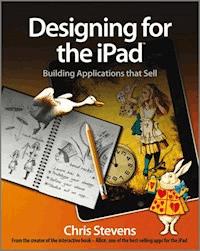
Get in the game of developing successful apps for the iPad
Designing for the iPad presents unique challenges for developers and requires an entirely different mindset of elements to consider when creating apps. Written by a highly successful iPad software developer, this book teaches you how to think about the creation process differently when designing iPad apps and escorts you through the process of building applications that have the best chance for success. You'll learn how to take advantage of the iPad's exciting new features and tackle an array of new design challenges so that you can make your app look spectacular, work intuitively, and sell, sell, sell!
- Bestselling iPad app developer Chris Stevens shares insight and tips for creating a unique and sellable iPad app
- Walks you through sketching out an app, refining ideas, prototyping designs, organizing a collaborative project, and more
- Highlights new code frameworks and discusses interface design choices
- Offers insider advice on using the latest coding options to make your app a surefire success
- Details iPad design philosophies, the difference between industrial and retail apps, and ways to design for multiple screen orientations
Designing for the iPad escorts you through the steps of developing apps for the iPad, from pencil sketch all the way through to the iPad App Store.
Sie lesen das E-Book in den Legimi-Apps auf:
Seitenzahl: 318
Veröffentlichungsjahr: 2011
Ähnliche



















Designing for the iPad®
Table of Contents
Designing for the iPad™
Building Applications that Sell
Chris Stevens
This edition first published 2011
© 2011 Chris Stevens
Registered office
John Wiley & Sons Ltd, The Atrium, Southern Gate, Chichester, West Sussex, PO19 8SQ, United Kingdom
For details of our global editorial offices, for customer services and for information about how to apply for permission to reuse the copyright material in this book please see our website at www.wiley.com.
The right of the author to be identified as the author of this work has been asserted in accordance with the Copyright, Designs and Patents Act 1988.
All rights reserved. No part of this publication may be reproduced, stored in a retrieval system, or transmitted, in any form or by any means, electronic, mechanical, photocopying, recording or otherwise, except as permitted by the UK Copyright, Designs and Patents Act 1988, without the prior permission of the publisher.
Wiley also publishes its books in a variety of electronic formats. Some content that appears in print may not be available in electronic books.
Designations used by companies to distinguish their products are often claimed as trademarks. All brand names and product names used in this book are trade names, service marks, trademarks or registered trademarks of their respective owners. The publisher is not associated with any product or vendor mentioned in this book. This publication is designed to provide accurate and authoritative information in regard to the subject matter covered. It is sold on the understanding that the publisher is not engaged in rendering professional services. If professional advice or other expert assistance is required, the services of a competent professional should be sought.
Trademarks: Wiley and the Wiley Publishing logo are trademarks or registered trademarks of John Wiley and Sons, Inc. and/ or its affiliates in the United States and/or other countries, and may not be used without written permission. iPhone, iPad and iPod are trademarks of Apple Computer, Inc. All other trademarks are the property of their respective owners. Wiley Publishing, Inc. is not associated with any product or vendor mentioned in the book. This book is not endorsed by Apple Computer, Inc.
Alice for the iPad is a trademark of Atomic Antelope LTD.
978-0-470-97678-4
A catalogue record for this book is available from the British Library.
Set in 10pt. Palatino LT Std by Indianapolis Composition Services
Printed in the U.S. by CJK
Dedication
To Peter, Rosemary, Dominic, Louise, and MJ
Publisher’s Acknowledgments
Some of the people who helped bring this book to market include the following:
Editorial and Production
VP Consumer and Technology Publishing Director: Michelle Leete
Associate Director–Book Content Management: Martin Tribe
Associate Publisher: Chris Webb
Publishing Assistant: Ellie Scott
Development Editor: Kezia Endsley
Copy Editor: Kezia Endsley
Technical Editor: Mike Rundle
Editorial Manager: Jodi Jensen
Senior Project Editor: Sara Shlaer
Editorial Assistant: Leslie Saxman
Marketing
Senior Marketing Manager: Louise Breinholt
Marketing Executive: Kate Parrett
Composition Services
Compositor: Erin Zeltner
Proofreaders: Susan Hobbs, Susan Moritz
Indexer: Ty Koontz
About the Author
Chris Stevens is the designer behind Alice for the iPad, which hit the number one spot in the iPad App Store and has remained a bestseller ever since. Alice is installed on half a million iPads worldwide and counting. Gizmodo called it “The cleverest iPad book yet” and the BBC said it was “A glimpse of the future of digital reading.” Alice for the iPad was also featured on The Oprah Winfrey Show where Oprah told her audience it would “change the way kids learn.”
Chris was formerly a technology columnist for The Daily Telegraph newspaper and later wrote for The Times. He also presented and directed Space Bubble, the popular CNET gadget show. Alongside his writing, Chris is an illustrator and scriptwriter. He has worked for Warner Bros, EMAP, and Wired. Chris won a Guardian Media Award for his work as a journalist and famously discovered reflectoporn.
Today Chris runs Atomic Antelope, the publishing house that created Alice for the iPad. He spends his time between London, New York, and Tokyo, working directly with authors on new books.
Author’s Acknowledgments
Thank you to my wonderful friend Susan Sunde for finding me a place to write from; I admire you more than all the leaves on all the trees. Thank you to Sacha Taylor for providing mosquito repellant. Thank you to Rishi Anand, Andrew Lim, and the brilliant Ella Morton for keeping me afloat with your good advice. Thank you also to Kezia Endsley, Chris Webb, Ellie Scott, Katherine Parrett, and everyone else at Wiley who made this book a pleasure to write. Finally, thank you to Ben Roberts, the programmer behind Alice, for his incredible skills in bringing the designs in Alice to life.
Preface
One week I was on my sofa watching The Oprah Winfrey Show, the next week I was on The Oprah Winfrey Show. That’s how suddenly our two-man iPad developer team, Atomic Antelope, struck iPad app gold.
A year ago, if you snuck over the fence, crossed my garden, and peeked in at the window you would see a sorry sight: A lone man, crouched over his computer, deeply engrossed in Photoshop and Xcode. His mind was focused on one solitary aim: To strike it rich with an iPad app.
A month later I was co-author of the top-grossing children’s book on the iPad, Alice for the iPad. It was named Oprah’s favorite iPad book, and hailed by everyone from The Financial Times to Gizmodo as the poster child of iPad publishing. Our app appeared on television shows from London to Tokyo and stormed into top position in the App Store, in every international market. Alice for the iPad delivered the publishing world its messiah and gave the iPad its first killer app, as shown in the image.
Now I’d like to share my knowledge with you.
Who Should Read This Book?
Anyone who wants to know exactly how to take advantage of the iPad’s exciting new features and turn their app ideas into a hit. By the time we’re done, you’ll be ready to take an app from pencil sketch all the way to the top ten in the iPad App Store. I’ll let you into professional secrets so you can grab a lead in the app gold rush, selling fantastic, profitable iPad software. You’ll learn exactly how to make your app look beautiful, work intuitively, and sell like crazy.
Why should you trust me to explain how to do this? Why not just stick to the sensible-looking iPad programming manual you were browsing through a moment ago? Well, because unlike that programming manual, I’ve got proof that this method works. Using the techniques in this book, I designed the top-selling children’s book on the iPad. Alice for the iPad is installed on hundreds of thousands of iPads and made me rich beyond my wildest dreams. But I’m not going to just sit in my Jacuzzi, tossing hundred dollar bills over the balcony. Instead I’m going to put this knowledge to good use. I’m going to tell you all the tricks I used to win the app gold rush and how you can win it too.
This book is focused on practical steps, not vague suggestions. I’m not going to give you confusing rules to follow or pretend that designing successful apps is all about group brainstorming good ideas—in fact, group brainstorming is a terrible way to come up with ideas, but more on that later.
Whether you’re managing a team designing iPad apps, a designer looking for tips, or a programmer who wants to understand the design methodology of a successful iPad app, there’s essential knowledge for you here. Let this book be your guide through the horror of the app submission process, and learn how the iPad offers a unique window of opportunity to make best-selling applications using techniques that did not exist before the iPad came along.
The Apple App Store is exceptionally competitive and it’s very easy to get lost in the swamp. To make sure that you stand out, you will need tried-and-tested methods of coming up with a sellable idea, refining concepts, prototyping designs, finding a programmer and a designer, and organizing a collaborative project. We’re going to take a look at the new code frameworks programmers can use to make exceptional apps. You’ll also learn about interface design choices and really get to grips with why the iPad is a substantially different beast from a laptop or iPhone. Most importantly, I’m going to equip you with insider advice on how to get an app to the top of the charts and live the ultimate geek dream.
I’ll explain why asking yourself “What would be the coolest app I can make for the iPad?” is a bad place to begin designing an app. If you actually want to make money, the right question is “How will I sell this app?”.
The Revival of the Hobbyist Programmer
We live in exciting times. The App Store has hugely democratized the process of writing and distributing software. Apple has led a return to the heyday of garage programmers tapping away on their Spectrums and Commodore 64s. Now a small team of just two or three people can make a best-selling title. A few years ago it was almost impossible to make any money as a lone software retailer, but there’s a revolution afoot. If you have $99 to join up as a developer, and a Mac, you have passed the only bar to entry. The rest comes down to your imagination and the information in this book. Sure, there’s a lot of criticism leveled at Apple’s tight control of the App Store, but, on the other hand, they’ve made a lot of programmers very happy, and very rich.
Unlike those other books on iPad app development, I’m actually going to give you the cold, hard truth about the iPad app industry. It’s dirty down here in the trenches of the App Store, and you might not like what you find, but take my hand and let’s go.
TIP
This book is just the beginning. The iPad app scene is constantly evolving. Almost every day I find something new and exciting that an indie development studio has created in an effort to win the gold rush. To keep up to date with the latest app action, visit the official blog for this book at www.AppsThatSell.com or follow me on Twitter: @AppsThatSell.
Part I: Understanding the iPad
The iPad marks the dawn of appliance computing. It is the first true mass-market computer—a device anyone can use without needing special skills. It’s also a rare beast among computers because it requires almost no technical support. The iPad is also a true tabula rasa, literally a “blank slate” that can transform itself from a keyboard into a guitar, or from a calculator into a sheet of drawing paper. The iPad uses few wires and can be held in one hand. People just seem to get the iPad. You only have to watch the numerous videos on YouTube of babies using the iPad to realize that the iPad leads a movement. In this part, I show you how the iPad has kick-started a revolution in software design that focuses on the mass-market user, not on the specialist.
Chapter 1: Embracing a New Paradigm
You’ll notice that the majority of users struggle with the traditional desktop metaphor of windows, icons, mouse, and a pointer (WIMP), but hand them an iPad and they’re like a fish to water. The iPad is unusually polite when it’s asked to do something. Unlike a desktop OS, the device is quick and responsive to gestures, rarely asking the user to wait. Just like a physical book in the real world doesn’t pause for a second before reacting to your touch, rarely does the iPad. Like any device, the iPad has its flaws and niggles, but it’s quickly nudging the industry towards a new world dominated by touchscreen interactivity, and away from traditional desktop computing.
What’s most interesting is that this movement is more than a simple change in the technology used by the mass market, it’s actually a seismic shift. Touchscreen computing is so universally accessible that it actually appears to have silenced the sighing masses cries of, “I don’t understand computers.” Apple cleverly trained-up millions of people on the iPhone, so that when the iPad launched it was a much more understandable product for the consumer. But the real magic happens when you hand an iPad to someone who has never interacted with a computer before—a young child or an elderly grandmother—they just seem to get it. This is the power of touchscreens and good software design.
Lesen Sie weiter in der vollständigen Ausgabe!
Lesen Sie weiter in der vollständigen Ausgabe!
Lesen Sie weiter in der vollständigen Ausgabe!
Lesen Sie weiter in der vollständigen Ausgabe!
Lesen Sie weiter in der vollständigen Ausgabe!
Lesen Sie weiter in der vollständigen Ausgabe!
Lesen Sie weiter in der vollständigen Ausgabe!
Lesen Sie weiter in der vollständigen Ausgabe!
Lesen Sie weiter in der vollständigen Ausgabe!
Lesen Sie weiter in der vollständigen Ausgabe!
Lesen Sie weiter in der vollständigen Ausgabe!
Lesen Sie weiter in der vollständigen Ausgabe!
Lesen Sie weiter in der vollständigen Ausgabe!
Lesen Sie weiter in der vollständigen Ausgabe!
Lesen Sie weiter in der vollständigen Ausgabe!




