


32,36 €
Mehr erfahren.
- Herausgeber: Packt Publishing
- Kategorie: Wissenschaft und neue Technologien
- Sprache: Englisch
Practical recipes for building fast, robust, and secure web apps using Django 3 and Python
Key Features
- Explore the latest version of Django, and learn effectively with the help of practical examples
- Follow a task-based approach to develop professional web apps using Django and Python
- Discover recipes to enhance the security and performance of your apps
Book Description
Django is a web framework for perfectionists with deadlines, designed to help you build manageable medium and large web projects in a short time span. This fourth edition of the Django Web Development Cookbook is updated with Django 3's latest features to guide you effectively through the development process.
This Django book starts by helping you create a virtual environment and project structure for building Python web apps. You'll learn how to build models, views, forms, and templates for your web apps and then integrate JavaScript in your Django apps to add more features. As you advance, you'll create responsive multilingual websites, ready to be shared on social networks. The book will take you through uploading and processing images, rendering data in HTML5, PDF, and Excel, using and creating APIs, and navigating different data types in Django. You'll become well-versed in security best practices and caching techniques to enhance your website's security and speed. This edition not only helps you work with the PostgreSQL database but also the MySQL database. You'll also discover advanced recipes for using Django with Docker and Ansible in development, staging, and production environments.
By the end of this book, you will have become proficient in using Django's powerful features and will be equipped to create robust websites.
What you will learn
- Discover how to set the basic configurations to start any Django project
- Understand full-stack web application development using Django
- Build a database structure using reusable model mixins
- Implement security, performance, and deployment features in your web apps
- Import data from local sources and external web services and export it to your app
- Secure web applications against malicious usage and find and fix common performance bottlenecks
Who this book is for
This Django book is for Python web developers who want to build fast and secure web apps that can scale over time. You'll also find this book useful if you are looking to upgrade to the latest Django 3 framework. Prior experience of working with the Django framework is required.
Das E-Book können Sie in Legimi-Apps oder einer beliebigen App lesen, die das folgende Format unterstützen:
Seitenzahl: 557
Veröffentlichungsjahr: 2020
Ähnliche


















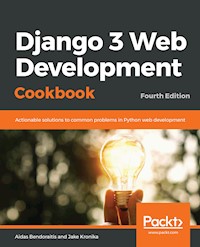
Django 3 Web Development Cookbook Fourth Edition
Copyright © 2020 Packt Publishing
All rights reserved. No part of this book may be reproduced, stored in a retrieval system, or transmitted in any form or by any means, without the prior written permission of the publisher, except in the case of brief quotations embedded in critical articles or reviews.
Every effort has been made in the preparation of this book to ensure the accuracy of the information presented. However, the information contained in this book is sold without warranty, either express or implied. Neither the authors, nor Packt Publishing or its dealers and distributors, will be held liable for any damages caused or alleged to have been caused directly or indirectly by this book.
Packt Publishing has endeavored to provide trademark information about all of the companies and products mentioned in this book by the appropriate use of capitals. However, Packt Publishing cannot guarantee the accuracy of this information.
Commissioning Editor: Ravit JainAcquisition Editor: Joshua NadarContent Development Editor: Keagan CarneiroSenior Editor: Hayden EdwardsTechnical Editor: Suwarna PatilCopy Editor: Safis EditingProject Coordinator: Kinjal BariProofreader: Safis EditingIndexer: Tejal Daruwale SoniProduction Designer: Nilesh Mohite
First published: October 2014 Second edition: January 2016 Third Edition: October 2018 Fourth Edition: March 2020
Production reference: 1230320
Published by Packt Publishing Ltd. Livery Place 35 Livery Street Birmingham B3 2PB, UK.
ISBN 978-1-83898-742-8
www.packt.com
Packt.com
Subscribe to our online digital library for full access to over 7,000 books and videos, as well as industry leading tools to help you plan your personal development and advance your career. For more information, please visit our website.
Why subscribe?
Spend less time learning and more time coding with practical eBooks and Videos from over 4,000 industry professionals
Improve your learning with Skill Plans built especially for you
Get a free eBook or video every month
Fully searchable for easy access to vital information
Copy and paste, print, and bookmark content
Did you know that Packt offers eBook versions of every book published, with PDF and ePub files available? You can upgrade to the eBook version at www.packt.com and as a print book customer, you are entitled to a discount on the eBook copy. Get in touch with us at [email protected] for more details.
At www.packt.com, you can also read a collection of free technical articles, sign up for a range of free newsletters, and receive exclusive discounts and offers on Packt books and eBooks.
Contributors
About the authors
Aidas Bendoraitis has been professionally building websites for the past 18 years. For the last 14 years, he has been working at a design company, studio 38 pure communication, in Berlin. Together with a small dedicated team, he has mostly used Django in the backend and jQuery in the frontend to create cultural and touristic web platforms.
Among different side projects, he is bootstrapping a SaaS business with strategic prioritizer 1st things 1st.
Aidas Bendoraitis is active on Twitter and other social media under the username DjangoTricks.
Jake Kronika, a software engineer with 25 years of experience. He has been working with Python since 2005 and Django since 2007. Evolving in lockstep with the web development industry, his skill set encompasses HTML, CSS, full-stack JavaScript, Python, Django, React, Node.js, Ruby on Rails, and several other technologies.
Currently a software architect and development team lead, Jake collaborates with designers, business stakeholders, and engineers around the globe to build robust applications. In his spare time, he provides full-spectrum web services as a freelancer.
In addition to authoring this book, Jake has reviewed several other Packt titles – most recently, Django 3 By Example, Third Edition by Antonio Melé.
About the reviewers
Darian Schramm has over 14 years of experience working on the web with Python. Starting as a systems administrator in the university CS department and continuing his work at agencies in New York City, San Diego, CA, and beyond. Darian has used Python and other technologies as a tool for web development, system administration tasks, statistics gathering, and everything in between. His career path began with Zope, then on to Plone, and then eventually, Flask, Django, and Pyramid.
Scott Sharkey is President of LANshark Consulting Group, LLC. in Troy, Ohio. He has a master's degree in computer science from Ohio State University and has been working in the industry since 1984, having founded LANshark in 1990. He specializes in remote work using Django/Python for web application development. During his long career, he has worked on projects as diverse as an in-car data collection system for IndyCar, TurboTax Pro for Intuit, two dating sites, an Internet of Things data collection application, several medical applications, and many other systems, along with publishing over 30 software packages through LANshark.
Packt is searching for authors like you
If you're interested in becoming an author for Packt, please visit authors.packtpub.com and apply today. We have worked with thousands of developers and tech professionals, just like you, to help them share their insight with the global tech community. You can make a general application, apply for a specific hot topic that we are recruiting an author for, or submit your own idea.
Table of Contents
Title Page
Copyright and Credits
Django 3 Web Development Cookbook Fourth Edition
About Packt
Why subscribe?
Contributors
About the authors
About the reviewers
Packt is searching for authors like you
Preface
Who this book is for
What this book covers
To get the most out of this book
Download the example code files
Conventions used
Sections
Getting ready
How to do it…
How it works…
There's more…
See also
Get in touch
Reviews
Getting Started with Django 3.0
Introduction
Technical requirements
Working with a virtual environment
Getting ready
How to do it...
How it works...
See also
Creating a project file structure
Getting ready
How to do it...
How it works...
There's more...
See also
Handling project dependencies with pip
Getting ready
How to do it...
How it works...
There's more...
See also
Configuring settings for development, testing, staging, and production environments
Getting ready
How to do it...
How it works...
See also
Defining relative paths in the settings
Getting ready
How to do it...
How it works...
See also
Handling sensitive settings
Getting ready
How to do it...
How it works...
There's more...
See also
Including external dependencies in your project
Getting ready
How to do it...
How it works...
See also
Setting up STATIC_URL dynamically
Getting ready
How to do it...
How it works...
There's more...
See also
Setting UTF-8 as the default encoding for the MySQL configuration
Getting ready
How to do it...
How it works...
There's more...
See also
Creating the Git ignore file
Getting ready
How to do it...
How it works...
See also
Deleting Python-compiled files
Getting ready
How to do it...
How it works...
There's more...
See also
Respecting the import order in Python files
Getting ready
How to do it...
How it works...
There's more...
See also
Creating an app configuration
Getting ready
How to do it...
How it works...
There's more...
See also
Defining overwritable app settings
Getting ready
How to do it...
How it works...
See also
Working with Docker containers for Django, Gunicorn, Nginx, and PostgreSQL
Getting ready
How to do it...
How it works...
There's more...
See also
Models and Database Structure
Introduction
Technical requirements
Using model mixins
Getting ready
How to do it...
How it works...
There's more...
See also
Creating a model mixin with URL-related methods
Getting ready
How to do it...
How it works...
There's more...
See also
Creating a model mixin to handle creation and modification dates
Getting ready
How to do it...
How it works...
See also
Creating a model mixin to take care of meta tags
Getting ready
How to do it...
How it works...
See also
Creating a model mixin to handle generic relations
Getting ready
How to do it...
How it works...
See also
Handling multilingual fields
Getting ready
How to do it...
How it works...
See also
Working with model translation tables
Getting ready
How to do it...
How it works...
See also
Avoiding circular dependencies
Getting ready
How to do it...
See also
Adding database constraints
Getting ready
How to do it...
How it works...
There's more...
See also
Using migrations
Getting ready
How to do it...
How it works...
There's more...
See also
Changing a foreign key to the many-to-many field
Getting ready
How to do it...
How it works...
There's more...
See also
Forms and Views
Introduction
Technical requirements
Creating an app with CRUDL functions
Getting ready
How to do it...
How it works...
There's more...
See also
Saving the author of a model instance
Getting ready
How to do it...
How it works...
See also
Uploading images
Getting ready
How to do it...
How it works...
See also
Creating a form layout with custom templates
Getting ready
How to do it...
How it works...
See also
Creating a form layout with django-crispy-forms
Getting ready
How to do it...
How it works...
There's more...
See also
Working with formsets
Getting ready
How to do it...
How it works...
There's more...
See also
Filtering object lists
Getting ready
How to do it...
How it works...
See also
Managing paginated lists
Getting ready
How to do it...
How it works...
See also
Composing class-based views
Getting ready
How to do it...
How it works...
There's more...
See also
Providing Open Graph and Twitter Card data
Getting ready
How to do it...
How it works...
See also
Providing schema.org vocabularies
Getting ready
How to do it...
How it works...
See also
Generating PDF documents
Getting ready
How to do it...
How it works...
See also
Implementing a multilingual search with Haystack and Whoosh
Getting ready
How to do it...
How it works...
See also
Implementing a multilingual search with Elasticsearch DSL
Getting ready
How to do it...
How it works...
See also
Templates and JavaScript
Introduction
Technical requirements
Arranging the base.html template
Getting ready
How to do it...
 How it works...
See also
Using Django Sekizai
Getting ready
How to do it...
How it works...
See also
Exposing settings in JavaScript
Getting ready
How to do it...
How it works...
See also
Using HTML5 data attributes
Getting ready
How to do it...
How it works...
See also
Providing responsive images
Getting ready
How to do it...
How it works...
There's more...
See also
Implementing a continuous scrolling
Getting ready
How to do it...
How it works...
There's more...
See also
Opening object details in a modal dialog
Getting ready
How to do it...
How it works...
See also
Implementing the Like widget
Getting ready
How to do it...
How it works...
See also
Uploading images via Ajax
Getting ready
How to do it...
How it works...
There's more...
See also
Custom Template Filters and Tags
Introduction
Technical requirements
Following conventions for your own template filters and tags
Creating a template filter to show how many days have passed since a post was published
Getting ready
How to do it...
How it works...
There's more...
See also
Creating a template filter to extract the first media object
Getting ready
How to do it...
How it works...
There's more...
See also
Creating a template filter to humanize URLs
Getting ready
How to do it...
How it works...
See also
Creating a template tag to include a template, if it exists
Getting ready
How to do it...
How it works...
There's more...
See also
Creating a template tag to load a QuerySet in a template
Getting ready
How to do it...
How it works...
See also
Creating a template tag to parse content as a template
Getting ready
How to do it...
How it works...
See also
Creating template tags to modify request query parameters
Getting ready
How to do it...
How it works...
See also
Model Administration
Introduction
Technical requirements
Customizing columns on the change list page
Getting ready
How to do it...
How it works...
See also
Creating sortable inlines
Getting ready
How to do it...
How it works...
See also
Creating admin actions
Getting ready
How to do it...
How it works...
See also
Developing change list filters
Getting ready
How to do it...
How it works...
See also
Changing the app label of a third-party app
Getting ready
How to do it...
How it works...
See also
Creating a custom accounts app
Getting ready
How to do it...
How it works...
See also
Getting user Gravatars
Getting ready
How to do it...
How it works...
There's more...
See also
Inserting a map into a change form
Getting ready
How to do it...
How it works...
See also
Security and Performance
Introduction
Technical requirements
Making forms secure from Cross-Site Request Forgery (CSRF)
Getting ready
How to do it...
How it works...
There's more...
See also
Making requests secure with Content Security Policy (CSP)
Getting ready
How to do it...
How it works...
See also
Using django-admin-honeypot
Getting ready
How to do it...
How it works...
There's more...
See also
Implementing password validation
Getting ready
How to do it...
How it works...
There's more...
See also
Downloading authorized files
Getting ready
How to do it...
How it works...
See also
Adding a dynamic watermark to images
Getting ready
How to do it...
How it works...
See also
Authenticating with Auth0
Getting ready
How to do it...
How it works...
See also
Caching the method return value
Getting ready
How to do it...
How it works...
There's more...
See also
Using Memcached to cache Django views
Getting ready
How to do it...
How it works...
See also
Using Redis to cache Django views
Getting ready
How to do it...
How it works...
There's more...
See also
Hierarchical Structures
Introduction
Technical requirements
Creating hierarchical categories with django-mptt
Getting ready
How to do it...
How it works...
See also
Creating a category administration interface with django-mptt-admin
Getting ready
How to do it...
How it works...
See also
Rendering categories in a template with django-mptt
Getting ready
How to do it...
How it works...
There's more...
See also
Using a single selection field to choose a category in forms with django-mptt
Getting ready
How to do it...
How it works...
See also
Using a checkbox list to choose multiple categories in forms with django-mptt
Getting ready
How to do it...
How it works...
See also
Creating hierarchical categories with django-treebeard
Getting ready
How to do it...
How it works...
There's more...
See also
Creating a basic category administration interface with django-treebeard
Getting ready
How to do it...
How it works...
See also
Importing and Exporting Data
Introduction
Technical requirements
Importing data from a local CSV file
Getting ready
How to do it...
How it works...
See also
Importing data from a local Excel file
Getting ready
How to do it...
How it works...
See also
Importing data from an external JSON file
Getting ready
How to do it...
How it works...
See also
Importing data from an external XML file
Getting ready
How to do it...
How it works...
There's more...
See also
Preparing paginated sitemaps for search engines
Getting ready
How to do it...
How it works...
There's more...
See also
Creating filterable RSS feeds
Getting ready
How to do it...
How it works...
See also
Using Django REST framework to create an API
Getting ready
How to do it...
How it works...
See also
Bells and Whistles
Introduction
Technical requirements
Using the Django shell
Getting ready
How to do it...
How it works...
See also
Using database query expressions
Getting ready
How to do it...
How it works...
See also
Monkey patching the slugify() function for better internationalization support
Getting ready
How to do it...
How it works...
There's more...
See also
Toggling the Debug toolbar
Getting ready
How to do it...
How it works...
See also
Using ThreadLocalMiddleware
Getting ready
How to do it...
How it works...
See also
Using signals to notify administrators about new entries
Getting ready
How to do it...
How it works...
See also
Checking for missing settings
Getting ready
How to do it...
How it works...
See also
Testing
Introduction
Technical requirements
Testing views with mock
Getting ready
How to do it...
How it works...
There's more...
See also
Testing the user interface with Selenium
Getting ready
How to do it...
How it works...
See also
Testing APIs created using Django REST framework
Getting ready
How to do it...
How it works...
See also
Ensuring test coverage
Getting ready
How to do it...
How it works...
See also
Deployment
Introduction
Technical requirements
Releasing a reusable Django app
Getting ready
How to do it...
How it works...
See also
Deploying on Apache with mod_wsgi for the staging environment
Getting ready
How to do it...
How it works...
See also
Deploying on Apache with mod_wsgi for the production environment
Getting ready
How to do it...
How it works...
See also
Deploying on Nginx and Gunicorn for the staging environment
Getting ready
How to do it...
How it works...
See also
Deploying on Nginx and Gunicorn for the production environment
Getting ready
How to do it...
How it works...
See also
Maintenance
Introduction
Technical requirements
Creating and restoring MySQL database backups
Getting ready
How to do it...
How it works...
See also
Creating and restoring PostgreSQL database backups
Getting ready
How to do it...
How it works...
See also
Setting up cron jobs for regular tasks
Getting ready
How to do it...
How it works...
There's more...
See also
Logging events for further introspection
Getting ready
How to do it...
How it works...
See also
Getting detailed error reporting via email
Getting ready
How to do it...
How it works...
There's more...
See also
Other Books You May Enjoy
Leave a review - let other readers know what you think
Preface
The Django framework was specifically engineered to help developers construct robust, powerful web applications quickly and efficiently. It takes much of the tedious work and repetition out of the process, solving questions such as project structure, database object-relational mapping, templating, form validation, sessions, authentication, security, cookie management, internationalization, basic administration, and an interface to access data from scripts. Django is built upon the Python programming language, which itself enforces clear and easy-to-read code. Besides the core framework, Django has been designed to enable developers to create third-party modules that can be used in conjunction with your own apps. Django has an established and vibrant community where you can find source code, get help, and contribute.
Django 3 Web Development Cookbook, Fourth Edition, will guide you through every stage of the web development process with the Django 3.0 framework. We start with the configuration and structuring of the project. Then, you will learn how to define the database structure with reusable components, and how to manage it throughout the lifetime of your project. The book will move on to the forms and views used to enter and list the data. We'll proceed with responsive templates and JavaScript to augment the user experience. Then we will enhance Django's template system with custom filters and tags to be more flexible for frontend development. After this, you will tailor the administration interface in order to simplify the workflow of content editors. From there, we shift focus to the stability and robustness of your project, helping to secure and optimize your apps. Next, we examine how to efficiently store and manipulate hierarchical structures. Then we will demonstrate that collecting data from different sources and providing your own data to others in a range of formats is simpler than you might think. We will then introduce you to some tricks for programming and debugging your Django project code. We will move on with a few of the available options for testing your code. Just before the end of the book, we will show you how to deploy your project to production. Lastly, we will complete the development cycle by setting common maintenance practices.
In contrast to many other Django books, which are concerned only with the framework itself, this book covers several important third-party modules that will equip you with the tools necessary for complete web development. Additionally, we provide examples using the Bootstrap frontend framework and the jQuery JavaScript library, both of which simplify the creation of advanced and complex user interfaces.
Who this book is for
If you have experience with Django and are looking to enhance your skills, this book is for you. We have designed the content for intermediate and professional Django developers who are aiming to build robust projects that are multilingual, secure, responsive, and can scale over time.
What this book covers
Chapter 1, Getting Started with Django 3.0, illustrates the fundamental setup and configuration steps necessary for any Django project. We cover virtual environments, Docker, and project settings across environments and databases.
Chapter 2, Models and Database Structure, explains how you can write reusable code for use in the construction of your models. The first things to define with new apps are the data models, which form the backbone of any project. You will learn how to save multilingual data in the database. Also, you will learn how to manage database schema changes and data manipulations using Django migrations.
Chapter 3, Forms and Views, shows ways to construct views and forms for data display and editing. You will learn how to use microformats and other protocols to make your pages more readable by machines for representations in search results and social networks. You will also learn how to generate PDF documents and implement multilingual search.
Chapter 4, Templates and JavaScript, covers practical examples of using templates and JavaScript together. We combine these facets like so: rendered templates present information to the user, and JavaScript provides crucial enhancements in modern websites for a rich user experience.
Chapter 5, Custom Template Filters and Tags, reviews how to create and use your own template filters and tags. As you will see, the default Django template system can be extended to meet template developers' needs.
Chapter 6, Model Administration, explores the default Django administration interface and guides you through extending it with your own functionality.
Chapter 7, Security and Performance, delves into several ways, both inherent to and external from Django, to secure and optimize your projects.
Chapter 8, Hierarchical Structures, examines tree-like structure creation and manipulation in Django, and the benefits of incorporating the django-mptt or treebeard libraries into such workflows. This chapter shows you how to use both for the display and administration of hierarchies.
Chapter 9, Importing and Exporting Data, demonstrates the transfer of data to and from different formats, as well as its provision between various sources. Within this chapter, custom management commands are used for data imports, and we utilize sitemaps, RSS, and REST APIs for data exports.
Chapter 10, Bells and Whistles, shows some additional snippets and tricks that are useful in everyday web development and debugging.
Chapter 11, Testing, introduces different types of testing and provides a few characteristic examples of how to test your project code.
Chapter 12, Deployment, deals with third-party app deployment to the Python Package Index and Django project deployment to a dedicated server.
Chapter 13, Maintenance, explains how to create database backups, set cron jobs for regular tasks, and log events for further inspection.
To get the most out of this book
To develop with Django 3.0 using the examples in these pages, you will need the following:
Python 3.6 or higher
The
Pillow
library for image manipulation
Either the MySQL database and the
mysqlclient
binding library, or the PostgreSQL database with the
psycopg2-binary
binding library
Docker Desktop or Docker Toolbox for complete system virtualization, or a built-in virtual environment to keep each project's Python modules separated
Git for version control
Software/hardware covered in the book
OS recommendations
Python 3.6 or higher Django 3.0.XPostgreSQL 11.4 or higher/MySQL 5.6 or higher
Any recent Unix-based operating system, such as macOS or Linux (although it is possible to develop on Windows too)
All other specific requirements are mentioned separately in each recipe.
If you are using the digital version of this book, we advise you to type the code yourself or access the code via the GitHub repository (link available in the next section). Doing so will help you avoid any potential errors related to the copy/pasting of code or incorrect indentation.
For editing project files you can use any code editor, but we recommend PyCharm (https://www.jetbrains.com/pycharm/) or Visual Studio Code (https://code.visualstudio.com/).
I would be thrilled if, after successfully publishing your Django project, you would share your results, learnings, and outcomes with me by email at [email protected].
Download the example code files
You can download the example code files for this book from your account at www.packt.com. If you purchased this book elsewhere, you can visit www.packtpub.com/support and register to have the files emailed directly to you.
You can download the code files by following these steps:
Log in or register at
www.packt.com
.
Select the
Support
tab.
Click on
Code Downloads
.
Enter the name of the book in the
Search
box and follow the onscreen instructions.
Once the file is downloaded, please make sure that you unzip or extract the folder using the latest version of:
WinRAR/7-Zip for Windows
Zipeg/iZip/UnRarX for Mac
7-Zip/PeaZip for Linux
The code bundle for the book is also hosted on GitHub at https://github.com/PacktPublishing/Django-3-Web-Development-Cookbook-Fourth-Edition. In case there's an update to the code, it will be updated on the existing GitHub repository.
We also have other code bundles from our rich catalog of books and videos available at https://github.com/PacktPublishing/. Check them out!
Sections
In this book, you will find several headings that appear frequently (Getting ready, How to do it..., How it works..., There's more..., and See also).
To give clear instructions on how to complete a recipe, use these sections as follows:
Getting ready
This section tells you what to expect in the recipe and describes how to set up any software or any preliminary settings required for the recipe.
How to do it…
This section contains the steps required to follow the recipe.
How it works…
This section usually consists of a detailed explanation of what happened in the previous section.
There's more…
This section consists of additional information about the recipe in order to increase your knowledge of it.
See also
This section provides helpful links to other useful information for the recipe.
Get in touch
Feedback from our readers is always welcome.
General feedback: If you have questions about any aspect of this book, mention the book title in the subject of your message and email us at [email protected].
Errata: Although we have taken every care to ensure the accuracy of our content, mistakes do happen. If you have found a mistake in this book, we would be grateful if you would report this to us. Please visit www.packtpub.com/support/errata selecting your book, clicking on the Errata Submission Form link, and entering the details.
Piracy: If you come across any illegal copies of our works in any form on the internet, we would be grateful if you would provide us with the location address or website name. Please contact us at [email protected] with a link to the material.
If you are interested in becoming an author: If there is a topic that you have expertise in and you are interested in either writing or contributing to a book, please visit authors.packtpub.com.
Reviews
Please leave a review. Once you have read and used this book, why not leave a review on the site that you purchased it from? Potential readers can then see and use your unbiased opinion to make purchase decisions, we at Packt can understand what you think about our products, and our authors can see your feedback on their book. Thank you!
For more information about Packt, please visit packt.com.
Getting Started with Django 3.0
In this chapter, we will cover the following topics:
Working with a virtual environment
Creating a project file structure
Handling project dependencies with pip
Configuring settings for development, testing, staging, and production environments
Defining relative paths in the settings
Handling sensitive settings
Including external dependencies in your project
Setting up
STATIC_URL
dynamically
Setting UTF-8 as the default encoding for the MySQL configuration
Creating the Git
ignore
file
Deleting Python-compiled files
Respecting the import order in Python files
Creating an app configuration
Defining overwritable app settings
Working with Docker containers for Django, Gunicorn, Nginx, and PostgreSQL
Introduction
In this chapter, we will see a few valuable practices to follow when starting a new project with Django 3.0 using Python 3. We have picked the most useful ways to deal with scalable project layout, settings, and configurations, whether using virtualenv or Docker to manage your project.
We are assuming that you are already familiar with the basics of Django, Git version control, MySQL as well as PostgreSQL databases, and command-line usage. We also assume that you are using a Unix-based operating system, such as macOS or Linux. It makes more sense to develop with Django on Unix-based platforms as the Django websites will most likely be published on a Linux server, meaning that you can establish routines that work in the same way, whether you're developing or deploying. If you are locally working with Django on Windows, the routines are similar; however, they are not always the same.
Using Docker for your development environment, regardless of your local platform, can improve the portability of your applications through deployment since the environment within the Docker container can be matched precisely to that of your deployment server. We should also mention that for the recipes in this chapter, we are assuming that you have the appropriate version control system and database server already installed on your local machine, whether you are developing with Docker or not.
Technical requirements
To work with the code of this book, you will need the latest stable version of Python, which can be downloaded from https://www.python.org/downloads/. At the time of writing, the latest version is 3.8.X. You will also need a MySQL or PostgreSQL database. You can download the MySQL database server from https://dev.mysql.com/downloads/. The PostgreSQL database server can be downloaded from https://www.postgresql.org/download/. Other requirements will be requested in specific recipes.
You can find all the code for this chapter at the ch01 directory of the GitHub repository at https://github.com/PacktPublishing/Django-3-Web-Development-Cookbook-Fourth-Edition.
Working with a virtual environment
It is very likely that you will develop multiple Django projects on your computer. Some modules, such as virtualenv, setuptools, wheel, or Ansible, can be installed once and then shared for all projects. Other modules, such as Django, third-party Python libraries, and Django apps, will need to be kept isolated from each other. The virtualenv tool is a utility that separates all of the Python projects and keeps them in their own realms. In this recipe, we will see how to use it.
Getting ready
To manage Python packages, you will need pip. If you are using Python 3.4+, then it will be included in your Python installation. If you are using another version of Python, you can install pip by executing the installation instructions athttp://pip.readthedocs.org/en/stable/installing/. Let's upgrade the shared Python modules, pip, setuptools, and wheel:
$ sudo pip3 install --upgrade pip setuptools wheel
The virtual environment has been built into Python since version 3.3.
How to do it...
Once you have your prerequisites installed, create a directory where all your Django projects will be stored—for example, projects under your home directory. Go through the following steps after creating the directory:
Go to the newly created directory and create a virtual environment that uses the shared system site packages:
$ cd ~/projects
$ mkdir myproject_website
$ cd myproject_website
$ python3 -m venv env
To use your newly created virtual environment, you need to execute the activation script in your current shell. This can be done with the following command:
$ source env/bin/activate
Depending on the shell you are using, the
source
command may not be available. Another way to source a file is with the following command, which has the same result (note the space between the dot and
env
):
$ . env/bin/activate
You will see that the prompt of the command-line tool gets a prefix of the project name, as follows:
(env)$
To get out of the virtual environment, type the following command:
(env)$ deactivate
How it works...
When you create a virtual environment, a few specific directories (bin, include, and lib) are created in order to store a copy of the Python installation, and some shared Python paths are defined. When the virtual environment is activated, whatever you install with pip or easy_install will be put in and used by the site packages of the virtual environment, and not the global site packages of your Python installation.
To install the latest Django 3.0.x in your virtual environment, type the following command:
(env)$ pip install "Django~=3.0.0"
See also
The
Creating a project file structure
recipe
The
Working with Docker containers for Django, Gunicorn, Nginx, and PostgreSQL
recipe
The
Deploying on Apache with mod_wsgi for the staging environment
recipe in
Chapter 12
,
Deployment
The
Deploying on Apache with mod_wsgi for the production environment
recipe in
Chapter 12
, Deployment
The
Deploying on Nginx and Gunicorn for the staging environment
recipe in
Chapter 12
, Deployment
The
Deploying on Nginx and Gunicorn for the production environment
recipe in
Chapter 12
, Deployment
Creating a project file structure
A consistent file structure for your projects makes you well organized and more productive. When you have the basic workflow defined, you can get stuck into the business logic more quickly and create awesome projects.
Getting ready
If you haven't done it yet, create a ~/projects directory, where you will keep all your Django projects (you can read about this in the Working with a virtual environment recipe).
Then, create a directory for your specific project—for example, myproject_website. Start the virtual environment in an env directory there. Activate it and install Django there, as described in the previous recipe. We would suggest adding a commands directory for local shell scripts that are related to the project, a db_backups directory for database dumps, a mockups directory for website design files, and, most importantly, an src directory for your Django project.
How to do it...
Follow these steps to create a file structure for your project:
With the virtual environment activated, go to the
src
directory and start a new Django project, as follows:
(env)$ django-admin.py startproject myproject
The executed command will create a directory called myproject, with project files inside. This directory will contain a Python module, also called myproject. For clarity and convenience, we will rename the top-level directory as django-myproject. It is the directory that you will put under version control, and so it will have a .git or similarly named subdirectory.
In the
django-myproject
directory, create a
README.md
file to describe your project to the new developdjango-admin.py startproject myprojecters.
The
django-myproject
directory will also contain the following:
Your project's Python package, named
myproject
.
Your project's pip requirements with the Django framework and other external dependencies (read about this in the
Handling project dependencies with pip
recipe).
The project license in a
LICENSE
file. If your project is open source, you can choose one of the most popular licenses from
https://choosealicense.com
.
In your project's root,
django-myproject
, create the following:
A
media
directory for project uploads
A
static
directory for collected static files
A
locale
directory for project translations
An
externals
directory for external dependencies that are included in this project when you can't use the pip requirements
The
myproject
directory should contain these directories and files:
The
apps
directory where you will put all your in-house Django apps for the project. It is recommended that you have one app called
core
or
utils
for the
projects'
shared functionality.
The
settings
directory for your project settings (read about this in the
Configuring settings for development, testing, staging, and production environments
recipe).
The
site_static
directory for project-specific static files.
The
templates
directory for the project's HTML templates.
The
urls.py
file for the project's URL configuration.
The
wsgi.py
file for the project's web server configuration.
In your
site_static
directory, create the
site
directory as a namespace for site-specific static files. Then, we will divide the static files between the categorized subdirectories within it. For instance, see the following:
scss
for Sass files (optional)
css
for the generated minified
Cascading Style Sheets
(
CSS
)
img
for styling images, favicons, and logos
js
for the project's JavaScriptdjango-admin.py startproject myproject
vendor
for any third-party module combining all types of files, such as the TinyMCE rich-text editor
Besides the
site
directory, the
site_static
directory might also contain overwritten static directories of third-party apps—for example, it might contain
cms
, which overwrites the static files from Django CMS. To generate the CSS files from Sass and minify the JavaScript files, you can use the CodeKit (
https://codekitapp.com/
) or Prepros (
https://prepros.io/
) applications with a graphical user interface.
Put your templates that are separated by the apps in your
templates
directory. If a template file represents a page (for example,
change_item.html
or
item_list.html
), then put it directly in the app's template directory. If the template is included in another template (for example,
similar_items.html
), put it in the
includes
subdirectory. Also, your templates directory can contain a directory called
utils
for globally reusable snippets, such as pagination and the language chooser.
How it works...
The whole file structure for a complete project will look similar to the following:
myproject_website/├── commands/├── db_backups/├── mockups/├── src/│ └── django-myproject/│ ├── externals/│ │ ├── apps/│ │ │ └── README.md│ │ └── libs/│ │ └── README.md│ ├── locale/│ ├── media/│ ├── myproject/│ │ ├── apps/│ │ │ ├── core/│ │ │ │ ├── __init__.py│ │ │ │ └── versioning.py│ │ │ └── __init__.py│ │ ├── settings/│ │ │ ├── __init__.py│ │ │ ├── _base.py│ │ │ ├── dev.py│ │ │ ├── production.py│ │ │ ├── sample_secrets.json│ │ │ ├── secrets.json│ │ │ ├── staging.py│ │ │ └── test.py│ │ ├── site_static/│ │ │ └── site/│ │ │ django-admin.py startproject myproject ├── css/│ │ │ │ └── style.css│ │ │ ├── img/│ │ │ │ ├── favicon-16x16.png│ │ │ │ ├── favicon-32x32.png│ │ │ │ └── favicon.ico│ │ │ ├── js/│ │ │ │ └── main.js│ │ │ └── scss/│ │ │ └── style.scss│ │ ├── templates/│ │ │ ├── base.html│ │ │ └── index.html│ │ ├── __init__.py│ │ ├── urls.py│ │ └── wsgi.py│ ├── requirements/│ │ ├── _base.txt│ │ ├── dev.txt│ │ ├── production.txt│ │ ├── staging.txt│ │ └── test.txt│ ├── static/│ ├── LICENSE│ └── manage.py└── env/
There's more...
To speed up the creation of a project in the way we just described, you can use the project's boilerplate from https://github.com/archatas/django-myproject. After downloading the code, perform a global search and replace myproject with a meaningful name for your project, and you should be good to go.
See also
The
Handling project dependencies with pip
recipe
The
Including external dependencies in your project
recipe
The
Configuring settings for development, testing, staging, and production environments
recipe
The
Deploying on Apache with mod_wsgi for the staging environment
recipe in
Chapter 12
, Deployment
The
Deploying on Apache with mod_wsgi for the production environment
recipe in
Chapter 12
, Deployment
The
Deploying on Nginx and Gunicorn for the staging environment
recipe in
Chapter 12
, Deployment
The
Deploying on Nginx and Gunicorn for the production environment
recipe in
Chapter 12
, Deployment
Handling project dependencies with pip
The most convenient tool to install and manage Python packages is pip. Rather than installing the packages one by one, it is possible to define a list of packages that you want to install as the contents of a text file. We can pass the text file into the pip tool, which will then handle the installation of all packages in the list automatically. An added benefit to this approach is that the package list can be stored in version control.
Generally speaking, it is ideal and often sufficient to have a single requirements file that directly matches your production environment. You can change versions or add and remove dependencies on a development machine and then manage them through version control. This way, going from one set of dependencies (and associated code changes) to another can be as simple as switching branches.
In some cases, environments differ enough that you will need to have at least two different instances of your project:
The development environment, where you create new features
The public website environment, which is usually called the production environment in a hosted server
There might be development environments for other developers, or special tools that are needed during development but that are unnecessary in production. You might also have a testing and staging environment in order to test the project locally and in a public website-like setup.
For good maintainability, you should be able to install the required Python modules for development, testing, staging, and production environments. Some of the modules will be shared and some of them will be specific to a subset of the environments. In this recipe, we will learn how to organize the project dependencies for multiple environments and manage them with pip.
Getting ready
Before using this recipe, you need to have a Django project ready with pip installed and a virtual environment activated. For more information on how to do this, read the Working with a virtual environment recipe.
How to do it...
Execute the following steps one by one to prepare pip requirements for your virtual environment Django project:
Let's go to the Django project that you have under version control and create a
requirements
directory with the following text files:
_base.txt
for shared modules
dev.txt
for the development environment
test.txt
for the testing environment
staging.txt
for the staging environment
production.txt
for production
Edit
_base.txt
and add the Python modules that are shared in all environments, line by line
:
# requirements/_base.txt
Django~=3.0.4
djangorestframework
-e git://github.com/omab/python-social-
auth.git@6b1e301c79#egg=python-social-auth
If the requirements of a specific environment are the same as in _base.txt, add the line including _base.txt in the requirements file of that environment, as shown in the following example:
# requirements/production.txt
-r _base.txt
If there are specific requirements for an environment, add them after the
_base.txt
inclusion, as shown in the following code:
# requirements/dev.txt
-r _base.txtcoverage
django-debug-toolbar
selenium
You can run the following command in a virtual environment in order to install all of the required dependencies for the development environment (or an analogous command for other environments), as follows:
(env)$ pip install -r requirements/dev.txt
How it works...
The preceding pip install command, whether it is executed explicitly in a virtual environment or at the global level, downloads and installs all of your project dependencies from requirements/_base.txt and requirements/dev.txt. As you can see, you can specify a version of the module that you need for the Django framework and even directly install it from a specific commit at the Git repository, as is done for python-social-auth in our example.
When you have many dependencies in your project, it is good practice to stick to a narrow range of release versions for Python module release versions. Then you can have greater confidence that the project integrity will not be broken because of updates in your dependencies, which might contain conflicts or backward incompatibility. This is particularly important when deploying your project or handing it off to a new developer.
If you have already manually installed the project requirements with pip one by one, you can generate the requirements/_base.txt file using the following command within your virtual environment:
(env)$ pip freeze > requirements/_base.txt
There's more...
If you want to keep things simple and are sure that, for all environments, you will be using the same dependencies, you can use just one file for your requirements named requirements.txt, generated by definition, as shown in the following:
(env)$ pip freeze > requirements.txt
To install the modules in a new virtual environment, simply use the following command:
(env)$ pip install -r requirements.txt
If you need to install a Python library from another version control system, or on a local path, then you can learn more about pip from the official documentation at https://pip.pypa.io/en/stable/user_guide/.
Another approach to managing Python dependencies that is getting more and more popular is Pipenv. You can get it and learn about it at https://github.com/pypa/pipenv.
See also
The
Working with a virtual environment
recipe
The
Working with Docker containers for Django, Gunicorn, Nginx, and PostgreSQL
recipe
The
Including external dependencies in your project
recipe
The
Configuring settings for development, testing, staging, and production environments
recipe
Configuring settings for development, testing, staging, and production environments
As noted earlier, you will be creating new features in the development environment, testing them in the testing environment, and then putting the website onto a staging server to let other people try the new features. Then, the website will be deployed to the production server for public access. Each of these environments can have specific settings, and you will learn how to organize them in this recipe.
Getting ready
In a Django project, we'll create settings for each environment: development, testing, staging, and production.
How it works...
By default, the Django management commands use the settings from myproject/settings.py. Using the method that is defined in this recipe, we can keep all of the required nonsensitive settings for all environments under version control in the config directory. On the other hand, the settings.py file itself would be ignored by version control and will only contain the settings that are necessary for the current development, testing, staging, or production environments.
See also
The
Working with Docker containers for Django, Gunicorn, Nginx, and PostgreSQL
recipe
The
Handling sensitive settings
recipe
The
Defining relative paths in the settings
recipe
The
Creating a Git ignore file
recipe
Defining relative paths in the settings
Django requires you to define different file paths in the settings, such as the root of your media, the root of your static files, the path to templates, and the path to translation files. For each developer of your project, the paths may differ as the virtual environment can be set up anywhere and the user might be working on macOS, Linux, or Windows. Even when your project is wrapped in a Docker container, it reduces the maintainability and portability to define absolute paths. In any case, there is a way to define these paths dynamically so that they are relative to your Django project directory.
Getting ready
Have a Django project started and open settings/_base.py.
How it works...
By default, Django settings include a BASE_DIR value, which is an absolute path to the directory containing manage.py (usually one level higher than the settings.py file or two levels higher than settings/_base.py). Then, we set all of the paths relative to BASE_DIR using the os.path.join() function.
Based on the directory layout we set down in the Creating a project file structure recipe, we would insert 'myproject' as an intermediary path segment for some of the previous examples since the associated folders were created within this.
See also
The
Creating a project file structure
recipe
The
Working with Docker containers for Django, Gunicorn, Nginx, and PostgreSQL
recipe
The
Including external dependencies in your project
recipe
Handling sensitive settings
When working when configuring a Django project, you will surely deal with some sensitive information, such as passwords and API keys. It is not recommended that you put that information under version control. There are two main ways to store that information: in environment variables and in separate untracked files. In this recipe, we will explore both cases.
Getting ready
Most of the settings for a project will be shared across all environments and saved in version control. These can be defined directly within the settings files; however, there will be some settings that are specific to the environment of the project instance or that are sensitive and require additional security, such as database or email settings. We will expose these using environment variables.
How it works...
If you run a Django management command without the environment variable set, you will see an error raised with a message, such asSet the DJANGO_SECRET_KEY environment variable.
You can set the environment variables in the PyCharm configuration, remote server configuration consoles, in the env/bin/activate script, .bash_profile, or directly in the Terminal like this:
$ export DJANGO_SECRET_KEY="change-this-to-50-characters-long-random- string"
$ export DATABASE_NAME="myproject"
$ export DATABASE_USER="myproject"
$ export DATABASE_PASSWORD="change-this-to-database-password"
Note that you should use the get_secret() function for all passwords, API keys, and any other sensitive information that you need in your Django project configuration.




