


14,99 €
Mehr erfahren.
- Herausgeber: John Wiley & Sons
- Kategorie: Wissenschaft und neue Technologien
- Sprache: Englisch
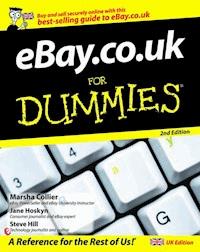
A fully updated edition of a UK bestseller, eBay.co.uk ForDummies, 2nd Edition is the most current andcomprehensive guide available. Packed with expert advice on buyingand selling successfully and safely this book explains every aspectof using the site in simple steps - it's the easiestway to get started and make some serious money in the world'sbiggest marketplace. Second edition new content includes: * Making serious money on eBay.co.uk * Fair trade goods * Feedback 2.0 * Advanced searching * Latest security information - including infringing items,increased buyer protection, dealing with counterfeit goods andticket touts * Express selling, including discount sales for shop owners * Updated Pay Pal information * Using Skype * Blogging and MyWorld
Sie lesen das E-Book in den Legimi-Apps auf:
Seitenzahl: 689
Veröffentlichungsjahr: 2011
Ähnliche



















eBay.co.uk For Dummies, 2nd Edition
by Marsha Collier, Jane Hoskyn, and Steve Hill
eBay.co.uk For Dummies, 2nd Edition®
Published byWiley Publishing, Inc.111 River St.Hoboken, NJ 07030-5774www.wiley.com
E-mail (for orders and customer service enquires): [email protected]
Visit our Home Page on www.wiley.com
Copyright © 2007 John Wiley & Sons, Ltd, Chichester, West Sussex, England Published by John Wiley & Sons, Ltd, Chichester, West Sussex
All Rights Reserved. No part of this publication may be reproduced, stored in a retrieval system or transmitted in any form or by any means, electronic, mechanical, photocopying, recording, scanning or otherwise, except under the terms of the Copyright, Designs and Patents Act 1988 or under the terms of a licence issued by the Copyright Licensing Agency Ltd, 90 Tottenham Court Road, London, W1T 4LP, UK, without the permission in writing of the Publisher. Requests to the Publisher for permission should be addressed to the Permissions Department, John Wiley & Sons, Ltd, The Atrium, Southern Gate, Chichester, West Sussex, PO19 8SQ, England, or emailed to [email protected], or faxed to (44) 1243 770620.
Trademarks: Wiley, the Wiley Publishing logo, For Dummies, the Dummies Man logo, A Reference for the Rest of Us!, The Dummies Way, Dummies Daily, The Fun and Easy Way, Dummies.com and related trade dress are trademarks or registered trademarks of John Wiley & Sons, Inc. and/or its affiliates in the United States and other countries, and may not be used without written permission. All other trademarks are the property of their respective owners. Wiley Publishing, Inc., is not associated with any product or vendor mentioned in this book.
LIMIT OF LIABILITY/DISCLAIMER OF WARRANTY: The publisher, the author, AND ANYONE ELSE INVOLVED IN PREPARING THIS WORK make no representations or warranties with respect to the accuracy or completeness of the contents of this work and specifically disclaim all warranties, including without limitation warranties of fitness for a particular purpose. No warranty may be created or extended by sales or promotional materials. The advice and strategies contained herein may not be suitable for every situation. This work is sold with the understanding that the publisher is not engaged in rendering legal, accounting, or other professional services. If professional assistance is required, the services of a competent professional person should be sought. Neither the publisher nor the author shall be liable for damages arising herefrom. The fact that an organization or Website is referred to in this work as a citation and/or a potential source of further information does not mean that the author or the publisher endorses the information the organization or Website may provide or recommendations it may make. Further, readers should be aware that Internet Websites listed in this work may have changed or disappeared between when this work was written and when it is read.
For general information on our other products and services, please contact our Customer Care Department within the U.S. at 800-762-2974, outside the U.S. at 317-572-3993, or fax 317-572-4002.
For technical support, please visit www.wiley.com/techsupport
Wiley also publishes its books in a variety of electronic formats. Some content that appears in print may not be available in electronic books.
British Library Cataloguing in Publication Data: A catalogue record for this book is available from the British Library
ISBN: 978-0-470-51807-6
Printed and bound in Great Britain by Bell & Bain Ltd, Glasgow
10 9 8 7 6 5 4 3 2 1
About the Authors
Marsha Collier spends a good deal of time on eBay. She loves buying and selling (she’s a PowerSeller) as well as meeting eBay users from around the world. As a columnist, author of three best-selling books on eBay, and guest lecturer at eBay University, she shares her knowledge of eBay with millions of online shoppers. Thousands of eBay fans also read her monthly newsletter, Cool eBay Tools, to keep up with changes on the site.
Out of college, Marsha worked in fashion advertising for the Miami Herald and then as Special Projects Manager for the Los Angeles Daily News. Upon the birth of her daughter in 1984, she founded a home-based advertising and marketing business. Her successful business, the Collier Company, Inc., was featured by Entrepreneur magazine in 1985, and in 1990, Marsha’s company received the Small Business of the Year award from her California State Assemblyman and the Northridge Chamber of Commerce.
Most of all, Marsha loves a great deal – that’s what drew her to eBay in 1996, and that’s what keeps her busy on the site now. She buys everything from replacement toothbrush heads to parts for pool equipment to designer dresses. Marsha knows how to work eBay, and in this book, she shares that knowledge with you.
Jane Hoskyn has been a journalist for 13 years. After a number of years writing features for leading UK lifestyle magazines including FHM and Cosmopolitan, she joined IPC Media’s Web User magazine as Features Editor. In 2003 Jane was named IPC Commissioning Editor of the Year, and a year later she returned to the successful freelance writing and editing career that spans publications from Woman & Home to Loaded.
Jane is currently writing the online Buying Guides for eBay.co.uk and resisting the temptation to bid for everything she sees.
Steve Hill is a freelance journalist and university lecturer. He has held senior editorial positions at Internet Made Easy and Internet Magazine, andhas also written on a freelance basis for numerous publications, including The Independent, Sunday Express, and New Media Age. He currently works as a lecturer specialising in electronic publishing at Southampton Solent University.
Dedication
To all the future eBay buyers and sellers who have purchased this book to get a taste of how much fun online buying and selling can be. I look forward to seeing your auctions and hearing your stories.
I also dedicate this book to all the employees at eBay, who work very hard and don’t always get noticed or appreciated by the community. I want to thank all of you for your endeavours; you make eBay a fun and profitable site to visit for millions of people. Keep on doing what you’re doing.
––Marsha
To my wife Tina.
–– Steve
Authors’ Acknowledgements
From Marsha: This book couldn’t have been written without the input from thousands of eBay sellers and buyers that I’ve spoken to from all over the country. You inspire me to work harder and do my best to help all of you.
I’ve made so many friends along my eBay travels. My original co-author on the first book, Roland Woerner: If it wasn’t for you, this book wouldn’t be here. There’s also my close friend and eBay buddy, Jillian Cline: Thanks for trying out all my wacky eBay ideas; I’m glad they’ve helped both of us! Thanks to the rest of my eBay buddies – who always seem to have a moment when I call.
I particularly want to thank my editors at Wiley: project editor Becky Huehls; my super tech editor Louise (aunt*patti) Ruby (who, by the way, was one of the very first eBay employees); Steven Hayes, who amazes me all the time with new ideas; and Andy Cummings, my publisher, who’s never been too big to inspire a little guy like me. Thank you all!
From Jane: Writing eBay.co.uk For Dummies would have been a much taller order without the help of eBay’s Charlie Coney, whose e-mails always refresh the parts the Help section can’t reach. My fellow eBay addicts Charlotte and Barbara, a.k.a. hoolatallulah and cleobarbara_woodyatt, answered every question with great speed and grace – and I am indebted to Matt (meejaboy), who not only gives me eBay advice but also has to live with me. Long may you all earn positive feedback.
Finally, but most importantly, this book would never have happened without Sam Clapp, Daniel Mersey and Steve Edwards at Wiley, or Richard Clark at IPC. Big thanks to one and all.
From Steve: Special thanks to Isabel Atherton at Watson Little, Rosemary Mason and Fiona Western at Southampton Solent University, Samantha Clapp, Wejdan Ismail, Steve Edwards, and Malcolm and Brenda Hill.
Publisher’s Acknowledgements
We’re proud of this book; please send us your comments through our Dummies online registration form located at www.dummies.com/register/
Some of the people who helped bring this book to market include the following:
Acquisitions, Editorial, and Media Development
Project Editor: Steve Edwards
(Previous Edition: Daniel Mersey)
Content Editor: Nicole Burnett
Commissioning Editor: Samantha Clapp
Copy Editor: Sally Lansdell
Proofreader: Andy Finch
Publisher: Jason Dunne
Executive Project Editor: Daniel Mersey
Screenshots: These materials have been reproduced with the permission of eBay Inc. Copyright © eBay Inc. All Rights Reserved.
Cover Photos: © UKraft / Alamy
Cartoons: Ed McLachlan
Composition Services
Project Coordinator: Erin Smith
Layout and Graphics: Stacie Brooks, Alissa D. Ellet, Melissa K. Jester, Barbara Moore, Christine Williams
Indexer: Rebecca Salerno
Publishing and Editorial for Consumer Dummies
Diane Graves Steele, Vice President and Publisher, Consumer Dummies
Joyce Pepple, Acquisitions Director, Consumer Dummies
Kristin A. Cocks, Product Development Director, Consumer Dummies
Michael Spring, Vice President and Publisher, Travel
Kelly Regan, Editorial Director, Travel
Publishing for Technology Dummies
Andy Cummings, Vice President and Publisher, Dummies Technology/General User
Composition Services
Gerry Fahey, Vice President of Production Services
Debbie Stailey, Director of Composition Services
Contents
Title
Introduction
About This Book
Foolish Assumptions
How This Book Is Organised
Icons Used in This Book
What Now?
Feedback, Please
Part I : Forget the Shops: Getting a Feel for eBay
Chapter 1: Why eBay Is a Great Place to Buy and Sell
What Is eBay, and How Does It Work?
All about Auctions
Buying It Now at eBay
So You Want to Sell Stuff
So You Want to Buy Stuff
Research for Fun and Profit
eBay’s Role in the Action
Features and Fun Stuff
Extra Gadgets You May Want
Chapter 2: Getting on the Gravy Train: Joining eBay
Registering at eBay
Registering Is Quick, Free, and Easy
A Quick Word about Passwords
A Not-So-Quick Word about Choosing a User ID
Your Licence to Deal (Almost)
Chapter 3: Home Page Sweet Home Page
What Is the Home Page?
Sign In, Please
This Bar Never Closes
Exploring Your Home Page Search Options
Home Links, the Next Generation
Manoeuvring through Categories
Going Global
Using the Featured Items Link
Charities
Promotion du Jour
Don’t Forget the Bottom!
Chapter 4: My Own Private eBay
Getting to Your My eBay Page
Choosing Your My eBay Preferences
Setting Up Your Account
Getting Your Favourites Area Together
All Sorts of Sorting: Keeping Track of Your Auction Items
Following the Action on Your My eBay Summary Page
Tracking Your Sales on Your My eBay Selling Page
Keeping Track of Your Transactions
Getting and Giving Feedback
Part II : Are You Buying What They’re Selling?
Chapter 5: Seek and Ye Shall Find: Research
General Online Tips for Collectors
Finding More Research Information
Looking to Find an Item? Rev Up Your eBay Search Engine
Finding eBay Members: The Gang’s All Here
Chapter 6: Shopping on eBay: The Basics
The Auction Item Page
Beating the Devil in the Details
Factoring in the Extras
Placing Your Bid
Bidding Bit by Bit: Proxy Bidding
Specialised Auction Categories
The Agony (?) of Buyer’s Remorse
Chapter 7: Power-Bidding Strategies
Get to Know the High Bidder
Find Out an Item’s Bidding History
Strategies to Help You Outsmart the Competition
Time Is Money: Strategy by the Clock
Chapter 8: After You Win the Auction
eBay Calling: You’ve Won!
Mastering the Paperwork
Getting Contact Information
What’s Your Number?
At the Checkout
Communicating with the Seller
Paying Up Promptly and Securely
Staying in Touch: Dealing with an Elusive Seller
When the Item Arrives (Uh-Oh What’s This?)
Don’t Forget to Leave Feedback
Part III : Are You Selling What They’re Buying?
Chapter 9: Selling in Your Dressing Gown for Fun and Profit
Why Should You Sell Stuff on eBay?
Cash for Clutter: Finding Stuff to Sell
Know When to Sell
Know Thy Stuff
Know What You Can (and Can’t) Sell
Reporting a Problem Auction
VeRO to the Rescue
eBay Fees? What eBay Fees?
Keeping the Tax Collector Happy
Chapter 10: Time to Sell: Completing the Cyber Paperwork
Getting Ready to List Your Item
Looking at the Create Your Listing Form
Filling in the Required Blanks
eBay Options: Sprucing Up Your Auction
Checking Your Work and Starting the Auction
Mid-Course Corrections: Amending Current Auctions
Chapter 11: Hitting the eBay Shops
Unlimited Shopping from the Shops Page
Selling from Your Own Virtual Shop Window
What Is eBay Express?
Profiting from eBay Express as a Seller
Chapter 12: Closing the Deal and Getting It Delivered
Bookkeeping and Staying Organised
Talking to Buyers: The ABC of Good Communication
Delivering the Goods
Buying Postage Online
Chapter 13: Troubleshooting Your Auction
Dealing with a Buyer Who Doesn’t Respond
Some Other Auction Problems
Auction Going Badly? Cut Your Losses
Chapter 14: Using Pictures and Strategies to Increase Your Profits
Using Images in Your Auctions
Making Your Picture a Thing of Beauty
Making Your Images Web Friendly
The Image Is Perfect – Now What?
Putting on the Hits
Cracking Classifieds
Chapter 15: Making Serious Money Selling on eBay
Supply and Demand: Studying the Market
Attracting More Buyers
Appealing to Buyers’ Emotions
Selling through Customer Service
Advertising Your Presence
Blogging Your Business
Skype – Hype or Your eBay Business’s Best Friend?
Standing Out from the Crowd
Part IV : Bells and Whistles: Special Features
Chapter 16: Privacy: Knowing Me, Knowing You (Ah-ha)
How Web Sites Collect Information
What (and How) eBay Knows about You
What Does eBay Do with Information about Me, Anyway?
What Do Other eBay Members Know about Me?
Spam – Not Just a Tasty Treat
If You Vant to Be Alone
Chapter 17: eBay’s Safety Centre
Shopping Safely with Trust & Safety
Abuses You Should Report to the Investigations Team
Reporting Abuses to the Investigations Team
Things eBay Won’t Do Anything About
Using Mediation Services
Walking the Plank: Suspensions
Shopping with Confidence: Insurance
Finding Peace of Mind in Escrow
Knowing What’s Authentic – and What’s Not
If You Suspect Fraud
Chapter 18: The eBay Community: Getting Along with Other eBay Members
News and Chat, This and That
Oyez, Oyez! eBay’s Announcement Board
Help! I Need Somebody
eBay Groups
It’s Your My World
Blogging the eBay Way
It’s All About Me!
Chapter 19: Fun Stuff and Features
Doing Your Bit for Charity
Calling All Charities
Fair Trade – Not Just Coffee and Bananas
Getting a Little Extra Help
Part V : The Part of Tens
Chapter 20: Ten (or So) Golden Rules for eBay Buyers and Sellers
Buyer: Investigate Your Treasure before You Buy
Buyer: Check the Seller’s Feedback
Buyer: Understand Post-Auction Charges and Payment Methods
Buyer: Check the Item Price Tag and Bid Wisely
Buyer: Be a Good Buyer
Buyer: Cover Your Assets
Seller: Know Your Stuff
Seller: Spit ’n’ Polish
Seller: Picture-Perfect Facts
Seller: Communication, Communication, Communication
Seller: Be a Buyer’s Dream
Seller: Listen to Feedback
Buyers and Sellers: Keep a Cool Head
Chapter 21: Ten (or So) Programs and Services to Ease Your Way on eBay
Online Services
Software for Offline Use
eBay’s Software and Services
Part VI : Appendixes
Appendix A: Answers for the Fanatic: Finding More Stuff to Sell
Knowing the Market
Do You Have a Talent?
Catching Trends in the Media
The Hunt for Stuff to Sell on eBay
Appendix B: Expanding Your eBay Business
Thinking Like a Pro
Organisation Is Key
: Further Reading
Introduction
W elcome to the second edition of eBay.co.uk For Dummies! Shopping and selling on eBay is more than just a smart way to make extra pocket money – it can also be loads of fun, as more than 15 million UK members can tell you. Whether you’re just starting out on eBay, or you’ve done a bit of trading and fancy moving things up a notch, you’ve come to the right place to find out all you need to know.
Of course, eBay is not only a UK site. eBay now has more than 233 million users worldwide – that’s quite a community. It’s a community of buyers who can purchase things they’d never find on the high street, and save serious money while they’re at it; and of sellers who clear their attics or forage out wholesale bargains to sell online and gain a few quid. This makes eBay the new international marketplace, and the best part is that eBay is available to anyone who wants to take the time to find out how it works.
eBay isn’t hard to master, but just as with any tool, if you know the ins and outs, you’re ahead of the game. You can get the bargains, and when you sell, you can make the most money. This book is designed to help you understand everything you need to know about buying and selling on eBay, the most successful person-to-person trading community Web site. You get all the tools you need to get moving at eBay, whether you’re new to the Internet or a Webaholic. You see how to turn your everyday household clutter into cold, hard cash – and how to look for items that you can sell on eBay. If you’re a collector (or you’d like to be), we show you how to work out how much you should spend, how to make clever bids, and how to win the auctions. How much money you earn (or spend) depends entirely on how often and how well you conduct your eBay transactions. You decide how frequently you want to run auctions and place bids; we’re here to help with the rest by sharing tips we’ve discovered along the way.
A Web site as complex as eBay has many nooks and crannies that may confuse the first-time user. Think of this book as a detailed road map that can help you navigate the site, getting as much or as little as you want from it. Just come back to the book whenever you need a question answered.
After you know the nuts and bolts of eBay, you can start buying and selling stuff. We’ve got a whole load of canny buying and selling strategies that help you get the most out of your auctions. With this book and a little elbow grease, you can join the ranks of the millions of people who use their home computers to make friends, become part of the eBay community, and turn a profit.
About This Book
Remember those surprise tests that teachers sprang on you at school? Well, sometimes you may feel like eBay is setting you little tests while you’re online. Think of eBay.co.uk For Dummies as your book of answers. You don’t have to memorise anything – just keep this book handy to help you get through the confusing parts of eBay.
With that in mind, this book is divided into sections to help you find your answers fast. We show you how to
Get online and register to buy and sell on eBay.
Find the bits of eBay where you can search for items for sale, set up auctions, monitor your transactions, and babble on the discussion boards.
Bid on and win eBay auctions.
Choose an item to sell, pick the right time for your auction, market it so that loads of bidders see it, and make a profit.
Communicate well and close transactions without problems, whether you’re a buyer or a seller.
Become part of a great community of people who like to collect, buy, and sell items of just about every type.
And finally . . . do not adjust your eyes. To protect the privacy of eBay users, some screen images (commonly called screen shots) in this book blur User IDs to protect the innocent.
Foolish Assumptions
You may have picked up this book because you heard that people are raking in cash by selling stuff on eBay, and you want a piece of the action. Or you heard about the bargains and bizarre items you can find in the world’s largest boot sale. If so, this is the right book for you.
Here are some other foolish assumptions we’ve made about you:
You have, or would like to have, access to a computer and an Internet connection so that you can do business on eBay.
You have an interest in collecting stuff, selling stuff, and buying stuff, and you want to find out more about doing those things online.
You want tips and strategies that can save you money when you bid and make you money when you sell.
You’re concerned about maintaining your privacy and staying away from people who try to ruin everyone’s good time with negligent (and sometimes illegal) activity.
If you think that the expression surfing the Web has something to do with spiders and wetsuits, this book can get you started, but you may want to browse through The Internet For Dummies, 10th Edition, by John R Levine, Margaret Levine Young, and Carol Baroudi, for a crash course in Internet confidence. The book comes from Wiley, just like the one you’re reading now. From time to time (and by astounding coincidence), we mention other titles in the For Dummies series that you may find helpful.
How This Book Is Organised
This book has five parts. The parts stand on their own, which means that you can read Chapter 5 after you read Chapter 10 or skip Chapter 3 altogether. Everything is up to you. But if you’re new to eBay, you should at least dip into Chapter 1 and Chapter 2 to get an overview on what eBay is all about and find out how to become a registered user.
If you’re already buying and selling on eBay, feel free to jump ahead to get good tips on advanced strategies to win the bargains or make your items fly off the cyber-shelves.
Part I: Forget the Shops: Getting a Feel for eBay
In this part, we tell you what eBay is and how to use it. We take you through the registration process, help you organise your eBay sales and communication using the My eBay page, and get you comfortable finding your way around the site from the home page.
Part II: Are You Buying What They’re Selling?
If you’re pretty sure that you want to start making bids on items, this part fills you in on searching, grading an item’s value, researching, bidding, and winning auctions.
That old cliché ‘Let the buyer beware’ became a cliché because even today (maybe especially today) it’s sound advice. Use our top tips to help you decide when to bid and when to pass.
Part III: Are You Selling What They’re Buying?
This part gets you up to speed on how to sell your items on eBay. Think of it as an eBay course in marketing. Here you find important information on how to conduct your auctions, what to do after you sell an item, how to post the item, and how to keep track of all the money you make. The tax collectors are only too aware of eBay (they probably use it themselves!). Know the rules so that your friendly local tax officer doesn’t invite you over for a sandwich and a little audit.
We also show you how to jazz up your auctions by adding pictures and how to use basic HTML to link your auctions to your own Web site if you have one. You can make your digital images look like high art with our tips, hints, and strategies.
Part IV: Bells and Whistles: Special Features
Here you discover how to handle privacy issues relating to eBay and how you can resolve buying and selling issues with the help of the Safety Centre, eBay’s problem-solving HQ. Also included are ways of having fun with the eBay community and using charity auctions to bid on unique items for a good cause.
Part V: The Part of Tens
In keeping with a long For Dummies tradition, this part is a compendium of short chapters that give you handy references and useful facts. We share more smart tips for buying and selling items, as well as descriptions of our favourite software programs that can help lighten your auction load.
Part VI: Appendixes
In addition to all these parts, you also get two appendixes. Appendix A gives some insider information on how to spot a trend before the rest of the world catches on, and how to acquire items cheaply that others may blow the bank on. Appendix B is an introduction to starting your own part- or full-time business on eBay.
Icons Used in This Book
These are facts that you’re really going to want to know. Time is money on eBay. When you see this shortcut or time-saving tip, read the information and think about all the cash you just saved.
Think of this icon as a memo for your brain. If you forget one of these pearls of wisdom that we reveal to you, go back and read it again. If you still can’t remember it, dog-ear the page, use a highlighter pen, or draw a big black circle around it – we don’t mind, honest.
Don’t feel our pain. We’ve done things wrong on eBay before and want to save you from our mistakes. These warnings are big and bold so that you take notice and avoid a bad experience. Don’t skip these warnings unless you’re a masochist.
When you see this icon, you’re in for a war story (or a success story) from an eBay veteran. Their tales of brilliant buys, staggering sales, and miscellaneous mishaps are a great real-life guide to eBay’s fun and perils. You can skip over these anecdotes if you want to, but you may be missing out on some solid gold insight into what not to do on eBay.
What Now?
Like everything else in the world, eBay is evolving constantly. Some of the eBay screens in this book may look slightly different to the ones you see on your home computer monitor. That’s just eBay tweaking and changing. Our job is to arm you with everything you need to know to join the eBay community and begin buying or selling or both. If you hit choppy waters, just look up the problem in the table of contents or index in this book. We either help you solve it or let you know where to go on the eBay Web site for some expert advice.
Although eBay makes its complex site as easy to navigate as possible, you may still need to refer back to this book for help. Don’t get frustrated if you have to keep reviewing topics before you feel completely comfortable trading on eBay.
Feedback, Please
Communication makes the world go round, and we’d love to hear from you. Contact us at [email protected] and [email protected]. We can’t answer every e-mail, but we do read them all. The best questions are answered in Marsha’s free monthly www.coolebaytools.com newsletter.
Part I
Forget the Shops: Getting a Feel for eBay
In this part . . .
New technology can be intimidating for anyone. You want to have a look at eBay, maybe buy something, but eBay feels huge and overwhelming and you’re not sure where to start. What you want is someone to point out the most useful tools you need to get around, help you find out how eBay works, and start showing you how to do your own buying and selling. That’s what we do in Part I.
In this part, we give you the information you want to know about how eBay works and what it offers its members. Find out how to become a registered user, explore the eBay home page, and customise your very own private My eBay page. You can also find out about the all-important feedback profile that follows every eBay user around like a shadow.
Chapter 1
Why eBay Is a Great Place to Buy and Sell
In This Chapter
Finding out about eBay
Getting the low-down on types of auctions
Using features and fun stuff
Getting the inside track on digital cameras and scanners
eBay has emerged as the marketplace for the twenty-first century. The founders had a very clever idea back in 1995 (read about some eBay history in the ‘eBay’s humble beginnings’ sidebar later in this chapter), and over a decade later the world is obsessed with shopping and selling online. eBay is a safe and fun place to shop for everything from collectables to clothing, all from the comfort of your home.
eBay is now also a marketplace for new merchandise. It’s no longer just the destination for obscure collectables and old china patterns. These days you can buy new and useful items, such as alarm systems, fancy electric toothbrushes, designer clothing, cars, homes, villas in Portugal – more or less anything you can think of.
Have a look around your house. Nice toaster. Unusual clock. Natty microwave. Not to mention all the other fab stuff you own. All these household appliances and collectables are lovely to own, but when was the last time your toaster turned a profit? When you connect to eBay, your PC or Mac magically turns into a money machine. Just visit eBay and marvel at all the items that are only a few mouse clicks away from being bought and sold.
In this chapter, we tell you what eBay is and how it works. eBay is the perfect alternative to spending hours wandering through antique shops or car boot sales looking for the perfect thingamyjig. It can also be your personal shopper for presents and day-to-day items. Not only can you buy and sell stuff in the privacy of your home, but you can also meet people who share your interests. The people who use the eBay site are a friendly crowd, and you can very quickly be buying, selling, swapping stories, and trading advice with the best of them.
What Is eBay, and How Does It Work?
The Internet is spawning all kinds of new businesses (known as e-commerce to City types), and eBay is one of its few superstars. The reason is simple: It’s the place where buyers and sellers can meet, do business, share stories and tips, and have a laugh.
eBay doesn’t sell a thing. Instead, the site does what all good hosts do: It creates a comfy environment that brings people with common interests together. You can think of eBay as you think of the person who set you up on your last blind date – except the results are often a lot better. Your matchmaking friend doesn’t perform a marriage ceremony but does get you in the same room with your potential soul mate. eBay puts buyers and sellers in a virtual shop and lets them conduct their business safely within the rules that it has established.
All you need to do to join eBay is fill in a few online forms and click. Congratulations – you’re a member, with no big fees or secret handshakes. After you register, you can buy and sell anything that falls within the eBay rules and regulations. (Chapter 2 eases you through the registration process.)
The eBay home page, shown in Figure 1-1, is your first step to finding all the smart things you can see and do at eBay. You can conduct searches, find out what’s happening, and get an instant link to the My eBay page, which helps you keep track of every auction item you have up for sale or are bidding on. You can read more about the eBay home page in Chapter 3 and find out more about My eBay in Chapter 4.
Figure 1-1: The eBay home page, your starting point for bargains and for making some serious cash.
All about Auctions
The value of an item is determined by how much someone is willing to spend to buy it. That’s what makes auctions exciting. eBay offers several kinds of auctions, but for the most part, they all work the same way. An auction is a unique sales event where the exact value of the item for sale is not known. As a result, an element of surprise is involved – not only for the bidder (who may end up with a tasty bargain) but also for the seller (who may end up making a killing). Here’s how an auction works from the perspective of a seller and a bidder:
Seller: A seller pays a fee, fills in an online form, and sets up the auction, listing the minimum bid he is willing to accept for the item. Think of an auctioneer at Sotheby’s saying, ‘The bidding for this diamond necklace starts at £5,000.’ You may want to bid £4,000, but the auctioneer won’t accept that bid. Sellers can also set a reserve price, sort of a financial safety net that protects them from losing money on the deal. We explain how these things work later in this section.
Bidder: Bidders in auctions battle it out over a period of time (the minimum is one day, but most eBay auctions last a week or 10 days) until one comes out victorious. Usually, the highest bidder wins. The tricky thing about taking part in an auction (and the most exciting part) is that no one knows the final price an item goes for until the last second of the auction.
eBay auctions
Unlike ‘traditional’ live auctions that end with the familiar phrase ‘Going, going, gone!’ the clock controls eBay auctions. The seller pays a fee and lists the item on the site for a pre-determined length of time; the highest bidder when the clock runs out takes home the prize.
Reserve-price auctions
Unlike a minimum bid, which is required in any eBay auction, a reserve price protects sellers from having to sell an item for less than the minimum amount they want for it. You may be surprised to see a 1968 Jaguar XKE sports car up for auction on eBay with a minimum bid of only a pound. It’s a fair bet that the seller has put a reserve price on this car to protect himself from losing money. The reserve price allows sellers to set lower minimum bids, and lower minimum bids attract bidders. Unfortunately, if a seller makes the reserve price too high and no one has met it by the end of the auction, no one wins.
eBay charges a fee for sellers to run these auctions. Nobody (except the seller and the eBay computer system) knows what the reserve price is until the auction is over, but you can tell from the auction page whether you’re dealing with a reserve-price auction. Reserve-price auctions are in the listings alongside the other items, so you have to click and open an auction to find out whether it has a reserve. If bids have been made on an item, a message also appears on the page saying whether the reserve price has been met. You can find out more about bidding on reserve-price auctions in Chapter 6 and about setting up a reserve-price auction in Chapter 9.
eBay’s humble beginnings
The long-standing urban myth says that eBay all started with a Pez dispenser. But as romantic as the story is (of the young man who designed the site for his fiancée to trade Pez dispensers) it sadly was public relations spin. The founder, Pierre Omidyar, had the right vision at the right time, and the first item he sold on the site was a broken laser pointer. As the days went by, new people were drawn to the site from Internet chatter. The site eventually grew to the point where it began to strain Pierre’s Internet Service Provider (ISP). The ISP charged him more, so he started charging a small listing fee for sellers, just to break even. Legend has it that the day Pierre clocked up $10,000 in fees he gave up his day job. (We hope that’s not apocryphal too!)
eBay was born in September 1995. The name eBay is taken from California’s Echo Bay, the name Pierre originally wanted for his company. But another company had taken that name, so he shortened the name to eBay – and the rest, as they say, is history.
Private (shhh-it’s-a-secret) auctions
Some sellers choose to hold private auctions because they know that some bidders may be embarrassed to be seen bidding on a pair of kinky boots in front of the rest of the eBay community. Others may go the private route because they are selling very valuable items and don’t want to disclose their bidder’s financial status.
Private auctions are run like the typical timed auctions except that each bidder’s identity is kept secret. At the end of the auction, eBay provides contact info to the seller and to the high bidder, and that’s it.
You can send e-mail questions to the seller in a private auction, although you can’t check out your competition because the auction item page shows the current bid price but not the high bidder’s User ID.
Multiple Item (Dutch) auctions
Multiple Item or Dutch auctions have nothing to do with clogs, Edam cheese, or halving the bill on a date. A Multiple Item auction allows a seller to put multiple, identical items up for sale. Instead of holding 100 separate auctions for 100 pairs of clogs, for example, a seller can sell them all in one listing. As a buyer, you can elect to bid for 1, 3, or all 100 pairs. But unless you’re running an alternative Euro-boutique (or know a giant centipede who needs all those clogs), you probably want to bid on just one pair. For more on Multiple Item auctions, see Chapter 7.
A Multiple Item auction can’t be conducted as a private auction.
Buying It Now at eBay
You don’t have to bid in an auction on eBay to buy something. If you’ve found something you want to buy – something you must have and you don’t want to wait for an auction to end – you’ve a good chance of finding one on eBay to buy immediately. Of course, using Buy It Now (BIN in eBay speak) doesn’t have the thrill of an auction, but buying an item for a fraction of the retail price without leaving your chair or waiting for an auction to end has its own warm and fuzzy kind of excitement. If you seek this kind of instant gratification on eBay, look for the Buy It Now icon in the lists of items for sale. You can also visit the eBay shops, where you find loads of Buy It Now items lined up for the taking. For more on how Buy It Now sales work, check out Chapter 6.
Charity auctions: All for a good cause
An eBay for Charity auctionis a fundraising auction where the proceeds go to a selected charity. Most people don’t wake up in the morning wanting to own a seven-foot quilt signed by Terry Wogan, but one-of-a-kind items like that are often auctioned off in charity auctions. (In fact, someone did want that quilt badly enough to buy it for a lot of money on eBay.) Charity auctions are run like most other eBay auctions, but because they’re immensely popular, bidding can be fierce, and the prices can go sky-high. Many celebrities use eBay to help out their favourite charities, and sometimes you can get your hands on unique memorabilia as well as helping a good cause – it’s a win-win situation for everyone. If you fancy doing your bit to help and gain some instant karma while you’re at it, why not donate some or all your profits from your auction sales to charity? You can read more about it in Chapter 19.
eBay Shops
Visiting eBay Shops is as easy as clicking the eBay Shops link from the home page. Thousands of eBay sellers have set up shops, with much of the merchandise available to Buy It Now. Here you can buy anything from socks to jewellery to sports memorabilia – or even a kitchen sink!
Sellers who open an eBay shop have to meet a certain level of experience on eBay, and when you buy from eBay Shops, you’re protected by the same fraud protection policy that covers you in eBay auctions. Figure 1-2 shows the eBay Shops home page.
eBay Express
If you need your stuff delivered quickly, head over to eBay Express (take a look at Figure 1-3 to see the eBay Express home page). eBay Express has the look and feel of a conventional shopping Web site. All the items on the (virtual) shelves are new and for sale at fixed prices, so you don’t bid like on the main eBay site.
As with many other shopping Web sites, you find the item(s) that you want and place them in a basket. Unlike with the main eBay site, with eBay Express you can buy from multiple sellers in a single session. Check out Chapter 11 for how to use eBay Express.
So You Want to Sell Stuff
If you’re a seller, creating an auction page at eBay is as simple as filling in an online form. You type in the name of your item and a short description, add a crisp digital picture, set your price, and voilà – your auction has begun. (Okay, things are a tad more involved than that, but not much.) eBay charges a small fee (£0.15 to £2.00) for the privilege of holding an auction. When you list your item, millions of people (eBay has more than 233 million registered users) from all over the world can have a gander at it and place bids. With a bit of luck, a bidding war may break out and drive the bids up high enough for you to turn a nice profit. After the auction, you deal directly with the buyer, who sends you the payment through a payment service such as PayPal or through the post. Then you send the buyer the item. Abracadabra – you just turned your item (unwanted clutter, perhaps) into cash.
You can run as many auctions as you want, all at the same time. To get info on deciding what to sell, leaf through Chapter 9; to find out how to set up an auction, jump to Chapter 10; and to get the inside word on advanced selling, visit Chapter 14. When you want to get really serious about your selling, see Chapter 15 and the appendices at the back of this book.
Figure 1-2: From the eBay Shops home page, you can find almost anything.
Figure 1-3: eBay Express contains only new items at fixed prices.
So You Want to Buy Stuff
If you’re a collector or you just like to shop for bargains, you can browse 24 hours a day through the items up for auction in eBay’s thousands of categories, which range from Antiques to Wholesale lots. Find the item you want, do some research on what you’re buying and who’s selling it, place your bid, and keep an eye on it until the auction closes.
Have a look at Chapter 5 for info on searching for items to bid on. When you see an item you like, you can set up a bidding strategy and let the games begin. Chapter 7 gives you bidding strategies that can make you the winner. When you do win the auction, you can get expert advice about completing the transaction from Chapter 8.
You can bid as many times as you want on an item, and you can bid on as many auctions as you want. Just keep in mind that each bid is a binding contract, and you’re required to pay if you win.
Research for Fun and Profit
eBay’s powerful search engine allows you to browse through countless categories of items up for sale. As a buyer, you can do lots of comparison shopping for that special something you just can’t live without, or simply browse around until something catches your eye. If you’re a seller, the search engine allows you to keep your eye on the competition and get an idea of how popular your item is. That way, you can set a competitive price. To find out more about using search options and categories, see Chapters 3 and 5.
The search engine also lets you find out what other people are bidding on. From there, you can read up on their feedback ratings (eBay’s ingenious reputation system, discussed in Chapter 4) to get a sense of what other customers thought of their service – before you deal with them.
eBay’s Role in the Action
Throughout the auction process, eBay’s computers keep tabs on what’s going on. When the auction or sale is over, eBay takes a small percentage of the final selling price and sends an e-mail to the seller and buyer. At this point, eBay’s job is more or less over, and it steps aside.
Most of the time, everything works fine, everybody’s happy, and eBay never has to step back in. But if you happen to run into a spot of bother, eBay can help you settle the problem, whether you’re the buyer or the seller.
eBay regulates members with a detailed system of checks and balances known as feedback, which is described in Chapter 4. The idea is that the eBay community polices itself. eBay is more than happy to jump in when dodgy dealings come to light, but the people who do most to keep eBay safe are the buyers and sellers themselves, those who have a common stake in doing business fairly and squarely. Every time you sell something or win an auction, eBay members have a chance to leave a comment about you. You should do the same for them. If they’re happy, the feedback is positive; otherwise, the feedback is negative. Either way, your feedback sticks to you like glue.
Building a great reputation with positive feedback ensures a long and profitable eBay career. Negative feedback, like multiple convictions, is a real turnoff for most people and can make it hard for you to do future business on eBay.
If your feedback rating sinks to a –4 (minus 4), eBay suspends your buying and selling privileges. You can find out more about how eBay protects you as a buyer or a seller in Chapters 16 and 17.
Features and Fun Stuff
So eBay is all about making money? Not exactly. The people at eBay aren’t joking when they call it a community – a place where people with similar interests can compare notes, argue, buy and sell, and meet each other. Yes, people have got married after meeting on eBay. (Wonder if they set up a wedding list on eBay?)
Getting into the community spirit
eBay has dozens of specific discussion boards and groups whose topics range from advertising to wildlife (no, you can’t sell wildlife on eBay, but you can talk about it until your typing fingers hurt). So if you have no idea what that old Esso petrol station sign you found in your granddad’s garden shed is worth, just post a message on the Community Question & Answer board. Somewhere out there is an expert with an answer for you. Your biggest problem is deciding whether to keep the sign or put it up for auction. Those are good problems to have!
One of the most useful places to hang around when you first start trading on eBay is the New to eBay help board. The people on this board don’t slam you for asking basic questions, and they’re always happy to help or at least lend an ear. For more about posting messages and joining eBay groups, visit Chapter 18.
eBay’s Safety Centre
The Safety Centre is eBay’s one-stop resource for information and services about keeping eBay safe – and for advice on what to do if things go wrong. Sometimes, despite your best efforts to be a good eBay user, buyers or sellers don’t keep their word. In a small proportion of cases, unscrupulous chancers sometimes do invade the site and try to scam people. You may buy an item that isn’t as it was described, or the winner of your auction doesn’t send the payment. Sometimes even honest members get into disputes. The Safety Centre is an excellent resource for when you require questions answered or you need a professional to come in and settle an out-of-hand situation. Chapter 17 tells you all about the Safety Centre.
Extra Gadgets You May Want
As you get into the swing of buying and selling on eBay, you grow more comfortable with all the technical hoops you have to jump through to make the eBay magic happen. Once you’re at that point, you may be ready to invest in a few extra gizmos, such as digital cameras and scanners that can make all the difference to your auction listings – and your profit margins. We offer all the details on using digital technology in your auctions in Chapter 14.
Chapter 2
Getting on the Gravy Train: Joining eBay
In This Chapter
Using eBay’s easy forms (the shape of things to come)
Getting up close and personal about privacy
Identifying with User IDs and passwords
Discovering the ropes (eBay rules and regs)
Compared to finding a parking spot near the shops on a Saturday afternoon, signing up at eBay is simplicity itself. Tricky hassles such as signatures and dotted lines went out with vinyl records (which people are now selling on eBay). This is an electronic age, and the hardest thing you have to do on eBay is type in your e-mail address correctly.
In this chapter, you find out everything you need to know about registering at eBay. You get tips on what information you have to disclose – and what you should keep to yourself.
Registering at eBay
You don’t have to wear one of those tacky ‘Hello, my name is . . .’ stickers after you sign in, but eBay needs to know some things about you before it grants you membership. You and several million other people are roaming around eBay’s online treasure trove; eBay needs to know who’s who.
Registering at eBay isn’t rocket science. In fact, it’s not even the multi-choice bit of a Science GSCE. The only hard-and-fast rule at eBay is that you have to be 18 years of age or older. Don’t worry, the Age Police don’t come to your house demanding to see your ID; they have more discreet ways to ensure that you’re old enough to register. (Hint: Credit cards do more than help you buy a new pair of trainers before payday.) If you’re having a momentary lapse of brain power and can’t remember how old you are, just try remembering Tiswas. Can you picture the Phantom Flan Flinger? Okay, you’re old enough.
Registering Is Quick, Free, and Easy
Before you can sign up at eBay, you have to be connected to the Web. This is the time to fire up your computer and connect to the Internet. After you open your Internet browser, you’re ready to sign up.
Just type www.ebay.co.uk in the address box of your browser and press Enter. This takes you to eBay UK’s home page, where you spot the Register text link next to the eBay logo shown in Figure 2-1. Click the link and let the sign-up process begin.
If you can’t see a Register text link on the home page that’s okay, your eyesight is fine (probably). If you share a computer with someone who already has an eBay account, the home page may not display the link. You can still reach the registration form by clicking the plain-text sign-out link that appears next to the eBay logo and then clicking the register link, which should now be visible.
eBay’s home page changes regularly. One day you may visit to find the home page pictured in Figure 1-1 (in Chapter 1), and the next morning it may be the one in Figure 2-1. Half an hour later it can look different again. Don’t think that you’re going mad. eBay continually re-arranges its front window to draw your attention to different hot categories and site features.
Figure 2-1: Click the link next to the eBay logo at www.eBay.co.uk to register and soon you’re trading online like a pro.
When you’re at the registration form, you go through a four-step process. Here’s an overview:
1. Enter the basic required info.
2. Read and accept the user agreement.
3. Confirm your e-mail address.
The following sections fill you in on all the details.
The registration pages on eBay are protected by a secure SSL connection. SSL (Secure Sockets Layer) means that your connection is encrypted – devised by a crack team of techies to be read by your eyes only. A couple of signs tell you that a Web page is SSL-protected: the normal http:// at the beginning of the Web address (also called the URL or Uniform Resource Locator) is now https://, and a small yellow closed-lock symbol is in the bottom corner of your screen. We can tell you how SSL works, but we don’t want to send you to sleep, so here’s the bottom line: It does work, so trust us and use it. The more precautions eBay takes – and you – the harder it is for some smarty-pants teenager to get into your files.
eBay goes global
eBay has Web sites in the US, Argentina, Australia, Austria, Belgium, Brazil, Canada, China, France, Germany, Hong Kong, India, Ireland, Italy, Korea, Mexico, The Netherlands, New Zealand, the Philippines, Poland, Singapore, Spain, Sweden, Switzerland, and Taiwan as well as in the UK. As you’re using eBay.co.uk, the vast majority of users you trade with are on home turf, but the opportunities to buy from and sell to overseas eBayers are huge – and growing fast.
Filling in the required information
After you click the Register button links, you’re taken to the heart of the eBay registration pages. To get started follow these steps:
1.At the top of the first registration page, eBay shows the steps of the registration process and asks you to fill in some required information (see Figure 2-2).
Here’s what eBay wants to know about you. If you leave any of these fields blank, you’re prompted to fill them in before you can proceed:
Figure 2-2: Some of the required information for your eBay registration.
• Your full name, address, and main telephone number. eBay keeps this information on file in case the company, or a member who is a transaction partner, needs to contact you.
• You can also include a secondary phone number if you want.
• Your e-mail address ([email protected]).
If you register with an anonymous e-mail service such as Yahoo! Mail or Hotmail, eBay asks you for additional information as authentication. You must provide valid credit card information for identification purposes. Your information is protected by eBay’s privacy policy, and your credit card isn’t charged.
After you enter your personal information, you’re ready to create your eBay persona.
2. Scroll down the page to select your eBay User ID.
See ‘A Not-So-Quick Word about Choosing a User ID’, later in this chapter, for some tips on selecting your User ID.
3.Choose a permanent password, enter it in the Create Password box, and then type it a second time in the Re-enter Password box to confirm it.
For more information on choosing a password, see ‘A Quick Word about Passwords’, later in this chapter.
4.Create your unique secret question and input the answer.
eBay uses the secret question you select here to identify you if you ever have problems signing in.
5.Type in your date of birth.
6.Make sure that all the info you entered is correct.
Remember that primary school teacher who kept telling you to check your work? Well, she had the right idea. Review your answers.
If eBay finds a glitch in your registration, such as an incorrect area or postcode, you see a warning message. This is part of eBay’s security system to ward off fraudulent registrations – and ensures that your registration progresses smoothly. If you put in a wrong e-mail address, for example, eBay has no way of contacting you. Use the Back button to correct any slip-ups.
7.Click the Continue button to move on to the next screen.
If you’ve made a mistake, eBay lets you correct the information by using the Edit Information button.
If you registered with an anonymous e-mail service, such as Yahoo! Mail or Hotmail, you must enter your credit card information, as we mentioned earlier, before you see the licence agreement, which we cover in the next section. If, when you look at this agreement, your eyes start glazing over at all the legal jargon, the next section can help you make sense of it.
Do you solemnly swear to . . . ?
After you click Continue, you’re taken to a page outlining the eBay User Agreement and Privacy Policy. This is where you promise to play by the rules and not indulge in dodgy dealing. Never forget that eBay takes this stuff very seriously. Break the rules, and you can be kicked off eBay or worse. (Did someone say ‘caught by the fuzz’?)
Make sure that you read the User Agreement thoroughly when you register. So that you don’t have to put down this riveting book to read the jargon right now, we’ve got the nuts and bolts here:
You understand that every transaction is a legally binding contract. (Click the User Agreement link at the bottom of any eBay page for the current eBay Rules and Regulations.)
You agree that you can pay for the items you buy and the eBay fees that you incur. (Chapter 9 fills you in on how eBay takes its cut of the auction action.)
You understand that you’re responsible for paying any taxes.
You’re aware that if you sell prohibited items, eBay can forward your personal information to the police for further investigation. (Chapter 10 explains what you can and can’t sell at eBay – and what eBay does to sellers of prohibited items.)
eBay makes clear that the site is just a venue, which means it’s a place where people with similar interests can meet, greet, and do business.
When everything goes well, the eBay Web site is like a sophisticated car boot sale. Fail to behave at the boot sale and you may be chucked out of the car park by a group of angry finger-wavers. But if you don’t play by the rules at eBay, the venue gets very serious very quickly. eBay has the right to get the police to track you down and prosecute you. But fair’s fair: eBay doesn’t want to catch you out by inventing any surprise new rules. Check the appropriate box on the User Agreement page, and eBay keeps you posted by e-mail of any updates to the User Agreement.
If you’re a stickler for fine print, head to these Internet addresses for all the ps and qs of the latest policies:
pages.ebay.co.uk/help/community/png-user.html
pages.ebay.co.uk/help/community/png-priv.html
Before you can go any further, you must click the tick box shown in Figure 2-3. This indicates that you really, really understand what it means to be an eBay user. Obviously you, as a law-abiding eBay member, have no problem following the rules, so go ahead and tick the box and click Continue. This takes you to a screen stating that eBay is sending you an e-mail. You’re almost done.
The next step is confirming your e-mail address, which we cover in the next section.
Figure 2-3: Read over these points carefully. They contain the essence of what you should know about eBay.




