


20,99 €
Mehr erfahren.
- Herausgeber: John Wiley & Sons
- Kategorie: Wissenschaft und neue Technologien
- Serie: For Kids For Dummies
- Sprache: Englisch
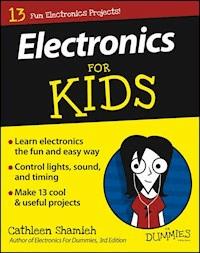
The easy way for kids to get started with electronics If your youngster likes to tinker, Electronics For Kids For Dummies is here to teach them the core concepts of electronics in a fun and engaging way. Written in a language elementary-to-middle-school-aged kids can understand, it's packed with full-color photos, easy-to-follow instructions, simple examples, and 13 cool projects that will boost your child's confidence while instilling valuable electronics lessons. Written by an experienced engineer who authored Electronics For Dummies, this friendly guide shows children the right way to learn about this exciting--but potentially dangerous--field. From making their very own LED flashlight and basic radio to building a smart nightlight and making an LED blink, Electronics For Kids For Dummies walks young readers through 13 projects that are easy to accomplish--and, most importantly, fun! Plus, the full-color design is heavy on eye-catching graphics and the format is focused on the steps to completing a project, making it approachable for any youngster with an interest in exploring the electrifying world of electronics. * Introduces kids to the basics of electronics * Includes 13 projects that promote your kid's sense of achievement * Features larger print to make the material less intimidating and easier to navigate * Covers tools and safety measures to ensure your child's safety Spark your child's interest in the shockingly exciting field of electronics with Electronics For Kids For Dummies!
Sie lesen das E-Book in den Legimi-Apps auf:
Seitenzahl: 312
Veröffentlichungsjahr: 2016
Ähnliche


















Electronics For Kids For Dummies®
Published by: John Wiley & Sons, Inc., 111 River Street, Hoboken, NJ 07030-5774, www.wiley.com
Copyright © 2016 by John Wiley & Sons, Inc., Hoboken, New Jersey
Published simultaneously in Canada
No part of this publication may be reproduced, stored in a retrieval system or transmitted in any form or by any means, electronic, mechanical, photocopying, recording, scanning or otherwise, except as permitted under Sections 107 or 108 of the 1976 United States Copyright Act, without the prior written permission of the Publisher. Requests to the Publisher for permission should be addressed to the Permissions Department, John Wiley & Sons, Inc., 111 River Street, Hoboken, NJ 07030, (201) 748-6011, fax (201) 748-6008, or online at http://www.wiley.com/go/permissions.
Trademarks: Wiley, For Dummies, the Dummies Man logo, Dummies.com, Making Everything Easier, and related trade dress are trademarks or registered trademarks of John Wiley & Sons, Inc. and may not be used without written permission. All other trademarks are the property of their respective owners. John Wiley & Sons, Inc. is not associated with any product or vendor mentioned in this book.
LIMIT OF LIABILITY/DISCLAIMER OF WARRANTY: THE PUBLISHER AND THE AUTHOR MAKE NO REPRESENTATIONS OR WARRANTIES WITH RESPECT TO THE ACCURACY OR COMPLETENESS OF THE CONTENTS OF THIS WORK AND SPECIFICALLY DISCLAIM ALL WARRANTIES, INCLUDING WITHOUT LIMITATION WARRANTIES OF FITNESS FOR A PARTICULAR PURPOSE. NO WARRANTY MAY BE CREATED OR EXTENDED BY SALES OR PROMOTIONAL MATERIALS. THE ADVICE AND STRATEGIES CONTAINED HEREIN MAY NOT BE SUITABLE FOR EVERY SITUATION. THIS WORK IS SOLD WITH THE UNDERSTANDING THAT THE PUBLISHER IS NOT ENGAGED IN RENDERING LEGAL, ACCOUNTING, OR OTHER PROFESSIONAL SERVICES. IF PROFESSIONAL ASSISTANCE IS REQUIRED, THE SERVICES OF A COMPETENT PROFESSIONAL PERSON SHOULD BE SOUGHT. NEITHER THE PUBLISHER NOR THE AUTHOR SHALL BE LIABLE FOR DAMAGES ARISING HEREFROM. THE FACT THAT AN ORGANIZATION OR WEBSITE IS REFERRED TO IN THIS WORK AS A CITATION AND/OR A POTENTIAL SOURCE OF FURTHER INFORMATION DOES NOT MEAN THAT THE AUTHOR OR THE PUBLISHER ENDORSES THE INFORMATION THE ORGANIZATION OR WEBSITE MAY PROVIDE OR RECOMMENDATIONS IT MAY MAKE. FURTHER, READERS SHOULD BE AWARE THAT INTERNET WEBSITES LISTED IN THIS WORK MAY HAVE CHANGED OR DISAPPEARED BETWEEN WHEN THIS WORK WAS WRITTEN AND WHEN IT IS READ.
For general information on our other products and services, please contact our Customer Care Department within the U.S. at 877-762-2974, outside the U.S. at 317-572-3993, or fax 317-572-4002. For technical support, please visit www.wiley.com/techsupport.
Wiley publishes in a variety of print and electronic formats and by print-on-demand. Some material included with standard print versions of this book may not be included in e-books or in print-on-demand. If this book refers to media such as a CD or DVD that is not included in the version you purchased, you may download this material at http://booksupport.wiley.com. For more information about Wiley products, visit www.wiley.com.
Library of Congress Control Number: 2016931382
ISBN 978-1-119-21565-3 (pbk); ISBN 978-1-119-21572-1 (ebk); ISBN 978-1-119-21571-4
Electronics For Kids For Dummies®
Visit www.dummies.com/cheatsheet/electronicsfk to view this book's cheat sheet.
Table of Contents
Cover
Introduction
About This Book
Foolish Assumptions
Icons Used in This Book
Beyond the Book
Where to Go from Here
Part I: Discover Basic Circuits
Project 1: Go Shopping
Plan Your Shopping Spree
Budget
Electronic Components and Accessories
Tools and Supplies
Project 2: LED Flashlight
Gather the Parts for the LED Flashlight
Energize Your Flashlight
Get to Know Your LED
Protect Your LED with a Resistor
Make the LED Flashlight
LED Flashlight Circuit Diagram
Project 3: Solderless Breadboard
Why Use a Solderless Breadboard?
Get Your Components Ready
Explore Your Solderless Breadboard
Breadboard an LED Circuit
Add a Power Switch
Connect the Power Rails
Series and Parallel Circuits
Part II: Simple Projects That Control Light
Project 4: Two-Way Traffic Light
Collect and Prepare Components
Create Neater Circuits
Construct the Two-Way Traffic Light Circuit
Two-Way Traffic Light Schematic
Don’t Underestimate Your Switch
Project 5: Light Timer
What Is a Capacitor?
Check Out Your Capacitor
Gather Components and Tools
Build the Capacitor Circuit
Operate the Capacitor Circuit
Change the Timing of the Light
Control the Timing of Two LEDS
Why Use Capacitors?
Project 6: Stage Lights Dimmer
The Amazing Transistor
Why Use a Transistor?
Gather Components and Tools
Build the Basic Stage Lights Dimmer Circuit
Operate the Stage Lights Dimming Circuit
Explore the Schematic
Add More Lights
Operate the Eight-Light Dimming Circuit
Check Out the Schematic
Project 7: Smart Nightlight
Make Sense of Your Photoresistor
Check Out a PNP Transistor
Round Up Components and Tools
Build the Smart Nightlight Circuit
Test Your Nightlight Circuit
Make Adjustments
Explore the Schematic
Part III: Do More with Less: Integrated Circuits
Project 8: Blinking LED
What’s an Integrated Circuit?
Meet the 555 Timer
Round Up Components and Tools
The Optional Potentiometer
Build the Blinking LED Circuit
Operate the Blinking LED Circuit
Take a Look at the Schematic
Project 9: Light-Sensing Alarm
How a Speaker Works
Gather Components and Tools
Prepare Your Speaker
Build the Light-Sensing Alarm Circuit
Test Your Light-Sensing Alarm
Check Out the Schematic
Project 10: Light-Controlled Sound Effects
Collect the Parts You Need
Build the Light-Controlled Sound Effects Circuit
Create Some Sound Effects
Check Out the Schematic
Project 11: One-Octave Keyboard
Probe a Pushbutton Switch
Collect the Parts You Need
Build Your Keyboard
Test and Tune Your Keyboard
Play Some Tunes!
Examine the Schematic
Part IV: Impress Your Friends: Advanced Projects
Project 12: Roulette (Guess-the-Number) Wheel
The 4017 Decade Counter IC
Use the 555 Timer as a Trigger
Gather the Parts You Need
Two-Part Project
Part 1: Light Chaser Circuit
Part 2: The Roulette Wheel
Schematics and Circuit Explanation
Project 13: Three-Way Traffic Light
Meet the 1N4148 (or 1N914) Diode
Reuse and Save Time
Get Your Parts Ready
Build the Three-Way Traffic Light
Operate Your Traffic Light
Change the Timing
Understand Your Traffic Light Circuit
Project 14: Radio and Amplifier
What Is Radio?
Plan Your Mission
Homemade Tuner
Meet Your Radio Signal Detector
The LM386 Audio Amplifier
Gather Parts
Choose a Good Work Space
Build Your Amplifier
Connect the Radio
Operate Your Radio
Tap into a Headphone Set
Add a Selector Switch
About the Author
Cheat Sheet
Connect with Dummies
End User License Agreement
Guide
Cover
Table of Contents
Begin Reading
Pages
i
ii
v
vi
vii
viii
ix
x
1
2
3
4
5
7
8
9
10
11
12
13
14
15
16
17
18
19
20
21
22
23
24
25
26
27
28
29
30
31
32
33
34
35
36
37
38
39
41
42
43
44
45
46
47
48
49
50
51
52
53
54
55
56
57
58
59
60
61
62
63
65
66
67
68
69
70
71
72
73
74
75
76
77
79
80
81
82
83
84
85
86
87
88
89
90
91
92
93
94
95
96
97
98
99
100
101
102
103
104
105
106
107
108
109
110
111
112
113
114
115
116
117
118
119
120
121
122
123
125
126
127
128
129
130
131
132
133
134
135
136
137
138
139
140
141
142
143
144
145
146
147
148
149
150
151
152
153
154
155
156
157
158
159
160
161
162
163
164
165
166
167
168
169
170
171
172
173
174
175
176
177
178
179
180
181
182
183
184
185
186
187
188
189
190
191
192
193
194
195
196
197
198
199
200
201
202
203
204
205
206
207
208
209
210
211
212
213
214
215
216
217
218
219
220
221
222
223
224
225
226
227
228
229
230
231
233
234
235
236
237
238
239
240
241
242
243
244
245
246
247
248
249
250
251
252
253
254
255
256
257
258
259
260
261
262
263
264
265
266
267
268
269
270
271
272
273
274
275
276
277
278
279
280
281
282
283
284
285
286
287
288
289
290
291
292
293
294
295
296
297
298
299
300
301
302
303
304
305
306
307
308
309
310
311
312
313
314
315
316
317
318
319
320
321
322
323
324
325
326
327
341
342
Introduction
Are you curious to know what really goes on inside your iPod, cellphone, tablet, or TV? Do you find it amazing that tiny electronic devices can do so many fun and interesting things? Have you ever wondered if you can build an electronic device that actually does something useful? If you answered yes to any of these questions, you’ve come to the right place!
Electronics is all about controlling electrical current — which you may know better as electricity — flowing in a complete path called a circuit. All electronic devices are made up of circuits, and every circuit contains a power supply, a path, and one or more parts (known as electronic components) to control current flow.
By using some basic electronic components to build projects that switch LEDs on and off, sound an alarm when light is detected, tune in a radio station, and more, you can begin to understand how your iPod, cellphone, and computer are able to do such incredible things.
About This Book
Electronics For Kids For Dummies introduces you to the incredible world of electronics in a fun way: by showing you how to build circuits that actually do something. As you build these circuits, you see for yourself how tiny electronic parts — resistors, capacitors, diodes, transistors, and integrated circuits — work together to control lights, sound, and timing.
The book walks you through 13 projects (plus a shopping "project") you can build and understand with just introductory knowledge. Each project includes a list of the parts you need, step-by-step circuit-building instructions (with colorful illustrations), and an explanation of how the circuit works.
By completing all the projects in this book, you will discover
What it takes to make a complete circuit
How to build circuits on a breadboard
What series and parallel circuits are
How to light an LED — without frying it
Why switching electrical current between paths is so powerful
How to pair a capacitor and a resistor to create a timer
How to use a transistor to boost current
What you can do with three different integrated circuits (ICs)
How to create sounds at different frequencies
Ways to control the sequencing of lights
How to pull a radio signal out of thin air and amplify it
Although I can’t promise that you’ll be able to build a project as sophisticated as an iPod after reading this book, I can promise that you’ll build some fun and interesting projects — and you’ll be well on your way to expanding your knowledge so you can tackle more complex electronics projects.
This book is just a start. The rest is up to you.
Foolish Assumptions
In writing this book, I made the following assumptions about the interests and skill level of you and other readers:
You don’t know much — if anything — about electronics.
You’re interested in building projects that do something useful or fun.
You’d like to learn the basic principles of electronics as you build your projects.
You have some money to spend on project supplies and tools. With some smart shopping, $50 will get you most of what you need and $70–$100 will cover everything.
You’re able to place an online order for electronic components and get to a store or two (probably with help from an adult).
You will carefully follow the safety tips in this book.
Icons Used in This Book
The tip icon flags time-saving shortcuts and other information that can make your circuit-building job easier.
This icon alerts you to important ideas or facts that you should keep in mind while building your electronics projects.
When you build electronic circuits, you’re bound to run into situations that call for extreme caution. The warning icon reminds you to take extra precautions to avoid personal injury or prevent damage to your components or circuits.
This icon marks text that tells you technical details about the project you’re building. If you choose to skip this information, that’s okay — you can still follow along and build the project just fine.
Beyond the Book
In addition to the content in this book, you’ll find some extra content available at the www.dummies.com website:
The Cheat Sheet for this book at
www.dummies.com/cheatsheet/electronicsfk
.
Online materials covering additional topics are at
www.dummies.com/extras/electronicsfk
.
Updates to this book, if any, at
www.dummies.com/extras/electronicsfk
.
Where to Go from Here
As a project-based book, Electronics For Kids For Dummies is designed to allow you to choose what you want to work on when you want to work on it. You can build each project in order or skip ahead to a project that especially interests you. If specific information about, say, how to attach wires to a speaker appears in an earlier project, you’ll find a reference to that earlier information in all later projects that use a speaker.
Even if you choose to jump into a later project first, you’d be wise to read Project 1 before you get started. Buying electronic components isn’t like buying a laptop or a TV: You can’t just walk into your neighborhood electronics store and pick up a few transistors and other parts. Project 1 lists everything you need to build the projects in the book and guides you through the shopping process to ensure that it’s as easy, quick, and inexpensive as possible.
If you’re new to electronics or have never built a circuit on a solderless breadboard, I recommend you read through Projects 2 and 3 before tackling the other projects. However, because each project walks you through the building steps in great detail, you don’t have to master your breadboard to successfully build any of the projects in this book.
I hope you’re as excited about electronics as I am. Have fun building the projects in this book!
Part I
Discover Basic Circuits
In this part, you’ll build
Your stash of electronics parts and tools
An LED flashlight
Series and parallel circuits on a solderless breadboard
For Dummies can get you started with lots of subjects. Visit www.dummies.com to learn more.
Project 1
Go Shopping
To build the projects in this book, you need to buy a bunch of electronic components (including resistors, capacitors, diodes, LEDs, transistors, and integrated circuits), accessories (such as alligator clips and wires), tools (such as wire strippers), and other supplies.
Plan Your Shopping Spree
I wish I could name a store in a shopping mall close to your house where you could just walk in, pick out all the parts you need, plunk down about $100, and go home and start building projects. Unfortunately, there is no such store (even RadioShack stores no longer carry a wide variety of electronic components).
So, you will need to order many of your supplies online, which means you have to plan to allow time for shipping. The good news is that you can save a lot of money by shopping online, and you can get most of the components you need in just one online trip (with an adult’s assistance or, at least, an adult’s credit card). You may still need to go to a couple of local stores to pick up some tools and other supplies.
Here are some recommended suppliers:
Tayda Electronics:
With warehouses in Colorado (US) and Bangkok (Thailand), Tayda ships worldwide. Allow 1–4 weeks for delivery, depending on where you live. The website,
www.taydaelectronics.com
, is easy to use. One visit to Tayda and you can order every electronic component and some of the accessories you need at reasonable prices (many for just pennies). I’ve provided Tayda part numbers for many of the components you need in the next section.
Fry’s Electronics:
Between its stores (in several US states) and website (
www.frys.com
), Fry’s stocks many of the electronic components and accessories you need. Fry’s ships worldwide.
Farnell element14:
Start at
www.farnell.com
and select your country for the Farnell element14 company in your region. (The US company is branded Newark.) You’ll find all the electronic components and many accessories you need. The website is geared toward industrial customers, so be prepared for highly technical product descriptions.
RadioShack:
RadioShack’s online (
www.radioshack.com
) and in-store stock of electronic components seems to be dwindling, but if you really need a certain component right away, and your local store (US only) has it, it’s worth the trip. Expect to pay significantly more at RadioShack than at other online suppliers.
You can also find most (or all) of the components, accessories, tools, and supplies you need on www.amazon.com or www.ebay.com. However, the product information is often spotty, so be sure you know exactly what you’re ordering and be aware of shipping prices and delivery time frames.
Budget
If you’re a smart shopper and order online, you can purchase all the electronic components and accessories you need for roughly $70 plus tax and shipping. (Of that $70, $20 is for two parts you need for Project 14, one of which is optional.) You may spend about another $30 (plus tax) on tools at local stores, if your family doesn’t already have what you need. If you buy a lot of your components and supplies in a RadioShack store, budget another $25 or so.
Electronic Components and Accessories
This section provides a comprehensive list of the electronic components and related parts you need to complete the projects in this book. In the list that follows, I sometimes specify a product code (identified by #) and price (as of this writing, in January 2016) to give you an idea of what to look for and roughly how much you should expect to pay. Here’s your shopping list of electronic parts, most of which are shown in Figure 1-1:
Batteries and accessories:
One (minimum) fresh 9-volt disposable (not rechargeable) alkaline battery ($2.50–$5.00).
One 9-volt battery clip (sometimes called a snap connector). Tayda Electronics #A-656 ($0.10), RadioShack #2700325 ($2.99), or similar.
Wire, alligator clips, and switches:
Assorted precut, prestripped jumper wires (optional but highly recommended). Newark #10R0135 ($3.50), Newark #10R0134 ($6.00), RadioShack #2760173 ($7.00), or similar.
22-gauge solid wire, insulated, 15–25 feet (you only need 15 feet of wire if you purchase precut jumper wires). Multiple colors are preferable but not necessary. Tayda Electronics sells black (#A-4994), white (#A-4995), red (#A-4996), yellow (#A-4997), green (#A-4998), and blue (#A-4999) for $0.10 per foot.
Alligator clips, fully insulated. Get 1 set of 10, preferably in assorted colors. RadioShack #2700378 (1 1/4-inch mini clips) or #2700356 (2-inch clips) or similar ($2.50–$3.50 per set). Also check online at Walmart, Amazon, or eBay.
Alligator clip jumper wires (also called test leads). Get 1 set of 10. Tayda Electronics #A-2373 ($2.46) or similar.
Two (minimum) 3-pin single-pole, double-throw (SPDT) slide switches. Make sure these switches are breadboard friendly with pins spaced 0.1 inch (2.54 mm) apart. Banana Robotics #BR010115 (5-pack for $0.99), Tayda Electronics #A-5102 ($0.78 each). Or look on Amazon.com or eBay for the 50-pack Amico #610256339894 (roughly $4.00).
Eight 4-pin mini pushbutton (momentary-on, normally open) switches (also called tactile switches). Tayda Electronics #A-5127 or #A-5126 ($0.04 each) or similar.
Resistors: You’ll need an assortment of resistor values. Look for carbon film resistors rated at 1/4 watt (W) (or more) with a tolerance of 20 percent (or less).
Tayda Electronics sells individual resistors for just pennies each. Select RadioShack stores offer a variety pack (#2710312, $14.49), which contains 500 assorted 1/4 W resistors with 5% tolerance and includes all the values listed next.
Listed next are the resistor values, the color codes used to identify them, and the minimum quantities you need. Note that Ω is the symbol for ohms, the unit of measure for resistance. I recommend you get at least one extra of each of these values:
One 10 Ω (brown-black-black)
One 47 Ω (yellow-violet-black)
Five 100 Ω (brown-black-brown)
One 220 Ω (red-red-brown)
One 330 Ω (orange-orange-brown)
Two 470 Ω (yellow-violet-brown)
One 820 Ω (grey-red-brown)
Two 1 kΩ (brown-black-red)
One 1.2 kΩ (brown-red-red)
Two 1.8 kΩ (brown-grey-red)
Two 2.2 kΩ (red-red-red)
One 2.7 kΩ (red-violet-red)
One 3 kΩ (orange-black-red)
One 3.9 kΩ (orange-white-red)
One 5.1 kΩ (green-brown-red)
One 10 kΩ (brown-black-orange)
One 22 kΩ (red-red-orange)
One 47 kΩ (yellow-violet-orange)
One 100 kΩ (brown-black-yellow)
One 470 kΩ (yellow-violet-yellow)
One 1 MΩ (brown-black-green)
Optional: 1 4.7 MΩ (yellow-violet-green)
Potentiometers (variable resistors):
Tayda Electronics has each value you need for just $0.50. Expect to spend $3.49 each if you purchase potentiometers at RadioShack stores. You need these rotary potentiometers:
One 10 kΩ (linear taper). Tayda Electronics #A-1982 or similar.
One 100 kΩ (linear taper). Tayda Electronics #A-1984 or similar.
One 100 kΩ (audio/logarithmic taper). Tayda Electronics #A-1956 or similar.
One 500 kΩ or 1 MΩ (linear taper). Tayda Electronics #A-1985 or #A-1658 or similar.
Capacitors:
When you buy the capacitors in the following list, it’s important to look for a voltage rating of 16 volts (V) or higher. Prices range from roughly $0.01 to $1.49 each, depending on the size and supplier. Tayda Electronics sells each value for just pennies. Always order at least one extra, especially electrolytic capacitors. Note in the following list that F is the abbreviation for
farad
s, the unit of measure for capacitance:
One 2200 pF (which is 2.2 nF or 0.0022 μF) ceramic disc
Two 0.01 μF Mylar (polyester) film
One 0.047 μF ceramic disc
One 0.1 μF Mylar (polyester) film
One 4.7 μF electrolytic
Two 10 μF electrolytic
One 22 μF electrolytic
One 47 μF electrolytic
One 220 μF electrolytic
One 470 μF electrolytic
Optional: One 100 μF electrolytic
LEDs and other diodes:
Minimum quantities are specified in the following list, but I recommend you purchase at least a few more of each. (They’re cheap — and they’re fryable.)
Ten diffused light-emitting diodes (LEDs), any size (3 mm or 5 mm recommended), any color. Buy at least one red, one yellow, and one green for the traffic light circuit in
Project 13
. Tayda Electronics sells 5 mm LEDs for $0.03 each in green (#A-1553), red (#A-1554), and yellow (#A-1555), as well as other colors and sizes for a few pennies each. (I suggest you buy ten red, ten yellow, and ten green.)
Eight ultrabright clear LEDs, 5 mm, white. Tayda Electronics #A-408 ($0.05 each).
Ten 1N4148 or 1N914 small signal diodes. Tayda Electronics #A-157 ($0.01 each) or #A-615 ($0.03 each).
One 1N34/1N34A germanium diode. Tayda Electronics #A-1716 ($0.24).
Transistors:
Buy one or two more than the minimum specified quantity of each type, just in case you fry one. They cost pennies each online, or $1.49 each in RadioShack stores.
Two 2N3904 general-purpose NPN bipolar transistors. Tayda Electronics #A-111 ($0.02).
One 2N3906 general-purpose PNP bipolar transistor. Tayda Electronics #A-117 ($0.02).
Integrated circuits (ICs):
Two 555 timers (8-pin DIP). Splurge and buy four or five! Tayda Electronics #A-249 ($0.13 each).
One LM386 audio power amplifier (8-pin DIP). Get two because they’re so cheap. Tayda Electronics #A-206 ($0.23).
One 4017 CMOS decade counter. Buy at least two because these chips are sensitive to static discharge. Tayda Electronics #A-020 ($0.30 each).
Miscellaneous:
One 8 Ω, 0.5 W speaker. Tayda Electronics #A-4140 ($1.28), RadioShack #2730092 ($3.99), or similar.
One or more light-dependent resistor (LDR, or photoresistor). (any value). Tayda Electronics #A-1528 ($0.24) or similar.
One spool (at least 50 feet) of 24 gauge (AWG) magnet wire. You need this expensive item if you choose to build the radio in
Project 14
. Temco #MW0190 or similar. ($6.00–$15.00 online at Amazon or eBay.)
(Optional) One cheap ($10.00 or less) 3.5 mm audio headset. This headset is optional for
Project 14
. Check Walmart or your local dollar or other discount store.
Figure 1-1
Tools and Supplies
You need the following hand tools and other supplies to help you build your projects:
Solderless breadboard:
You use a solderless (pronounced “sodd-er-less”) breadboard like the one shown in
Figure 1-2
to build circuits. Purchase a breadboard that has at least 830 contact holes (also called tie points) and includes power rails (also called power lanes or bus lines), such as Tayda Electronics #A-2372 ($4.59) or RadioShack #2760001 ($22.00).
Wire stripper/cutter:
You use this tool to cut wires, trim component leads, and strip insulation from the end of wires. I recommend getting a gauged wire stripper/cutter (
Figure 1-3
, left), but you can use an adjustable wire stripper/cutter (
Figure 1-3
, right) instead. Make sure your wire stripper can be adjusted to strip 22-gauge (22 AWG) wire. ($7.00–$20.00 at RadioShack, hardware stores, or Walmart.)
Needle-nose pliers:
Pictured in
Figure 1-4
, needle-nose pliers help you bend leads and wire and make it easier to insert and remove components from your solderless breadboard. (Check your family’s toolbox or get a set of 5-inch pliers for $6.00–$12.00 at a hardware store or Walmart.)
Antistatic wrist strap:
You use a strap like the one in
Figure 1-5
to prevent the charges that build up on your body from zapping — and potentially damaging — the static-sensitive 4017 integrated circuit (IC) (used in
Projects 12
and
13
) during handling. Buy RadioShack #2762395, Zitrade #S-W-S-1, or similar. ($9.00 in select RadioShack stores; $2.00–$12.00 on Amazon.com, Walmart.com, and Newark.com.)
Safety glasses:
Okay, so you risk looking a bit geeky wearing safety glasses like the ones shown in
Figure 1-6
while you work on your electronics projects. But better to look geeky than to not be able to look at all because the wire that you just clipped went flying into your eye. (3M #11228-00000-100 is actually attractive and costs about $1.00 on Amazon.com.)
Electrical tape:
You need about 4–6 inches of 3/4-inch electrical tape, such as Scotch #4218-BA-40. ($2.00 per roll at Walmart or any hardware store.)
Hot glue gun:
This item is optional for
Project 14
. You can purchase one at any craft store.
One 9-by-12-inch sheet of adhesive craft foam:
Check your local craft store (roughly $1.00). (Amazon and Walmart sell multipacks for $12.00–$15.00.)
One package of assorted grit sandpaper:
If you don’t already have this, you can purchase it from any hardware store, Walmart, Amazon.com, and other suppliers ($5.00 or less).
Assorted household items:
One toilet paper roll, one paper towel roll, aluminum foil, one sheet of plain white paper, transparent tape, a ruler, a magnifying glass (optional), and one piece of cardboard or a plastic lid (optional).
Figure 1-2
Figure 1-3
Figure 1-4
Figure 1-5
Figure 1-6
Project 2
LED Flashlight
One of the many fun things you can do with electronics is control lights. You can turn lights on and off, have them turn on only when the room gets dark, make them blink, change their timing, and much more.
For your first circuit-building project, you make your own flashlight using a special kind of electronic light bulb known as an LED (which is short for light-emitting diode).
So let’s getting started making an LED flashlight!
Gather the Parts for the LED Flashlight
The main ingredients of your LED flashlight are a battery, an LED, and a resistor. They are the components of your circuit. Each component is like a piece of a puzzle: It has a certain job to do and it works with the other components to form the completed circuit.
Using electrical tape and craft foam, you can transform your three-component circuit into a portable, brightly colored device that you can show off — maybe even sell — to your friends.
Check out Project 1 for where to buy parts, tools, and other supplies. Grab a pair of scissors and your needle-nose pliers, then gather the items in the following list (shown in Figure 2-1):
One 9-volt battery
One ultrabright clear 5 millimeter LED
One 470 Ω resistor (look for a stripe pattern of yellow, violet, brown, and then any color stripe)
A roll of 3/4-inch wide electrical tape (you need roughly 4 inches in length from this roll)
One 9-by-12-inch sheet of adhesive-backed craft foam (any color)
Figure 2-1
Before you start building your flashlight, you should know a few things about the three main circuit components (the battery, LED, and resistor).
Energize Your Flashlight
Chances are you’re familiar with 9-volt batteries like the one in Figure 2-1. The battery’s job is to provide the electrical energy needed to power the LED in your flashlight circuit.
Explore your battery
Every battery has two terminals, which are the metal pieces that stick out from the top of a 9-volt battery (see Figure 2-2) or the metal ends of an AA, AAA, C, or D battery. One terminal is positive and is labeled with a +. The other terminal is negative and isn’t labeled. Locate the positive and negative terminals on your 9-volt battery. Note that the two terminals look different.
Figure 2-2
When you connect your battery in a circuit, you connect the positive terminal to one part of the circuit and the negative terminal to another part of the circuit. The battery voltage is a form of energy (specifically, potential energy) that exists between the two terminals. Voltage is measured in volts, which is abbreviated V.
Voltage and current
When you connect a battery in a circuit, the battery’s voltage forces electrons to flow out of the battery, through the circuit, and then back into the battery. But what are electrons, you ask?
Electrons are tiny particles that have a special quality known as negative charge. Electrons exist inside atoms, which are the building blocks of matter. When a bunch of electrons break loose from their atoms and travel together in the same direction, that flow of electrons is called electric current, or simply current.
In your LED flashlight circuit, electric current gives your LED the energy it needs to light up. And the 9-volt battery provides the energy (voltage) needed to push the current through the circuit.
Batteries are one type of voltage source, providing voltage to force current to flow through circuit components.
Technically, what we call a battery is really a cell. A battery is really two or more cells connected together electrically. It’s good for you to know that, but I still use the term battery to refer to a cell (as do most people).
Get to Know Your LED
You may be familiar with LEDs if you have an LED flashlight or use LED bulbs in your home. An LED, or light-emitting diode, is a device made of a special material known as a semiconductor. A diode is the simplest type of semiconductor device (meaning, component).
Diodes, LEDs, and other semiconductor devices have unique properties that make them useful. For instance, they don’t always allow current to pass through them. Instead, they’re picky about what’s going on in the circuit and will allow current to flow only under certain conditions.
Diodes and bicycle tires
Have you ever pumped air into a bicycle tire? The tire contains a valve that allows air to flow into the tire, but not out of the tire. You have to apply enough pressure to the pump to force air through the valve.
A diode acts like a valve for electric current. Current flows only one way through a diode (like cars on a one-way street — we hope), and only when you apply a high enough voltage (like pressure) to the diode.
Seeing light from LEDs
A light-emitting diode is a type of diode that emits, or gives off, visible light. The light emitted from an LED can be red, orange, yellow, green, blue, violet, pink, or white, as shown in Figure 2-3. The color depends on the materials and processes used to make the LED.
Figure 2-3
LEDs also come in several shapes and sizes. The LEDs you use in the projects in this book have round, domed cases that are either 5 mm (millimeters) or 3 mm high.
There are two types of LEDs:
Diffused LEDs
have colored plastic cases (like tinted windows) to diffuse, or spread out, the light so it’s easier to see. The color of the plastic case is usually the same as the color of the light.
Clear LEDs
have clear plastic cases but still emit colored light.
All the LEDs in Figure 2-3 are clear 5 mm LEDs. Figure 2-4 shows an assortment of LEDs, including a 5 mm clear LED that gives off an orange light. (It’s the unlit version of the LED that is second from the left in Figure 2-3.)
Figure 2-4
You can’t tell what color a clear LED emits just by looking at it if it’s not connected in a circuit. If you buy any clear LEDs, be sure to store them in a container or bag labeled with the color they emit.
Examine your LED
Take a good look at your LED and compare it to the LEDs shown in Figure 2-5. The actual semiconductor diode is tiny and is on a piece of metal inside the plastic case. The two stiff wires attached to the plastic case are leads that enable you to connect the tiny diode to a circuit.
Figure 2-5
Because LEDs conduct current in only one direction, you need to know which way to connect the LED in your circuit. One side of the LED is the negative side (known as the cathode) and the other side of the LED is the positive side (known as the anode). Electric current flows from the anode to the cathode of an LED but not the other way around. You can tell which side of an LED is which in three ways:
Compare the lengths of the leads
. The shorter lead is the cathode (negative side) and the longer lead is the anode (positive side). (See
Figure 2-5
, left.)
Peek inside the plastic case.
The lead attached to the larger piece of metal inside the case is the cathode (negative side); the lead attached to the smaller piece of metal is the anode (positive side). (See
Figure 2-5
, left.)
Look (or feel) for a flat edge on the plastic case.
This flat edge is on the cathode (negative side) of the LED. (See
Figure 2-5
, right.)




