


30,99 €
Mehr erfahren.
- Herausgeber: John Wiley & Sons
- Kategorie: Wissenschaft und neue Technologien
- Sprache: Englisch
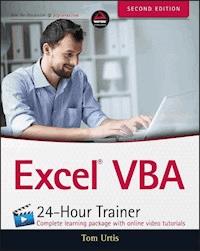
Master VBA automation quickly and easily to get more out of Excel Excel VBA 24-Hour Trainer, 2nd Edition is the quick-start guide to getting more out of Excel, using Visual Basic for Applications. This unique book/video package has been updated with fifteen new advanced video lessons, providing a total of eleven hours of video training and 45 total lessons to teach you the basics and beyond. This self-paced tutorial explains Excel VBA from the ground up, demonstrating with each advancing lesson how you can increase your productivity. Clear, concise, step-by-step instructions are combined with illustrations, code examples, and downloadable workbooks to give you a practical, in-depth learning experience and results that apply to real-world scenarios. This is your comprehensive guide to becoming a true Excel power user, with multimedia instruction and plenty of hands-on practice. * Program Excel's newest chart and pivot table object models * Manipulate the user interface to customize the look and feel of a project * Utilize message boxes, input boxes, and loops to yield customized logical results * Interact with and manipulate Word, Access, PowerPoint, and Outlook from Excel If you're ready to get more out of this incredibly functional program, Excel VBA 24-Hour Trainer, 2nd Edition provides the expert instruction and fast, hands-on learning you need.
Sie lesen das E-Book in den Legimi-Apps auf:
Seitenzahl: 541
Veröffentlichungsjahr: 2015
Ähnliche



















Table of Contents
Introduction
Who This Book Is For
What This Book Covers
How This Book Is Structured
What You Need to Use This Book
Conventions
Errata
p2p.wrox.com
Part I: Understanding the BASICs
Lesson 1: Introducing VBA
What is VBA?
A Brief History of VBA
What VBA Can Do for You
Liabilities of VBA
Try It
Lesson 2: Getting Started with Macros
Composing Your First Macro
Running A Macro
Try It
Lesson 3: Introducing the Visual Basic Editor
What is the VBE?
Try It
Lesson 4: Working in the VBE
Toolbars in the VBE
Macros and Modules
Understanding the Code
Editing a Macro with Comments and Improvements to the Code
Try It
Part II: Diving Deeper into VBA
Lesson 5: Object-Oriented Programming: An Overview
What “Object-Oriented Programming” Means
The Object Model
Try It
Lesson 6: Variables, Data Types, and Constants
What is a Variable?
Assigning Values to Variables
Why You Need Variables
Data Types
Forcing Variable Declaration
Understanding a Variable's Scope
Try It
Lesson 7: Understanding Objects and Collections
Workbooks
Cells and Ranges
Try It
Lesson 8: Working with Ranges
Working with Contiguously Populated Ranges
Working with Noncontiguously Populated Ranges
Try It
Lesson 9: Making Decisions with VBA
Understanding Logical Operators
Choosing between this or that
Getting Users to Make Decisions
Try It
Part III: Beyond the Macro Recorder: Writing Your Own Code
Lesson 10: Repeating Actions with Loops
What is a Loop?
Nesting Loops
Try It
Lesson 11: Programming Formulas
Understanding A1 and R1C1 References
Programming Your Formula Solutions with VBA
Try It
Lesson 12: Working with Arrays
What is an Array?
The Option Base Statement
Boundaries in Arrays
Declaring Arrays with Fixed Elements
Declaring Dynamic Arrays with Redim and Preserve
Try It
Lesson 13: Automating Procedures with Worksheet Events
What Is an Event?
Worksheet Events: An Overview
Examples of Common Worksheet Events
Try It
Lesson 14: Automating Procedures with Workbook Events
Workbook Events: An Overview
Examples of Common Workbook Events
Try It
Lesson 15: Handling Duplicate Items and Records
Deleting Rows Containing Duplicate Entries
Working with Duplicate Data
Try It
Lesson 16: Using Embedded Controls
Working with Form Controls and ActiveX Controls
Try It
Lesson 17: Programming Charts
Adding a Chart to a Chart Sheet
Adding an Embedded Chart to a Worksheet
Moving a Chart
Looping Through All Embedded Charts
Try It
Lesson 18: Programming PivotTables and PivotCharts
Creating a PivotTable Report
Understanding PivotCaches
Manipulating PivotFields in VBA
Manipulating PivotItems with VBA
Creating a PivotTables Collection
Try It
Lesson 19: User-Defined Functions
What Is a User-Defined Function?
UDF Examples That Solve Common Tasks
Volatile Functions
Try It
Lesson 20: Debugging Your Code
What Is Debugging?
What Causes Errors?
Weapons of Mass Debugging
Trapping Errors
Try It
Part IV: Advanced Programming Techniques
Lesson 21: Creating UserForms
What Is a UserForm?
Creating a UserForm
Designing a UserForm
Adding Controls to a UserForm
Showing a UserForm
Where Does the UserForm's Code Go?
Closing a UserForm
Try It
Lesson 22: UserForm Controls and Their Functions
Understanding the Frequently Used UserForm Controls
Try It
Lesson 23: Advanced UserForms
The UserForm Toolbar
Modal versus Modeless
Disabling the UserForm's Close Button
Maximizing Your UserForm's Size
Selecting and Displaying Photographs on a UserForm
Unloading a UserForm Automatically
Pre-sorting the ListBox and ComboBox Items
Populating ListBoxes and ComboBoxes with Unique Items
Displaying a Real-Time Chart in a UserForm
Try It
Lesson 24: Class Modules
What Is a Class?
What Is a Class Module?
Creating Your Own Objects
An Important Benefit of Class Modules
Creating Collections
Class Modules for Embedded Objects
Try It
Lesson 25: Add-Ins
What Is an Excel Add-In?
Creating an Add-In
Converting a File to an Add-In
Installing an Add-In
Creating a User Interface for Your Add-In
Closing Add-Ins
Removing an Add-In from the Add-Ins List
Try It
Lesson 26: Managing External Data
Creating QueryTables from Web Queries
Creating a QueryTable for Access
Using Text Files to Store External Data
Try It
Lesson 27: Data Access with ActiveX Data Objects
Introducing ADO
An Introduction to Structured Query Language (SQL)
Try It
Lesson 28: Impressing Your Boss (or at Least Your Friends)
Selecting Cells and Ranges
Filtering Dates
Setting Page Breaks for Specified Areas
Using a Comment to Log Changes in a Cell
Using the Windows API with VBA
Scheduling Your Workbook for Suicide
Try It
Part V: Interacting with Other Office Applications
Lesson 29: Overview of Office Automation from Excel
Why Automate Another Application?
Understanding Office Automation
Try It
Lesson 30: Working with Word from Excel
Activating a Word Document
Creating a New Word Document
Copying an Excel Range to a Word Document
Printing a Word Document from Excel
Importing a Word Document to Excel
Try It
Lesson 31: Working with Outlook from Excel
Opening Outlook
Composing an E-mail in Outlook from Excel
Putting It All Together
E-mailing a Single Worksheet
Try It
Lesson 32: Working with Access from Excel
Adding a Record to an Access Table
Exporting an Access Table to an Excel Spreadsheet
Creating a New Table in Access
Try It
Lesson 33: Working with PowerPoint from Excel
Creating a New PowerPoint Presentation
Copying a Worksheet Range to a PowerPoint Slide
Copying Chart Sheets to PowerPoint Slides
Running a PowerPoint Presentation from Excel
Try It
Advertisement
End User License Agreement
Pages
vi
vii
ix
xi
xiii
xxvii
xxviii
xxix
xxx
xxxi
3
4
5
6
7
8
9
11
12
13
14
15
16
17
18
19
20
21
22
23
24
25
26
27
28
29
30
31
33
34
35
36
37
38
39
40
41
42
43
44
45
49
50
51
52
53
55
56
57
58
59
60
61
62
63
64
65
66
67
68
69
70
71
72
73
75
76
77
78
79
80
81
82
83
84
86
87
88
89
90
91
92
93
94
95
96
97
101
102
103
104
105
106
107
108
109
110
111
112
113
114
115
116
117
118
119
120
121
122
123
124
125
126
127
128
129
130
131
132
133
134
135
136
137
138
139
140
141
142
143
144
145
146
147
148
149
150
151
152
153
154
155
156
157
158
159
160
161
162
163
164
165
166
167
168
169
170
171
172
173
174
175
176
177
178
179
181
182
183
184
185
186
187
188
189
190
191
192
193
194
195
196
197
198
199
200
201
202
203
204
205
206
207
208
209
210
211
213
214
215
216
217
218
219
220
221
222
223
224
225
226
227
228
229
230
231
232
233
234
235
237
238
239
240
241
242
243
244
245
246
247
248
249
251
252
253
254
255
256
257
258
259
260
261
262
263
264
265
266
267
268
271
272
273
274
275
276
277
278
279
280
281
282
283
284
285
286
287
288
289
290
291
292
293
294
295
296
297
298
299
300
301
302
303
304
305
306
307
308
309
310
311
312
313
314
315
316
317
318
319
321
322
323
324
325
326
327
328
329
330
331
332
333
334
335
336
337
338
339
340
341
342
343
344
345
346
347
348
349
350
351
352
353
354
355
356
357
358
359
360
361
362
363
364
365
366
367
368
369
370
371
372
373
374
375
376
377
378
379
380
381
382
383
384
385
386
387
391
392
393
394
395
396
397
399
400
401
402
403
404
405
406
407
408
409
410
411
412
413
414
415
416
417
418
419
420
421
422
423
424
425
426
427
428
429
431
432
433
434
435
436
437
438
439
1
47
99
269
389
Guide
Cover
Table of Contents
Introduction
Part I: Understanding the BASICs
Begin Reading
List of Illustrations
Figure 1.1
Figure 1.2
Figure 1.3
Figure 2.1
Figure 2.2
Figure 2.3
Figure 2.4
Figure 2.5
Figure 2.6
Figure 2.7
Figure 2.8
Figure 2.9
Figure 2.10
Figure 2.11
Figure 2.12
Figure 2.13
Figure 2.14
Figure 2.15
Figure 2.16
Figure 2.17
Figure 2.18
Figure 3.1
Figure 3.2
Figure 3.3
Figure 3.4
Figure 3.5
Figure 4.1
Figure 4.2
Figure 4.3
Figure 4.4
Figure 4.5
Figure 4.6
Figure 4.7
Figure 4.8
Figure 4.9
Figure 4.10
Figure 4.11
Figure 6.1
Figure 6.2
Figure 6.3
Figure 6.4
Figure 6.5
Figure 6.6
Figure 6.7
Figure 7.1
Figure 7.2
Figure 7.3
Figure 7.4
Figure 7.5
Figure 8.1
Figure 8.2
Figure 8.3
Figure 8.4
Figure 8.5
Figure 8.6
Figure 8.7
Figure 8.8
Figure 8.9
Figure 8.10
Figure 8.11
Figure 8.12
Figure 8.13
Figure 8.14
Figure 9.1
Figure 9.2
Figure 10.1
Figure 11.1
Figure 11.2
Figure 11.3
Figure 11.4
Figure 11.5
Figure 11.6
Figure 11.7
Figure 11.8
Figure 11.9
Figure 11.10
Figure 11.11
Figure 11.12
Figure 11.13
Figure 12.1
Figure 12.2
Figure 12.3
Figure 13.1
Figure 13.2
Figure 13.3
Figure 13.4
Figure 13.5
Figure 14.1
Figure 14.2
Figure 14.3
Figure 14.4
Figure 15.1
Figure 15.2
Figure 15.3
Figure 15.4
Figure 15.5
Figure 15.6
Figure 16.1
Figure 16.2
Figure 16.3
Figure 16.4
Figure 16.5
Figure 16.6
Figure 16.7
Figure 16.8
Figure 16.9
Figure 16.10
Figure 16.11
Figure 16.12
Figure 16.13
Figure 16.14
Figure 16.15
Figure 16.16
Figure 16.17
Figure 16.18
Figure 16.19
Figure 16.20
Figure 16.21
Figure 16.22
Figure 16.23
Figure 16.24
Figure 16.25
Figure 16.26
Figure 17.1
Figure 17.2
Figure 17.3
Figure 17.4
Figure 17.5
Figure 18.1
Figure 18.2
Figure 18.3
Figure 18.4
Figure 18.5
Figure 18.6
Figure 18.8
Figure 18.7
Figure 18.9
Figure 18.10
Figure 18.11
Figure 18.12
Figure 18.13
Figure 18.14
Figure 18.15
Figure 18.16
Figure 18.17
Figure 18.18
Figure 18.19
Figure 18.20
Figure 18.21
Figure 18.22
Figure 18.23
Figure 18.24
Figure 18.25
Figure 18.26
Figure 18.27
Figure 19.1
Figure 19.2
Figure 19.3
Figure 19.4
Figure 19.5
Figure 19.6
Figure 19.7
Figure 20.1
Figure 20.2
Figure 20.3
Figure 20.4
Figure 20.5
Figure 20.6
Figure 20.7
Figure 20.8
Figure 20.9
Figure 20.10
Figure 20.11
Figure 20.12
Figure 20.13
Figure 20.14
Figure 20.15
Figure 20.16
Figure 20.17
Figure 20.18
Figure 20.19
Figure 21.1
Figure 21.2
Figure 21.3
Figure 21.4
Figure 21.5
Figure 21.6
Figure 21.7
Figure 21.8
Figure 21.9
Figure 21.10
Figure 21.11
Figure 21.12
Figure 21.13
Figure 21.14
Figure 21.15
Figure 21.16
Figure 21.17
Figure 21.18
Figure 21.19
Figure 22.1
Figure 22.2
Figure 22.3
Figure 22.4
Figure 22.5
Figure 22.6
Figure 22.7
Figure 22.8
Figure 22.9
Figure 22.10
Figure 22.11
Figure 22.12
Figure 22.13
Figure 22.14
Figure 22.15
Figure 22.16
Figure 23.1
Figure 23.2
Figure 23.3
Figure 23.4
Figure 23.5
Figure 23.6
Figure 23.7
Figure 23.8
Figure 23.9
Figure 23.10
Figure 23.11
Figure 23.12
Figure 24.1
Figure 24.2
Figure 24.3
Figure 24.4
Figure 24.5
Figure 24.6
Figure 24.7
Figure 24.8
Figure 24.9
Figure 24.10
Figure 24.11
Figure 24.12
Figure 24.13
Figure 25.1
Figure 25.2
Figure 25.3
Figure 25.4
Figure 25.5
Figure 25.6
Figure 25.7
Figure 25.8
Figure 25.9
Figure 25.10
Figure 25.11
Figure 25.12
Figure 25.13
Figure 25.14
Figure 25.15
Figure 25.16
Figure 25.17
Figure 25.18
Figure 25.19
Figure 26.1
Figure 26.2
Figure 26.3
Figure 26.4
Figure 26.5
Figure 26.6
Figure 26.7
Figure 26.8
Figure 26.9
Figure 27.1
Figure 28.1
Figure 28.2
Figure 28.3
Figure 28.4
Figure 28.5
Figure 28.6
Figure 28.7
Figure 28.8
Figure 28.9
Figure 28.10
Figure 28.11
Figure 29.1
Figure 29.2
Figure 31.1
Figure 31.2
Figure 31.3
Figure 31.4
Figure 32.1
Figure 32.2
Figure 32.3
Figure 32.4
Figure 32.5
Figure 32.6
List of Tables
Table 6.1
Table 9.1
Table 9.2
Table 9.3
Table 10.1
Introduction
CONGRATULATIONS ON MAKING TWO EXCELLENT CHOICES! You want to learn programming for Microsoft Excel with Visual Basic for Applications (VBA), and you've purchased this book to teach you. Excel is the most powerful and widely used spreadsheet application in the world. VBA enables you to become much more productive and efficient, while getting your everyday Excel tasks done more quickly and with fewer errors. You'll gain a programming skill that is in high demand, which will improve your value in the workplace and your marketability when searching for employment.
This book covers VBA from the ground up, and assumes you have never programmed Excel before. If you've never recorded or written an Excel macro, this book shows you how. If you've worked with VBA before, this book has examples of programming techniques you might not have seen. The instruction and examples in this book teach VBA concepts that range in levels from fundamental to advanced. The techniques in this book apply just as well to the Excel business power user as to the keeper of the family budget.
Lesen Sie weiter in der vollständigen Ausgabe!
Lesen Sie weiter in der vollständigen Ausgabe!
Lesen Sie weiter in der vollständigen Ausgabe!
Lesen Sie weiter in der vollständigen Ausgabe!
Lesen Sie weiter in der vollständigen Ausgabe!
Lesen Sie weiter in der vollständigen Ausgabe!
Lesen Sie weiter in der vollständigen Ausgabe!
Lesen Sie weiter in der vollständigen Ausgabe!
Lesen Sie weiter in der vollständigen Ausgabe!
Lesen Sie weiter in der vollständigen Ausgabe!
Lesen Sie weiter in der vollständigen Ausgabe!
Lesen Sie weiter in der vollständigen Ausgabe!
Lesen Sie weiter in der vollständigen Ausgabe!
Lesen Sie weiter in der vollständigen Ausgabe!
Lesen Sie weiter in der vollständigen Ausgabe!
Lesen Sie weiter in der vollständigen Ausgabe!
Lesen Sie weiter in der vollständigen Ausgabe!
Lesen Sie weiter in der vollständigen Ausgabe!
Lesen Sie weiter in der vollständigen Ausgabe!
Lesen Sie weiter in der vollständigen Ausgabe!
Lesen Sie weiter in der vollständigen Ausgabe!
Lesen Sie weiter in der vollständigen Ausgabe!
Lesen Sie weiter in der vollständigen Ausgabe!
Lesen Sie weiter in der vollständigen Ausgabe!
Lesen Sie weiter in der vollständigen Ausgabe!
Lesen Sie weiter in der vollständigen Ausgabe!
Lesen Sie weiter in der vollständigen Ausgabe!
Lesen Sie weiter in der vollständigen Ausgabe!
Lesen Sie weiter in der vollständigen Ausgabe!
Lesen Sie weiter in der vollständigen Ausgabe!
Lesen Sie weiter in der vollständigen Ausgabe!
Lesen Sie weiter in der vollständigen Ausgabe!
Lesen Sie weiter in der vollständigen Ausgabe!
Lesen Sie weiter in der vollständigen Ausgabe!
Lesen Sie weiter in der vollständigen Ausgabe!
Lesen Sie weiter in der vollständigen Ausgabe!
Lesen Sie weiter in der vollständigen Ausgabe!
Lesen Sie weiter in der vollständigen Ausgabe!
Lesen Sie weiter in der vollständigen Ausgabe!
Lesen Sie weiter in der vollständigen Ausgabe!
Lesen Sie weiter in der vollständigen Ausgabe!
Lesen Sie weiter in der vollständigen Ausgabe!
Lesen Sie weiter in der vollständigen Ausgabe!
Lesen Sie weiter in der vollständigen Ausgabe!
Lesen Sie weiter in der vollständigen Ausgabe!
Lesen Sie weiter in der vollständigen Ausgabe!




