


32,39 €
Mehr erfahren.
- Herausgeber: Packt Publishing
- Kategorie: Wissenschaft und neue Technologien
- Sprache: Englisch
Go Programming – From Beginner to Professional is a comprehensive guide that takes your proficiency in the Go programming language from novice to expert. Starting with fundamental concepts, this book covers variables, command-line tools, and working with data before delving into advanced concepts, including error handling, interfaces, and generics, harnessing Go’s latest features through hands-on exercises. Along the way, you’ll learn to structure projects using Go modules, manage packages effectively, and master debugging techniques.
As you progress, you’ll get to grips with practical application-centric aspects such as command-line programming, file manipulation, and working with SQL databases. Additionally, the book explores web server development, RESTful APIs, and utilizing the Go HTTP client to interact with web applications. Further enhancing your Go skills, you’ll learn concurrent programming, testing methodologies, Go tools, and how to deploy applications in the cloud. Throughout the book, you’ll uncover Go’s hidden gems and gain insights into time manipulation, best practices, and more.
By the end of this book, you’ll have worked through practical exercises and activities that’ll equip you with the knowledge and skills needed to excel as a proficient Go developer, primed for success in real-world projects.
Das E-Book können Sie in Legimi-Apps oder einer beliebigen App lesen, die das folgende Format unterstützen:
Seitenzahl: 851
Veröffentlichungsjahr: 2024
Ähnliche



















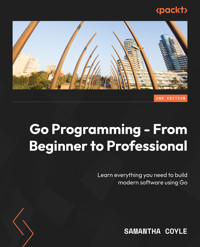
Go Programming - From Beginner to Professional
Learn everything you need to build modern software using Go
Samantha Coyle
Go Programming - From Beginner to Professional
Copyright © 2024 Packt Publishing
All rights reserved. No part of this book may be reproduced, stored in a retrieval system, or transmitted in any form or by any means, without the prior written permission of the publisher, except in the case of brief quotations embedded in critical articles or reviews.
Every effort has been made in the preparation of this book to ensure the accuracy of the information presented. However, the information contained in this book is sold without warranty, either express or implied. Neither the author, nor Packt Publishing or its dealers and distributors, will be held liable for any damages caused or alleged to have been caused directly or indirectly by this book.
Packt Publishing has endeavored to provide trademark information about all of the companies and products mentioned in this book by the appropriate use of capitals. However, Packt Publishing cannot guarantee the accuracy of this information.
Associate Group Product Manager: Kunal Sawant
Associate Publishing Product Manager: Akash Sharma
Associate Project Manager: Deeksha Thakkar
Senior Editor: Rounak Kulkarni
Technical Editor: Vidhisha Patidar and Jubit Pincy
Copy Editor: Safis Editing
Proofreader: Rounak Kulkarni
Indexer: Rekha Nair
Production Designer: Vijay Kamble
Senior Developer Relations Marketing Executive: Shrinidhi Monaharan
Business Development Executive: Debadrita Chatterjee
First published: December 2019
Second edition: March 2024
Production reference: 1220324
Published by Packt Publishing Ltd.
Grosvenor House
11 St Paul’s Square
Birmingham
B3 1RB, UK.
ISBN 978-1-80324-305-4
www.packtpub.com
To my beloved mom, Susan Coyle, whose caring nature and dedication to lifting others instilled in me the drive to become a technical textbook author and to always bring others along on my journey through life. This book is dedicated to you, a tribute to your constant belief in me and my dreams, and your endless love that continues to inspire me every day. Your legacy lives on in every challenge I conquer and through each person I have a positive impact on. This endeavor is a testament to the incredible woman you were and the profound impact you had on my life. What Mom’s life may have lacked in length, it made up for in light that continues to shine on.
Samantha Coyle
Contributors
About the author
Samantha Coyle, a Software Engineer at Diagrid, specializes in Go for cloud-native developer tooling, adept at abstracting application development challenges. Committed to Open Source, she actively contributes to projects like Dapr and Testcontainers. With a diverse background in retail computer vision solutions and successful stabilization of industrial edge use cases, particularly within biopharma data pipelines, Samantha brings invaluable expertise to her projects. Her expertise extends to being CKAD-certified and reviewing Go textbooks. She is passionate about empowering early-career, diverse professionals.
Samantha is part of a family of gophers, and enjoys GopherCon with her brother and identical twin sister. A seasoned speaker, she has presented at various conferences, including GopherCon.
About the reviewers
Stan Vangilder earned a Bachelor of Science in Electrical and Computer Engineering from the Georgia Institute of Technology, followed by a Master of Science in Management of Technology.
Throughout his career at a Fortune 150 company, he was an early adopter of technology and became a frequent speaker, trainer, coach, and consultant for diverse audiences within and beyond the organization.
Stan now channels his passion for learning and teaching by creating online courses tailored to simplify complex topics, facilitating swift and efficient integration into your projects and workflows.
Ivan Lemeshev is a seasoned software engineer with over 11 years of experience. He focuses on building large-scale cloud applications, microservices, and distributed systems using Go. He has used Go as his primary programming language for over seven years and likes its simplicity, performance, and ecosystem.
Table of Contents
Preface
Part 1: Scripts
1
Variables and Operators
Technical requirements
Introduction to Go
What does Go look like?
Exercise 1.01 – using variables, packages, and functions to print stars
Activity 1.01 – defining and printing
Declaring variables
Declaring a variable using var
Exercise 1.02 – declaring a variable using var
Declaring multiple variables at once with var
Exercise 1.03 – declaring multiple variables at once with var
Skipping the type or value when declaring variables
Exercise 1.04 – skipping the type or value when declaring variables
Type inference gone wrong
Short variable declaration
Exercise 1.05 – implementing a short variable declaration
Declaring multiple variables with a short variable declaration
Exercise 1.06 – declaring multiple variables from a function
Using var to declare multiple variables in one line
Non-English variable names
Changing the value of a variable
Exercise 1.07 – changing the value of a variable
Changing multiple values at once
Exercise 1.08 – changing multiple values at once
Operators
Exercise 1.09 – using operators with numbers
Shorthand operators
Exercise 1.10 – implementing shorthand operators
Comparing values
Exercise 1.11 – comparing values
Zero values
Exercise 1.12 – zero values
Value versus pointer
Getting a pointer
Exercise 1.13 – getting a pointer
Getting a value from a pointer
Exercise 1.14 – getting a value from a pointer
Function design with pointers
Exercise 1.15 – function design with pointers
Activity 1.02 – pointer value swap
Constants
Exercise 1.16 – constants
Enums
Activity 1.03 – message bug
Activity 1.04 – bad count bug
Summary
2
Command and Control
Technical requirements
Introduction
if statements
Exercise 2.01 – a simple if statement
if else statements
Exercise 2.02 – using an if else statement
else if statements
Exercise 2.03 – using an else if statement
initial if statements
Exercise 2.04 – implementing initial if statements
Expression switch statements
Exercise 2.05 – using a switch statement
Exercise 2.06 – switch statements and multiple case values
Exercise 2.07 – expressionless switch statements
Loops
Exercise 2.08 – using a for i loop
Exercise 2.09 – looping over arrays and slices
range loop
Exercise 2.10 – looping over a map
Activity 2.01 – looping over map data using range
Activity 2.02 – implementing FizzBuzz
break and continue
Exercise 2.11 – using break and continue to control loops
Activity 2.03 – bubble sort
goto statements
Exercise 2.12 – using goto statements
Summary
3
Core Types
Technical requirements
Introduction
True and false
Exercise 3.01 – Program to measure password complexity
Numbers
Integers
Floating-point numbers
Exercise 3.02 – Floating-point number accuracy
Overflow and wraparound
Exercise 3.03 – Triggering number wraparound
Big numbers
Exercise 3.04 – Big numbers
byte
Text
Rune
Exercise 3.05 – Safely looping over a string
The nil value
Activity 3.01 – Sales tax calculator
Activity 3.02 – Loan calculator
Summary
4
Complex Types
Technical requirements
Introduction
Collection types
Arrays
Exercise 4.01 – Defining an array
Comparing arrays
Exercise 4.02 – Comparing arrays
Initializing arrays using keys
Exercise 4.03 – Initializing an array using keys
Reading from an array
Exercise 4.04 – Reading a single item from an array
Writing to an array
Exercise 4.05 – Writing to an array
Looping over an array
Exercise 4.06 – Looping over an array using a “for i” loop
Modifying the contents of an array in a loop
Exercise 4.07 – Modifying the contents of an array in a loop
Activity 4.01 – Filling an array
Slices
Exercise 4.08 – Working with slices
Appending multiple items to a slice
Exercise 4.09 – Appending multiple items to a slice
Creating slices from slices and arrays
Exercise 4.10 – Creating slices from a slice
Understanding slice internals
Exercise 4.11 – Using make to control the capacity of a slice
Background behavior of slices
Exercise 4.12 – Controlling internal slice behavior
Map fundamentals
Exercise 4.13 – Creating, reading, and writing a map
Reading from maps
Exercise 4.14 – Reading from a map
Activity 4.02 – Printing a user’s name based on user input
Activity 4.03 – Slicing the week
Deleting elements from a map
Exercise 4.15 – Deleting an element from a map
Activity 4.04 – Removing an element from a slice
Simple custom types
Exercise 4.16 – Creating a simple custom type
Structs
Exercise 4.17 – Creating struct types and values
Comparing structs to each other
Exercise 4.18 – Comparing structs to each other
Struct composition using embedding
Exercise 4.19 – Struct embedding and initialization
Activity 4.05 – Creating a locale checker
Type conversions
Exercise 4.20 – Numeric type conversions
Type assertions and interface{}
Exercise 4.21 – Type assertions
Type switch
Exercise 4.22 – Type switch
Activity 4.06 – Type checker
Summary
Part 2: Components
5
Functions – Reduce, Reuse, and Recycle
Technical requirements
Introduction
Functions
Parts of a function
The checkNumbers function
Exercise 5.01 – creating a function to print salesperson expectation ratings from the number of items sold
Parameters
The difference between an argument and a parameter
Exercise 5.02 – mapping index values to column headers
Function variable scope
Return values
Exercise 5.03 – creating a checkNumbers function with return values
Activity 5.01 – calculating the working hours of employees
Naked returns
Exercise 5.04 – mapping a CSV index to a column header with return values
Variadic functions
Exercise 5.05 – summing numbers
Anonymous functions
Exercise 5.06 – creating an anonymous function to calculate the square root of a number
Closures
Exercise 5.07 – creating a closure function to decrement a counter
Function types
Exercise 5.08 – creating various functions to calculate salary
defer
Activity 5.02 – calculating the payable amount for employees based on working hours
Separating similar code
Summary
6
Don’t Panic! Handle Your Errors
Technical requirements
Introduction
What are errors?
Syntax errors
Runtime errors
Exercise 6.01 – runtime errors while adding numbers
Semantic errors
Exercise 6.02 – a semantic error with walking distance
Error handling using other programming languages
Error interface type
Creating error values
Exercise 6.03 – creating an application to calculate pay for the week
Panic
Exercise 6.04 – Crashing the program on errors using a panic
Recover
Exercise 6.05 – recovering from a panic
Guidelines when working with errors and panics
Error wrapping
Activity 6.01 – creating a custom error message for a banking application
Activity 6.02 – validating a bank customer’s direct deposit submission
Activity 6.03 – panic on invalid data submission
Activity 6.04 – preventing a panic from crashing the app
Summary
7
Interfaces
Technical requirements
Introduction
Interface
Defining an interface
Implementing an interface
Advantages of implementing interfaces implicitly
Exercise 7.01 – implementing an interface
Duck typing
Polymorphism
Empty interface
Type assertion and switches
Exercise 7.03 – analyzing empty interface{} data
Activity 7.01 – calculating pay and performance review
any
Summary
8
Generic Algorithm Superpowers
Technical requirements
Introduction
When to use generics?
Type parameters
Activity 8.01 – a minimum value
Type constraints
Exercise 8.01 – calculate the maximum value using interfaces
Exercise 8.02 – calculate the largest stock of items on a ranch
Type inference
When to use generics versus interfaces
What are some best practices?
Summary
Part 3: Modules
9
Using Go Modules to Define a Project
Technical requirements
Introduction
What is a module?
Key components when working with Go modules
The go.mod file
The go.sum file
How are modules helpful?
Precise and simplified dependency management
Versioning and reproducibility
Improved collaboration
Dependency safety
Ease of use while promoting isolation and modularity
Exercise 09.01 – creating and using your first module
When should you use external modules, and why?
Exercise 09.02 – using an external module within our module
Consuming multiple modules within a project
Activity 9.01 – consuming multiple modules
Defining multiple modules within a project
Go workspaces
Exercise 09.03 – working with workspaces
Summary
10
Packages Keep Projects Manageable
Technical requirements
Introduction
Maintainable
Reusable
Modular
What is a package?
Package structure
Package naming
Package declarations
Exported and unexported code
Package alias
Main package
Exercise 10.01 – Creating a package to calculate areas of various shapes
The init() function
Exercise 10.02 – Loading budget categories
Executing multiple init() functions
Exercise 10.03 – Assigning payees to budget categories
Activity 10.01 – Creating a function to calculate payroll and performance review
Summary
11
Bug-Busting Debugging Skills
Technical requirements
Introduction
Methods for bug-free code
Coding incrementally and testing often
Writing unit tests
Handling all errors
Performing logging
Formatting using fmt
Exercise 11.01 – Working with fmt.Println
Formatting using fmt.Printf()
Additional options for formatting
Exercise 11.02 – Printing decimal, binary, and hex values
Basic debugging
Printing Go variable types
Exercise 11.03 – Printing the Go representation of a variable
Logging
Logging fatal errors
Activity 11.01 – Building a program to validate Social Security Numbers
Debugging in live or restricted environments
Summary
12
About Time
Technical requirements
Introduction
Making time
Exercise 12.01 – Creating a function to return a timestamp
Comparing time
Duration calculation
Managing time
Exercise 12.02 – Duration of execution
Formatting time
Exercise 12.03 – What is the time in your zone?
Activity 12.01 – Formatting a date according to user requirements
Activity 12.02 – Enforcing a specific format of date and time
Activity 12.03 – Measuring elapsed time
Activity 12.04 – Calculating the future date and time
Activity 12.05 – Printing the local time in different time zones
Summary
Part 4: Applications
13
Programming from the Command Line
Technical requirements
Introduction
Reading arguments
Exercise 13.01 – saying hello using a name passed as an argument
Using flags to control behavior
Exercise 13.02 – using flags to say hello conditionally
Streaming large amounts of data in and out of your application
Exercise 13.03 – using pipes, stdin, and stdout to apply a Rot13 encoding to a file
Exit codes and command line best practices
Knowing when to stop by watching for interrupts
Starting other commands from your application
Exercise 13.04 – creating a stopwatch with a time limit
Terminal UIs
Exercise 13.05 – creating a wrapper for our Rot13 pipeline
go install
Summary
14
File and Systems
Technical requirements
Introduction
Filesystem
File permissions
Flags and arguments
Signals
Exercise 14.01 – simulating a cleanup
Create and write to files
Reading the whole file at once
Exercise 14.02 – backing up files
CSV
Embedding
Summary
15
SQL and Databases
Technical requirements
Introduction
Understanding the database
Installing and configuring Postgres SQL
Database API and drivers
Connecting to databases
Creating a new project
Creating tables
Inserting data
Exercise 15.01 – creating a table that holds a series of numbers
Retrieving data
Updating existing data
Deleting data
Exercise 15.02 – holding prime numbers in a database
Truncating and deleting table
Activity 15.01 – holding user data in a table
Activity 15.02 – finding the messages of specific users
Adding users with GORM
Finding Users with GORM
Summary
Part 5: Building For The Web
16
Web Servers
Technical requirements
Introduction
How to build a basic server
HTTP handler
Exercise 16.01 – creating a Hello World server
Simple routing
Exercise 16.02 – routing our server
Handler versus handler function
Activity 16.01 – adding a page counter to an HTML page
Adding middleware
Dynamic content
Exercise 16.03 – personalized welcome
Templating
Exercise 16.04 – templating our pages
Static resources
Exercise 16.05 – creating a Hello World server using a static file
Getting some style
Exercise 16.06 – a stylish welcome
Getting dynamic
Activity 16.02 – external template
Embedding external files
Summary
17
Using the Go HTTP Client
Technical requirements
Introduction
The Go HTTP Client and its uses
Sending a request to a server
Exercise 17.01 – sending a GET request to a web server using the Go HTTP Client
Structured data
Exercise 17.02 – using the HTTP Client with structured data
Activity 17.01 – requesting data from a web server and processing the response
Sending data to a server
Exercise 17.03 – sending a POST request to a web server using the Go HTTP Client
Uploading files in a POST request
Exercise 17.04 – uploading a file to a web server via a POST request
Custom request headers
Exercise 17.05 – using custom headers and options with the Go HTTP Client
Activity 17.02 – sending data to a web server and checking whether the data was received using POST and GET
Summary
Part 6: Professional
18
Concurrent Work
Technical requirements
Introduction
Goroutines
Exercise 18.01 – using concurrent Goroutines
WaitGroup
Exercise 18.02 – experimenting with WaitGroup
Race conditions
Atomic operations
Exercise 18.03 – an atomic change
Invisible concurrency
Channels
Exercise 18.04 – exchanging greeting messages via channels
Exercise 18.05 – two-way message exchange with channels
Exercise 18.06 – summing numbers from everywhere
Exercise 18.07 – request to Goroutines
The importance of concurrency
Exercise 18.08 – equally splitting work between Goroutines
Concurrency patterns
Buffers
Exercise 18.09 – notifying when the computation has finished
Some more common practices
HTTP servers
Methods as Goroutines
Exercise 18.10 – a structured work
Go context package
Exercise 18.11 – managing Goroutines with a context
Concurrent work with sync.Cond
Exercise 18.12 – creating a WIP limited queue
The thread-safe map
Exercise 18.13 – counting how many times random numbers are between 0 and 9 using sync.Map
Summary
19
Testing
Technical requirements
Introduction
Unit tests
Exercise 19.01 – table-driven tests
Integration tests
Exercise 19.02 – integration test with a database
E2E tests
HTTP testing
Exercise 19.03 – authentication integration with a test server
Fuzz testing
Benchmarks
Test suites
Exercise 19.04 – using TestMain to execute several test functions
Test report
Code coverage
Summary
20
Using Go Tools
Technical requirements
Introduction
The go build tool
Exercise 20.01 – using the go build tool
The go run tool
Exercise 20.02 – using the go run tool
The gofmt tool
Exercise 20.03 – using the gofmt tool
The goimports tool
Exercise 20.04 – using the goimports tool
The go vet tool
Exercise 20.05 – using the go vet tool
The Go race detector
Exercise 20.06 – using the Go race detector
The go doc tool
Exercise 20.07 – implementing the go doc tool
The go get tool
Exercise 20.08 – implementing the go get tool
Activity 20.01 – using gofmt, goimport, go vet, and go get to correct a file
Summary
21
Go in the Cloud
Technical requirements
Introduction
Making your app monitorable by systems such as Prometheus
Exercise 21.01 – Creating an app with a /healthz endpoint
Enabling deep insights through OpenTelemetry
Exercise 21.02 – Using OpenTelemetry for queryable logs and tracing
Best practices for putting your Go application in a container
Exercise 21.03 – Creating a Dockerfile for a Go application
Making your app ready to work with orchestrators such as Kubernetes
Summary
Index
Other Books You May Enjoy
Part 1: Scripts
Writing simple one-file software applications is often where most software development journeys begin. In this section, you’ll delve into the world of scripting, empowering you to create cool and useful tools and helpers with ease.
This part has the following chapters:
Chapter 1, Variables and OperatorsChapter 2, Command and ControlChapter 3, Core TypesChapter 4, Complex Types




