


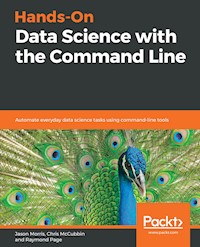
28,14 €
Mehr erfahren.
- Herausgeber: Packt Publishing
- Kategorie: Wissenschaft und neue Technologien
- Sprache: Englisch
Big data processing and analytics at speed and scale using command line tools.
Key Features
- Perform string processing, numerical computations, and more using CLI tools
- Understand the essential components of data science development workflow
- Automate data pipeline scripts and visualization with the command line
Book Description
The Command Line has been in existence on UNIX-based OSes in the form of Bash shell for over 3 decades. However, very little is known to developers as to how command-line tools can be OSEMN (pronounced as awesome and standing for Obtaining, Scrubbing, Exploring, Modeling, and iNterpreting data) for carrying out simple-to-advanced data science tasks at speed.
This book will start with the requisite concepts and installation steps for carrying out data science tasks using the command line. You will learn to create a data pipeline to solve the problem of working with small-to medium-sized files on a single machine. You will understand the power of the command line, learn how to edit files using a text-based and an. You will not only learn how to automate jobs and scripts, but also learn how to visualize data using the command line.
By the end of this book, you will learn how to speed up the process and perform automated tasks using command-line tools.
What you will learn
- Understand how to set up the command line for data science
- Use AWK programming language commands to search quickly in large datasets.
- Work with files and APIs using the command line
- Share and collect data with CLI tools
- Perform visualization with commands and functions
- Uncover machine-level programming practices with a modern approach to data science
Who this book is for
This book is for data scientists and data analysts with little to no knowledge of the command line but has an understanding of data science. Perform everyday data science tasks using the power of command line tools.
Das E-Book können Sie in Legimi-Apps oder einer beliebigen App lesen, die das folgende Format unterstützen:
Seitenzahl: 120
Veröffentlichungsjahr: 2019
Ähnliche



















Hands-On Data Science with the Command Line
Copyright © 2019 Packt Publishing
All rights reserved. No part of this book may be reproduced, stored in a retrieval system, or transmitted in any form or by any means, without the prior written permission of the publisher, except in the case of brief quotations embedded in critical articles or reviews.
Every effort has been made in the preparation of this book to ensure the accuracy of the information presented. However, the information contained in this book is sold without warranty, either express or implied. Neither the authors, nor Packt Publishing or its dealers and distributors, will be held liable for any damages caused or alleged to have been caused directly or indirectly by this book.
Packt Publishing has endeavored to provide trademark information about all of the companies and products mentioned in this book by the appropriate use of capitals. However, Packt Publishing cannot guarantee the accuracy of this information.
Acquisition Editor: Divya PoojariContent Development Editor: Mohammed Yusuf ImaratwaleTechnical Editor: Diksha WakodeCopy Editor: Safis EditingProject Coordinator: Kinjal BariProofreader: Safis EditingIndexer: Tejal Daruwale SoniGraphics: Jason MonteiroProduction Coordinator: Arvindkumar Gupta
First published: January 2019 Production reference: 1310119
Published by Packt Publishing Ltd. Livery Place 35 Livery Street Birmingham B3 2PB, UK.
ISBN 978-1-78913-298-4
www.packtpub.com
Mapt is an online digital library that gives you full access to over 5,000 books and videos, as well as industry leading tools to help you plan your personal development and advance your career. For more information, please visit our website.
Why subscribe?
Spend less time learning and more time coding with practical eBooks and Videos from over 4,000 industry professionals
Improve your learning with Skill Plans built especially for you
Get a free eBook or video every month
Mapt is fully searchable
Copy and paste, print, and bookmark content
Packt.com
Did you know that Packt offers eBook versions of every book published, with PDF and ePub files available? You can upgrade to the eBook version at www.packt.com and as a print book customer, you are entitled to a discount on the eBook copy. Get in touch with us at [email protected] for more details.
At www.packt.com, you can also read a collection of free technical articles, sign up for a range of free newsletters, and receive exclusive discounts and offers on Packt books and eBooks.
Contributors
About the authors
Jason Morris is a systems and research engineer with over 19 years of experience in system architecture, research engineering, and large data analysis. His primary focus is machine learning with TensorFlow, CUDA, and Apache Spark.
Jason is also a speaker and a consultant on designing large-scale architectures, implementing best security practices on the cloud, creating near real-time image detection analytics with deep learning, and developing serverless architectures to aid in ETL. His most recent roles include solution architect, big data engineer, big data specialist, and instructor at Amazon Web Services. He is currently the Chief Technology Officer of Next Rev Technologies, and his favorite command-line program is netcat.
Chris McCubbin is a data scientist and software developer with 20 years' experience in developing complex systems and analytics. He co-founded the successful big data security start-up Sqrrl, since acquired by Amazon. He has also developed smart swarming systems for drones, social network analysis systems in MapReduce, and big data security analytic platforms using the Accumulo and Spark Apache projects. He has been using the Unix command line, starting on IRIX platforms in college, and his favorite command-line program is find.
Raymond Page is a computer engineer specializing in site reliability. His experience with embedded development engendered a passion for removing the pervasive bloat from web technologies and cloud computing. His favorite command is cat.
About the reviewers
Chankey Pathak is a data scientist from India. He's the author of the Python API for high frequency trading of Morgan Stanley. He has worked with Citadel, Sophos, and Proofpoint in the past. He's also well known in the Perl community for his contributions. He is an open source contributor and loves Linux.
Tom Swindell is a systems engineer with 15 years of experience in software architecture, data analysis, and algorithms. He works for Net Vision Consultants, performing a mix of systems engineering, Python development, and system administration.
Packt is searching for authors like you
If you're interested in becoming an author for Packt, please visit authors.packtpub.com and apply today. We have worked with thousands of developers and tech professionals, just like you, to help them share their insight with the global tech community. You can make a general application, apply for a specific hot topic that we are recruiting an author for, or submit your own idea.
Table of Contents
Title Page
Copyright and Credits
Hands-On Data Science with the Command Line
About Packt
Why subscribe?
Packt.com
Contributors
About the authors
About the reviewers
Packt is searching for authors like you
Preface
Who this book is for
What this book covers
To get the most out of this book
Download the example code files
Conventions used
Get in touch
Reviews
Data Science at the Command Line and Setting It Up
History of the command line
We don't want to BaSH other shells, but...
Language-focused shells
So, why the command line?
Getting set up with Windows 10
Getting set up on OS X
Getting set up on Ubuntu Linux
Getting set up with Docker
Summary
Essential Commands
Essential commands
Navigating the command line
Getting help
Customizing the shell
Summary
Shell Workflows, and Data Acquisition and Massaging
Download the data
Using the file command
Performing a word count
Introduction to cut
Detached processing
How to background a process
Disregarding SIGHUP
Terminal multiplexers
Introduction to screen
Sharing a screen session between multiple users
Introduction to tmux
Summary
Bash Functions and Data Visualization
My first shell script
She bangs, she bangs!
Function arguments, positional parameters, and IFS
Prompt me baby one more time
Feed the function input!
Down the rabbit hole of IFS and bash arrays
Advanced shell scripting magic
Here be dragons, ye be warned
Text injection of text files
Bash networks for fun and profit!
From dumb Terminal to glam Terminal
Who, what, where, why, how?
Enter the mind's eye
Summary
Loops, Functions, and String Processing
Once, twice, three times a lady loops
It's the end of the world as we know it while and until 
The simple case
Pay no heed to the magician redirecting your attention
Regular expressions and grep
Exact matches
Character sets
Dot the i (or anything else)
Capture groups
Either or, neither nor
Repetition
Other operators
Putting it all together
awk, sed, and tr
awk
sed
tr
sort and uniq 
sort
uniq
Summary
SQL, Math, and Wrapping it up
cut and viewing data as columnar
WHERE clauses
Join, for joining data
Group by and ordering
Simulating selects
Keys to the kingdom
Using SQLite
Math in bash itself
Using let
Basic arithmetic
Double-parentheses
bc, the unix basic calculator
Math in (g)awk
Python (pandas, numpy, scikit-learn)
Analyzing weather data in bash
Summary
Other Books You May Enjoy
Leave a review - let other readers know what you think
Preface
In this book, we introduce the power of the command line using the bash shell. Bash is the most widely accepted shell, and is found on everything from toasters to high-performance computers. We start with the basics and quickly move to some more advanced skills throughout the book.
Who this book is for
Hands-On Data Science with the Command Line provides useful tips and tricks on how to use the command line for everyday data problems. This book is aimed for the reader that has little to no command-line experience but has worked in the field of computer science and/or has experience with modern data science problems.
You'll learn how to set up the command line on multiple platforms and configure it to your liking, learn how to find help with commands, and learn how to create reusable scripts. You will also learn how to obtain an actual dataset, perform some analytics, and learn how to visualize the data. Towards the end of the book, we touch on some of the advanced features of the command line and where to go from there.
In addition, all of the code examples are available to download in Packt's GitHub account. Any updates to this book will be made available to you by the Packt platform.
What this book covers
Chapter 1, Data Science at the Command line and Setting It up, covers how to install and configure the command line on multiple platforms of your choosing.
Chapter 2, Essential Commands, is a hands-on demo on using the basics of the command line and where to find help if needed.
Chapter 3, Shell Workflows, and Data Acquisition and Massaging, really gets into performing some basic data science exercises with a live dataset and customizing your command-line environment as you see fit.
Chapter 4, Reusable Bash and Developing Reusable Code in Bash, builds on the previous chapters and gets more advanced with creating reusable scripts and visualizations.
Chapter 5, Loops, Functions, and String Processing, is an advanced hands-on exercise on iterating over data using loops and exploring with regular expressions.
Chapter 6, SQL, Math, and Wrapping it up, is an advanced hands-on exercise to use what you've learned over the last chapters, and we introduce databases, streaming, and working with APIs.
To get the most out of this book
For this book, all you require is the Bash shell and a operating system that can run the command line or the latest version of Docker. You will also need an Internet connection (preferably cable or higher) and strong typing skills.
Download the example code files
You can download the example code files for this book from your account at www.packt.com. If you purchased this book elsewhere, you can visit www.packt.com/support and register to have the files emailed directly to you.
You can download the code files by following these steps:
Log in or register at
www.packt.com
.
Select the
SUPPORT
tab.
Click on
Code Downloads & Errata
.
Enter the name of the book in the
Search
box and follow the onscreen instructions.
Once the file is downloaded, please make sure that you unzip or extract the folder using the latest version of:
WinRAR/7-Zip for Windows
Zipeg/iZip/UnRarX for Mac
7-Zip/PeaZip for Linux
The code bundle for the book is also hosted on GitHub at https://github.com/PacktPublishing/Hands-On-Data-Science-with-Command-Line. In case there's an update to the code, it will be updated on the existing GitHub repository.
We also have other code bundles from our rich catalog of books and videos available at https://github.com/PacktPublishing/. Check them out!
Conventions used
There are a number of text conventions used throughout this book.
CodeInText: Indicates code words in text, database table names, folder names, filenames, file extensions, pathnames, dummy URLs, user input, and Twitter handles. Here is an example: "Mount the downloaded WebStorm-10*.dmg disk image file as another disk in your system."
A block of code is set as follows:
<<EOF cat >greetlib.shgreet_yourself () { echo Hello, \${1:-\$USER}!}EOF
When we wish to draw your attention to a particular part of a code block, the relevant lines or items are set in bold:
<key>Ctrl+b</key> “
<key>Ctrl+b</key> <key></key>
<key>Ctrl+b</key> “
Any command-line input or output is written as follows:
sudo apt install -y screen tmux
Bold: Indicates a new term, an important word, or words that you see onscreen. For example, words in menus or dialog boxes appear in the text like this. Here is an example: "Select System info from the Administration panel."
Get in touch
Feedback from our readers is always welcome.
General feedback: If you have questions about any aspect of this book, mention the book title in the subject of your message and email us at [email protected].
Errata: Although we have taken every care to ensure the accuracy of our content, mistakes do happen. If you have found a mistake in this book, we would be grateful if you would report this to us. Please visit www.packt.com/submit-errata, selecting your book, clicking on the Errata Submission Form link, and entering the details.
Piracy




