


73,99 €
Mehr erfahren.
- Herausgeber: John Wiley & Sons
- Kategorie: Wissenschaft und neue Technologien
- Sprache: Englisch
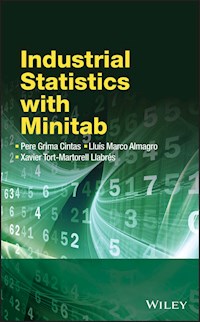
Industrial Statistics with MINITAB demonstrates the use of MINITAB as a tool for performing statistical analysis in an industrial context. This book covers introductory industrial statistics, exploring the most commonly used techniques alongside those that serve to give an overview of more complex issues. A plethora of examples in MINITAB are featured along with case studies for each of the statistical techniques presented.
Industrial Statistics with MINITAB:
- Provides comprehensive coverage of user-friendly practical guidance to the essential statistical methods applied in industry.
- Explores statistical techniques and how they can be used effectively with the help of MINITAB 16.
- Contains extensive illustrative examples and case studies throughout and assumes no previous statistical knowledge.
- Emphasises data graphics and visualization, and the most used industrial statistical tools, such as Statistical Process Control and Design of Experiments.
- Is supported by an accompanying website featuring case studies and the corresponding datasets.
Six Sigma Green Belts and Black Belts will find explanations and examples of the most relevant techniques in DMAIC projects. The book can also be used as quick reference enabling the reader to be confident enough to explore other MINITAB capabilities.
Sie lesen das E-Book in den Legimi-Apps auf:
Seitenzahl: 244
Veröffentlichungsjahr: 2012
Ähnliche



















Contents
Cover
Title Page
Copyright
Preface
Part One: Introduction And Graphical Techniques
Chapter 1: A First Look
1.1 Initial Screen
1.2 Entering Data
1.3 Saving Data: Worksheets and Projects
1.4 Data Operations: An Introduction
1.5 Deleting and Inserting Columns and Rows
1.6 First Statistical Analyses
1.7 Getting Help
1.8 Personal Configuration
1.9 Assistant
1.10 Any Difficulties?
Chapter 2: Graphics for Univariate Data
2.1 File ‘PULSE’
2.2 Histograms
2.3 Changing the Appearance of Histograms
2.4 Histograms for Various Data Sets
2.5 Dotplots
2.6 Boxplots
2.7 Bar Diagrams
2.8 Pie Charts
2.9 Updating Graphs Automatically
2.10 Adding Text or Figures to a Graph
Chapter 3: Pareto Charts and Cause–Effect Diagrams
3.1 File ‘DETERGENT’
3.2 Pareto Charts
3.3 Cause-and-Effect Diagrams
Chapter 4: Scatterplots
4.1 File ‘Pulse’
4.2 Stratification
4.3 Identifying Points on a Graph
4.4 Using the ‘Crosshairs’ Option
4.5 Scatterplots with Panels
4.6 Scatterplots with Marginal Graphs
4.7 Creating an Array of Scatterplots
Chapter 5: Three Dimensional Plots
5.1 3D Scatterplots
5.2 3D Surface Plots
5.3 Contour Plots
Chapter 6: Part One: Case Studies
6.1 Cork
6.2 Copper
6.3 Bread
6.4 Humidity
Part Two: Hypothesis Testing. Comparison Of Treatments
Chapter 7: Random Numbers and Numbers Following a Pattern
7.1 Introducing Values Following a Pattern
7.2 Sampling Random Data from a Column
7.3 Random Number Generation
7.4 Example: Solving a Problem Using Random Numbers
Chapter 8: Computing Probabilities
8.1 Probability Distributions
8.2 Option ‘Probability Density’ or ‘Probability’
8.3 Option ‘Cumulative Probability’
8.4 Option ‘Inverse Cumulative Probability’
8.5 Viewing the Shape of the Distributions
8.6 Equivalence between Sigmas of the Process and Defects per Million Parts Using ‘Cumulative Probability’
Chapter 9: Hypothesis Testing for Means and Proportions. Normality Test
9.1 Hypothesis Testing for One Mean
9.2 Hypothesis Testing and Confidence Interval for a Proportion
9.3 Normality Test
Chapter 10: Comparison of Two Means, Two Variances or Two Proportions
10.1 Comparison of Two Means
10.2 Comparison of Two Variances
10.3 Comparison of Two Proportions
Chapter 11: Comparison of More than Two Means: Analysis of Variance
11.1 ANOVA (Analysis of Variance)
11.2 ANOVA with a Single Factor
11.3 ANOVA with Two Factors
11.4 Test for Homogeneity of Variances
Chapter 12: Part Two: Case Studies
12.1 Welding
12.2 Rivets
12.3 Almonds
12.4 Arrow
12.5 U Piece
12.6 Pores
Part Three: Measurement Systems Studies And Capability Studies
Chapter 13: Measurement System Study
13.1 Crossed Designs and Nested Designs
13.2 File ‘RR_CROSSED’
13.3 Graphical Analysis
13.4 R&R Study for the Data in File ‘RR_CROSSED’
13.5 File ‘RR_NESTED’
13.6 Gage R&R Study for the Data in File ‘RR_NESTED’
13.7 File ‘GAGELIN’
13.8 Calibration and Linearity Study of the Measurement System
Chapter 14: Capability Studies
14.1 Capability Analysis: Available Options
14.2 File ‘VITA_C’
14.3 Capability Analysis (Normal Distribution)
14.4 Interpreting the Obtained Information
14.5 Customizing the Study
14.6 ‘Within’ Variability and ‘Overall’ Variability
14.7 Capability Study when the Sample Size Is Equal to One
14.8 A More Detailed Data Analysis (Capability Sixpack)
Chapter 15: Capability Studies for Attributes
15.1 File ‘BANK’
15.2 Capability Study for Variables that Follow a Binomial Distribution
15.3 File ‘OVEN_PAINTED’
15.4 Capability Study for Variables that Follow a Poisson Distribution
Chapter 16: Part Three: Case Studies
16.1 Diameter_measure
16.2 Diameter_capability_1
16.3 Diameter_capability_2
16.4 Web_visits
Part Four: Multi-Vari Charts And Statistical Process Control
Chapter 17: Multi-Vari Charts
17.1 File ‘MUFFIN’
17.2 Multi-Vari Chart with Three Sources of Variation
17.3 Multi-Vari Chart with Four Sources of Variation
Chapter 18: Control Charts I: Individual Observations
18.1 File ‘CHLORINE’
18.2 Graph of Individual Observations
18.3 Customizing the Graph
18.4 I Chart Options
18.5 Graphs of Moving Ranges
18.6 Graph of Individual Observations – Moving Ranges
Chapter 19: Control Charts II: Means and Ranges
19.1 File ‘VITA_C’
19.2 Means Chart
19.3 Graphs of Ranges and Standard Deviations
19.4 Graphs of Means-Ranges
19.5 Some Ideas on How to Use Minitab as a Simulator of Processes for Didactic Reasons
Chapter 20: Control Charts for Attributes
20.1 File ‘MOTORS’
20.2 Plotting the Proportion of Defective Units (P)
20.3 File ‘CATHETER’
20.4 Plotting the Number of Defective Units (NP)
20.5 Plotting the Number of Defects per Constant Unit of Measurement (C)
20.6 File ‘FABRIC’
20.7 Plotting the Number of Defects per Variable Unit of Measurement (U)
Chapter 21: Part Four: Case Studies
21.1 Bottles
21.2 Mattresses (1st Part)
21.3 Mattresses (2nd Part)
21.4 Plastic (1st Part)
21.5 Plastic (2nd Part)
Part Five: Regression And Multivariate Analysis
Chapter 22: Correlation and Simple Regression
22.1 Correlation Coefficient
22.2 Simple Regression
22.3 Simple Regression with ‘Fitted Line Plot’
22.4 Simple Regression with ‘Regression’
Chapter 23: Multiple Regression
23.1 File ‘CARS2’
23.2 Exploratory Analysis
23.3 Multiple Regression
23.4 Option Buttons
23.5 Selection of the Best Equation: Best Subsets
23.6 Selection of the Best Equation: Stepwise
Chapter 24: Multivariate Analysis
24.1 File ‘LATIN_AMERICA’
24.2 Principal Components
24.3 Cluster Analysis for Observations
24.4 Cluster Analysis for Variables
24.5 Discriminant Analysis
Chapter 25: Part Five: Case Studies
25.1 Tree
25.2 Power Plant
25.3 Wear
25.4 TV Failure
Part Six: Experimental Design And Reliability
Chapter 26: Factorial Designs: Creation
26.1 Creation of the Design Matrix
26.2 Design Matrix with Data Already in the Worksheet
Chapter 27: Factorial Designs: Analysis
27.1 Calculating the Effects and Determining the Significant Ones
27.2 Interpretation of Results
27.3 A Recap with a Fractional Factorial Design
Chapter 28: Response Surface Methodology
28.1 Matrix Design Creation and Data Collection
28.2 Analysis of the Results
28.3 Contour Plots and Response Surface Plots
Chapter 29: Reliability
29.1 File
29.2 Nonparametric Analysis
29.3 Identification of the Best Model for the Data
29.4 Parametric Analysis
29.5 General Graphical Display of Reliability Data
Chapter 30: Part Six: Case Studies
30.1 Cardigan
30.2 Steering wheel – 1
30.3 Steering Wheel – 2
30.4 Paper Helicopters
30.5 Microorganisms
30.6 Jam
30.7 Photocopies
Appendices
A1 Appendix 1: Answers to Questions that Arise at the Beginning
1. Why do some columns that should contain data appear to be empty?
2. I cannot make any operation with the data contained in a column. What is happening?
3. I saw some instructions in the menus and now there is no way to find them. What is going on?
4. All menu options are inactive. How can I return to a normal situation?
5. I have a column containing numbers, but it appears with a text format. What should I do?
6. I am creating a graph and it is displayed with options that I have not chosen. Why?
7. I have stored a worksheet but I do not know where it is located. What can I do?
8. Why is the Minitab prompt MTB> not displayed in the session window?
A2 Appendix 2: Managing Data
A2.1 Copy Columns with Restrictions (File: ‘PULSE’)
A2.2 Selection of Data when Plotting a Graph
A2.3 Stacking and Unstacking of Columns (File ‘BREAD’)
A2.4 Coding and Sorting Data
A3 Appendix 3: Customization of Minitab
A3.1 Configuration Options
A3.2 Use of Toolbars
A3.3 Add Elements to an Existing Toolbar
A3.4 Create Custom Toolbars
Index
This edition first published 2012 © 2012 John Wiley & Sons, Ltd
Registered officeJohn Wiley & Sons Ltd, The Atrium, Southern Gate, Chichester, West Sussex, PO19 8SQ, United Kingdom
Portions of information contained in this publication/book are printed with permission of Minitab Inc. All such material remains the exclusive property and copyright of Minitab Inc. All rights reserved.
Minitab® 16 Statistical Software is a registered trademark.
For details of our global editorial offices, for customer services and for information about how to apply for permission to reuse the copyright material in this book please see our website at www.wiley.com.
The right of the author to be identified as the author of this work has been asserted in accordance with the Copyright, Designs and Patents Act 1988.
All rights reserved. No part of this publication may be reproduced, stored in a retrieval system, or transmitted, in any form or by any means, electronic, mechanical, photocopying, recording or otherwise, except as permitted by the UK Copyright, Designs and Patents Act 1988, without the prior permission of the publisher.
Wiley also publishes its books in a variety of electronic formats. Some content that appears in print may not be available in electronic books.
Designations used by companies to distinguish their products are often claimed as trademarks. All brand names and product names used in this book are trade names, service marks, trademarks or registered trademarks of their respective owners. The publisher is not associated with any product or vendor mentioned in this book. This publication is designed to provide accurate and authoritative information in regard to the subject matter covered. It is sold on the understanding that the publisher is not engaged in rendering professional services. If professional advice or other expert assistance is required, the services of a competent professional should be sought.
Library of Congress Cataloging-in-Publication Data
Grima Cintas, Pere. Industrial statistics with Minitab / Pere Grima Cintas, Lluis Marco-Almagro, Xavier Tort-Martorell Llabres. p. cm. Includes index. ISBN: 978-0-470-97275-5 (cloth) 1. Industrial statistics. 2. Industrial management–Statistical methods–Computer programs. 3. Statistics–Computer programs. 4. Minitab. I. Marco-Almagro, Lluis. II. Tort-Martorell Llabres, Xavier. III. Title. HB137.G72 2012 005.5′5–dc23 2012016129
A catalogue record for this book is available from the British Library.
ISBN: 978-0-470-97275-5
Preface
This book is aimed at students and professionals wishing to use Minitab® Statistical Software as a tool for performing statistical analysis. The content is full of examples and applications around quality control and improvement situations, but we believe that it can be equally useful to people working in other areas who need to analyze data, especially in industrial environments.
Let us start by saying that Minitab includes a very good help facility that allows an easy and quick topic location and that they are, almost always, presented in a clear and concrete way and with good examples. Therefore, the aim of the book is different: it is to provide guidance in the use of Minitab for solving statistical problems as well as in solving problems using statistics and Minitab. Our contribution lies in the selection of materials, the structure and order in which they are presented, and a very visual way of presenting them that facilitates understanding the way to do things without reading long paragraphs. In addition the selection of examples and case studies cover a wide range of common industrial situations.
The book is divided into six parts corresponding to six groups of more or less homogeneous topics and three appendices. Each part consists of several chapters explaining how to solve particular situations – how to use a particular statistical technique – using Minitab, and closes with one last chapter dedicated to case studies. We have kept the chapters on how to use Minitab short and specific. Their content is reflected in the chapter titles, and they go straight to the point. All procedures are explained through examples, and a good way to learn is to try to reproduce them. Hints and tips to facilitate tasks or attention calls to avoid errors are highlighted and identified using icons. In the case study chapters the protagonist is the problem they present and Minitab is just the tool that helps to solve them. Naturally, not all options or techniques are discussed, but only those we consider most useful, commonly used or that serve to give an overview of more complex issues. As said before, Minitab has a first-rate help facility incorporated so that readers can explore other options by themselves. Once the reader is familiar with the first chapters, he is ready to explore other technical skills or options of personal interest.
The book is based on a previous Spanish version that has been improved – thanks to the feedback gathered – and adapted to Minitab 16. It is a compilation of our experience of many years’ teaching industrial statistics to undergraduate and graduate engineering and statistics students at Universitat Politècnica de Catalunya-Barcelona Tech; as well as experience gathered by training more that 600 Six Sigma Black Belts from different corporations. Our work as consultants in industrial statistics and quality improvement projects has formed the basis of deciding the content and has provided the basic material for many of the examples and cases presented. The data corresponding to examples and case studies presented are available on the publisher's website www.wiley.com/go/industrial_statistics_with_minitab.
We wish to express our thanks to our fellows at UPC: Josep Ginebra, Jan Graffelman, Alexandre Riba, Lourdes Rodero, Ignasi Solé and Moises Valls, without a doubt our best source of information; to Sandrine Santiago, ex-student and manager of CALETEC consultants, for her brilliant contributions; to our friend Guillermo de León, Professor at Universidad Veracruzana (Mexico), for many useful suggestions that have improved the clarity of many issues and to Lesly Acosta, PhD student and Assistant Professor at UPC, who has done a tremendous job translating from Spanish to English and providing valuable ideas. And finally, a special gratitude to Shubham Dixit from Aptara India for an excellent job correcting the manuscript.
Finally, we would be grateful if you let us know your comments and suggestions.
Pere Grima Cintas, Lluís Marco-Almagroand Xavier Tort-Martorell LlabrésBarcelona
Lesen Sie weiter in der vollständigen Ausgabe!
Lesen Sie weiter in der vollständigen Ausgabe!
Lesen Sie weiter in der vollständigen Ausgabe!
Lesen Sie weiter in der vollständigen Ausgabe!
Lesen Sie weiter in der vollständigen Ausgabe!
Lesen Sie weiter in der vollständigen Ausgabe!
Lesen Sie weiter in der vollständigen Ausgabe!
Lesen Sie weiter in der vollständigen Ausgabe!
Lesen Sie weiter in der vollständigen Ausgabe!
Lesen Sie weiter in der vollständigen Ausgabe!
Lesen Sie weiter in der vollständigen Ausgabe!
Lesen Sie weiter in der vollständigen Ausgabe!
Lesen Sie weiter in der vollständigen Ausgabe!
Lesen Sie weiter in der vollständigen Ausgabe!
Lesen Sie weiter in der vollständigen Ausgabe!
Lesen Sie weiter in der vollständigen Ausgabe!
Lesen Sie weiter in der vollständigen Ausgabe!
Lesen Sie weiter in der vollständigen Ausgabe!
Lesen Sie weiter in der vollständigen Ausgabe!
Lesen Sie weiter in der vollständigen Ausgabe!
Lesen Sie weiter in der vollständigen Ausgabe!
Lesen Sie weiter in der vollständigen Ausgabe!
Lesen Sie weiter in der vollständigen Ausgabe!
Lesen Sie weiter in der vollständigen Ausgabe!
Lesen Sie weiter in der vollständigen Ausgabe!
Lesen Sie weiter in der vollständigen Ausgabe!
Lesen Sie weiter in der vollständigen Ausgabe!
Lesen Sie weiter in der vollständigen Ausgabe!
Lesen Sie weiter in der vollständigen Ausgabe!
Lesen Sie weiter in der vollständigen Ausgabe!
Lesen Sie weiter in der vollständigen Ausgabe!
Lesen Sie weiter in der vollständigen Ausgabe!
Lesen Sie weiter in der vollständigen Ausgabe!
Lesen Sie weiter in der vollständigen Ausgabe!
Lesen Sie weiter in der vollständigen Ausgabe!
Lesen Sie weiter in der vollständigen Ausgabe!
Lesen Sie weiter in der vollständigen Ausgabe!
Lesen Sie weiter in der vollständigen Ausgabe!
Lesen Sie weiter in der vollständigen Ausgabe!
Lesen Sie weiter in der vollständigen Ausgabe!




