


29,99 €
Mehr erfahren.
- Herausgeber: Packt Publishing
- Kategorie: Wissenschaft und neue Technologien
- Sprache: Englisch
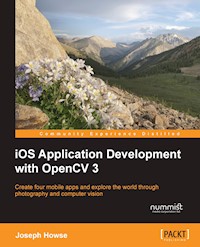
Create four mobile apps and explore the world through photography and computer vision
About This Book
- Efficiently harness iOS and OpenCV to capture and process high-quality images at high speed
- Develop photographic apps and augmented reality apps quickly and easily
- Detect, recognize, and morph faces and objects
Who This Book Is For
If you want to do computational photography and computer vision on Apple's mobile devices, then this book is for you. No previous experience with app development or OpenCV is required. However, basic knowledge of C++ or Objective-C is recommended.
What You Will Learn
- Use Xcode and Interface Builder to develop iOS apps
- Obtain OpenCV's standard modules and build extra modules from source
- Control all the parameters of the iOS device's camera
- Capture, save, and share photos and videos
- Analyze colors, shapes, and textures in ordinary and specialized photographs
- Blend and compare images to create special photographic effects and augmented reality tools
- Detect faces and morph facial features
- Classify coins and other objects
In Detail
iOS Application Development with OpenCV 3 enables you to turn your smartphone camera into an advanced tool for photography and computer vision. Using the highly optimized OpenCV library, you will process high-resolution images in real time. You will locate and classify objects, and create models of their geometry. As you develop photo and augmented reality apps, you will gain a general understanding of iOS frameworks and developer tools, plus a deeper understanding of the camera and image APIs.
After completing the book's four projects, you will be a well-rounded iOS developer with valuable experience in OpenCV.
Style and approach
The book is practical, creative, and precise. It shows you the steps to create and customize five projects that solve important problems for beginners in mobile app development and computer vision. Complete source code and numerous visual aids are included in each chapter. Experimentation is an important part of the book. You will use computer vision to explore the real world, and then you will refine the projects based on your findings.
Sie lesen das E-Book in den Legimi-Apps auf:
Seitenzahl: 211
Veröffentlichungsjahr: 2016
Ähnliche

















Table of Contents
iOS Application Development with OpenCV 3
iOS Application Development with OpenCV 3
Copyright © 2016 Packt Publishing
All rights reserved. No part of this book may be reproduced, stored in a retrieval system, or transmitted in any form or by any means, without the prior written permission of the publisher, except in the case of brief quotations embedded in critical articles or reviews.
Every effort has been made in the preparation of this book to ensure the accuracy of the information presented. However, the information contained in this book is sold without warranty, either express or implied. Neither the author, nor Packt Publishing, and its dealers and distributors will be held liable for any damages caused or alleged to be caused directly or indirectly by this book.
Packt Publishing has endeavored to provide trademark information about all of the companies and products mentioned in this book by the appropriate use of capitals. However, Packt Publishing cannot guarantee the accuracy of this information.
First published: June 2016
Production reference: 1230616
Published by Packt Publishing Ltd.
Livery Place
35 Livery Street
Birmingham B3 2PB, UK.
ISBN 978-1-78528-949-1
www.packtpub.com
Credits
Author
Joseph Howse
Reviewer
Mohit Athwani
Commissioning Editor
Sarah Crofton
Acquisition Editor
Rahul Nair
Content Development Editor
Samantha Gonsalves
Technical Editor
Vivek Arora
Copy Editor
Tasneem Fatehi
Project Coordinator
Sanchita Mandal
Proofreader
Safis Editing
Indexer
Mariammal Chettiyar
Graphics
Disha Haria
Production Coordinator
Arvindkumar Gupta
Cover Work
Arvindkumar Gupta
About the Author
Joseph Howse lives in Canada. During the cold winters, he grows a beard and his four cats grow thick coats of fur. He combs the cats every day. Sometimes the cats pull his beard.
Joseph has been writing for Packt Publishing since 2012. His books include OpenCV for Secret Agents, OpenCV 3 Blueprints, Android Application Programming with OpenCV 3, iOS Application Development with OpenCV 3, Learning OpenCV 3 Computer Vision with Python, and Python Game Programming by Example.
When he is not writing books or grooming cats, Joseph provides consulting, training, and software development services through his company, Nummist Media (http://nummist.com/).
Acknowledgments
As always, Mom, Dad, and the cats have provided all kinds of support, including assistance with the photography in this book.
I am glad for this chance to recognize the iOS developers who trained me years ago. They include Alex Brodsky, Bill Wilson, Jesse Rusak, and Woody Lidstone.
During the writing of this book, I have benefitted from the opportunity to do other OpenCV projects with local colleagues such as Jeff Leadbetter, Matt Wright, Jad Tawil, and Kevin J. Gallant. I am proud that we are part of a growing computer vision community in Atlantic Canada.
Once again, the team at Packt Publishing has supported me with tremendous energy, skill, and loyalty. Thank you! Harsha Bharwani persuaded me to write another OpenCV book. After all, the set was incomplete without iOS. Samantha Gonsalves guided the project to completion, and she never let any complication discourage her or me. All the editors and the technical reviewer have added their marks of quality to the book, and have helped it speak to its audience. Please meet the technical reviewer by reading his biography here.
Finally, I want to thank my readers and the OpenCV community for the great years of learning that we have shared, and even greater years ahead!
About the Reviewer
Mohit Athwani is a self-taught iOS developer and has been developing apps since the early days of iOS 3. He has worked with several clients all around the world and has carried out intense research in the field of facial detection and recognition on iOS. His app, iRajanee, became the number one app on the Indian app store and fetched him tremendous success.
Mohit started his company, Geeks (http://www.geeksincorporated.net/), with a friend in 2010 and has since also involved himself in conducting training sessions on iOS for students and corporates alike. His website, http://indianios.guru/, hosts a lot of introductory videos and tutorials on developing for iOS with Swift.
I would like to thank my parents for gifting me my first MacBook and iPhone that allowed me to become an iOS developer. I would like to thank my friends and everybody who has encouraged me to come up with new ideas and concepts and I would also like to thank Packt Publishing for giving me the opportunity to review this book.
www.PacktPub.com
eBooks, discount offers, and more
Did you know that Packt offers eBook versions of every book published, with PDF and ePub files available? You can upgrade to the eBook version at www.PacktPub.com and as a print book customer, you are entitled to a discount on the eBook copy. Get in touch with us at <[email protected]> for more details.
At www.PacktPub.com, you can also read a collection of free technical articles, sign up for a range of free newsletters and receive exclusive discounts and offers on Packt books and eBooks.
https://www2.packtpub.com/books/subscription/packtlibDo you need instant solutions to your IT questions? PacktLib is Packt's online digital book library. Here, you can search, access, and read Packt's entire library of books.
Why subscribe?
I dedicate my work to Sam, Jan, Bob, Bunny, and the cats, who have been my lifelong guides and companions.
Preface
Although iOS started as an operating system for a phone, it now fills a much broader role in a world of mobile and connected devices. Among their many functions, iOS devices act as smart cameras, offering a programmable imaging chain with a good set of features and optimizations in hardware and software. Moreover, iOS has great support for C and C++, which are the dominant languages of computer vision libraries. This point brings us to OpenCV, a cross-platform, open source, C++ library that provides optimized implementations of algorithms for computer vision, image processing, and machine learning. OpenCV has good iOS support, including functionality to bridge the differences between OpenCV's C++ types and iOS SDK's Objective-C types.
I began to work as an iOS and Android developer in 2010 and then as an OpenCV developer in 2012. The demand for these technologies has grown tremendously in just a few years. Ideas about low-cost smart cameras have captured the imagination of inventors and marketers, and OpenCV has proven to be a versatile library for rapidly prototyping these ideas. For me, this surge of interest in the field has provided opportunities to write technical books, found a business, and come in contact with fellow computer vision enthusiasts who live on every inhabited continent. People are building careers in computer vision everywhere—not just in the San Francisco Bay area but also in San Salvador, Kampala, Tehran, Bremen, and my home city of Halifax in Canada, to name just a few of the places where loyal readers live.
At the time of writing, this is the only book on OpenCV 3 for iOS, and it is much more extensive than any online tutorials on the subject. The book's code is tested with OpenCV 3.1, which offers many bug fixes and improvements compared to OpenCV 3.0. I hope this collection of sample applications and reference material makes the library more accessible to scholars, workers, and creators such as you!
What this book covers
Chapter 1, Setting Up Software and Hardware, covers the installation of an iOS development environment and OpenCV. To test our setup, we build a minimal application, CoolPig, which manipulates colors in a picture of a pig. Finally, we consider some photographic techniques and accessories.
Chapter 2, Capturing, Storing, and Sharing Photos, deals with camera control, the Photos library, and social networks. We build a photography app, LightWork.
Chapter 3, Blending Images, adds new features to our LightWork app. We use simple arithmetic operations as well as more complex filters to blend pairs of images in real time.
Chapter 4, Detecting and Merging Faces of Mammals, is about detection, classification, and geometric transformation, with an emphasis on faces. We create an application called ManyMasks, which can align and blend the faces of humans, cats, and possibly other mammals.
Chapter 5, Classifying Coins and Commodities, deals with detection and classification but with an emphasis on objects that have distinctive colors or designs. Our final application, BeanCounter, can classify coins, beans, and other objects, depending on a configuration file and a set of training images.
What you need for this book
You need a computer running Mac OS 10.10 (or a later version) as well as an iPhone, iPad, or iPod Touch running iOS 9 (or a later version).
On your computer, you need to install Apple's standard tools for iOS developers. These include Xcode, iOS SDK, and the Xcode Command Line Tools. You also need to set up OpenCV 3.1 (or a later version). All this software is free, and Chapter 1, Setting Up Software and Hardware, provides setup instructions.
Who this book is for
This book is great for developers who are new to iOS, computer vision, or both. Previous experience with Objective-C or C++ is recommended.
Reader feedback
Feedback from our readers is always welcome. Let us know what you think about this book—what you liked or disliked. Reader feedback is important for us as it helps us develop titles that you will really get the most out of.
To send us general feedback, simply e-mail <[email protected]>, and mention the book's title in the subject of your message.
If there is a topic that you have expertise in and you are interested in either writing or contributing to a book, see our author guide at www.packtpub.com/authors.
Customer support
Now that you are the proud owner of a Packt book, we have a number of things to help you to get the most from your purchase.
Downloading the example code
You can download the example code files for this book from your account at http://www.packtpub.com. If you purchased this book elsewhere, you can visit http://www.packtpub.com/support and register to have the files e-mailed directly to you.
You can download the code files by following these steps:
You can also download the code files by clicking on the Code Files button on the book's webpage at the Packt Publishing website. This page can be accessed by entering the book's name in the Search box. Please note that you need to be logged in to your Packt account.
Once the file is downloaded, please make sure that you unzip or extract the folder using the latest version of:
Updated code for the book is also hosted on GitHub at https://github.com/PacktPublishing/iOS-Application-Development-with-OpenCV3. We also have other code bundles from our rich catalog of books and videos available at https://github.com/PacktPublishing/. Check them out!
Downloading the color images of this book
We also provide you with a PDF file that has color images of the screenshots/diagrams used in this book. The color images will help you better understand the changes in the output. You can download this file from http://www.packtpub.com/sites/default/files/downloads/iOSApplicationDevelopmentwithOpenCV3_ColorImages.pdf.
Errata
Although we have taken every care to ensure the accuracy of our content, mistakes do happen. If you find a mistake in one of our books—maybe a mistake in the text or the code—we would be grateful if you could report this to us. By doing so, you can save other readers from frustration and help us improve subsequent versions of this book. If you find any errata, please report them by visiting http://www.packtpub.com/submit-errata, selecting your book, clicking on the Errata Submission Form link, and entering the details of your errata. Once your errata are verified, your submission will be accepted and the errata will be uploaded to our website or added to any list of existing errata under the Errata section of that title.
To view the previously submitted errata, go to https://www.packtpub.com/books/content/support and enter the name of the book in the search field. The required information will appear under the Errata section.
Since this book has a GitHub repository, you can also report errata by creating an issue at https://github.com/JoeHowse/iOSWithOpenCV/issues.
Piracy
Piracy of copyrighted material on the Internet is an ongoing problem across all media. At Packt, we take the protection of our copyright and licenses very seriously. If you come across any illegal copies of our works in any form on the Internet, please provide us with the location address or website name immediately so that we can pursue a remedy.
Please contact us at <[email protected]> with a link to the suspected pirated material.
We appreciate your help in protecting our authors and our ability to bring you valuable content.
Questions
If you have a problem with any aspect of this book, you can contact us at <[email protected]>, and we will do our best to address the problem.
You can also contact the author directly at <[email protected]>, or check his website, http://nummist.com/opencv, for answers to common questions about his books.
Chapter 1. Setting Up Software and Hardware
Every year since 2007, the iPhone has spawned a new generation of hardware, and eager buyers have queued up outside their local Apple Store to get it. The iPhone and iPad have become centerpieces of consumer culture, promising instant gratification, timely information, and easy achievements. Apps are designed for retirees, working people, job hunters, vacationers, students, gamers, hospital patients, babies, and cats. Like a Swiss Army knife, an iPhone is a premium product that supposedly prepares the user for all kinds of contingencies. Moreover, the iPhone is a fashion item and sometimes inspires idiosyncratic behavior. For example, it enables the user to share large numbers of selfies and pictures of lunch.
As software developers and scholars of computer vision, we need to think a bit harder about the iPhone, the iPad, and their cameras. We need to make preparations before we can properly use these versatile tools in our work. We also need to demystify Apple's proprietary systems and appreciate the role of open source, cross-platform libraries such as OpenCV. Apple provides a fine mobile platform in iOS, but computer vision is not a fundamental part of this platform. OpenCV uses this platform efficiently but adds a layer of abstraction, providing high-level functionality for computer vision.
This chapter is the primer for the rest of the book. We assume that you already have a computer running Mac OS 10.10 (or a later version) as well as an iPhone, iPad, or iPod Touch running iOS 9 (or a later version). We will take the following steps to prepare a workspace and learn good habits for our future projects:
By the end of this chapter, you will possess the necessary software and skills to build a basic OpenCV project for iOS. You will also have a new appreciation of your iPhone or iPad's camera as a tool for scientific photography and computer vision.
Setting up Apple's developer tools
The Xcode integrated development environment (IDE) is Apple's core product for developers. It includes GUI tools for the design, configuration, development, and testing of apps. As an add-on, the Xcode Command Line Tools enable full control of Xcode projects from the command prompt in Terminal. For iOS developers, the iOS SDK is also essential. It includes all the standard iOS libraries as well as tools for simulation and deployment.
Xcode is available for free from the Mac App Store and comes with the current version of the iOS SDK. Go to https://itunes.apple.com/us/app/xcode/id497799835, open Xcode's App Store link, and start the installer. The installer may run for an hour or longer, including the time to download Xcode and the iOS SDK. Give your agreement to any prompts, including the prompt to reboot.
Once Xcode is installed, open Terminal and run the following command to install the Xcode Command Line Tools:
Again, give your agreement to any prompts. Once the Xcode Command Line Tools are installed, run the following command to ensure that you have reviewed and accepted the required license agreements:
The text of the agreements will appear in Terminal. Press spacebar repeatedly until you reach the end of the text, then type agree, and press Enter. Now, we have the basic tools to develop iOS projects in Xcode and Terminal.
Setting up the OpenCV framework
OpenCV for iOS is distributed as a framework file, which is a bundle containing the library's header files as well as binary files for static linkage. The binaries support all iOS device architectures (ARMv7, ARMv7s, and ARM64) and all iOS simulator architectures (x86 and x64). Thus, we can use the same framework file for all configurations of an iOS application project.
OpenCV 3 is designed to be modular. Its build process is highly configurable to allow modules to be added, reimplemented, or removed without breaking other modules. Each module consists of one public header file along with various private header files and implementation files. Some modules are considered standard components of an OpenCV build, and these standard modules are maintained and tested by the library's core development team. Other modules are considered extras, and these extra or "contributed" modules are maintained and tested by third-party contributors. Collectively, the extra modules are called opencv_contrib.
If we just want to use the standard modules, we can obtain the official, prebuilt distribution of OpenCV for iOS. This prebuilt distribution consists of a framework file, opencv2.framework. If we want to use extra modules, we must build opencv2.framework for ourselves. Next, let's examine the steps to get or build the framework.
Note
For this book's projects, the extra modules are not required but they are recommended because we will use them to implement some optional features.
Getting the prebuilt framework with standard modules
Go to http://opencv.org/downloads.html and click on the download link for the latest version of OpenCV for iOS. Specifically, we require OpenCV 3.1 or a later version. The download's filename is opencv2.framework.zip. Unzip it to get the framework file, opencv2.framework. Later, we will add this framework to our iOS application projects; we will import its header files using the following code:
This imports the core module's header file from opencv2.framework. The import statement will vary according to the module's name.
Building the framework from source with extra modules
We will try to get and build all of OpenCV's modules. Broadly, this process will consist of the following four steps:
Now, let's discuss the details as we walk through the steps. To obtain OpenCV's latest source code, we can use Git, an open source version control tool. We already installed Git as part of the Xcode Command Line Tools. OpenCV's standard and extra modules are hosted in two repositories on GitHub, an online repository hosting service. To download the standard modules' source code to <opencv_source_path>, run the following command:
Similarly, to download the extra modules' source code to <opencv_contrib_source_path>, run the following command:
Note
For an exhaustive guide to Git, see the book Pro Git, 2nd Edition (Apress, 2014) by Scott Chacon and Ben Straub. The free eBook version is available at https://www.git-scm.com/book.
OpenCV's source code comes with build scripts for various platforms. The iOS build script takes two arguments—the build path and the opencv_contrib source path. Run the script in the following manner:




