


27,59 €
Mehr erfahren.
- Herausgeber: Packt Publishing
- Kategorie: Fachliteratur
- Sprache: Englisch
Take a smartphone from your pocket, and within a few seconds, you can snap a photo, manipulate it, and share it with the world. You have just achieved mass production of image data. With a computer vision library such as OpenCV, you can analyze and transform copious amounts of image data in real time on a mobile device. The upshot to this is that you, as developers, can provide mobile users with many new kinds of images, constantly highlighting certain visual features that are of artistic or practical interest. Android is a convenient platform for such experiments because it uses a high-level language (Java), it provides standardized interfaces for sharing image data between applications, and it is mostly open source, so everyone can study its implementation.
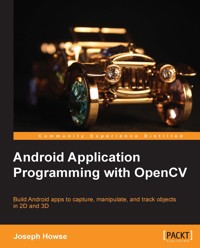
Android Application Programming with OpenCV is a practical, hands-on guide that covers the fundamental tasks of computer vision—capturing, filtering, and analyzing images-with step-by-step instructions for writing both an application and reusable library classes.
Android Application Programming with OpenCV looks at OpenCV's Java bindings for Android and dispels mysteries such as which version of these bindings to use, how to integrate with standard Android functionality for layout, event handling, and data sharing, and how to integrate with OpenGL for rendering. By following the clear, concise, and modular examples provided in this book, you will develop an application that previews, captures, and shares photos with special effects based on color manipulation, edge detection, image tracking, and 3D rendering.Beneath the application layer, you will develop a small but extensible library that you can reuse in your future projects. This library will include filters for selectively modifying an image based on edge detection, 2D and 3D image trackers, and adapters to convert the Android system's camera specifications into OpenCV and OpenGL projection matrices. If you want a quick start in computer vision for Android, then this is the book for you.
By the end of Android Application Programming with OpenCV, you will have developed a computer vision application that integrates OpenCV, Android SDK, and OpenGL.
Das E-Book können Sie in Legimi-Apps oder einer beliebigen App lesen, die das folgende Format unterstützen:
Seitenzahl: 124
Veröffentlichungsjahr: 2013
Ähnliche















Table of Contents
Android Application Programming with OpenCV
Android Application Programming with OpenCV
Copyright © 2013 Packt Publishing
All rights reserved. No part of this book may be reproduced, stored in a retrieval system, or transmitted in any form or by any means, without the prior written permission of the publisher, except in the case of brief quotations embedded in critical articles or reviews.
Every effort has been made in the preparation of this book to ensure the accuracy of the information presented. However, the information contained in this book is sold without warranty, either express or implied. Neither the author, nor Packt Publishing, and its dealers and distributors will be held liable for any damages caused or alleged to be caused directly or indirectly by this book.
Packt Publishing has endeavored to provide trademark information about all of the companies and products mentioned in this book by the appropriate use of capitals. However, Packt Publishing cannot guarantee the accuracy of this information.
First published: September 2013
Production Reference: 1180913
Published by Packt Publishing Ltd.
Livery Place
35 Livery Street
Birmingham B3 2PB, UK.
ISBN 978-1-84969-520-6
www.packtpub.com
Cover Image by Ankita Jha (<[email protected]>)
Credits
Author
Joseph Howse
Reviewers
Karan Kedar Balkar
Rohit Bhat
Viral Parekh
Acquisition Editors
Nikhil Karkal
Kartikey Pandey
Commissioning Editor
Harsha Bharwani
Technical Editors
Jinesh Kampani
Manal Pednekar
Project Coordinator
Amigya Khurana
Proofreader
Amy Guest
Indexer
Rekha Nair
Graphics
Ronak Dhruv
Production Coordinator
Conidon Miranda
Cover Work
Conidon Miranda
About the Author
Joseph Howse might be at home right now, sitting on a sofa and writing a book, or he might have dashed away with a suitcase full of books, cameras, and computers. He is equipped to "see the world" or at least to do his work in computer vision.
He is a software developer at Ad-Dispatch (Canada), where he makes augmented reality games for iOS and Android. Thanks to computer vision, the games can make use of real-world props such as a child's drawings, toys, or blanket-forts.
He also provides training and consulting services. He is currently consulting at Market Beat (El Salvador) on an embedded systems project that uses OpenCV for face recognition.
He holds three masters degrees in Computer Science, International Development Studies, and Business Administration (Dalhousie University, Canada). His research has been published by ISMAR (International Symposium on Mixed and Augmented Realities), and he would love to meet you there if you go.
Android Application Programming with OpenCV is Joe's second book with Packt. His first book, OpenCV Computer Vision with Python, includes an introduction to face tracking and depth cameras (for example, Kinect) on Windows, Mac, and Linux.
Joe likes cats, kittens, oceans, and seas. Felines and saline water sustain him. He lives with his multi-species family in Halifax, on Canada's Atlantic coast.
I am able to write—and to enjoy writing—because I am constantly encouraged by the memory of Sam and by the companionship of Mom, Dad, and the cats. They are my fundamentals.
I am indebted to my editors and reviewers for guiding this book to completion. Their professionalism, courtesy, good judgment, and passion for books are much appreciated.
About the Reviewers
Karan Kedar Balkar has been working as an independent Android application developer since the past four years. Born and brought up in Mumbai, he holds a bachelor degree in Computer Engineering. He has written over 50 programming tutorials on his personal blog (http://karanbalkar.com), covering popular technologies and frameworks.
At present, he is working as a software engineer. He has been trained on various technologies including Java, Oracle, and .NET. Apart from being passionate about technology, he loves to write poems and travel to different places. He likes listening to music and enjoys playing the guitar.
Firstly, I would like to thank my parents for their constant support and encouragement. I would also like to thank my friends Srivatsan Iyer, Ajit Pillai, and Prasaanth Neelakandan for always inspiring and motivating me.
I would like to express my deepest gratitude to Packt Publishing for giving me a chance to be a part of the reviewing process.
Rohit Bhat is a Computer Science graduate from BITS Pilani, India, currently working as a Software Specialist in a leading Big Data Analytics firm. He has done projects in a variety of fields of technology encompassing Data Mining, Android Development, Open CV, Swarm Intelligence, Workflow Automation, and Video Conferencing platform. He loves to keep himself abreast of the latest technology and can always be found ready for a discussion on any topic under the sun. He is also interested in reading, startup, economics, and current affairs. He likes to write and is a freelance blogger in his spare time.
He is currently writing a book for Packt on Bonita Open Solution, a technology which he has used extensively for Workflow Automation and Business Process Modeling.
Viral Parekh is a young graduate of Computer Science. He is a skilled mobile application developer. He has a grip on the various open source libraries such as OpenCV, OpenNI (Open Natural Interaction), FFmpeg, and video4linux. He is keen to work in the field of Human computer Interaction and Augmented reality.
www.PacktPub.com
Support files, eBooks, discount offers and more
You might want to visit www.PacktPub.com for support files and downloads related to your book.
Did you know that Packt offers eBook versions of every book published, with PDF and ePub files available? You can upgrade to the eBook version at www.PacktPub.com and as a print book customer, you are entitled to a discount on the eBook copy. Get in touch with us at <[email protected]> for more details.
At www.PacktPub.com, you can also read a collection of free technical articles, sign up for a range of free newsletters and receive exclusive discounts and offers on Packt books and eBooks.
http://PacktLib.PacktPub.com
Do you need instant solutions to your IT questions? PacktLib is Packt's online digital book library. Here, you can access, read and search across Packt's entire library of books.
Why Subscribe?
Free Access for Packt account holders
If you have an account with Packt at www.PacktPub.com, you can use this to access PacktLib today and view nine entirely free books. Simply use your login credentials for immediate access.
Preface
This book will show you how to use OpenCV's Java bindings in an Android app that displays a camera feed, saves and shares photos, manipulates colors and edges, and tracks real-world objects in 2D or 3D. Integration with OpenGL is also introduced so that you can start building augmented reality (AR) apps that superimpose virtual 3D scenes on tracked objects in the camera feed.
OpenCV is an open-source, cross-platform library that provides building blocks for computer vision experiments and applications. It offers high-level interfaces for capturing, processing, and presenting image data. For example, it abstracts away details about camera hardware and array allocation. OpenCV is widely used in both academia and industry.
Android is a mobile operating system that is mostly open source. For Java developers, it offers a high-level application framework called Android SDK. Android apps are modular insofar as they have standard, high-level interfaces for launching each other and sharing data. Mobility, a high level of abstraction, and data sharing are great starting points for a photo sharing app, similar to the one we will build.
Although OpenCV and Android provide a lot of high-level abstractions (and a lot of open source code for curious users to browse), they are not necessarily easy for newcomers. Setting up an appropriate development environment and translating the libraries' broad functionality into app features are both daunting tasks. This concise book helps by placing an emphasis on clean setup, clean application design, and a simple understanding of each function's purpose.
The need for a book on this subject is particularly great because the OpenCV's Java and Android bindings are quite new and their documentation is not yet mature. Little has been written about the steps for integrating OpenCV with an Android's standard camera, media, and graphics APIs. Surely integration is a major part of an app developer's work, so it is a major focus of this book.
By the end of our journey together, you will have a taste of the breadth of application features that are made possible by integrating OpenCV with other Android libraries. You will have your own small library of reusable classes that you can extend or modify for your future computer vision projects. You will have a development environment and the knowledge to use it, and you will be able to make more apps!
What this book covers
Chapter 1, Setting Up OpenCV, covers the steps to setting up OpenCV and an Android development environment, including Eclipse and Android SDK.
Chapter 2, Working with Camera Frames, shows how to integrate OpenCV into an Android app that can preview, capture, save, and share photos.
Chapter 3, Applying Image Effects, explores the OpenCV's functionality for manipulating color channels and neighborhoods of pixels. We expand our app to include channel-mixing filters, "curve" filters, and a filter that darkens edges.
Chapter 4, Recognizing and Tracking Images, demonstrates the steps to recognizing and tracking a known target (such as a painting) when it appears in a video feed. We expand our app so that it draws an outline around any tracked target.
Chapter 5, Combining Image Tracking with 3D Rendering, improves upon our previous tracking technique by determining the target's position and rotation in real 3D space. We expand our app so that it sets up an OpenGL 3D scene with the same perspective as the Android device's real camera. Then, we draw a 3D cube atop any tracked target.
What you need for this book
This book provides setup instructions for OpenCV and an Android development environment, including Eclipse and Android SDK. The software is cross platform and the instructions cover Windows, Mac, and Linux. Other Unix-like environments may work, too, if you are willing to do your own tailoring of the setup steps.
You need a mobile device running Android 2.2 (Froyo) or greater and it must have a camera. Preferably, it should have two cameras, front and rear. Also, it should preferably come with the Google Play Store app because OpenCV uses Google Play Store to manage installation and upgrades of shared libraries.
Who this book is for
This book is great for Java developers who are new to computer vision and who like to learn through application development. It is assumed that you have previous experience in Java but not necessarily Android. A basic understanding of image data (for example, pixels, color channels) would be helpful, too.
Reader feedback
Feedback from our readers is always welcome. Let us know what you think about this book—what you liked or may have disliked. Reader feedback is important for us to develop titles that you really get the most out of.
To send us general feedback, simply send an e-mail to <[email protected]>, and mention the book title via the subject of your message.
If there is a topic that you have expertise in and you are interested in either writing or contributing to a book, see our author guide on www.packtpub.com/authors.
Customer support
Now that you are the proud owner of a Packt book, we have a number of things to help you to get the most from your purchase.
Downloading the example code
You can download the example code files for all Packt books you have purchased from your account at http://www.packtpub.com. If you purchased this book elsewhere, you can visit http://www.packtpub.com/support and register to have the files e-mailed directly to you. The example code for this book is also available from the author's website at http://nummist.com/opencv/.




