


33,99 €
Mehr erfahren.
- Herausgeber: John Wiley & Sons
- Kategorie: Wissenschaft und neue Technologien
- Sprache: Englisch
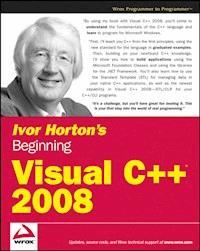
Proudly presenting the latest edition of one of the all-time bestselling books on the C++ language, successful author Ivor Horton repeats the formula that has made each previous edition so popular by teaching you both the standard C++ language and C++/CLI as well as Visual C++ 2008. Thoroughly updated for the 2008 release, this book shows you how to build real-world applications using Visual C++ and guides you through the ins and outs of C++ development. With this book by your side, you are well on your way to becoming a successful C++ programmer.
Das E-Book können Sie in Legimi-Apps oder einer beliebigen App lesen, die das folgende Format unterstützen:
Seitenzahl: 2322
Veröffentlichungsjahr: 2011
Ähnliche
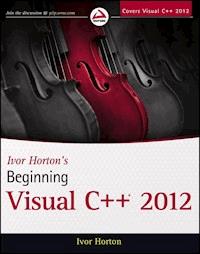











Ivor Horton's
Beginning
Visual C++®2008
Ivor Horton
Wiley Publishing, Inc.
Ivor Horton's Beginning Visual C++®2008
Ivor Horton
Published by
Wiley Publishing, Inc.
10475 Crosspoint Boulevard
Indianapolis, IN 46256
www.wiley.com
Copyright © 2008 by Ivor Horton
Published by Wiley Publishing, Inc., Indianapolis, Indiana
Published simultaneously in Canada ISBN:
978-0-470-22590-5
Library of Congress Cataloging-in-Publication Data is available from the publisher.
No part of this publication may be reproduced, stored in a retrieval system or transmitted in any form or by any means, electronic, mechanical, photocopying, recording, scanning or otherwise, except as permitted under Sections 107 or 108 of the 1976 United States Copyright Act, without either the prior written permission of the Publisher, or authorization through payment of the appropriate per-copy fee to the Copyright Clearance Center, 222 Rosewood Drive, Danvers, MA 01923, (978) 750-8400, fax (978) 646-8600. Requests to the Publisher for permission should be addressed to the Legal Department, Wiley Publishing, Inc., 10475 Crosspoint Blvd., Indianapolis, IN 46256, (317) 572-3447, fax (317) 572-4355, or online at http://www.wiley.com/go/permissions.
Limit of Liability/Disclaimer of Warranty: The publisher and the author make no representations or warranties with respect to the accuracy or completeness of the contents of this work and specifically disclaim all warranties, including without limitation warranties of fitness for a particular purpose. No warranty may be created or extended by sales or promotional materials. The advice and strategies contained herein may not be suitable for every situation. This work is sold with the understanding that the publisher is not engaged in rendering legal, accounting, or other professional services. If professional assistance is required, the services of a competent professional person should be sought. Neither the publisher nor the author shall be liable for damages arising herefrom. The fact that an organization or Website is referred to in this work as a citation and/or a potential source of further information does not mean that the author or the publisher endorses the information the organization or Website may provide or recommendations it may make. Further, readers should be aware that Internet Websites listed in this work may have changed or disappeared between when this work was written and when it is read.
For general information on our other products and services please contact our Customer Care Department within the United States at (800) 762-2974, outside the United States at (317) 572-3993 or fax (317) 572-4002.
Trademarks: Wiley, the Wiley logo, Wrox, the Wrox logo, Wrox Programmer to Programmer, and related trade dress are trademarks or registered trademarks of John Wiley & Sons, Inc. and/or its affiliates, in the United States and other countries, and may not be used without written permission. Visual C++ is a registered trademark of Microsoft Corporation in the United States and/or other countries. All other trademarks are the property of their respective owners. Wiley Publishing, Inc., is not associated with any product or vendor mentioned in this book.
Wiley also publishes its books in a variety of electronic formats. Some content that appears in print may not be available in electronic books.
This book is dedicated to Isabella Williams, who joined the growing band of beautiful girls in my life in January 2007.
About the Autuor
Ivor Horton graduated as a mathematician and was lured into information technology by promises of great rewards for very little work. In spite of the reality being usually a great deal of work for relatively modest rewards, he has continued to work with computers to the present day. He has been engaged at various times in programming, systems design, consultancy, and the management of the implementation of projects of considerable complexity.
Horton has many years of experience in the design and implementation of computer systems applied to engineering design and to manufacturing operations in a variety of industries. He has considerable experience developing occasionally useful applications in a wide variety of programming languages, and teaching primarily scientists and engineers to do likewise. He has been writing books on programming for more than 10 years now, and his currently published works include tutorials on C, C++, and Java. At the present time, when he is not writing programming books or providing advice to others, he spends his time fishing, traveling, and trying to speak better French.
Credits
Executive Editor
Robert Elliott
Development Editor
Ed Connor
Technical Editor
John Mueller
Copy Editor
Mildred Sanchez
Editorial Manager
Mary Beth Wakefield
Production Manager
Tim Tate
Vice President and Executive Group Publisher
Richard Swadley
Vice President and Executive Publisher
Joseph B. Wikert
Project Coordinator, Cover
Lynsey Stanford
Compositor
Laurie Stewart, Happenstance Type-O-Rama
Proofreaders
Jeremy Bagai
Sheilah Ledwidge
Carrie Hunter
Lee Ewert
Will DeRooy
Indexer
Jack Lewis
Acknowledgments
Introduction
Chapter 1: Programming with Visual c++ 2008
The .NET Framework
The Common Language Runtime (CLR)
Writing C++ Applications
Learning Windows Programming
Learning C++
The C++ Standards
Attributes
Console Applications
Windows Programming Concepts
What Is the Integrated Development Environment?
Components of the System
Using the IDE
Toolbar Options
Dockable Toolbars
Documentation
Projects and Solutions
Setting Options in Visual C++ 2008
Creating and Executing Windows Applications
Creating a Windows Forms Application
Summary
Chapter 2: Data, Variables, and Calculations
The Structure of a C++ Program
The main() Function
Program Statements
Whitespace
Statement Blocks
Automatically Generated Console Programs
Defining Variables
Naming Variables
Declaring Variables
Initial Values for Variables
Fundamental Data Types
Integer Variables
Character Data Types
Integer Type Modifiers
The Boolean Type
Floating-Point Types
Literals
Defining Synonyms for Data Types
Variables with Specific Sets of Values
Basic Input/Output Operations
Input from the Keyboard
Output to the Command Line
Formatting the Output
Escape Sequences
Calculating in C++
The Assignment Statement
Arithmetic Operations
Calculating a Remainder
Modifying a Variable
The Increment and Decrement Operators
The Sequence of Calculation
Variable Types and Casting
Rules for Casting Operands
Casts in Assignment Statements
Explicit Casts
Old-Style Casts
The Bitwise Operators
The Bitwise AND
The Bitwise OR
The Bitwise Exclusive OR
The Bitwise NOT
The Bitwise Shift Operators
Understanding Storage Duration and Scope
Automatic Variables
Positioning Variable Declarations
Global Variables
Static Variables
Namespaces
Declaring a Namespace
Multiple Namespaces
C++/CLI Programming
C++/CLI Specific: Fundamental Data Types
C++/CLI Output to the Command Line
C++/CLI Specific—Formatting the Output
C++/CLI Input from the Keyboard
Using safe_cast
C++/CLI Enumerations
Summary
Exercises
Chapter 3: Decisions and Loops
Comparing Values
The if Statement
Nested if Statements
Nested if-else Statements
Logical Operators and Expressions
The Conditional Operator
The switch Statement
Unconditional Branching
Repeating a Block of Statements
What Is a Loop?
Variations on the for Loop
The while Loop
The do-while Loop
Nested Loops
C++/CLI Programming
The for each Loop
Summary
Exercises
Chapter 4: Arrays, Strings, and Pointers
Handling Multiple Data Values of the Same Type
Arrays
Declaring Arrays
Initializing Arrays
Character Arrays and String Handling
Multidimensional Arrays
Indirect Data Access
What Is a Pointer?
Declaring Pointers
Using Pointers
Initializing Pointers
The sizeof Operator
Constant Pointers and Pointers to Constants
Pointers and Arrays
Dynamic Memory Allocation
The Free Store, Alias the Heap
The new and delete Operators
Allocating Memory Dynamically for Arrays
Dynamic Allocation of Multidimensional Arrays
Using References
What Is a Reference?
Declaring and Initializing References
Native C++ Library Functions for Strings
Finding the Length of a Null-Terminated String
Joining Null-Terminated Strings
Copying Null-Terminated Strings
Comparing Null-Terminated Strings
Searching Null-Terminated Strings
C++/CLI Programming
Tracking Handles
CLR Arrays
Strings
Tracking References
Interior Pointers
Summary
Exercises
Chapter 5: Introducing Structure into Your Programs
Understanding Functions
Why Do You Need Functions?
Structure of a Function
Using a Function
Function Prototypes
Passing Arguments to a Function
The Pass-by-value Mechanism
Pointers as Arguments to a Function
Passing Arrays to a Function
References as Arguments to a Function
Use of the const Modifier
Arguments to main()
Accepting a Variable Number of Function Arguments
Returning Values from a Function
Returning a Pointer
Static Variables in a Function
Recursive Function Calls
Using Recursion
C++/CLI Programming
Functions Accepting a Variable Number of Arguments
Arguments to main()
Summary
Exercises
Chapter 6: More about Program Structure
Pointers to Functions
Declaring Pointers to Functions
A Pointer to a Function as an Argument
Arrays of Pointers to Functions
Initializing Function Parameters
Exceptions
Throwing Exceptions
Catching Exceptions
Exception Handling in the MFC
Handling Memory Allocation Errors
Function Overloading
What Is Function Overloading?
When to Overload Functions
Function Templates
Using a Function Template
An Example Using Functions
Implementing a Calculator
Eliminating Blanks from a String
Evaluating an Expression
Getting the Value of a Term
Analyzing a Number
Putting the Program Together
Extending the Program
Extracting a Substring
Running the Modified Program
C++/CLI Programming
Understanding Generic Functions
A Calculator Program for the CLR
Summary
Exercises
Chapter 7: Defining Your Own Data Types
The struct in C++
What Is a struct?
Defining a struct
Initializing a struct
Accessing the Members of a struct
IntelliSense Assistance with Structures
The struct RECT
Using Pointers with a struct
Data Types, Objects, Classes, and Instances
First Class
Operations on Classes
Terminology
Understanding Classes
Defining a Class
Declaring Objects of a Class
Accessing the Data Members of a Class
Member Functions of a Class
Positioning a Member Function Definition
Inline Functions
Class Constructors
What Is a Constructor?
The Default Constructor
Assigning Default Parameter Values in a Class
Using an Initialization List in a Constructor
Private Members of a Class
Accessing private Class Members
The friend Functions of a Class
The Default Copy Constructor
The Pointer this
const Objects of a Class
const Member Functions of a Class
Member Function Definitions Outside the Class
Arrays of Objects of a Class
Static Members of a Class
Static Data Members of a Class
Static Function Members of a Class
Pointers and References to Class Objects
Pointers to Class Objects
References to Class Objects
C++/CLI Programming
Defining Value Class Types
Defining Reference Class Types
Defining a Copy Constructor for a Reference Class Type
Class Properties
initonly Fields
Static Constructors
Summary
Exercises
Chapter 8: More on Classes
Class Destructors
What Is a Destructor?
The Default Destructor
Destructors and Dynamic Memory Allocation
Implementing a Copy Constructor
Sharing Memory Between Variables
Defining Unions
Anonymous Unions
Unions in Classes and Structures
Operator Overloading
Implementing an Overloaded Operator
Implementing Full Support for a Comparison Operator
Overloading the Assignment Operator
Overloading the Addition Operator
Overloading the Increment and Decrement Operators
Class Templates
Defining a Class Template
Creating Objects from a Class Template
Class Templates with Multiple Parameters
Using Classes
The Idea of a Class Interface
Defining the Problem
Implementing the CBox Class
Organizing Your Program Code
Naming Program Files
Native C++ Library Classes for Strings
Creating String Objects
Concatenating Strings
Accessing and Modifying Strings
Comparing Strings
Searching Strings
C++/CLI Programming
Overloading Operators in Value Classes
Overloading the Increment and Decrement Operators
Overloading Operators in Reference Classes
Implementing the Assignment Operator for Reference Types
Summary
Exercises
Chapter 9: Class Inheritance and Virtual Functions
Basic Ideas of OOP
Inheritance in Classes
What Is a Base Class?
Deriving Classes from a Base Class
Access Control Under Inheritance
Constructor Operation in a Derived Class
Declaring Class Members to Be Protected
The Access Level of Inherited Class Members
The Copy Constructor in a Derived Class
Class Members as Friends
Friend Classes
Limitations on Class Friendship
Virtual Functions
What Is a Virtual Function?
Using Pointers to Class Objects
Using References with Virtual Functions
Pure Virtual Functions
Abstract Classes
Indirect Base Classes
Virtual Destructors
Casting Between Class Types
Nested Classes
C++/CLI Programming
Boxing and Unboxing
Inheritance in C++/CLI Classes
Interface Classes
Defining Interface Classes
Classes and Assemblies
Functions Specified as new
Delegates and Events
Destructors and Finalizers in Reference Classes
Generic Classes
Summary
Exercises
Chapter 10: The Standard Template Library
What Is the Standard Template Library?
Containers
Container Adapters
Iterators
Algorithms
Function Objects
Function Adapters
The Range of STL Containers
Sequence Containers
Creating Vector Containers
The Capacity and Size of a Vector Container
Accessing the Elements in a Vector
Inserting and Deleting Elements in a Vector
Storing Class Objects in a Vector
Sorting Vector Elements
Storing Pointers in a Vector
Double-Ended Queue Containers
Using List Containers
Using Other Sequence Containers
Associative Containers
Using Map Containers
Using a Multimap Container
More on Iterators
Using Input Stream Iterators
Using Inserter Iterators
Using Output Stream Iterators
More on Function Objects
More on Algorithms
fill()
replace()
find()
transform()
The STL for C++/CLI Programs
STL/CLR Containers
Using Sequence Containers
Using Associative Containers
Summary
Exercises
Chapter 11: Debugging Techniques
Understanding Debugging
Program Bugs
Common Bugs
Basic Debugging Operations
Setting Breakpoints
Setting Tracepoints
Starting Debugging
Changing the Value of a Variable
Adding Debugging Code
Using Assertions
Adding Your Own Debugging Code
Debugging a Program
The Call Stack
Step Over to the Error
Testing the Extended Class
Finding the Next Bug
Debugging Dynamic Memory
Functions Checking the Free Store
Controlling Free Store Debug Operations
Free Store Debugging Output
Debugging C++/CLI Programs
Using the Debug and Trace Classes
Getting Trace Output in Windows Forms Applications
Summary
Chapter 12: Windows Programming Concepts
Windows Programming Basics
Elements of a Window
Windows Programs and the Operating System
Event-Driven Programs
Windows Messages
The Windows API
Windows Data Types
Notation in Windows Programs
The Structure of a Windows Program
The WinMain() Function
Message Processing Functions
A Simple Windows Program
Windows Program Organization
The Microsoft Foundation Classes
MFC Notation
How an MFC Program Is Structured
The Application Class
The Window Class
Completing the Program
The Finished Product
Using Windows Forms
Summary
Chapter 13: Windows Programming with the Microsoft Foundation Classes
The Document/View Concept in MFC
What Is a Document?
Document Interfaces
What Is a View?
Linking a Document and Its Views
Your Application and MFC
Creating MFC Applications
Creating an SDI Application
The Output from the MFC Application Wizard
Creating an MDI Application
Summary
Exercises
Chapter 14: Working with Menus and Toolbars
Communicating with Windows
Understanding Message Maps
Message Categories
Handling Messages in Your Program
How Command Messages Are Processed
Extending the Sketcher Program
Elements of a Menu
Creating and Editing Menu Resources
Adding a Menu Item to the Menu Bar
Adding Items to the Element Menu
Modifying Existing Menu Items
Completing the Menu
Adding Handlers for Menu Messages
Choosing a Class to Handle Menu Messages
Creating Menu Message Functions
Coding Menu Message Functions
Adding Message Handlers to Update the User Interface
Adding Toolbar Buttons
Editing Toolbar Button Properties
Exercising the Toolbar Buttons
Adding Tooltips
Menu and Toolbars in a C++/CLI Program
Understanding Windows Forms
Understanding Windows Forms Applications
Adding a Menu to CLR Sketcher
Adding Event Handlers for Menu Items
Implementing Event Handlers
Setting Menu Item Checks
Adding a Toolbar
Summary
Exercises
Chapter 15: Drawing in a Window
Basics of Drawing in a Window
The Window Client Area
The Windows Graphical Device Interface
The Drawing Mechanism in Visual C++
The View Class in Your Application
The CDC Class
Drawing Graphics in Practice
Programming the Mouse
Messages from the Mouse
Mouse Message Handlers
Drawing Using the Mouse
Exercising Sketcher
Running the Example
Capturing Mouse Messages
Drawing with the CLR
Drawing on a Form
Adding Mouse Event Handlers
Defining C++/CLI Element Classes
Implementing the MouseMove Event Handler
Implementing the MouseUp Event Handler
Implementing the Paint Event Handler for the Form
Summary
Exercises
Chapter 16: Creating the Document and Improving the View
The MFC Collection Classes
Types of Collection
The Type-Safe Collection Classes
Collections of Objects
The Typed Pointer Collections
Using the CList Template Class
Drawing a Curve
Defining the CCurve Class
Implementing the CCurve Class
Exercising the CCurve Class
Creating the Sketch Document
Using a CTypedPtrList Template
Improving the View
Updating Multiple Views
Scrolling Views
Using MM_LOENGLISH Mapping Mode
Deleting and Moving Shapes
Implementing a Context Menu
Associating a Menu with a Class
Choosing a Context Menu
Highlighting Elements
Servicing the Menu Messages
Dealing with Masked Elements
Extending CLRSketcher
Coordinate System Transformations
Defining a Curve
Defining a Sketch Class
Drawing the Sketch in the Paint Event Handler
Implementing Element Highlighting
Creating Context Menus
Summary
Exercises
Chapter 17: Working with Dialogs and Controls
Understanding Dialogs
Understanding Controls
Common Controls
Creating a Dialog Resource
Adding Controls to a Dialog Box
Programming for a Dialog
Adding a Dialog Class
Modal and Modeless Dialogs
Displaying a Dialog
Supporting the Dialog Controls
Initializing the Controls
Handling Radio Button Messages
Completing Dialog Operations
Adding Pen Widths to the Document
Adding Pen Widths to the Elements
Creating Elements in the View
Exercising the Dialog
Using a Spin Button Control
Adding the Scale Menu Item and Toolbar Button
Creating the Spin Button
Generating the Scale Dialog Class
Displaying the Spin Button
Using the Scale Factor
Scaleable Mapping Modes
Setting the Document Size
Setting the Mapping Mode
Implementing Scrolling with Scaling
Working with Status Bars
Adding a Status Bar to a Frame
Using a List Box
Removing the Scale Dialog
Creating a List Box Control
Using an Edit Box Control
Creating an Edit Box Resource
Creating the Dialog Class
Adding the Text Menu Item
Defining a Text Element
Implementing the CText Class
Creating a Text Element
Dialogs and Controls in CLR Sketcher
Adding a Dialog
Creating Text Elements
Summary
Exercises
Chapter 18: Storing and Printing Documents
Understanding Serialization
Serializing a Document
Serialization in the Document Class Definition
Serialization in the Document Class Implementation
Functionality of CObject-Based Classes
How Serialization Works
How to Implement Serialization for a Class
Applying Serialization
Recording Document Changes
Serializing the Document
Serializing the Element Classes
Exercising Serialization
Moving Text
Printing a Document
The Printing Process
Implementing Multipage Printing
Getting the Overall Document Size
Storing Print Data
Preparing to Print
Cleaning Up After Printing
Preparing the Device Context
Printing the Document
Getting a Printout of the Document
Serialization and Printing in CLR Sketcher
Understanding Binary Serialization
Serializing a Sketch
Printing a Sketch
Summary
Exercises
Chapter 19: Writing Your Own DLLs
Understanding DLLs
How DLLs Work
Contents of a DLL
DLL Varieties
Deciding What to Put in a DLL
Writing DLLs
Writing and Using an Extension DLL
Exporting Classes from the Extension DLL
Exporting Variables and Functions from a DLL
Importing Symbols into a Program
Implementing the Export of Symbols from a DLL
Summary
Exercises
Chapter 20: Connecting to Data Sources
Database Basics
A Little SQL
Retrieving Data Using SQL
Joining Tables Using SQL
Sorting Records
Database Support in MFC
MFC Classes Supporting ODBC
Creating a Database Application
Registering an ODBC Database
Generating an MFC ODBC Program
Understanding the Program Structure
Exercising the Example
Sorting a Recordset
Modifying the Window Caption
Using a Second Recordset Object
Adding a Recordset Class
Adding a View Class for the Recordset
Viewing Customer Details
Adding the Customer Recordset
Creating the Customer Dialog Resource
Creating the Customer View Class
Adding a Filter
Implementing the Filter Parameter
Linking the Order Dialog to the Customer Dialog
Exercising the Database Viewer
Summary
Exercises
Chapter 21: Updating Data Sources
Update Operations
CRecordset Update Operations
Transactions
A Simple Update Example
Customizing the Application
Managing the Update Process
Implementing Update Mode
Adding Rows to a Table
The Order Entry Process
Creating the Resources
Creating the Recordsets
Creating the Recordset Views
Adding Controls to the Dialog Resources
Implementing Dialog Switching
Creating an Order ID
Storing the Order Data
Selecting Products for an Order
Adding a New Order
Summary
Exercises
Chapter 22: More on Windows Forms Applications
Creating the Application GUI
Adding Submenus
Adding a Tab Control
Using GroupBox Controls
Using Button Controls
Using the WebBrowser Control
Operation of the Winning Application
Adding a Context Menu
Creating Event Handlers
Handling Events for the Limits Menu
Creating a Dialog Box
Using the Dialog Box
Adding the Second Dialog
Implementing the Help > About Menu Item
Handling a Button Click
Responding to the Context Menu
Summary
Exercises
Chapter 23: Accessing Data Sources in a Windows Forms Application
Working with Data Sources
Accessing and Displaying Data
Using a DataGridView Control
Using a DataGridView Control in Unbound Mode
Customizing a DataGridView Control
Customizing Header Cells
Customizing Non-Header Cells
Setting Up the Data
Setting Up the Control
Setting Up the Column Headers
Formatting a Column
Customizing Alternate Rows
Dynamically Setting Cell Styles
Using Bound Mode
The BindingSource Component
Using the BindingNavigator Control
Binding to Individual Controls
Working with Multiple Tables
Summary
Exercises
Acknowledgments
I'd like to acknowledge the efforts and support of the John Wiley & Sons and Wrox Press editorial and production team in the production of this book, especially my development editor, Ed Connor, who has been there from way back at the beginning and has stayed through to the end. I'd also like to thank my technical editor, John Mueller, once again for doing such an outstanding job of reviewing the text and checking out all the examples in the book; his many constructive comments undoubtedly helped make the book a much better tutorial.
As always, the love and support of my wife, Eve, have been fundamental to making it possible for me to write this book. She has pandered to my every need throughout and has remained patient and cheerful in spite of the hours I spend locked away in my office and my intermittent grumblings about the workload I imposed upon myself.
Ivor HortonsBeginning Visual C++®2008
Introduction
Chapter 1: Programming with Visual C++ 2008
Chapter 2: Data, Variables, and Calculations
Chapter 3: Decisions and Loops
Chapter 4: Arrays, Strings, and Pointers
Chapter 5: Introducing Structure into Your Programs
Chapter 6: More about Program Structure
Chapter 7: Defining Your Own Data Types
Chapter 8: More on Classes
Chapter 9: Class Inheritance and Virtual Functions
Chapter 10: The Standard Template Library
Chapter 11: Debugging Techniques
Chapter 12: Windows Programming Concepts
Chapter 13: Windows Programming with the Microsoft Foundation Classes
Chapter 14: Working with Menus and Toolbars
Chapter 15: Drawing in a Window
Chapter 16: Creating the Document and Improving the View
Chapter 17: Working with Dialogs and Controls
Chapter 18: Storing and Printing Documents
Chapter 19: Writing Your Own DLLs
Chapter 20: Connecting to Data Sources
Chapter 21: Updating Data Sources
Chapter 22: More on Windows Forms Applications
Chapter 23: Accessing Data Sources in a Windows Forms Application
Appendix A: C++ Keywords
Appendix B: ASCII Codes
Appendix C: Windows Message Types
Lesen Sie weiter in der vollständigen Ausgabe!
Lesen Sie weiter in der vollständigen Ausgabe!
Lesen Sie weiter in der vollständigen Ausgabe!
Lesen Sie weiter in der vollständigen Ausgabe!
Lesen Sie weiter in der vollständigen Ausgabe!
Lesen Sie weiter in der vollständigen Ausgabe!
Lesen Sie weiter in der vollständigen Ausgabe!
Lesen Sie weiter in der vollständigen Ausgabe!
Lesen Sie weiter in der vollständigen Ausgabe!
Lesen Sie weiter in der vollständigen Ausgabe!
Lesen Sie weiter in der vollständigen Ausgabe!
Lesen Sie weiter in der vollständigen Ausgabe!
Lesen Sie weiter in der vollständigen Ausgabe!
Lesen Sie weiter in der vollständigen Ausgabe!
Lesen Sie weiter in der vollständigen Ausgabe!
Lesen Sie weiter in der vollständigen Ausgabe!
Lesen Sie weiter in der vollständigen Ausgabe!
Lesen Sie weiter in der vollständigen Ausgabe!
Lesen Sie weiter in der vollständigen Ausgabe!
Lesen Sie weiter in der vollständigen Ausgabe!
Lesen Sie weiter in der vollständigen Ausgabe!
Lesen Sie weiter in der vollständigen Ausgabe!
Lesen Sie weiter in der vollständigen Ausgabe!
Lesen Sie weiter in der vollständigen Ausgabe!
Lesen Sie weiter in der vollständigen Ausgabe!
Lesen Sie weiter in der vollständigen Ausgabe!
Lesen Sie weiter in der vollständigen Ausgabe!
Lesen Sie weiter in der vollständigen Ausgabe!
Lesen Sie weiter in der vollständigen Ausgabe!




