


30,99 €
Mehr erfahren.
- Herausgeber: John Wiley & Sons
- Kategorie: Wissenschaft und neue Technologien
- Sprache: Englisch
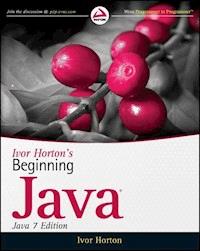
Find out why thousands have turned to Ivor Horton for learningJava Ivor Horton's approach is teaching Java is so effective andpopular that he is one of the leading authors of introductoryprogramming tutorials, with over 160,000 copies of his Java bookssold. In this latest edition, whether you're a beginner or anexperienced programmer switching to Java, you'll learn how to buildreal-world Java applications using Java SE 7. The author thoroughlycovers the basics as well as new features such as extensions andclasses; extended coverage of the Swing Application Framework; andhe does it all in his unique, highly accessible style thatbeginners love. * Provides a thorough introduction to the latest version of theJava programming language, Java SE 7 * Introduces you to a host of new features for both novices andexperienced programmers * Covers the basics as well as new language extensions andclasses and class methods * Guides you through the Swing Application Framework for creatingSwing apps * Uses numerous step-by-step programming examples to guide youthrough the development process There's no better way to get thoroughly up to speed on thelatest version of Java than with Ivor Horton's latest,comprehensive guide.
Sie lesen das E-Book in den Legimi-Apps auf:
Seitenzahl: 2435
Veröffentlichungsjahr: 2011
Ähnliche












CONTENTS
Chapter 1: Introducing Java
What Is Java All About?
Features of the Java Language
Learning Java
The Java Environment
Object-Oriented Programming in Java
Java Program Structure
Java and Unicode
Summary
Resources
Chapter 2: Programs, Data, Variables, and Calculation
Data and Variables
Integer Data Types
Floating-Point Data Types
Fixing the Value of a Variable
Arithmetic Calculations
The op= Operators
Mathematical Functions and Constants
Storing Characters
Bitwise Operations
Variables with a Fixed Set of Integer Values
Boolean Variables
Operator Precedence
Program Comments
Summary
Chapter 3: Loops and Logic
Making Decisions
Logical Operators
The Conditional Operator
The switch Statement
Variable Scope
Loops
Assertions
Summary
Chapter 4: Arrays and Strings
Arrays
Strings
Operations on Strings
Mutable Strings
Summary
Chapter 5: Defining Classes
What Is a Class?
Defining Classes
Defining Methods
Constructors
Defining and Using a Class
Method Overloading
Using Objects
Recursion
Understanding Packages
Controlling Access to Class Members
Nested Classes
Summary
Chapter 6: Extending Classes and Inheritance
Using Existing Classes
Class Inheritance
The @Override Annotation
Choosing Base Class Access Attributes
Polymorphism
Multiple Levels of Inheritance
Abstract Classes
The Universal Superclass
Methods Accepting a Variable Number of Arguments
Casting Objects
More on Enumerations
Designing Classes
Using the final Modifier
Interfaces
Anonymous Classes
Summary
Chapter 7: Exceptions
The Idea Behind Exceptions
Types of Exceptions
Dealing with Exceptions
Exception Objects
Defining Your Own Exceptions
Summary
Chapter 8: Understanding Streams
Streams and Input/Output Operations
Understanding Streams
The Classes for Input and Output
The Standard Streams
Summary
Chapter 9: Accessing Files and Directories
Accessing the File System
Working with Path Objects
Creating and Deleting Directories and Files
Getting the Contents of a Directory
Closing a Stream
Moving and Copying Files and Directories
Summary
Chapter 10: Writing Files
File I/O Basics
File Output
Writing a File via an Output Stream
Writing a File Using a Writer
Buffers
Writing a File Using a Channel
File Write Operations
Forcing Data to Be Written to a Device
Summary
Chapter 11: Reading Files
File Read Operations
Reading a File Using a Channel
Copying Files
Random Access to a File
Memory-Mapped Files
Summary
Chapter 12: Serializing Objects
Storing Objects in a File
Writing an Object to a File
Reading an Object from a File
Summary
Chapter 13: Generic Class Types
What Are Generic Types?
Defining a Generic Class Type
Generic Types and Generic Interfaces
Variables of a Raw Type
Wildcards as Type Parameter Arguments
Arrays and Parameterized Types
Parameterized Methods
Parameterized Types and Inheritance
Summary
Chapter 14: The Collections Framework
Understanding the Collections Framework
Collections of Objects
Iterators
Collection Classes
Using EnumSet
Array Collection Classes
Linked Lists
Using Maps
Summary
Chapter 15: A Collection of Useful Classes
Utility Methods for Arrays
Observable and Observer Objects
Generating Random Numbers
Dates and Times
Regular Expressions
Using a Scanner
Summary
Chapter 16: Threads
Understanding Threads
Managing Threads
Using Executors
Thread Priorities
Summary
Chapter 17: Creating Windows
Graphical User Interfaces in Java
Creating a Window
Components and Containers
Basics of Components
Using Swing Containers
Container Layout Managers
Adding a Menu to a Window
Summary
Chapter 18: Handling Events
Interactive Java Programs
The Event-Handling Process
Event Classes
Semantic Event Handling in Applets
Semantic Event Listeners in an Application
Using Actions
Adding a Toolbar
Adding Menu Icons
Adding Tooltips
Disabling Actions
Summary
Chapter 19: Drawing in a Window
Using the Model/View Architecture
Component Coordinate Systems
Drawing on a Component
Shapes
Filling Shapes
Managing Shapes
Drawing Using the Mouse
Defining Your Own Shape Classes
Changing the Cursor
Summary
Chapter 20: Extending the GUI
Creating a Status Bar
Using Dialogs
Using a Dialog to Create Text Elements
A Font Selection Dialog
Pop-Up Menus
Transforming the User Coordinate System
Choosing Custom Colors
Summary
Chapter 21: Filing and Printing Documents
Serializing the Sketch
Basic Infrastructure for Saving Sketches
Using a File Chooser
Implementing File Operations
Printing in Java
Summary
Chapter 22: Java and XML
XML
XML Document Structure
Data Structure in XML
Document Type Definitions
Rules for a Well-Formed Document
XML Namespaces
XML Schemas
A Schema for Sketcher
Programming with XML Documents
Accessing Parsers
Using SAX
Summary
Chapter 23: Creating and Modifying XML Documents
The Document Object Model
Setting DOM Parser Features
Parsing a Document
Navigating a Document Object Tree
Transforming XML
Creating Document Objects
Storing a Sketch as XML
Reading an XML Representation of a Sketch
Summary
Appendix A: Keywords
Appendix B: Computer Arithmetic
Advertisements
Chapter 1
Introducing Java
WHAT YOU WILL LEARN IN THIS CHAPTER:
The basic characteristics of the Java languageHow Java programs work on your computerWhy Java programs are portable between different computersThe basic ideas behind object-oriented programmingHow a simple Java program looks and how you can run it using the Java Development KitWhat HTML is and how to use it to include a Java program in a web pageThis chapter should give you an appreciation of what the Java language is all about. Understanding the details of what I discuss in this chapter is not important at this stage; you see all of the topics again in greater depth in later chapters of the book. The intent of this chapter is to introduce you to the general ideas that underpin what I cover through the rest of the book, as well as the major contexts in which Java programs can be used and the kind of program that is applicable in each context.
WHAT IS JAVA ALL ABOUT?
Java is an innovative programming language that has become the language of choice for programs that need to run on a variety of different computer systems. First of all, Java enables you to write small programs called applets. These are programs that you can embed in web pages to provide some intelligence. Being able to embed executable code in a web page introduces a vast range of exciting possibilities. Instead of being a passive presentation of text and graphics, a web page can be interactive in any way that you want. You can include animations, games, interactive transaction processing — the possibilities are almost unlimited.
Of course, embedding program code in a web page creates special security requirements. As an Internet user accessing a page with embedded Java code, you need to be confident that it won’t do anything that might interfere with the operation of your computer or damage the data you have on your system. This implies that execution of the embedded code must be controlled in such a way that it prevents accidental damage to your computer environment, as well as ensure that any Java code that was created with malicious intent is effectively inhibited. Java implicitly incorporates measures to minimize the possibility of such occurrences arising with a Java applet.
Java’s support for the Internet and network-based applications generally doesn’t end with applets. For example, Java Server Pages (JSP) provides a powerful means of building a server application that can dynamically create and download HTML pages to a client that are precisely customized for the specific request that is received. Of course, the pages that are generated by JSP can themselves contain Java applets.
Java also enables you to write large-scale application programs that you can run unchanged on any computer with an operating system environment in which Java is supported. This applies to the majority of computers in use today. The slogan that was coined to illustrate the cross-platform capability of Java, “write once, run anywhere,” has been amply demonstrated to be the case. You can develop code on a PC and it will run on a Java-enabled cell phone. You can even write programs that work both as ordinary applications and as applets.
Java has matured immensely in recent years. The breadth of function provided by the standard core Java has grown incredibly. Java provides you with comprehensive facilities for building applications with an interactive graphical user interface (GUI), extensive image processing and graphics programming facilities, as well as support for XML, accessing relational databases and communicating with remote computers over a network. Just about any kind of application can now be programmed effectively in Java, with the implicit plus of complete portability.
Of course, Java is still developing and growing. The latest Java Development Kit, JDK 7, adds many new facilities that include new language features as well as significant additions to the supporting libraries. You learn about all of these in this book.
FEATURES OF THE JAVA LANGUAGE
The most important characteristic of Java is that it was designed from the outset to be machine independent. You can run Java programs unchanged on any machine and operating system combination that supports Java. Of course, there is still the slim possibility of the odd glitch, as you are ultimately dependent on the implementation of Java on any particular machine, but Java programs are intrinsically more portable than programs written in other languages. An application written in Java only requires a single set of source code statements, regardless of the number of different computer platforms on which it is run. In any other programming language, the application frequently requires the source code to be tailored to accommodate different computer environments, particularly if an extensive graphical user interface is involved. Java offers substantial savings in time and resources in developing, supporting, and maintaining major applications on several different hardware platforms and operating systems.
Possibly the next most important characteristic of Java is that it is object-oriented. The object-oriented approach to programming is an implicit feature of all Java programs, so you find out what this means later in this chapter. Object-oriented programs are easier to understand and less time-consuming to maintain and extend than programs that have been written without the benefit of using objects.
Not only is Java object-oriented, but it also manages to avoid many of the difficulties and complications that are inherent in some object-oriented languages, making it easy to learn and very straightforward to use. By and large, it lacks the traps and “gotchas” that arise in some other programming languages. This makes the learning cycle shorter, and you need less real-world coding experience to gain competence and confidence. It also makes Java code easier to test.
Java has a built-in ability to support national character sets. You can write Java programs as easily for use in Greece or Japan as you can for English-speaking countries, assuming you are familiar with the national languages involved, of course. You can even build programs from the outset to support several different national languages with automatic adaptation to the environment in which the code executes.
LEARNING JAVA
Java is not difficult to learn, but there is a great deal to it. Although the Java language is very powerful, it is fairly compact, so acquiring an understanding of the Java language should take less time than you think. However, there’s much more to Java than just the language. To be able to program effectively in Java, you need to understand the libraries that go with the language, and these are very extensive. It is also important to become familiar with open source projects, especially those developed by the Apache folks.
Lesen Sie weiter in der vollständigen Ausgabe!
Lesen Sie weiter in der vollständigen Ausgabe!
Lesen Sie weiter in der vollständigen Ausgabe!
Lesen Sie weiter in der vollständigen Ausgabe!
Lesen Sie weiter in der vollständigen Ausgabe!
Lesen Sie weiter in der vollständigen Ausgabe!
Lesen Sie weiter in der vollständigen Ausgabe!
Lesen Sie weiter in der vollständigen Ausgabe!
Lesen Sie weiter in der vollständigen Ausgabe!
Lesen Sie weiter in der vollständigen Ausgabe!
Lesen Sie weiter in der vollständigen Ausgabe!
Lesen Sie weiter in der vollständigen Ausgabe!
Lesen Sie weiter in der vollständigen Ausgabe!
Lesen Sie weiter in der vollständigen Ausgabe!
Lesen Sie weiter in der vollständigen Ausgabe!
Lesen Sie weiter in der vollständigen Ausgabe!
Lesen Sie weiter in der vollständigen Ausgabe!
Lesen Sie weiter in der vollständigen Ausgabe!
Lesen Sie weiter in der vollständigen Ausgabe!
Lesen Sie weiter in der vollständigen Ausgabe!
Lesen Sie weiter in der vollständigen Ausgabe!
Lesen Sie weiter in der vollständigen Ausgabe!
Lesen Sie weiter in der vollständigen Ausgabe!
Lesen Sie weiter in der vollständigen Ausgabe!
Lesen Sie weiter in der vollständigen Ausgabe!
Lesen Sie weiter in der vollständigen Ausgabe!
Lesen Sie weiter in der vollständigen Ausgabe!
Lesen Sie weiter in der vollständigen Ausgabe!
Lesen Sie weiter in der vollständigen Ausgabe!
Lesen Sie weiter in der vollständigen Ausgabe!
Lesen Sie weiter in der vollständigen Ausgabe!
Lesen Sie weiter in der vollständigen Ausgabe!
Lesen Sie weiter in der vollständigen Ausgabe!




