


26,39 €
Mehr erfahren.
- Herausgeber: Packt Publishing
- Kategorie: Wissenschaft und neue Technologien
- Sprache: Englisch
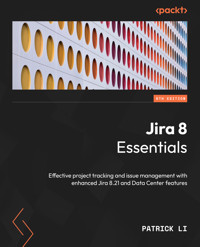
This new and improved sixth edition comes with the latest Jira 8.21 Data Center offerings, with enhanced features such as clustering, advanced roadmaps, custom field optimization, and tools to track and manage tasks for your projects. This comprehensive guide to Jira 8.20.x LTS version provides updated content on project tracking, issue and field management, workflows, Jira Service Management, and security.
The book begins by showing you how to plan and set up a new Jira instance from scratch before getting you acquainted with key features such as emails, workflows, and business processes. You’ll also get to grips with Jira’s data hierarchy and design and work with projects. Since Jira is used for issue management, this book will help you understand the different issues that can arise in your projects. As you advance, you’ll create new screens from scratch and customize them to suit your requirements. Workflows, business processes, and guides on setting up incoming and outgoing mail servers will be covered alongside Jira’s security model and Jira Service Management. Toward the end, you’ll learn how Jira capabilities are extended with third-party apps from Atlassian marketplace.
By the end of this Jira book, you’ll have understood core components and functionalities of Jira and be able to implement them in business projects with ease.
Das E-Book können Sie in Legimi-Apps oder einer beliebigen App lesen, die das folgende Format unterstützen:
Seitenzahl: 496
Veröffentlichungsjahr: 2022
Ähnliche















Jira 8 Essentials
Effective project tracking and issue management with enhanced Jira 8.21 and Data Center features
Patrick Li
BIRMINGHAM—MUMBAI
Jira 8 Essentials
Copyright © 2022 Packt Publishing
All rights reserved. No part of this book may be reproduced, stored in a retrieval system, or transmitted in any form or by any means, without the prior written permission of the publisher, except in the case of brief quotations embedded in critical articles or reviews.
Every effort has been made in the preparation of this book to ensure the accuracy of the information presented. However, the information contained in this book is sold without warranty, either express or implied. Neither the author, nor Packt Publishing or its dealers and distributors, will be held liable for any damages caused or alleged to have been caused directly or indirectly by this book.
Packt Publishing has endeavored to provide trademark information about all of the companies and products mentioned in this book by the appropriate use of capitals. However, Packt Publishing cannot guarantee the accuracy of this information.
Group Product Manager: Alok Dhuri
Publishing Product Manager: Harshal Gundetty
Senior Editor: Nithya Sadanandan
Content Development Editor: Rosal Colaco
Technical Editor: Pradeep Sahu
Copy Editor: Safis Editing
Project Coordinator: Manisha Singh
Proofreader: Safis Editing
Indexer: Rekha Nair
Production Designer: Vijay Kamble
Developer Relations Marketing Executives: Deepak Kumar and Rayyan Khan
Business Development Executive: Uzma Sheerin
First published: June 2015
Second edition: January 2018
Third edition: April 2015
Fourth edition: November 2016
Fifth edition: February 2019
Sixth edition: October 2022
Production reference: 1141022
Published by Packt Publishing Ltd.
Livery Place
35 Livery Street
Birmingham
B3 2PB, UK.
ISBN 978-1-80323-265-2
www.packt.com
To Johnny and Fanny, my family far away in Sweden. Without your constant belief and support, this will not have been possible through these hard times.
– Patrick Li
Contributors
About the author
Patrick Li is the cofounder of AppFusions and works as a senior engineer there, specializing in integration solutions with many enterprise applications and platforms, including IBM Connections, Jive, Google Apps, and more. He has worked in the Atlassian ecosystem for over 10 years, developing products and solutions for the Atlassian platform and providing expert consulting services. He has authored many books and video courses covering Jira. He has extensive experience in designing and deploying Atlassian solutions from the ground up and customizing existing deployments for clients across verticals such as healthcare, software engineering, financial services, and government agencies.
About the reviewer
Daniel Brvnišťan is an experienced agile product owner focused on Atlassian stack, online channels, and localization, with a passion to make things work. He likes to groom the backlog, implement new tools and disruptively improve processes.
Table of Contents
Preface
Part 1: Introduction to Jira
1
Getting Started with Jira Data Center
Understanding the Jira platform
Introducing Jira Data Center
System requirements
Hardware requirements
Software requirements
Installation package options
Installing Java
Installing and configuring Jira
Installing Jira
Post-installation configuration
Increasing Jira’s memory
Changing Jira’s port number and context path
Configuring HTTPS
Clustering
Preparing for clustering
Creating JIRA_SHARED_HOME
Enabling clustering
Adding a node to the load balancer
Adding new nodes to the cluster
Zero-downtime upgrade
Summary
2
Using Jira for Business Projects
Understanding projects and project types
Business projects
Jira permissions
Creating projects
Project user interfaces
Project browser
The Summary tab
The Issues tab
The Versions and Components tabs
Project settings
Importing data into Jira
Importing data through CSV
Archiving projects and issues
The HR project
Creating a new project
Creating new components
Putting it all together
Summary
Part 2: Jira in Action
3
Using Jira for Agile Projects
Getting an overview of Scrum and Kanban
Scrum
Kanban
Running a project with Scrum in Jira
Creating a Scrum project
Working with the backlog
Prioritizing and estimating work
Creating a new sprint
Running a sprint
Running a project with Kanban in Jira
Creating a Kanban project
Using the Kanban board
Enabling a backlog for Kanban
Configuring agile boards
Configuring columns
Adding column constraints
Setting up swimlanes
Defining quick filters
Grooming your backlog
Creating a new agile board for your project
Including multiple projects on your board
Summary
4
Working with Issues
Understanding issues
Jira issue summary
Working with issues
Creating an issue
Assigning issues to users
Editing an issue
Moving an issue between projects
Sharing issues with other users
Deleting an issue
Receiving notifications on an issue
Casting a vote on an issue
Issue linking
Linking issues with other issues
Linking issues with remote contents
Cloning an issue
Tracking time
Specifying original estimates
Logging work
Issues and comments
Attachments
Attaching files
Issue types and sub-tasks
Creating issue types
Deleting issue types
Using sub-tasks
Issue type schemes
Adding issue types to an issue type scheme
Issue priorities
Creating a priority scheme
The HR project
Adding new issue types
Updating the issue type scheme
Putting it all together
Summary
5
Field Management
Understanding system fields
Understanding custom fields
Standard fields
Advanced fields
Understanding field searchers
Custom field context
Managing custom fields
Adding a custom field
Editing/deleting a custom field
Configuring a custom field
Adding custom field contexts
Configuring select options
Setting default values
Optimizing custom fields
Field configuration
Adding a field configuration
Managing field configurations
Field descriptions
Required fields
Field visibility
Field rendering
Field configuration scheme
Managing field configuration schemes
Adding a field configuration scheme
Configuring a field configuration scheme
Associating a field configuration scheme with a project
Screens
The HR project
Setting up a custom field
Setting up the field configuration
Setting up a field configuration scheme
Putting it together
Summary
6
Screen Management
Understanding Jira and screens
Working with screens
Adding a new screen
Adding a field to a screen
Deleting a field from a screen
Using screen tabs
Adding a tab to a screen
Editing/deleting a tab
Editing/deleting a screen
Copying a screen
Working with screen schemes
Adding a screen scheme
Associating screens to issue operations
Editing/deleting an association
Editing/deleting a screen scheme
Copying a screen scheme
Issue type screen scheme
Associating issue types to screen schemes
Editing/deleting an association
Editing/deleting an issue type screen scheme
Copying an issue type screen scheme
Associating an issue type screen scheme with a project
Delegating screen management
Troubleshooting fields and screens
The HR project
Setting up screens
Setting up screen schemes
Setting up issue type screen schemes
Putting it together
Summary
Part 3: Advanced Jira
7
Workflow and Business Process
Mapping business processes
Understanding workflows
Managing workflows
Issue statuses
Transitions
Using the workflow designer
Authoring a workflow
Adding a trigger to transitions
Adding a condition to transitions
Adding a validator to transitions
Adding a post function to transitions
Updating an existing workflow
Understanding workflow schemes
Creating a workflow scheme
Configuring a workflow scheme
Assigning an issue type to a workflow
Editing or deleting an association
Applying a workflow scheme to projects
Delegated workflow management
Extending a workflow with workflow add-ons
JSU
Jira Workflow Toolbox (JWT)
Jira Misc Workflow Extensions (JMWE)
Workflow Enhancer for Jira
ScriptRunner for Jira
The HR project
Setting up workflows
Applying the workflow
Putting it together
Summary
8
Emails and Notifications
Jira and email
Mail servers
Working with outgoing mail
Disabling outgoing mail
Enabling SMTP over SSL
Sending a test email
Mail queues
Viewing the mail queue
Flushing the mail queue
Manually sending emails
Events
Working with mail templates
Adding a custom event
Firing a custom event
Notifications
Notification schemes
Adding a notification scheme
Managing a notification scheme
Assigning a notification scheme
Batching email notifications
Troubleshooting notifications
Incoming emails
Adding an incoming mail server
Mail handlers
Adding a mail handler
Advanced mail handler
The HR project
Setting up mail servers
Updating workflow post functions
Setting up a notification scheme
Setting up notifications
Putting it together
Summary
9
Securing Jira
Managing users
Adding a user
Enabling public signup
Enabling CAPTCHA
Managing groups and roles
Managing groups
Managing roles
User directories
Connecting to LDAP
Understanding Jira permissions
Application access
Global permissions
Project permissions
Permission schemes
Configuring permission schemes
Applying a permission scheme
Issue security
Issue security schemes
Configuring an issue security scheme
Setting a default security level
Applying an issue security scheme
Troubleshooting permissions
Workflow security
Password policy
Enabling SSO with SAML
Enabling JIT provisioning
Auditing system changes
The HR project
Setting up groups
Setting up user group association
Setting up permission schemes
Setting up permissions
Putting it together
Summary
10
Searching, Reporting, and Analysis
Search interface and options in Jira
Issue navigator
Quick search
Basic search
Advanced search with JQL
Working with search results
Switching result views
Customizing the column layout
Exporting search results
Sharing search results
Filters
Reports
Generating a report
Dashboards
Managing dashboards
Creating a dashboard
Configuring a dashboard
Changing the ownership of a dashboard
Gadgets
Placing a gadget on the dashboard
Editing a gadget
Deleting a gadget
The HR project
Setting up filters
Setting up dashboards
Setting up gadgets
Putting it together
Summary
11
Jira Service Management
Introducing Jira Service Management
Installing Jira Service Management
Getting started with Jira Service Management
Creating a new service desk
Branding your customer portal
Service desk user types
Adding an agent to a service desk
Managing service desk customers
Adding a collaborator to a service desk
Issue types and request types
Setting up request types
Organizing request types into groups
Setting up fields for request type
Setting up a workflow for a request type
Service-level agreement (SLA)
Setting up an SLA
Setting up custom calendars
Managing requests with queues
Creating a new queue
Creating knowledge base articles
Process automation
Summary
12
Jira and Third Party Apps
Atlassian Marketplace and third-party apps
Universal Plugin Manager
Searching and installing apps from the Atlassian Marketplace
Installing apps manually
Managing installed apps
Configuring the UPM
Extending Jira with apps
Extending custom fields with apps
Extending workflow with apps
Customizing Jira with scripts
Better time tracking and reporting
Selecting an app and its vendor
Summary
Index
Other Books You May Enjoy
Preface
Over the years, Jira has grown from a simple bug-tracking system designed for engineers to manage their projects to an all-purpose issue-tracking solution. The term Jira now refers to a suite of products, including Jira Software, Jira Service Management, Jira Core, and others. With this change, each product is more focused on what it does and the value it provides. It is now easier than ever for customers to choose the product best suited to their needs, whether they are running an Agile software development project, a customer support portal, or simply a generic task management system.
With the latest Data Center offering, Jira is now the go-to solution for any enterprise that is looking to future-proof its teams with performance, reliability, scalability, and security.
In this book, we will cover all the basics of Jira and its core capabilities, as well as advanced features offered by the data center offering. We will also explore third-party apps that add additional features to the Jira platform. Packed with real-life examples and step-by-step instructions, this book will help you become a Jira expert.
Who this book is for
This book will be especially useful for project managers but it’s also intended for other Jira users, including developers, and in any other industry besides software development, who would like to leverage Jira’s powerful task management and workflow features to better manage their business processes.
What this book covers
Chapter 1, Getting Started with Jira Data Center, serves as an overall introduction to Jira by going over its high-level architecture. We will cover both new deployments and how to upgrade from an existing deployment. We will also introduce the Jira Data Center offering from Atlassian. This will also serve as the starting point of the project that readers will go through.
Chapter 2, Using Jira for Business Projects, covers using Jira for projects that are not based on software development, for example, a generic task management solution. This chapter focuses on the use of the basic features of Jira, which are offered through the Jira Core product, which is bundled with Jira Software.
Chapter 3, Using Jira for Agile Projects, covers features that are specific to Jira Software. This chapter focuses on using Jira for software development projects, especially using Agile methodologies such as Scrum and Kanban.
Chapter 4, Working with Issues, introduces issues, which are the cornerstone of using Jira. The focus is to make sure users understand issues and what they do. You will also learn how to make each of the features available and customize them beyond the out-of-box settings.
Chapter 5, Field Management, introduces fields, and specifically how to use custom fields to customize Jira for more effective data collection. You will learn how to create new custom fields, and how to control field configurations such as visibility and rendering options.
Chapter 6, Screen Management, introduces screens. You will learn how to create new screens from scratch and specify which fields (system and custom) will be displayed. We will also cover complex scheme mappings to apply new screens to projects.
Chapter 7, Workflow and Business Process, explores the most powerful feature offered by Jira, workflows. The concept of issue life cycles is introduced, and various aspects of workflows are explained. This chapter also explores the relationship between workflows and other various Jira aspects that have been previously covered, such as screens. The concept of Jira apps is also briefly touched upon in the sample project, using some popular apps.
Chapter 8, Emails and Notifications, talks about emails and how Jira can use them to send notifications to end users. We will start by explaining how Jira sends out notifications to users, and then how Jira can process incoming emails to create, comment on, and also update issues.
Chapter 9, Securing Jira, explains Jira’s security model, starting with how to manage users, groups, and roles. Readers will then learn Jira’s security hierarchy of how permissions are managed. Lastly, we will look at setting up single sign-on using SAML, a common requirement with most enterprise organizations.
Chapter 10, Searching, Reporting, and Analysis, focuses on doing more with data collected by Jira, including searching, reporting, and using dashboards. You will also learn how to make this data and reports available outside of Jira, either via email or by displaying them in other applications.
Chapter 11, Jira Service Management, introduces Jira Service Management, which allows you to run Jira as a customer support portal. Readers will learn how to use Jira Service Management to run and manage a support queue internally while at the same time communicating effectively with customers.
Chapter 12, Jira and Third Party Apps, covers using third-party apps to extend the capabilities of Jira. You will learn how to find, install, update, and manage apps for Jira. We will also look at some popular third-party apps and how they can be used to take Jira to the next level.
To get the most out of this book
The installation package used in this book is the Windows Installer standalone distribution, which you can get directly from Atlassian at https://www.atlassian.com/software/jira/download for Jira Software and https://www.atlassian.com/software/jira/service-desk/download for Jira Service Management.
You will also need additional software, including the Java SDK, which you can get from http://www.oracle.com/technetwork/java/javase/downloads/index.html, and MySQL, which you can get from http://dev.mysql.com/downloads.
Software/hardware covered in the book
Operating system requirements
Jira Software
Windows, macOS, or Linux
Jira Service Management
Java
MySQL
If you are using the digital version of this book, we advise you to type the code yourself. Doing so will help you avoid any potential errors related to the copying and pasting of code.
Experience in XML, Java, or the Groovy programming language will be useful to better understand the code snippets in the book.
Any errata related to this book can be found on the following link: https://github.com/packt-pradeeps/Jira-8-Essentials.
Download the color images
We also provide a PDF file that has color images of the screenshots and diagrams used in this book. You can download it here: https://packt.link/9C0B9.
Conventions used
There are a number of text conventions used throughout this book.
Code in text: Indicates code words in text, database table names, folder names, filenames, file extensions, pathnames, dummy URLs, user input, and Twitter handles. Here is an example: “You should see both the New Employee and Termination issue types.”
A block of code is set as follows:
<Resource name="mail/JiraMailServer" auth="Container" type="javax.mail.Session"When we wish to draw your attention to a particular part of a code block, the relevant lines or items are set in bold:
<security-constraint> <web-resource-collection> <web-resource-name>all-except-attachments</web-resource-name> <url-pattern>*.js</url-pattern> <url-pattern>*.jsp</url-pattern>Any command-line input or output is written as follows:
create database jiradb character set utf8;
Bold: Indicates a new term, an important word, or words that you see onscreen. For instance, words in menus or dialog boxes appear in bold. Here is an example: “There is a Create another option beside the Create button.”
Tips or important notes
Appear like this.
Get in touch
Feedback from our readers is always welcome.
General feedback: If you have questions about any aspect of this book, email us at [email protected] and mention the book title in the subject of your message.
Errata: Although we have taken every care to ensure the accuracy of our content, mistakes do happen. If you have found a mistake in this book, we would be grateful if you would report this to us. Please visit www.packtpub.com/support/errata and fill in the form.
Piracy: If you come across any illegal copies of our works in any form on the internet, we would be grateful if you would provide us with the location address or website name. Please contact us at [email protected] with a link to the material.
If you are interested in becoming an author: If there is a topic that you have expertise in and you are interested in either writing or contributing to a book, please visit authors.packtpub.com.
Share Your Thoughts
Once you’ve read Jira 8 Essentials, we’d love to hear your thoughts! Please click here to go straight to the Amazon review page for this book and share your feedback.
Your review is important to us and the tech community and will help us make sure we’re delivering excellent quality content.
Download a free PDF copy of this book
Thanks for purchasing this book!
Do you like to read on the go but are unable to carry your print books everywhere?
Is your eBook purchase not compatible with the device of your choice?
Don’t worry, now with every Packt book you get a DRM-free PDF version of that book at no cost.
Read anywhere, any place, on any device. Search, copy, and paste code from your favorite technical books directly into your application.
The perks don’t stop there, you can get exclusive access to discounts, newsletters, and great free content in your inbox daily
Follow these simple steps to get the benefits:
Scan the QR code or visit the link belowhttps://packt.link/free-ebook/978-1-80323-265-2
Submit your proof of purchaseThat’s it! We’ll send your free PDF and other benefits to your email directlyPart 1: Introduction to Jira
In this section, you will learn how to set up a Jira instance from scratch, followed by how to use Jira for your business and agile projects.
The following chapters are included in this section:
Chapter 1, Getting Started with Jira Data CenterChapter 2, Using Jira for Business Projects




