


39,59 €
Mehr erfahren.
- Herausgeber: Packt Publishing
- Kategorie: Fachliteratur
- Sprache: Englisch
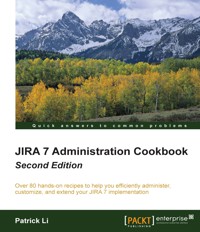
JIRA 7 Administration Cookbook, Second Edition covers all the new major features that provide better prioritizing
capabilities, enhanced visibility, and the ability to customize JIRA application to meet your needs. We start
by upgrading your existing JIRA instance and working through tasks you can perform at the server level to better
maintain it. We then delve deep into adapting JIRA to your organization's needs, starting with the visual elements of setting up custom forms to capturing important data with custom fields and screens, and moving on to ensuring
data integrity through defining field behaviors. You'll gain insights into JIRA's e-mail capabilities, including managing outgoing e-mail rules and processing incoming e-mails for automated issue creation. The book contains tips and tricks that will make things easier for you as administrators, such as running scripts to automate tasks, getting easy access to logs, and working with tools to troubleshoot problems. The book concludes with a chapter on JIRA Service Desk, which will enable you to set up and customize your own support portal, work with internal teams to solve problems, and achieve optimized services with SLA.
Das E-Book können Sie in Legimi-Apps oder einer beliebigen App lesen, die das folgende Format unterstützen:
Seitenzahl: 209
Veröffentlichungsjahr: 2016
Ähnliche














Table of Contents
JIRA 7 Administration Cookbook - Second Edition
JIRA 7 Administration Cookbook - Second Edition
Copyright © 2016 Packt Publishing
All rights reserved. No part of this book may be reproduced, stored in a retrieval system, or transmitted in any form or by any means, without the prior written permission of the publisher, except in the case of brief quotations embedded in critical articles or reviews.
Every effort has been made in the preparation of this book to ensure the accuracy of the information presented. However, the information contained in this book is sold without warranty, either express or implied. Neither the author, nor Packt Publishing, and its dealers and distributors will be held liable for any damages caused or alleged to be caused directly or indirectly by this book.
Packt Publishing has endeavored to provide trademark information about all of the companies and products mentioned in this book by the appropriate use of capitals. However, Packt Publishing cannot guarantee the accuracy of this information.
First published: July 2014
Second edition: May 2016
Production reference: 2190516
Published by Packt Publishing Ltd.
Livery Place
35 Livery Street
Birmingham B3 2PB, UK.
ISBN 978-1-78588-844-1
www.packtpub.com
Credits
Authors
Patrick Li
Copy Editors
Shruti Iyer
Sonia Mathur
Reviewer
Tarun Sapra
Project Coordinator
Suzanne Coutinho
Commissioning Editor
Kunal Parikh
Proofreader
Safis Editing
Acquisition Editor
Chaitanya Nair
Indexer
Mariammal Chettiyar
Content Development Editor
Nikhil Borkar
Graphics
Jason Monteiro
Technical Editor
Sunith Shetty
Production Coordinator
Melwyn Dsa
About the Author
Patrick Li is the co-founder and CTO of AppFusions. AppFusions is an expert in developing and packaging integrated solutions for many enterprise applications and platforms, including IBM Connections, Jive, Atlassian, Google Apps, Box, Dropbox, and more.
Being an expert with Atlassian products, he started working with JIRA right out of college and has been involved in the Atlassian ecosystem for over ten years. With AppFusions, Patrick has developed products and solutions on top of the Atlassian platform, which includes JIRA, Confluence, and more. He also provides expert consulting services, helping, advising, and guiding companies with best practices on using JIRA. Patrick is one of the top contributors to the Atlassian community, providing answers and advice on forums such as Atlassian Answers and Quora.
He has extensive experience in designing and deploying Atlassian solutions from the ground up and customizing the existing deployments for clients across verticals such as healthcare, software engineering, financial services, and government agencies.
You can reach Patrick on Quora at https://www.quora.com/profile/Patrick-Li-4
I would like to thank all the reviewers for their valuable feedback and also the publishers and coordinators for their help and support in making this happen. Lastly, I would also like to thank my family, especially my wife, Katherine, for encouraging me along the way.
About the Reviewer
Tarun Sapra has worked as a software developer for over 7 years and has gained strong technical knowledge and experience in the Java technology landscape. He is a proactive professional with a strong focus on the technical as well as the functional and business aspects of projects. Tarun likes to work in small and fast Agile teams and build quality software.
He has extensive expertise in the development and administration of Atlassian tools on a very large scale. Tarun is proficient at automating complex business processes and integrating the whole Atlassian stack in order to streamline development efforts, with a strong focus on integration with other tools, such as Jenkins, Git, and Zendesk. He also manages the "JIRA Community" LinkedIn group and has a good understanding of scripting languages, especially Python.
Besides his core expertise and knowledge, Tarun is currently working on the development of data solutions for customers using the ELK stack, helping them get more insights into their data and identification of patterns and anomalies using open source tools and technologies. He regularly blogs about his experiences and opinions on the upcoming technology trends.
www.PacktPub.com
For support files and downloads related to your book, please visit www.PacktPub.com.
Did you know that Packt offers eBook versions of every book published, with PDF and ePub files available? You can upgrade to the eBook version at www.PacktPub.com and as a print book customer, you are entitled to a discount on the eBook copy. Get in touch with us at [email protected] for more details.
At www.PacktPub.com, you can also read a collection of free technical articles, sign up for a range of free newsletters and receive exclusive discounts and offers on Packt books and eBooks.
https://www2.packtpub.com/books/subscription/packtlib
Do you need instant solutions to your IT questions? PacktLib is Packt's online digital book library. Here, you can search, access, and read Packt's entire library of books.
Why subscribe?
Free access for Packt account holders
If you have an account with Packt at www.PacktPub.com, you can use this to access PacktLib today and view 9 entirely free books. Simply use your login credentials for immediate access.
Preface
Atlassian JIRA is an enterprise issue tracker system. One of its key strengths is its ability to adapt to the needs of the organization from the frontend user interface to providing a platform for add-ons to extend its capabilities. However, understanding its flexibility and picking the right add-ons can often be a daunting task for many administrators. Learning how to take advantage of JIRA's power while keeping the overall design simple and clean is important to the success of the implementation and future growth.
You can make full of use recipes with real-life JIRA administration challenges, solutions, and examples. Each recipe contains easy-to-follow, step-by-step instructions and illustrations from the actual application.
What this book covers
Chapter 1, JIRA Server Administration, contains recipes that help you administer your JIRA server, including upgrading and securing JIRA with the SSL certificate.
Chapter 2, Customizing JIRA for Your Projects, contains recipes that let you customize JIRA with custom fields and screens. This chapter also includes advance techniques such as using scripts and add-ons to add more control to fields that are not available out of box with JIRA.
Chapter 3, JIRA Workflows, covers one the most powerful features in JIRA with recipes that show you how to work with workflows, including permissions and user input validation. This chapter also covers workflow bundling and using scripts to extend out-of-the-box components.
Chapter 4, User Management, explains how users and groups are managed within JIRA. It starts with simple recipes covering out-of-the-box user management features and goes on to include topics such as LDAP integration and various Single Sign-On implementations.
Chapter 5, JIRA Security, focuses on the different security control features offered by JIRA, including different levels of permission and authorization control. This chapter also covers other security-related topics such as user password policy and capturing electronic signatures.
Chapter 6, E-mails and Notifications, explains JIRA's e-mail handling system, for both outgoing and incoming e-mails. This chapter also covers JIRA's event system and how to extend the basic set of events and templates.
Chapter 7, Integrations with JIRA, covers how to integrate JIRA with other systems, including other Atlassian applications and many other popular cloud platforms such as Google Drive and GitHub.
Chapter 8, JIRA Troubleshooting, covers the ways to troubleshoot various problems in JIRA. Recipes include diagnosing common problems related to permissions and notification and more advanced features, where you as the administrator can mimic a user to better understand the problem.
Chapter 9, JIRA Service Desk, covers JIRA Service Desk, the new addition to the JIRA platform. JIRA Service Desk allows you to turn your JIRA instance into a fully featured help desk system, leveraging JIRA's powerful workflow and other customization features.
What you need for this book
For the installation and upgrade recipes, you will need to have the latest JIRA 7 distribution, which you can download directly from Atlassian at the following link:
http://www.atlassian.com/software/jira/download
You may also need several additional software, including:
For other recipes, the details of where you can get the necessary tools are provided.
Who this book is for
JIRA 7 Cookbook is intended for administrators who will be customizing, supporting, and maintaining JIRA for their organizations.
You will need to be familiar with and have a good understanding of JIRA's core concepts. For some recipes, a basic understanding of HTML, CSS, JavaScript, and basic programming will also be helpful.
Sections
In this book, you will find several headings that appear frequently (Getting ready, How to do it, How it works, There's more, and See also).
To give clear instructions on how to complete a recipe, we use these sections as follows:
Getting ready
This section tells you what to expect in the recipe, and describes how to set up any software or any preliminary settings required for the recipe.
How to do it…
This section contains the steps required to follow the recipe.
How it works…
This section usually consists of a detailed explanation of what happened in the previous section.
There's more…
This section consists of additional information about the recipe in order to make the reader more knowledgeable about the recipe.
See also
This section provides helpful links to other useful information for the recipe.
Conventions
In this book, you will find a number of text styles that distinguish between different kinds of information. Here are some examples of these styles and an explanation of their meaning.
Code words in text, database table names, folder names, filenames, file extensions, pathnames, dummy URLs, user input, and Twitter handles are shown as follows: "Create a new user for JIRA in the database and grant the user access to the jiradb database we just created using the following command:"
A block of code is set as follows:
<Contextpath="/jira"docBase="${catalina.home} /atlassian- jira" reloadable="false" useHttpOnly="true">Any command-line input or output is written as follows:
mysql -u root -pNew terms and important words are shown in bold. Words that you see on the screen, for example, in menus or dialog boxes, appear in the text like this: "Select System info from the Administration panel."
Note
Warnings or important notes appear in a box like this.
Tip
Tips and tricks appear like this.
Reader feedback
Feedback from our readers is always welcome. Let us know what you think about this book-what you liked or disliked. Reader feedback is important for us as it helps us develop titles that you will really get the most out of.
To send us general feedback, simply e-mail [email protected], and mention the book's title in the subject of your message.
If there is a topic that you have expertise in and you are interested in either writing or contributing to a book, see our author guide at www.packtpub.com/authors .
Customer support
Now that you are the proud owner of a Packt book, we have a number of things to help you to get the most from your purchase.
Downloading the example code
You can download the example code files for this book from your account at http://www.packtpub.com. If you purchased this book elsewhere, you can visit http://www.packtpub.com/support and register to have the files e-mailed directly to you.
You can download the code files by following these steps:
You can also download the code files by clicking on the Code Files button on the book's webpage at the Packt Publishing website. This page can be accessed by entering the book's name in the Search box. Please note that you need to be logged in to your Packt account.
Once the file is downloaded, please make sure that you unzip or extract the folder using the latest version of:
The code bundle for the book is also hosted on GitHub at https://github.com/PacktPublishing/JIRA-7-Administration-Second-Edition. We also have other code bundles from our rich catalog of books and videos available at https://github.com/PacktPublishing/. Check them out!
Errata
Although we have taken every care to ensure the accuracy of our content, mistakes do happen. If you find a mistake in one of our books-maybe a mistake in the text or the code-we would be grateful if you could report this to us. By doing so, you can save other readers from frustration and help us improve subsequent versions of this book. If you find any errata, please report them by visiting http://www.packtpub.com/submit-errata, selecting your book, clicking on the Errata Submission Form link, and entering the details of your errata.
Once your errata are verified, your submission will be accepted and the errata will be uploaded to our website or added to any list of existing errata under the Errata section of that title.
To view the previously submitted errata, go to https://www.packtpub.com/books/content/support and enter the name of the book in the search field. The required information will appear under the Errata section.
Piracy
Piracy of copyrighted material on the Internet is an ongoing problem across all media. At Packt, we take the protection of our copyright and licenses very seriously. If you come across any illegal copies of our works in any form on the Internet, please provide us with the location address or website name immediately so that we can pursue a remedy.
Please contact us at [email protected] with a link to the suspected pirated material.
We appreciate your help in protecting our authors and our ability to bring you valuable content.
Questions
If you have a problem with any aspect of this book, you can contact us at [email protected], and we will do our best to address the problem.
Chapter 1. JIRA Server Administration
In this chapter, we will cover:
Introduction
Atlassian JIRA is a popular issue tracking system used by many companies across the world. One of its strengths, unlike most other enterprise software, is that it does not take days or weeks to install and implement, and it is very simple to upgrade and maintain.
We will assume that you already know how to install a brand new JIRA system. So, we will explore the common administration tasks, such as upgrading and migrating your JIRA, looking at different options, from using the new automated upgrade utility provided by Atlassian to doing everything from scratch.
We will also look at some other neat tricks for you as an administrator, such as resetting the admin password to get you out of sticky situations.
Installing JIRA for production use
In this recipe, we will look at how to install and set up JIRA in a production environment. This includes setting up a dedicated user to run JIRA under and using an external database.
We will use the standalone archive distribution as the steps are consistent across both the Windows and Linux platforms.
Getting ready
The following things need to be checked before you start with this recipe:
How to do it...
We first need to create an empty MySQL database for JIRA:




