


20,99 €
Mehr erfahren.
- Herausgeber: John Wiley & Sons
- Kategorie: Wissenschaft und neue Technologien
- Sprache: Englisch
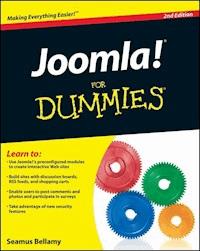
Build template-based web sites without the hassle of writing code! Joomla! is a free, open source PHP & MySQL-based content management system that allows you to create interactive, community-based Web sites without having to write or program code in PHP or ASP.NET. This fun and friendly introduction to Joomla! shows you how to create a rich, interactive Web site that does not require any code. No matter your skill level, this easy-to-understand resource demonstrates how to drop preconfigured modules that already contain PHP and MySQL code directly into your Joomla! site. Thanks to the Dummies fun and friendly approach, you'll quickly see how easy to create a rich, interactive Web site with Joomla! * Demonstrates how to create a business site--complete with shopping cart--quickly and easily * Walks you through developing Web sites with discussions, RSS feeds, picture submissions, and more * Includes coverage of the newest version of Joomla!, explains its completely new administrative features, and reviews its ability to provide different levels of access to different users via much-requested access control lists Find out why Joomla! is the easiest way to build an interactive, community-based Web site!
Sie lesen das E-Book in den Legimi-Apps auf:
Seitenzahl: 303
Veröffentlichungsjahr: 2011
Ähnliche



















Joomla! For Dummies®, 2nd Edition
Visit www.dummies.com/cheatsheet/joomla to view this book's cheat sheet.
Table of Contents
Joomla! For Dummies®, 2nd Edition
by Seamus Bellamy
Joomla! For Dummies®, 2nd Edition
Published byWiley Publishing, Inc.111 River St.Hoboken, NJ 07030-5774www.wiley.com
Copyright © 2011 by Wiley Publishing, Inc., Indianapolis, Indiana
Published simultaneously in Canada
No part of this publication may be reproduced, stored in a retrieval system or transmitted in any form or by any means, electronic, mechanical, photocopying, recording, scanning or otherwise, except as permitted under Sections 107 or 108 of the 1976 United States Copyright Act, without either the prior written permission of the Publisher, or authorization through payment of the appropriate per-copy fee to the Copyright Clearance Center, 222 Rosewood Drive, Danvers, MA 01923, (978) 750-8400, fax (978) 646-8600. Requests to the Publisher for permission should be addressed to the Permissions Department, John Wiley & Sons, Inc., 111 River Street, Hoboken, NJ 07030, (201) 748-6011, fax (201) 748-6008, or online at http://www.wiley.com/go/permissions.
Trademarks: Wiley, the Wiley Publishing logo, For Dummies, the Dummies Man logo, A Reference for the Rest of Us!, The Dummies Way, Dummies Daily, The Fun and Easy Way, Dummies.com, Making Everything Easier, and related trade dress are trademarks or registered trademarks of John Wiley & Sons, Inc. and/or its affiliates in the United States and other countries, and may not be used without written permission. Joomla! is a registered trademark of Open Source Matters, Inc. All other trademarks are the property of their respective owners. Wiley Publishing, Inc., is not associated with any product or vendor mentioned in this book.
Limit of Liability/Disclaimer of Warranty: The publisher and the author make no representations or warranties with respect to the accuracy or completeness of the contents of this work and specifically disclaim all warranties, including without limitation warranties of fitness for a particular purpose. No warranty may be created or extended by sales or promotional materials. The advice and strategies contained herein may not be suitable for every situation. This work is sold with the understanding that the publisher is not engaged in rendering legal, accounting, or other professional services. If professional assistance is required, the services of a competent professional person should be sought. Neither the publisher nor the author shall be liable for damages arising herefrom. The fact that an organization or Website is referred to in this work as a citation and/or a potential source of further information does not mean that the author or the publisher endorses the information the organization or Website may provide or recommendations it may make. Further, readers should be aware that Internet Websites listed in this work may have changed or disappeared between when this work was written and when it is read.
For general information on our other products and services, please contact our Customer Care Department within the U.S. at 877-762-2974, outside the U.S. at 317-572-3993, or fax 317-572-4002.
For technical support, please visit www.wiley.com/techsupport.
Wiley also publishes its books in a variety of electronic formats. Some content that appears in print may not be available in electronic books.
Library of Congress Control Number: 2010943060
ISBN: 978-0-470-59902-0
Manufactured in the United States of America
10 9 8 7 6 5 4 3 2 1
About the Author
Seamus Bellamy is a writer, web designer, and scofflaw educated at the University of King’s College in Halifax. His diverse resume includes time spent working in the intelligence community, private sector security, and as a journalist. His work is published on a regular basis both domestically and internationally, most notably in Mac|Life Magazine and Irish Music Magazine. Seamus is a proud Gaelic speaker, a technology enthusiast, and has been known to play a mean bodhran and bouzouki — although not at the same time.
Dedication
Many thanks to Lynn Beighley for the moral and technical support, and of course, to my family — thank you for enduring over three decades of fountain pens, skullduggery, and laptops.
Author’s Acknowledgments
I’d like to thank Kathy Simpson, Beth Taylor, Eric vanBok, and Kyle Looper of Wiley for their tireless efforts on this book, as well as the Joomla community for its invaluable assistance in filling in many of the details.
Publisher’s Acknowledgments
We’re proud of this book; please send us your comments at http://dummies.custhelp.com. For other comments, please contact our Customer Care Department within the U.S. at 877-762-2974, outside the U.S. at 317-572-3993, or fax 317-572-4002.
Some of the people who helped bring this book to market include the following:
Acquisitions, Editorial, and Media Development
Project Editor: Beth Taylor
Acquisitions Editor: Kyle Looper
Copy Editor: Beth Taylor
Technical Editor: Eric vanBok
Editorial Manager: Jodi Jensen
Editorial Assistant: Amanda Graham
Sr. Editorial Assistant: Cherie Case
Cartoons: Rich Tennant (www.the5thwave.com)
Composition Services
Project Coordinator: Sheree Montgomery
Layout and Graphics: Thomas Borah, Carl Byers, Vida Noffsinger
Proofreaders: Jessica Kramer, The Well-Chosen Word
Indexer: Christine Karpeles
Publishing and Editorial for Technology Dummies
Richard Swadley, Vice President and Executive Group Publisher
Andy Cummings, Vice President and Publisher
Mary Bednarek, Executive Acquisitions Director
Mary C. Corder, Editorial Director
Publishing for Consumer Dummies
Diane Graves Steele, Vice President and Publisher
Composition Services
Debbie Stailey, Director of Composition Services
Introduction
Joomla (the exclamation point Joomla! won’t be used in the text of this book, for the sake of making it more readable,) gives you total control of your Web site — the layout, the navigation menus, the text, everything. In turn, this book gives you total control of Joomla.
Today, users are demanding more from Web sites. It’s not enough to have static text on your Web site — not if you want a steady stream of visitors. You’ve got to update your pages continually, making your site fresh and keeping it new. You’ve got to have an attractively, professionally formatted site. You’ve got to have tons of extras: polls and e-mail signups and newsflashes and menus, and more.
Who can afford the time to maintain a site like that and write the content too?
Now you can. Content Management Systems (CMSes) like Joomla allow people put together spectacular sites with very little work.
Want to publish a new article on your site? No problem. Want to let users rate your articles with a clickable bar of stars? Also no problem. Want to link your articles with a cool system of drop-down menus? Joomla’s got you covered. Interested in allowing people to log into your site to gain special privileges? You can do that too. Have you wanted to let users search every page on your site? Yep — no problem at all.
CMSes are all the rage on the Internet these days: They give you the complete framework of a Web site and allow you to manage it professionally with a few clicks. All you have to do is provide the content — such as text, images, and videos — that you want to display. Using a CMS is as easy as typing in a word processor (in fact, one way to think of CMSes is as word processors for the Web) but a lot more fun.
The CMS of choice these days is Joomla, which is what this book is all about. Joomla is free and dramatically powerful. Want a site that looks as though a Fortune 500 company is behind it? With Joomla, you can whip one up in no time at all. You’re going to find that not only is Joomla free but it’s also remarkably trouble free.
In the old days, you had to build your own site from scratch using HTML. Now, Joomla takes care of all the details for you, allowing you to concentrate on the content of your site instead of struggling with the details of how that content is presented.
Welcome to the new era of web publishing.
How This Book Is Organized
Joomla is a big topic. Here are the various parts you’re going to see coming up.
Part I: Getting Started with Joomla
In Part 1, you get a grasp for the basics. You’ll be given an overview of Joomla and see where it’s been put to work in Web sites both nationally and internationally.
You also see how to get Joomla (for free) and install it. This process can take a little doing, so Chapter 2 is devoted to the topic.
Finally, Part 1 illustrates how you can jump right into Joomla, customizing the home page (called the front page on Joomla sites) by installing your own logo, adding text, modifying navigation menus, and more.
Part II: Joomla at Work
This part gives you the skills you need to put Joomla to work every day. We start this part with a chapter on the most basic of Web-site skills: creating your own pages and customizing them with text and images.
In this part, you also see how to work with menus. Menu items are very powerful in Joomla. Believe it or not, a Web page can’t even exist on a Joomla site unless a menu item points to it — and menu items actually determine the layout of the Web pages they point to.
Part III: Working with Joomla Modules and Templates
Joomla comes packed with dozens of built-in modules that give you extraordinary power. These modules include search, polls, menus, newsflashes, and banners. This part is where you see how to use all the modules that come with Joomla.
Part III also looks at how to work with Joomla templates. Templates create the actual layout of your pages: what goes where, how modules are positioned, where the page content is displayed, what images and color schemes are used, and more. Although Joomla comes with only a few templates, thousands more are available on the Internet.
Part IV: Joomla in the Real World
This part takes you into the real world, dealing with real people. Joomla supports eight levels of users, and in this part, we show you how to manage them.
We also take a look at how to get users to come to your site through search engine optimization — the process of making your site friendly to search engines to get a high ranking. This topic is a big one in Joomla.
Finally, we discuss how to extend Joomla with extensions. Although the software is very powerful out of the box, thousands of extensions are just waiting to be installed — everything from games to complete shopping-cart systems, from site-map generators to multilingual content managers.
Part V: The Part of Tens
In Part V, we list ten top Joomla extensions, ten places to get Joomla help online, ten top sources of Joomla templates, and ten places to find Joomla tutorials.
Foolish Assumptions
We don’t assume in this book that you have a lot of Web-site design experience. You don’t need to know any HTML or Cascading Style Sheets (CSS) code to read and use this book.
We do assume that you have a Web site and that you can upload files to it, however. You’re going to need that skill to create a Joomla site, so if you’re unfamiliar with the process of uploading files to your Internet service provider, ask your provider’s tech staff for help.
That’s all you need, though. Joomla takes care of the rest.
Conventions Used in This Book
Some books have a dozen dizzying conventions that you need to know before you can even start. Not this one. All you need to know is that new terms are given in italics, like this, the first time they’re discussed.
Icons Used in This Book
You’ll find a few icons in this book, and here’s what they mean.
This icon marks an extra hint for more Joomla power.
This icon marks something you should remember to make sure you’re getting the most out of Joomla.
This icon means that what follows is technical, insider stuff. You don’t have to read it if you don’t want to, but if you want to become a Joomla pro (and who doesn’t?), take a look.
This icon warns you of things to be super-careful about!
What You’re Not to Read
You don’t have to read some elements if you don’t want to — that is, Technical Stuff elements. Technical Stuff paragraphs give you a little more insight into what’s going on, but you can skip reading them if you want to. Your guided tour of the world of Joomla won’t suffer at all.
Where to Go from Here
You’re all set now, ready to jump into Chapter 1. You don’t have to start there, though; you can jump in anywhere you like. Joomla for Dummies is written to allow you to do just that. But if you want to get the full Joomla story from the beginning, start with Chapter 1, which is where all the action starts.
Please note that some special symbols used in this eBook may not display properly on all eReader devices. If you have trouble determining any symbol, please call Wiley Product Technical Support at 800-762-2974. Outside of the United States, please call 317-572-3993. You can also contact Wiley Product Technical Support at www.wiley.com/techsupport.
Part I
Getting Started with Joomla
In this part . . .
This part is where you begin putting Joomla to work. First, we give you an overview of Joomla as it’s used today around the world. Then we show you how to get and install Joomla.
Finally, we dig into Joomla by helping you master the home page of any Joomla site — that’s the front page, in Joomla lingo. You see how to add your own text to the front page, change the front page’s logo, sling the menu items around, and more.
Lesen Sie weiter in der vollständigen Ausgabe!
Lesen Sie weiter in der vollständigen Ausgabe!
Lesen Sie weiter in der vollständigen Ausgabe!
Lesen Sie weiter in der vollständigen Ausgabe!
Lesen Sie weiter in der vollständigen Ausgabe!
Lesen Sie weiter in der vollständigen Ausgabe!
Lesen Sie weiter in der vollständigen Ausgabe!
Lesen Sie weiter in der vollständigen Ausgabe!
Lesen Sie weiter in der vollständigen Ausgabe!
Lesen Sie weiter in der vollständigen Ausgabe!
Lesen Sie weiter in der vollständigen Ausgabe!
Lesen Sie weiter in der vollständigen Ausgabe!
Lesen Sie weiter in der vollständigen Ausgabe!
Lesen Sie weiter in der vollständigen Ausgabe!
Lesen Sie weiter in der vollständigen Ausgabe!
Lesen Sie weiter in der vollständigen Ausgabe!
Lesen Sie weiter in der vollständigen Ausgabe!
Lesen Sie weiter in der vollständigen Ausgabe!
Lesen Sie weiter in der vollständigen Ausgabe!
Lesen Sie weiter in der vollständigen Ausgabe!
Lesen Sie weiter in der vollständigen Ausgabe!




